

Most B2B SaaS teams should start with Looker Studio on top of GA4 and Search Console, then add a paid tool only when a specific reader needs something that free stack cannot give. Semrush or Ahrefs for research depth. AgencyAnalytics or Whatagraph for white-label client reports. Pick by who reads the report and what decision the report drives.
That holds when the team already runs GA4 and Search Console and someone can budget time for setup.
The free stack fails when a client needs a branded portal on day one or nobody owns connector upkeep, because the free stack then costs time instead of money.
If you would rather have a team own the reporting layer than pick a tool first, the GEO + SEO Growth Programme covers the dashboards and the attribution behind them.
📋 Get Listed / Advertise
We update this guide monthly. Want your tool featured? Contact: [email protected].
SEO Reporting Software At A Glance
Five tools cover the realistic options, from a free executive dashboard for in-house teams to white-label client reporting for agencies and multi-account teams.
| Tool | Best For | Entry Price | White-Label | Connectors | Main Limit |
|---|---|---|---|---|---|
| Looker Studio | Free executive dashboards for in-house teams | Free for the base product, billed at no charge | Not a stated feature | Reads GA4 and Search Console data | Non-Google sources and CRM data take setup and upkeep |
| Semrush | Teams already using its keyword and audit tools | SEO plan at $139 per month billed monthly or $117.33 per month billed annually | Yes, through the $20 per month Pro Report add-on | GA and GSC integrations with the $10 per month Base Report add-on, 20+ external integrations with Pro Report | Reporting is an add-on cost on top of the plan |
| AgencyAnalytics | White-label client reporting | Core plan at $20 per client per month billed annually | Yes, included in Core | 85+ integrations including Google Search Console, Semrush and Ahrefs | Priced per client, so cost scales with client count |
| Whatagraph | Cross-channel reports across many accounts | Max plan from EUR 999 per month billed annually | Yes, included in Max, with no custom report domain | Pricing page names no SEO data sources | High entry price for a single-site team |
| Ahrefs | Link-led content teams that need reports | Lite plan at $129 per month | White-label not mentioned on the pricing page | Looker Studio connector on Advanced at $449 per month and Enterprise only | Reporting depth and executive polish trail the dedicated tools |
1. Looker Studio: Best For Free Executive Dashboards
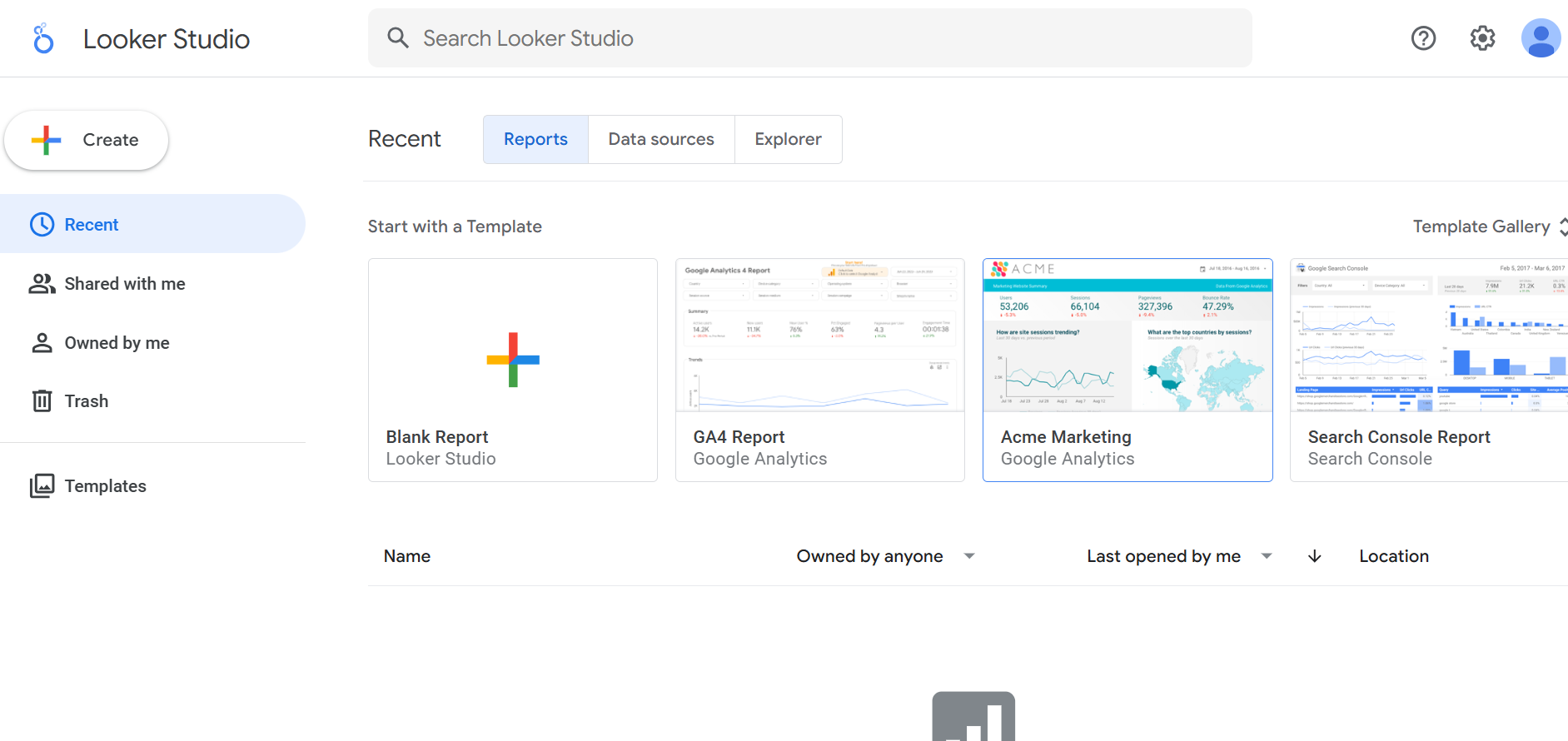
Looker Studio is free, and that makes it the default executive dashboard for any in-house team already running GA4 and Search Console. It reads both sources directly, so one person can build a single view of organic traffic, conversions and Search Console queries. Budget a day for a first version.
Looker Studio suits SEO managers and marketing leads who report to a CMO or a board and do not need a branded client portal. It does not suit teams that need white-labelling on day one, or teams where nobody owns connector upkeep. Without an owner, dashboards go stale and nobody notices until the meeting where it matters.
| Plan | Price | Billing Basis | What It Includes |
|---|---|---|---|
| Looker Studio | Free | No charge for the base product | Reports and dashboards on connected data sources |
| Looker Studio Pro | Pricing on request | Not listed | Paid edition of the same product |
Strengths:
- Cost: The base product is free, so a Seed team can ship an executive view without a software budget.
- Native data: GA4 and Search Console are the sources most SEO reports start from, and Looker Studio reads both.
- One shared view: A single executive dashboard replaces the monthly spreadsheet export and the emailed attachment.
- Flexibility: You choose the metrics, so the view can match how your own leadership talks about pipeline.
Trade-offs:
- Setup time: Someone has to design every chart and keep the definitions identical across views.
- Connectors: Sources outside Google, including CRM data, take setup and often a paid third-party connector.
- Governance: Edit rights and shared definitions need an owner once more than one person builds views.
- Client polish: Anything client-facing is something you build yourself.
Key capabilities:
- Google data sources: Reads GA4 and Search Console data.
- Custom views: Charts and tables you define yourself, so an executive page can carry five metrics and nothing else.
- Shared reports: One person builds the view and the whole team reads it.
- CRM data: Can be brought in through a connector, with the setup work that implies.
Good fit:
- In-house SEO teams at Seed and Series A with GA4 and Search Console already running.
- A CMO or investor view built from five to ten metrics.
- Teams that can budget time for setup and own the upkeep afterwards.
Not a fit:
- Agencies that need a white-label client portal.
- Teams with many non-Google sources and nobody to maintain the connectors.
The limit that matters most is upkeep, because non-Google connectors, CRM data and governance all take setup that the free price tag hides.
2. Semrush: Best For Teams Already Using Its Keyword Stack
Semrush is a research suite first and a reporting tool second, and the pricing page shows it. Semrush's SEO plan starts at $139 a month billed monthly or $117.33 a month billed annually, and it covers 5 websites, 500 daily tracked keywords, position tracking and site audit. White-label reporting comes from the $20 a month Pro Report add-on rather than from the plan itself.
Semrush suits teams that already live in its keyword and audit tools. If your team already tracks keywords and audits the site in Semrush, the Pro Report add-on at $20 a month adds branding and white-labelling, so the reports come from the same place as the data. If the ranking layer is your main reporting need, our guide to SEO tools for keyword ranking reports compares the alternatives.
| Plan Or Add-On | Monthly Billing | Annual Billing | What It Includes |
|---|---|---|---|
| SEO | $139 per month | $117.33 per month | 5 websites, 500 daily tracked keywords, position tracking, site audit |
| Starter (SEO + AI Search) | $199 per month | $165.17 per month | Listed as its own tier on the pricing page |
| Pro+ | $299 per month | $248.17 per month | Listed as its own tier on the pricing page |
| Advanced | Custom | Custom | Custom pricing |
| Base Report add-on | $10 per month | Not stated | Data from 20+ tools, GA and GSC integrations, scheduling, PDF export |
| Pro Report add-on | $20 per month | Not stated | 20+ external integrations, branding and white-labelling, AI summaries, link sharing |
| Additional user | From $45 per month each | Not stated | One more seat |
Semrush's pricing page lists no reporting or white-label on the plain SEO plan, so reporting is an add-on cost. Scheduling and PDF export start at $10 a month, white-label starts at $20 a month, and each extra user starts from $45 a month.
Strengths:
- Research depth: Keyword tracking, position tracking and site audit sit in the same account as the reports.
- Reporting add-ons: Scheduling and PDF export come from $10 a month, branding and white-labelling from $20 a month.
- Integrations: The Pro Report add-on lists 20+ external integrations and link sharing.
Trade-offs:
- Reporting costs extra: The SEO plan lists no reporting or white-label, so the real price is the plan plus the add-on.
- Seat cost: Additional users start from $45 a month each, which adds up across a wide roster.
- Unpublished limits: Per-plan seat limits and Looker Studio access are not published on the pricing page.
Key capabilities:
- Tracking: 500 daily tracked keywords and position tracking on the SEO plan.
- Audit: Site audit on the SEO plan.
- Reports: Scheduling and PDF export with Base Report, plus branding, white-labelling, AI summaries and link sharing with Pro Report.
Good fit:
- Teams that already track keywords and audit the site in Semrush.
- Teams that want the report to come from the same account as the data.
Not a fit:
- Teams that only need a dashboard and have no use for a research suite.
- Buyers who need Looker Studio access or seat limits confirmed before they sign.
The limit that matters most is that Looker Studio access and per-plan seat limits are not published, so ask in writing before you commit.
3. AgencyAnalytics: Best For White-Label Client Reporting
AgencyAnalytics charges by the client, and that is the whole pricing story. AgencyAnalytics's Core plan costs $20 per client per month billed annually and includes white-label branding, a client portal, a custom domain, custom email, and unlimited staff and client users. A 14-day free trial and a 30-day money-back guarantee come with it.
AgencyAnalytics suits agencies and in-house teams that report to clients or to separate business units and want each one to see a branded view. The tool lists 85+ marketing integrations, including Google Search Console, Semrush and Ahrefs, so it can sit on top of the research tools you already pay for. Readers who want KPI and template ideas for client views will find them in our client reporting dashboards guide.
| Plan Or Add-On | Price | Billing Basis | What It Includes |
|---|---|---|---|
| Core | $20 per client per month | Billed annually | White-label branding, client portal, custom domain, custom email, unlimited staff and client users |
| Volume | By quote | For 25 or more clients | Quote-based pricing |
| Rank Tracker add-on | $41.67 per month per 500 keywords | Billed annually | Keyword rank tracking |
The pricing page quotes Core on annual billing, so budget from the Core figure and ask the vendor for the rest.
Strengths:
- White-label in the base plan: Branding, a client portal and a custom domain are all part of Core.
- Unlimited users: Staff and client users are unlimited, so viewers do not add cost.
- Integrations: 85+ marketing integrations, including Google Search Console, Semrush and Ahrefs.
- Predictable unit: You know the cost of adding one more client.
Trade-offs:
- Per-client pricing: Cost scales with the number of clients or properties you report on.
- Rank tracking is extra: Tracking is a separate add-on at $41.67 a month per 500 keywords on annual billing.
Key capabilities:
- Branding: White-label branding, custom domain and custom email.
- Client portal: A place where clients read their own results.
- Integrations: Google Search Console, Semrush and Ahrefs among 85+.
Good fit:
- Agencies reporting to many clients.
- In-house teams reporting to business units that each want their own view.
Not a fit:
- A single-site team with one reader, where a free Looker Studio view does the same job.
- Teams that need a deep research suite in the same account.
The limit that matters most is that AgencyAnalytics is priced per client, so cost grows with every property you add.
4. Whatagraph: Best For Cross-Channel Reports Across Many Accounts
Whatagraph is built for teams that report across a lot of connected accounts. Whatagraph's Max plan starts from EUR 999 per month billed annually, counted in credits where 1 credit equals 1 connected data account, from 50 credits. Max includes white-label, unlimited reports and users, automated PDF emails and a customer success manager. Max has no custom report domain, and Prime is custom-priced.
Whatagraph's credit-based model suits agencies and in-house teams that connect dozens of accounts across channels and want one branded output. The pricing page does not name SEO data sources, so confirm the Search Console and rank-tracking connectors you need in a demo before you sign.
| Plan | Price | Billing Basis | What It Includes |
|---|---|---|---|
| Max | From EUR 999 per month | Billed annually, counted in credits from 50 credits, 1 credit equals 1 connected data account | White-label, unlimited reports and users, automated PDF emails, customer success manager, no custom report domain |
| Prime | Custom | Custom | Custom pricing |
Strengths:
- Credit model: Cost follows the number of connected data accounts, not the number of seats or reports.
- Unlimited users: Max includes unlimited reports and users, so extra viewers add nothing.
- White-label: Branding is part of Max.
- Support: A customer success manager comes with Max.
Trade-offs:
- High entry price: From EUR 999 per month billed annually is a lot for one site.
- Euros only: The page shows euros, so a team that budgets in dollars has to convert at its own rate.
- No custom domain: Reports cannot sit on your own report domain.
- SEO connectors unnamed: The page does not list SEO data sources.
Key capabilities:
- Credits: Priced per connected data account from 50 credits.
- Delivery: Automated PDF emails.
- Scale: Unlimited reports and users.
Good fit:
- Agencies with many client accounts to connect.
- In-house teams reporting across many channels and business units.
Not a fit:
- A single-site team with one or two data sources.
- Anyone who needs reports on a custom report domain.
The limit that matters most is Whatagraph's entry price, which makes sense across many accounts and very little sense for one.
5. Ahrefs: Best For Link-Led Content Teams That Need Reports

Ahrefs is a link and content research tool that also builds reports. On its pricing page, Lite is $129 a month, Standard is $249, Advanced is $449 and Enterprise is $1,499. Enterprise is listed with an annual commitment and from 3 users. Lite, Standard and Advanced include 1 user, and extra users cost $40, $60 and $80 a month on those plans.
Reporting sits behind the plan. The Report Builder add-on is $99 a month, and the included report counts are 5, 5, 15 and 25 by plan. Ahrefs lists a Looker Studio connector on Advanced and Enterprise only, and white-label reports are not mentioned on the page.
Many teams pair Ahrefs with a free dashboard for exactly this reason. The rank data feeds the reports, and readers who need the tracking layer can compare options in our guide to the best SEO rank tracking software.
| Plan | Price | Included Users | Extra Users | Included Reports | Looker Studio Connector |
|---|---|---|---|---|---|
| Lite | $129 per month | 1 | $40 per month each | 5 | Not listed |
| Standard | $249 per month | 1 | $60 per month each | 5 | Not listed |
| Advanced | $449 per month | 1 | $80 per month each | 15 | Listed |
| Enterprise | $1,499 per month | From 3 users | Not stated | 25 | Listed |
Strengths:
- Research data: Backlink and content research sits in the same account as the reports.
- Clear tiers: Four plans with report counts and extra-user prices on the page.
- Looker Studio route: The connector on Advanced and Enterprise lets you push the data into a free dashboard.
Trade-offs:
- Reporting costs extra: Report Builder is a $99 a month add-on.
- Connector gating: Lite and Standard list no Looker Studio connector.
- No white-label: White-label reports are not mentioned on the pricing page.
- Seat cost: Extra users run $40 to $80 a month by plan.
Key capabilities:
- Reports: 5, 5, 15 and 25 included reports by plan.
- Report Builder: Add-on at $99 a month.
- Connector: Looker Studio connector on Advanced and Enterprise.
Good fit:
- Content teams that already work from Ahrefs link and keyword data.
- Teams that will build the executive view in Looker Studio.
Not a fit:
- Agencies that need white-label client portals.
- Teams on Lite or Standard that want a Looker Studio connector.
The limit that matters most is that Ahrefs reporting depth and executive polish trail the dedicated tools, which is why many teams pair it with Looker Studio.
📋 Get Listed / Advertise
We update this guide monthly. Want your tool featured? Contact: [email protected].
What SEO Reporting Software Is
SEO reporting software pulls data from Google Analytics, Search Console, rank trackers, backlink tools and a CRM into one shareable report or dashboard. It replaces the monthly habit of exporting GA4 to a spreadsheet and emailing a half-updated copy around.
That spreadsheet habit is the anti-pattern this software exists to kill. It is slow, it goes stale the day it is sent, and it makes pipeline impact close to impossible to show. A reporting tool is also not a research tool. Some suites sell reporting as an add-on, and some dedicated tools only display data that other tools collect.
The data layer underneath any report is its own decision. Our list of website traffic analysis tools covers the sources before you pick the reporting layer on top.
How To Judge SEO Reporting Software Before You Buy
Three contract questions decide an SEO reporting purchase before price does. Ask whether the data and the report come on one contract or two, which tier carries white-label, and whether a client or an executive can view a report without a paid seat.
Add two more and you have the full set of checks behind the five picks in this guide.
- Connectors: Which sources does the tool read, and are the ones you need named on the vendor page or only promised in a demo?
- White-label: Is it in the tier you would actually buy, or in the one above it?
- Viewers: Can a client or an executive open a report without a paid seat?
- Contracts: Is the data and the report one contract or two?
- Full-roster cost: What does it cost once every add-on, seat and connector you need is on the quote?
Automation, scheduled sends, integrations, white-label, AI summaries, scale and pricing transparency all fit under those five. Ignore an AI feature until you have seen it explain a movement on your own data. Ignore a screenshot until you have seen the same chart built from your sources.
The picks in this guide are not scored. A score hides the trade-off that matters, which is who reads the report. Judge each tool by questions you can check on a vendor page or answer in a demo, and write the answers down next to the quote.
How To Choose By Reader And Decision
Choose by reader and decision first, then by stage and connectors. The tool follows from who opens the report and what they do next.
| Reader | Decision They Make | Start With | Why | Avoid |
|---|---|---|---|---|
| In-house SEO team | What to fix this week | Semrush or Ahrefs | Research data, rank tracking and audits sit next to the report | Paying for white-label you will not use |
| Executive or investor | Whether to fund more budget | Looker Studio | A free one-page view of organic outcomes built from GA4 and Search Console | A deck of rankings with no pipeline number |
| Client | Whether to renew | AgencyAnalytics | Core includes white-label branding, a client portal and unlimited client users | Raw exports with no commentary |
| Agency lead | How to scale reporting | AgencyAnalytics for per-client work, Whatagraph for many accounts | Per-client price against a credit per connected data account | Buying seats for every viewer |
For an in-house SEO team, start with Semrush or Ahrefs because the research data and the report live together. For an executive or investor, start with Looker Studio because it is free and one page is all they read. For a client, start with AgencyAnalytics because the branded portal is part of the base plan. For an agency lead, start with AgencyAnalytics when work is priced per client and Whatagraph when the number of connected accounts is the real cost.
Looker Studio is the executive default for a reason. In one prompt tracker's sample of executive-dashboard SEO reporting prompts, Looker Studio was mentioned in 100 percent of ChatGPT Search answers and 92 percent of Google AI Mode answers. That is a single tracker and a single sample, so it shows where AI answers point readers and says nothing about how well the tool performs.
White-label and sharing are the main filter for agencies. For everyone else the question is simpler, which is whether the person reading can act on the number.
The format decision, live dashboard or monthly PDF, has its own answer in our guide to live dashboard versus monthly PDF. This page picks the tool, and that page picks the format.
If leadership now asks how the brand shows up in AI answers as well as Google, Generative Engine Optimization puts both on one report. Tell us which reader you report to and we will show you the setup.
Which Tool Fits Your Stage
Seed: Run Looker Studio on the GA4 and Search Console data you already have. It costs nothing, one person can build the executive view, and it forces you to decide which five metrics matter. If you also want a paid research tool, start with our list of cheap SEO tools worth paying for.
Series A: Add one paid tool, and only for a reason a reader can name. Pick Semrush when the team needs keyword and audit data, where the SEO plan is $117.33 a month billed annually and the Pro Report add-on is another $20 a month for branded reports. Pick AgencyAnalytics when clients or business units need a branded portal, where Core is $20 per client per month billed annually.
Series B to C: Add CRM-connected reporting and seat governance. Confirm HubSpot and Salesforce connector support with each vendor first. Then count seats, because Semrush additional users start from $45 a month each and Ahrefs extra users run $40 to $80 a month by plan. Decide who can edit and who can only view before the roster grows.
Move up a stage only when one of these happens.
- A reader asks for a view the current tool cannot produce.
- Two people end up maintaining the same connectors.
- Reporting takes more time each month than you planned for.
Connect Reporting To CRM And Pipeline
Rankings do not convince a CFO. Pipeline does. Reporting connects to revenue in three steps.
- Define the lifecycle stages in the CRM first. Agree what counts as an MQL, an SQL, an opportunity and closed-won before you build a chart. A dashboard cannot fix definitions nobody agreed on.
- Bring organic-source fields into the dashboard. Pull the CRM's source and lifecycle fields next to GA4 and Search Console data so one view carries both.
- Report on organic-sourced pipeline, not sessions. Sessions are an input. The executive view needs outcomes.
Put three metrics on that view. Organic-sourced SQLs are the sales qualified leads whose first recorded source was organic search. Organic-influenced pipeline is the opportunity value on deals where organic search touched the buyer before close. ARR from organic is the annual recurring revenue of closed-won customers whose source was organic. Our guide to revenue-linked SEO metrics defines each one in detail.
Three side effects make the work pay back.
- Sales handoff: When reporting follows organic leads through to closed-won, marketing and sales argue about the same numbers.
- Lifecycle visibility: For product-led SaaS, tracking SEO-led signups through trial, paid and expansion shows which content moves revenue.
- Onboarding: New marketers inherit working dashboards instead of rebuilding reports from scratch.
HubSpot and Salesforce connector support is not something this guide verified for any of the five tools, so confirm it with each vendor in writing before you buy. Reporting on organic pipeline also presupposes content worth measuring, and our SaaS content marketing programme covers that side.
When GA4 And Looker Studio Are Enough
The free stack of GA4, Search Console and Looker Studio is enough when one team reads the report, the data sources are Google's own, and someone owns the setup. It is not enough when a client needs a branded portal, several people maintain connectors, or non-Google sources keep multiplying.
For most Seed and early Series A teams the free stack is the right answer, and a paid tool is a way of avoiding a decision. It covers traffic, conversions, queries and a single executive view. Stop there until a reader asks for something it cannot give.
You have outgrown it when you see these signs.
- A branded portal: A client or business unit wants its own branded view, which is where white-label tools earn their price.
- Connector sprawl: Several people maintain connectors, and a broken sync is nobody's job.
- Non-Google sources: CRM, paid and social data keep arriving, and every new source is another setup project.
None of these means the free stack failed. It means the reader changed. When that happens, our list of marketing analytics tools for SaaS is the next stop.
What SEO Reporting Software Really Costs
The headline price is the smallest number in the quote. The full roster cost is the plan price, plus white-label or reporting add-ons, plus extra seats, plus connectors, multiplied by the number of clients, properties or credits you report on.
Connector-based dashboards are often quoted per tier and per data source, so the headline price understates what the whole roster costs. Ask for the quote with every source on it.
As a sanity check, one published guideline puts reporting and analytics at roughly 5 to 15 percent of an SEO budget. It is a guideline, not a measured benchmark, so use it to spot a quote that looks out of proportion rather than to set a budget.
Here is the arithmetic for three setups, using each vendor's listed prices.
Semrush for a team that needs white-label on annual billing:
- Plan: Semrush's SEO plan at $117.33 per month billed annually.
- Reporting: The Pro Report add-on at $20 per month.
- Extra seats: Two additional users from $45 per month each, so from $90.
- Total: From $227.33 per month.
AgencyAnalytics for an agency with 10 clients:
- Plan: AgencyAnalytics Core at $20 per client per month, so $200 per month billed annually.
- Users: Staff and client users are unlimited, so there is no seat line.
- Beyond 25 clients: Volume pricing is by quote.
Ahrefs for a content team that wants the Looker Studio connector:
- Plan: Ahrefs Advanced at $449 per month.
- Reporting: The Report Builder add-on at $99 per month.
- Extra seats: Two extra users at $80 per month each, so $160.
- Total: $708 per month.
Whatagraph does not fit the same sum, because Max starts from EUR 999 per month billed annually and the unit is credits, one per connected data account from 50 credits. Count your accounts first, then ask for the quote in euros.
If you would rather outsource the setup than assemble it, our ongoing SEO reporting support is built for that.
Roll Out A Reporting Setup In 30 Days
- Audit what you have in the first two days. List every report you send, who reads it, how long it takes and which data sources feed it.
- Shortlist two or three tools in the first week. Match them to the reader, the stage and the connectors you already run, and ask each vendor for a quote with every add-on on it.
- Build one executive view in the second week. Put five metrics on one page, end with organic-sourced pipeline, and keep the definitions identical for everyone who reads it.
- Run a 30-day pilot and then roll out. Track the time reporting takes, check that every sync still works, and send the view to the real reader before you extend it to other teams.
Once the pilot works, our guide to real-time dashboards for AI-first search shows layouts that leadership will read.
FAQs
Can A Client Or Executive View A Report Without A Paid Seat?
How Often Should SEO Reports Go To Leadership And How Often To Clients?
Can SEO Reporting Software Track Competitor Performance?
What Happens When A Data Source Stops Syncing?
Is White-Label Reporting Worth Paying For If I Am In-House?
Can I Prove Pipeline Impact Without A CRM Connection?
Should I Buy An All-In-One SEO Suite Or A Dedicated Reporting Tool?
How Long Does It Take To Set Up A Reporting Dashboard?
Can I Report On A Tool That Is Not On The Integration List?
If you want a second opinion on your shortlist, book a thirty-minute call. One of the founders takes it, and you leave knowing which reporting setup we would build first.
📑 Disclosure!
Some links in this article are affiliate links. If you sign up through them, The Rank Masters may earn a commission at no additional cost to you. This does not influence which tools we recommend or what we say about them.