

Running a content audit shouldn’t mean drowning in CSV exports, VLOOKUPs, and late nights in spreadsheets when you could lean on purpose-built AI content audit software to do the heavy lifting.
With AI layered on top of Google Analytics 4 (GA4) and Google Search Console (GSC), you can quickly spot underperforming pages, content gaps, and easy SEO wins—without manual number-crunching.
👉 In this guide, you’ll discover the best AI tools that plug into (or work alongside) GA4 and GSC to turn raw data into clear, prioritized action lists, and where a done-for-you option like our SaaS content audit & fix sprint fits in.
Whether you’re a solo creator, in-house marketer, or agency, you’ll see exactly which products fit your stack, budget, and growth stage—so you can choose a tool today and start shipping profitable content updates faster.
💡 Key takeaway
- No single “best” tool – Surfer, StoryChief, MarketMuse, SearchAtlas, Wordtune, custom workflows, and native GA/GSC AI all shine in different parts of the content audit workflow.
- Choose by maturity & scale – small teams and solo creators get more value from Wordtune + native GA/GSC; growing teams from Surfer or StoryChief; large libraries and enterprises from MarketMuse or SearchAtlas; data-heavy orgs from custom AI workflows.
- Stack, don’t rely on one – the strongest setups pair analytics (GA/GSC) + audit tool (Surfer/StoryChief/MarketMuse/SearchAtlas) + writing assistant (Wordtune) + optional custom workflows.
- AI is an assistant, not the boss – all products work best when humans still make final calls on pruning, consolidating, and strategic direction.
| Tool name | 3 key features | Best for |
|---|---|---|
| SurferSEO | - GSC-connected content audit - AI-backed Content Editor with on-page SEO guidance - Keyword & SERP analysis tools | SEO teams and agencies optimizing lots of existing content |
| StoryChief | - Central content calendar & workflows - AI writing + SEO checks in editor - Multi-channel publishing & analytics | Content and marketing teams needing one hub for strategy + execution |
| MarketMuse | - AI content inventory & scoring - Topic/cluster and gap analysis - Data-backed content briefs & roadmaps | B2B / SaaS / enterprise teams planning long-term content strategy |
| SearchAtlas | - AI SEO automation (OTTO SEO) - On-page, technical, and backlink modules - Client-ready dashboards & reports | SEO agencies and in-house SEO teams managing many sites |
| Wordtune | - AI rewriting and tone control - Summarization and expansion - Browser extensions for everyday writing | Solo creators and teams polishing copy after audits |
| Custom AI Workflows | - GA/GSC + SEO APIs + LLM pipelines - Fully custom scoring & reporting - Integrations with BI/Notion/Slack/etc | Data-savvy teams and agencies building proprietary audit engines |
| Native GA4 & GSC AI | - AI-powered report configuration in GSC - Automated insights/anomalies in GA4 - 100% first-party, free data | Any team wanting fast, free AI-driven insights before deeper tooling |
SurferSEO

What it does?
SurferSEO is an AI-powered SEO platform that audits and optimizes content to rank higher in Google and AI search. Its Content Audit and Content Editor features analyze your pages against competitors and search data, then suggest specific improvements. It combines search intent, entities, and on-page factors into easy-to-follow scores and guidelines.
Why teams use it?
Teams use Surfer to turn raw GSC/SEO data into a clear list of “fix these pages first.” Writers get simple optimization scores in the editor instead of digging through reports. Agencies like that it standardizes how they optimize content across many clients.
Who is this tool for (ICP)?
Best fit for teams already caring about SEO performance.
- In-house SEO/content teams
- SEO agencies & consultants
- Publishers and niche site owners with 100+ URLs
- Advanced bloggers who want data-backed optimization
How this tool fits in this AI-first era?
Surfer bridges classic SEO with AI search and AI Overviews. It helps you optimize content so it’s understandable and competitive for both traditional SERPs and LLM-based assistants.
- Uses AI to surface content gaps and cannibalization
- Aligns content with entities/topics, not just keywords
- Tracks visibility in AI search surfaces as well as Google
- Automates a lot of on-page SEO busywork
You connect your site and GSC, run a Content Audit, and get a prioritized list of pages to improve. Then you open each page in the Content Editor and follow the AI guidelines (terms, structure, length, headings).
Free tier?
No full free tier (just some free tools); core product is paid.
Strengths?
- Deep SEO focus, not just generic AI writing
- Clear content scores writers can follow
- Scales well for larger content libraries
- Strong integration between audit and writing tools
Weaknesses?
- Can feel expensive for very small sites
- Interface has a learning curve for non-SEOs
- Plan limits on credits/audits need managing
Key Capabilities?
Core levers for content audits.
- GSC-connected content audit
- Content Editor with live SEO suggestions
- Topic/cannibalization insights
- Basic site/keyword analysis
Pricing snapshot?
Best for?
Best for teams that already get some traffic and now want to systematically grow it. It shines when you’re constantly updating and creating content, and need a repeatable way to decide what to fix first. Agencies and in-house SEO teams get the most leverage.
StoryChief
What it does?
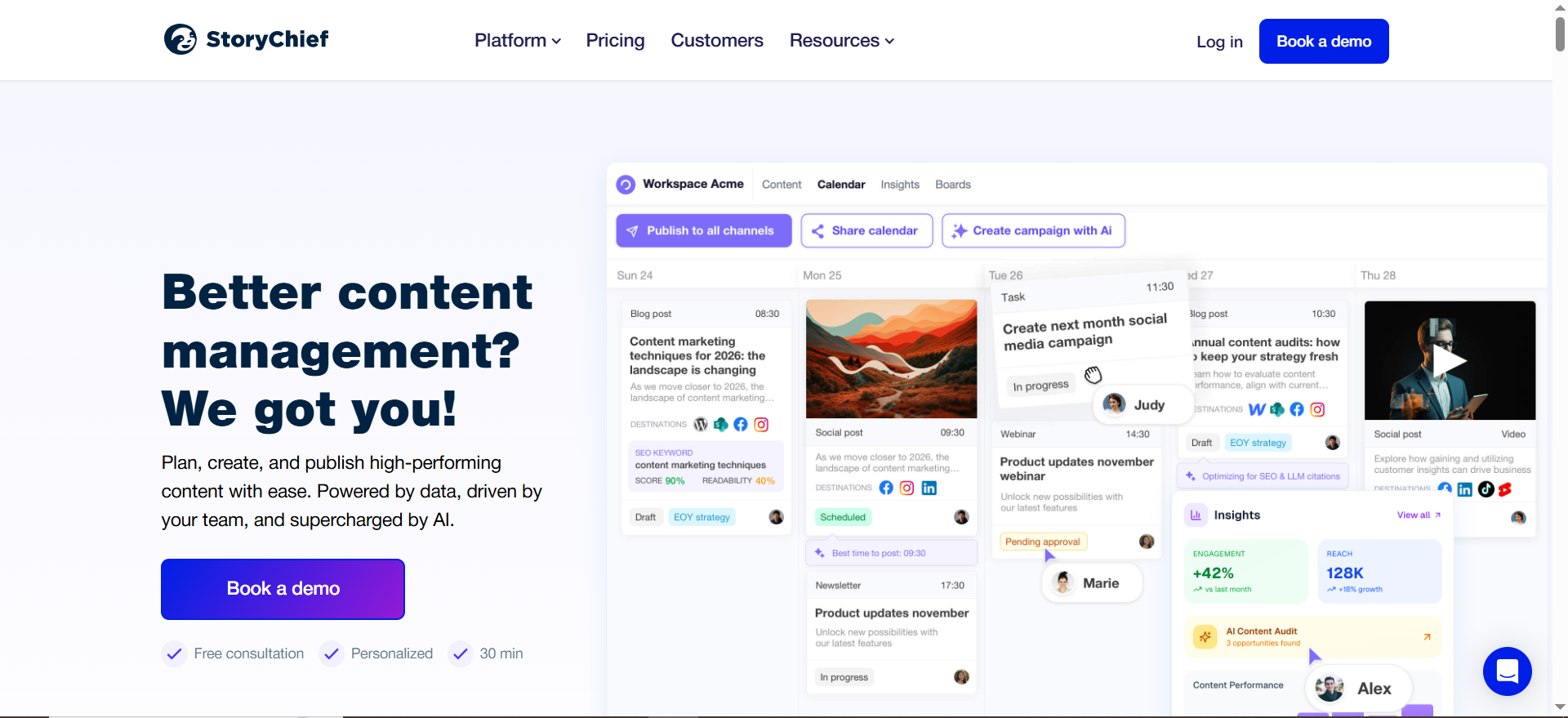
StoryChief is a content marketing hub that combines planning, writing, multichannel publishing, and analytics. Its AI Content Audit and SEO features use performance data (including GSC) to flag underperforming content and suggest improvements. Everything lives in one workspace: calendar, editor, publishing, and reporting.
Why teams use it?
Teams use StoryChief to replace scattered docs, spreadsheets, and separate SEO tools. Marketers like that briefs, approval workflows, and performance sit in the same platform. It’s particularly attractive for teams that publish across blog + socials + newsletter.
Who is this tool for (ICP)?
Ideal when content is a team sport.
- B2B, SaaS, and editorial marketing teams
- Agencies managing content for multiple clients
- Brand teams needing approvals and governance
- Teams wanting audit + execution in one tool
How this tool fits in this AI-first era?
StoryChief bakes AI into the entire content lifecycle — from ideation to audit. It uses AI to generate and optimize content, and to run recurring content audits so old posts don’t quietly decay.
- AI writing and repurposing for multi-channel campaigns
- Weekly content audit signals within the calendar
- Built-in SEO & analytics tied to your content items
- AI agents and credit add-ons for heavier automation
How does StoryChief work?
You connect CMS, socials, and GSC, then manage all campaigns in the StoryChief calendar. The platform tracks performance, surfaces what to fix, and lets you update and republish content from the same interface.
Free tier?
Yes – there’s a free plan with basic analytics, plus a 7-day trial on paid plans.
Strengths?
- Strong editorial calendar and collaboration
- Built-in SEO, analytics, and AI audit features
- Multi-channel publishing from one place
- Flexible plans for individuals, teams, and agencies
Weaknesses?
- Overkill if you just want a simple SEO audit
- Per-seat pricing can add up for larger teams
- Requires a workflow shift away from ad-hoc tools
Key Capabilities?
- AI & SEO content editor
- Weekly content audit + SEO insights
- Centralized calendar and approvals
- Multi-channel publishing and analytics
Pricing snapshot?
- Free – €0/month
- Social Media Calendar – from ~€19/month
- Team Social / Editorial – from ~€29–69 per seat/month
- Agency / Enterprise – from ~€49 per client/month or custom
Best for?
Best for content teams that want strategy, creation, and audit in one platform. If you’re juggling blog, socials, and stakeholders, StoryChief can become your single source of truth. Agencies and B2B teams especially benefit from the structured workflows.
MarketMuse
What it does?
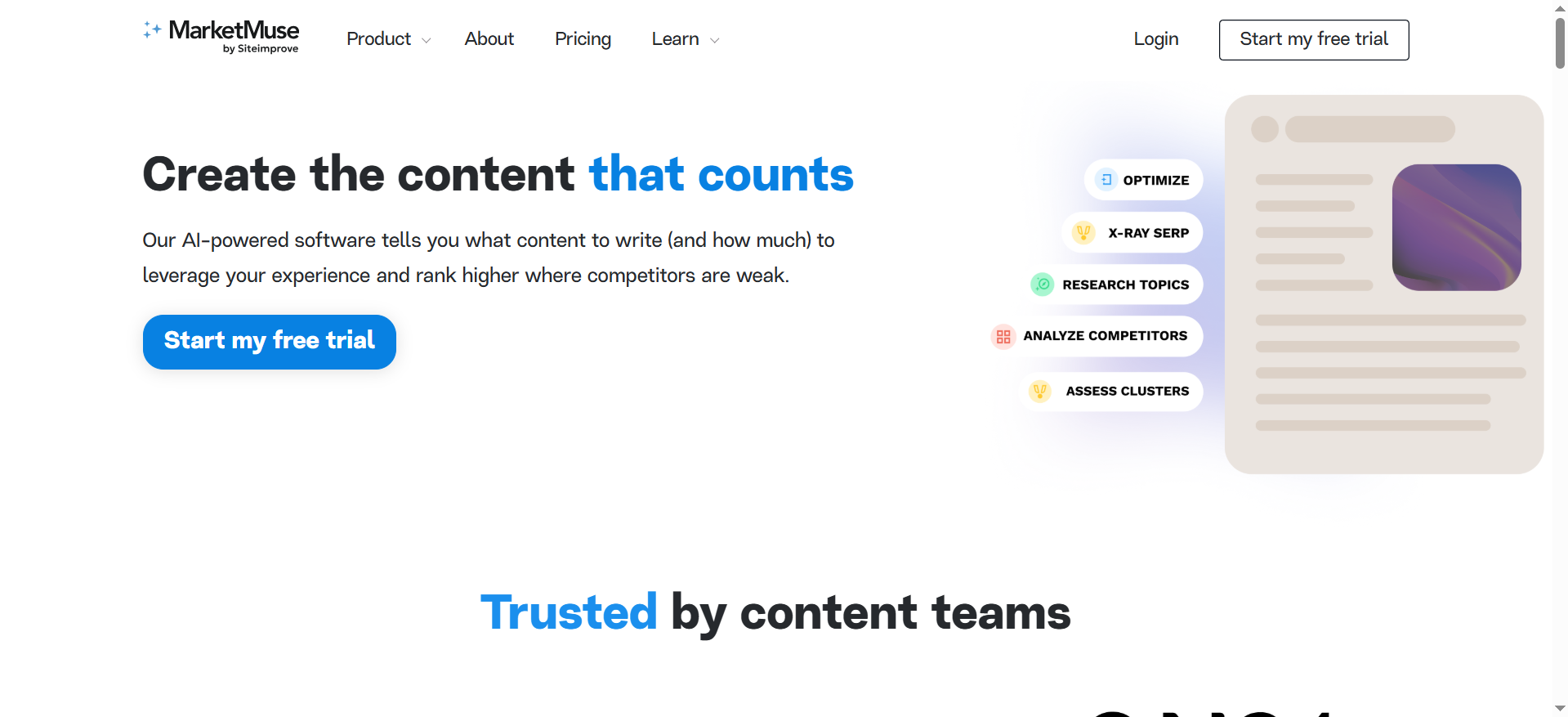
MarketMuse is an AI content planning platform that scores your content, identifies gaps, and generates data-backed briefs. It focuses on topical authority: which themes you own, where you’re weak, and what to create next. GA/GSC exports can be layered in to prioritize URLs based on performance.
Why teams use it?
Teams use MarketMuse when they need strategic guidance, not just page-level tweaks. It helps decide which topics and clusters to focus on for long-term authority. It’s especially popular in B2B and editorial teams with large content libraries.
Who is this tool for (ICP)?
- Mid-market and enterprise content teams
- B2B, SaaS, and publishers with big libraries
- Agencies doing content strategy and roadmapping
- SEOs who want topic-level planning
How this tool fits in this AI-first era?
MarketMuse acts as an AI “content strategist” instead of just a writer. It analyzes SERPs, entities, and your inventory to recommend where to build depth so your content stands out in AI summaries and answers.
- AI scoring for depth and quality
- Topic and cluster analysis around user intent
- Briefs that help writers hit expert-level coverage
- Supports building strong E-E-A-T content hubs
How does MarketMuse work?
You add your domain, let it build an inventory, then run analyses on topics or URLs. It scores pages, surfaces gaps, and generates briefs and strategy docs for priority topics.
Free tier?
Yes – free plan with limited queries; paid tiers unlock more sites, topics, and briefs.
Strengths?
- Excellent for topic and cluster planning
- Helpful content inventory and scoring for large sites
- Strong briefs for writers and editors
- Good fit for strategic roadmaps
Weaknesses?
- Overkill for small or early-stage blogs
- Full plans can be pricey for small teams
- Requires time to learn and set up inventory
Key Capabilities?
- Topic Navigator & content inventory
- AI quality and gap scores
- Content briefs & strategy docs
- SERP and competitive analysis tools
Pricing snapshot?
- Free – $0/month (limited queries)
- Standard/Optimize – around $119–149/month
- Research / Strategy / higher tiers – contact sales
Best for?
Best for teams that think in terms of topics, not just keywords. If you manage lots of content and need to know where to double down, MarketMuse provides the strategic layer your writers can execute on.
SearchAtlas
What it does?
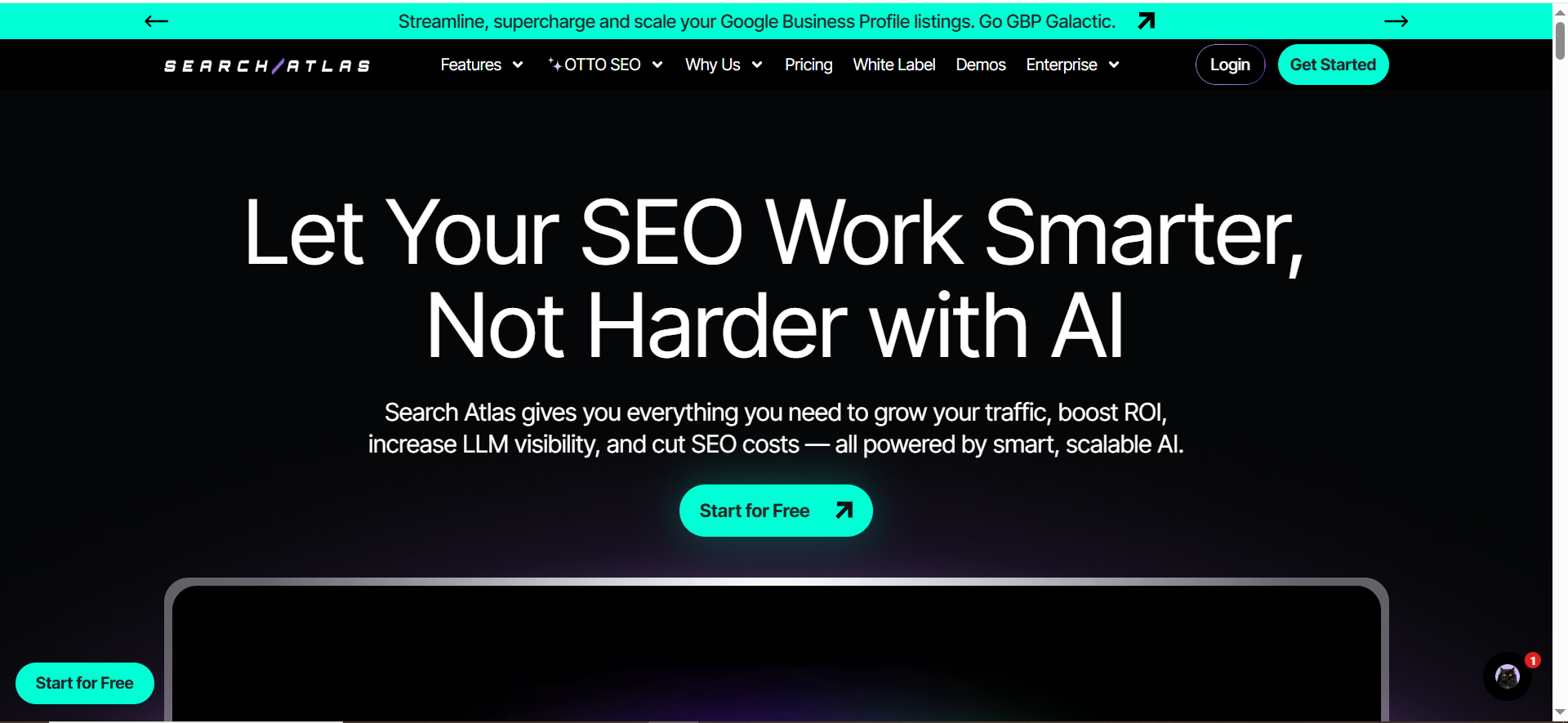
SearchAtlas is an AI SEO automation platform that bundles keyword research, content optimization, technical audits, and backlinks into one suite. Its OTTO SEO engine automates many on-page and technical tasks, and it can use GSC data to prioritize changes.
Why teams use it?
Teams use SearchAtlas to replace multiple disconnected SEO tools. Agencies like having one place to manage content, links, site health, and reports. It’s particularly appealing when you want AI to handle routine SEO fixes at scale.
Who is this tool for (ICP)?
- SEO agencies managing many sites
- In-house SEO teams at growing brands
- Marketers wanting an “SEO OS” instead of many tools
- Teams needing client-ready SEO reports
How this tool fits in this AI-first era?
SearchAtlas leans heavily into AI automation with OTTO SEO. Instead of manually editing meta tags and internal links, you let the AI suggest and often deploy changes, keeping your site aligned with evolving search and LLM behavior.
- AI agent for technical and on-page optimizations
- Automation across SEO, Google Ads, and local SEO
- Focus on LLM and AI search visibility as well as Google
- Report builder that uses AI to summarize results
How does SearchAtlas work?
You connect your site, place the OTTO pixel, and hook up GSC/other data sources. OTTO scans your site, recommends fixes, and can implement certain changes automatically from the SearchAtlas dashboard.
Free tier?
No permanent free plan; 7-day full-feature free trial is available.
Strengths?
- Consolidates many SEO tasks in one tool
- AI agent reduces manual technical work
- Strong fit for multi-site and agency use
- Good mix of content, technical, and authority features
Weaknesses?
- More complex than lightweight audit tools
- Best value when you use several modules, not just one
- Pricing can be high for solo operators
Key Capabilities?
- OTTO SEO automation & site audits
- Content Genius (AI content tools)
- Keyword, backlink, and local SEO features
- AI storytelling reports and dashboards
Pricing snapshot? (per official pricing & review blog)
- Starter – from $99/month
- Growth – from ~$199/month
- Higher tiers / Enterprise – up to ~$399+/month or custom
Best for?
Best for agencies and in-house SEO teams that want a central platform with AI at the core. If you’re tired of stitching together separate tools for audits, links, and reporting, SearchAtlas offers a more unified, automated approach.
Wordtune

What it does?
Wordtune is an AI writing assistant that rewrites, polishes, and summarizes text. It’s not a full SEO or analytics suite, but it’s great for improving clarity, tone, and structure of content you’ve already identified as needing updates.
Why teams use it?
Teams use Wordtune as a quick way to upgrade copy once they know what to fix from GA/GSC or SEO audits. It’s lightweight, fast, and easy for non-writers and non-SEOs. Many users keep it as a browser extension for emails, docs, and CMS work.
Who is this tool for (ICP)?
- Solo creators, bloggers, and freelancers
- In-house marketers improving copy quality
- Non-native English speakers polishing content
- Teams that already have SEO tools but need better writing
How this tool fits in this AI-first era?
Wordtune lives on the quality layer: making content more readable and human while AI search gets more stringent about usefulness. It helps you turn dry or unclear text into concise, natural language that users and AI models can easily understand.
- AI rewrites with different tones and lengths
- Summaries to trim or repurpose long content
- Grammar and style upgrades “on top” of your SEO work
- Supports consistent brand voice when used across a team
How does Wordtune work?
You paste text into Wordtune or use the extension in your browser, then choose rewrite, shorten, expand, or tone-change options. You can iterate until you get a version that fits your page and SEO goals.
Free tier?
Yes – free Basic plan with limited daily rewrites and summarizations.
Strengths?
- Very easy to adopt, even for non-writers
- Great for polishing intros, CTAs, headings, and FAQs
- Affordable for individuals and small teams
- Works across many tools via extensions
Weaknesses?
- No direct GA/GSC or SEO integration
- Needs separate tools for audit and performance data
- Free plan limits are tight for heavy users
Key Capabilities?
- Rewrite and paraphrasing in different tones
- Summarization of articles and documents
- Grammar & spelling corrections
- Team / business options for rollout at scale
Pricing snapshot? (annual billing, from)
- Basic – Free
- Advanced – ~$6.99/month billed annually
- Unlimited – ~$9.99/month billed annually
- Business – custom
Best for?
Best as a “last-mile” AI assistant once your audit tells you which pages to fix. Use it to tighten copy, improve headings, or adapt tone for different audiences. It complements, rather than replaces, your SEO and analytics stack.
Custom AI Workflows (n8n / Zapier + GSC/GA4 + LLMs)
What it does?
Custom workflows connect GSC/GA4 exports, SEO APIs (e.g., DataForSEO), and LLMs to generate your own content audit reports. You design the pipeline, the prompts, and the outputs (Sheets, Notion, decks, tasks) instead of relying on a single SaaS product.
Why teams use it?
Teams use this approach when they want full control and already have data infrastructure or automation tools. It’s attractive to agencies and growth teams who want a proprietary, branded “AI audit engine.” It can also be cheaper at scale if you optimize API usage.
Who is this tool for (ICP)?
- Data-savvy SEO and growth teams
- Agencies with dev/ops resources
- Companies already using n8n/Zapier/Make and warehouses
- Users comfortable with APIs and prompt engineering
How this tool fits in this AI-first era?
This pattern treats AI as infrastructure: you plug models into your own data instead of shipping it to many SaaS tools. You can tune rules, thresholds, and outputs to match your funnel and KPIs.
- Custom scoring models using GA/GSC metrics
- Automated creation of briefs, roadmaps, or tasks
- Integrations with Slack, Notion, Jira, etc.
- Ability to swap in new/better LLMs over time
How does it work?
Typically, an automation flow pulls GSC/GA data on a schedule, joins it with crawl/SEO data, then sends that into an LLM with a structured prompt. The model outputs prioritized actions and per-URL commentary that’s stored or shared automatically.
Free tier?
Depends on stack (e.g., self-hosted n8n is free; APIs and LLMs are paid).
Strengths?
- Maximum flexibility and custom logic
- Can be tightly aligned with internal KPIs
- Potentially very cost-efficient at volume
- Creates a unique internal capability for agencies
Weaknesses?
- Requires technical skills and maintenance
- No ready-made UI for non-technical stakeholders
- Debugging and prompt design can be time-consuming
Key Capabilities?
- Custom content scoring and clustering
- Auto-generated reports, decks, and briefs
- Integration with BI and warehouse data
- Easy experimentation with different models and prompts
Pricing snapshot?
- Automation tool (e.g., n8n) – free self-hosted or ~$20–50+/month managed
- SEO / data APIs – pay-as-you-go
- LLM APIs – pay-per-token (varies by model/provider)
Best for?
Best for teams that see content audits as a core in-house asset and can invest in building it. If you already report from warehouses and want AI narratives on top, custom workflows can outperform any off-the-shelf tool in flexibility.
Native AI in Google Search Console & GA4
What it does?
Search Console now offers an AI-powered configuration in the Performance report that turns natural language prompts into filters, metrics, and comparisons. GA4 uses machine learning for automated insights and anomaly detection in your analytics data.
Why teams use it?
Teams use these native features when they want quick, free insights without adding vendors. It’s ideal for “show me what changed” questions when you don’t want to build complex reports. It’s also a safe way to explore AI analytics before committing to a dedicated tool.
Who is this for (ICP)?
- Marketers and SEOs wanting faster GA/GSC exploration
- Small teams with strict security/vendor rules
- Analysts who want a starting point before deeper work
- Anyone experimenting with AI-assisted analytics
How this fits in this AI-first era?
Google is embedding conversational analytics directly into its products. Instead of exporting CSVs and building pivots, you increasingly “ask” GA/GSC what you want and refine from there.
- Natural language filters in GSC Performance report
- Automated anomaly detection and trends in GA4
- Faster identification of content and traffic issues
- A free base layer you can feed into other AI tools
How does it work?
In GSC, you describe the data view you want (e.g., countries, devices, time ranges), and the AI-powered configuration builds the Performance report for you. In GA4, you review automated Insights and anomalies, then click through to underlying reports.
Free tier?
Yes – fully included in standard GSC and GA4.
Strengths?
- 100% free and first-party
- No setup beyond your existing properties
- Great for quick, high-level questions
- Works as a pre-filter before external tools
Weaknesses?
- Experimental; can misinterpret prompts
- Limited to existing metrics (no new data types)
- Not a full replacement for dedicated SEO or content audit platforms
Key Capabilities?
- AI-powered GSC Performance configurations
- GA4 automated insights and anomaly alerts
- Fast segmentation by query, page, device, country, date
- Good starting point for identifying URLs to audit
Pricing snapshot?
- Google Search Console – Free
- Google Analytics 4 – Free (standard properties)
Best for?
Best as a default AI analytics layer for everyone using GA/GSC. Small sites can use it as their primary way to find pages to improve; larger teams can use it to spot issues quickly, then push priority URLs into Surfer, StoryChief, MarketMuse, or custom AI workflows.
What Is a Content Audit (and Why GA & GSC Are at the Core)?
A content audit is a structured review of your existing pages to decide which pieces are helping you grow—and which are quietly holding you back. In a solid How to do a content audit, you’re not just listing URLs; you’re making decisions that move revenue and pipeline.
In practice, you’re reviewing pages to decide whether to:
- Keep as is (top performers)
- Update and improve (add depth, fix intent, refresh examples)
- Consolidate with other pages (remove duplication and cannibalization)
- Remove (prune low-value assets – see our Content pruning guide for SaaS)
The goal isn’t “completeness for the sake of it.” The goal is a prioritized, actionable list you can run through like a B2B SaaS content audit checklist that directly lifts traffic, conversions, and content quality.
Why Google Analytics 4 & Google Search Console matter
Most serious content audits today are built on two “source-of-truth” datasets:
- Google Analytics 4 (GA4) – shows how users behave on your site: sessions, engagement, conversions, scroll depth, etc.
- Google Search Console (GSC) – shows how Google sees your content: queries, impressions, clicks, CTR, and average position.
Together they answer questions like:
- Which pages get traffic but don’t convert?
- Which URLs have impressions in search but no clicks?
- Which content used to perform but is now declining?
Without GA/GSC, you’re guessing. With them, you can run truly data-driven content audits.
The problem with manual content audits
Traditional audits look like this:
- Exporting CSVs from GA4 and GSC
- Merging everything in spreadsheets
- Building pivot tables and charts
- Manually tagging pages as “update / consolidate / delete”
It works, but it’s slow, brittle, and painful once you cross a few hundred URLs. This is exactly wher AI content audit software earns its keep: it automates the heavy lifting, spots patterns humans miss, and hands you a clean, prioritized list of changes instead of raw data.
How AI Turns GA & GSC Data into Content Audit Reports
Typical AI-powered content audit workflow
A common modern workflow looks like this:
In a modern setup, you don’t stare at raw reports—you let AI do the pattern-spotting for you. A typical workflow looks like this:
- Connect GA4 & GSC directly to an AI content audit software, or export GSC Performance + GA4 landing page data into an AI workflow (Sheets + n8n, Zapier, ChatGPT/Claude, etc.).
- The tool/agent pulls key metrics like impressions, clicks, CTR, position, sessions, conversions, and engagement rate.
- AI then clusters and scores URLs, and turns that into:
- Clear “update / re-optimize / redirect / delete” recommendations
- Title and meta suggestions
- Content gap ideas and internal linking suggestions
Some tools even do this end-to-end in one UI—you connect Search Console once, and get an ongoing, AI-generated to-do list instead of a static spreadsheet.
Types of insights you can expect
AI content audit tools typically output:
- Page-level health scores (content quality, topical depth, freshness).
- Lists of:
- Pages with impressions but low CTR
- Pages with traffic drops in a given time window
- Cannibalized content (multiple URLs competing for the same keyword)
- Specific, natural-language recommendations:
- “Consolidate these 3 blog posts into one authoritative guide.”
- “Update stats and add FAQs on these declining posts.”
- “Add internal links from high-authority pages to this underperforming article.”
Instead of hours of analysis, you get a prioritized punch list your team can start executing this week—or hand off via a SaaS content audit & fix sprint if you want it done for you.
Limitations & risks of AI content audits
AI is powerful—but not magic. Main caveats:
- Data blind spots: tools are only as good as your tracking setup. Misconfigured GA4 events or missing GSC data will mislead any model.
- Over-automation: some AI tools can over-simplify decisions (“delete this page”) without understanding brand nuance, legal constraints, or offline value.
- Hallucinations: generic “SEO advice” that doesn’t match your niche or competitors. You still need a human to validate recommendations.
Think of AI as a junior strategist with superhuman data processing, not as an autonomous decision-maker.
Key Criteria for Choosing an AI Content Audit Tool for GA & GSC
Not every “AI SEO tool” is built for serious audits. Use these criteria to filter out toys and zero in on real AI content audit software that can move revenue, not just rankings.
Data integrations & setup
Look for:
- Native GA4 and GSC integrations (ideal)
- Ability to filter by content groups (blog vs product vs docs)
- Support for CMS integrations (WordPress, Webflow, Shopify, HubSpot, etc.) so you can act on insights quickly.
AI capabilities that actually matter
Prioritize tools that provide:
- AI content audit scores (clarity, depth, E-E-A-T signals)
- Topic and keyword gap detection based on your competitors
- Actionable recommendations grouped by effort/impact
- Optional: internal linking suggestions, schema hints, AI draft rewrites.
👉 If you work in SaaS, pairing this with a B2B SaaS content audit checklist keeps your AI output aligned with business goals.
Reporting, collaboration & exports
For teams and agencies, check for:
- Client-facing reports or dashboards with non-technical explanations
- Ability to export to Sheets, PDF, Looker Studio, Notion
- Audit history & change tracking (what was changed after the last report)
Pricing & fit: solo, in-house, or agency
Typical pattern:
- Solo creators / small sites: lighter plans of Surfer, Wordtune’s free AI audit tools, or custom LLM workflows running off exported GA/GSC data.
- In-house SEO/content teams: mid-tier subscriptions (Surfer, StoryChief, MarketMuse, SearchAtlas).
- Agencies & enterprises: tools with robust multi-domain support, role-based access, and white-label reporting.
Step-by-Step: Running an AI-Enhanced Content Audit with GA & GSC
(Applies whether you’re using Surfer, StoryChief, MarketMuse, or a custom LLM workflow.)
Step 1 – Clean up your GA4 & GSC tracking
- Verify your GA4 property is collecting accurate page-level and conversion data.
- In GSC, ensure all relevant site versions (www/non-www, http/https) are properly set up and verified.
- Decide which content segment you’re auditing first: blog, docs, category pages, etc.
👉 If you want a deeper manual framework behind this, use our How to do a content audit alongside your AI setup.
Step 2 – Export or connect your data
- If your tool has direct integration (Surfer, StoryChief, SearchAtlas), connect GA/GSC through OAuth.
- Otherwise, export:
- GSC Performance report (queries, pages, impressions, clicks, CTR, position)
- GA4 landing page/engagement reports (sessions, conversions, engagement rate)
Step 3 – Let the AI model cluster & score your content
- Feed the data into your chosen tool/workflow.
- Use AI to:
- Tag each URL by role (blog, product, support, landing page)
- Assign performance clusters (high-traffic, decaying, underexposed, obsolete)
- Compute a content health score combining traffic, engagement, and topical relevance.
Step 4 – Generate actionable recommendations
Ask your tool/agent to output concrete, batched actions, for example:
- “Update” list – pages with good impressions but low CTR or outdated info
- “Consolidate” list – overlapping articles on the same intent
- “Create new” list – topics where your site is weak but demand is high
- “Prune” list – thin, non-performing URLs with no strategic value
Step 5 – Turn the audit into a quarterly roadmap
Finally, convert recommendations into a prioritized roadmap:
- Sort by impact vs effort
- Assign owners and deadlines
- Re-run your AI-powered audit every quarter to track progress and catch new issues early.
👉 If you’d rather skip the heavy lifting, you can hand this entire process to a SaaS content audit & fix sprint and get back a prioritized roadmap plus done-for-you fixes.
Example Use Cases & Scenarios
Use Case 1 – “Quick win” blog optimization
- Connect GSC to a tool like Surfer or StoryChief (or any solid AI content audit software).
- Filter for blog posts with high impressions but low CTR.
- Use the tool’s recommendations to:
- Rewrite titles/meta
- Add FAQs and schema
- Improve topical depth
Use Case 2 – Post–Google update recovery
- Use GA4 + GSC to isolate traffic drops by URL cluster.
- Feed those URLs into your AI audit tool.
- Generate recommendations for:
- Updating outdated content
- Strengthening E-E-A-T signals
- Consolidate thin posts into stronger pillar pages (use this Content pruning guide for SaaS as your guardrail)
Use Case 3 – B2B SaaS content strategy refresh
- Use MarketMuse or custom LLM workflow with GSC query data to identify:
- Over-served topics (too many overlapping articles)
- Under-served use cases and industries
Plan a new content cluster around high-intent queries, using a Lifecycle content strategy guide to map content to trial, demo, and expansion stages.
Frequently Asked Questions
Do I really need AI for content audits, or is GA/GSC enough?
Which AI tool is best if I can only choose one?
How often should I run an AI content audit?
Can AI decide which pages to delete?
Final Take
AI won’t replace the need for smart content strategy, but it does remove most of the grunt work.
The right mix of tools can quickly tell you which pages to fix, what to publish next, and where you’re leaving traffic and revenue on the table.
▶️ Use GA4 and GSC as your source of truth, then layer on products that match your maturity: lightweight assistants for small teams, full audit suites for bigger sites, or custom workflows if you want maximum control.
Combine AI-driven insights with human judgment—or hand the whole thing to a focused SaaS content audit & fix sprint—and your content audits shift from a painful chore into a repeatable growth engine.


