

If you only track brand mentions, you’ll miss the bigger game: category-level share of voice, whether AI answer engines recommend your category, your type of tool, and the features you want to own.
In 2026, the best “category tracking” stacks usually look like this: Conductor for enterprise-wide SEO + AEO visibility workflows, Profound for deeper brand visibility and “how AI talks about you,” Peec AI for fast daily monitoring and competitor benchmarking, OtterlyAI for straightforward prompt-based monitoring (with transparent pricing), and Promptmonitor for teams that want a GEO-oriented toolkit and workflows.
📋 Get Listed / Advertisement
We update this guide monthly, and if you want to get involved, Want your tool featured? Contact: [email protected].
Best AI Visibility Tools for Category-Level Visibility (Quick Comparison)
| Tool | Best for category tracking | Category features | Pricing snapshot* |
|---|---|---|---|
| Conductor | Enterprise teams that want unified SEO + AI visibility workflows | Enterprise AEO + SEO intelligence; AI search visibility positioning | Pricing scales; typically sales-led |
| Profound | Enterprises that need “how AI represents us” insights + citations | Tracks AI visibility, what AI says, and citations (enterprise posture) | “Contact sales / customized” |
| Peec AI | Teams that want daily tracking + competitor benchmarking fast | Track visibility across engines and benchmark competitors | From €89/mo (25 prompts) |
| OtterlyAI | Practical prompt monitoring with transparent plans | Tracks prompts across engines; visibility + mention shifts | From $29/mo (Lite) |
| Promptmonitor | GEO-oriented teams that want a broader “visibility + actions” toolkit | Often positioned as GEO suite with opportunities/actions | Pricing varies by source; confirm with vendor |
*Pricing changes frequently, always verify on vendor pages before buying.
📋 Get Listed / Advertisement
We update this guide monthly, and if you want to get involved, Want your tool featured? Contact: [email protected].
1.Conductor

What it does
Conductor positions itself as an enterprise platform to help brands “get found in AI search,” connecting SEO intelligence and AEO workflows for visibility across AI-driven experiences.
Why teams use it
Because category visibility is rarely “one dashboard.” Enterprise teams need:
- governance (what categories matter),
- workflows (who fixes what),
- and scale (many sites, regions, business units).
Conductor is built for that enterprise operating model, and it explicitly frames AI search visibility as part of the future-proof SEO stack.
What it’s good for
- Category ownership at scale: multiple categories, countries, and product lines
- Executive reporting: tying category visibility to broader search performance programs
- Cross-functional workflows: SEO + content + web ops (monitoring, updates)
When it’s a good fit
- You’re mid-market/enterprise, managing many pages and stakeholders
- You need a platform that supports operational workflows, not just “tracking”
When it’s not a good fit
- You’re a very small team that mainly needs lightweight prompt monitoring
- You want fully transparent self-serve pricing (Conductor is generally sales-led)
How to use it for category tracking
- Define your category set (start with 5–10): e.g., “AI search monitoring tools,” “enterprise SEO platform,” “GEO tools.”
- Create category prompt clusters per category:
- “best {category}”
- “{category} for enterprise”
- “{category} vs {category}”
- “{category} with {feature}”
- Map each prompt cluster to a dashboard:
- share of voice by competitors
- sentiment / positioning (if supported)
- citations / source domains (where supported)
- Build action loops:
- missing features? create feature pages
- missing “best for” mentions? publish comparison pages
- missing citations? run digital PR / partnerships
Key capabilities to look for
- Group prompts into categories/topics
- Compare competitors within each category
- Surface content gaps (what’s missing that prevents citations/mentions)
Pricing
Conductor’s pricing is not publicly listed; it’s available by quote and varies based on your site size and needs.
Free tier?
Conductor doesn’t offer a free tier, but it does offer a free trial and a demo.
Downsides / limitations
- Heavier implementation than smaller prompt trackers
- Cost/complexity can be more than what a startup needs
- Your program still needs a strong taxonomy and prompt design, tools don’t fix that automatically.
2. Profound

What it does
Profound positions itself around understanding how AI talks about your brand: tracking presence, analyzing responses, and uncovering citations that influence AI answers.
Why teams use it
Category-level visibility is partly a brand narrative problem:
- Are you consistently recommended in the right categories?
- Does AI describe you with the right “jobs to be done” language?
- Which sources are being cited when AI recommends competitors?
Profound is explicitly centered on those “AI answer” questions.
What it’s good for
- Narrative control: what AI says, not just whether you appear
- Citation intelligence: what domains drive the AI answer (useful for PR + SEO planning)
- Enterprise stakeholder buy-in: easier to show “AI said X about us”
When it’s a good fit
- You’re enterprise or working with enterprise clients
- You care about citations/sources and brand portrayal, not only “rank position”
When it’s not a good fit
- You want transparent self-serve pricing and instant signup
- Your primary need is a simple prompt dashboard with lightweight cost
How to use it for category tracking
Think of Profound as a category narrative lab:
- Create a category pack (e.g., “AI visibility tools”) and track:
- brand recommendations
- competitor recommendations
- descriptors (adjectives, claims, “best for…” statements)
- Build a “category positioning checklist”:
- Are we mentioned as an enterprise? SMB? easiest? most accurate?
- Do we get cited with authoritative sources?
- Turn the insights into:
- content updates (category pages)
- PR targets (source domains that appear in citations)
- “comparison” pages that match how AI frames the category
Key capabilities
- Presence/visibility in AI answers
- Response analysis (“what AI is saying”)
- Citation discovery (“which sites drive answers”)
Pricing
Profound’s pricing starts at $99/month.
Free tier?
Profound doesn’t offer a free tier; it offers a demo.
Downsides / limitations
- Enterprise motion can mean longer procurement
- Category reporting quality depends on how well you structure:
- prompts,
- categories,
- competitor sets.
3. Peec AI
What it does
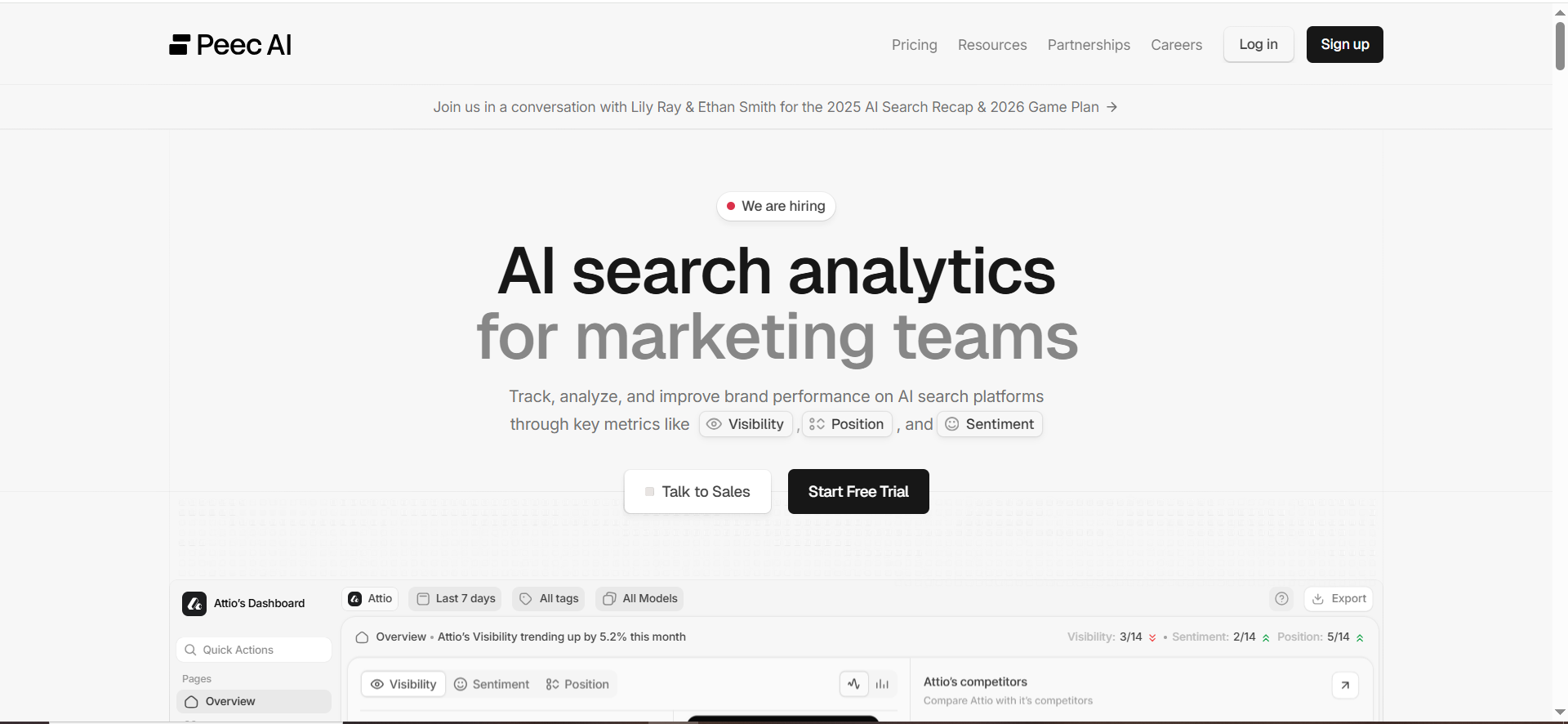
Peec AI is positioned as AI search analytics for marketing teams, tracking performance across major AI systems and benchmarking competitors.
Why teams use it
Because category visibility is a trend game:
- daily/weekly movement matters,
- competitor shifts matter,
- and you need an always-on baseline.
Peec emphasizes quick onboarding and routine monitoring across engines.
What it’s good for
- Daily category monitoring (especially if you’re iterating content weekly)
- Competitor benchmarking to see who’s rising inside a category
- Operational dashboards for growth/SEO teams
When it’s a good fit
- You have 25–300+ prompts you want to run daily
- You need something your team can adopt quickly (less enterprise overhead)
When it’s not a good fit
- You need a massive enterprise governance platform (multi-BU complexity)
- You need highly customized workflows beyond what a lighter tracker provides
How to use it for category tracking
- Build a category prompt set:
- 10 “head” prompts (best tools, top tools, alternatives)
- 10 “comparison” prompts (A vs B, best for X)
- 5 “feature” prompts (category + feature)
- Tag prompts:
- Category: “AI visibility tools”
- Intent: “commercial investigation”
- Funnel: “MOFU/BOFU”
- Feature focus: “group reporting,” “prompt tagging,” “exports”
- Track:
- share of voice per competitor
- movement after new content launches
- where you’re missing citations/mentions
Key capabilities
- Track visibility across AI systems
- Benchmark competitors
- Daily prompt runs (per pricing page)
Pricing
Peec AI’s pricing starts at €89/month.
Free tier?
Peec AI doesn’t offer a free tier, but it does offer a free trial (“Start for free”).
Downsides / limitations
- Like any prompt-based tracker, results depend on:
- prompt quality,
- category taxonomy,
- and tracking consistency.
- If you need deep enterprise workflow integration, you may outgrow it.
4. OtterlyAI
What it does
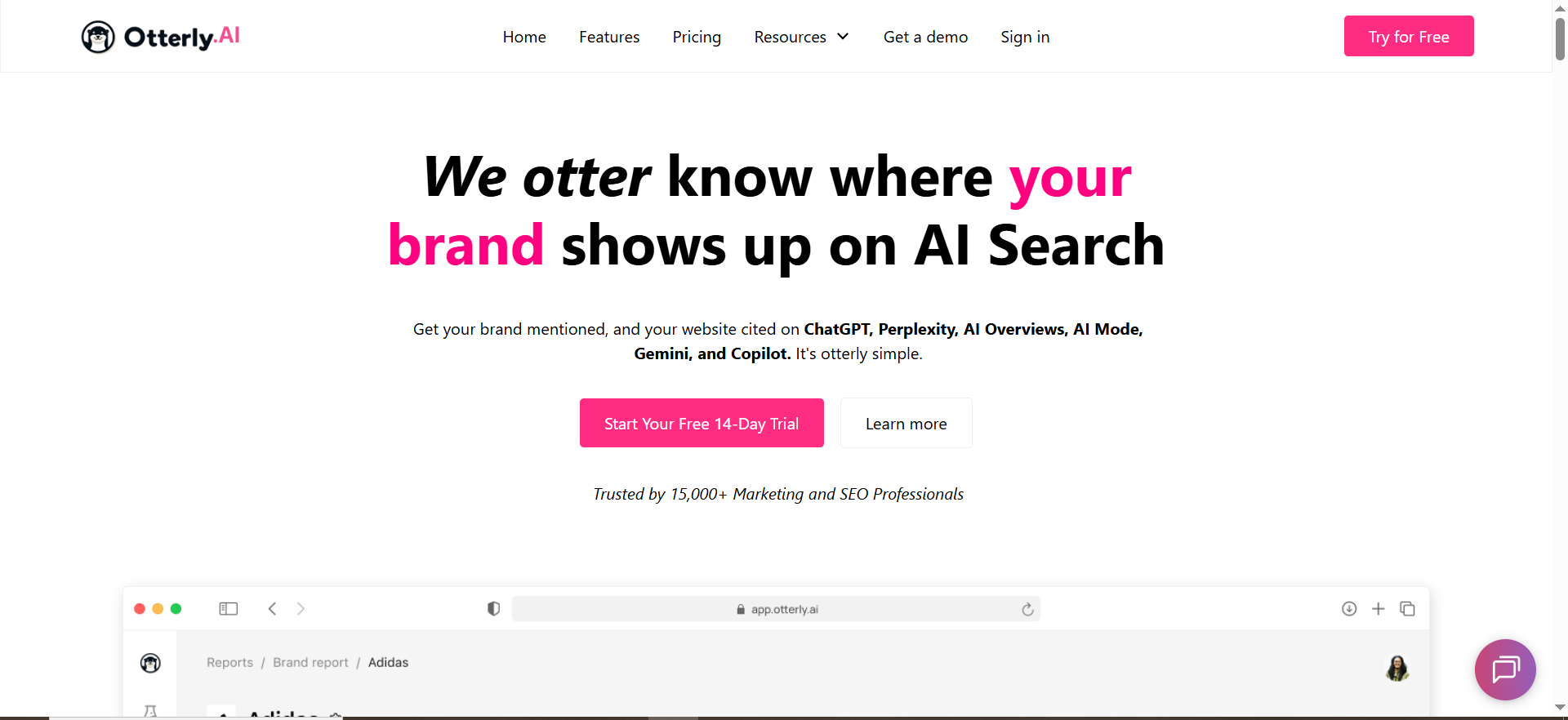
OtterlyAI is a prompt-based AI search monitoring platform designed to track brand mentions across AI search experiences and compare visibility over time.
Why teams use it
OtterlyAI is popular when teams want:
- simple setup
- clear pricing
- and repeatable monitoring without enterprise tooling overhead.
What it’s good for
- Category prompt libraries (organized lists of “best X” prompts)
- Lightweight competitor sets (3–10 competitors)
- Daily tracking without building a custom system
When it’s a good fit
- You’re a startup or lean growth team
- You want a fast baseline for category share-of-voice
- You want pricing you can forecast
When it’s not a good fit
- You need deeper enterprise governance or complex multi-site programs
- You want advanced narrative analysis as a core workflow
How to use it for category tracking
Use OtterlyAI like a “category radar”:
- Create a prompt library per category (e.g., “best AI visibility tools”).
- Split prompts into 3 buckets:
- Head terms: “best {category}”
- Use-case modifiers: “for ecommerce,” “for B2B SaaS,” “for enterprise”
- Feature modifiers: “with bulk prompt uploads,” “with tagging,” “with dashboards”
- Track:
- mention frequency
- competitor changes
- engine-by-engine differences
Key capabilities
- Track across AI experiences like ChatGPT/Perplexity/AI Overviews (as positioned on its site and pricing)
- Prompt-based monitoring and comparison over time
Pricing
OtterlyAI’s pricing starts at $29/month.
Free tier / trial?
OtterlyAI doesn’t offer a free tier, but it does offer a free trial.
Downsides / limitations
- If you need category insights tied to a broader SEO platform (tech SEO, content ops), you may need additional tools.
- Prompt-based systems are sensitive to prompt wording and model volatility.
5. Promptmonitor
What it does
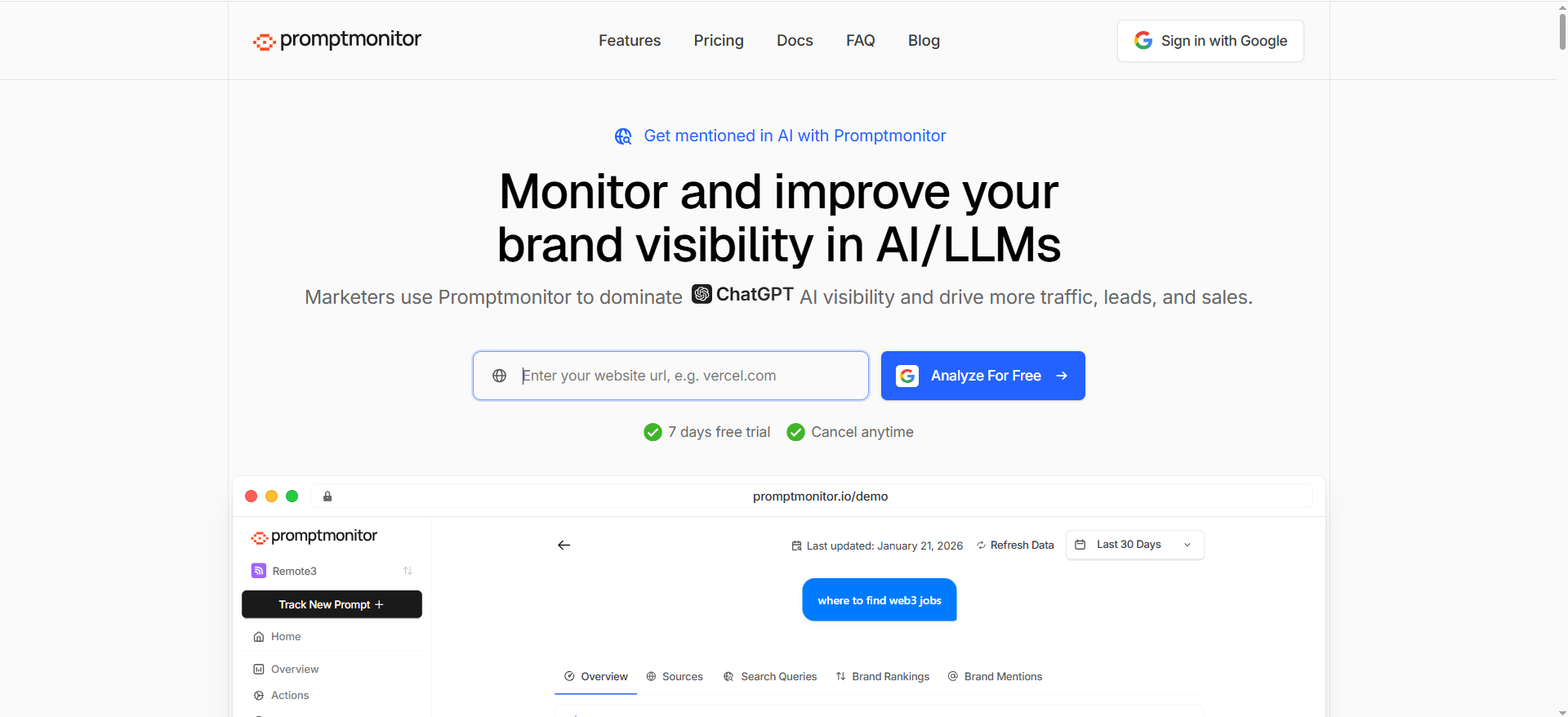
PromptMonitor is commonly described as a GEO-oriented tool for tracking brand visibility across AI platforms and pairing visibility tracking with actionable optimization workflows.
Why teams use it
Category-level visibility is not only measurement, it’s operations:
- where you’re missing,
- why you’re missing,
- what to do next.
Reviews and third-party summaries often frame PromptMonitor as an “all-in-one GEO suite” with feature sets that go beyond raw tracking.
What it’s good for
- Teams that want a GEO playbook built into the tool
- Workflow-style features like “opportunities” or action suggestions (as described in reviews)
- Multi-model tracking and a consolidated scoring approach (per review)
When it’s a good fit
- You want measurement + workflow prompts for action
- You’re building a GEO program and want a “control panel” feel
When it’s not a good fit
- You require only first-party vendor pricing clarity (pricing varies by source)
- You only need a minimal prompt tracker
How to use it for category tracking
- Build category packs (categories → prompts → competitor sets).
- Add feature-level prompts:
- “best {category} with {feature}”
- “{feature} alternatives for {persona}”
- Use the tool’s “opportunities/actions” layer (where available) to translate “missing in category” into:
- content briefs,
- outreach targets,
- internal tickets.
Key capabilities
- AI visibility scoring and multi-platform coverage (per review)
- GEO-oriented features like opportunities/actions (per review)
Pricing
Promptmonitor’s pricing starts at $29/month.
Free tier?
Promptmonitor doesn’t offer a free tier, but it does offer a 7-day free trial.
Downsides / limitations
- Because many details come from reviews/directories, you should validate:
- model coverage,
- update frequency,
- and exact plan limits before committing.
What “category-level AI visibility” actually means
Conductor defines AI visibility as how a brand’s content/products/offerings appear in AI-powered search experiences (e.g., ChatGPT, Perplexity, Gemini).That’s useful, but it’s still broad.
To make AI visibility actionable, you need to separate it into three levels:
1) Brand visibility (baseline)
Question: “Does the AI mention our brand at all?”This is where most teams start. It’s necessary, but not sufficient.
Why it’s limited: You can win brand mentions in a narrow set of prompts and still be losing the category.
2) Category-level visibility (the money metric)
Question: “In the category that drives revenue, what percentage of AI answers recommend us vs competitors?”
This is the AI equivalent of “ranking for category keywords”, except you’re measuring presence in answers, not blue links.
This is also where share of voice becomes a useful mental model. Share-of-voice in AI visibility is commonly defined as the percentage of brand mentions you receive compared to competitors across tracked prompts and platforms,” so it helps to measure and report your share of voice consistently.
3) Feature-level visibility (how you win inside the category)
Question: “When the user cares about Feature X, are we recommended?”Feature-level visibility is where you create compounding advantage. When you own features in AI answers, you tend to get pulled into category recommendations more often.
Examples:
- “best project management tool with Gantt charts”
- “best CRM with SOC 2 and SSO”
- “best AI visibility tool with group reporting and tagging”
The Category Tracking Framework (how to implement in 30–60 days)
Here’s a practical framework you can run regardless of which tool you buy. The goal is to move from “we ran some prompts” to “we can manage category share-of-voice as a growth lever.”
Step 1 — Define your categories and entity map (week 1)
Start by listing:
- Your primary revenue category (the thing buyers ask AI)
- 3–5 adjacent categories
- 10–30 feature entities that show up in “best X” prompts
Build a simple entity map:
- Category: AI visibility tools
- Competitors: Tool A, Tool B, Tool C…
- Use cases: eCommerce, B2B SaaS, agency, enterprise
- Features: bulk prompt upload, tagging, dashboards, exports, citations
This matches the SOP emphasis on building semantic coverage from entities and subtopics.
Step 2 — Build a category prompt library (week 1–2)
A good category prompt library has fan-out (coverage) and stability (repeatability).
Use these 6 prompt patterns per category:
- Head terms: “best {category}”
- Alternatives: “{competitor} alternatives”
- Comparisons: “{A} vs {B}”
- Use-case modifiers: “best {category} for {persona}”
- Feature modifiers: “best {category} with {feature}”
- Selection constraints: “best {category} under $X” (if relevant)
Aim for 25–60 prompts per category to start. Then expand.
Step 3 — Create a tagging taxonomy (week 2)
Tagging is what turns “a pile of prompts” into category-level insight.
At minimum, tag every prompt with:
- Category
- Intent (commercial investigation, informational, navigational)
- Funnel (TOFU/MOFU/BOFU)
- Feature (if any)
- Geo (if relevant)
This step is exactly why “bulk upload + tagging” and “group reporting” become core evaluation criteria for tools.
Step 4 — Choose a share-of-voice model and weighting (week 2–3)
A simple starting model:
- For each prompt run:
- assign points to brands mentioned (e.g., 1 point per mention)
- optionally weight by position if the engine outputs a ranked list
Then:
- sum points by category
divide by total points in category → category SOV
Weighting tips:
- Weight head terms higher than edge-case prompts.
- De-duplicate near-identical prompts (or down-weight them).
- If a prompt is extremely volatile, reduce its weight instead of deleting it.
Step 5 — Turn insights into actions (week 3–8)
Category tracking only matters if it changes what you do next.
Use this action mapping:
If you’re missing from head category prompts:
- Publish / improve a category landing page
- And programmatic SEO can help you scale the supporting pages and comparisons faster.
- Strengthen citations by earning authoritative mentions (PR/partnerships)
If you show up but with the wrong narrative:
- Create “positioning pages” that match the descriptors AI uses
- Update your FAQs and schema so the right claims are extractable
If you’re missing from feature prompts:
- Build feature pages and implementation guides
- Add explicit feature comparisons (“X vs Y”) and constraints (“for enterprise”)
Search Engine Land notes that AI visibility tools can help show how you’re performing against competitors and highlight opportunities to create/optimize content for visibility.
How to pick the right tool
If you’re enterprise with complex stakeholders
Pick Conductor when you need unified SEO + AEO workflows and governance.
Pick Profound when you need deeper visibility into “what AI says,” citations, and brand representation.
If you’re a growth team that wants daily category SOV fast
Pick Peec for quick onboarding and daily prompt tracking at a clear mid-market price point.
Pick OtterlyAI for straightforward prompt monitoring with transparent plans.
If you want “GEO ops” style workflows (measure + act)
Shortlist Promptmonitor, but validate plan limits and coverage carefully since many details are sourced from reviews.
Common pitfalls (and how to avoid false confidence)
- Tracking only 5–10 prompts and calling it “category visibility.”You’re measuring anecdotes. Build prompt fan-out.
- Using prompts that don’t match buyer language.Pull language from sales calls, reviews, competitor pages, and “people also ask”-style modifiers.
- Ignoring model volatility.AI answers change. Your job is to track trends with enough sample size and weighting.
- No taxonomy → no insight.If you can’t group prompts by category, intent, and feature, you’ll never get category-level SOV you can act on.
- Mistaking “citations” for “truth.”Citations show what sources the model used that day, use them as lead signals, not absolute attribution, and build a repeatable AI answers citation workflow instead.
How do you track tool-category visibility
Tool-category visibility tracking means building a repeatable system to measure how often AI engines recommend your brand when users ask category prompts like “best CRM tools,” then segmenting results by use case, persona, and buying stage.
1) Define the category and competitor set
Start with one category at a time:
- Category: CRM tools
- Sub-categories (optional): enterprise CRM, CRM for SMB, CRM for real estate, CRM for B2B SaaS
- Competitors: 5–12 brands you routinely compete with
Then decide what “success” means:
- Mentioned in the top set of recommendations?
- Top 3 placement?
- Included with correct positioning (“best for…”)?
2) Create a category prompt library (minimum viable set)
Aim for 25–60 prompts per category to reduce volatility.
Head prompts (category discovery)
- “best CRM tools”
- “top CRM software”
- “best CRM platforms”
Use-case prompts (category segmentation)
- “best CRM for small business”
- “best CRM for sales teams”
- “best CRM for real estate”
- “best CRM for startups”
- “best CRM for enterprise”
Comparison prompts (shortlists)
- “HubSpot vs Salesforce”
- “HubSpot alternatives”
- “Salesforce alternatives”
Constraint prompts (high intent)
- “best CRM under $50 per user”
- “best CRM with free plan”
Feature-modified prompts (bridge to feature visibility)
- “best CRM with SSO”
- “best CRM with SOC 2 compliance”
3) Tag prompts so you can report “by category”
Your tool-category tracking becomes meaningful when prompts are tagged like:
- Category: CRM tools
- Segment: SMB / Enterprise
- Funnel: MOFU / BOFU
- Intent: commercial investigation
- Feature: (optional)
That’s how you create dashboards like:
- CRM category share of voice
- CRM share of voice (SMB vs enterprise)
- CRM share of voice by feature
4) Choose a scoring model
Keep it simple at first:
- 1 point if a brand is mentioned
- Optional: add bonus points for top placement
Then roll up:
- prompt → category → segment → feature
5) Track over time and connect to actions
Run prompts consistently (daily or weekly) and track:
- Which competitors are rising in the category
- Which sub-segments you win/lose
- Which features trigger your inclusion/exclusion
This gives you an operating loop: measure → diagnose → publish/optimize → measure again.
How do you track feature visibility
Feature visibility tracking measures whether AI engines recommend your brand when the prompt includes a specific capability, and whether the AI correctly associates that capability with your product.
Feature visibility is where category tracking becomes actionable because it tells you why you’re included, or not.
1) Build a “feature entity list”
Start with 10–30 features that matter most commercially, for example:
- Trust/compliance: SOC 2, ISO 27001, GDPR, HIPAA
- Enterprise readiness: SSO, SCIM, audit logs, RBAC
- Product capabilities: Gantt charts, automations, integrations, reporting, API
- Procurement: pricing transparency, SLAs, support tiers
2) Create feature-modified prompt clusters
For each category, build prompts like:
Category + feature
- “best project management tool with Gantt charts”
- “best CRM with SSO”
- “best HR software with SOC 2”
Category + feature + segment
- “best CRM with SSO for enterprise”
- “best project management with Gantt charts for agencies”
Feature comparison / requirement prompts
- “tools like Asana with better Gantt charts”
- “project management tools with Gantt charts and time tracking”
- “CRM that supports SSO and audit logs”
3) Track two things: visibility + correctness
Feature visibility is not just “are we mentioned?” It’s also “is the AI accurate?”
So track:
- Inclusion: Are we recommended?
- Association: Does the AI claim we have the feature?
- Evidence/citation: Does the AI cite a page that proves it (feature page, docs, trustworthy review site)?
Accuracy matters because a visibility win that’s factually wrong can backfire.
4) Use a feature dashboard that rolls up by category
Your feature visibility dashboard should show:
- Feature SOV within a category
- “Feature gaps” (competitors dominate feature prompts where you should win)
- “Narrative gaps” (AI doesn’t associate you with the feature even if you have it)
5) Fix feature visibility with a three-layer content system
To reliably earn feature-level visibility, create:
- Feature page: clear definition, benefits, how it works, screenshots, FAQs
- Docs / implementation content: the “proof” layer AI can cite
- Comparisons / use-case pages: the “decision” layer for buyers
If you only have a feature mentioned in a pricing table, it’s often not enough for AI to confidently recommend you for that feature.
Which AI engines should you track
You should track the engines your buyers use and the engines that influence discovery in your channel. In most B2B and B2C tech markets, this usually includes:
1) ChatGPT-style assistants
Why: These are used for exploration, shortlists, comparisons, and “what should I buy?” prompts. Users often ask directly for tool recommendations.
Track:
- “best X”
- “X alternatives”
- “X vs Y”
- “best X for {use case}”
2) Perplexity-style answer engines
Why: Perplexity tends to emphasize citations and sources. That makes it especially useful for diagnosing what content and domains are shaping answers.
Track:
- citation domains
- shifts after content updates
- competitive sources that appear frequently
3) Google AI Overviews / AI-first SERP features
Why: This is where AI visibility intersects with classic SEO outcomes. AI Overviews can influence what users click (or don’t click) and which brands become default recommendations.
Track:
- prompts that trigger AI answers
- which competitors are included
- whether citations point to your pages or third-party sources
4) Bonus engines to consider (depending on market)
If your audience uses them, consider:
- Gemini experiences
- Claude (for enterprise research workflows)
- Microsoft Copilot surfaces
How to choose without overcomplicating it
Start with 3 engines, then expand, and use a baseline list of AI search engines before you scale tracking.
Then decide cadence:
- daily for high-volatility categories
- weekly if you’re building a baseline
How do you operationalize category tracking into content + PR + technical SEO?
This is the step most teams miss. The best category tracking programs are not dashboards, they’re workflows.
Here’s a practical operating system that turns category visibility into outcomes.
1) Weekly visibility review (30–60 minutes)
Every week, review category dashboards and ask:
- Which category prompts did we lose?
- Which competitors gained?
- Which features are driving inclusion/exclusion?
- Are we being described correctly (“best for enterprise,” “budget,” “easy”)?
Output: a short “insights → actions” doc.
2) Turn category gaps into a content backlog
Map the insight type to the content action:
If you’re missing on head category prompts
- Build or improve a category page (“Best {category}” or “{category} platform”)
- Add comparison modules and clear “best for” positioning
If you’re losing use-case segments
- Publish “best for {persona}” pages
- Add case studies for that segment
If you’re missing on feature prompts
- Build feature pages and implementation docs
- Add FAQ sections that answer feature questions directly
If competitors dominate citations
- Identify the domains cited and plan content that competes
- Get mentioned on those domains with PR and brand messaging.
3) PR and partnerships: earn the “citation layer”
AI answers often reflect what’s widely referenced. So run PR like this:
- Find domains frequently cited in your category
- Prioritize outreach to:
- industry publications
- high-authority review sites
- credible directories
- partner ecosystems
Goal: earn authoritative mentions and pages that “validate” your claims.
4) Technical SEO: make your content extractable and trustworthy
Category tracking insights often point to technical opportunities:
- Ensure feature pages are indexable, fast, and accessible
- Add structured sections (headings, FAQs) so AI can extract answers
- Use schema where appropriate (FAQ, Product, Organization)
- Keep product facts consistent (pricing, availability, feature status)
5) Measure impact like an experiment
For each action shipped, record:
- category
- prompts affected
- engine(s) tracked
- date shipped
Then compare visibility before/after.
That’s how category tracking becomes a growth engine rather than a report.
Which tools support grouping/tagging and category reporting best?
If category-level visibility is your goal, the most important “tool feature” isn’t the engine list, it’s how well the platform helps you organize prompts into categories and report on them.
Here’s what “best-in-class” category reporting usually looks like:
Must-have capabilities
- Prompt grouping: folder/category organization at scale
- Tags: category, intent, funnel stage, feature, segment
- Roll-up reporting: category-level SOV dashboards, not just prompt-level views
- Competitor sets: save competitor groups per category
- Exports/API: move data into BI tools (Looker, Power BI, Sheets) if needed
- History + change tracking: see trendlines, not just snapshots
How the top tools typically align
- Conductor: strongest fit when you need enterprise workflows + broader SEO integration for category reporting at scale.
- Profound: strong fit when “category reporting” includes narrative and citations, not only mention frequency.
- Peec / OtterlyAI: often strongest for prompt-grouping and quick dashboards when you need a simple category SOV baseline without heavy ops.
- Promptmonitor: often positioned as GEO suite; evaluate how category packs, tagging, and dashboards work in practice before committing.
FAQs
What is the difference between brand tracking and category tracking?
What is “AI visibility” in plain English?
How many prompts do we need per category to get reliable insights?
Which engines should we track?
How often should we run prompts,daily or weekly?
Can we track feature-level visibility (like “SSO” or “Gantt charts”)?
How do citations help category tracking?
Is there a “best” tool overall?
What’s the fastest way to start if we’re overwhelmed?
What CTA should we include for TRM posts like this?
📋 Get Listed / Advertisement
We update this guide monthly, and if you want to get involved, Want your tool featured? Contact: [email protected].


