
TL;DR
For most YouTube channels, ElevenLabs is the best overall pick because it combines strong voice realism with long-form stability and repeatable voice presets. If you need team-friendly workflows and straightforward business usage, Murf or WellSaid are usually easier to standardize. If your biggest pain is late script changes, and if budget and expressive cloning matter most, Fish Audio is a natural-sounding option worth testing. If you want a distinct, controlled “channel voice” through consent-based cloning, Resemble AI is the most purpose-built option. Whatever you choose, first, verify your plan’s commercial-use terms and only clone voices you have explicit permission to use.
📋 Get Listed / Advertisement
We update this guide monthly. Want your tool featured? Contact: [email protected].
Best AI Voice Tools for YouTube Videos (Quick Comparison)
| Tool | Best for | Why pick it | Watch-outs |
|---|---|---|---|
| ElevenLabs | Creators who want the most natural narration | High realism + strong long-form performance; good presets | Free plan is not for commercial use; confirm licensing |
| Murf | Marketing teams shipping weekly videos | Business-friendly workflows; good for standardization | Some voices skew “polished”; test for your tone |
| WellSaid | Teams that need consistent, clean narration | Reliable studio workflow; strong exports for teams | Can be pricier per seat; voice style range varies |
| Fish Audio | Creators who want expressive cloning on a budget | Natural-sounding voice cloning + emotion tags at a lower per-character cost | Free plan minutes are limited; confirm licensing for commercial use of the open-weight model |
| Resemble AI | Brands building a recognizable channel voice | Consent-based cloning + strong brand voice control | Governance matters: lock down who can generate |
📋 Get Listed / Advertisement
We update this guide monthly.Want your tool featured? Contact: [email protected].
1. ElevenLabs
What it does
Turns scripts into narration with voice models and controls you can reuse across episodes.
Why teams use it
Because it reduces recording time and makes narration repeatable across editors and episodes.
What it’s good for
- Faceless channels, explainers, documentary-style narration
- Channels that need a stable “house voice” episode-to-episode
When it’s a good fit
You want the most natural sound with strong long-form stability, and you can standardize a preset for your channel.
When it’s not a good fit
You need commercial use on a free plan, or you cannot confidently verify licensing/attribution requirements.
How to use it
- Run a 8–12 minute script test (same script across tools).
- Create a channel preset (pace, pauses, pronunciation list).
- Generate narration in 30–90 second chunks so edits don’t force full re-renders.
- Do a cold listen at 1.0x and 1.25x; fix pacing in the script first.
Key capabilities to look for
- Voice presets / settings snapshots
- Pronunciation controls (or a consistent workaround)
- Chunked rendering and easy re-renders
- Downloadable WAV/MP3 outputs
Pricing
ElevenLabs’ pricing starts at $5/month.
Free tier?
ElevenLabs offers a free plan, but it doesn’t include a commercial license (paid plans are required for commercial use).
Downsides / limitations
- Great realism makes weak scripts more obvious ([pacing matters](https://www.therankmasters.com/insights/strategy/best-ai-tools-for-digital-marketing)).
- You still need a QA pass for mispronunciations and odd stress.
2. Murf
What it does
Turns scripts into narration with voice models and controls you can reuse across episodes.
Why teams use it
Because it reduces recording time and makes narration repeatable across editors and episodes.
What it’s good for
- SaaS marketing teams producing weekly product videos
- Teams that need predictable commercial-use terms
When it’s a good fit
You need a team-safe workflow and want clear commercial rights positioning for publishing to YouTube.
When it’s not a good fit
You need highly emotional performance narration; test voices if your channel relies on intimate storytelling.
How to use it
- Pick 1–2 voices and lock them for the channel (don’t rotate every video).
- Build a shared pronunciation list (product names, acronyms).
- Render in chunks, then assemble in your editor.
- Keep a “voice preset + script + final audio” bundle per episode for repeatability.
Key capabilities to look for
- Commercial-use positioning for voiceovers
- Collaboration / team workflows
- Common export formats for editing
Pricing
Murf’s pricing starts at $19/month. Enterprise pricing is custom/quote-based.
Free tier?
Murf offers a free plan, but downloading/exporting audio is only available on paid plans.
Downsides / limitations
- Some voices can sound “marketing-polished.”
- Always test long-form stability (10+ minutes), not just short demos.
3. WellSaid
What it does
Turns scripts into narration with voice models and controls you can reuse across episodes.
Why teams use it
Because it reduces recording time and makes narration repeatable across editors and episodes.
What it’s good for
- Teams that want consistent, clean narration across multiple editors
- Product education series and customer stories with a polished tone
When it’s a good fit
You want a straightforward studio workflow and consistent outputs for business narration.
When it’s not a good fit
You need the broadest style range, or you’re optimizing for the lowest cost per minute.
How to use it
- Standardize on one voice avatar for the whole series.
- Create a template project for every episode (intro/outro, naming conventions).
- Export WAV for mixing, MP3 for quick drops into the timeline.
- Run a retention check: listen at 1.25x and [cut long sentences](https://www.therankmasters.com/insights/ai-content/best-ai-proofreading-tools).
Key capabilities to look for
- Team-friendly workflow
- Export formats suitable for editing
- Consistent voice personas
Pricing
WellSaid’s pricing starts at $50/user/month (billed annually). Enterprise pricing is custom/quote-based.
Free tier?
WellSaid doesn’t offer a free tier, but it does offer a free 7-day trial (with no downloads).
Downsides / limitations
- Seat-based pricing can add up for teams.
- Voice variety and controls may be narrower than some creator-first tools.
4. Fish Audio
What it does
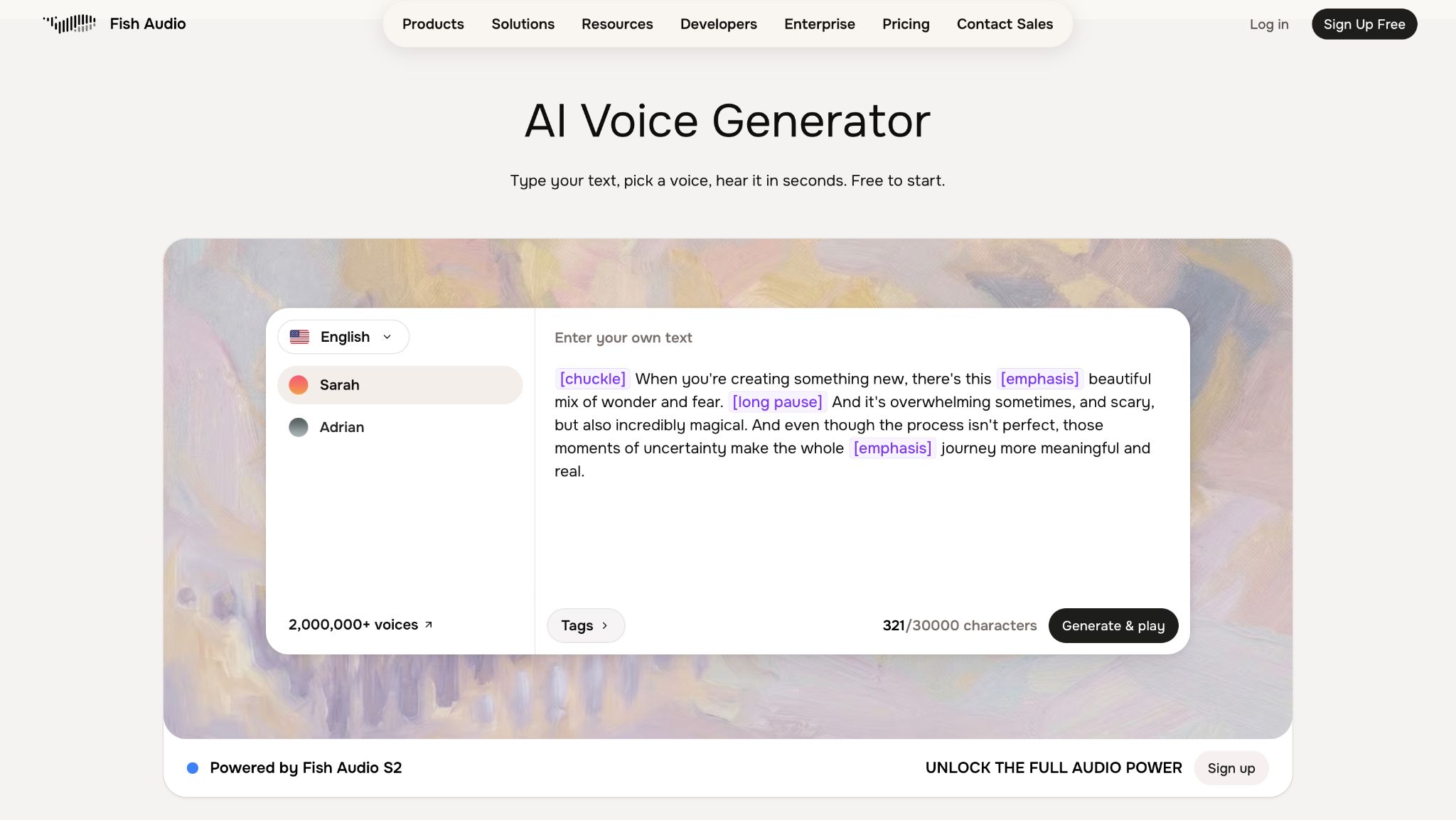
Turns scripts into narration with cloned or library voices, using emotion tags for expressive delivery you can reuse across episodes.
Why teams use it
Reduces recording time and gives channels an expressive, natural-sounding voice without the higher per-character costs of some competitors.
What it's good for
- Faceless channels that want expressive, natural-sounding narration
- Channels standardizing on one cloned voice across episodes
- Multilingual channels generating narration from a single source voice
When it's a good fit
You want emotion-tag control over delivery and are comparing per-character API costs across tools.
When it's not a good fit
You need commercial use on the free plan, or haven't secured a license for commercial use of the open-weight model.
How to use it
- Create a voice profile from a short reference sample
- Build a channel preset with emotion tags for your typical tone
- Generate narration in chunks and do a cold listen at 1.0x and 1.25x
- Save the voice preset, script, and audio bundle per episode
Key capabilities
Voice cloning from a short reference sample, emotion/delivery tags, 80+ language support, API access for repeatable generation.
Pricing
Plans start at $11/month for Plus; Pro is $75/month.
Free tier?
Yes, though commercial use requires a paid plan.
Downsides
Free tier minutes (7/month) are limited for regular channel use; commercial use of the open-weight model requires a paid license.
5. Resemble AI
What it does
Turns scripts into narration with voice models and controls you can reuse across episodes.
Why teams use it
Because it reduces recording time and makes narration repeatable across editors and episodes.
What it’s good for
- Brands building a distinctive, consistent channel voice
- Teams that need consent-based cloning and governance controls
When it’s a good fit
You want to clone a voice (your own or a hired narrator) with explicit permission, then reuse it consistently across videos.
When it’s not a good fit
You can’t meet consent requirements or you don’t have a governance process for who can generate audio.
How to use it
- Collect explicit permission from the voice owner (keep it on file).
- Create the voice model, then define a locked “channel preset” (pace, tone, pronunciation).
- Render narration in short chunks to reduce drift and simplify edits.
- Restrict access: only specific users can generate audio for the channel voice.
Key capabilities to look for
- Consent-oriented voice cloning posture
- API / studio options depending on plan
- Brand voice consistency controls
Pricing
Resemble AI’s pricing is usage-based, starting at $0.03/min for text-to-speech on its Flex plan. Enterprise pricing is custom/quote-based.
Free tier?
Resemble AI doesn’t offer a free tier, but you can create an account for free and pay as you go.
Downsides / limitations
- More control also means more risk: misuse can become a brand problem fast.
- Set internal rules and approvals for any cloned voice.
How to choose fast (60-second decision)
- If you want the most natural sound and strong long-form performance: start with ElevenLabs.
- If you need team-friendly workflows and straightforward business publishing: test Murf and WellSaid.
- If you want expressive cloning at a lower per-character cost: test Fish Audio.
- If you want a unique, controlled channel voice via consent-based cloning: evaluate Resemble AI.
Always run the same 8–12 minute script through your shortlist and pick the one that requires the least “fixing” in your weekly workflow.
Implementation mini-playbook (repeatable weekly workflow)
Write for the ear, not the eye
Use short sentences and one idea per line. Add intentional micro-pauses with line breaks and dashes.
Build a pronunciation list before you render
Keep a shared glossary for product names, acronyms, competitor names, and founder names.
Chunk long scripts
Render in 30–90 second blocks so you can fix one section without redoing the whole episode.
Do a cold listen at 1.0x and 1.25x
If it sounds robotic at 1.25x, your script is too dense or your pacing is too flat.
Normalize loudness and keep it consistent
Consistency prevents drop-offs when viewers jump between videos.
Save a “final bundle” per episode
Store final audio + script + voice preset/settings so next week’s episode matches.
Brand Voice Spec (template)
| Field | What to fill in |
|---|---|
| Tool + voice preset | Tool name, voice/avatar name/ID, settings snapshot |
| Pace | Target words/min; where to slow down vs speed up |
| Tone | Pick one: neutral / upbeat / authoritative; emphasis rules |
| Pronunciation list | Top 30 terms with phonetic notes + “never say it like this” |
| Chunking rules | Default chunk length; when to split |
| Export target | WAV/MP3, sample rate, mono/stereo |
| QA checklist | Mispronunciations, monotone sections, odd pauses, level consistency |
| Access + governance | Who can generate; approval flow; where files are stored |
FAQs
Is it legal to use AI voice for YouTube videos in 2026?
Can you monetize YouTube videos with AI narration?
Do I need to attribute the tool when I publish?
Should I clone my own voice or use a stock voice?
How do I keep the same AI voice across a whole channel?
📋 Get Listed / Advertisement
We update this guide monthly. Want your tool featured? Contact: [email protected].


