

TL;DR
If you’re serious about AI visibility, you need two things: (1) a fast way to get hundreds of prompts into a monitoring system, and (2) a tagging taxonomy that lets you slice results by persona, intent, funnel stage, and topic (without drowning in chaos). The best “scale-ready” option for most teams is Peec, because it clearly supports bulk CSV prompt upload and bulk tag assignment in-platform.
This guide compares 5 tools (Peec, Conductor, OtterlyAI, Promptmonitor, Profound) and gives you a repeatable 200-prompt bulk-import test plus a plug-and-play tagging framework.
📋 Get Listed / Advertise
We update this guide monthly. Want your tool featured? Contact: [email protected].
Best AI Visibility Tools with Bulk Prompt Upload + Tagging
📖 How to read this table? Bulk upload + tagging is a workflow, not a checkbox. “Yes” means clearly documented support; “Validate” means you should confirm the exact bulk/tagging behavior during a demo/trial before committing.
| Tool | Bulk prompt upload | Tagging + filters | Exports / integrations |
|---|---|---|---|
| Peec | Yes (CSV bulk upload) | Yes (assign tags to multiple prompts) | Validate in plan; supports operational org features (docs) |
| Conductor (AI Search Performance) | Validate (prompt setup is guided; bulk import not clearly stated) | “Tagging equivalent” via personas/intent/topics customization | Enterprise integrations (GSC/GA4 mentioned in third-party review) |
| OtterlyAI | Validate (bulk import not confirmed in docs we found) | Yes (tags supported) | CSV export noted in third-party review |
| Promptmonitor | Validate (bulk import not confirmed in official pages we found) | Validate (tagging not confirmed in official pages we found) | Reporting-focused product messaging |
| Profound | Not positioned primarily as “bulk prompt monitoring” in public feature pages | N/A (focus is answer-engine insights + prompt volumes) | Pipeline + integrations messaging |
Fast picks (which tool is best for which team)
- You need bulk CSV upload + tagging today (and want speed): Peec.
- You’re an enterprise and want AI visibility inside a broader SEO platform: Conductor (AI Search Performance).
- You want lightweight organization and prompt monitoring workflows: OtterlyAI (strong tagging support; validate bulk import).
- You want a monitoring-first tool and can confirm workflow details in demo: Promptmonitor.
- You want broader answer-engine insights + trend discovery (not just prompt runs): Profound.
📋 Get Listed / Advertise
We update this guide monthly. Want your tool featured? Contact: [email protected].
Tool #1 — Peec
What it does
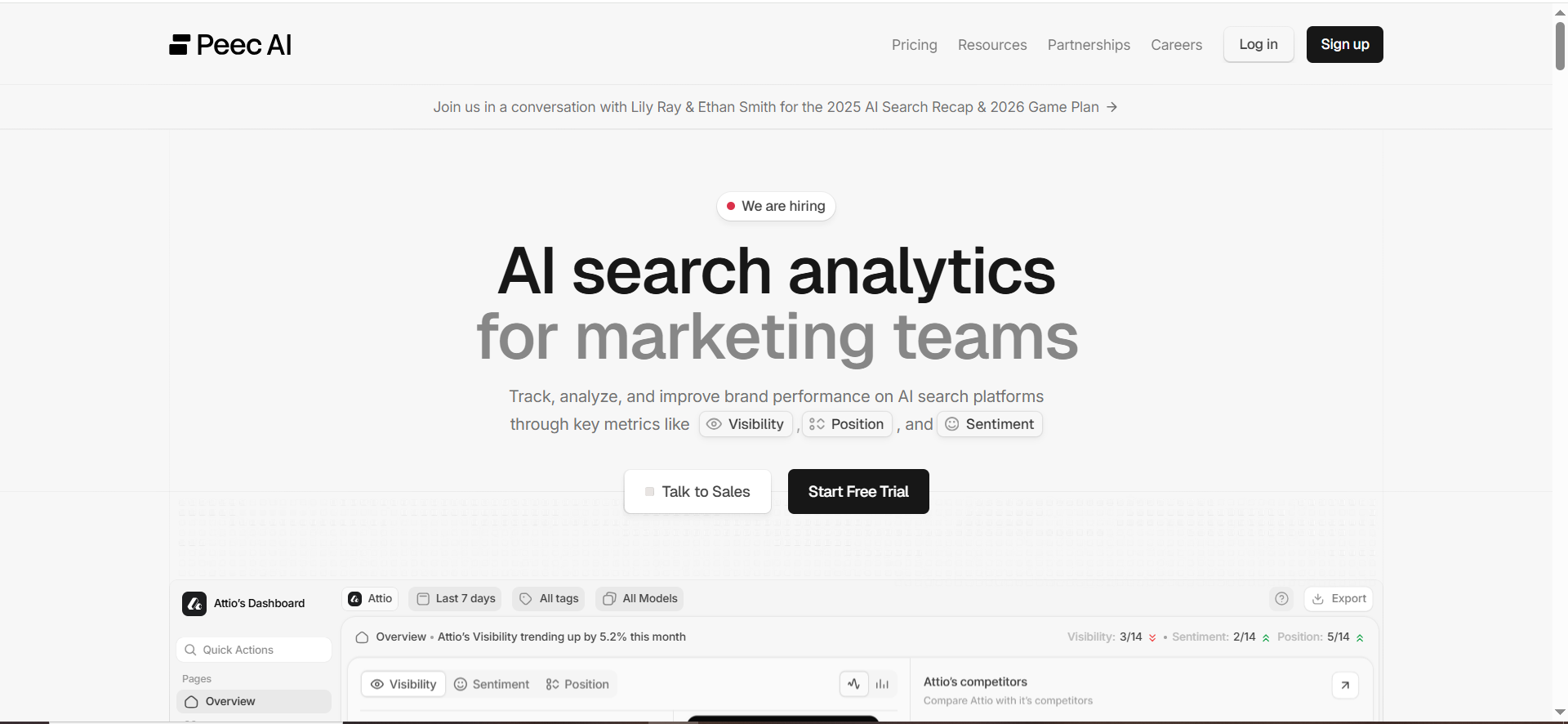
Peec is an AI visibility tracking platform centered on prompt monitoring, competitive context, and workflows for managing prompts.
Why teams use it
Because it’s designed to get teams from “some prompts” to “many prompts” quickly and keep the prompt set organized over time.
Bulk prompt upload + tagging workflow (why it ranks #1 here)
Peec explicitly documents bulk CSV upload for prompts: you select “Bulk Upload,” upload a CSV, confirm the preview, and imported prompts start running.
It also documents operational organization features, including the ability to assign tags to multiple prompts simultaneously.
That combination “bulk import + bulk tagging” is exactly what this guide is about.
Key capabilities (relevant to this article)
- Bulk CSV prompt upload (structured import).
- Bulk tag assignment + prompt organization workflows.
Exports / integrations
Validate based on your plan and workflow needs (dashboards, BI, Looker, etc.). The core point: if you can bulk upload and tag cleanly, exporting becomes meaningful because the data is already segmented.
Pricing (public info)
Pricing may vary by plan; confirm during trial/demo.
Free tier?
Confirm during trial/demo.
Downsides / limitations
- Your results will only be as good as your prompt set and taxonomy. Peec makes scaling easier, but it can’t decide what you should track.
- You still need a process to review changes and convert them into actions (content, PR, partner outreach).
When it’s a good fit / not a good fit
Good fit if: you want a practical prompt-ops workflow: bulk import, tag, filter, iterate.”
Not a fit if: you want an “all-in-one enterprise SEO suite” where AI visibility is only one report among many.
Tool #2 — Conductor (AI Search Performance)

What it does
Conductor’s AI Search Performance is positioned as an enterprise-grade view of AI visibility, including monitoring brand presence across AI search engines and digging into mentions/citations.
Prompt + intent customization workflow
Conductor emphasizes customization across audience persona and user intent, specific topics and prompts, and the engines you monitor.
Its setup guidance shows a workflow where you create prompts and then “start tracking,” after which data is published into the AI Search Performance report.
Tagging equivalents (topics/personas/intent)
Conductor’s “tagging” may look less like free-form tags and more like structured segmentation: personas, intent, topics, and tracked prompts.
If your org already runs on standardized taxonomies (personas, markets, product lines), this can be a feature—not a limitation.
Exports / integrations
A third-party review notes integrations with Google Search Console and GA4 alongside AI visibility tracking (helpful for exec reporting).
Downsides / limitations (for this specific “bulk upload + tagging” use case)
- Public Conductor pages clearly discuss customizing prompts, but do not clearly confirm a CSV bulk prompt upload workflow in the sources we found.
- If your top requirement is “upload 200 prompts in one go,” you should explicitly validate how prompt creation/import works during your demo/trial.
When it’s a good fit / not a good fit
Good fit if: you’re enterprise, you want AI visibility tied into a broader search platform, and you prefer structured segmentation (persona/intent/topics) over ad-hoc tags.
Not a fit if: your top priority is a self-serve bulk CSV import + bulk tagging workflow.
Tool #3 — OtterlyAI

What it does
OtterlyAI offers prompt-based monitoring: you create prompts you want to monitor for brand visibility and citations, and those prompts are monitored on an ongoing basis.
Tagging + organization (a clear strength)
OtterlyAI explicitly supports organizing prompts with tags so you can group and manage them without relying on folders.
If your team is drowning in prompt sprawl, this matters—because tags are what make reporting usable.
Bulk workflow (what’s documented vs. what to validate)
- Tagging: clearly documented.
- Bulk upload: not confirmed in the official help pages we found in this pass—so treat it as a must-ask in demo.
A useful rule: if a vendor can’t show you how to go from “0 to 200 prompts” quickly, you’ll feel the friction by week 2.
Exports / reporting
One third-party review notes OtterlyAI supports CSV exporting (and mentions a Looker Studio integration being worked on).
Downsides / limitations
- If exports are limited to CSV, you’ll want to plan your dashboard workflow early (especially if leadership wants a weekly view).
- Validate bulk import and any tag limits (how many tags, how filtering behaves at scale).
When it’s a good fit / not a good fit
Good fit if: you want tagging + ongoing prompt monitoring, and you’re comfortable validating bulk-import details before standardizing.
Not a fit if: your process depends on “bulk upload + bulk retagging” as a weekly operation.
Tool #4 — Promptmonitor
What it does
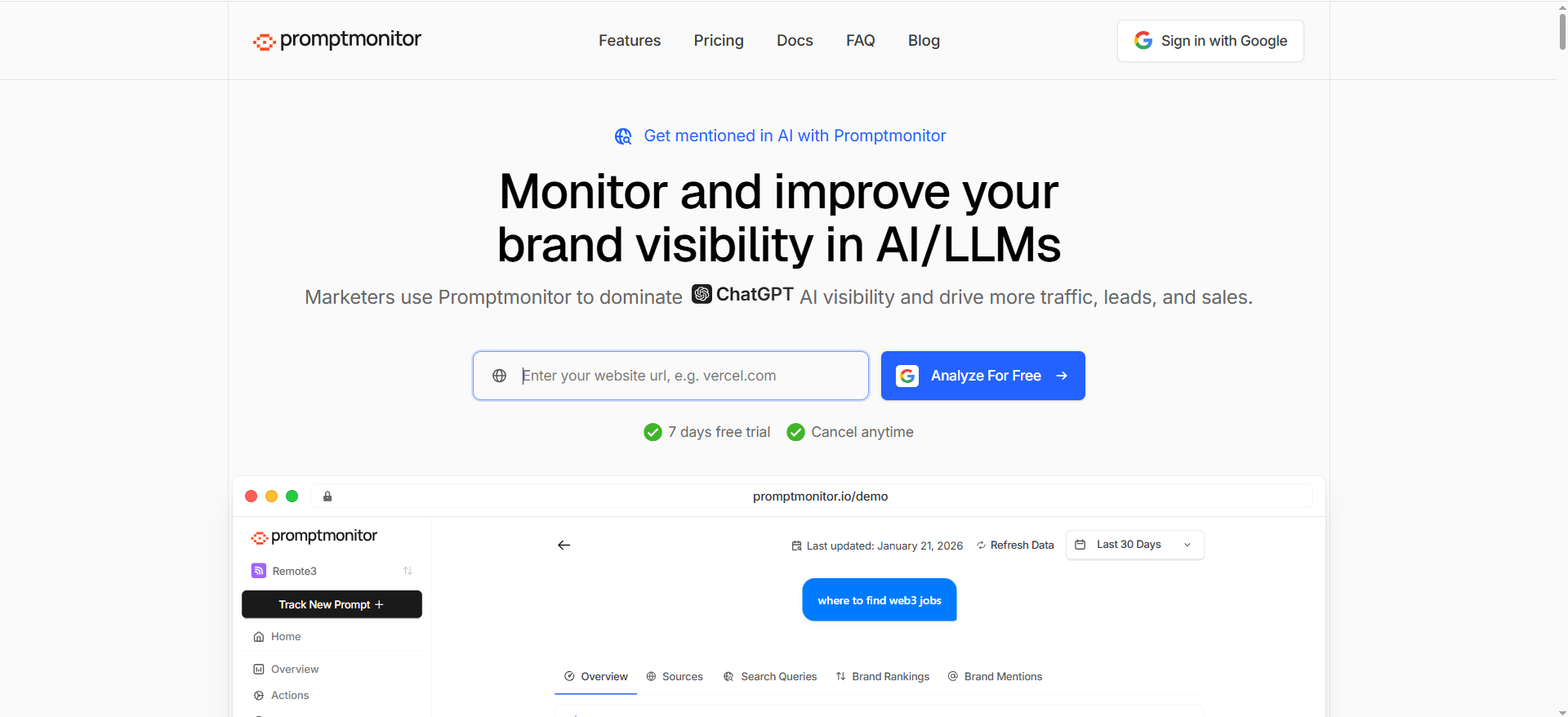
Promptmonitor positions itself as a platform to track and optimize company visibility across major AI/LLMs (including references to engines like ChatGPT and Perplexity in product messaging).
It also publishes category/education content about “LLM prompt tracker tools,” indicating a monitoring-first orientation.
Prompt monitoring workflow
The core promise is visibility tracking and optimization—i.e., monitor how AI answers change and how your brand appears.
Bulk upload + tagging (what to validate)
In the official pages surfaced in this pass, we did not find clear documentation for:
- CSV bulk prompt upload, or
- prompt tagging.
So, if Promptmonitor is on your shortlist, treat these as demo gating questions:
- “Show me how you upload 200 prompts in one action.”
- “Show me how you tag prompts and filter reporting by tag.”
- “Show me a tag-level export.”
Exports / reporting
The site messaging is reporting-oriented; confirm your exact export needs in demo.
Downsides / limitations
- Any lack of bulk+tagging support will turn into manual ops work fast. (This is where many “good at insights” tools struggle operationally.)
- Validate whether the workflow is built for marketers (fast tagging, fast filtering) versus analysts.
When it’s a good fit / not a good fit
Good fit if: you want a monitoring-first platform and can confirm bulk/tag workflows satisfy your ops requirements.
Not a fit if: you need clearly documented bulk CSV import + tagging today.
Tool #5 — Profound

What it does
Profound positions itself around “Answer Engine Insights”—understanding how AI is talking about your brand, how often you appear, and which sites drive AI answers (citations).
It also offers “Prompt Volumes,” a feature oriented around tracking trending user questions and measuring sentiment/intent in AI conversations.
Where it fits in a bulk prompt program
Profound is especially relevant if you treat AI visibility as a market intelligence + strategy problem, not just “prompt runs.”
A practical way to use it:
- Use Prompt Volumes to discover what people are asking (trend and demand signals).
- Use your monitoring tool (e.g., Peec) to run your fixed prompt sets at scale (200+ prompts).
- Use Profound’s answer engine insights to connect citations to action plans (content + partner targets).
Prompt discovery vs. prompt monitoring
Not every platform is trying to be the best “CSV upload 200 prompts” product. Some are better at:
- discovering prompt demand,
- mapping themes to content opportunities,
- and identifying citation ecosystems.
That can still be the right buy—just be clear on your operating model.
Downsides / limitations (relative to this article’s focus)
- If your primary requirement is “bulk prompt upload + tagging,” Profound may not be the first tool you pick on that workflow alone based on the public feature pages we surfaced.
When it’s a good fit / not a good fit
Good fit if: you want deeper “answer engine” intelligence and prompt trend discovery as part of a broader GEO strategy.
Not a fit if: your #1 need is operational prompt management (bulk CSV import + tags).
What “bulk prompt upload + tagging” really means (and why it matters)
Most AI visibility programs fail for one boring reason: operations.
Teams start with good intentions like, “Let’s track how we show up in ChatGPT / Perplexity / Gemini.” They add 10 prompts. They look once. Then nobody touches it again because:
- It’s too slow to scale prompts, and
- Even when you scale prompts, it’s impossible to find insights without a tagging system.
The two scaling problems: prompt sprawl + insight retrieval
Prompt sprawl happens when prompts multiply across people, quarters, campaigns, and product lines. You end up with duplicates like:
- “best billing software for startups”
- “top invoicing tool for early-stage companies”
- “what’s the best subscription billing platform?”
They’re similar but they are not the same in how AI answers, which sources it cites, and whether your brand appears.
Insight retrieval is worse. Even if you track 500 prompts, you can’t answer basic questions fast:
- “Show me all BOFU prompts for security-conscious buyers.”
- “Where are we missing citations for ‘SOC 2’ prompts?”
- “Which competitor is winning MOFU comparison prompts?”
That’s what tags solve.
Tags are your “GEO keyword groups”
In classic SEO, you group keywords into clusters and map them to pages. In AI visibility (GEO/AEO), you group prompts into decision clusters and map them to:
- content you can publish,
- sources you can influence (PR/partners),
- pages you can update (product/pricing/docs),
- and proof you can report.
The moment you treat prompts like “just a list,” you lose.
The 200-prompt bulk-import test (the benchmark method)
Here’s how to actually do a bulk import test so the result is comparable across tools and repeatable every quarter.
How we structure 200 prompts
We want coverage across the full customer journey and across the question types that AI engines answer differently.
A simple distribution that works:
1) Category discovery (50 prompts)
- “best [category] tools for [persona]”
- “top [category] platforms for [industry]”
2) Problem-first (50 prompts)
- “how to reduce [pain] in [function]”
- “how to do [job-to-be-done] without [constraint]”
3) Comparison (50 prompts)
- “[vendor] vs [vendor] for [use case]”
- “alternatives to [vendor] for [persona]”
4) Proof + risk (50 prompts)
- “is [vendor] SOC 2 compliant?”
- “pricing for [vendor]”
- “does [vendor] integrate with [stack]?”
🔑 The key: This distribution forces the tool to handle prompts that produce:
- listicle answers,
- step-by-step answers,
- vendor mentions,
- and citation-heavy responses.
What we score
For the “bulk prompt upload + tagging” focus, you’re really scoring workflow friction:
- Bulk import speed: Can you upload a CSV? How strict is formatting?
- Tagging speed: Can you assign tags in bulk? Can you filter by tags reliably?
- Result slicing: Can you segment by persona/intent/topic/engine?
- Exportability: Can you export prompt-level and tag-level views?
- Collaboration: Can multiple stakeholders use the same taxonomy without breaking it?
What “good” looks like after week 4
If your system is working, by week 4 you can answer these in under 2 minutes:
- Which BOFU prompts lost mentions last week?
- Which prompts are producing wrong pricing / wrong positioning?
- Which competitor is most frequently cited when you aren’t?
- Which sources show up repeatedly (and should become outreach targets)?
If you can’t answer those quickly, you don’t have a tagging system, you have a hobby.
The tagging taxonomy you can steal (intent + funnel + ops)
This is the part that lets TRM “own the methodology”: a prompt taxonomy framework where tags map to intent + funnel, plus a few operational tags so the workflow stays clean.
Required tag dimensions (minimum viable tagging)
Use 5 required dimensions for every prompt:
- Persona (who is asking?)
- persona:cmo, persona:seo-manager, persona:revops, persona:founder
- Intent (why are they asking?)
- intent:learn, intent:compare, intent:buy, intent:fix, intent:validate
- Funnel stage (where are they?)
- funnel:tofu, funnel:mofu, funnel:bofu
- Topic cluster (what is it about?)
- topic:pricing, topic:integrations, topic:alternatives, topic:security, topic:use-case-x
- Market / segment (context)
- segment:b2b-saas, segment:enterprise, segment:midmarket, segment:plg
That’s enough to slice insights meaningfully without creating tag chaos.
Optional (but powerful) operational tags
Add these only when you have the basics working:
- Engine coverage: engine:chatgpt, engine:perplexity, engine:gemini, engine:aio
- Priority: prio:p0, prio:p1, prio:p2
- Competitor set: comp:set-a, comp:set-b
- Ownership: owner:seo, owner:pm, owner:pr
- Action status: action:needs-content, action:needs-pr, action:watch
Example tag sets (B2B SaaS)
Prompt: “best customer data platform for B2B SaaS”
Tags:
- persona:cmo
- intent:compare
- funnel:mofu
- topic:category-best
- segment:b2b-saas
- prio:p0
Prompt: “segment.com alternatives for enterprise”
Tags:
- persona:seo-manager
- intent:compare
- funnel:bofu
- topic:alternatives
- segment:enterprise
- prio:p0
CSV template fields + naming conventions
Even if your tool doesn’t require these columns, you should keep them in your master sheet so you can migrate tools later.
Recommended columns:
- prompt_id (stable identifier)
- prompt_text
- persona
- intent
- funnel
- topic
- segment
- priority
- notes
- owner
If your platform supports “tags” as a single field, you can also include:
- tags = comma-separated list (persona:cmo, intent:compare, funnel:mofu, ...)
How to build and upload your 200 prompts (step-by-step)
Here’s the workflow that makes a bulk prompt upload AI search visibility audit actually useful, even if you switch tools later.
Step 1: Build a seed list fast (60 minutes)
Pull from 5 sources:
- Your SEO keyword sets → convert to natural language prompts.
- Sales call notes (objections, comparisons, “vs” questions)
- Support tickets (implementation pain, integrations)
- Competitor pages (features, categories, positioning)
- Internal docs (security, pricing, compliance claims)
You want questions a buyer would ask an AI (not just head terms).
Step 2: Normalize + dedupe (30 minutes)
Create “canonical prompts” and “variants”:
- Canonical: the main phrasing you’ll report to leadership
- Variants: alternate phrasings you keep for sensitivity testing (later)
📏 Rule: if two prompts would map to the same content asset, they’re probably the same topic cluster, even if wording differs.
Step 3: Apply the taxonomy (45 minutes)
Don’t invent tags as you go. Use the 5 required dimensions:
- persona
- intent
- funnel
- topic
- segment
If you can’t tag a prompt quickly, your taxonomy is too complex.
Step 4: Create your CSV (15 minutes)
Even if the platform doesn’t require your full schema, keep it in your master file.
If the platform supports tag import, include tags as a single column.
Step 5: Bulk upload + bulk tag (goal: < 15 minutes)
This is where tools diverge.
For example, Peec documents a bulk CSV upload flow and bulk tag assignment.
That’s what “scale ops” looks like.
Step 6: Establish a weekly review cadence (60 minutes/week)
A simple weekly agenda:
- Wins: new mentions/citations on priority prompts
- Risks: lost mentions, competitor displacement
- Incorrect info: wrong pricing/features (create fix tasks)
- Actions: content updates, new pages, outreach targets
- Prompt maintenance: add/remove prompts, retag if taxonomy evolves
How to operationalize weekly (so it becomes revenue)
Monitoring is useless unless it turns into actions that improve what AI systems cite.
Weekly cadence: monitor → classify → act
- Monitor: run prompts across chosen engines.
- Classify: use tags to isolate what matters (BOFU, persona, segment)
- Act: create a short list of interventions:
- update a page,
- publish a comparison,
- add schema,
- run PR/outreach to become a cited source.
Turning “mentions” into actions
If AI doesn’t mention you, it’s often because:
- it doesn’t “know” you in that category context, or
- it trusts other sources more, or
- your pages don’t answer the implied question clearly.
So your actions usually fall into 3 buckets:
- Content clarity: make pages answer the question directly (definitions, specs, pricing, integrations).
- Authority: earn citations from sites AI pulls from (reviews, lists, partners).
- Coverage: publish the missing comparison pages and “alternatives” pages.
Dashboards leadership actually reads
Your exec dashboard should be tag-driven:
- BOFU visibility score (tag filter: funnel:bofu)
- Top 10 prompt clusters by priority (tag filter: prio:p0)
- Competitive displacement (where competitor citations replace yours)
If you can’t filter to those views instantly, your tagging system isn’t doing its job.
Common mistakes (and fixes)
Mistake #1: Tag explosion
Symptom: 80 tags by week 3, nobody remembers what they mean.
Fix: enforce the 5 required dimensions, and limit optional tags to 2–3 operational fields.
Mistake #2: Prompt duplication + cannibalization
Symptom: 5 prompts that all represent the same query cluster.
Fix: define canonical vs variants; report on canonical, experiment with variants.
Mistake #3: Reporting that doesn’t map to pipeline
Symptom: “We gained mentions!” but no business impact.
Fix: make BOFU prompts and high-intent comparisons (intent:buy, intent:compare) your reporting backbone.
AI prompt tracking tools with CSV import
Bulk CSV import is the fastest way to go from “we’re testing AI visibility” to “we’re operational.” If your tool can’t import prompts in bulk, you’ll end up maintaining prompts in spreadsheets forever and that’s where programs die.
| Tool | CSV / bulk prompt import | Notes for teams running 200+ prompts |
|---|---|---|
| Peec | Yes (CSV bulk upload) | Designed for scaling prompt ops; pair CSV import with bulk tagging for reporting. |
| Conductor (AI Search Performance) | Validate in demo | Conductor supports creating and tracking prompts + persona/intent customization, but public pages we reviewed don’t clearly confirm CSV import. |
| OtterlyAI | Validate in demo | Strong prompt organization via tags; CSV export is noted in a third-party review, but bulk CSV import wasn’t clearly confirmed in sources we saw. |
| Promptmonitor | Validate in demo | Monitoring-focused positioning; bulk CSV import wasn’t clearly documented in the sources we found. |
| Profound | Not positioned as “CSV prompt import” | Oriented around answer-engine insights and “prompt volumes” discovery vs being a pure “upload prompts and run them” platform. |
Demo gating questions (ask every vendor):
- “Show me importing 200 prompts in one action (CSV or equivalent).”
- “Show me error handling—what happens if 15 prompts are malformed?”
- “Show me how you re-import an updated list without duplicating prompts.”
AI visibility monitoring tools with tags
Tagging is the difference between “a list of prompts” and “a system you can report from.” If you can’t filter by persona/intent/funnel/topic, you can’t answer leadership questions quickly.
| Tool | Tagging support | Why it matters |
|---|---|---|
| Peec | Yes (bulk tag assignment to multiple prompts) | Lets you build “views” like BOFU, enterprise, security, competitor set—without manual lists. |
| OtterlyAI | Yes (tags for organizing prompts) | Great for keeping prompt libraries clean; validate bulk tag operations if you have large libraries. |
| Conductor (AI Search Performance) | “Tagging equivalent” via structured segmentation | More likely to use personas/intent/topics as the organizing layer rather than free-form tags. |
| Promptmonitor | Validate in demo | Tagging wasn’t clearly confirmed in the sources we found; treat it as a requirement to verify. |
| Profound | Not primarily “prompt tags” | Better fit when you want broader insights (prompt demand + citations ecosystem), not just tagged prompt monitoring. |
What “good tagging” looks like in practice
- Assign tags at prompt creation/import
- Filter dashboards by tags without lag
- Export reporting by tag group (e.g., “BOFU prompts” as a segment)
How to structure prompts by funnel stage (TOFU/MOFU/BOFU)
Your prompt list should mirror how buyers think—not how your org chart is structured. A simple funnel structure makes reporting instantly useful.
TOFU prompts (awareness / education)
Goal: show up when people are learning categories, concepts, or best practices.
Prompt patterns:
- “What is [category] and how does it work?”
- “Best practices for [problem]”
- “How to do [job-to-be-done]”
Examples (SaaS):
- “What is AI visibility and how do you measure it?”
- “How do AI search engines choose which sources to cite?”
Recommended tags: funnel:tofu + intent:learn + topic:*
MOFU prompts (consideration / evaluation)
Goal: appear in “best tools,” “top platforms,” and use-case evaluation prompts.
Prompt patterns:
- “Best [category] tools for [persona/industry]”
- “Top [category] platforms for [use case]”
- “How to choose a [category] tool”
Examples:
- “Best AI visibility tools for B2B SaaS”
- “How to choose an AI prompt monitoring tool for enterprise”
Recommended tags: funnel:mofu + intent:compare + persona:* + segment:*
BOFU prompts (purchase / switching / validation)
Goal: win the prompts that directly precede a decision.
Prompt patterns:
- “[Vendor] vs [Vendor]”
- “Alternatives to [Vendor]”
- “Is [Vendor] SOC 2 compliant?”
- “[Vendor] pricing”
- “Does [Vendor] integrate with [X]?”
Examples:
- “Peec vs OtterlyAI”
- “Best AI visibility tool with CSV bulk prompt upload”
- “Does [Your Brand] support bulk prompt tagging?”
Recommended tags: funnel:bofu + intent:buy or intent:validate + topic:pricing|security|integrations|vs|alternatives
Funnel balancing rule (so your program doesn’t skew)
A good starting mix for a 200-prompt library:
- TOFU 25% (50 prompts)
- MOFU 40% (80 prompts)
- BOFU 35% (70 prompts)
If leadership cares about pipeline, your dashboards should default to BOFU views.
Tagging system for AI search prompts (persona + intent)
This is the minimum viable system that stays readable at 500+ prompts.
Persona tags (who is asking?)
Use role-based personas that map to actual decision-makers.
Examples:
- persona:cmo
- persona:seo-manager
- persona:content-lead
- persona:revops
- persona:security
- persona:founder
Rule: Keep persona tags to 5–10 total. If you add more, your reporting fragments.
Intent tags (why are they asking?)
Use intent tags that reflect the buyer’s mental state.
Examples:
- intent:learn (education)
- intent:compare (evaluating options)
- intent:buy (ready to choose)
- intent:fix (implementation/troubleshooting)
- intent:validate (risk/proof checks)
Rule: Intent tags should be stable across quarters. Don’t rename them casually.
Recommended combo (persona + intent → instant reporting)
You’ll quickly want views like:
- persona:cmo + intent:compare (evaluation prompts for marketing leaders)
- persona:security + intent:validate (trust/compliance prompts)
- persona:seo-manager + intent:fix (workflow/tooling prompts)
This makes it easy to turn AI visibility results into action queues by stakeholder.
What’s the difference between prompt volumes and prompt monitoring?
These are related but not interchangeable. One tells you what people ask, the other tells you how AI answers.
| Dimension | Prompt volumes | Prompt monitoring |
|---|---|---|
| “What are people asking (and how often)?” | “What are people asking (and how often)?” | “What does AI answer for our prompts over time?” |
| Best for | Trend discovery, topic prioritization, demand signals | Brand mentions, citations, competitive displacement, answer drift |
| Output | Topic clusters + relative interest (often trend-like) | Prompt-by-prompt results, visibility tracking, change logs |
| Who uses it | Strategy, content planning, market intel | SEO/GEO operators, content teams, competitive teams |
| When it matters most | Quarterly planning and new market entry | Weekly ops: monitor → classify → act |
| Example platform concept | “Prompt Volumes” is a Profound feature concept | Peec is positioned around prompt tracking ops (bulk upload/tagging) |
Practical guidance:
- Use prompt volumes to decide what to track and create.
- Use prompt monitoring to decide what to fix, improve, and defend.
Best practices for naming prompts and tags for teams
Bad naming is a silent killer as it creates duplicates, breaks reporting, and makes “bulk ops” painful.
Prompt naming best practices
1) Separate “Prompt text” from “Prompt name”
- Prompt text: the literal user query you run
- Prompt name: an internal label that makes reporting human-friendly
Example
- Prompt name: BOFU | Alternatives | Enterprise | VendorX alternatives
- Prompt text: “What are the best alternatives to VendorX for enterprise?”
2) Use a stable prefix order
Pick a consistent pattern so sorting works:
[Funnel] | [Intent] | [Topic] | [Segment] | [Short label]
3) Add a unique prompt ID
Even a simple ID prevents duplicates when you re-import lists:
- P-0001, P-0002, etc.
4) Canonical vs variants
- Canonical prompts go into dashboards
- Variants are labeled explicitly: VAR1, VAR2
Example:
- P-0142 | BOFU | Compare | VendorA vs VendorB | Canon
- P-0142-V1 | BOFU | Compare | VendorA vs VendorB | Variant
Tag naming best practices
1) Namespace your tags
This prevents collisions and keeps filters clean:
- persona:cmo
- intent:compare
- funnel:bofu
- topic:pricing
- segment:enterprise
- prio:p0
2) Keep tags lowercase + hyphenated
- ✅ topic:ai-visibility
- ❌ Topic:AI Visibility
3) Avoid synonyms
Pick one term and enforce it:
- Choose either funnel:mofu or funnel:consideration (not both)
4) Limit optional tags
Beyond the core dimensions, only add tags that drive decisions:
- priority, owner, action status, competitor set
5) Document the taxonomy
One simple internal doc is enough:
- allowed personas
- allowed intents
- allowed funnel stages
- top-level topic clusters


