

Measuring “share of answer” is quickly becoming the most practical way to explain AI visibility to leadership: when a buyer asks an AI assistant for recommendations in your category, how often do you show up, and how often do competitors win? Tools can help you track that presence across prompts, models, and time, and translate it into dashboards that product, marketing, and execs can actually use.
- Use Akii if you want a dedicated AI visibility platform built to measure how AI systems recommend your brand across multiple models.
- Use Semrush if you want enterprise-grade competitive research and AI visibility workflows tied to traditional SEO + AI Overviews tracking.
- Use SEOmonitor if you want unified reporting that explicitly includes AI Overviews and AI citations alongside keyword strategy.
- Use Keyword.com if you want cost-effective rank tracking + share-of-voice style reporting to pair with AI visibility metrics.
- Use Thruuu if you want SERP + content blueprinting (and AI-search-oriented content briefs) to increase the odds you’re included in AI answers.
📋 Get Listed / Advertisement
We update this guide monthly. Want your tool featured? Contact: [email protected].
Best 5 Tools for Measuring Share of Answer (Quick Comparison)
| Tool | Best for | What it measures | Notes |
|---|---|---|---|
| Akii | AI-native share-of-answer tracking | Brand mentions, competitor recommendations across AI models | Brand mentions, competitor recommendations across AI models |
| Semrush | Enterprise research + AI workflows | AI visibility initiatives tied to SEO + AI Overviews | Strong competitor benchmarking & AI visibility positioning |
| SEOmonitor | Unified SEO + AI visibility reporting | Rankings + AI Overviews + AI citations | “Same keywords, every channel” framing (SEO + AI) |
| Keyword.com | Rank tracking + visibility reporting | Daily ranks, share of voice-style visibility | Useful backbone for keyword sets you map to prompts |
| Thruuu | SERP & content blueprinting | SERP patterns, headings, content briefs | Helps engineer content that earns AI mentions |
1. Akii
What it does
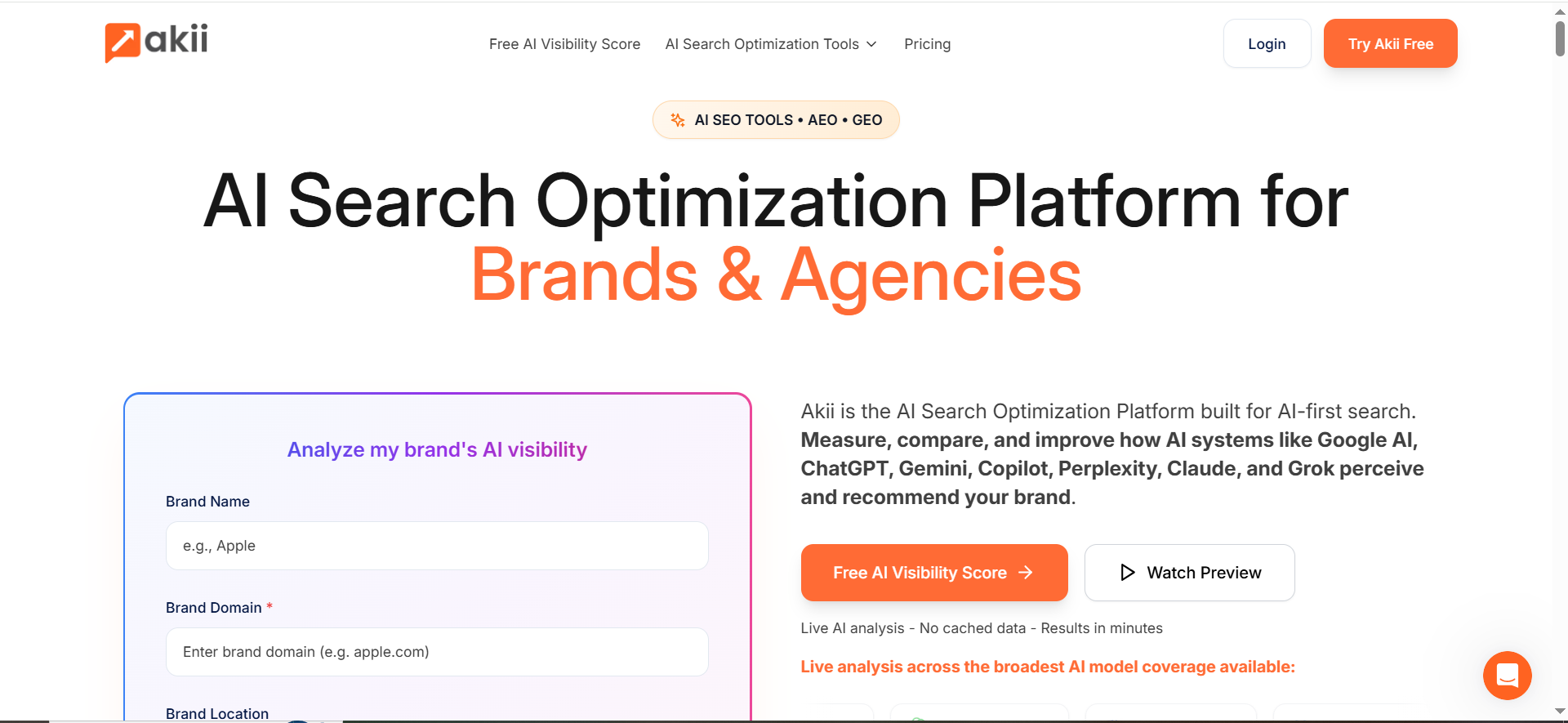
Akii positions itself as an AI search optimization / AI visibility platform for brands and agencies, focused on measuring and improving how major AI systems recommend a brand.
Why teams use it
Because SoA measurement becomes much easier when a platform is designed around multi-model AI visibility analysis (rather than retrofitting classic SEO rank trackers).
What it’s good for
- Monitoring brand presence across multiple AI systems/models (SoA-style tracking)
- Auditing how your brand is described and where competitors appear instead
- Creating a repeatable “visibility score” narrative that stakeholders can understand
When it’s a good fit
- You’re already seeing AI assistants influence deals, and leadership wants reporting now
- You need a competitor comparison, not just “are we mentioned?”
- You don’t want to build the prompt-running + parsing pipeline yourself
When it’s not a good fit
- You only need classic Google rank tracking
- Your org isn’t ready to operationalize what you learn (content updates, PR, listings, docs)
How to use it
- Start with a narrow prompt set (20–50 prompts) aligned to your top revenue motion.
- Add competitors as explicit entities to score against.
- Run weekly at first; move to daily for your highest-value clusters.
- Use “wins/losses” snapshots in your QBR: where competitors are recommended and you aren’t.
Key capabilities to look for
- Prompt library and versioning
- Multi-model coverage
- Mention + recommendation detection
- Competitor comparison and trendline reporting
Pricing
Akii’s pricing starts at $49/month.
Free tier?
Akii doesn’t offer a free tier, but it does offer a 14-day free trial.
Downsides / limitations
- Like any SoA tool, results can be sensitive to prompt design and run conditions, your methodology matters as much as the dashboard.
- If you don’t pair findings with action (content, PR, product messaging), you’ll plateau.
2. Semrush
What it does
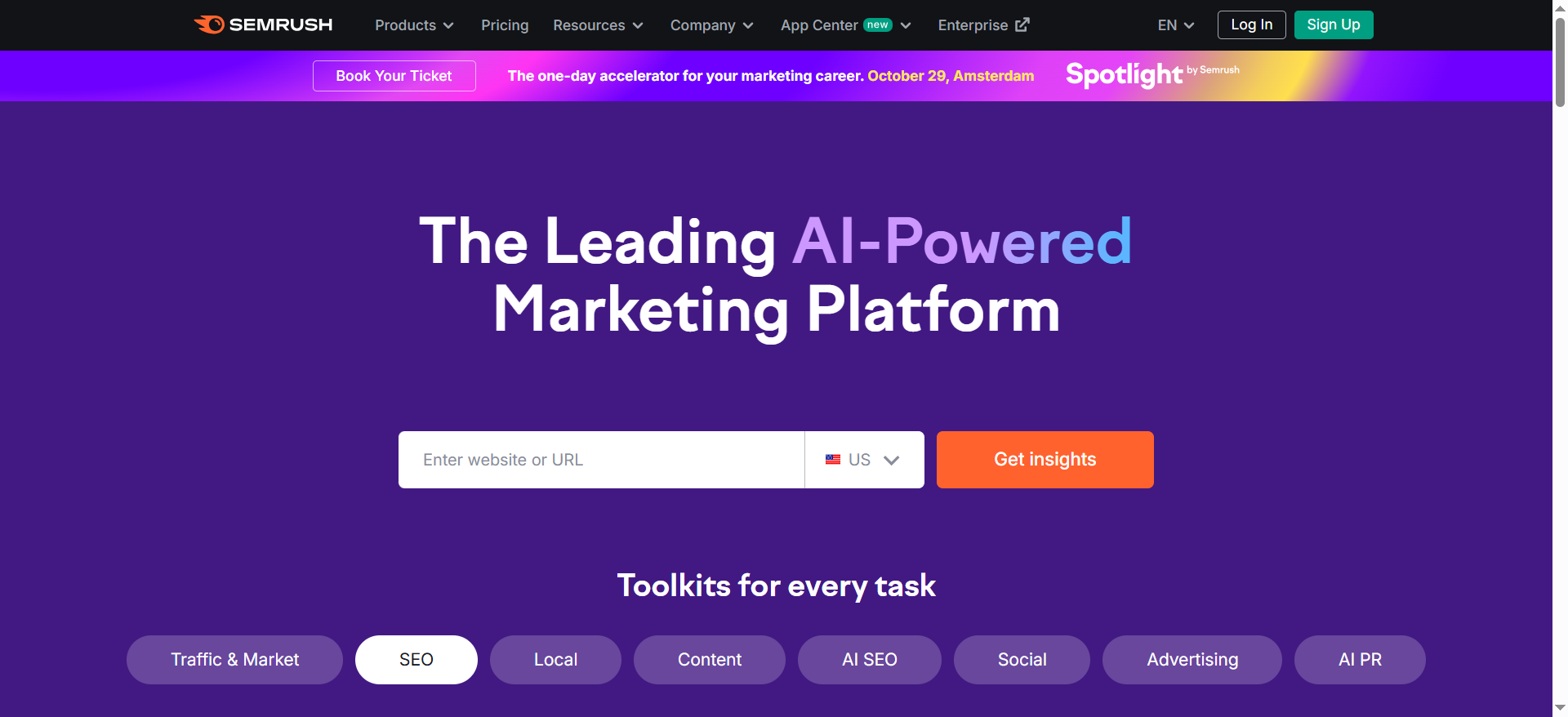
Semrush has been extending into AI visibility workflows, especially around AI Overviews tracking and AI visibility initiatives; while still being a powerhouse for competitive SEO research.
Why teams use it
Because exec teams already understand Semrush-style competitive benchmarking and share-of-voice concepts, which makes it easier to introduce “share of answer” as an evolution rather than a brand-new metric.
What it’s good for
- Competitive baselining for AI Overviews and AI visibility initiatives
- Researching the keyword and topic landscape that your AI prompt set should be based on
- Pairing SoA reporting with classic share-of-voice and visibility metrics (a helpful “bridge” for stakeholders)
When it’s a good fit
- You want SoA reporting to sit inside a broader SEO + competitive intelligence program
- You need to justify AI visibility work using existing SEO reporting language
- You have an enterprise environment that prefers established platforms
When it’s not a good fit
- You need deep, AI-native response parsing and recommendation scoring across many assistants
- You want a single-purpose SoA dashboard without the rest of an SEO suite
How to use it for Share of Answer
Use Semrush to build a “topic-to-prompt” pipeline:
- Identify AI Overview–triggering topics and competitor baselines.
- Convert the highest-intent topics into prompts (“best X for Y,” “X vs Y,” “how do I…?”).
- Use your SoA tool (or a lighter measurement workflow) to track answers for those prompts.
- Report SoA alongside Semrush SOV/visibility trends so leadership sees continuity.
Key capabilities
- AI Overview visibility workflows and guidance
- Share-of-voice / visibility metrics that stakeholders already recognize
- Competitive research depth for building prompt lists
Pricing
Semrush’s pricing starts at $139.95/month.
Free tier?
Semrush offers a limited free plan, and it also offers a free trial.
Downsides / limitations
- Semrush can tell you what’s happening in SEO/AI Overview ecosystems, but SoA requires consistent prompt execution and response scoring, usually beyond classic SEO workflows.
3. SEOmonitor
What it does
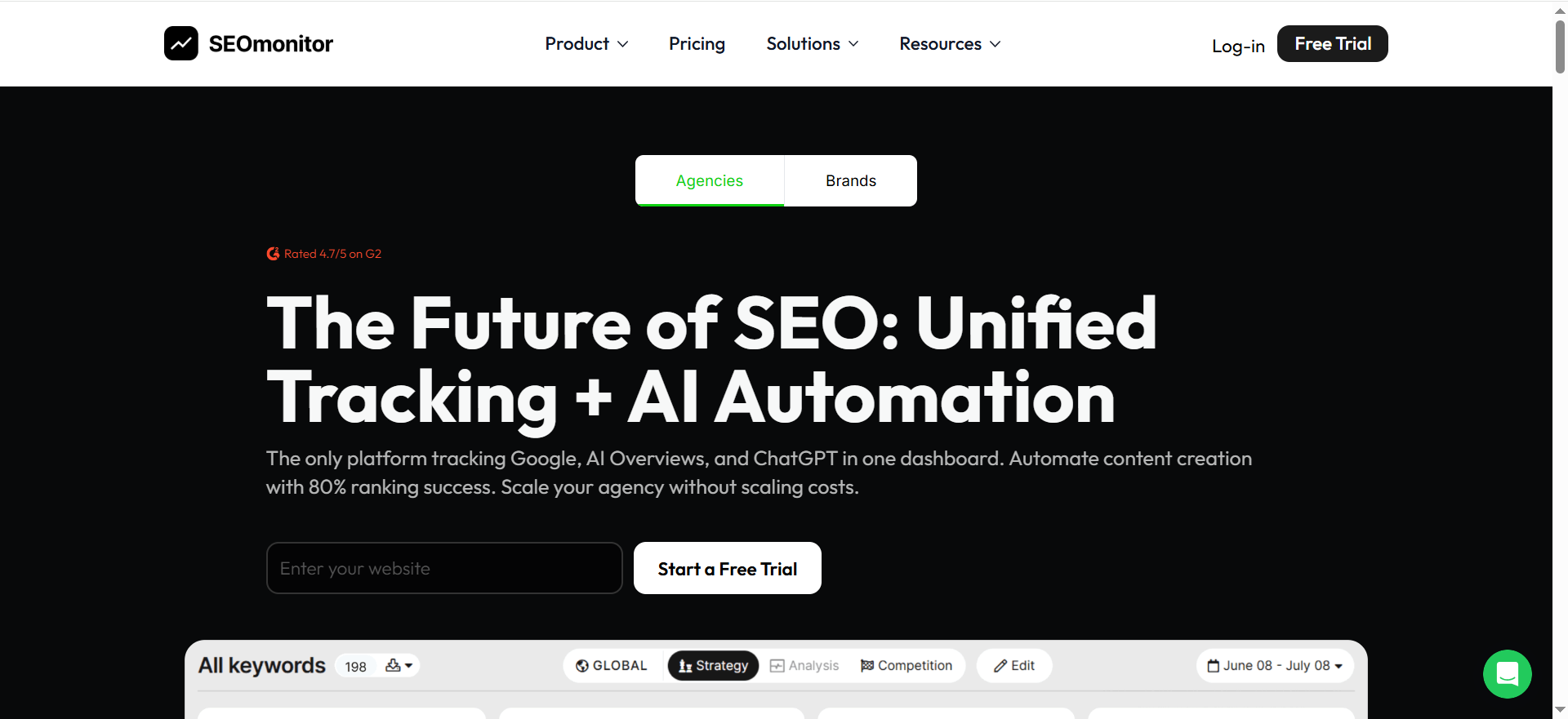
SEOmonitor explicitly positions itself as a unified platform that tracks Google rankings, AI Overviews, and citations across AI systems using the same keyword strategy, reducing the “fragmented reporting” problem many teams hit.
Why teams use it
Because if you’re rolling SoA up to leadership, you need a consistent baseline that connects:
- The keyword/topic landscape (what you should be visible for), and
- AI visibility signals (where AI is mentioning/citing you), and
- Competitive context (who else is showing up)
What it’s good for
- Consolidated reporting: rankings + AI Overviews + AI citations in one narrative
- A stable keyword strategy layer you can map to prompt clusters
- Competitive intelligence built into the same landscape view
When it’s a good fit
- Your biggest pain is “we have 4 dashboards and none agree”
- You need leadership reporting that doesn’t feel experimental
- You have an SEO team that wants to own AI visibility reporting without switching stacks
When it’s not a good fit
- You want an AI-native system that runs large-scale prompt sets across many assistants daily
- Your program is purely about assistant answers (and not connected to keyword strategy)
How to use it for Share of Answer
- Define your keyword clusters by product line and intent.
- Translate each cluster into a prompt pack (10–30 prompts per cluster).
- Track AI citations and AI overview presence as “supporting evidence” for why SoA is moving.
- Report a combined view: SoA trend + AI citation trend + competitor changes.
Key capabilities
- AI Overviews + AI citations tracking alongside traditional SEO
- Competitor landscape tracking
- Repeatable, stable reporting cadence
Pricing
SEOmonitor’s pricing starts at €99/month.
Free tier?
SEOmonitor doesn’t offer a free tier, but it does offer a 14-day free trial.
Downsides / limitations
- SoA still depends on prompt coverage and scoring rules. SEOmonitor can anchor the strategy and reporting, but you’ll still need a clear SoA methodology and (often) a prompt execution layer.
4. Keyword.com
What it does
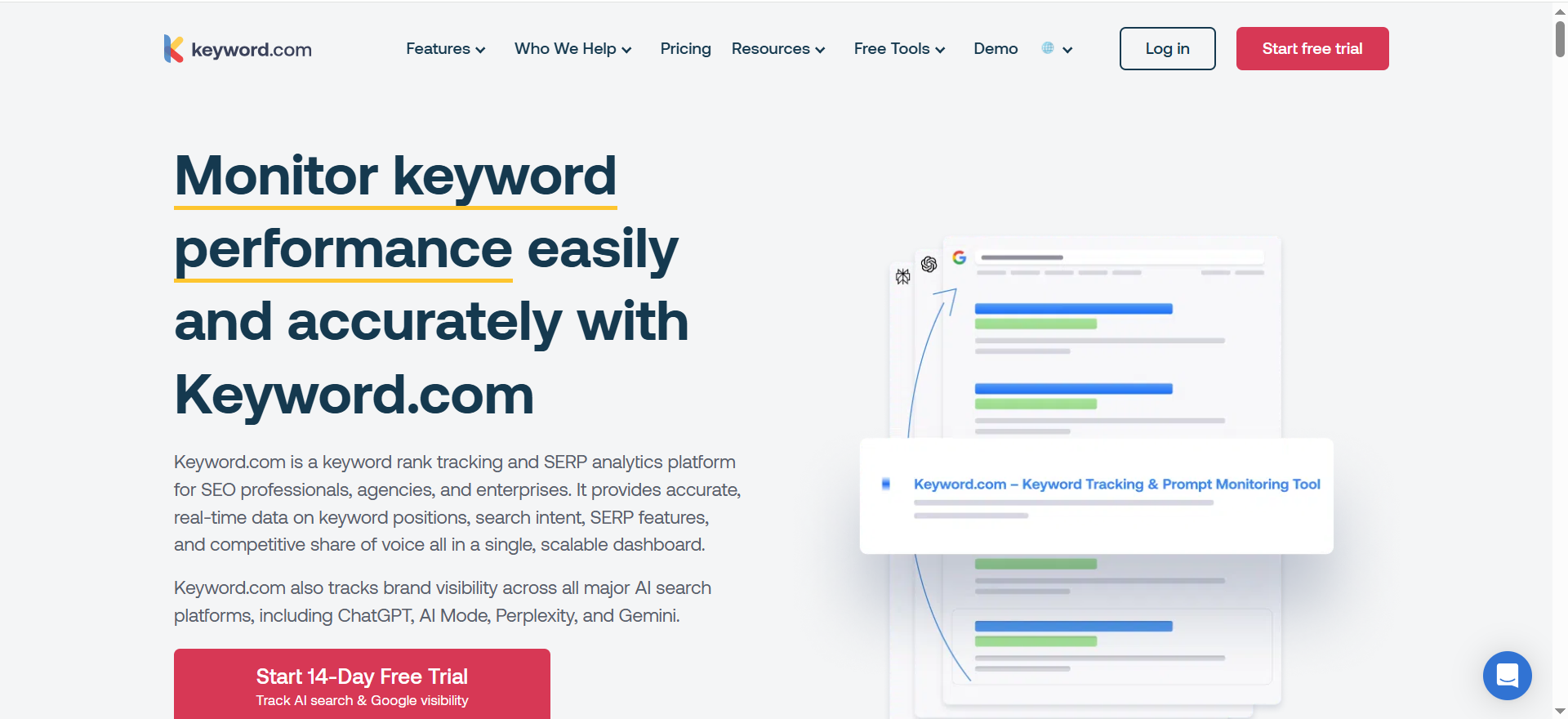
Keyword.com is primarily a rank tracking and SERP monitoring platform with daily rank tracking and reporting features, including share-of-voice style analytics.
Why teams use it
Because SoA programs quickly become “measurement programs,” and measurement programs need a reliable backbone:
- stable keyword sets
- consistent tracking frequency
- low-cost scaling for large lists
Keyword.com’s pricing and API options make it attractive as that baseline layer.
What it’s good for
- Building the keyword-to-prompt map: your prompts should align to tracked keyword clusters
- Maintaining consistent baselines (daily/weekly rank movements) while SoA fluctuates
- Reporting visibility trends to support SoA narratives (“we improved visibility for the same topics we monitor in AI”)
When it’s a good fit
- You want to run SoA as a program, not a one-off audit
- You need to scale tracking without enterprise suite costs
- You want to feed rank/visibility data into dashboards alongside SoA
When it’s not a good fit
- You need out-of-the-box multi-assistant answer monitoring
- You want deep mention/citation parsing inside AI responses (beyond rank tracking)
How to use it for Share of Answer
- Track the keywords that correspond to your SoA prompt clusters, and use keyword clustering and topic maps to keep those clusters stable over time.
- When SoA moves, check whether your content/rank baselines also moved, this helps you separate “real change” from noise.
- Use Keyword.com reporting outputs as a supporting chart in the exec deck (simple visuals win).
Key capabilities
- Daily rank tracking and reporting workflows
- On-demand refreshes and scalable API options
Pricing
Keyword.com’s pricing starts at $3/month.
Free tier?
Keyword.com offers a free tier ($0/month plan), and it also offers a 14-day free trial.
Downsides / limitations
- Keyword tracking is not SoA. It’s a supporting layer that makes your SoA reporting more stable and defensible.
5. Thruuu
What it does
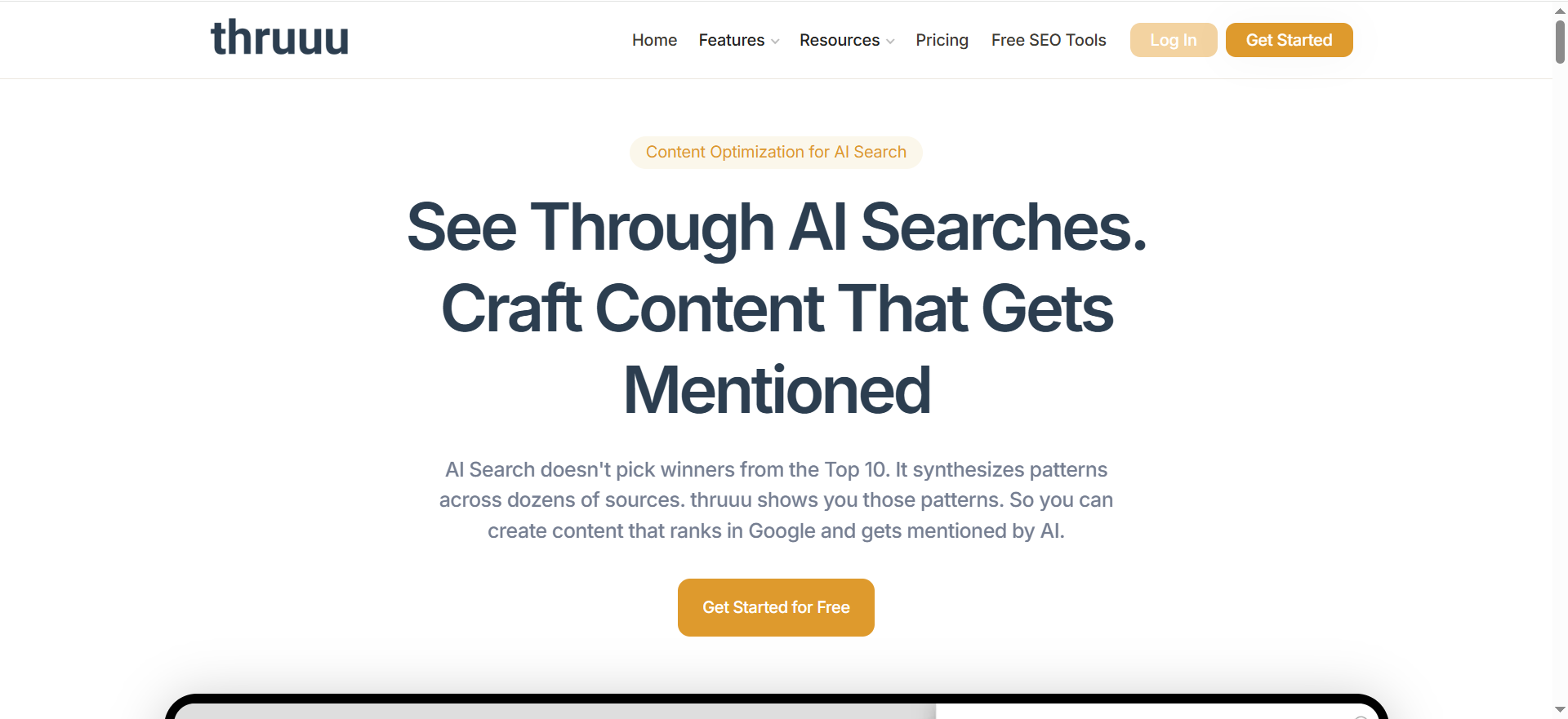
Thruuu is a SERP analysis and content research tool designed to scrape and analyze ranking results, uncover content patterns, and generate content briefs, positioning itself around building content that earns AI mentions.
Why teams use it
Because improving SoA usually requires engineering your content and entity coverage so AI systems have reasons to include you, this is where content engineers make a measurable difference. That starts with understanding what currently ranks and what structures the SERP rewards.
What it’s good for
- Analyzing heading patterns and topic coverage across ranking results
- Turning SERP patterns into content briefs and outlines
- Supporting your SoA playbook by telling you what content you need to publish or update
When it’s a good fit
- Your SoA program is paired with content production (most are)
- You want faster SERP-to-outline workflows for writers and SEO teams
- You want a systematized way to build “prompt-aligned” content
When it’s not a good fit
- You need direct AI assistant answer monitoring
- You want automated mention/citation scoring from assistant responses
How to use it for Share of Answer (the “answer-oriented content blueprint”)
- Start from your losing prompt clusters (“we’re not showing up for ‘best X for Y’”).
- Run SERP analysis for the corresponding keywords.
- Extract the common subtopics and headings competitors cover.
- Build a content update plan: add missing entities, comparisons, and decision criteria.
- Re-run SoA measurement to validate lift.
Key capabilities
- SERP scraping + structural analysis
- Content briefs generation, exportable workflows
Pricing
Thruuu’s pricing starts at $13/month.
Free tier?
Thruuu offers a free tier, and it also has a “try for free” sign-up flow.
Downsides / limitations
- Thruuu helps you improve the inputs that influence SoA, but it’s not a full SoA measurement engine by itself, so pair it with AI visibility enhancement strategies you can operationalize.
3 More Tools If You Want an AI-First “Answer Engine” Stack
If your goal is to measure SoA directly inside AI assistants (not just build the strategy around it), these are common additions.
Peec AI
Peec positions itself around analyzing brand performance across multiple AI systems and supporting reporting workflows (including dashboard connectors).Why it’s useful for SoA: AI-native prompt monitoring + reporting is often the shortest path to “show me the trendline.”
OtterlyAI
OtterlyAI is frequently mentioned in “AI visibility tools” roundups as an answer-engine monitoring option. (It’s commonly compared in AI visibility lists.)Why it’s useful for SoA: good for lightweight monitoring programs that need quick visibility checks.
Profound
Often cited as an enterprise-leaning AI visibility vendor in industry comparisons.
Why it’s useful for SoA: typically evaluated when large brands want SoA-style reporting plus enterprise governance.
How to Measure Share of Answer Reliably
This is the workflow that most teams end up converging on, whether they use an AI visibility platform, a blended SEO stack, or a homegrown pipeline.
Step 1 — Build a prompt set that reflects real buyer intent
The answer is only meaningful if your prompt set represents actual buyer journeys. A practical way to structure prompts is by funnel intent + category modifiers, for example:
- Discovery (category): “best [category] tools for [use case]”
- Comparison (alternatives): “[brand] vs [competitor]”
- Evaluation (requirements): “best [category] that supports [integration / compliance]”
- Purchase intent: “pricing for [category] tools” + “best [category] for [team size]”
Pro tip: include prompts that your sales team hears verbatim as part of your AI search visibility strategy. These are often the highest-leverage prompts for exec reporting because they map to pipeline conversations.
Step 2 — Standardize how you run prompts (frequency, models, geo)
If you don’t standardize execution, your trendlines will be noisy and your leadership team will stop trusting them.
A tool like SEOmonitor explicitly frames this as tracking the same keyword strategy across channels (including AI channels). That’s exactly the mindset you want: consistency beats novelty.
Minimum standards to define:
- Frequency: weekly for “directional,” daily for “operational.” (Some tools run daily Google and weekly AI, by design.)
- Geo/language: pick your priority markets.
- Competitor set: keep it stable for reporting periods.
- Prompt hygiene: lock prompt text; version changes like you would version a survey question.
Step 3 — Parse responses and score mentions + citations
The answer isn’t just “did we show up?” A useful scoring system separates presence from quality:
- Presence score (binary): brand mentioned or not
- Recommendation score: explicitly recommended vs just referenced
- Position score: first mention vs buried mention
- Citation/source score: cited/linked vs uncited (especially in AI summary experiences)
SEOmonitor highlights tracking AI citations alongside other organic metrics, which can be a helpful proxy for “why did we show up?”
Step 4 — Turn scores into an exec-ready dashboard
This is where most programs fail: teams produce a cool internal dashboard… and leadership still asks, “So what?”
Your exec-ready dashboard should fit on one page:
- SoA trend (your brand): week-over-week change
- Competitive SoA: top 3 competitors side-by-side
- Top prompt clusters: where you’re winning vs losing
- Narrative: 3–5 bullet insights (what changed, why, what you’ll do next)
Peec, for example, calls out Looker Studio connectivity for reporting workflows, which hints at where teams are going: AI visibility data needs to flow into your normal BI reporting.
Step 5 — Connect to outcomes (pipeline, assisted conversions)
A fair critique of AI visibility dashboards is that presence isn’t the same as business impact. Even the broader industry conversation has started calling out the “tracking fallacy” (measuring presence without measuring outcomes).
You can address this by pairing SoA with “outcome-adjacent” indicators, such as:
- Brand search lift for monitored clusters
- Demo request rate from pages optimized for those clusters
- Assisted conversions for users who landed via organic entry pages connected to the same topics
- Sales call self-reported “heard about you from an AI tool”
SoA is not your revenue number, but it can be a leading indicator of recommendation share in AI-mediated journeys.
Common Pitfalls (And How to Avoid Vanity Metrics)
Pitfall 1: Measuring “mentions” without measuring “recommendations”
A mention like “Brand X exists” is not the same as “Brand X is the best choice.” Your scoring needs a recommendation tier (or at least a “top list inclusion” tier).
Pitfall 2: Changing prompts every week
If you edit prompts constantly, you’re not tracking; you’re experimenting. Track with stable prompt sets, and run experiments in a separate sandbox.
Pitfall 3: Treating SoA as a single number
Execs love single numbers. Analysts should resist them. Break SoA into:
- category prompts
- competitor prompts
- integration/compliance prompts
- region/language prompts
Then roll up.
Pitfall 4: Reporting presence without business framing
Industry conversations have started warning that dashboards can become “presence metrics” with unclear business linkage.Solve this with a standard QBR format:
- what changed
- why it likely changed
- what you’ll do next
- what outcome you expect (and how you’ll measure it)
Pitfall 5: Ignoring AI Overviews and citations as supporting evidence
Even if your main goal is assistant answers, AI summary experiences matter because they often pull from the same web signals. Tools like Semrush and SEOmonitor explicitly call out AI Overviews and AI citations as trackable elements in the modern stack.
What is the share of answers in AI assistants?
Share of Answer (SoA) is a measurement of how often your brand appears inside AI-generated answers for a defined set of prompts, usually compared against competitors and tracked over time.
If “share of voice” was built for the SERP era, share of answer is built for the assistant era:
- Buyers ask an AI assistant: “Best project management tools for agencies?”
- The assistant responds with a ranked list, recommendations, pros/cons, and sometimes citations.
- SoA asks: How often are we included or recommended in those answers, and how often do competitors win instead?
A simple, defensible SoA definition
Use this baseline definition internally so everyone measures the same thing:
Share of Answer = (# of monitored AI answers that mention/recommend your brand) ÷ (total monitored answers)(optionally: compared against competitors in the same prompt set)
What counts as an “answer”?
An answer can be:
- A single response from an AI assistant to a prompt (one run)
- A response over a specific model/version and time
- A response in a specific region/language setting
Because AI output can vary, SoA only becomes meaningful when you standardize:
- Prompt list
- Run conditions (time, model, geography, language, context)
- Scoring logic
What SoA is, and isn’t
SoA is:
- A visibility/recommendation metric for AI assistant journeys
- A competitive benchmark (“who gets recommended most?”)
- A trend metric you can track weekly/monthly
SoA isn’t:
- A guaranteed proxy for revenue
- A substitute for brand, product, or demand gen
- A metric you can treat like a single, fixed number without context
The 3 layers of SoA scoring
If you only measure “mentions,” you’ll get vanity results. Most teams mature into a tiered scoring model:
- Presence SoA
- “Were we mentioned at all?”
- Recommendation SoA
- “Were we recommended as a good option?”
- Preference / Position SoA
- “Were we recommended first / top-3 / with strong justification?”
If your AI assistant answers are often list-based, that third layer matters a lot. The difference between being #1 versus #7 is often the difference between “shortlisted” and “ignored.”
What’s a “good” share of the answer benchmark?
There’s no universal “good” SoA number because it depends on:
- Category competitiveness
- Prompt set scope and intent distribution
- How many competitors you track
- Whether your brand is a market leader or challenger
- Your product’s fit across sub-use cases
That said, you can establish a benchmark that’s meaningful and defensible.
The most useful benchmark is “relative,” not “absolute”
Instead of asking, “Is 15% good?” ask:
- Are we top-3 in our competitive set for the prompts that matter most?
- Are we improving SoA in priority clusters quarter over quarter?
- Do we win the prompts closest to revenue (comparison, alternatives, evaluation)?
A practical way to define “good”
Use this tiering framework:
- Early-stage / starting point: 1–5%
- You show up occasionally, usually for branded prompts or narrow subtopics.
- Competitive presence: 6–15%
- You appear across several non-branded prompts and win some sub-clusters.
- Category contender: 16–30%
- You’re consistently included for buyer-intent prompts and frequently in top lists.
- Category leader behavior: 31%+
- You’re the default recommendation across many prompt clusters (hard to sustain unless you’re a dominant brand).
This is directional, not a rule; but it gives you a language to talk about progress.
Benchmark by prompt cluster, not just overall SoA
Overall SoA is a “headline number.” Your strategic benchmarks should be cluster-based:
- Category discovery prompts (“best X tools”)
- Alternatives prompts (“X alternatives”)
- Comparison prompts (“X vs Y”)
- Integration/requirements prompts (“best X for HubSpot + GDPR”)
- Use-case prompts (“best X for agencies, SMB, enterprise”)
You might have:
- 10% overall SoA (meh)
- but 25% SoA in “alternatives” prompts (excellent revenue leverage)
- and 3% SoA in “enterprise compliance” prompts (high-priority gap)
Benchmark stability: run it like a research panel
To make your benchmark credible:
- Freeze the prompt list for a reporting period (e.g., a quarter)
- Run consistently (weekly cadence is usually enough for leadership)
- Track the same competitor set
- Version changes (when prompts or scoring logic changes)
That’s how you avoid leadership pushback like: “Are you sure this isn’t random?”
How do you compare competitor shares of answer?
Competitor SoA comparison is where this metric becomes powerful, because it turns AI visibility into a market map.
Step 1: Define the competitive set
Pick:
- 3–7 direct competitors (not every company in the category)
- optional: 1–2 “category giants” (even if not true competitors)
- optional: 1 “dark horse” that shows up unexpectedly
Don’t rotate competitors weekly. You want stable comparisons.
Step 2: Build prompt groups that reflect buyer decisions
Competitor comparisons are most valuable on prompts like:
- “best [category] tools for [use case]”
- “[your brand] alternatives”
- “[competitor] vs [competitor]”
- “best [category] for [industry / team size / requirement]”
Then group prompts into clusters:
- Discovery
- Alternatives
- Comparison
- Requirements / integrations
- Industry segments
Step 3: Use a scoring model that captures quality
To compare competitors meaningfully, you need more than binary “mentioned/not mentioned.”
Here’s a practical scoring system:
Mention score (0/1): brand appears
Recommendation score (0/1): brand is recommended positively
Position score (0–3):
- 3 = top mention / top-3 list
- 2 = mid-list / secondary
- 1 = bottom / footnote
- 0 = not present
Citation score (0/1): cited/linked (where relevant)
Then compute competitor comparisons in two ways:
Step 4: Compare competitors with two lenses
Lens A: SoA Share (market split)
For each prompt, you distribute “answer share” across brands that appear.
Example (one prompt run):
- Brand A appears strongly (position 3)
- Brand B appears weakly (position 1)
- Brand C not present
You can assign weighted points per brand, then aggregate across prompt runs.
Lens B: Win/Loss (head-to-head)
For each prompt cluster:
- Who is “winning” (top-3 or top recommendation)?
- Who is “present but weak”?
- Who is absent?
This creates a clear narrative:
- “We’re present but rarely top-3.”
- “Competitor X wins compliance prompts.”
- “Competitor Y dominates SMB discovery prompts.”
Step 5: Visualize it the way execs understand
Use 3 charts:
- SoA trendline over time: you vs top competitors
- Cluster heatmap: prompt cluster vs brand presence/strength
- Biggest movers: which competitor gained/lost share this period
Step 6: Translate competitor wins into actions
When a competitor wins a cluster, ask:
- Are they winning because of product reality (better feature fit)?
- Or because of information reality (more content, more mentions, more authoritative citations)?
- Or because of narrative reality (they’re “known as” the default choice)?
The answer determines whether you fix:
- positioning/messaging
- documentation & content
- listings/reviews
- PR/authority-building
- comparison pages and alternatives content
What data sources influence AI answers (web pages, brand mentions, reviews)?
AI assistants generate answers using a mix of:
- What they learned during training (historical patterns)
- What they retrieve/browse at runtime (current sources, when browsing is enabled)
- What’s in the user’s context (your prompt, your constraints, prior messages)
- Safety and policy constraints (what they’re allowed to say)
From a practical marketing perspective, your SoA outcomes are heavily shaped by what your brand “looks like” across a set of public signals.
1) Your owned content
This includes:
- product pages and feature pages
- help docs / knowledge base
- integrations pages
- comparison pages and alternatives pages
- pricing pages and packaging explanations
- case studies and landing pages
Why it matters:
- AI systems are more likely to recommend brands that have clear, structured, easily extractable information about what they do and who they’re for.
- Buyers’ prompts often demand specifics (“best CRM for nonprofits with email automation”). If your site doesn’t cover that, competitors will.
What to optimize:
- explicit “who it’s for” sections
- decision criteria and comparisons
- structured pros/cons and use cases
- clear product naming and feature definitions
- consistent entity language (don’t rename features every quarter without clear mapping)
2) Third-party mentions
Examples:
- product review sites and directories
- analyst-style comparisons
- industry blogs and newsletters
- community posts and forum threads
- conference talks, podcasts, and transcripts
- partnerships/integration announcements
Why it matters:
- AI answers often reflect consensus signals. If the web repeatedly associates your brand with “best for X,” that narrative tends to surface.
- A single authoritative listicle can influence perception for months.
What to optimize:
- consistent messaging across third-party profiles
- proactive category positioning (so you’re not “miscellaneous”)
- PR campaigns tied to specific prompt clusters (e.g., “best for compliance”)
3) Reviews and reputation signals
Examples:
- star ratings, volume of reviews
- “best for” tags
- common praise/complaints
- recentness and consistency
Why it matters:
- Many buyer prompts ask for “best” and “most reliable.” AI answers often echo the social proof layer.
- High review volume and consistent sentiment can become a strong tie-breaker.
What to optimize:
- review acquisition programs
- support quality (because complaints propagate)
- category selection and profile completeness on review platforms
- responding to reviews (for narrative control)
4) Structured data and machine-readable context
Examples:
- schema markup (Organization, Product, FAQ)
- consistent naming conventions
- tables and structured comparisons
- clear metadata (titles, descriptions, headings)
Why it matters:
- AI summarization is easier when your information is structured.
- Even when models don’t explicitly parse schema, structured writing correlates with easy extraction and consistent representation.
5) Competitive context
Your SoA may be influenced by:
- competitor comparison pages that mention you
- competitor “alternatives” articles that frame you negatively
- affiliate roundup posts that position you as “cheap” or “limited”
This is why “narrative monitoring” matters: SoA isn’t just what you publish, it’s what the ecosystem says about you.
6) Product reality
Sometimes a competitor appears more often because:
- they genuinely fit more use cases
- their pricing is more aligned with “best for SMB”
- they have a standout feature associated with common prompts
SoA improvements sometimes require:
- product packaging changes
- clearer plan naming
- better onboarding and documentation
A practical way to audit what’s influencing your SoA
For any “lost” prompt cluster, do a quick triage:
- Is the competitor winning because of fit?
- If yes: fix positioning, packaging, differentiation.
- Is the competitor winning because of visibility?
- If yes: build content + third-party mentions for that cluster.
- Is the competitor winning because of narrative?
- If yes: PR, category messaging, reviews, and comparisons.
That’s how you turn SoA from “a metric” into a program.
FAQs
What’s a “good” answer?
How many prompts do I need for reliable measurement?
How often should we run prompts, daily or weekly?
Can traditional SEO tools measure the share of answers by themselves?
What’s the difference between share of answer and share of voice?
How do we report SoA to execs without getting pushback?
📋 Get Listed / Advertisement
We update this guide monthly. Want your tool featured? Contact: [email protected].


