
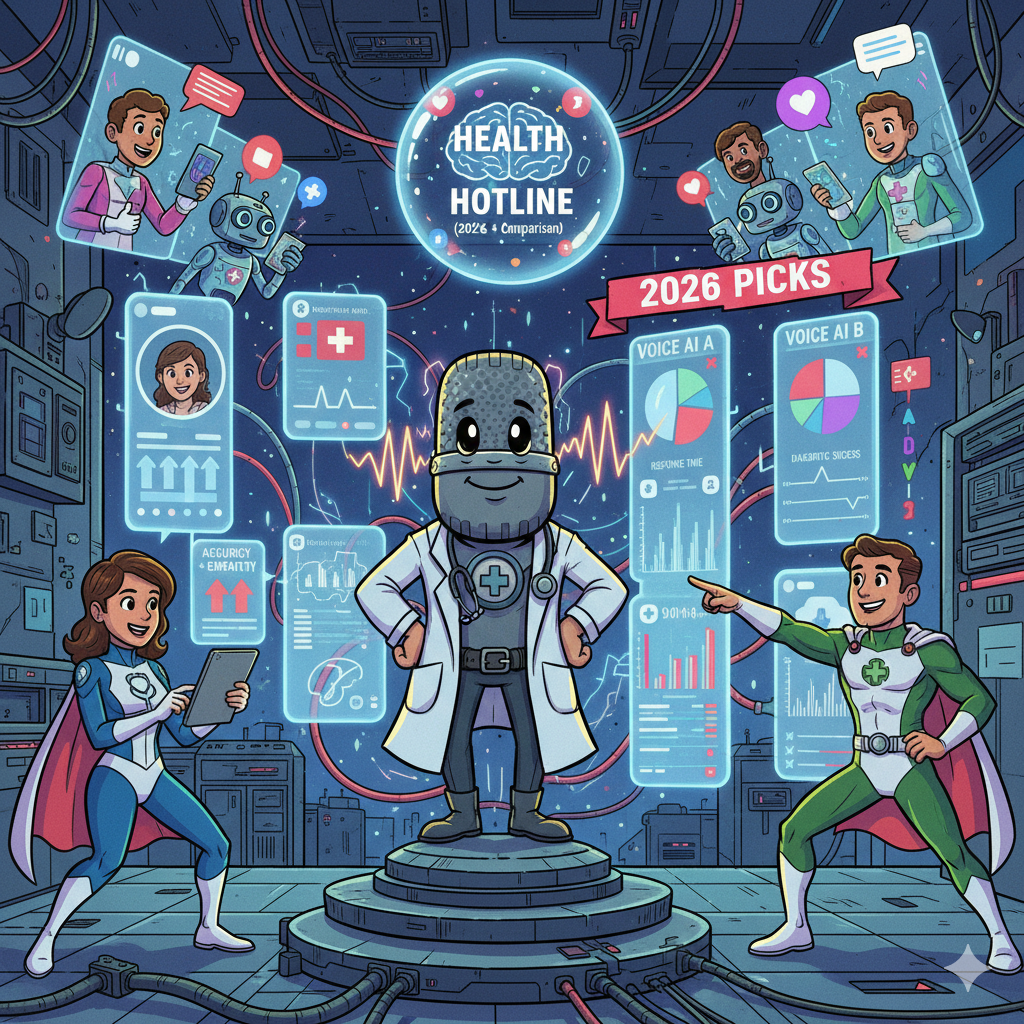
For most healthcare hotlines in 2026, the “best” voice AI option depends on how much control you need vs. how quickly you need to deploy. If you want an enterprise suite with mature routing, reporting, and governance, Genesys Cloud CX or NICE CXone are strong shortlists. If you want a healthcare-packaged implementation path, Talkdesk Healthcare Experience Cloud is designed for that motion. If you’re AWS-native and want maximum flexibility, Amazon Connect + Lex is a powerful buildable stack. If you want a programmable platform you can shape deeply (with more engineering ownership), Twilio Flex + Programmable Voice is a strong fit.
📋 Get Listed / Advertisement
We update this guide monthly. Want your tool featured? Contact: [email protected].
Healthcare hotlines face higher call volume, staffing constraints, and rising patient expectations, while privacy and auditability requirements keep getting stricter. Voice AI can help when it’s used as a front door + traffic controller: handle repeatable questions, collect structured intake, route correctly, and escalate risk to humans fast. The goal isn’t “replace agents.” It reduces hold times and misroutes while keeping sensitive and high-risk conversations safe.
⚠️ Quick disclaimer (HIPAA + clinical safety)
This is not medical advice. For clinical/triage lines, treat voice AI as a routing and intake layer, not a diagnostician. “HIPAA-ready” is also not a magic checkbox, your configuration, access controls, vendor contracts (BAAs), retention settings, and staff workflows determine real-world compliance.
Best Tools for Health Hotline Voice AI (Quick Comparison)
| Tool | Best for | Hotline fit score (1–5) | Key watch-out |
|---|---|---|---|
| Amazon Connect + Lex (AWS) | AWS-native customization + deep integrations | 4.6 | Needs engineering/partner for robust flows |
| Genesys Cloud CX | Enterprise routing + reporting + governance | 4.7 | Costs can rise with add-ons/modules |
| Talkdesk Healthcare Experience Cloud | Faster healthcare packaging + CX workflows | 4.5 | Validate scope of “healthcare” features you need |
| NICE CXone | Governance-first CCaaS + compliance layers | 4.6 | Implementation can be heavier for smaller teams |
| Twilio Flex + Programmable Voice | Programmable control + custom hotline experiences | 4.4 | More ownership (QA, monitoring, ops) |
📋 Get Listed / Advertisement
We update this guide monthly. Want your tool featured? Contact: [email protected].
How to read the score: This is a practical “hotline fit” score based on (1) compliance readiness, (2) escalation and routing control, (3) integrations, (4) reporting/QA, and (5) reliability/failover. Use it to prioritize demos, not to skip legal/security review.
1. Amazon Connect + Amazon Lex (AWS)
What it does
Amazon Connect is a cloud contact center and Amazon Lex is a conversational interface builder. Together, they can power IVR, structured intake, routing, and automation—while integrating deeply with AWS logging, identity, and security controls.
Why teams use it
Teams choose it when they want maximum flexibility and strong integration with existing AWS infrastructure (data, auth, observability, disaster recovery patterns).
What it’s good for
- High-control routing and queue logic
- Structured intake (symptom category capture, scheduling intent, location, insurance basics)
- Integration-heavy workflows (tickets, paging, EHR adapters, BI)
- “Build once, evolve often” hotlines that change monthly
When it’s a good fit
- You already run on AWS and have engineering support
- You need custom workflows and deep telemetry/audit trails
- You want to own the architecture for reliability and cost control
When it’s not a good fit
- You need a turnkey, low-effort healthcare contact-center rollout
- You don’t have a team to maintain flows, testing, and monitoring
How to use it
- Start with 3–5 low-risk intents (hours/location, scheduling, directions, basic policy questions).
- Use Lex to capture structured fields (DOB confirmation, appointment ID, callback number) only if required and with safe prompts.
- Route to the right queue based on intent + urgency gates.
- Add agent handoff with full context (intent + captured fields + transcript excerpt if allowed).
- Add failover: if AI confidence is low, route to humans immediately.
Key capabilities to validate
- BAA / HIPAA eligibility scope for the services you’ll use
- Call recording + transcription controls (retention, access, encryption)
- Identity and access controls + audit trails
- Real-time monitoring, alerts, and failover behavior
- How “knowledge answers” are grounded (to avoid hallucinations)
Pricing
Amazon Connect is usage-based, starting at $0.038 per minute for voice service (plus telephony charges). Amazon Lex is usage-based, starting at $0.004 per speech request and $0.00075 per text request.
Free tier?
Amazon Connect offers an AWS Free Tier for the first 12 months (including 90 minutes/month of service usage, plus limited inbound/outbound minutes). Amazon Lex doesn’t offer a permanent free tier; new AWS customers may receive time-limited AWS Free Tier credits/free-plan benefits that can be applied to Lex.
Downsides / limitations
- More build and operational ownership
- Quality depends on design discipline (flows, guardrails, test coverage)
2. Genesys Cloud CX (Genesys AI)
What it does
Genesys Cloud CX is a full CCaaS platform with routing, workforce tools, analytics, and AI capabilities. It’s positioned for enterprise contact centers that need mature governance and reporting.
Why teams use it
Healthcare orgs pick Genesys when they want enterprise-grade routing + reporting with a large ecosystem and structured admin controls.
What it’s good for
- Complex queue/routing across departments and locations
- Reporting and QA workflows for regulated environments
- Blended human + automation models (agent assist, deflection, routing)
When it’s a good fit
- You need enterprise analytics and routing out of the box
- You want a mature admin/governance model
- You have multiple lines, departments, or regions to unify
When it’s not a good fit
- You want a lightweight programmable stack with minimal platform overhead
- Your team is extremely small and needs “simple only”
How to use it
- Build intent-based routing first, then add automation for low-risk intents
- Use compliance-mode features where needed (timeouts, restricted channels, etc.)
- Build a QA loop: flagged calls, escalation review, and prompt/flow updates
Key capabilities to validate
- Which channels are supported in a HIPAA-compliant posture (voice vs. SMS/email)
- Audit logging and role-based access controls
- How recordings/transcripts are handled and exported
- Integration options (EHR-adjacent systems, ticketing, paging, BI)
Pricing
Genesys Cloud CX pricing starts at $75/user/month (billed annually) for CX 1, and higher editions go up to $240/user/month (billed annually).
Free tier?
Genesys Cloud CX doesn’t offer a free tier, but it does offer free trials (including the GCXNow trial experience).
Downsides / limitations
- Cost and complexity can increase with add-ons
- Some channel features may be restricted in HIPAA modes (validate early)
3. Talkdesk Healthcare Experience Cloud
What it does
Talkdesk provides CCaaS with healthcare-focused packaging, workflows, and positioning for patient experience/contact centers.
Why teams use it
Teams choose Talkdesk when they want healthcare-oriented implementation and faster time-to-value, without building everything from scratch.
What it’s good for
- Patient access and scheduling hotlines
- “Healthcare-first” contact-center rollouts
- Standard workflows (appointment reminders, basic intake, service routing)
When it’s a good fit
- You want a vendor motion built for healthcare contact centers
- You value packaged workflows and faster deployment
When it’s not a good fit
- You require very bespoke routing logic and custom orchestration across many internal systems
- You want to keep everything in a single hyperscaler stack
How to use it
- Start with “deflect + route” before attempting full automation
- Use scripted intake and tightly-scoped knowledge answers
- Ensure agent handoff passes structured context (intent + key fields)
Key capabilities to validate
- What “healthcare” features are included (and what requires custom work)
- Recording/transcription settings, retention, and access controls
- Integration depth with your scheduling/EHR-adjacent tools
- SLA/uptime posture and failover routing
Pricing
Talkdesk’s Industry Experience Clouds (including Healthcare & Life Sciences) pricing starts at $225/user/month.
Free tier?
Talkdesk doesn’t offer a free tier for Healthcare Experience Cloud, but it does offer a limited free trial for Talkdesk Express.
Downsides / limitations
- You still need governance and QA to keep automation safe
- “Packaged” doesn’t mean your exact workflows are turnkey, verify scope
4. NICE CXone (governance-first CCaaS)
What it does
NICE CXone is an enterprise contact-center platform with strong emphasis on security, compliance tooling, and operational governance features.
Why teams use it
Healthcare and regulated orgs choose NICE when they want governance-first operations and structured compliance layers.
What it’s good for
- Regulated environments that prioritize auditability and controls
- Large contact centers that need QA, analytics, and workforce tooling
- Multi-team routing with consistent policies
When it’s a good fit
- Compliance and governance requirements are a primary driver
- You need robust reporting/QA and platform controls
When it’s not a good fit
- You’re a small team seeking a lightweight programmable build
- You need unusual or highly custom orchestration quickly
How to use it
- Use AI primarily for routing and low-risk automation first
- Build compliance review loops around call recordings and agent handoffs
- Define strict retention and access policies before scaling automation
Key capabilities to validate
- BAA availability and compliance documentation
- Role-based access, audit logs, and policy enforcement
- Recording, redaction, and retention controls
- Reliability, redundancy, and graceful degradation patterns
Pricing
NICE CXone Mpower pricing starts at $110/agent/month, with higher suites priced above that.
Free tier?
NICE CXone doesn’t offer a free tier, but it does offer a 60-day free trial of CXone Mpower.
Downsides / limitations
- Enterprise implementations can take longer
- Costs can scale with modules and advanced features
5. Twilio Flex + Programmable Voice
What it does
Twilio Flex is a programmable contact-center platform; Programmable Voice provides telephony building blocks. Together they support custom hotline experiences with strong developer control.
Why teams use it
Twilio is chosen when teams want programmable flexibility and the ability to design bespoke flows, routing, and integrations.
What it’s good for
- Custom patient access or member services workflows
- Integrating voice flows into existing product/app ecosystems
- Building unique automation and routing experiences
When it’s a good fit
- You have engineering resources and want deep control
- You want to move fast with custom logic and iteration
When it’s not a good fit
- You want a mostly out-of-the-box enterprise CCaaS suite
- You don’t have bandwidth for ongoing QA/monitoring ownership
How to use it
- Start with programmable IVR + routing, then layer in AI carefully
- Use strict guardrails: limited intents, grounded knowledge, fast escalation
- Log everything needed for QA (without over-retaining sensitive data)
Key capabilities to validate
- HIPAA-eligible product scope and BAA requirements
- Recording/transcription rules and configurations
- Secure transport, access controls, and auditability
- Operational monitoring and incident response processes
Pricing
Twilio Flex pricing starts at $1 per active user hour or $150 per named user per month. Twilio’s published Voice API rates start at $0.0085/min to receive and $0.014/min to make a call (U.S.).
Free tier?
Twilio doesn’t offer a free tier, but it does offer a free trial (including 5,000 Flex hours) with no credit card required.
Downsides / limitations
- More operational ownership (testing, monitoring, incident response)
- If governance is weak, risk increases as automation expands
How we scored “best voice AI for health hotlines”
Security & compliance readiness
- BAA availability (where applicable) and documented compliance posture
- Encryption, access control, audit logging
- Recording/transcription retention controls and redaction options
Clinical safety & escalation
- Confidence gating and safe failure modes
- “Never automate” categories (emergencies, complex triage, high-risk complaints)
- Clear and fast human handoff with context
Integrations (EHR/CRM/ticketing/on-call)
- Scheduling systems, CRM, ticketing, on-call paging
- Data capture into structured fields (not just transcripts)
Reporting & QA
- Containment/deflection, transfer rates, AHT, callback outcomes
- QA workflows: flagged calls, escalation review, continuous improvement
Reliability & failover
- Uptime posture and regional redundancy options
- Graceful degradation to humans during outages
- Monitoring and alerting integrations
FAQs
Is voice AI “HIPAA compliant” by default?
What should we automate first in a healthcare hotline?
How do we prevent hallucinations in voice agents?
Do we need to call transcription and recording?
What’s the biggest mistake teams make with voice AI on hotlines?
CCaaS suite vs. programmable stack, how do we choose?
📋 Get Listed / Advertisement
We update this guide monthly. Want your tool featured? Contact: [email protected].


