
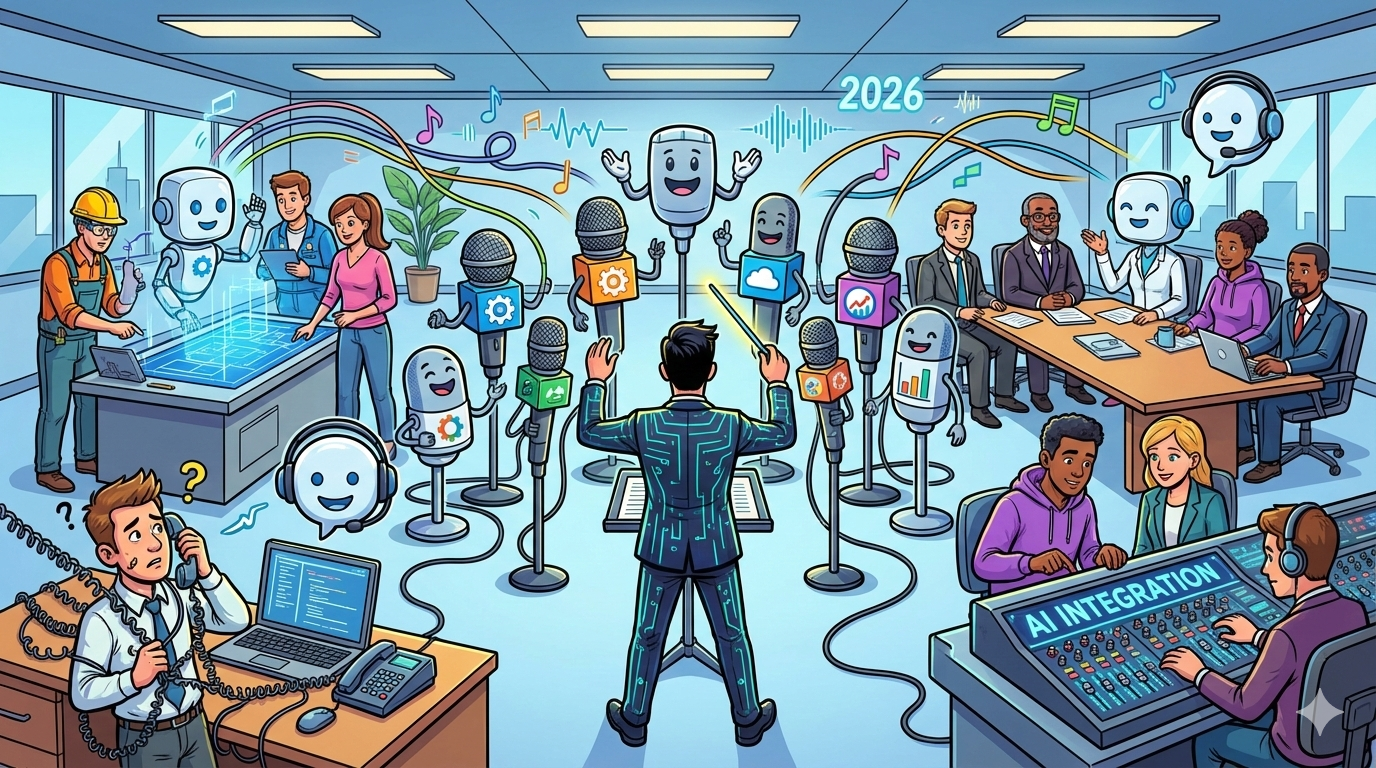
The best practices for integrating AI voice in a business are: start with 1–2 narrow, high-volume intents; choose the telephony pattern that matches your carrier/contact-center reality (SIP/BYOC, phone gateway, or native CCaaS); lock privacy, retention, and access controls before you log audio or transcripts; ship guardrails (allowed intents, confirmations, least-privilege tool access, and fail-open escalation); test what callers feel (latency and barge-in under noise and edge cases); roll out in phases with clear exit criteria; and report weekly on containment, CX, and cost KPIs.
📋 Get Listed / Advertisement
We update this guide monthly. Want your tool featured? Contact: [email protected]
What “AI voice technology” includes (and why it matters)
In enterprise settings, AI voice usually includes one or more of these categories, each with different integration and risk requirements:
- Voice agents: automated phone conversations for inbound self-service, triage, scheduling, and basic troubleshooting.
- Agent assist: real-time guidance for humans (summaries, next-best actions, knowledge surfacing, cleaner disposition capture).
- Speech analytics + QA automation: transcripts, categorization, compliance monitoring, and call quality signals.
Best practices checklist (quick start)
- Pick the use case first: if the happy path resolves in under 90 seconds and needs two or fewer backend lookups, it is a strong v1 candidate.
- Choose your telephony pattern early: SIP/BYOC for carrier control and redundancy, phone gateway for fastest pilots, or native CCaaS to reduce moving parts.
- Define privacy and retention in writing: what counts as PII, where audio/transcripts live, retention windows, and who can access raw audio vs redacted transcripts.
- Design fail-open escalation: if the AI fails, callers still reach a human and the handoff includes intent, entities, and a short summary.
- Guardrails are mandatory: allowed intents list, refusals for sensitive requests, confirmations for irreversible actions, and least-privilege tool permissions.
- Test what callers feel: latency budgets (P50/P95), barge-in reliability, noise/accents, silence loops, and tool-call failures.
- Roll out in phases and review weekly: start constrained, expand scope add-only, and harden change control before full production.
2026 picks; 5 enterprise AI voice platforms (quick comparison)
| Platform | Best for | Telephony pattern | Watch-outs |
|---|---|---|---|
| Cognigy.AI + Voice Gateway | Inbound containment + routing at scale | SIP/BYOC via gateway | Confirm audit logs + PII controls |
| PolyAI | High-quality voice UX + complex flows | SIP integrations with CCaaS | Ensure data export + clear ops ownership |
| Google Cloud (Dialogflow CX / Conversational Agents) | GCP-first teams launching fast | Phone gateway or SIP | Verify data residency + retention behavior |
| Amazon Connect (+ Contact Lens / Amazon Q in Connect) | AWS-first CC modernization | Native CCaaS | Portability considerations + analytics exports |
| Twilio Voice + SIP Trunking | Maximum telephony control + routing | SIP trunking / BYOC | Not a full agent stack by itself |
📋 Get Listed / Advertisement
We update this guide monthly. Want your tool featured? Contact: [email protected].
1. Cognigy.AI + Voice Gateway
What it does
Enterprise automation platform with a voice gateway pattern that fits SIP deployments and CCaaS integrations.
Best for
Contact centers needing high-volume inbound containment with strong routing and escalation.
Telephony pattern
Voice gateway endpoint + SIP trunk provider (BYOC/SIP).
Implementation notes
- Treat telephony as its own workstream: SIP routing, redundancy, and synthetic call monitoring.
- Establish dev/stage/prod environments and a release workflow (promote and rollback).
- Define handoff payloads so agents receive intent, entities, and a short summary.
Watch-outs
- Require audit logging and change history.
- Validate PII redaction + retention for transcripts and audio.
Pricing
On AWS Marketplace, Cognigy.AI pricing starts at $43,080/year, or $53,916/year with Voice Gateway included, for a 12-month contract; larger enterprise licensing is available by quote.
Free Tier?
Cognigy doesn’t offer a free tier, but it does offer a free trial environment.
2. PolyAI
What it does
Platform used for branded voice assistants and complex flows where voice UX matters.
Best for
Teams prioritizing caller experience with deeper call-flow design.
Telephony pattern
SIP integration with common CCaaS setups.
Implementation notes
- Plan analytics early: transcripts, categories, escalation reasons, QA outputs to BI/QA tools.
- Instrument tracing: call ID → transcript → CRM ticket/case.
- Define escalation rules and test handoffs end-to-end.
Watch-outs
- Confirm export formats for QA/compliance workflows.
- Clarify who owns tuning + change control.
Pricing
PolyAI is priced on a per-minute basis, but it doesn’t publicly list a starting rate; pricing is provided by quote.
Free Tier?
PolyAI doesn’t offer a free tier, but it does offer a demo.
3. Google Cloud (Dialogflow CX / Conversational Agents)
What it does
GCP-native conversational platform for NLU-first IVR and multi-step flows.
Best for
GCP-standardized teams wanting fast pilots and ecosystem fit.
Telephony pattern
Phone gateway or SIP trunk integrations.
Implementation notes
- Treat barge-in and interruption handling as a launch gate.
- Use strict versioning: staged testing, approvals, rollbacks.
- Monitor P95 latency (tool calls often dominate).
Watch-outs
- Phone gateway trades speed for carrier control.
- Confirm regional data residency and retention behavior.
Pricing
Google Cloud Conversational Agents pricing starts at $0.001 per second of audio for voice agents (Flows), with higher rates for Playbooks.
Free Tier?
Google Cloud Conversational Agents doesn’t offer a free tier, but new Dialogflow CX customers receive a $600 credit for a no-charge trial.
4. Amazon Connect (+ Contact Lens / Amazon Q in Connect)
What it does
AWS-native contact-center stack with call control and AI capabilities for summaries/analytics/assist.
Best for
AWS-first orgs reducing integration layers while modernizing CC ops.
Telephony pattern
Native CCaaS inside Connect.
Implementation notes
- Simplify routing in Connect; add automation incrementally.
- Define data boundaries: storage, retention, access, deletion.
- Measure weekly: containment, transfer reasons, AHT, CSAT/QA, cost/contact
Watch-outs:
- Evaluate lock-in and portability early.
- Confirm analytics + compliance export workflows.
Pricing
Amazon Connect is pay-as-you-go, with voice usage starting at $0.038 per minute; Contact Lens conversational analytics starts at $0.015 per analyzed voice minute; and Amazon Q in Connect is $0.0080 per voice minute.
Free Tier?
Amazon Connect offers an AWS Free Tier for the first 12 months, and Contact Lens also includes free trials (for example, 100,000 analyzed voice minutes per month for the first 2 months and 30 days of performance evaluations).
5. Twilio Voice + SIP Trunking
What it does
Programmable telephony and SIP trunking for routing, scaling, numbers, PSTN connectivity.
Best for
Teams needing maximum telephony control paired with a separate voice-agent runtime/orchestration.
Telephony pattern
Elastic SIP trunking + BYOC routing patterns.
Implementation notes
- Use Twilio for carrier plumbing: routing redundancy, regional numbers, failover.
- Pair with an agent stack that supports guardrails, tools, and testing.
- Add synthetic calls and health checks to detect degradation early.
Watch-outs
- Twilio is not a full voice-agent solution by itself.
- Plan compliance for recording disclosures, storage, deletion.
Pricing
Twilio Programmable Voice pricing starts at $0.0085 per minute inbound and $0.014 per minute outbound (U.S.), and Elastic SIP Trunking starts at $0.0045 per minute origination and $0.007 per minute termination.
Free Tier?
Twilio doesn’t offer a free tier, but it does offer a free trial with trial credit.
Step-by-step implementation playbook
Step 1; Use-case selection
Start with repetitive, high-volume calls with clear happy paths. Avoid “replace the whole phone team” as v1 scope.
| Area | Must-have | Owner | Status |
|---|---|---|---|
| Use-case scope | Top intents + escalation paths defined | Product/Ops | |
| Data & privacy | PII, retention, redaction documented | Security/Legal | |
| Access controls | RBAC + SSO + audit logs | IT/Sec | |
| Telephony | Pattern chosen + failover tested | Telecom/Eng | |
| Guardrails | Allowed intents + confirmations | Eng | |
| Testing | Latency + barge-in + edge cases | QA | |
| KPIs | Weekly scorecard set up | Analytics | |
High-ROI inbound use cases
- Authentication and routing (with guardrails).
- Status lookups (order, ticket, account, ETA).
- Scheduling (appointments, demos, callbacks).
- Simple troubleshooting with fast escalation when confidence drops.
- Billing basics (invoice status, payment dates), avoid disputes on day 1.
Outbound use cases (only with strict consent and compliance)
Outbound adds legal/trust risk. Do not ship outbound without documented consent, approved scripts, and opt-out handling.
- Payment reminders (strict scripts, fast escalation).
- Appointment reminders/confirmations (transactional, short, opt-out).
- Lead follow-up only with explicit consent; route to humans quickly when complex.
Step 2; Data, privacy, and security
- Define PII (names, phone numbers, account IDs, addresses, voice recordings).
- Decide storage + regions for audio and transcripts; ensure deletions actually work.
- Set retention windows, redaction rules, and access controls (raw audio vs redacted).
- Require RBAC + SSO/SAML + MFA (as applicable) + exportable audit logs.
- Require versioning and rollback with dev/stage/prod releases.
Step 3; Telephony architecture that won’t melt
Baseline path: PSTN → carrier/numbers → SIP trunk or gateway → voice runtime → CCaaS/CRM/ID → analytics/QA.
Choose SIP/BYOC when you need carrier redundancy, regional routing, and cost control.Choose a phone gateway for fastest pilots with less carrier control.
Choose native CCaaS when you want fewer moving parts in a standardized stack.
| Pattern | Best when | Pros | Trade-offs |
|---|---|---|---|
| SIP/BYOC | You need carrier control, redundancy, cost control | Flexible routing, failover options, enterprise-grade | More telecom/VoIP work, longer setup |
| Phone gateway | You need fastest pilot + minimal telecom lift | Quick to launch, fewer moving parts early | Less carrier control, can limit scaling options |
| Native CCaaS | Your contact center stack is standardized | Simplified call control + routing, fewer integrations | Platform lock-in, export/portability planning |
Reliability (non-negotiable)
- Fail-open: AI failure still routes to humans safely.
- Routing redundancy: primary/secondary routes.
- Synthetic calls and health checks.
- End-to-end tracing: call ID → transcript → actions → CRM case.
Step 4; Guardrails for voice agents
- Enforce allowed-intents list for v1; everything else escalates.
- Refuse sensitive requests; confirm irreversible actions.
- Use least-privilege integrations (read-only → low-risk writes → high-risk with gates).
- Handoff includes intent, entities, escalation reason, and a short summary.
Step 5; Testing that matters (latency + barge-in)
Latency:
measure end-to-end P50/P95 (caller speech → response start). Alert on spikes.
Barge-in:
test interruptions during long responses, noise, intent shifts; track barge-in success rate.
Adversarial testing:
prompt injection attempts, social engineering, edge accents/noise, silence loops, backend/tool failures.
Step 6; Rollout plan (pilot to production)
Phase 1:
constrained pilot (limited intents/hours), daily transcript review, hard escalation rules.
Phase 2:
expand intents/integrations gradually, add QA automation, controlled experimentation.
Phase 3:
production hardening (redundancy, load tests, release train with approvals/rollback).
Step 7; Measurement KPIs
- Containment and deflection.
- Transfer rate + top transfer reasons.
- AHT impact and CSAT/QA score.
- Cost per contact (AI + telephony + ops vs baseline).
- Reliability health: ASR errors, fallback rate, tool-call success, latency P95, barge-in success.
Integration checklist
Use-case and experience
- Top 5 intents defined with happy path + escalation path.
- Escalation triggers defined (customer asks, low confidence, policy risk).
- Voice UX rules defined (confirmations, silence handling, short responses).
Data and compliance
- PII inventory and retention policy documented.
- Recording/consent script approved.
- Redaction rules in place.
- RBAC + SSO + audit logging required.
Telephony and architecture
- Telephony pattern chosen (SIP/BYOC vs gateway vs native CCaaS).
- Failover tested (including carrier degradation).
- Correlation ID implemented (call → transcript → CRM case).
Guardrails and safety
- Allowed intents enforced.
- Least-privilege tool access (read → low-risk write → high-risk).
- Refuse + escalate for sensitive requests.
Testing
- Latency budgets defined and monitored (P50/P95).
- Barge-in tested with real scripts + noise.
- Adversarial testing completed.
Measurement
- Baseline KPIs captured (containment, AHT, CSAT, transfers).
- Weekly ops cadence scheduled (reporting cadence and scorecards).
Red flags (walk away or renegotiate)
- No credible SIP/BYOC story for carrier routing and redundancy.
- No dev/stage/prod + versioning + rollback discipline.
- No audit logs (can’t answer who changed what).
- Black-box behavior you can’t test or control.
- Barge-in “coming soon” (treat as a hard gate).
- No fail-open story to humans.
- Demo-first culture with no commitment to instrumentation and decision thresholds.
FAQs
What are the best practices for integrating AI voice technology in businesses?
Do I need SIP trunking to deploy an AI voice agent?
What latency should we target for a good voice experience?
What is barge-in and why does it matter?
How do we keep voice agents safe when connected to CRM or billing systems?
Can AI voice help agents without automating calls?
How do we prove ROI to leadership?
📋 Get Listed / Advertisement
We update this guide monthly. Want your tool featured? Contact: [email protected].


