
Which AI SEO tools should a B2B SaaS team use? Pick one research suite, one content optimiser and one AI-visibility tool, and nothing more. Free tiers cover experiments, and a paid plan earns its place once content is tied to pipeline targets. Semrush, Surfer SEO and Otterly.ai are the profiled starting points.
This holds for an in-house team of one to five people at a growth-stage B2B SaaS company that needs to justify spend to leadership. Large agencies, enterprise programmes and sites that only need classic rankings and audits may be better served by a single traditional suite.
When you search for best AI SEO tools, Google’s AI Overview often summarizes that leading options include all-in-one suites like Semrush, content optimization tools like Surfer SEO, and data-heavy platforms like Ahrefs, alongside newer AI assistants.
Those suites are the usual shortlist. This page is written for the SEO manager or content lead who has to pick, defend the spend and show a result. The 11 profiles below follow one layout and use pricing from vendor pages where it could be read, so you can compare them side by side.
If you would rather have someone else pick and wire the AI-search side of this stack, our Generative Engine Optimization service covers it. It starts with where your brand already shows up in ChatGPT and Perplexity.
What Are AI SEO Tools?
AI SEO tools are software that uses machine learning and language models to automate or assist keyword research, content planning, on-page optimisation, technical audits, internal linking and AI-search visibility tracking.
A general SEO suite reports data and leaves the work to you. An AI SEO tool also acts on that data, by clustering keywords, scoring a draft, fixing a page or watching how AI assistants talk about your brand.
📋 Get Listed / Advertise
We update this guide monthly. Want your tool featured? Contact: [email protected].
Best AI SEO Tools At A Glance
| Tool | Best For | Free Entry Point | Starting Price | Stack Role |
|---|---|---|---|---|
| Semrush | All-in-one SEO and AI search visibility | Free trial on paid tiers | See profile | Research suite |
| ChatGPT | Drafting and ideation | Free plan | See profile | Drafting |
| Alli AI | On-page automation at scale | None | $249/mo | Content optimiser |
| MarketMuse | Content strategy and planning | Free plan | Free plan; paid tiers on request | Research suite |
| RankIQ | Low-competition keyword wins | None | See profile | Research suite |
| Perplexity | Research and AI answer checks | Free Standard plan | See profile | Research |
| Surfer SEO | On-page content optimisation | None | $49/mo billed yearly | Content optimiser |
| SE Ranking | All-round SEO with AI tracking | 14-day free trial | AI visibility from $103.20/mo billed annually | Research suite and AI visibility |
| Jasper | Brand-safe content at scale | 7-day free trial | $59 per seat/mo billed annually | Drafting |
| Profound | GEO/AEO monitoring | Free trial | Enterprise on request | AI visibility |
| Otterly.ai | Brand visibility across AI assistants | See profile | $29/mo | AI visibility |
The table is a map, and the starter stack is the route through it. You need one tool for each of three jobs, and the profiles below show what each one costs and where it falls short.
- Research suite: Semrush, because keyword research, rank tracking and site audits sit in one account.
- Content optimiser: Surfer SEO, because it scores a draft against what already ranks.
- AI visibility: Otterly.ai, because it has the lowest published entry price of the AI-visibility tools here ($29/mo).
Top AI SEO Tools
Here, we’ve rounded up the leading platforms so you can quickly compare their strengths and decide which ones fit your SaaS growth stage and goals.
| # | Category | Tools |
|---|---|---|
| 1 | All-in-one SEO Platforms with AI FeaturesBest AI SEO Tools for WordPress | Semrush AI, Ahrefs, SE Ranking (with AI Writer & AI Search add-on), Moz Pro, BrightEdge (enterprise) |
| 2 | Best AI SEO Tools for WordPress | Rank Math (Content AI), Yoast SEO Premium (Yoast AI features), All in One SEO (AIOSEO – AI title/meta support via integrations), SEOPress (works with AI meta tools like Snippet Sense) |
| 3 | Best Paid AI SEO Tools | Semrush AI, Ahrefs, SE Ranking, Surfer SEO, MarketMuse, Clearscope, Jasper AI |
| 4 | Best Free AI SEO Tools | ChatGPT (free tier), Perplexity (free tier), Rank Math Content AI (free credits), AnswerThePublic (limited free queries), BuzzSumo (limited free searches/alerts) |
| 5 | Best AI SEO Tools For Content Optimization And Creation | Surfer SEO, Clearscope, Frase, NeuronWriter, Jasper AI, Copy.ai |
| 6 | Best AI SEO Tools For Content Research And Ideation | BuzzSumo, AnswerThePublic, MarketMuse, Semrush Topic Research / Semrush AI, ChatGPT, Perplexity |
| 7 | Best AI SEO Tools For Keyword Research | Semrush, Ahrefs, SE Ranking, RankIQ, Surfer SEO |
| 8 | Best AI SEO Tools For Rank Tracking | SE Ranking, Semrush, Ahrefs, Moz Pro, RankIQ |
| 9 | Best AI SEO Tools For Off-Page SEO & Backlink Building | Ahrefs, Semrush, SE Ranking, BuzzStream, Pitchbox, Respona |
| 10 | Best AI SEO Tools For Technical SEO | Screaming Frog, Sitebulb, Lumar (Deepcrawl), Semrush Site Audit, SE Ranking Website Audit |
| 11 | Best AI SEO Tools For On-Page SEO | Alli AI, Surfer SEO, Rank Math (Content AI), Yoast SEO Premium (Yoast AI Optimize), AIOSEO (with AI-powered metadata via tools like Snippet Sense) |
| 12 | Best AI SEO Tools For Content Planning Capabilities | MarketMuse, Frase, Semrush Topic Research, SE Ranking Content Idea Finder, BuzzSumo |
| 13 | Best AI SEO Tools For Automating Various SEO Workflows | Alli AI (bulk on-page automation), Semrush (clustering, reporting, audits), SE Ranking (rank tracking, audits, reporting, AI writer), Screaming Frog (scheduled/automated crawls), Sitebulb / Lumar for recurring technical audits |
| 14 | Best AI SEO Tools for Competitor Data Analysis and SERP Analysis | Semrush, Ahrefs, SE Ranking, MarketMuse (topic/coverage gaps), Perplexity (SERP/answer engine perspective) |
| 15 | Best AI SEO Tools with Built-in Audience and Market Research | BuzzSumo (content + influencer + audience data), SparkToro (audience research), Similarweb, Semrush Market Explorer, AnswerThePublic (question-level demand) |
| 16 | Best AI SEO Tools with Content Distribution Assets | BuzzSumo (outreach & amplification lists), Planable (now under SE Ranking – social content collaboration), Jasper AI (multi-format repurposing), Copy.ai (social/ad/short-form variants) |
| 17 | Best AI SEO Tools to Check Brand’s Visibility in AI Assistants (ChatGPT, Gemini, Copilot, Grok, etc.) | Surfer AI Tracker, SE Ranking AI Search Add-on / SE Visible, Profound, Rank Prompt, Otterly.ai |
| 18 | Best AI SEO Tools to Optimize Your AI Search Presence (Rank in AI Answers) | Surfer AI Tracker (multi-engine visibility & opportunities), SE Ranking AI Search Add-on (AI Overviews / ChatGPT / Perplexity / Gemini tracking), Profound (GEO/AEO play), Rank Prompt, Otterly.ai |
| 19 | Best AI SEO Tools for AEO or GEO | Surfer AI Tracker, Profound, Rank Prompt, Otterly.ai, BrightEdge (enterprise AEO/visibility layer) |
Here is the discussion of a few of those tools in detail.
1. Semrush AI – Best for all-in-one SEO & AI search visibility

What it does
Semrush is an all-in-one SEO and digital marketing platform that layers AI features (like AI-assisted content, audits, and reporting) on top of deep keyword, backlink, and competitive data. It covers keyword research, site audits, rank tracking, link building, content planning, and PPC/PLA insights in one place.
Why teams use it
Teams like Semrush because it becomes their single “source of truth” for organic and paid visibility: one login for keywords, competitors, content gaps, and reporting. AI features help summarize data, generate content ideas, and speed up workflows rather than replacing the underlying data.
Who is it for?
Great fit for:
- Agencies managing multiple clients and needing robust reporting
- In-house SEO teams at mid–large companies
- Advanced content/SEO freelancers who need serious competitive data
How it fits in an AI-first era
Semrush’s AI helps you move from manual data wrangling to insight-driven workflows: think AI-generated summaries, AI-assisted content templates, and intelligent opportunity discovery. Instead of guessing where to focus, you get AI-prioritized ideas based on real data (keywords, search volume, competitors).
- Faster competitive analysis and “what to do next” suggestions
- AI-supported content briefs based on SERP and topic data
- AI features built on top of a mature, trusted SEO dataset
How Semrush AI works
You connect your site and projects, run audits or keyword research, and then use Semrush’s AI modules to generate ideas, summaries, and content recommendations based on your data and the SERPs.
Free tier?
- No permanent free plan, but Semrush offers free trials on paid tiers.
Strengths
Semrush is strongest when you need breadth plus depth:
- Huge keyword + domain database
- Very strong competitive and advertising insights
- AI layered on top of proven SEO tooling
Weaknesses
The main drawbacks are cost and complexity for very small teams:
- Premium pricing vs. budget tools
- Learning curve for non-specialists
Key capabilities
- Keyword / competitor research
- Rank tracking, site audits, backlink analysis
- AI-assisted content tools and reporting
Pricing snapshot (USD)
- Pro – $139.95/month
- Guru – $249.95/month
- Business – $499.95/month
Ratings
- G2 – 4.5/5 (2,900+ reviews)
Best for
Teams that want one platform for SEO, PPC, competitor intel and reporting, and are willing to pay more for breadth, data depth, and built-in AI helpers.
2. ChatGPT – The Content Accelerator

What it does
ChatGPT is a general-purpose AI assistant you can use for ideation, keyword clustering, brief outlines, content drafting, technical SEO prompts, and even code/scripts. With web search, it can pull in fresh data and act like a research assistant.
Why teams use it
SEO and content teams use ChatGPT to brainstorm topics, generate outlines, draft meta tags, create content variations, and build internal SOPs or scripts. It’s extremely flexible, model-agnostic, and integrates well into daily workflows.
Who is it for?
- Freelancers and bloggers who need help ideating and drafting
- Agencies and in-house teams wanting scalable AI assistance
- Technical SEOs who automate workflows (scripts, regex, schema, etc.)
How it fits in an AI-first era
ChatGPT is quickly becoming the “universal interface” layer over other tools and data. It lets you orchestrate research, content, and even AI visibility tasks from one place using natural language.
- Use it to design SEO experiments and workflows
- Draft and QA content before pushing into tools like Surfer/MarketMuse
- Build repeatable prompt systems for AEO/GEO checks
How ChatGPT works
You interact via chat, upload files, connect tools, and (on paid plans) get higher limits and stronger models. Business and Enterprise plans add collaboration and admin controls.
Free tier?
- Yes – Free plan with limited access to GPT-5 and basic features.
Strengths
- Extremely flexible, task-agnostic AI
- Strong reasoning and coding support
- Wide ecosystem and integrations
Weaknesses
- Not an SEO platform on its own (no native rank tracking, etc.)
- Quality depends on your prompts and guardrails
Key capabilities
- Content ideation, briefs, and drafts
- Log analysis, regex, schema help
- SEO automation and documentation creation
Pricing snapshot (USD) – ChatGPT plans
From the official OpenAI pricing page:
- Free – $0/month
- Plus – $20/month
- Pro – $200/month
- Business – $25/user/month (billed annually)
Ratings
Best for
Anyone who wants a general AI co-pilot they can bend towards SEO, content, and technical tasks rather than a “classic” SEO suite.
3. Alli AI – Automation for On-Page SEO

What it does
Alli AI focuses on automating on-page SEO at scale: meta updates, internal linking, schema, and other site-wide optimizations via a single layer that sits on top of your CMS.
Why teams use it
Teams use Alli AI when they have lots of pages and limited dev/SEO resources. It allows centralized control of on-page changes across multiple sites without constantly touching codebases or templates.
Who is it for?
- Agencies managing many client sites
- Publishers / eCommerce with thousands of URLs
- In-house teams needing fast implementation without dev bottlenecks
How it fits in an AI-first era
Alli AI brings AI into execution, not just analysis. You can roll out bulk tests, schema updates, and internal link changes quickly, then iterate based on results – a core workflow in an AI-driven SEO stack.
How Alli AI works
You install a script/plugin that lets Alli AI inject and manage on-page elements at scale. AI-generated suggestions can then be accepted, edited, or rolled out in bulk.
Free tier?
- No free tier; paid plans only
Strengths
- Huge time savings on repetitive on-page work
- Centralized control over multiple sites
- Good fit for “SEO ops” style workflows
Weaknesses
- Not a full SEO suite (you still need other tools for research, links, etc.)
- Requires trust in a proxy layer editing your pages
Key capabilities
- Bulk meta updates and content tweaks
- Internal link recommendations
- Automated schema insertion
Pricing snapshot (USD)
- Higher tiers available via the official site.
Ratings
Best for
Teams that already know what they want to change on-page, and need a way to implement those changes across many pages/sites rapidly.
- Business, $249/month ($2,990/year) (5 sites)
- Agency, $499/month ($5,990/year) (15 sites)
- Enterprise, Pricing on request (50 sites)
4. MarketMuse – The Strategic Content Planner
What it does
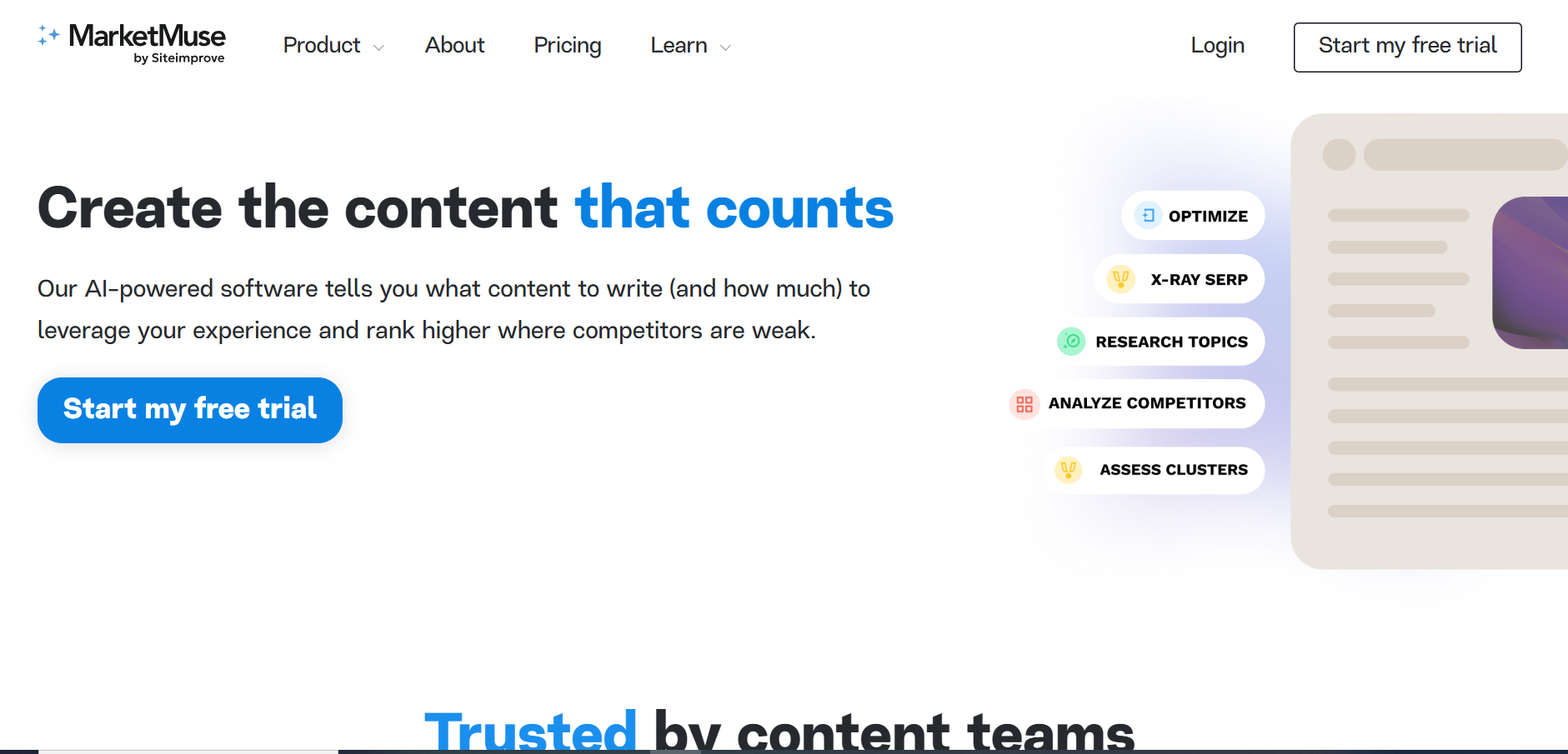
MarketMuse analyzes your entire content library and the SERPs to show topic gaps, content opportunities, and optimization recommendations. It’s built around topic modeling and content strategy rather than simple keyword lists.
Why teams use it
Teams like MarketMuse because it tells them what to write and update next based on potential impact, not just volume. It’s especially useful for building content clusters and improving topical authority.
Who is it for?
- Content-heavy B2B/B2C brands
- Agencies running content strategy retainers
- Publishers with large libraries
How it fits in an AI-first era
MarketMuse acts like an AI content strategist, using data to pick battles for you (topics, pages, and updates) while tying recommendations back to search intent and SERP reality.
How MarketMuse works
You connect your site, it inventories content, scores pages and topics, then surfaces gaps, optimization targets, and AI-assisted briefs.
Free tier?
- Yes – Free plan with limited queries and 1 user.
Strengths
- Excellent at content inventory and topic mapping
- Strong optimization briefs and SERP X-ray
- Great for “what should we write next?”
Weaknesses
- Pricing is on the higher side vs. some competitors
- Can feel complex for very small teams
Key capabilities
- Content inventory + topic modeling
- Optimization briefs and SERP “X-ray”
- Prioritization of content updates vs. new pieces
Pricing snapshot (USD)
- Free – limited features
- Paid tiers (Optimize / Research / Strategy) – pricing typically starting around $149/month according to independent comparisons
Ratings
- G2 – 4.6/5 (200+ reviews)
Best for
Teams who care most about content strategy, topical authority, and updating existing content rather than day-to-day rank tracking.
- Free, 10 queries a month, 1 user, no briefs
- Paid tiers (Optimize / Research / Strategy), pricing on request (1 to 3 users, 5 to 20 briefs a month)
5. RankIQ – Simple Keyword Wins for Content-Led SaaS

What it does
RankIQ is an AI-assisted keyword research and content optimization tool focused on bloggers. It surfaces low-competition keywords and provides simple content optimization reports.
Why teams use it
Bloggers love RankIQ because it strips SEO down to “write this topic, use these phrases, hit this word count.” It’s built to be simple and fast rather than feature-heavy.
Who is it for?
- Solo bloggers and content creators
- Small content teams on a budget
- Niche site owners
How it fits in an AI-first era
RankIQ sits nicely as a lightweight, budget AI layer in your stack: use it to pick “easy win” topics and optimize drafts before putting them through more advanced tools or manual QA.
How RankIQ works
You select a niche or keyword, get a list of suggested topics and optimization recommendations, then write or refine content around that blueprint.
Free tier?
- No – paid plans only.
Strengths
- Very simple workflow for non-technical writers
- Good for finding low-competition topics
- Affordable compared to big suites
Weaknesses
- Not a full SEO toolkit (no technical audits, backlinks, etc.)
- Libraries may be thin in very obscure niches
Key capabilities
- Niche keyword libraries
- Content grade / optimization reports
- Simple outlines and recommendations
Pricing snapshot (USD)
- Standard – $49/month (16 reports)
- Pro – $99/month (36 reports)
- Agency – $199/month (80 reports)
Ratings
- Capterra – 4.9/5 (100+ reviews)
Best for
Bloggers and niche site owners who want an affordable, guided way to choose topics and optimize posts without getting lost in complex tools.
6. Perplexity AI – Tracking Your AI Search Visibility

What it does
Perplexity is an AI-powered answer engine that combines LLMs with live web search. For SEO use, it’s great as a research and SERP-insight companion: summarizing topics, surfacing sources, and showing how AI answer engines might respond to queries.
Why teams use it
SEO teams lean on Perplexity for fast research, SERP-style overviews, and content briefs pulled from fresh web data. It’s especially useful for exploring new topics, competitor content, and “People Also Ask”-style questions.
Who is it for?
- Content strategists and writers doing research
- SEO leads exploring AI-answer landscapes
- Analysts needing fast, source-backed overviews
How it fits in an AI-first era
Perplexity is effectively an AI search companion that gives you an early signal of how AI engines might answer queries vs. classic SERPs. That’s highly relevant for content planning, FAQs, and AEO/GEO experimentation.
How Perplexity works
You ask a question, Perplexity queries the web and LLMs, then returns a concise answer with citations. Paid tiers add more powerful models, higher limits, file uploads, and enterprise controls.
Free tier?
- Yes – Standard plan is free with generous basic usage.
Strengths
- Fast, source-rich answers
- Great for exploratory research and question mining
- Multiple models and “deep research” style flows
Weaknesses
- Not a classic SEO suite (no native rank tracking, etc.)
- Accuracy still needs verification for high-stakes topics
Key capabilities
- Answer-style SERP overviews
- Deep research mode
- Spaces and folders for organizing research
Pricing snapshot (USD)
- Standard – Free
- Perplexity Pro – $20/month or $200/year
- Max – $200/month or $2,000/year
- Enterprise Pro – $40/month per seat (min 50 seats)
Ratings
Best for
SEO and content teams that want a research co-pilot to understand topics, competitors, and AI-style answers quickly.
7. Surfer SEO – The On-Page Content Optimizer

What it does
Surfer SEO analyzes top-ranking pages and provides a content editor with real-time suggestions (entities, headings, word count, structure). It’s built specifically for on-page and content optimization.
Why teams use it
Teams use Surfer to turn keyword targets into highly optimized drafts and to retrofit existing pages to align with what’s ranking. It integrates well into editorial workflows (Google Docs, WordPress, Jasper, etc.).
Who is it for?
- Agencies and in-house content teams
- Blog-heavy businesses
- Freelance SEO writers
How it fits in an AI-first era
Surfer is a strong “last mile” optimization layer on top of AI writing and classic SEO research. Use AI tools to draft, then Surfer to align with real SERP data and entities.
How Surfer works
You input a keyword, it analyzes the SERP, and you write or paste content into the editor. Surfer scores the content and suggests improvements in real time.
Free tier?
- No – paid plans only, with a money-back guarantee.
Strengths
- Excellent content editor with entity suggestions
- Very clear optimization score
- Good topical maps and audits
Weaknesses
- Pricing can be steep for small users
- Not a full-stack SEO solution
Key capabilities
- Content editor & audits
- Keyword research & topical maps
- Some integrations with AI writers
Pricing snapshot (USD)
From recent Surfer pricing breakdowns:
- Enterprise – Custom pricing via sales
Ratings
- G2 – 4.8/5 (500+ reviews)
Best for
Content teams that want granular, SERP-backed optimization on top of AI-written or manually written drafts.
- Discovery, $49/month (1 seat, no AI prompts)
- Standard, $99/month (3 seats, 25 AI prompts weekly)
- AI Search Analytics, $82/month (5 seats, 50 AI prompts daily)
- Pro, $182/month (5 seats, 50 AI prompts daily, internal linking, cannibalisation report)
- Peace of Mind, $299/month (10 seats, 100 AI prompts daily, API access)
8. SE Ranking – AI SEO Platform for Data-Driven Teams

What it does
SE Ranking is a robust SEO platform covering rank tracking, keyword research, site audits, competitor analysis, content creation, local SEO, and reporting—now with AI-powered insights and AI search tracking.
Why teams use it
Many teams pick SE Ranking because the platform delivers professional, up-to-date solutions that help them perform in traditional search and improve their visibility in LLMs — all without compromising on quality or price.
Who is it for?
- Freelancers and agencies of all sizes
- SMBs needing solid all-round SEO tooling
- Brands working on their presence in AI search engines
How it fits in an AI-first era
SE Ranking has added AI Data Insights and AI Results Tracker, helping you understand ranking and visibility across both classic search and emerging AI search engines.
How SE Ranking works
You create projects, connect sites and locations, track rankings, run audits, and use AI features for insights and reporting.
Free tier?
- No permanent free plan, but 14-day free trial is available.
Strengths
- Very strong value for money
- Clean UI and good onboarding
- AI features layered onto a mature core product
Weaknesses
- Data depth can differ from Semrush/Ahrefs in some markets
- Some advanced features gated to higher tiers
Key capabilities
- Rank tracking & keyword research
- Site and on-page audits
- Backlink monitoring & local SEO
- Content Marketing Module & AI Writer
- AI Data Insights & AI Results Tracker
Pricing snapshot (USD)
- Essential – $65/month or $52/month billed annually
- Pro – $119/month or $95.20/month billed annually
- Business – $259/month or $207.20/month billed annually
Ratings
- G2 – 4.8/5 (1,400+ reviews)
Best for
SEO professionals and agencies who want a balanced, affordable all-in-one platform with growing AI features and don’t need the absolute biggest dataset.
| Plan | Monthly | Billed Annually | Includes |
|---|---|---|---|
| Core | $129/mo | $103.20/mo | AI visibility tracking, 25 prompts daily, 5 AI engines |
| Growth | $279/mo | $223.20/mo | AI visibility tracking, 25 prompts daily, 5 AI engines |
9. Jasper AI – Best for brand-safe AI content production at scale

What it does
Jasper is a marketing-focused AI writing platform with workflows for blog posts, ads, emails, and social content. It adds brand voices, knowledge, and audience profiles so outputs stay on-brand.
Why teams use it
Marketing teams like Jasper because it’s built for campaign-style work: multiple channels, brand consistency, and collaboration. It also integrates with tools like Surfer for SEO work.
Who is it for?
- Marketing teams at SMBs and mid-market companies
- Agencies handling many brands
- Founders/marketers wanting structured AI outputs
How it fits in an AI-first era
Jasper sits between general LLMs and specialized SEO tools: it’s your brand-safe content engine, which you can then run through Surfer/MarketMuse for deeper optimization.
How Jasper works
You configure brand voices, knowledge, and audiences, then use templates or the Canvas editor to generate and refine content.
Free tier?
- No – 7-day free trial, then paid plans.
Strengths
- Strong focus on brand consistency
- Good UI and collaboration features
- Tight integration with marketing workflows
Weaknesses
- Pure SEO features are limited without other tools
- Costly if you only need occasional content
Key capabilities
- Multi-channel content generation
- Brand voice & knowledge management
- Marketing-oriented templates and agents
Pricing snapshot (USD)
From Jasper’s official pricing page:
- Pro – $69/month per seat monthly, or $59/month per seat billed annually
- Business – Custom pricing
Ratings
- G2 – 4.7/5 (1,200+ reviews)
Best for
Content and marketing teams that want a central AI writing hub with brand controls rather than ad-hoc prompting in generic chat tools.
10. Profound – Best for GEO/AEO monitoring & optimization

What it does
Profound is an AI visibility platform focused on Answer Engine Optimization (AEO) and Generative Engine Optimization (GEO)—tracking how brands appear across AI assistants and answer engines.
Why teams use it
Mid-market and enterprise teams use Profound to monitor brand share of voice in AI answers, identify content gaps, and prioritize AI-search-oriented content changes.
Who is it for?
- Enterprise SEO & content teams
- Large agencies working on AI visibility
- Brands in competitive, AI-sensitive categories
How it fits in an AI-first era
Profound is designed specifically for an AI-answer-dominated landscape: it tracks prompts, responses, visibility, and opportunities across LLMs, so you can treat AI answers like a new “SERP” to optimize for.
How Profound works
You track prompts and answer engines; Profound measures where your brand appears, what content is cited, and how your share of voice changes over time. It then surfaces opportunities and supports AEO-oriented content workflows.
Free tier?
- No free plan publicly listed; focus is paid, higher-end tiers.
Strengths
- Purpose-built for AEO/GEO
- Strong enterprise-grade workflows
- Tracks multiple AI engines and prompts
Weaknesses
- Premium pricing vs. smaller tools
- Overkill for very small projects
Key capabilities
- AI visibility & share-of-voice dashboards
- Prompt-level tracking and opportunities
- Multi-engine coverage (ChatGPT, Gemini, Copilot, etc.)
Pricing snapshot (USD)
- Profound Lite / Starter – around $499/month
- Growth / Enterprise – Custom pricing with more prompts, engines, and support
Ratings
Best for
Brands and agencies that see AI search visibility as a critical KPI and need enterprise-level tracking and optimization.
- Pricing on request
- Free trial: Available.
11. Otterly.ai – Best for tracking brand visibility across AI assistants

What it does
Otterly.ai tracks brand mentions and visibility across AI assistants (ChatGPT, Perplexity, Gemini, etc.) and provides alerts and reporting for GEO/AEO.
Why teams use it
Teams use Otterly when they want more affordable, flexible monitoring than high-end AEO suites, plus risk/brand-safety insights.
Who is it for?
- SEO and PR teams
- Mid-market brands wanting AI monitoring without enterprise pricing
- Agencies testing AI-visibility services
How it fits in an AI-first era
Otterly is positioned as a practical, monitoring-first GEO tool, letting you watch how AI assistants talk about your brand and competitors, then adapt content and messaging.
How Otterly works
You configure prompts and entities, then Otterly polls AI assistants and reports on mentions, rankings, sentiment, and answer patterns.
Free tier?
- Yes – many comparisons list a Lite plan around $29/month with limited prompts.
Strengths
- Lower barrier to entry than some AEO tools
- Good monitoring and alerting focus
- Covers multiple AI assistants
Weaknesses
- Less deep on citation analysis vs. Profound
- Pricing jumps significantly between tiers
Key capabilities
- Prompt and brand-visibility tracking
- Sentiment / risk insights
- Integrations (e.g., Slack, Sheets) on higher tiers
Pricing snapshot (USD)
Ratings
Best for
Teams who want practical, cross-assistant monitoring of AI answers without jumping straight to heavy enterprise platforms.
- Lite, $29/month (15 prompts)
- Standard, $189/month (100 prompts)
- Premium, $489/month (400 prompts)
- Enterprise, Custom pricing (1,000+ prompts)
- Extra 100-prompt pack, $99/month on Standard and Premium
📋 Get Listed / Advertise
We update this guide monthly. Want your tool featured? Contact: [email protected].
How To Choose An AI SEO Tool
Judge every tool on five things before you pay for it. Run each test inside the free trial, not after the invoice.
- Fit with your analytics: The tool should work from the data you already trust, starting with Google Search Console and your analytics. Connect one real site and check whether its numbers match yours.
- A line from changes to rankings and pipeline: You should be able to see which change moved which page. If you are weighing the content side, read our roundup of AI SEO tools for content optimization. Then ship one change and see whether the tool reports it.
- Guardrails and team adoption: A tool nobody opens is wasted spend. Ask who on your team will use it every week, and whether it lets a person review AI output before anything goes live.
- Citations in AI answers: Can the tool show whether your brand, pages or product are cited in AI answers? A pass looks like a list of the prompts where you are cited, the sources the engine used instead, and a trend over time. Coverage of AI surfaces varies by vendor, so confirm the current feature list before you buy. Google also added generative AI performance reports to Search Console in 2026. For the paid options, see our guide to AI visibility tools with GEO audits, and our Answer Engine Optimization service if you would rather hand the tracking over.
- Pricing against seats and prompt limits: Compare the plan you would actually need, not the headline price. Count your seats and the AI prompts you want tracked, then price that plan.
The five areas below show what to look for in each part of the workflow.
1. Keyword Research & Clustering
Look for tools that go beyond vanity metrics and surface buyer-intent keywords relevant to your ICP.
For growth-stage SaaS, the difference between ranking for “project management tips” and “best project management software for startups” is pipeline impact. Use a framework like SaaS SEO keyword strategy to cluster terms by intent and stage.
2. Content Optimization
It’s not enough to rank on Google anymore. The tool should help your content perform in both SERPs and AI-generated answers.
For PLG or content-led growth companies, this visibility is what drives trials and SQLs. Consider whether the tool supports briefs, entity coverage, and on-page structures that AEO/GEO reward.
3. Technical SEO Fixes
Your SaaS team probably doesn’t have a dedicated SEO engineer. A strong AI SEO tool will automate site audits, schema, and linking, closing the technical gap without adding headcount.
If you need fast traction, a rapid SaaS content audit sprint can uncover and prioritize high-impact fixes in weeks.
4. AI Search Tracking
Modern SEO is about being cited in Gemini, Perplexity, and ChatGPT. Tools that track when and how your brand appears in these AI-generated results give you a leading indicator of future pipeline health.
For SERP baselines and visibility trendlines, start with a top rank tracker for SaaS SEO while you layer in answer-engine monitoring.
5. Ease of Use & Pricing
The tool should be easy for in-house marketers and agencies to adopt, without steep learning curves.
And since SaaS budgets are closely monitored, it must prove ROI quickly, whether that’s through SQL growth, trial → paid uplift, or reduced CAC. Use this ROI-first SEO tool stack for SaaS framework to weigh features vs. outcomes.
Free Or Paid: When Each One Makes Sense
Most teams ask which tool is best. The better question is when to pay for one.
The rule: If content is still in experimentation, use free tools. If it is tied to pipeline targets, pay for one tool that fills the biggest gap.
Free covers more than people expect. Google Search Console is the free baseline before you pay for any SEO tool. Start there, and use tools for finding zero-click queries to see where your pages earn impressions without clicks. A free-tier assistant such as ChatGPT or Perplexity handles brainstorming, outlines and prompt testing. MarketMuse's free plan adds 10 queries a month for one user, with no briefs. Several paid tools on this page also offer a free trial, so test before you commit.
Free tiers hit limits fast. They do not track your visibility in AI answers, their keyword data is shallow, and they automate nothing. The moment you need any of those, you are shopping for a paid tool.
Prompt limits and seats drive the price more than features do. Ahrefs' pricing page lists Lite at $129 a month with 150 AI prompt checks and Advanced at $449 a month with 600. Surfer's pricing page runs from 25 AI prompts weekly on Standard to 100 daily on Peace of Mind, billed yearly. On Otterly's pricing page, Lite covers 15 prompts at $29 a month and Premium covers 400 at $489 a month. Count the prompts and seats you need before you compare headline prices.
Here is the test for whether a paid tool has earned its place. Run it with your own numbers, not a borrowed benchmark.
- Pipeline: Write down the trials or demos your target pages produce today and what one converted trial is worth to you.
- Uplift: Work out the extra pipeline, trial-to-paid uplift or lower acquisition cost the tool must deliver to cover its yearly price.
- Trial: Run the tool on one group of pages during a free trial, and buy only if Search Console and your analytics show the movement you wrote down.
"Too expensive?" Price the tool against the pipeline it is meant to move, using the numbers from the test above. If you cannot name the number it should move, do not buy it yet.
"We already use Search Console." Good, keep it. It tells you what already happened. It does not draft pages, score them against competitors or automate fixes, which is what the paid tools add.
If you would rather hand the tool choices and the reporting to a team that has done it before, look at the GEO + SEO Growth Programme. You get one plan tied to pipeline, instead of five logins nobody owns.
How To Build A Starter Stack By Job
A stack is a list of jobs, not a shopping list. Start with the biggest bottleneck in your process, pick the tool that fixes it, and add the next one only when the first has paid off.
- Keyword research: Use a research suite, and test it by running your own keyword list and checking that the intent it surfaces matches your buyers. Semrush is the suite we would trial first. It keeps keyword research, rank tracking and site audits in one account, so a small team is not paying for three tools to answer one question. Try it against your own keyword list before committing to a plan. Once you have terms, group them with our guide to clustering SaaS keywords into topic maps.
- Drafting: Use a general assistant or a writing platform such as ChatGPT or Jasper, and test it by checking whether a first draft needs structural edits or only polish. Our roundups of AI marketing tools for content marketing and AI content generator tools for SaaS cover the alternatives.
- Optimisation: Use a content optimiser such as Surfer SEO, and test it by scoring a page you already published and asking whether its suggestions fit the search intent.
- Visibility tracking: Use an AI-visibility tool such as Otterly.ai, with Profound as the enterprise option, and test it by checking whether it shows the sources cited for your prompts.
- Reporting: Use the dashboards in your research suite, and test them by asking whether someone outside SEO can read the result in a minute and tie it to trial signups.
Pilot one or two tools, not five. Use a free trial or an affordable entry plan for 14 days, and avoid a large annual contract until the tool has proved its value. Most teams settle on one suite plus one specialist tool, because adding several at once costs more and complicates the workflow.
How To Use AI For SEO Without Tanking Your Site
AI can plug into almost every stage of the SEO lifecycle. The key is to use it as a copilot, not your entire team. Whatever AI drafts, a person reviews before it goes live, and our guide to SEO content QA tools covers how. If you want help running that programme, see our SaaS content marketing service.
1. Strategy & research
Use AI tools (ChatGPT, Perplexity, Semrush AI, SE Ranking, etc.) to:
- Expand and cluster keyword ideas around a topic.
- Turn SERPs into quick “intent maps” (what types of pages rank, what questions users ask).
- Mine “People also ask” style questions and AI answer patterns to design FAQs.
You still validate everything with real search data (search volume, competitiveness, business fit), but AI gives you a much faster starting point.
2. Content planning & briefs
AI is excellent at turning strategy into detailed content briefs:
- Generate outlines that cover all relevant subtopics and entities for a query.
- Suggest internal links to existing content and potential future clusters.
- Draft intro/outro angles for different funnel stages (TOFU, MOFU, BOFU).
Here, AI shines when you feed it your constraints: target keyword, search intent, word count range, examples of your best content, and any “must-hit” talking points.
3. Drafting & on-page optimization
This is where most teams start: AI-assisted first drafts and on-page tweaks.
- Use AI to draft first versions of blog posts, SEO landing pages, FAQ sections, and comparison pages.
- Let tools like Surfer SEO, MarketMuse, or Clearscope score the draft against SERP data and suggest missing entities or sections.
- Use ChatGPT/Jasper for meta titles, descriptions, OG text, and variants for A/B testing.
Then, humans take over: editing for nuance, originality, brand voice, and accuracy.
4. Technical SEO & internal linking
AI can speed up a lot of your technical and structural work:
- Summarize crawl reports and log files into prioritized action lists.
- Suggest internal link opportunities based on topic clusters and page types.
- Generate regex, XPath, or SQL snippets for GA4/Search Console filters.
Tools like Alli AI and some newer “SEO ops” platforms can even deploy many of these on-page/internal-link changes at scale – but you still decide what to deploy.
5. Monitoring, GEO/AEO & experimentation
AI also helps you monitor more surfaces than classic rank tracking:
- GEO/AEO tools (like Surfer AI Tracker, Profound, Otterly, SE Ranking AI Results, Rank Prompt) show where your brand appears in AI Overviews and assistants.
- ChatGPT and Perplexity can be used as “test harnesses” to see whether your brand shows up for key queries.
- AI can summarize test results and help generate next-step hypotheses faster.
The pattern that works best:
AI for analysis, ideation, and speed. Humans for strategy, prioritization, and final editorial judgment.
Can AI Replace SEO?
No. AI automates research, clustering and drafts, but it does not set strategy. It changes the work, and it does not replace the person who decides what the work should be.
Where AI cannot replace SEO:
- It doesn’t know your business model, margins, or what leads actually convert.
- It can’t build links and relationships, get you on podcasts, or negotiate partnerships.
- It doesn’t own your analytics stack, experiments, or prioritization decisions.
- It still hallucinates or oversimplifies in complex, high-stakes niches.
A healthier way to see it is that AI replaces “bad SEO” and amplifies “good SEO.” Teams that use AI as an assistant for research, drafts, clustering and QA can ship more high-quality content, faster. To see how AI search changes the picture, read our explainer on AI search engine optimization explained.
A Five-Step Plan To Start
- Audit: Map your current SEO workflow and mark the bottleneck that is slowing trial or pipeline growth.
- Select: Choose one research suite and one content optimiser as your starting stack.
- Trial: Use free tiers or a 14-day pilot to benchmark performance before you pay for anything.
- Experiment: Run two or three controlled tests, such as optimising existing posts, shipping AI-assisted briefs or trialling new keywords, and set review guardrails first.
- Scale: Double down on the tools that show measurable improvement in pipeline or trial-to-paid conversion, then expand your stack.
Our AI SEO Case Studies
The tools above do not run an AI SEO programme on their own. See our PSOhub AI visibility case study for a real client example.
FAQs
Which AI SEO Tool Is Best For A Small B2B SaaS Team?
Are There Free AI SEO Tools Worth Using?
Is A Paid AI SEO Tool Worth It For A Growth-Stage SaaS Company?
Do I Still Need Traditional SEO Software If I Use AI Tools?
Can AI Tools Help Me Optimise For AI Search Results?
Can ChatGPT Help With SEO?
Is AI-Generated Content Bad For SEO?
Can AI SEO Tools Replace An In-House SEO Team Or Agency?
How Do I Check Whether My Brand Is Cited In AI Answers?
How Many AI SEO Tools Does A Small Team Need?
If you want a second opinion on your shortlist before you pay for anything, book a thirty-minute call. One of the founders takes it, and you leave knowing which tool we would trial first.
📑 Disclosure!
Some links in this article are affiliate links. If you sign up through them, The Rank Masters may earn a commission at no additional cost to you. This does not influence which tool we recommend or what we say about them.