

If you want tracking + a real “what do we fix next?” audit workflow, start with OtterlyAI for a practical GEO audit feature set and clear pricing. If you’re an enterprise team that needs deeper governance, multi-stakeholder reporting, and broader SEO program infrastructure, Conductor is often the “suite” option (typically quote-based). If you want a dedicated AI-visibility platform that’s more “AI-first” in positioning, Profound, Promptmonitor, and Akii are popular picks, just validate whether their “audit” outputs translate into concrete actions for your team.
📋 Get Listed / Advertisement
We update this guide monthly. Want your tool featured? Contact: [email protected].
Best AI Visibility Tools with GEO Audits (Quick Compare)
| Tool | Best for | GEO audit strengths | Starting price / pricing model |
|---|---|---|---|
| OtterlyAI | Fast setup + GEO URL audits | GEO audits + citation analysis + multi-country tracking | Public monthly plans (starts low; higher tiers add GEO audits) |
| Profound | AI visibility insights + enterprise workflows | Visibility + citations + analysis of how AI talks about you | “Customized enterprise pricing” on pricing page; tiers reported elsewhere |
| Promptmonitor | All-in-one GEO workflow + outreach targets | Opportunities/outreach targets + geo-localized tracking + llms.txt builder | Pricing varies by plan and sources; validate on demo ( |
| Akii | Broad model coverage + quick visibility scoring | “AI visibility score” style monitoring + exports + multi-model coverage | Free version + paid plans reported from ~$99/mo |
| Conductor | Enterprise SEO + AEO/AI visibility as part of a suite | Connect AI visibility to content/tech SEO program execution | Quote-based / tailored plans |
How to use this table: pick the tool whose audit outputs match your ability to execute fixes (content, technical, authority, narrative). A perfect dashboard without a “fix-next” pipeline is just expensive anxiety.
1. OtterlyAI
What it does
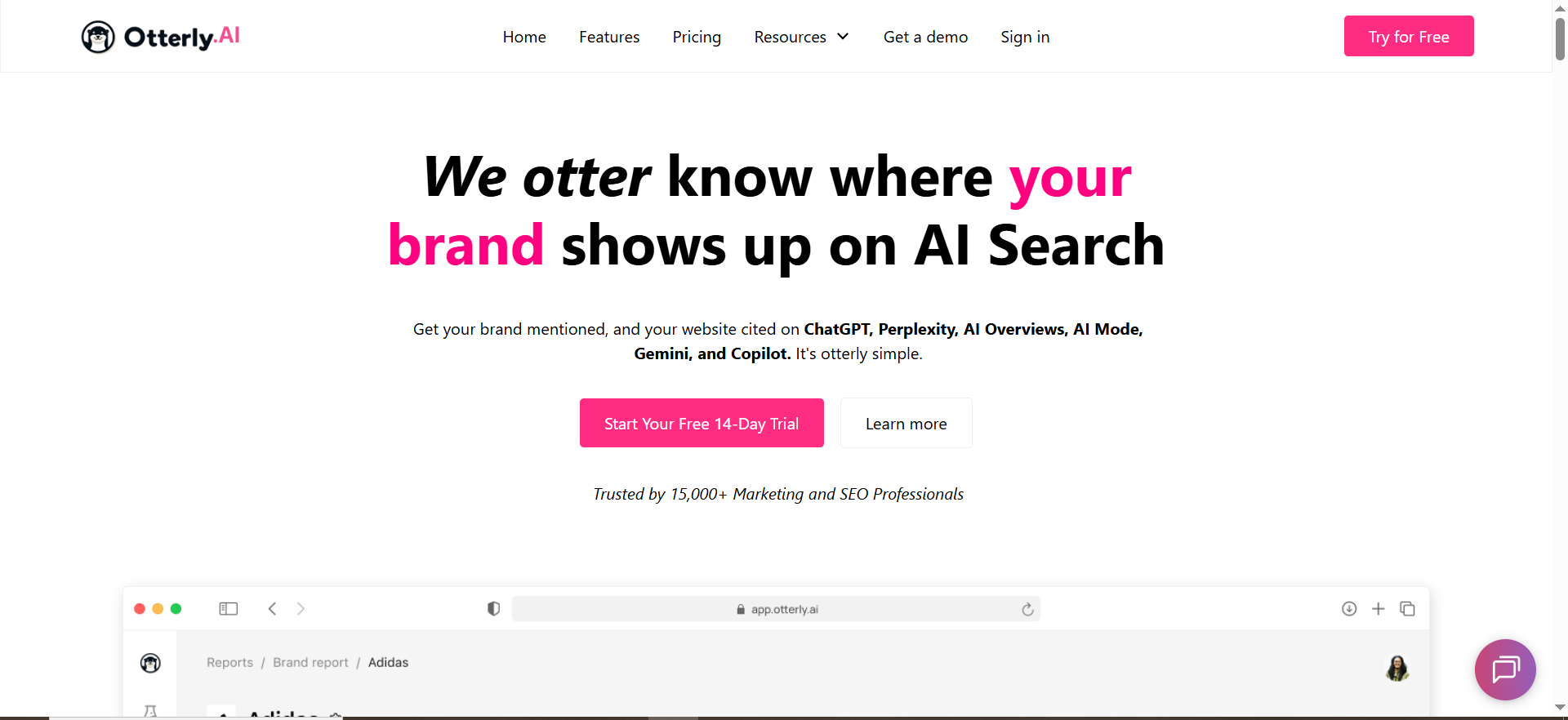
OtterlyAI positions itself as an AI visibility tracker for platforms like Google AI Overviews, ChatGPT, Perplexity, and Microsoft Copilot, with reporting, citation analysis, and GEO-style audits in higher tiers.
Why teams use it
Teams pick OtterlyAI when they want a clear, productized workflow: track prompts → see mentions/citations → run audits (including URL audits in some plans) → export/share results. Its public pricing and packaged limits make it easier to adopt than quote-only tools.
What it’s good for
- Getting from “we think AI isn’t mentioning us” to measurable prompt coverage fast
- Multi-country checks (useful when answers differ by market)
- Running GEO URL audits at scale (when available in your plan)
- Citation/source analysis so you can build a fix list
When it’s a good fit
- Growth-stage marketing teams that need repeatable monthly reporting
- Agencies doing light-to-mid GEO audits as a productized offer
- Teams that want predictable packaging more than custom enterprise procurement
When it’s not a good fit
- You need deep enterprise governance, complex permissions, or suite-level integrations across huge SEO programs
- You require fully bespoke workflows and custom data pipelines beyond what the product supports
How to use it for GEO audits
- Create a “prompt set” that mirrors revenue intent (category, alternatives, comparisons, “best X for Y”).
- Track brand presence and citations weekly.
- Export the top citation sources and run URL-level audits for the pages you want cited (product pages, category pages, glossaries, comparison pages).
- Translate findings into a “fix-next” backlog using the Scorecard later in this guide.
Key capabilities
- AI platform coverage + daily tracking
- Brand visibility index + reporting exports
- Link/citation analysis
- GEO audits / URL audits at scale (tier-dependent)
Pricing
OtterlyAI’s pricing starts at $25/month, with higher tiers priced above that.
Free tier?
OtterlyAI doesn’t offer a free tier, but it does offer a free trial.
Downsides / limitations
- Like most tools, it can diagnose issues (mentions/citations) but can’t execute fixes for you.
- If you don’t operationalize the “fix-next” workflow, you’ll end up with reports but no uplift.
2. Profound

What it does
Profound markets itself as a platform to track AI visibility, analyze what AI says about your brand/topics, and uncover citations/sources that influence AI answers.
Why teams use it
Teams adopt Profound when they want a more “analysis-heavy” view of AI visibility, especially for brands where governance, reputation, and enterprise reporting matter.
What it’s good for
- Monitoring brand presence and how AI describes you (positioning, sentiment, themes)
- Uncovering which sources appear to drive AI answers
- Centralizing AI visibility insights for larger teams
When it’s a good fit
- Enterprise marketing teams with stakeholder reporting needs
- Teams that can support a more complex workflow and want a dedicated GEO/AI visibility platform
When it’s not a good fit
- If you need transparent self-serve pricing and quick adoption
- If you don’t have capacity to turn insights into content, technical, and authority work
How to use it for GEO audits
Use Profound primarily as the diagnostic layer:
- Identify priority prompts/topics where you lose.
- Extract the citation/source set.
- Run audits against the pages you want cited (yours + top sources).
- Convert findings to a fixed backlog (content, technical, authority, narrative).
Key capabilities
- Track presence in AI answers, analyze responses, uncover citations, and “take action” workflows (as positioned on their site).
Pricing
Profound’s pricing starts at $99 per month.
Free tier?
Profound doesn’t offer a free tier, but it does offer a demo.
Downsides / limitations
- Pricing/packaging can be less transparent (common in enterprise tools).
- As with most GEO platforms, insights are only as valuable as your execution pipeline.
3. Promptmonitor
What it does
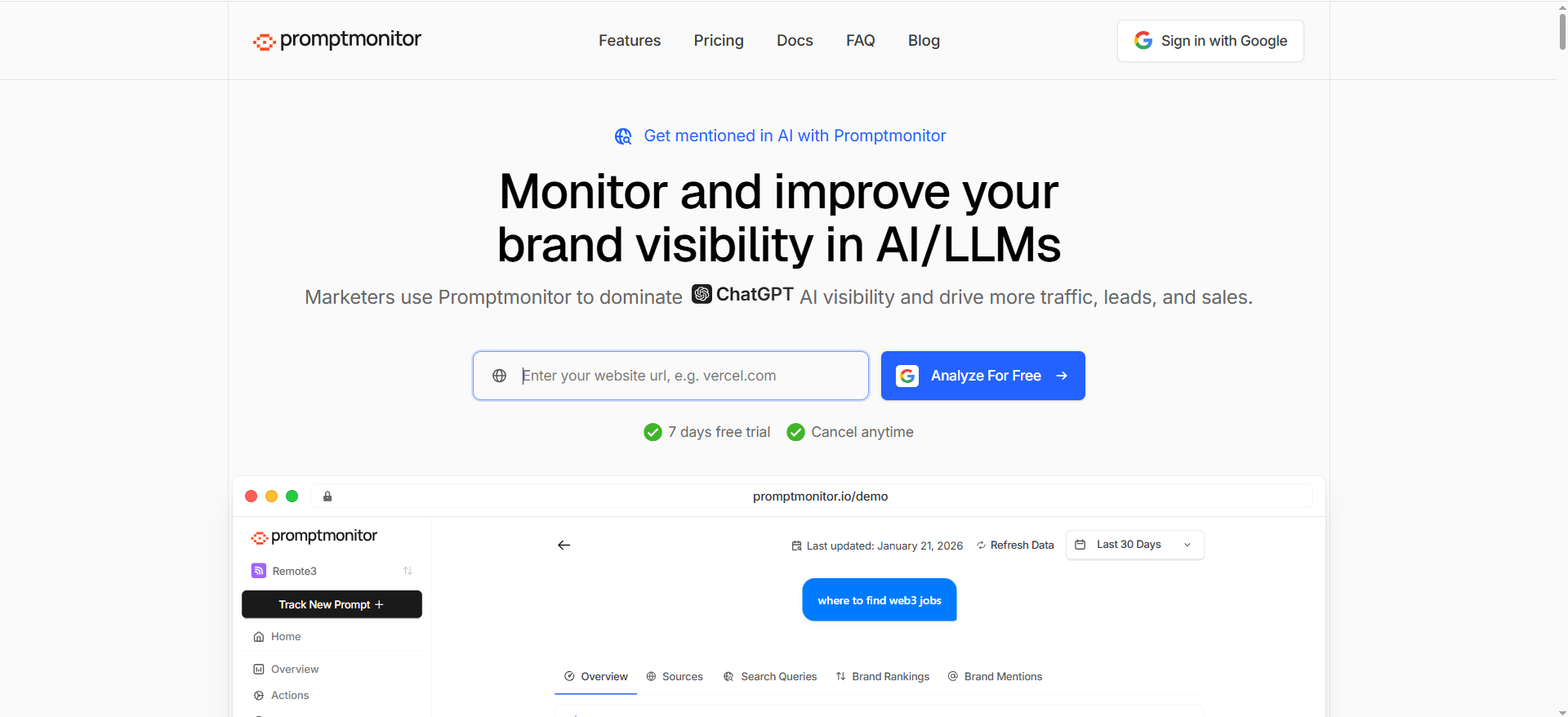
PromptMonitor positions itself as a GEO-oriented tool to track and improve visibility across AI/LLM platforms, identify the sources AI uses, and support outreach workflows.
Why teams use it
Because it tries to bridge the gap between “tracking” and “doing,” including features like an Opportunities/outreach target concept and “what sources to influence” guidance.
What it’s good for
- Teams that want a GEO workflow: track → identify sources → outreach/build authority
- Geo-localized tracking by geography (useful when answers vary by location)
- Operational features like an llms.txt-related workflow are mentioned in reviews (confirm current availability).
When it’s a good fit
- Growth teams that can move quickly on outreach + content improvements
- Agencies offering GEO audits + citation-gap outreach as a service
When it’s not a good fit
- If you only need light tracking and no outreach workflow
- If you need a full enterprise SEO suite around it (then a suite like Conductor may fit better)
How to use it for GEO audits
- Track prompts tied to category and comparison intent.
- Pull the “sources AI is using” set.
- Audit your pages against those sources (see Scorecard).
- Use “opportunity” outputs to prioritize which sources to influence via PR, partnerships, and content.
Key capabilities
- Track visibility across multiple AI platforms; identify sources; support optimization actions.
Pricing
Promptmonitor’s paid plans start at $29/month.
Free tier?
Promptmonitor offers a free tier via its $0/month Agency Plan, and it also offers a 7-day free trial on paid plans.
Downsides / limitations
- If your team won’t execute outreach/content fixes, you’ll plateau.
- Some features may evolve quickly as the category changes, validate what’s included today.
4. Akii
What it does
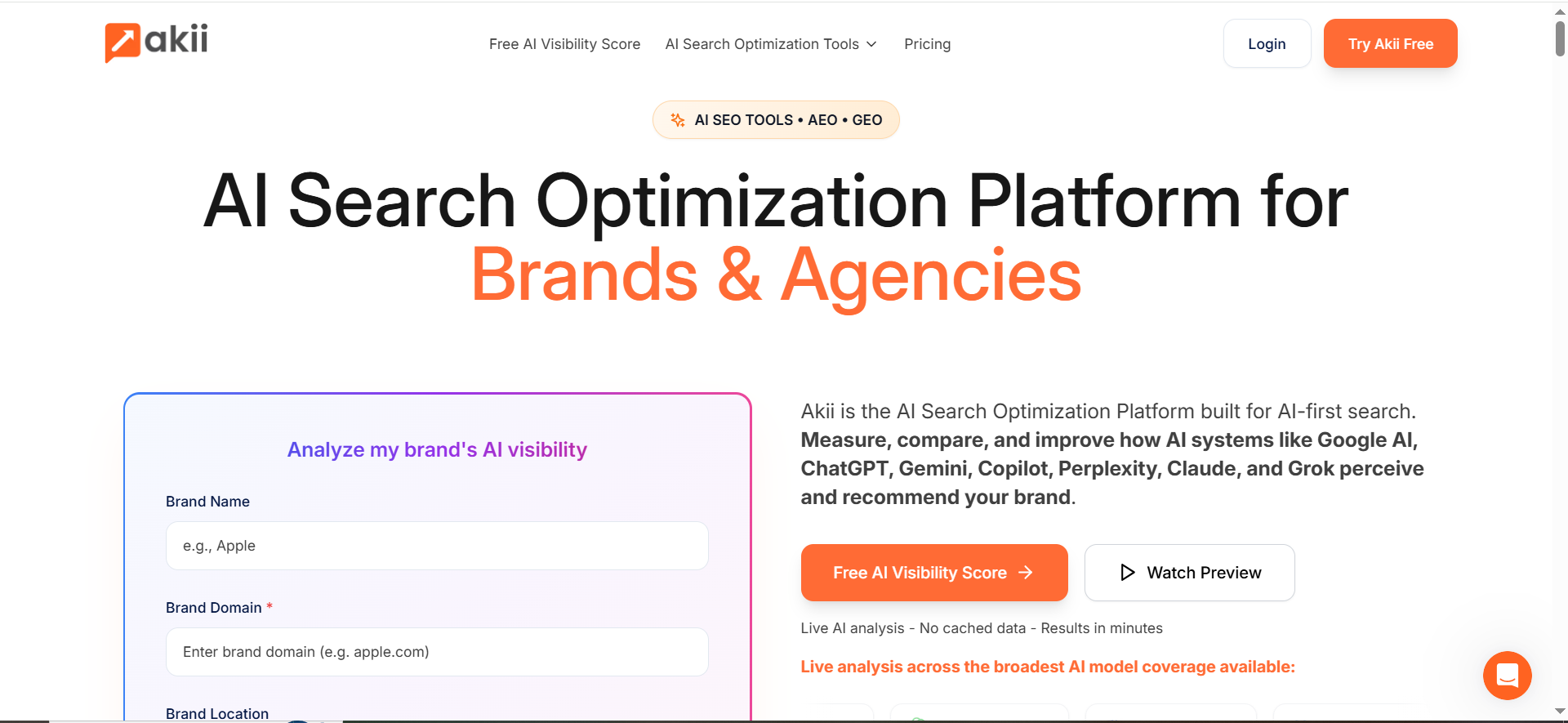
Akii positions itself as an AI search optimization platform for brands/agencies, emphasizing broad model coverage and quick analysis of how AI systems recommend/perceive your brand.
Why teams use it
Because it’s designed to feel “AI-first,” including a visibility score concept and multi-model coverage that helps teams spot inconsistency across engines/models.
What it’s good for
- Rapid benchmarking across multiple AI systems/models
- Exporting reports for stakeholders (plans commonly mention exports in software listings).
- Building a baseline (“this is what AI says today”) and tracking drift
When it’s a good fit
- Teams that want broad model coverage and “visibility scoring” as a KPI
- Agencies that need quick snapshots across many brands
When it’s not a good fit
- If you want deeply integrated enterprise SEO execution (suite-level site health, workflows)
- If your definition of “audit” requires prescriptive technical fixes inside the tool
How to use it for GEO audits
Use Akii for baseline + consistency:
- Benchmark your brand across models (what’s said, what’s missing, who’s cited).
- Find “narrative gaps” (features/value props missing) and “citation gaps” (domains cited instead of you).
- Convert those into content and authority fixes (later sections).
Key capabilities
- Broad AI system coverage positioning + live analysis framing.
- Free visibility score messaging has been publicly reported.
Pricing
Akii’s pricing starts at $49/month.
Free tier?
Akii offers a free AI Visibility Score and 100 free AI credits, and it also offers a 14-day free trial.
Downsides / limitations
- “Score” is useful, but you still need a fixed pipeline (content, tech, authority).
- Credit-based models can get expensive if you do massive prompt fan-outs.
5. Conductor

What it does
Conductor is an enterprise SEO platform that now emphasizes AI search / AEO and AI visibility as part of a broader suite (content, technical monitoring, and reporting).
Why teams use it
Because enterprises often want one system that connects:
- Technical SEO health
- Content strategy and performance
- Competitive/keyword intelligence
- And now AI visibility tracking/insights
That “suite” approach helps teams actually execute fixes once the audit identifies what’s broken.
What it’s good for
- Enterprise teams that need AI visibility to roll up into the same reporting stack
- Teams that want technical monitoring + content workflows in one place
- Organizations that prioritize governance and cross-team execution
When it’s a good fit
- If you already run a mature SEO program and want to extend it into AI surfaces
- If your biggest problem is operational: prioritization, monitoring, reporting, coordination
When it’s not a good fit
- If you only need lightweight AI mention tracking at a low cost
- If you want a pure-play GEO tool rather than a full SEO suite
How to use it for GEO audits
Use Conductor as the “execution layer”:
- Use AI visibility insights to identify the topics/prompts where you lose.
- Convert that into content briefs, tech tickets, internal linking work, and reporting.
- Monitor whether fixes lead to improved crawlability, content performance, and visibility lift.
Key capabilities
Conductor highlights enterprise AEO/SEO intelligence and monitoring, positioning AI visibility as part of an end-to-end workflow.
Pricing
Conductor’s pricing is not publicly listed; it’s provided by quote based on your configuration and products.
Free tier?
Conductor doesn’t offer a free tier, but it does offer a free trial.
Downsides / limitations
- Can be “more platform than you need” if you only want AI visibility tracking.
- Quote-based pricing can be a procurement lift for smaller teams.
What “GEO audit” should mean (so you don’t buy a dashboard)
A useful GEO audit is not “you got mentioned 12% of the time.” That’s monitoring. A GEO audit should produce a ranked list of changes that plausibly increase:
- Mentions (does AI name you?)
- Citations (does AI cite your domain?)
- Prominence (are you the top recommendation or a footnote?)
- Consistency (do different models say the same thing?)
- Conversion alignment (does the AI narrative match the page that converts?)
Conductor’s GEO framing (optimize content so answer engines can understand and surface it) is a good baseline definition: GEO is about ensuring AI systems can understand, surface, and present your content in generated answers.
Track vs audit vs fix (the simple model)
- Track: prompts, mentions, citations, engines, geos, competitors
- Audit: why you lose (content gaps, retrievability, authority, narrative mismatch)
- Fix: ship changes in a prioritised order and retest prompts
Most tools do Track. Some do partial Audit. Your job is to build the Fix layer.
GEO Audit Scorecard (SWOT + “what to fix next”)
Your topic sheet calls for “audit checklist + tool-assisted scoring” and outputs like SWOT + action items. Here’s a lightweight scorecard that works with any of the five tools above.
Step 1: Build your “Prompt Cluster” (the audit input)
Create 25–100 prompts split into clusters:
- Category: “best [category] software for [ICP]”
- Alternatives: “[competitor] alternatives”
- Comparison: “[you] vs [competitor]”
- Use-case: “how to [job-to-be-done]”
- Geo modifiers: “in UK”, “in UAE”, “in Germany”, etc.
Then track weekly across engines (ChatGPT, AIO, Perplexity, Copilot, Gemini where possible).
Step 2: Score each cluster (0–3) across 6 dimensions
Use a simple 0–3 scale:
0 = absent, 1 = weak, 2 = decent, 3 = strong
- Mention rate: do you appear?
- Citation rate: does your domain appear?
- Prominence: how high / how strongly recommended?
- Narrative accuracy: does AI describe you correctly?
- Retrievability: are the pages AI should cite easily crawlable/indexable and “extractable”?
- Authority footprint: are third-party sources reinforcing your claims?
Why this works: it separates “we’re not mentioned” from “we’re mentioned but not cited” from “we’re cited but framed wrong”, each requires different fixes.
Step 3: Turn scores into SWOT (fast)
For each cluster:
- Strengths: any dimension scored 3 (e.g., strong citations in alternatives prompts)
- Weaknesses: any dimension scored 0–1 (e.g., zero citations even when mentioned)
- Opportunities: clusters where competitors win but you have content/authority to catch up
- Threats: clusters where narrative drift or negative sentiment appears
Step 4: Output a Fix-Next plan (14/60/90 days)
Here’s the playbook that turns audit scores into work.
The Fix-Next Playbook (action items that actually move AI visibility)
Phase 1 (Days 1–14): Fix what blocks citations
These are “unsexy” but often the fastest wins.
1) Build (or repair) your “citation targets”
AI systems frequently cite pages that are:
- clearly structured (headings, lists, FAQs)
- definitional (glossary / “what is”)
- comparative (tables, pros/cons, alternatives)
- specific (numbers, constraints, examples)
Fix: Create/upgrade these pages:
- “What is [category]?” glossary page
- “Best [category] for [ICP]” page
- “[Competitor] alternatives” page
- “Pricing / features” canonical page
- “Integration” pages that match real buyer questions
2) Add “extractable blocks”
AI answers love content they can lift cleanly:
- TL;DR summaries
- checklists
- step-by-step sections
- comparison tables
- FAQs with short direct answers
This is also aligned with the SOP: strong headings, scannability, and FAQs.
3) Make the “who/what/for” unmissable
If AI mis-describes you, it’s often because your site is vague.
Fix: On key pages, add:
- one-sentence positioning
- “best for” bullets
- constraints (not for X)
- proof points (use cases, industries)
4) Remove retrievability friction
Even the best content won’t get cited if AI crawlers can’t access it reliably.
Fix checklist:
- Ensure important pages are indexable and not buried
- Improve internal links to your “citation targets”
- Add structured FAQ sections and consistent heading hierarchy
- Keep page performance and stability solid (avoid heavy client-side rendering if it blocks content)
(Your AI visibility tool won’t do this for you, but it will show which pages never appear as citations.)
Phase 2 (Days 15–60): Win citation gaps (authority + sources)
If competitors are cited, it’s often because their sources are stronger.
5) Build a “citation map”
From your tool, export:
- top sources cited when you lose
- domains repeatedly cited across clusters
- pages (URLs) that keep showing up
Then label each source:
- Beat: you can outrank it
- Join: get mentioned/cited on it
- Replace: publish a better canonical resource
6) Close “source gaps” with targeted placements
If AI repeatedly cites 10 domains in your niche, you need to appear on some of them.
Actions:
- Partner pages and integration directories
- Industry comparisons and “best tools” lists
- Standards bodies / associations
- High-authority niche blogs
Promptmonitor’s positioning around finding sources and outreach targets reflects this “fix layer” concept.
7) Create the canonical resource competitors don’t have
Your differentiator: publish a framework not just “best tools.”Examples:
- A GEO audit scorecard (like this one)
- A “citation gap checklist”
- A “prompt cluster template” for your category
This also matches the SOP guidance to include frameworks/checklists as unique utility.
Phase 3 (Days 61–90): Control narrative (the part most teams ignore)
You can be cited and still lose, if AI frames you as a poor fit.
8) Write “narrative anchors”
Create a small set of pages that repeatedly communicate:
- category definition
- your differentiators
- ideal customer
- what you are not
Then reinforce them everywhere:
- homepage copy
- product pages
- pricing page
- docs
- partner pages
Akii’s “how models recommend your brand” framing is useful here, your goal is consistency across models. Consistency with “claim hygiene”**If your pricing/features are unclear or conflicting, AI answers will drift.
Fix:
- One canonical pricing page
- Clear feature breakdowns
- Updated changelog / release notes
- Consistent naming across site
10) Retest, then lock the loop
Every month:
- refresh prompts
- rerun audits
- publish 1–2 new citation-target pages
- ship 5–10 technical/internal-link fixes
- do 5–15 authority placements
- report wins (mentions + citations + prominence)
What is a GEO audit for AI visibility?
A GEO audit (Generative Engine Optimization audit) is a structured, repeatable way to figure out why your brand (or your pages) are not being surfaced, cited, or accurately represented inside AI-generated answers, then turn those findings into a prioritized “fix-next” plan.
Most teams confuse monitoring with auditing:
- Monitoring tells you what happened (you were mentioned 12% of the time, cited 3% of the time).
- Auditing tells you why (your content isn’t extractable, your pages aren’t being retrieved, competitors dominate the sources the model trusts, or your narrative is unclear).
- Fix-next tells you what to do next in order (ship this page, add these sections, improve internal links, build these citations, update this narrative).
A strong GEO audit focuses on the 5 outcomes AI visibility tools measure indirectly:
- Mentions: Does the AI name you as an option?
- Citations: Does it cite your domain (or cite sources that mention you)?
- Prominence: Are you a top pick or a footnote?
- Narrative accuracy: Does the AI describe you correctly (category, best-for, differentiators, limitations)?
- Consistency: Do results hold across engines (AIO/ChatGPT/Perplexity/Copilot) and geos?
What a GEO audit outputs (the stuff you actually need)
A GEO audit should end with tangible outputs your team can execute:
- Prompt cluster map (category, alternatives, comparisons, use-cases, geo variants)
- Citation map (which sources AI cites when you win/lose)
- Page-level “citation target list” (your pages that should be cited)
- Gap diagnosis across:
- Content (missing or weak assets)
- Technical/retrieval (indexing, internal linking, renderability, content extraction)
- Authority (who AI trusts more, and why)
- Narrative (what AI gets wrong or omits)
- A prioritized backlog (14-day / 60-day / 90-day)
If the “audit” stops at charts, it’s not an audit, it’s a dashboard.
What is the best GEO audit tool for B2B SaaS?
The “best” GEO audit tool for B2B SaaS depends on whether you need fast actionable audits or enterprise-grade workflow + execution infrastructure.
The practical answer (for most B2B SaaS teams)
If you’re a growth-stage B2B SaaS team and you want monitoring + audit-style outputs you can act on quickly, a tool like OtterlyAI is often a strong starting point because it’s packaged, easier to adopt, and emphasizes AI visibility tracking with GEO-style auditing in higher plans.
The enterprise answer
If you’re an enterprise SaaS org where AI visibility work must connect to:
- SEO workflows
- governance
- cross-team reporting
- and large-scale execution (content + technical SEO ops)
…then a suite platform like Conductor is often the better fit because it can anchor the “execution layer” of your program, not just the measurement layer.
A simple selection rubric for B2B SaaS
Pick based on what your team actually needs this quarter:
- You need quick answers + a fix list → choose a tool that makes it easy to track prompt clusters, export citations, and run page-level audits (best for lean teams).
- You need stakeholder dashboards + governance → choose a tool built for enterprise reporting and program management.
- You need source/outreach workflows → choose a tool that helps you identify and prioritize the third-party sources you must influence.
What to look for specifically (B2B SaaS)
B2B SaaS visibility problems often show up in:
- “best [category] for [ICP]”
- “[competitor] alternatives”
- “[you] vs [competitor]”
- “how to choose [category]”
- “pricing / implementation / integrations”
So the “best” tool is the one that supports:
- prompt clustering, not one-off prompts
- citation extraction + export
- multi-engine coverage
- geo-local tracking (if you sell internationally)
- and a workflow that turns insights into tickets and briefs
How do you run a GEO audit on a URL vs on a brand?
A brand-level GEO audit answers: “Do AI systems recommend us and describe us correctly?”
A URL-level GEO audit answers: “Do AI systems retrieve and cite this specific page when it should be cited?”
You need both, but the workflow is different.
A) Brand-level GEO audit (entity + narrative)
Goal: Improve mentions, prominence, and accuracy.
Steps:
- Build prompt clusters that match how buyers ask questions (category, alternatives, comparisons, use-cases).
- Track across engines/geos.
- Capture outputs for:
- Are you mentioned?
- How are you framed?
- Who is cited instead?
- Identify “narrative gaps”:
- AI mislabels your category
- missing differentiators
- wrong ideal customer
- outdated pricing/features
- Map fixes to narrative anchors:
- homepage positioning block
- category definition page
- “best for” pages (by ICP/use-case)
- comparison pages
- a single canonical pricing page
What success looks like: you show up more often and the AI’s explanation matches your positioning.
B) URL-level GEO audit (retrieval + citation)
Goal: Increase the probability that a specific page becomes a citation target.
Steps:
- Pick 5–20 “citation target URLs” (pages you want cited):
- category pages
- “what is” glossary pages
- comparisons / alternatives
- integration pages
- research / benchmarks
- For each URL, test prompts where it should be cited.
- Review:
- Is your domain cited at all?
- If not, what sources are cited?
- Diagnose why your URL isn’t being chosen:
- content not structured/extractable
- missing direct answers (TL;DR / FAQ)
- too salesy / not informational enough
- weak topical authority compared to cited domains
- internal linking too weak (page not surfaced/crawled often)
- Ship fixes:
- add “extractable blocks” (TL;DR, steps, FAQs, tables)
- add supporting sections (“best for”, “limitations”, “how it works”)
- strengthen internal links to the page from high-authority pages
- add relevant references and unique data points
- Retest prompts weekly.
What success looks like: the URL appears as a cited source for the prompt cluster.
Brand vs URL: quick decision rule
- If you’re not mentioned → start brand-level (entity/narrative + authority).
- If you’re mentioned but not cited → prioritize URL-level (citation targets + structure + retrieval).
- If you’re cited but framed wrong → brand-level narrative anchors and claim hygiene.
What should a GEO audit checklist include (content/technical/authority)?
A good GEO audit checklist covers three layers of why AI systems choose sources:
1) Content layer (what AI can extract and reuse)
Checklist:
- ✅ Clear one-sentence definition of the topic/category
- ✅ TL;DR section near the top
- ✅ Structured headings (H2/H3) aligned to common queries
- ✅ Step-by-step processes for “how to”
- ✅ Comparison tables and pros/cons where relevant
- ✅ FAQ section with short direct answers
- ✅ Evidence: numbers, benchmarks, examples, screenshots, quotes
- ✅ “Best for / not for” clarity (reduces misrepresentation)
- ✅ Updated timestamps where accuracy matters (pricing/features)
Why it matters: AI answers are often built from content that’s easy to lift cleanly.
2) Technical / retrieval layer (whether your page can be found and used)
Checklist:
- ✅ Indexable (no no index, blocked resources, broken canonicals)
- ✅ Clean internal linking to citation targets (from nav + relevant pages)
- ✅ Fast enough and stable (avoid heavy rendering that hides main content)
- ✅ Page has a single clear topic (avoid mixed intent)
- ✅ Consistent URL structure + canonicalization
- ✅ Schema where relevant (FAQ, Organization, Product, Article)
- ✅ Server returns consistent status codes (no 302 loops, intermittent 5xx)
- ✅ Content is accessible without requiring interaction (no gated main content)
Why it matters: If retrieval fails, citations don’t happen, even with great content.
3) Authority layer (who the model “trusts”)
Checklist:
- ✅ Third-party “citation sources” mention your brand accurately
- ✅ Your category pages have backlinks from relevant industry domains
- ✅ You show up in “best tools” lists / directories that AI frequently cites
- ✅ You have consistent brand facts across the web (name, category, positioning)
- ✅ Partnerships/integrations pages exist and are indexable
- ✅ Thought leadership content that earns references (frameworks, research)
Why it matters: AI systems often reflect the web’s consensus. If the web doesn’t cite you, AI won’t either.
Bonus: Narrative layer (most overlooked)
Not requested in your bracket, but it’s usually the difference-maker:
- ✅ “Positioning anchor” statement repeated consistently
- ✅ Differentiators stated with proof
- ✅ Claims match pricing/features/docs
- ✅ Clear terminology (avoid jargon-only language)
How much do GEO tools cost (SMB vs enterprise)?
GEO / AI visibility tools usually price based on some combination of:
- number of tracked prompts
- engines/models covered
- frequency (daily vs weekly tracking)
- number of projects/brands
- geo coverage
- seats + reporting/export needs
- audit volume (URL audits)
SMB / startups (typical range)
~$50–$500/month is common for early-stage use cases, depending on prompt volume and features.These plans usually support:
- 1–3 projects
- smaller prompt sets (25–200 prompts)
- basic exports
- limited engine coverage
- limited audit credits
Who it fits: teams proving the channel and building their first “monitor → audit → fix” loop.
Mid-market (typical range)
~$500–$2,000/month is common when you need:
- multiple prompt clusters across products
- multiple countries
- more frequent tracking
- exportable reporting for leadership
- multiple users/seats
- more robust citation analysis
Who it fits: teams running a steady cadence of content + technical + authority work.
Enterprise (typical range)
$10K–$100K+/year (often quote-based) is common when you need:
- large prompt portfolios (hundreds to thousands)
- governance, workflows, and permissions
- integrations, custom reporting
- procurement requirements (security reviews, SOC2, etc.)
- cross-team enablement and change management
Who it fits: large brands where AI visibility connects to corporate reputation and multi
-team SEO execution.
The trap to avoid
Don’t buy based on “coverage” alone. Buy based on whether the tool helps you decide what to fix next and whether your team can execute that backlog. A low-cost tool + strong fix pipeline often beats an expensive platform that nobody operationalizes.
FAQs
What is a GEO audit?
Do I need a GEO tool if I already do SEO?
Why do some brands get mentioned but not cited?
How many prompts should I track for a useful audit?
What’s the fastest “fix next” after I buy a tool?
Are GEO audits different for multi-country brands?
How do I prove ROI from AI visibility work?
Which tool should I pick if I want “audit + execution” in one place?
📋 Get Listed / Advertisement
We update this guide monthly. Want your tool featured? Contact: [email protected].


