

Content decay is when previously successful pages slowly lose clicks, rankings, and conversions, usually because competitors improve, search intent shifts, or your page stops being the “best answer” over time. If you're in SaaS SEO, it’s not a matter of if decay happens, it’s a matter of whether you spot it early enough to fix it before the drop becomes expensive.
Here’s the good news: a modern “refresh system” is mostly a tooling + process. The right tools can (1) surface which URLs are slipping, (2) tell you why, (3) prioritize what to refresh first, and (4) monitor changes so the same problems don’t creep back.
- Use SEOmonitor if you want an “AI-assisted content audit” that turns ranking data into a prioritized refresh queue.
- Use Semrush if you want a broad suite (content audit + tracking + AI visibility) and you already live inside an all-in-one toolkit.
- Use ContentKing (Conductor Website Monitoring) if you need real-time change detection + alerts so silent issues don’t trigger decay.
- Use Ahrefs if your refresh workflow is heavily driven by competitive research, backlinks, and content discovery, plus solid site auditing.
- Use Keyword.com if you want accurate rank tracking + AI Overview tracking with strong reporting, without paying for features you won’t use.
📋 Get Listed / Advertisement
We update this guide monthly. Want to be added? Contact: [email protected].
Best 5 AI Tools for Content Refresh & Decay Prevention (Quick Comparison)
| Tool | Best for | Standout strengths | Trial / free access |
|---|---|---|---|
| SEOmonitor | Refresh prioritization from rankings | Content Audit that surfaces opportunities + quick wins | 14-day trial (no CC) |
| Semrush | All-in-one suite + AI visibility | Content audit workflows + AI visibility tooling | 7-day free trials for many toolkits |
| ContentKing | Real-time monitoring + alerts | Tracks site changes + sends alerts when issues occur | Free trial available (varies by plan/vendor listings) |
| Ahrefs | Competitive + backlink-led refresh strategy | Content discovery + site auditing + reporting updates impact | Free Ahrefs Webmaster Tools access (limited) |
| Keyword.com | Affordable rank + AI Overviews tracking | AI Overview tracker + alerts + reporting | 14-day trial; pricing scales by keywords |
📋 Get Listed / Advertisement
We update this guide monthly. Want your tool featured? Contact: [email protected].
1. SEOmonitor
What it does
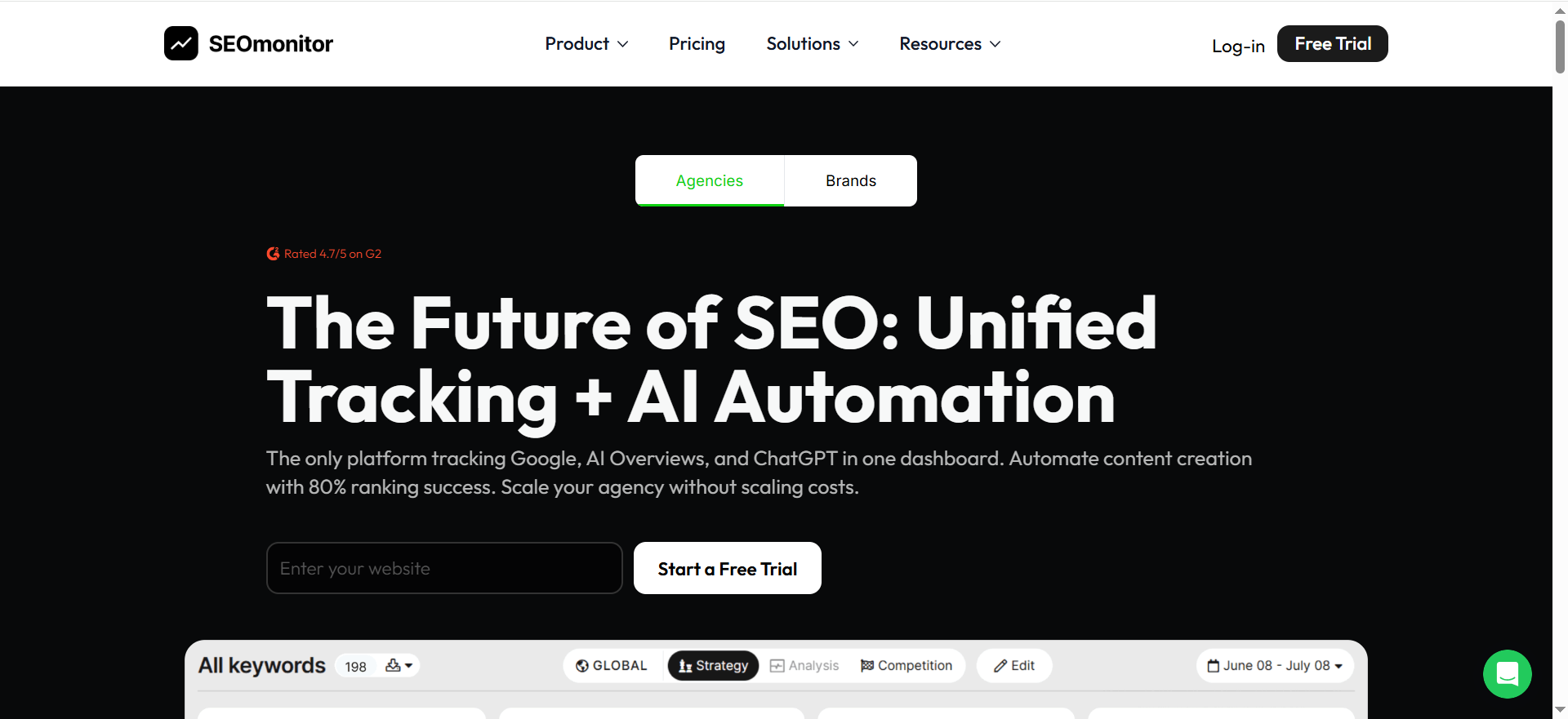
SEOmonitor focuses on performance-driven SEO management. For content refresh work, its big valid data into a prioritized content audit workflow; so you’re not guessing which pages to update first. Their Content Audit positioning emphasizes “no-config daily audits” and surfacing optimization opportunities tied to ranking pages.
Why teams use it
Because content refresh programs fail when the backlog is subjective. SEOmonitor’s approach is to anchor refresh decisions in measurable opportunities: pages that already rank (or almost rank) but need targeted improvements. That’s exactly how most SaaS retainers run in practice: diagnose → prioritize → refresh → report impact.
What it’s good for
- Building a refresh queue based on existing rankings (quick wins)
- Identifying optimization opportunities on pages tied to tracked keywords
- Keeping refresh work accountable to measurable performance
When it’s a good fit
- You manage multiple content clusters and need a consistent “what to refresh next” system
- You want refresh decisions tied to keyword sets, landing pages, and opportunity sizing
- You run SEO as an ongoing program (not one-off blog updates)
When it’s not a good fit
- You only need real-time monitoring/alerts (ContentKing is more purpose-built there)
- You mainly want deep backlink analysis and competitive content discovery (Ahrefs is stronger for that)
- Your entire workflow is already standardized inside another suite
How to use it
- Connect your domain + keyword sets you care about (by product line / funnel stage / cluster).
- Use the Content Audit to surface pages where titles/H1s, intent alignment, or page mapping are limiting performance.
- Turn findings into a refresh backlog (tag by theme + effort).
- Ship refreshes in batches (e.g., 5–10 URLs/week), then annotate changes so you can attribute lifts.
- Report on “refresh ROI”: movement in rankings, traffic, and conversions for updated URLs vs. control group.
Key capabilities
- Content Audit module that highlights opportunities on ranking pages for tracked keywords
- Optimization suggestions framed around impact and prioritization
- Unified visibility positioning that includes AI search/ChatGPT visibility tracking on their pricing pages (useful if your refresh goals include AI citations)
Pricing
SEOmonitor’s paid plans start at €25/month (Writer-Only), and the Starter platform plan starts at €99/month.
Free tier?
SEOmonitor doesn’t offer a free tier, but it does offer a 14-day free trial.
Downsides / limitations
- Best value shows up when you have clear keyword sets and a consistent refresh cadence, less ideal for “occasional updates.”
- If your biggest pain is technical drift (broken tags, indexation changes, template regressions), you may still want a dedicated monitoring layer (see ContentKing).
2. Semrush
What it does
Semrush is an all-in-one SEO platform. For content refresh and decay prevention, you’ll typically use it for: content audits, rank tracking, site auditing, and, importantly now; AI visibility/AI Overviews visibility tooling.
Why teams use it
Because it consolidates multiple parts of the refresh workflow in one place: research, audits, tracking, and reporting. If your team already uses Semrush, it’s often cheaper (operationally) to mature your refresh program inside the same suite than to introduce three new point solutions.
What it’s good for
- Running repeatable content audits (inventory → categorize → decide action)
- Position tracking to spot declines early
- AI Overviews visibility checks and broader AI visibility benchmarking
When it’s a good fit
- You want one platform your SEO + content ops teams can share
- You need stakeholder-friendly reporting quickly
- You care about both traditional SEO outcomes and AI visibility signals
When it’s not a good fit
- You only need accurate rank tracking at the lowest possible cost (Keyword.com is more focused)
- You need real-time monitoring of on-site changes 24/7 (ContentKing is built for that)
- You prefer “best-in-class per module” over suite convenience
How to use it
- Create a content inventory (URLs + topic cluster + funnel stage + conversions).
- Run a content audit process that labels pages: Refresh / Consolidate / Keep / Remove (if appropriate). Semrush publishes guidance for content audits and how to work through issues and audits.
- Set up Position Tracking for your refresh cohorts (the 20–50 keywords most tied to each refreshed URL) using a dedicated rank tracking tool.
- Add AI visibility checks for the keywords/pages where AI Overviews appear in your niche (so refreshes protect both clicks and citations).
- Report impact after 2–6 weeks (rank movement, clicks, CTR, conversions).
Key capabilities
- Content audit workflows + templates (guidance and process support)
- Position tracking setup and monitoring for declines
- AI Overviews visibility checker for understanding whether your brand/pages appear in AI Overviews
- AI Visibility Toolkit described as a way to track brand visibility and monitor prompts/visibility gaps
Pricing
Semrush One pricing starts at $199/month for the Starter plan (or $165.17/month when billed annually).
Free tier?
Semrush offers a free account with limited usage, and most toolkits offer a 7-day free trial.
Downsides / limitations
- Suite breadth can be a trap: teams collect lots of data but don’t operationalize refreshes. You still need a playbook (you’ll get one below).
- If you need real-time detection of changes and issues (not “next crawl” detection), you may still add ContentKing.
3. ContentKing

What it does
ContentKing (now part of Conductor’s monitoring) continuously monitors your site for changes and SEO issues and can alert you when something breaks or shifts. This matters for “decay prevention” because a lot of decay is actually silent technical drift: template changes, accidental no index, internal link removal, canonical errors, content edits, etc. ContentKing positions itself around 24/7 monitoring and “Content Change Tracking.”
Why teams use it
Because it catches problems before rankings drop. Instead of noticing a decline in a monthly report, you get notified when the underlying change happens.
What it’s good for
- Real-time monitoring of content and SEO-critical elements
- Change tracking (new/deleted/redirected pages, content edits)
- Alerts via email (and Slack, depending on setup)
When it’s a good fit
- You have multiple stakeholders who can change pages (marketing, product, eng, CMS editors)
- Your site ships often (new templates, experiments, deployments)
- You’ve experienced “mysterious” ranking drops that turned out to be technical or on-page regressions
When it’s not a good fit
- You only want a refresh prioritization queue (SEOmonitor is more directly built for that)
- You mainly need content discovery/backlinks for refresh ideation (Ahrefs is better)
- You want the lowest-cost rank tracking (Keyword.com is more direct)
How to use it
- Connect your site and verify coverage (key subfolders, templates, important sections).
- Set alert definitions for critical changes: title/H1 shifts, canonical changes, indexability, internal link count drops, broken pages, redirect changes. Conductor’s alert documentation describes alerts and delivery options.
- Create an “SEO change control” routine: alerts → triage → assign owner → fix → annotate.
- Pair monitoring with refresh cycles: when you refresh a page, set a watch on it for 2–4 weeks (so accidental rollbacks don’t erase your gains).
Key capabilities
- 24/7 monitoring and content change tracking capabilities
- Alerts so you learn about important changes quickly (email, Slack options)
Pricing
Pricing is not publicly listed; it’s available by quote (plans are tailored to site size/complexity and needs).
Free tier?
ContentKing doesn’t offer a free tier, but it does offer a free trial (and you can also request a demo).
Downsides / limitations
- Monitoring tools don’t prioritize refresh work for you, they prevent accidental decay, but you still need your “refresh backlog” engine.
- Enterprise packaging can be heavier than teams expect (procurement + onboarding).
4. Ahrefs
What it does
Ahrefs is widely used for competitive SEO research, backlink analysis, and site auditing. For content refresh and decay prevention, it’s especially useful for:
- Discovering competitors’ updated content patterns (“what’s changing in the SERP?”)
- Auditing your own site for technical and on-page issues (Site Audit)
- Tracking whether updates are paying off via reporting workflows
Why teams use it
Because most decay is competitive. Someone else improves their page, expands coverage, or better matches the intent. Ahrefs helps you see what you’re up against, not just how your analytics look.
What it’s good for
- Finding refresh opportunities through competitive gaps and content discovery
- Backlink-driven prioritization (refresh pages that have link equity but slipping performance)
- Site auditing to ensure refreshed pages aren’t held back by technical issues
When it’s a good fit
- Your niche is competitive and the SERPs shift frequently
- You want to pair refresh work with link/authority insights
- You need a strong auditing layer but don’t want a full all-in-one suite
When it’s not a good fit
- You need real-time monitoring/alerts (ContentKing is more direct)
- You want built-in “refresh playbooks” or prioritized content audit queues (SEOmonitor is more oriented there)
- You mainly need affordable rank tracking and client reporting (Keyword.com is more purpose-built)
How to use it
- Identify decaying URLs (via analytics/GSC first).
- Use Ahrefs to diagnose SERP competition: what pages outrank you now, what subtopics they added, what intent they satisfy.
- Run Site Audit to ensure the URL isn’t blocked by crawl/indexation or on-page issues.
- Build a refresh brief: new sections, examples, comparisons, FAQs, internal links, improved titles/H1s, and “why now” updates.
- After publishing, monitor the page’s keyword footprint and link growth.
Key capabilities
- Site Audit flags technical and on-page issues and provides recommendations.
- Content Explorer / republishing analysis can help you spot what content competitors update and how often.
- Ahrefs Webmaster Tools provides free limited access to Site Explorer and Site Audit for verified sites (useful for smaller teams).
Pricing
Ahrefs’ pricing starts at $29/month (Starter plan).
Free tier?
Yes, Ahrefs offers a free tier via Ahrefs Webmaster Tools (limited access for verified sites).
Downsides / limitations
- Your refresh workflow still needs prioritization logic (Ahrefs gives insights; it doesn’t run your refresh program).
- Some teams over-focus on “SEO score” outputs instead of intent alignment and usefulness, refreshes should be user-driven, not tool-driven.
5. Keyword.com
What it does
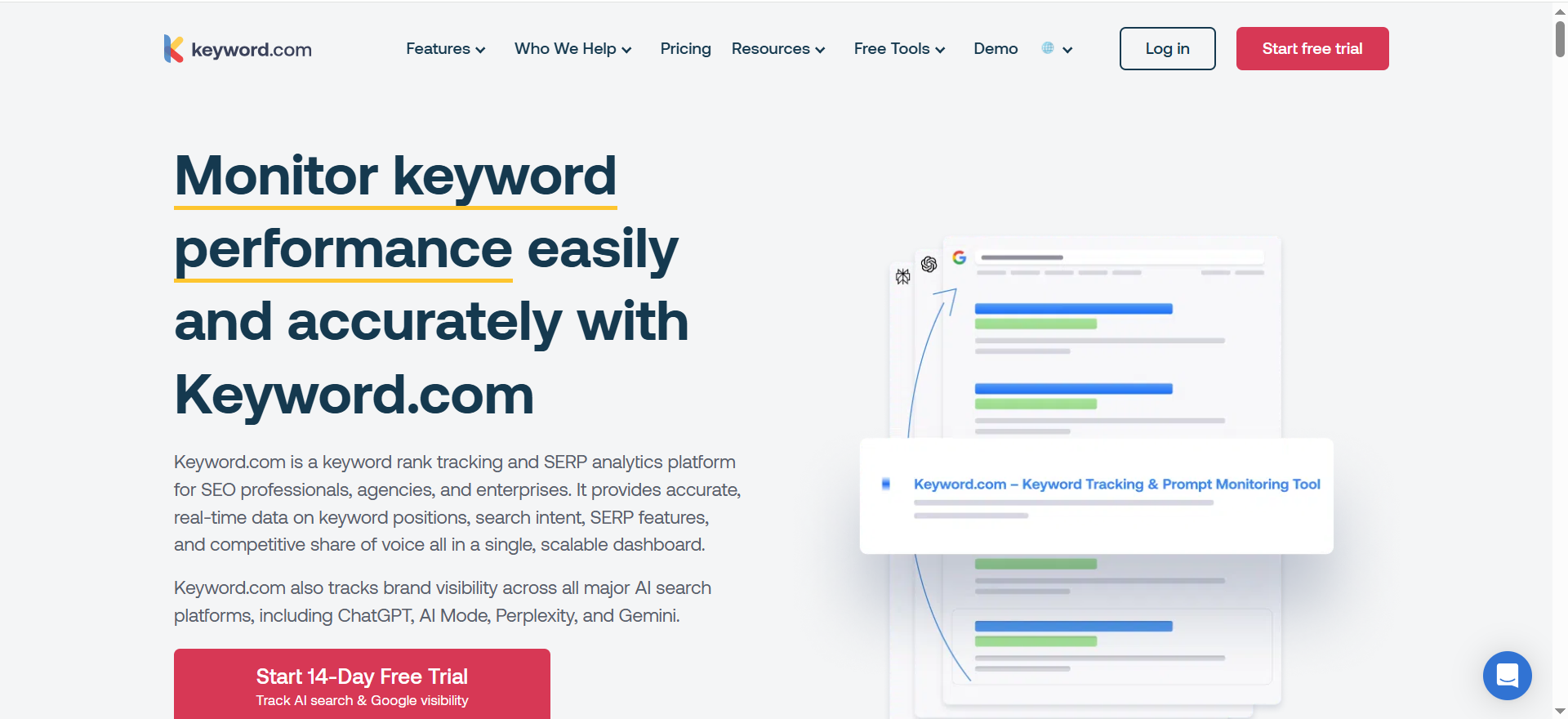
Keyword.com is a rank tracking and SERP monitoring platform with features like alerts, reporting, and AI Overviews tracking. For decay prevention, rank tracking is your early warning system, Keyword.com leans into that specialization.
Why teams use it
Because it’s focused. If your #1 requirement is “know when rankings/AI Overviews shift and report it cleanly,” a specialized tracker can be more cost-effective than paying for an entire suite.
What it’s good for
- Daily/weekly rank tracking and volatility detection
- Alerts when rankings move (so you catch decay quickly)
- Tracking Google AI Overviews presence and source URLs
- Client-ready reporting and integrations (e.g., Looker Studio positioning is mentioned in product description pages)
When it’s a good fit
- Agencies running refresh retainers who need reliable rank + SERP evidence
- Teams that already have separate tools for audits/research but want a strong tracking layer
- You care about AI Overviews tracking as part of “visibility,” not just blue links
When it’s not a good fit
- You want deep content auditing + prioritization logic baked in (SEOmonitor)
- You want a broad research suite for content ideation and backlinks (Ahrefs)
- You want real-time technical/content change detection (ContentKing)
How to use it
- Track your refresh cohort keywords: pick 10–30 terms per cluster that best represent the page’s intent.
- Turn on alerts for meaningful drops (e.g., >3 positions for a primary term; loss of a SERP feature; AI Overview appears/disappears).
- Use AI Overview tracking to monitor when AI Overviews trigger and which URLs are referenced.
- Build a monthly refresh report: “Top decays,” “Top recoveries,” and “Refresh ROI.”
Key capabilities
- AI Overview Tracker: monitor when AI Overviews appear for queries and analyze context and source URLs.
- Pricing scales by keyword volume and includes a free option for small keyword counts (weekly updates), plus broader plans.
- 14-day free trial with tracked keywords (trial language appears across their materials).
Pricing
Keyword.com’s paid plans start at $3/month (50 keywords with weekly updates), and Enterprise pricing is custom/quote-based.
Free tier?
Yes, Keyword.com offers a free tier ($0/month on the weekly plan), and it also offers a 14-day free trial.
Downsides / limitations
- Rank tracking tells you what changed; it doesn’t fully tell you why. Pair it with an auditing or research tool if you want faster diagnoses.
- Teams sometimes track too many keywords and lose focus, your decay prevention should map to business-critical pages and intents.
What “content decay” actually looks like (and why AI makes it worse)
“Content decay” isn’t a single event, it’s a gradual loss of performance. Search Engine Land’s guide frames it as a common, ongoing challenge: content that used to rank begins losing visibility, and the fix is proactive monitoring plus strategic updates.
In practice, decay usually shows up in one of five patterns:
1) Position drift
Your page goes from #3 → #6 → #9 across a quarter. Traffic drops don’t look dramatic week-to-week, but the quarterly graph is brutal.
Why it happens: competitors improve, your content becomes outdated, or your page stops matching intent as SERPs evolve.
2) CTR collapse
Your rankings look “okay,” but clicks fall because the SERP added AI Overviews, featured snippets, video packs, or more ads.
Why it happens: you’re still ranking, but the layout changed. If you’re not monitoring SERP features, you’ll misdiagnose it (which is why tracking changes like Google SGE and AI Overviews matters).
3) Topic dilution
A post that used to be “how-to” becomes a weak “definition + listicle + sales pitch.” Google/LLMs struggle to extract a crisp answer.
Why it happens: repeated edits without a clear content spec, or trying to target too many intents.
4) Cannibalization creep
Two or more pages compete for the same query set. Neither wins consistently, and rankings oscillate.
Why it happens: scaling content without a maintained topical map and page-to-keyword assignment (use keyword clustering + topic maps to prevent it).
5) Silent technical regression
A template update removes internal links, changes canonicals, or breaks structured data, and you only notice after traffic drops, this is where an AI search visibility audit can surface issues faster.
Why it happens: shipping changes without SEO change control. (This is where real-time monitoring is huge.)
Where AI raises the stakes
AI features can reduce click volume, but they also change what “winning” looks like: being the cited/linked source in an AI answer may matter as much as being #1 in blue links (see AI search visibility). Tools like Semrush and Keyword.com now explicitly position AI Overviews visibility tracking as part of the workflow.
The “Decay Dashboard + Refresh Playbook” (a repeatable monthly system)
This is the operating system behind the tools. If you implement this playbook, tool choice becomes easier because you know exactly what you need each tool to do.
Step 1 — Detect: build a decay watchlist
Your watchlist is a list of URLs that have recent negative movement on one or more key metrics.
Minimum detection rules (pick 2–3):
- Positions: primary keyword set down meaningfully (e.g., average -2 or worse)
- Clicks: down >15–20% vs. previous period
- CTR: down with stable impressions (SERP change likely)
- Conversions: down even if traffic is flat (intent mismatch)
- AI visibility: fewer citations/appearances for your tracked queries (if you track AI Overviews)
Tools that help here: Keyword.com for rank/alerts; Semrush Position Tracking and AI Overviews visibility checks.
Step 2 — Diagnose: identify why each page is slipping
For each URL in the watchlist, assign one “primary decay reason”:
- Intent mismatch (SERP changed)
- Coverage gap (missing entities/subtopics)
- Freshness gap (outdated examples, stats, screenshots)
- Authority gap (competitors gained links/mentions)
- Internal linking gap (or link loss)
- Technical regression (indexing/canonical/structured data)
- Cannibalization (overlap with another page)
Fast diagnosis tips:
- Compare your outline to the top 3–5 ranking pages (what sections do they have that you don’t?)
- Check whether SERP features changed (AI Overviews, snippets, etc.)
- Validate technical status (indexable, canonical correct, page speed, broken elements)
Tools that help here: Ahrefs competitive + auditing; Semrush audit guidance; ContentKing for change tracking and alerts.
Step 3 — Decide: refresh vs. consolidate vs. redirect
Use a simple decision rule:
- Refresh when the page has stable intent and still has authority/links, but needs better coverage/freshness.
- Consolidate when multiple pages overlap heavily and split performance.
- Redirect only when the page is obsolete and there’s a clear, better destination (this is where a content pruning policy helps).
Step 4 — Refresh: ship changes with a consistent brief
A refresh brief prevents random edits. Your brief should include:
- Target intent (the single job-to-be-done)
- Primary keyword set (and 5–15 secondary variants)
- Entities to include (products, frameworks, tools, definitions, comparisons)
- Required sections (FAQs, examples, checklists, decision table)
- Internal links to add
- “AI extraction targets” (clear definitions, concise steps, scannable tables)
Tools that help here: SEOmonitor Content Audit can surface optimization opportunities and pages tied to tracked keywords.
Step 5 — Verify: monitor rankings + AI citations post-refresh
After publishing, monitor for at least 2–6 weeks with an AI visibility tracking workflow:
- Ranking movement for the tracked keyword set
- CTR changes (especially if SERP features changed)
- Conversion rate changes
- AI Overviews appearance + citations (if applicable)
Tools that help here: Keyword.com AI Overview tracking; Semrush AI visibility tooling; SEOmonitor reporting on keyword/page performance.
Step 6 — Prevent: alerts, QA, and change control
Most teams refresh content… then accidentally break it later.
Your prevention layer:
- Real-time alerts for SEO-critical changes (titles, canonicals, indexability, internal links)
- A lightweight QA checklist before publishing
- Change annotations (what changed, when, why)
Tools that help here: ContentKing alerts and monitoring.
Decay dashboards: metrics, scoring, and a simple template
A “decay dashboard” is just a prioritized view of the pages most at risk, exactly what real-time dashboards are built to support. The point isn’t perfect analytics, it’s fast prioritization.
The minimum viable dashboard (MVD)
Track these columns per URL:
- URL
- Topic cluster
- Primary query set
- Last updated date
- Clicks (last 28d vs prior 28d)
- Impressions (last 28d vs prior 28d)
- Avg position (last 28d vs prior 28d)
- CTR (last 28d vs prior 28d)
- Conversions (last 28d vs prior 28d)
- Notes: suspected decay reason
- Recommended action: refresh / consolidate / redirect
- Owner + due date
A practical prioritization score
You can score each URL on 3 factors (1–5 each):
- Impact (traffic + conversions potential)
- Confidence (do we know what to fix?)
- Effort (lower effort = higher score)
Priority score = (Impact + Confidence) − Effort
This is intentionally simple. The best refresh systems favor speed and iteration over perfection.
Refresh ROI reporting (what stakeholders actually care about)
When you share refresh outcomes, skip vanity metrics and focus on impact and accountability. Include:
- # of refreshed URLs shipped
- Total click change (refreshed cohort vs. a control cohort)
- # of keywords that moved into Top 3 and Top 10
- Conversion change on refreshed URLs (leads, sign-ups, trials, revenue, whatever matters)
- AI Overviews / citation visibility change (if you’re tracking it)
Reporting this way positions content refresh as a repeatable growth system, not a series of random edits.
Choosing the right stack
If you want “all-in-one”
Pick Semrush if you want broad coverage across audits, tracking, and AI visibility tooling.
If you want “refresh prioritization”
Pick SEOmonitor if you want content audit outputs that feel like a prioritized refresh queue tied to keyword/page performance.
If you want “real-time prevention”
Pick ContentKing if your biggest losses come from silent regressions and you need alerts when changes occur.
If you want “competitive-driven refreshes”
Pick Ahrefs if your refresh strategy is built on beating competitors through better coverage and authority signals (plus audits).
If you want “cheap + accurate tracking (plus AI Overviews)”
Pick Keyword.com if you mainly need rank tracking, alerts, reporting, and AI Overviews monitoring without paying for a full suite.
Common mistakes that cause refreshes to fail
Mistake 1: Refreshing the wrong pages
Teams refresh pages they like, not pages that are slipping with recoverable opportunity. Fix: let the decay dashboard choose.
Mistake 2: Changing everything at once
If you rewrite a page completely, you can’t tell what worked. Fix: ship changes in “modules” (sections) and annotate.
Mistake 3: Updating content without improving extraction
If AI systems can’t extract your answer cleanly, you may lose citations even if the post is “longer” (fix this with stronger AEO content structure). Fix: definitions, tables, direct steps, FAQ blocks, and headings that mirror user questions.
Mistake 4: No monitoring after the refresh
A refresh can be undone by later CMS edits or template changes. Fix: real-time alerts and a 2–4 week watch period.
Mistake 5: Reporting without a control group
If you don’t compare refreshed URLs to a non-refreshed cohort, stakeholders won’t trust the results (standardize this in your keyword ranking reports). Fix: always keep a control group.
What is content decay in SEO?
Content decay is the gradual loss of organic performance for a page that used to rank, earn clicks, and convert. It’s not usually a sudden “penalty”, it’s a slow slide caused by a mix of competition, changing search intent, SERP layout changes (like AI Overviews and featured snippets), and your content getting outdated.
Most teams notice decay only after traffic drops, but decay typically starts earlier in smaller signals: positions soften, CTR falls, conversions weaken, or impressions shift to different queries.
Common causes of content decay:
- Freshness gap: outdated stats, screenshots, steps, or product comparisons
- Intent drift: the SERP starts rewarding different content formats (e.g., “best tools” vs. “how-to”)
- Competitive upgrades: competitors add depth, visuals, FAQs, or better structure
- Authority shifts: stronger brands accumulate links/mentions
- Technical drift: changes to internal linking, canonicals, indexability, schema, or templates
If you think of SEO content as an asset, decay is depreciation. Content refresh is maintenance, done intentionally, on schedule, and prioritized by opportunity.
How do I detect content decay in Google Search Console?
You can detect content decay in Google Search Console (GSC) by comparing performance trends over time for specific pages and queries, then flagging pages with meaningful declines (or accelerate it with GA4 + GSC audit tooling).
Here’s a practical, repeatable method:
- Go to Performance → Search results
- Set the date range to Last 28 days and compare to Previous 28 days (or compare YoY for seasonality)
- Click Pages, then sort by Clicks difference (or filter to your top pages first)
Now create a “decay watchlist” using triggers like:
- Clicks down significantly (e.g., -15% to -30%+)
- Avg position worse for the page’s primary query set
- CTR down while impressions are stable (often indicates SERP changes)
- Impressions down (often indicates lost relevance/visibility)
Then diagnose why the page is decaying:
- In GSC, click the page → switch to Queries
- Look for:
- Queries that dropped sharply
- New queries appearing (intent shift)
- Old high-performing queries disappearing (lost relevance)
- Check Search appearance (if available) to see if SERP features changed
Pro tip: build a habit of reviewing a decay watchlist weekly, even if refreshes happen monthly.
How often should I refresh blog posts?
Most teams do best with a tiered refresh cadence, not a one-size-fits-all schedule:
- Tier 1 (money pages / product-led content): refresh every 4–8 weeks
- Examples: “Best X software,” “X vs Y,” pricing comparisons, integration pages, high-converting guides
- Tier 2 (high-traffic evergreen posts): refresh every 3–6 months
- Examples: pillar guides, category-defining articles, glossary hubs
- Tier 3 (long-tail / low-impact posts): refresh 1–2x per year or only when they show decay signals
Instead of refreshing by date alone, refresh by signals:
- Ranking declines
- CTR changes from SERP shifts
- Competitors outperforming you with updated coverage
- Outdated info, screenshots, or recommendations
- Conversions dropping even if traffic is stable
A good operating system is: monthly refresh sprint + weekly decay monitoring.
What metrics signal decay (CTR, position, impressions, conversions)?
Decay is best detected by watching a cluster of metrics together, because any single metric can lie.
Here are the key ones and what they typically mean:
1) Clicks
- Clicks down + position down = you’re losing ranking strength
- Clicks down + position flat = SERP layout changed, CTR lost, or intent mismatch
2) Average position
- Gradual drops often indicate competitors improving or your page losing relevance
- Sudden drops can indicate technical issues, cannibalization, or SERP volatility
3) Impressions
- Impressions down = you’re showing up less (lost relevance or ranking footprint)
- Impressions up + CTR down = you’re visible for broader queries, but not attractive/intent-aligned
4) CTR
CTR is where SERP changes show up fast:
- AI Overviews, featured snippets, more ads, image/video packs, these can reduce clicks even when you still rank
5) Conversions
- Conversions down + traffic flat = intent mismatch, weak CTAs, or content no longer matches user stage
- Conversions down + traffic down = likely rankings/visibility decay and funnel impact
6) Engagement/supporting metrics
- Scroll depth / time on page (helps diagnose content quality issues)
- Assisted conversions (if your content is upper funnel)
- Internal link clicks (signals whether content flows users deeper)
The strongest decay detection comes from trend comparisons (28 vs prior 28, 90 vs prior 90, and YoY).
Content decay vs. keyword cannibalization; how to tell?
These two problems look similar in charts but require different fixes.
Content decay
Symptoms:
- A page steadily drops for its main queries
- Competitors move above you and stay there
- Decline is relatively consistent (not “flip-flopping”)
Typical fix: refresh the page to match current intent + improve coverage + strengthen internal linking.
Keyword cannibalization
Symptoms:
- Rankings oscillate: Page A ranks, then Page B ranks
- Impressions are split across multiple URLs for the same query set
- Google “can’t decide” which page is the main answer
How to confirm in GSC:
- In Performance → Queries, click a query → switch to Pages
- If multiple pages get impressions/clicks for the same query, that’s a cannibalization signal
- Look for swapping positions week to week
Typical fix: consolidate, re-map intent, or differentiate pages clearly.
- Merge overlapping posts into one stronger URL
- Redirect or canonicalize weaker variants when appropriate
- Reposition one page to target a different intent or stage
Rule of thumb:
- Decay = one page losing
- Cannibalization = multiple pages splitting and swapping
What’s the best tool to find decaying pages automatically?
The “best” tool depends on whether you mean:
- Detecting performance decay (rankings/clicks dropping), or
- Detecting site changes that cause decay (technical drift)
For automatic detection of decaying pages (performance-driven), use a tool that can:
- map keywords → pages,
- track movement over time,
- surface opportunities, and
- turn it into a prioritized refresh queue.
Strong choices:
- SEOmonitor: built around content audit workflows tied to ranking pages and opportunity discovery (great for turning data into a refresh backlog).
- Semrush: strong for content auditing + position tracking at scale if you already use the suite.
- Keyword.com: excellent for tracking/alerts; pair it with another tool for deeper diagnosis.
Best practice: use GSC for truth (clicks/impressions/CTR) + a tool for automation and alerting.
What’s the best tool to monitor content changes and SEO issues in real time?
If your goal is preventing “silent decay” caused by unexpected changes, the best fit is ContentKing (Conductor Website Monitoring).
Real-time monitoring matters because many ranking drops aren’t “content problems”, they’re:
- indexability changes (no index, robots, canonical shifts)
- internal links removed
- title/H1 overwritten by a template update
- redirect changes
- broken pages or missing assets
- schema changes
A real-time monitoring tool helps you:
- catch changes immediately,
- alert the right owner,
- fix issues before rankings fall,
- and maintain change control over your site.
If you ship often, have multiple editors, or run experiments, real-time monitoring is the difference between proactive and reactive SEO.
How do I measure the impact of a content refresh?
Measure refresh impacts the same way you’d measure a product experiment: with before/after comparisons plus a control group, and stakeholder-ready SEO reporting.
Step 1: Define success metrics
Pick 2–4:
- Clicks from organic
- Rankings for primary keyword set
- CTR (especially if SERP features changed)
- Conversions (leads/trials/sign-ups)
- AI visibility signals (AI Overviews citations/appearance, if tracked)
Step 2: Compare the right time windows
Common windows:
- Baseline: 28 days before refresh
- Post: 28 days after re-indexing stabilizes
- For slower niches, use 56–84 day windows
Step 3: Use a control cohort
Choose similar pages you did not refresh (same topic type, similar traffic).This helps you avoid false credit from seasonality or overall site trends.
Step 4: Attribute results to the refresh
Track:
- What changed (sections added, title updated, internal links added, FAQs added)
- Publish date + reindex date
- Any external events (algorithm update, product launch, major PR)
Step 5: Report like a system, not a one-off
- Refreshed URLs shipped
- Total click change (refreshed vs. control cohort)
- Keywords improved into Top 3 / Top 10
- Conversion change on refreshed URLs
- AI Overviews / citation visibility change (if tracked)
This is how refresh becomes a scalable operating model, not random edits.
How long does it take for a refresh to improve rankings?
Most content refreshes show measurable movement in 2–6 weeks, but it depends on:
- crawl frequency of your site
- how big the refresh was
- the competitiveness of the SERP
- whether you improved intent match and usefulness
- whether internal links help discovery and re-evaluation
Typical timelines:
- Small refresh (titles, FAQs, light section updates): 1–3 weeks
- Medium refresh (new sections, intent shifts, internal linking upgrades): 3–6 weeks
- Major refresh (restructure + consolidation + redirects): 6–12+ weeks
Important: measure after the page has been crawled and settled. If you refresh and then check after 3 days, you’re usually reading noise.
Should I update the publish date when refreshing content?
Update the publish date only when the refresh is genuinely meaningful for readers.
When updating the date makes sense
- Major changes: new sections, updated recommendations, new data, new workflows
- Anything that materially affects the accuracy of the post
- “Best tools” style content where freshness is part of the promise
When you should avoid updating the date
- Tiny edits: grammar, small link fixes, minor formatting
- Superficial updates that don’t change the value
Best practice: be transparent
If possible:
- Show “Last updated on [date]”
- Keep the original publish date visible if it’s important context
- Ensure the refreshed content truly reflects the update
The date should support trust, not manipulate it.
FAQs
How do I know a page is experiencing content decay?
How often should I refresh content?
Should I change the publish date when I refresh a post?
What’s the difference between content decay and keyword cannibalization?
What’s the fastest way to prioritize refreshes?
How do I track whether AI Overviews are affecting my traffic?
What’s the best “minimum stack” for a small team?
📋 Get Listed / Advertisement
We update this guide monthly. Want your tool featured? Contact: [email protected].


