
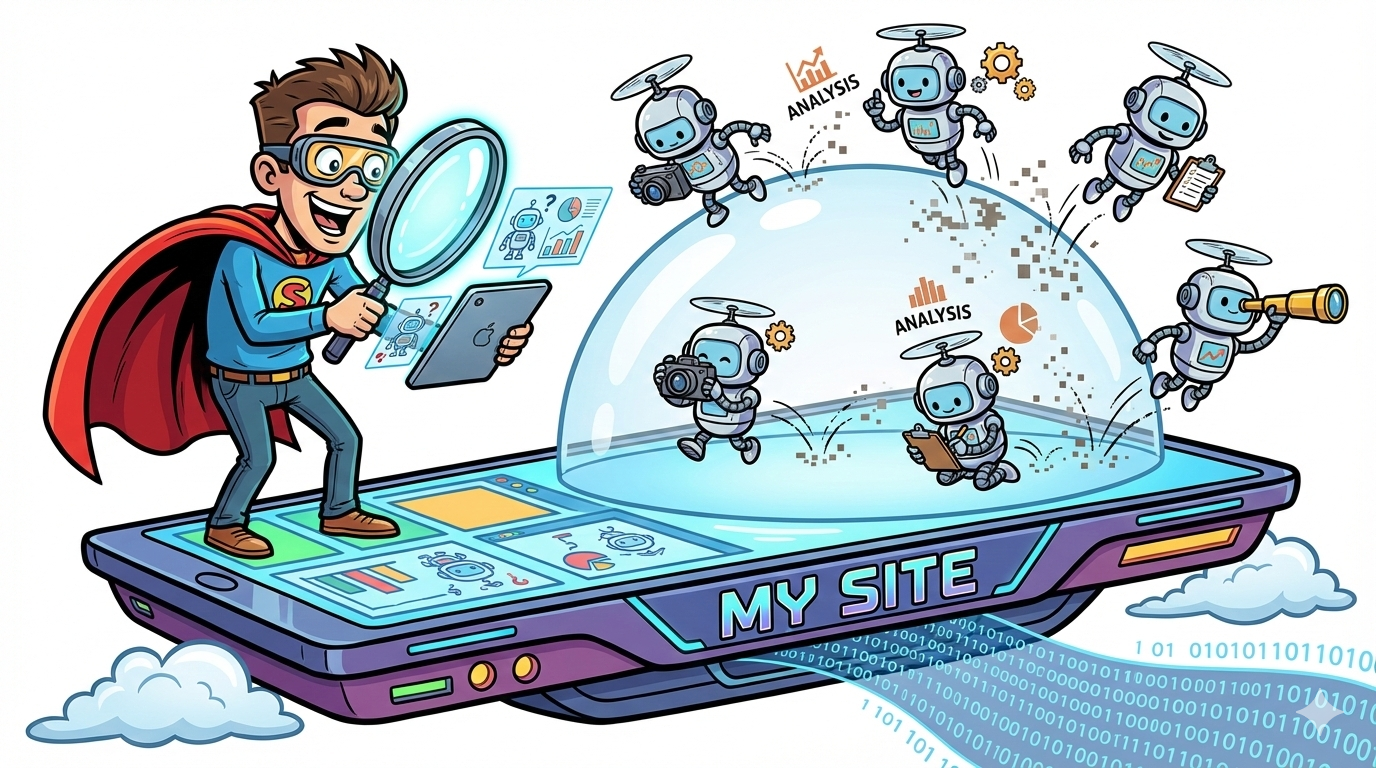
If you suspect AI systems are “reading” your site but you can’t prove it; or you’re sure they aren’t reading it, agent/crawler analytics is the missing layer.
- Pick Profound if you want dedicated “Agent Analytics” designed to show which AI bots access your content and where they get stuck.
- Pick Conductor if you want enterprise-grade monitoring focused on AI crawler activity and AI discoverability, with clear “what they see vs what they miss” framing.
- Add Hall if you want a lightweight, server-level lens on AI agents/crawlers (often simpler to deploy and interpret for bot activity).
Pair with OtterlyAI / Akii / Promptmonitor when you also need prompt-based monitoring (how ChatGPT/Perplexity/Gemini answer queries) to connect bot access → actual citations/mentions.
📋 Get Listed / Advertisement
We update this guide monthly. Want your tool featured? Contact: [email protected].
Best AI Visibility Tools with Agent/Crawler Analytics (Quick Comparison)
| Tool | Best for | Agent/Crawler analytics strength | Notes |
|---|---|---|---|
| Profound | Dedicated AI crawler visibility + technical checks | High | “Agent Analytics” positioning; AI crawler visibility + technical analysis. |
| Conductor | Entler activity | High | “AI Crawler Activity” feature; focuses on AI discoverability in real time. |
| HalI agent/bot activity tracking | High | Built specifically for agent analytics: assistants + training + search crawlers. | |
| OtterlyAI | Prompt monitoring across major AI engines | Medium (companion) | Great for “how AI answers”; pair with crawler analytics for root-cause. |
| Akii | Brand mention/citation trend reporting in AI search | Medium (companion) | Tracks visibility across AI engines; useful for stakeholder reporting. |
| Prompt Monitor / Promptmonitor | LLM response monitoring + scoring | Low–Medium (companion) | Strong on response-side metrics; use alongside crawler activity tools. |
1. Profound

What it does
Profound positions Agent Analytics as a way to “gain full visibility into how AI sees your website,” including AI crawler visibility and technical analysis.
Why teams use it
Teams adopt Profound when they’ve realized “AI visibility” is not only about prompts; it’s also about crawlability and interpretability for AI systems. Profound’s messaging emphasizes:
- which AI bots access your content,
- how often,
- and whether your site is technically optimized for AI-based indexing/retrieval.
What it’s good for
- Diagnosing why AI systems don’t cite key pages (bot access issues)
- Proving AI bots are (or aren’t) hitting priority content
- Creating a technical to-do list for AI readiness (not just SEO readiness)
When it’s a good fit
- You’re an enterprise or high-growth team that needs a dedicated AI visibility stack
- You have engineering support to act on findings
- You want one place to discuss AI bots + AI search outcomes
When it’s not a good fit
- You only need light prompt tracking and don’t care about technical crawl diagnostics
- You want a purely DIY, log-only approach without a platform layer
How to use it
- Connect your domains and verify what traffic sources Profound classifies as AI crawlers.
- Pull the “top crawled URLs” report and compare it to your business priority pages (pricing, category pages, comparisons, docs).
- Investigate mismatches: pages you want crawled but aren’t being hit (or are being blocked).
- Fix issues (robots/WAF/auth, rendering, redirect chains), then validate improvement by watching bot access stabilize.
Key capabilities
- AI crawler visibility (who/when/how often)
- Technical analysis aimed at AI crawlability and interpretation
- Reporting/exports for stakeholder updates
Pricing
Profound pricing starts at $99 per month.
Free tier?
Profound doesn’t advertise a free tier, but it does offer demos and may provide trial access for evaluation.
Downsides / limitations
- f you don’t have an owner to operationalize fixes, you’ll collect dashboards, not outcomes, this is where a hands-on SaaS SEO agency can help you turn bot data into changes that ship.
- Bot classification and “why blocked” diagnosis still benefits from server/CDN logs and engineering context.
2. Conductor

What it does
Conductor offers AI Crawler Activity features focused on monitoring AI discoverability and showing what AI crawlers are “seeing, or missing.”
Why teams use it
Conductor is typically attractive to teams that already treat SEO as a business function (often enterprise) and want:
- ongoing monitoring (not one-off audits),
- clear discoverability reporting,
- and a workflow-friendly interface that marketing can understand without reading raw logs.
What it’s good for
- Real-time monitoring of AI crawler access and discoverability
- Making “AI crawlability” a repeatable operational metric (like uptime monitoring, but for AI bots)
- Enterprise governance: consistent tracking across many site sections and stakeholders
When it’s a good fit
- Enterprise sites with many templates, markets, or subdomains
- Teams that need cross-functional reporting (Marketing + Eng + Security)
- Organizations where “we don’t know what bots are blocked” is a recurring issue
When it’s not a good fit
- You mainly want lightweight prompt tracking without technical monitoring
- You have very small sites and can solve via basic log analysis + robots rules
How to use it
- Turn on AI crawler monitoring and identify the top AI crawlers requesting your site.
- Compare “seen” vs “missed” for your most important URL groups (money pages, docs, comparison pages).
- Create an “AI access checklist” and route issues to engineering (403s, geo blocks, bot protection rules, rendering failures).
- Re-check after each release or CMS change.
Key capabilities
- AI crawler activity monitoring and AI discoverability framing
- Ongoing reporting suitable for stakeholder updates
Pricing
Conductor’s pricing is not publicly listed; plans vary by your site size/complexity and configuration and are available by quote.
Free tier
Conductor doesn’t offer a permanent free tier, but it does offer free trials and a free live demo.
Downsides / limitations
- If your blockers are in security layers (WAF/CDN), you still need those teams involved to implement fixes.
- Some “agent” traffic is user-triggered and may not behave like predictable crawlers; interpretation matters.
3. Hall (Agent Analytics for server-level bot activity)
(Not in every “AI visibility tools” list yet, but very relevant when your main problem is: “show me the bot traffic, cleanly.”)
What it does
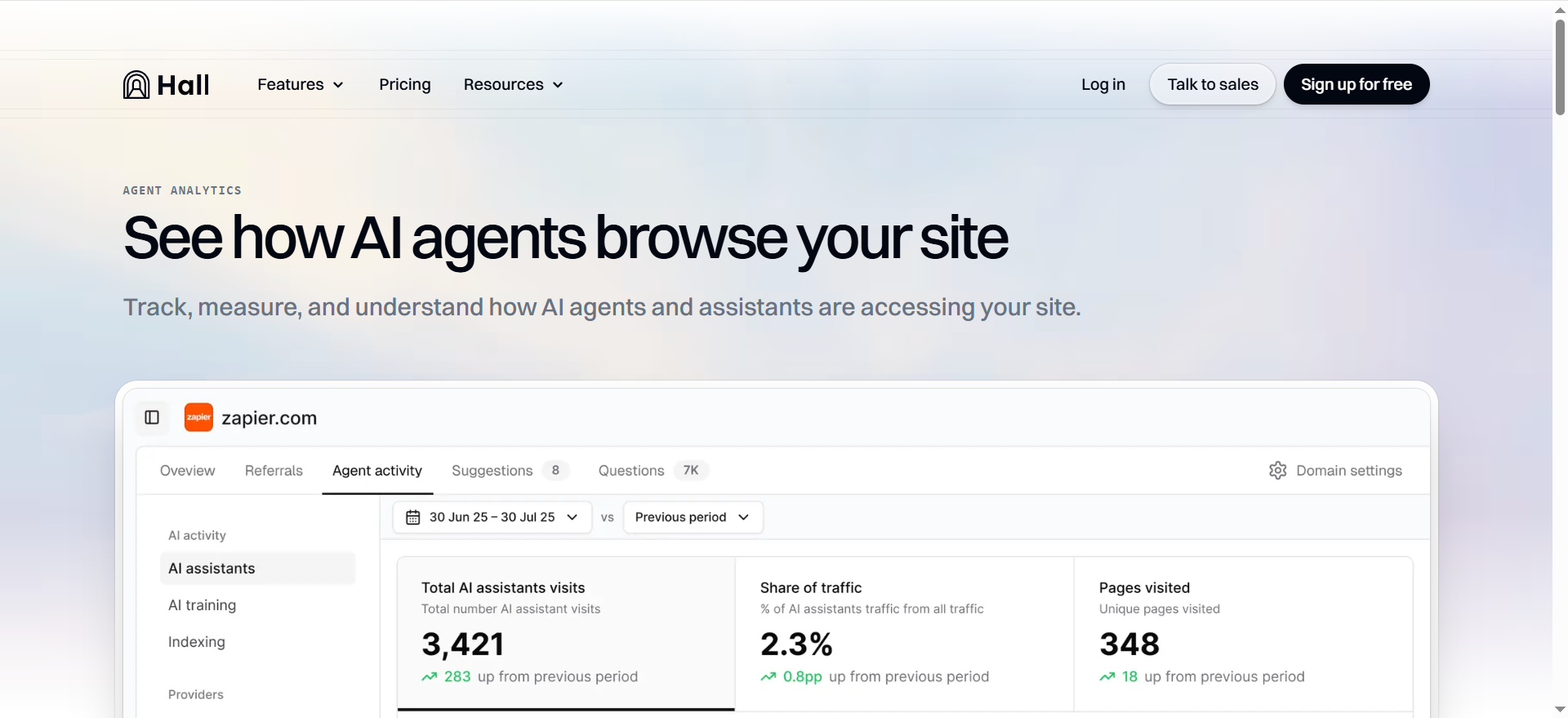
Hall markets “agent analytics” that tracks AI agent activity from major AI companies and covers assistants, training, and search crawlers, with a simple setup.
Why teams use it
Hall is attractive when:
- you want faster time-to-signal,
- you prefer a simpler, server-level view,
- and you’re trying to answer basic but crucial questions: “Which AI bots hit us? How often? Which pages?”
What it’s good for
- Clean dashboards for AI bot activity without building your own log pipelines
- Early detection of spikes/drops in AI bot traffic
- Technical collaboration: security and infra teams can reason about it quickly
When it’s a good fit
- You want a lightweight deployment and fast answers
- Your team suspects bot protections are blocking AI traffic
- You need a “bot analytics baseline” before you invest in broader AI visibility platforms
When it’s not a good fit
- You want an all-in-one suite tying bot access to prompt-level citations
- You’re looking for deep content strategy features (Hall is primarily bot activity analytics)
How to use it
- Install / connect at the server or edge layer.
- Identify top bots and top hit URLs.
- Flag anomalies: sudden bot traffic drops often correlate with WAF rule changes or redirects.
- Pair findings with a prompt-monitoring tool to confirm whether improved access changes citations.
Pricing
Hall’s paid plans start at $199/month.
Free tier?
Hall offers a free Lite plan.
4. OtterlyAI
What it does
OtterlyAI focuses on monitoring how AI engines answer prompts, describing an approach where the tool runs queries across AI search engines and analyzes responses for mentions/citations.
Why teams use it
Because leadership usually asks:
- “Are we showing up in ChatGPT/Perplexity?”
- “Did last month’s content work change anything?”
OtterlyAI helps you track that “answer layer” over time.
Where it fits in an agent analytics stack
OtterlyAI is most powerful when you pair it with crawler analytics, because it can help you separate:
- access problems (AI bots can’t fetch your pages), from
- relevance/authority problems (AI can fetch, but still doesn’t cite you).
What it’s good for
- Daily/weekly prompt runs across multiple AI experiences
- Monitoring brand mentions/citations by prompt cluster
- Sharing visibility reports with non-technical stakeholders
When it’s a good fit
- You need prompt-based monitoring now
- You’re building an AI visibility reporting cadence
- You’re testing content changes and want quick feedback
When it’s not a good fit
- Your main question is “which bots are blocked at the edge?”
- You need page-level crawl diagnostics (use Profound/Conductor/Hall for that)
How to use it
- Build a prompt set that maps to your funnel: category discovery, comparisons, “best tools,” integrations, pricing, and alternatives.
- Track weekly changes in citations and sentiment.
- When visibility drops, check crawler analytics to see whether bot access also dropped, if yes, fix access first.
Pricing
OtterlyAI’s pricing starts at $29/month for its lowest paid plan.
Free tier?
OtterlyAI doesn’t offer a free tier, but it does offer a free trial.
5. Akii
What it does
Akii positions itself as an AI search visibility tracker that monitors how often AI models mention, recommend, or cite your brand across platforms like Google AI, ChatGPT, and Perplexity.
Why teams use it
Akii is a strong fit when you need:
- reporting clarity (“are we up or down?”),
- trend lines,
- and stakeholder-friendly visibility metrics without deep technical complexity.
Where it fits relative to agent analytics
Like OtterlyAI, Akii is generally more on the “answer/visibility outcome” side than the “bot access” side. That’s not a weakness, most teams need both layers:
- Crawler analytics tells you whether AI can access your pages.
- Visibility tracking tells you whether AI does cite your brand.
What it’s good for
- Visibility trend reporting across multiple AI engines
- Executive updates and ongoing KPI tracking
- Competitive context (who shows up instead of you)
When it’s a good fit
- You need a visibility KPI for weekly/monthly reporting
- You’re aligning SEO + AI visibility in one narrative for leadership
When it’s not a good fit
- You primarily need bot-level debugging and access diagnostics
How to use it
- Akii tracks how often AI assistants and AI search experiences mention, recommend, or cite your brand (including ChatGPT and Perplexity).
- It’s mainly used for trend reporting to show whether your AI visibility is going up or down over time.
- It supports competitor comparisons so you can see who shows up instead of you for the same topics/prompts.
- It provides stakeholder-friendly dashboards that help communicate your “share of voice” in AI answers
Pricing
Akii’s pricing starts at $49/month for its Starter plan.
Free tier?
Akii doesn’t offer a free tier, but it does offer a 14-day free trial.
6. Prompt Monitor / Promptmonitor
What it does
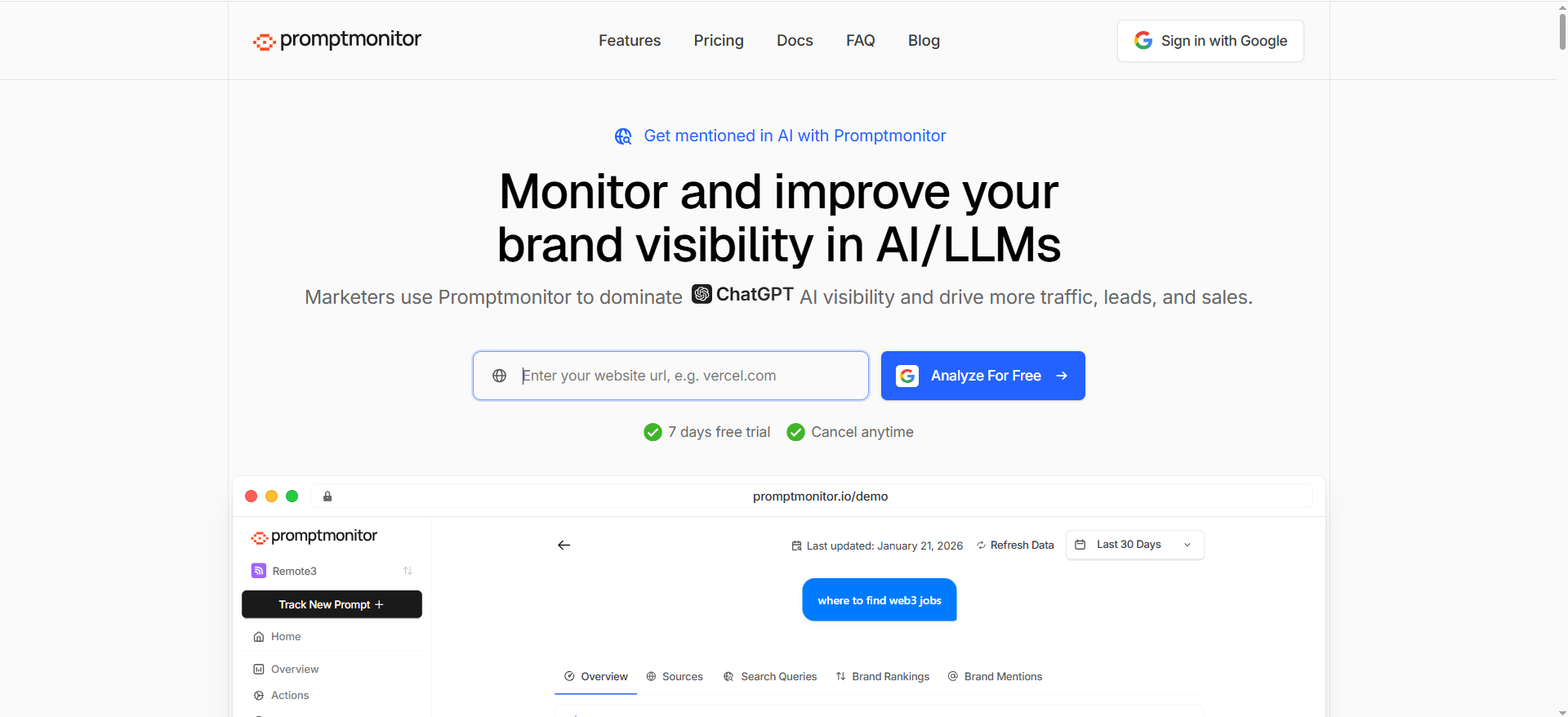
Prompt Monitor (Promptmonitor) focuses on monitoring how your brand appears in responses from major LLMs and provides response-side insights (mentions, comparisons, and scoring approaches).
Why teams use it
Because you can improve bot access and still not get cited. Prompt monitoring tools help you answer:
- Are we being mentioned at all?
- Are we cited as a source link?
- Are competitors winning the recommendation slot?
How to use it in a crawler analytics stack
Use Promptmonitor as the “outer loop”:
- If crawler analytics says AI bots are hitting your pages, but prompt monitoring says visibility is flat, you likely need content/authority improvements, use the most effective strategies for AI visibility enhancement to guide what to fix next.”
What it’s good for
- Prompt-level visibility and monitoring across multiple models
- Measuring response-side outcomes while technical teams fix access issues
When it’s not enough on its own
If your site is blocked or unreadable to bots, prompt monitoring will only tell you “you’re not showing up”, not why. That’s where agent analytics tools are essential.
Pricing
Prompt Monitor’s paid pricing starts at $49/month for the Pro plan.
Free tier?
Prompt Monitor offers a free plan.
What “Agent/Crawler Analytics” means (and why it matters now)
Most teams are already doing some version of AI visibility monitoring, tracking whether ChatGPT or Perplexity mentions them for key prompts. That’s useful, but it answers only one question:
“Did we show up in the answer?”
Agent/crawler analytics answers the question that usually comes before you can show up:
“Could AI systems even access, render, and use our content?”
If AI bots can’t reliably fetch your pages (or they fetch the wrong version, or they hit paywalls/auth, or your robots/WAF blocks them), prompt-based monitoring will show “no citations” forever, no matter how good your content is.
Three kinds of AI bots hitting your site
- Search/indexing crawlers: Bots that crawl to build indexes used for AI search experiences. For OpenAI, OpenAI publicly documents crawlers and robots.txt tags such as GPTBot and OAI-SearchBot.
- Training/data collection bots: Crawlers that gather content for model training or dataset creation. These can be heavier, noisier, and more controversial (and they don’t always send referral traffic back).
- User-triggered retrieval agents: These hit your site when a user asks an AI system a question and the system fetches sources in real time. Some ecosystems have “user” variants (e.g., documented patterns around Perplexity user agents).
The visibility gap: why GA4 won’t tell you what you need
Traditional analytics tools excel at human sessions and referral traffic; so if you’re starting from GA4-style reporting, pair this with a marketing analytics baseline. They are not built to help you answer:
- Which AI bots hit which URLs?
- Were they blocked (403/401), redirected, or served a degraded version?
- Did they get the HTML they needed (or only a JS shell)?
- Are you accidentally blocking “AI-search bots” while allowing everything else?
That’s why “agent analytics” has become its own category: it turns bot activity into something you can audit, alert on, and fix.
What to look for in AI crawler analytics tools
Use this checklist to evaluate tools fast; especially if you need to justify the budget.
1) Bot identification + enrichment (the hard part)
You want the tool to reliably classify bots (not just by user-agent strings) and ideally enrich with:
- bot category (search vs training vs user-triggered retrieval),
- known bot names,
- request patterns (spike detection, crawl intervals),
- IP/range validation where available.
2) “Can they read it?” diagnostics
The best tools go beyond “a bot visited.” They help you answer:
- Did the bot fetch the final URL after redirects?
- Did it get a 200 or a blocked response?
- Could it load critical assets?
- Did it receive a meaningful HTML body (vs empty template)?
Conductor explicitly frames this as seeing what AI crawlers are “seeing, or missing.”
3) Page-level crawl patterns
You’re looking for:
- AI bot hits by directory, template type, or content cluster then map that back to your keyword clusters and topic maps,
- changes over time after releases,
- “hot pages” that AI bots repeatedly fetch.
4) Actionability: alerts, workflows, and recommendations
Great tooling creates an operational loop:
- alerts when AI bot access drops,
- prioritized fixes,
- owner assignment (SEO/Eng),
- before/after validation.
A practical playbook: turn AI bot traffic into AI citations
This is the part most teams miss: bot analytics is only valuable if you convert it into fixes and content decisions.
Step 1 — Confirm which AI crawlers matter for you
Start by listing the bot families you care about:
- OpenAI crawlers (for OpenAI products and experiences)
- Perplexity crawler behavior (including “user” variants)
- Other assistants/search experiences relevant to your buyers (Gemini, Claude, etc.)
Pro tip: Treat this like an allowlist/monitor list, not an endless chase. You only need to track what can influence your pipeline.
Step 2 — Fix “AI can’t access my page” issues fast
Most AI access problems cluster into a few buckets:
A) robots.txt and bot rules mismatch
- You might be allowing Googlebot but blocking AI bots unintentionally.
- Or you’re blocking training bots but accidentally blocking search bots too.
OpenAI documents bot controls via robots.txt tags (e.g., GPTBot and OAI-SearchBot).
Action: Audit robots.txt and edge rules against your target bot list, and decide what you allow vs block (and why).
B) WAF/CDN bot protection blocks real AI crawlers
Many orgs block anything that looks non-human, or they require JS challenges, so treat bot access as part of your broader SEO strategy for AI visibility.
Action: Use agent analytics to identify which bot requests are returning 403/503/429, then work with Security to adjust rules for verified bots.
C) “AI sees a blank page” rendering
If your page relies heavily on client-side rendering, bots may fetch a shell.
Action: Ensure server-rendered HTML contains the core content (especially for money pages, docs, and comparison pages).
D) Authentication, geo blocks, or paywalls
If key pages require auth, AI can’t cite them (or it cites secondary pages).
Action: Create crawlable public versions of the most cite-worthy resources (definitions, comparisons, benchmarks, docs).
Step 3 — Build “retrieval-ready” pages AI bots can use
Once access works, you need your pages to be easy to extract and cite, this is where AI content optimization tools help you package information in a citation-friendly way.; especially if you’re following a strong AEO content structure
Use a “retrieval-ready” template for key pages:
- Clear H1 and descriptive H2s that mirror user questions (helps extraction)
- A short TL;DR that directly answers the query (what you’re best at, who you’re for, why trust you)
- Tables where comparisons matter (fast parsing and citation-friendly)
- FAQs (LLMs love concise Q/A blocks)
Step 4 — Close the loop with prompt-based monitoring
Now that bots can access and your pages are structured, measure outcomes:
- Create a tracked prompt set (brand discovery, “best X”, “X vs Y”, “alternatives”, integrations, pricing questions)
- Monitor whether citations shift after:
- access fixes,
- content restructuring,
- new comparison pages.
Tools like OtterlyAI and Akii are built for ongoing AI visibility tracking across AI engines.
Step 5 — Report outcomes to leadership
Your monthly narrative should be:
- Access: “AI crawlers hit X% more priority pages; blocking errors down Y%.”
- Visibility: “Mentions/citations up on these prompt clusters.”
- Business tie-in: package it with the right SEO reporting software.”
If you’re in a market where content monetization and bot controls matter, keep an eye on infrastructure options that let publishers control or monetize bot access (Cloudflare has publicly discussed tooling in this direction).
How do I know if AI bots are crawling my site?
You have three reliable ways to confirm AI crawler activity, ideally, use all three so you don’t get fooled by spoofed user agents.
1) Check edge/server logs (most accurate)
Look for requests where the User-Agent matches known AI crawlers, then validate patterns (repeat hits, breadth across URLs, regular cadence). OpenAI documents its crawler user agents and how they’re used for products (automatic or user-triggered).
What to look for in logs
- User-Agent + request path (URL)
- HTTP status codes (200 vs 403/401/429)
- IP + ASN / reverse DNS (when possible)
- Request frequency and crawl depth by directory
2) Use your CDN bot analytics (fastest signal)
f you’re on Cloudflare, Bot Analytics can show automated traffic and help you break down bot activity trends without building your own pipeline; then report the results as AI visibility metrics.
3) Confirm via “allowed to crawl” controls
If you’re trying to appear in AI search results, OpenAI explicitly notes you should not block OAI-SearchBot and may need to update robots.txt to ensure access.
Reality check: seeing “some AI bot hits” doesn’t mean bots can use your content. The real test is: are they getting 200 responses with meaningful HTML on your priority pages?
Which AI bots should I track? GPTBot vs OAI-SearchBot vs PerplexityBot vs others?
Track bots based on what outcome you want. Not every bot influences visibility the same way.
OpenAI: GPTBot vs OAI-SearchBot
OpenAI documents multiple crawlers and robots.txt controls, including GPTBot and OAI-SearchBot, and says each setting is independent.
- OAI-SearchBot: Most relevant if you care about being discoverable and cited in OpenAI’s search-style experiences (visibility outcome). OpenAI’s publisher guidance specifically calls out not blocking it if you want inclusion in summaries/snippets.
- GPTBot: More associated with training/data collection controls (governance/compliance outcome).
Perplexity: PerplexityBot
Perplexity maintains its own bot documentation and recommends allowing PerplexityBot in robots.txt and permitting requests from its published IP ranges.
“Others” (what to do without chasing everything)
Instead of trying to track every new user agent string, make a shortlist:
- Bots tied to the AI platforms your buyers actually use
- Bots whose access you intentionally allow (visibility) vs block (policy)
- Bots you frequently see hitting high-value pages (pricing, docs, comparisons)
Pro tip: Use a tool/CDN feature that recognizes verified bots so you’re not relying only on self-declared user agents. Cloudflare maintains a “Verified bots” concept to help distinguish legitimate services.
Do AI crawlers obey robots.txt? (And what about user-triggered agents?)
The clean answer: many do, some don’t; and “agents” complicate it
- OpenAI explicitly documents crawler controls via robots.txt and recommends allowing OAI-SearchBot for discoverability.
- Perplexity also provides bot guidance and robots.txt recommendations.
The messy reality: enforcement varies, and disputes exist
There’s been public controversy about whether some AI crawling behavior respects robots directives in practice (including claims and denials around stealth crawling). This is exactly why bot identification/verification and edge-layer controls matter, not just robots.txt.
What about user-triggered agents?
Even when a platform respects robots.txt for its official crawler, user-triggered retrieval can behave differently:
- It may fetch a page in response to a user request, not as part of a traditional crawl.
- It may appear as different user agent variants depending on the product.
What to do
- Use robots.txt to express your crawl preferences
- Enforce with WAF/CDN rules (rate limits, allow/deny lists) when stakes are high
- Prefer verified bot programs where available so you can allow legit bots while blocking spoofers
How do I find which pages AI bots hit most?
Option A:Use an agent analytics tool
Tools like Profound/Conductor/Hall are designed to answer: which bots hit which URLs, how often, and where they fail (blocked, redirected, etc.). (Tool positioning varies, but this is the core promise of “agent analytics.”)
Option B: Use CDN analytics dashboards
If you use Cloudflare, start with Bot Analytics to segment automated traffic and identify spikes, then drill down by path patterns.
Option C: DIY with log queries
Export edge/server logs and group by:
- user_agent (AI crawler family)
- uri_path / url
- status_code
- bytes_sent (tiny responses can indicate blocked/degraded pages)
- referrer (often empty for crawlers)
Useful views to build
- Top crawled URLs (by bot + total)
- Top crawled directories (/blog/, /docs/, /pricing/, /compare/)
- High-error URLs (403/401/429/5xx by bot)
- Redirect chains (bots wasting budget on 301/302 loops)
Quick win: Compare “top crawled URLs” vs “business priority URLs”, then turn the gaps into a focused content audit + fix sprint.
What server/CDN logs should I enable for bot analysis?
You want logs that let you answer: who requested what, from where, how often, and what you returned, so you can run a proper site audit on AI bot access.
Must-have fields (server or CDN)
- Timestamp
- Request URL (host + path + query)
- HTTP method
- HTTP status code
- User-Agent
- Client IP (and optionally country/region)
- Response size (bytes)
- Request latency / edge time (helps spot throttling)
- Referrer (often blank for crawlers, but still useful)
Nice-to-have fields (for tougher cases)
- Cache status (HIT/MISS/BYPASS); tells you if bots are hammering origin
- TLS fingerprint / JA3 (security teams often use this)
- Bot score / bot category (if your CDN provides it)
- WAF rule ID / action (block/challenge/rate-limit) so you can see why a bot failed
If you’re on Cloudflare
Cloudflare provides bot-focused analytics and concepts like verified bots, which can reduce false positives when analyzing automated traffic.
If you’re on Akamai
Edge platforms commonly support header-based matching and bot management products to help classify and control automation; ensure the logging output includes the request header data you need to attribute behavior.
How do I set alerts for sudden AI bot spikes or drops?
Think of this like uptime monitoring, but for “AI access”, and treat it as an always-on AI strategic visibility motion, not a one-time audit.
Alert types that actually matter
- Spike alert (possible scraping / misclassification / new agent behavior)
- Trigger: AI bot requests +200% day-over-day (or hour-over-hour), especially to expensive endpoints
- Action: confirm it’s a verified bot; rate-limit or cache; protect origin
- Drop alert (you may have blocked AI visibility)
- Trigger: AI bot requests drop to near-zero for a key bot (e.g., OAI-SearchBot)
- Action: check robots.txt changes, WAF rule updates, geo blocks, 403/429 increasesOpenAI notes robots access matters for OAI-SearchBot discoverability, so a sudden drop can be self-inflicted.
- Error-rate alert (bots are hitting you but failing)
- Trigger: 4xx/5xx for AI bots exceeds threshold on priority URLs
- Action: identify which rule/template broke (auth wall, rendering, WAF)
Where to implement alerts
- CDN dashboards (quickest): many have bot analytics views you can monitor (Cloudflare Bot Analytics is one example).
- Log pipeline (best): send logs to your SIEM/observability stack (Datadog, Splunk, Elastic, etc.) and create monitors by bot + status codes + URL groups.
FAQs
How do I know if AI bots are hitting my site?
What’s the difference between prompt monitoring and crawler analytics?
Why is my page ranking on Google but not cited in AI answers?
Which pages should I prioritize for AI crawlability?
Can I do this without a paid tool?
📋 Get Listed / Advertisement
We update this guide monthly. Want your tool featured? Contact: [email protected].


