

AI search is no longer a “future” channel. Buyers are already asking ChatGPT, Perplexity, and Google’s AI experiences what to buy, who to trust, and which options are “best.” If your brand isn’t getting mentioned (or it’s mentioned with the wrong positioning) you lose mindshare before the click.
The catch? You can’t optimize what you can’t measure. And traditional SEO rank tracking won’t tell you whether an AI answer engine recommends you, cites you, or positions you as a top option.
This guide solves the measurement problem with two things:
- A shortlist of AI visibility tools that support prompt-based monitoring, and
- Copy/paste prompt templates (prompt packs) for SaaS, eCommerce, and local businesses you can import into your tracking workflow.
TL;DR
- If you want enterprise-grade AI visibility monitoring and deep analysis, start with Profound or Conductor (best for orgs with multiple brands, markets, and stakeholders).
- If you want a faster, lightweight way to track mentions and citations across major AI engines, Akii and OtterlyAI are strong picks (especially if you’re prompt-library driven).
- If you care most about a scoring-style view across models and a straightforward “are we showing up?” signal, Promptmonitor is worth testing.
This guide includes a quick comparison first, then deep tool breakdowns, and finally a full prompt template library for SaaS, eCom, and local.
📋 Get Listed / Advertise
We update this guide monthly. Want your tool featured? Contact: [email protected].
Best AI Visibility Tools with Prompt Templates (Quick Comparison)
Because this is a “best tools” query, the tool shortlist comes first (that ordering is a requirement for this article type).
| Tool | Best for | Standout strength | Pricing signal* |
|---|---|---|---|
| Profound | Enterprise AI visibility + brand/citation analysis | Deep visibility + mention/citation insights and reporting | Typically enterprise / demo-based |
| Akii | Quick brand visibility tracking across AI engines | Fast setup + visibility trends across AI search engines | Has a free start option (per vendor) |
| OtterlyAI | Prompt-library driven monitoring (SMB → midmarket) | Prompt tracking across multiple AI engines + prompt research | Public tiers shown (prompt-based) |
| Conductor | Enterprise SEO teams adding AI visibility workflows | Enterprise / “try” entry, often demo-based | Enterprise / “try” entry, often demo-based |
| Promptmonitor | “Visibility score” style monitoring across models | Scoring + multi-platform coverage concept | Pricing varies by source; verify current offer |
*Pricing changes frequently, treat this as directional and confirm with the vendor before purchase.
📋 Get Listed / Advertise
We update this guide monthly. Want your tool featured? Contact: [email protected].
Tool #1: Profound
What it does
Profound positions itself as a platform for tracking and improving a brand’s visibility in AI-generated answers, monitoring how often you appear, what’s said about you, and where those answers draw their sources from.
Why teams use it
Enterprise teams pick Profound when they need more than a simple “did we get mentioned?” view, especially if multiple stakeholders care about visibility trends, citations, sentiment, competitors, and reporting in one place. Reviews and vendor messaging emphasize AI answer monitoring across engines and insight into sources/citations.
What it’s good for
- Executive reporting: “Are we showing up in AI answers this month vs last month?”
- Citation/source intelligence: Seeing where AI answers may be pulling information from (useful for content + PR + link strategy).
- Competitor benchmarking: Running the same prompt set against your competitors for apples-to-apples visibility comparisons.
When it’s a good fit
- You have multiple product lines/markets and need governance + repeatable reporting
- You’re building a formal GEO/AEO program, not just experimenting
- You want to connect “prompt monitoring” → “content actions” → “visibility change”
When it’s not a good fit
- You only need a lightweight prompt tracker for a small prompt set
- You don’t have bandwidth to operationalize findings (enterprise tools create enterprise-sized to-do lists)
How to use it (with prompt templates)
The winning move with any enterprise AI visibility platform is prompt standardization:
- Start with 30–50 prompts: 70% non-branded category prompts, 30% branded prompts.
- Tag prompts by funnel stage (discovery, comparison, purchase, support).
- Run weekly at first (daily can be noisy early).
- Use your prompt packs from the library in this guide to avoid “random prompt syndrome.”
- Track 3 outputs per prompt: mention presence, source/citation presence, and positioning (top vs buried).
Even if your tool supports more sophisticated analysis, your results won’t be comparable unless your prompt set stays consistent month to month (use topic maps + clustering).”
Key capabilities (what to look for)
Based on vendor and third-party descriptions, prioritize:
- Cross-engine coverage (multiple AI answer surfaces)
- Brand mention analytics + response analysis (what the AI said)
- Prioritize citation/source visibility (what domains/URLs are influencing answers) with backlink monitoring tools.
- Competitor benchmarking and exports for reporting
Downsides / limitations
- Implementation overhead: You’ll need governance around prompts, reporting cadence, and owners.
- Cost sensitivity: Enterprise tools can be overkill if you’re still validating basic prompt tracking ROI.
Tool #2: Akii
What it does
Akii markets itself as an AI search optimization/visibility tracking platform that monitors how often AI systems mention, recommend, or cite your brand across major AI search engines.
Why teams use it
Akii is attractive when you want fast time-to-value: enter brand + domain, start tracking, and get visibility trends without building a giant stack. The vendor emphasizes tracking across multiple AI systems (e.g., ChatGPT, Perplexity, Google AI experiences).
What it’s good for
- Baseline visibility scoring: Establishing whether you show up at all for your core category prompts
- Lightweight competitor checks: Running the same prompt cluster against a few competitors
- Early GEO/AEO programs: When you’re proving the measurement model internally
When it’s a good fit
- You’re a SaaS brand or agency that needs quick visibility reporting
- You want to start with a prompt pack and evolve into bigger tracking later
- You care about trend lines and practical actions, not perfect methodology
When it’s not a good fit
- You need deep enterprise workflow features (approvals, cross-team governance, etc.)
- You require extremely granular local tracking across many locations (some platforms handle this better than others—verify before committing)
How to use it (with prompt templates)
- Pick one prompt pack per ICP (SaaS, eCom, or Local).
- Import prompts (or add them in batches, depending on product workflow).
- Tag prompts by topic cluster (e.g., “Project management,” “Email marketing,” “Best [category]”).
- Track weekly until you’ve cleaned up obvious gaps (missing pages, outdated pricing copy, unclear positioning).
- Expand prompts only after you’ve stabilized the first set—otherwise you won’t know what caused what.
Key capabilities
Look for:
- Multi-engine visibility tracking and trend views
- Brand/domain-based tracking setup
- Competitor comparison support
- Exportable reporting (PDF/CSV) for stakeholders
Downsides / limitations
- Fast-start tools can sometimes lack deep governance features enterprises expect.
- As with all AI visibility platforms, results depend heavily on prompt quality and consistency (garbage prompts → garbage data).
Tool #3: OtterlyAI
What it does
OtterlyAI focuses on tracking how your brand appears in AI search surfaces by letting you define search prompts that mirror real user queries, then running them across multiple AI engines and reporting visibility, citations, and context.
Why teams use it
OtterlyAI is a strong match for teams who want a prompt-library workflow without an enterprise-only commitment. It also highlights prompt research as a feature via third-party sources.
What it’s good for
- SMB/midmarket prompt tracking with clear prompt allowances
- Prompt library building around your real category and comparison queries
- Multi-engine monitoring (ChatGPT, Perplexity, and Google AI experiences are highlighted in pricing and product pages)
When it’s a good fit
- You want clear prompt-based pricing (so you can forecast cost by prompt count)
- Your team is comfortable operating with “prompt packs” and iterating monthly
- You need exports and reporting but not full enterprise SEO platform consolidation
When it’s not a good fit
- You need heavy enterprise workflow integrations
- You want unlimited prompts without prompt-based scaling math
How to use it (with prompt templates)
- Start with one pack (30–60 prompts) aligned to your business model.
- Add brand + competitor synonyms to reduce false negatives (e.g., “BrandName,” “Brand Name,” “BrandName.io”).”
- Use the “universal variations” section later in this guide to create 2–3 variants per core prompt, then track one variant consistently (don’t rotate variants every run).
- Every 30 days, add a “new prompt tranche” (10–15) based on:
- new products/features,
- new competitor positioning,
- seasonal intent changes (especially for eCom/local)—plan around that with AI marketing tools for ecommerce.
Key capabilities
OtterlyAI’s public materials emphasize:
- Tracking across multiple AI engines and daily tracking options
- Prompt-based monitoring and a prompt library approach
- Reporting/exports and related analytics (plan-dependent)
Downsides / limitations
- Prompt-based pricing means you need discipline: keep prompts high-signal, not “nice-to-have.”
- Like every platform here, you’ll still need a content/action workflow—tools don’t fix positioning by themselves.
Tool #4: Conductor
What it does
Conductor frames “AI visibility” as understanding how, where, and why your brand appears in AI-generated answers, and it publishes guidance on AI prompt tracking strategy and setup.
Why teams use it
Conductor is a natural choice for enterprise SEO organizations already using (or evaluating) an enterprise SEO platform and wanting AI visibility and prompt tracking in the same operational environment. Conductor has published multiple resources on AI Overviews and AI prompt tracking, signaling a mature viewpoint on measurement and workflow.
What it’s good for
- Enterprise AI prompt tracking and visibility reporting inside broader SEO workflows
- AI Overviews visibility measurement alongside traditional keyword/SEO programs
- Governance + stakeholder reporting (common in enterprise SEO)
When it’s a good fit
- You need a unified SEO + AI visibility measurement approach
- You have multiple teams (content, SEO, web, brand) touching the same outcomes
- You want a structured prompt tracking methodology (Conductor publishes how-to guidance)
When it’s not a good fit
- You only need a lightweight, low-cost AI mention tracker
- You don’t need broader enterprise SEO platform capabilities (overbuy risk)
How to use it (with prompt templates)
Use the prompt packs in this guide as your starting point, then align to Conductor’s best-practice framing:
- Mix branded + unbranded prompts
- Cover topics, comparisons, and problem/solution phrasing
- Track across relevant engines and keep cadence consistent
Operationally:
- Import your prompt pack.
- Create clusters (SaaS/eCom/Local, then subtopics).
- Track weekly for baseline; move to daily where volatility is manageable.
- Share a monthly “AI Visibility Readout” with:
- top prompts gained/lost,
- citation wins/losses,
- recommended content updates.
Key capabilities
Conductor materials highlight:
- Understanding brand visibility in AI answers
- AI prompt tracking strategy and setup
- AI Overviews measurement and analysis
Downsides / limitations
- Enterprise complexity: implementation and stakeholder alignment are non-trivial
- If you’re not ready to operationalize visibility findings, the platform can outpace your team’s execution capacity
Tool #5: Promptmonitor
What it does
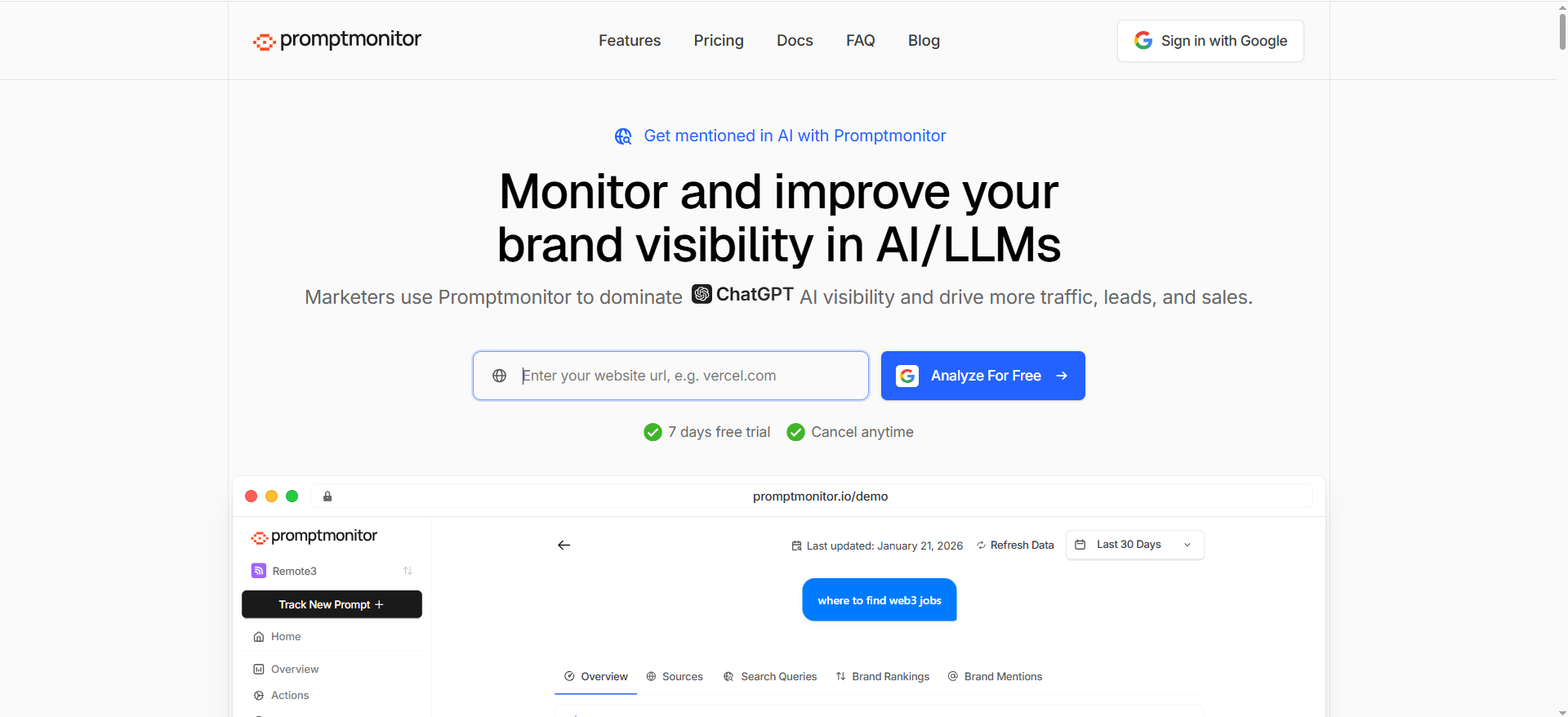
Promptmonitor is described as a platform focused on tracking brand visibility across major AI platforms/models, often framed around a “visibility score” approach and multi-platform coverage.
Why teams use it
Teams that want a simple, recurring signal (“are we showing up across models?”) may like a scoring-oriented UX. A third-party review describes an “AI Visibility Score (0–100)” concept that combines presence rate and cross-model consistency (as characterized by that review).
What it’s good for
- Score + consistency monitoring across models
- Quick brand mention checks for a recurring prompt set
- Early-stage tracking programs that need a single KPI-style metric
When it’s a good fit
- You want a “dashboardable” score for stakeholders
- You’re running a stable prompt pack and want to detect drift quickly
When it’s not a good fit
- You need deep SEO platform features or robust enterprise workflow
- You need highly customized analyses beyond what the product surfaces
How to use it (with prompt templates)
- Start with one pack (SaaS/eCom/Local).
- Add a small set of competitor names.
- Track weekly.
- When score drops, don’t panic—inspect the underlying prompt outputs:
- Did the AI change sources?
- Did your competitor publish something new?
- Did your own site change (pricing page, docs, product naming)?—run a quick check with site audit tools.
Key capabilities
- Multi-platform/model monitoring framing
- Score-based visibility concept (per third-party review)
Downsides / limitations
- A single score can hide why you’re losing visibility (always drill into prompts and citations)
- Some public descriptions come from third parties—confirm capabilities in-product before standardizing
What “prompt templates” mean for AI visibility (and why they win)
Most teams fail at AI visibility tracking because they treat prompts like ad hoc brainstorms.
Prompt templates are reusable, structured queries that match real buyer language. When you standardize them, you get:
- Comparable tracking over time
- Cleaner competitor benchmarks
- Faster diagnosis (“we lost visibility on comparison prompts, not discovery prompts”)
- A repeatable content/action plan (“we need a better ‘alternatives’ page, not more blog posts”)
Think of prompt templates as your AI-era version of:
- keyword sets,
- topic clusters,
- and conversion intent buckets (combined).
A good prompt library also forces you to confront what AI systems are doing: they synthesize answers from sources, and your job is to become a consistently cite-worthy, clearly positioned source.
The TRM workflow: prompt packs → tracking → action
This guide’s unique angle is “prompt packs by industry”—so you can copy/paste a library, import it into your tool, and start measuring immediately.
Step 1: Choose the right prompt pack size
- Starter (30 prompts): enough signal to see if you’re showing up
- Standard (60 prompts): enough coverage for discovery + comparison + purchase + support
- Advanced (120 prompts): multi-segment / multi-location / multi-product portfolios for GEO-ready visibility tracking.
Step 2: Tag prompts so data becomes actionable
Use tags like:
- Segment: SaaS / eCom / Local
- Funnel stage: Discovery / Comparison / Purchase / Support
- Theme: Pricing / Alternatives / Reviews / Implementation / “Near me”
- Geo (Local only): City / Neighborhood / Service area
Step 3: Track the right outputs (minimum viable AI visibility metrics)
At minimum, capture:
- Presence rate: are you mentioned?
- Citation rate: are you cited/linked as a source?
- Positioning quality: top recommendation vs “honorable mention”
- Consistency: does the recommendation hold across engines and reruns?
Step 4: Turn findings into fixes (the part most teams skip)
Common fixes that move the needle:
- Clarify category positioning on core pages (“We are X for Y”)
- Add comparison pages (Brand vs Competitor, Alternatives)
- Publish cite-worthy evidence assets (benchmarks, pricing tables, checklists).
- Clean up brand entity signals (consistent naming, product taxonomy, docs) using content engineering for AI search visibility.
Prompt Pack Library (Copy/Paste): SaaS, eCom, Local
How to use these templates? Replace placeholders like [CATEGORY] [BRAND] [COMPETITOR] [CITY] [USE CASE] [BUDGET] and import them into your AI visibility tool as your baseline prompt set (ideal for programmatic scaling).
Universal best practice (before the prompts)
To reduce volatility, keep:
- the same prompt phrasing month to month (don’t “improve” prompts mid-quarter),
- one canonical version per prompt for tracking,
- and (optionally) 1–2 variants for diagnostic runs (not for your main KPI trend).
SaaS prompt templates (copy/paste)
1) Discovery prompts (top-of-funnel)
- What is the best [CATEGORY] software for [USE CASE]?
- Best [CATEGORY] tools for [INDUSTRY] teams in 2026
- What [CATEGORY] tool should a [ROLE] choose for [GOAL]?
- Top [CATEGORY] platforms for companies with [TEAM SIZE] employees
- Best [CATEGORY] software for startups vs enterprise (recommendations)
- What’s the most reliable [CATEGORY] tool for regulated industries?
- Which [CATEGORY] tools integrate with [INTEGRATION]?
- Best [CATEGORY] software that’s easy to implement (low lift)
- Best [CATEGORY] tools with strong analytics and dashboards
- What are the most popular [CATEGORY] tools right now?
2) Comparison prompts (commercial investigation)
- [BRAND] vs [COMPETITOR] — which is better for [USE CASE]?
- Alternatives to [COMPETITOR] for [ROLE] teams
- If I’m switching from [COMPETITOR], what should I use instead?
- Best [CATEGORY] tools similar to [BRAND]
- Which is better: [BRAND] or [COMPETITOR] for [TEAM SIZE]?
- Compare [BRAND], [COMPETITOR 1], and [COMPETITOR 2]
- What’s the best [CATEGORY] tool for [INDUSTRY]: list top options and why
- Best [CATEGORY] tool for [USE CASE] with pros/cons
3) Pricing + procurement prompts (bottom-of-funnel)
- How much does [BRAND] cost? Is there a free plan?
- Is [BRAND] worth it for [TEAM SIZE]?
- What’s the cheapest [CATEGORY] tool that still works well?
- Best [CATEGORY] software under **[BUDGET]/month
- What are typical pricing tiers for [CATEGORY] tools?
- What should I ask in a demo for [CATEGORY] software?
- Which [CATEGORY] tools have SOC 2 / enterprise security features?
4) Use-case + workflow prompts (implementation intent)
- How do I implement [CATEGORY] software in a [TEAM TYPE] team?
- Best practices for onboarding [CATEGORY] tool for [ROLE]
- What KPIs should I track with [CATEGORY] software?
- Common mistakes when adopting [CATEGORY] tools
- How do I migrate from [COMPETITOR] to [BRAND]?
5) “Trust” prompts (reviews, reliability, support)
- Is [BRAND] reliable? What do users complain about?
- What are the pros and cons of [BRAND]?
- What’s the best-rated [CATEGORY] tool for customer support quality?
- Which [CATEGORY] tools have the best documentation?
- What are the most common [CATEGORY] tool issues and how do you avoid them?
eCommerce prompt templates (copy/paste)
1) Product discovery prompts
- Best [PRODUCT CATEGORY] for [USE CASE] (recommendations)
- What’s the best [PRODUCT CATEGORY] under [BUDGET]?
- Best [PRODUCT CATEGORY] for beginners vs experts
- Best [PRODUCT CATEGORY] for [SPECIAL REQUIREMENT] (e.g., sensitive skin, durability)
- Best [PRODUCT CATEGORY] brands in 2026
- What should I look for when buying [PRODUCT CATEGORY]?
2) Brand + product comparison prompts
- [BRAND] vs [COMPETITOR] — which is better and why?
- Alternatives to [BRAND] that are cheaper but similar
- Compare [BRAND] [MODEL] vs [COMPETITOR] [MODEL]
- What’s the best [PRODUCT CATEGORY] if I care most about [ATTRIBUTE]?
- Which [PRODUCT CATEGORY] has the best reviews for [ATTRIBUTE]?
3) “Where to buy” + trust prompts
- Where can I buy authentic [BRAND] [PRODUCT] online?
- Is [BRAND] legit? Are there counterfeits?
- What are common complaints about [BRAND] [PRODUCT]?
- Is [PRODUCT] worth it compared to alternatives?
4) Shipping/returns/service prompts (conversion-critical)
- What is [BRAND]’s return policy like?
- How long does [BRAND] shipping take to [COUNTRY/STATE]?
- Does [BRAND] offer warranty for [PRODUCT CATEGORY]?
- How do I choose the right size/model for [PRODUCT]?
- What’s the best [PRODUCT CATEGORY] for gifting?
5) Category-intent prompts (SEO-to-AI bridge)
- Best [PRODUCT CATEGORY] for [AUDIENCE] (kids, athletes, office workers)
- Best [PRODUCT CATEGORY] for [SEASON/EVENT] (summer, winter, wedding)
- Best sustainable/eco-friendly [PRODUCT CATEGORY]
- Best [PRODUCT CATEGORY] for [PROBLEM] (pain relief, storage, organization)
- What are the top 5 [PRODUCT CATEGORY] picks and why?
Local business prompt templates (copy/paste)
Local AI prompts often have higher volatility because they depend on location, proximity language, and platform data—so monitor and compare results with an AI visibility metrics framework. Keep your city/service-area tags clean.
1) “Near me” and intent-to-call prompts
- Best [SERVICE] near me (top recommendations)
- Best [SERVICE] in [CITY] for [USE CASE]
- Most trusted [SERVICE] provider in [CITY]
- Affordable [SERVICE] in [CITY] (but reliable)
- Emergency [SERVICE] in [CITY] open now
- Who’s the best [SERVICE] for [SPECIFIC PROBLEM] in [CITY]?
2) Reputation + trust prompts
- Which [SERVICE] company in [CITY] has the best reviews?
- What should I ask before hiring a [SERVICE] in [CITY]?
- Typical cost for [SERVICE] in [CITY]
- Red flags when choosing a [SERVICE] provider
3) Comparison prompts (local competitors)
- [BUSINESS NAME] vs [LOCAL COMPETITOR] — who is better for [USE CASE]?
- Best alternative to [LOCAL COMPETITOR] in [CITY]
- Compare top [SERVICE] providers in [CITY] and why
4) Specialty prompts (high-margin services)
- Best [SERVICE] for [NICHE] (e.g., “roof repair for flat roofs”) in [CITY]
- Best [SERVICE] for [AUDIENCE] (families, seniors, businesses) in [CITY]
- Best [SERVICE] that offers financing in [CITY]
- Best [SERVICE] with same-day availability in [CITY]
5) Multi-location prompts (if you serve multiple cities)
- Best [SERVICE] in [CITY 1]
- Best [SERVICE] in [CITY 2]
- Best [SERVICE] in [CITY 3]
- Best [SERVICE] in [NEIGHBORHOOD]
- Best [SERVICE] for commercial clients in [CITY]
Universal prompt variations (to reduce volatility without changing intent)
Use these as “diagnostic variants,” not replacements for your core tracking prompts:
- Add constraints: “for [TEAM SIZE],” “for [BUDGET],” “for [COUNTRY],” “for [INDUSTRY].”
- Add format requests: “List top 5 with pros/cons,” “Give a short comparison table,” “Include pricing considerations.”
- Add trust filters: “based on reputable sources,” “based on recent info,” “based on user reviews.”
Example variants for one prompt:
- “Best [CATEGORY] software for [USE CASE].”
- “Best [CATEGORY] software for [USE CASE] for [TEAM SIZE].”
- “Best [CATEGORY] software for [USE CASE] — list top 5 with pros/cons.”
How to choose the right tool (decision rules)
Use these quick rules to decide:
If you’re enterprise (multiple teams, markets, governance)
Choose Conductor or Profound when you need AI visibility measurement that can survive stakeholder scrutiny and fit into enterprise reporting/workflows (best paired with a SaaS SEO partner). Conductor publishes detailed guidance on AI visibility and AI prompt tracking strategy, which is often a signal of maturity for enterprise programs.
If you’re growth-stage SaaS or an agency proving ROI fast
Choose Akii for fast setup and visibility trend monitoring, and standardize your prompt packs before expanding scope with AI visibility SEO strategies.
If you want a prompt-library-first workflow with clear prompt allowances
Choose OtterlyAI if you want a self-serve, prompt-based model and you’re comfortable managing prompt count as a budget lever.
If you want a “score” view across models
Test Promptmonitor, but validate the underlying prompt outputs (don’t manage the business purely by the score).
How do I build prompt templates for SaaS vs eCommerce vs local businesses?
Building prompt templates is basically building a repeatable set of buyer-intent questions you can (1) track over time in AI visibility tools and (2) use to spot content gaps that affect whether you get mentioned or cited (a core part of SaaS content marketing).
The key is to stop thinking “random prompts” and start thinking prompt architecture:
- Same intent every time (so you can compare runs)
- Clear placeholders (so you can scale across products/locations)
- Tagged structure (so the results tell you what to do next) works best when you also follow a repeatable content audit checklist.
Below is a practical framework plus ready-to-use prompt-building rules for SaaS, eCommerce, and local businesses.
Step 1: Start with a prompt template “skeleton” (works for all industries)
Every high-signal prompt template has four parts:
- Intent type (discovery / comparison / purchase / support)
- Entity scope (category vs brand vs competitor vs local)
- Constraint (budget, features, audience, location, compliance, delivery, etc.)
- Output format request (optional: list, table, pros/cons, steps)
Universal skeleton formula
- Discovery: “Best [CATEGORY] for [USE CASE] (for [AUDIENCE])”
- Comparison: “[BRAND] vs [COMPETITOR] for [USE CASE] — which is better and why?”
- Purchase: “Best [CATEGORY] under [BUDGET] / with [FEATURE]”
- Support: “How do I [TASK] with [BRAND]?”
- Local intent: “Best [SERVICE] in [CITY] for [USE CASE]”
Rule: Keep the core sentence stable for tracking—this is the same logic behind evergreen content visibility in AI search. If you “improve wording” mid-quarter, you break trend comparisons.
Step 2: Build a prompt library using “clusters” (not one-offs)
Instead of listing 100 unrelated prompts, create clusters.
Cluster tags you should always use
- Segment: SaaS / eCom / Local
- Funnel: Discovery / Comparison / Purchase / Support
- Theme: Pricing, Alternatives, Reviews, Implementation, “Near me”, etc.
- Geo (Local): City / neighborhood / service area
This structure makes the results actionable:
- If visibility drops in Comparison prompts → you need alternatives/comparison pages.
- If you’re missing in Pricing prompts → your pricing page and structured info are weak.
- If you’re missing in Local “best in city” prompts → your location pages, GBP signals, and reviews content likely need work.
Step 3: Create placeholders that scale cleanly
Use placeholders so you can reuse the same template across products, categories, or locations.
Standard placeholders
- [CATEGORY] (SaaS category: “project management software”)
- [PRODUCT CATEGORY] (eCom: “running shoes,” “air fryer”)
- [SERVICE] (Local: “plumber,” “roof repair”)
- [USE CASE] (e.g., “remote teams,” “sensitive skin,” “emergency repair”)
- [AUDIENCE] (e.g., “startups,” “parents,” “small businesses”)
- [BUDGET] (e.g., “$50,” “$200/month”)
- [CITY] / [NEIGHBORHOOD]
- [BRAND] / [COMPETITOR]
Rule: Don’t over-parameterize. Too many placeholders = prompts that no longer resemble real searches.
SaaS: How to build prompt templates that actually map to buyers
SaaS prompts should mirror how buyers research:
- What are the best tools?
- What’s best for my use case/team size
- How does pricing work?
- How does it compare to what I’m using now?
- Is it secure / integrates / easy to implement?
SaaS prompt building rules (use these as your checklist)
1) Build 4 intent buckets
- Discovery (category)
- Comparison (brand vs competitor / alternatives)
- Purchase (pricing + procurement)
- Implementation (setup, migration, workflows)
2) Add B2B constraints that AI answers commonly emphasize
- team size (SMB vs enterprise)
- integrations (Salesforce, HubSpot, Slack, etc.)
- security/compliance (SOC 2, SSO, GDPR)
- role-based use case (RevOps, SEO manager, customer support lead)
3) Use these SaaS template formats
- Category leaderboards: “Best [CATEGORY] tools for [USE CASE]”
- Role-based: “Best [CATEGORY] for [ROLE] teams”
- Switching: “Alternatives to [COMPETITOR] for [USE CASE]”
- Procurement: “Best [CATEGORY] under [BUDGET] with [FEATURE]”
- Implementation: “How do I migrate from [COMPETITOR] to [BRAND]?”
Minimal SaaS starter pack (12 prompts you can build from)
- Best [CATEGORY] software for [USE CASE]
- Best [CATEGORY] for [INDUSTRY] teams
- Best [CATEGORY] for [TEAM SIZE] employees
- Best [CATEGORY] that integrates with [INTEGRATION]
- Best [CATEGORY] with strong reporting/analytics
- [BRAND] vs [COMPETITOR] for [USE CASE]
- Alternatives to [COMPETITOR] for [ROLE] teams
- Compare [BRAND], [COMPETITOR 1], [COMPETITOR 2]
- How much does [BRAND] cost? Is it worth it?
- Best [CATEGORY] under [BUDGET]/month
- How do I implement [CATEGORY] in a [TEAM TYPE] team?
- How do I migrate from [COMPETITOR] to [BRAND]?
eCommerce: How to build prompt templates that match shopping behavior
eCom prompts behave differently because buyers ask:
- What’s the best product for my need/budget?
- Which brand/model is better?
- Is this product legit or a scam
- Where do I buy it? What about warranty/returns?
- What specs matter?
eCom prompt building rules
1) Build around “product selection” first
Your biggest AI visibility wins often come from being recommended in product-selection prompts:
- “best [product] under $X”
- “best [product] for [problem]”
- “best [product] for [audience]”
2) Build comparison templates at the model/SKU level
AI answers often mention exact models. Use:
- “[BRAND] [MODEL] vs [COMPETITOR] [MODEL]”
3) Add conversion-killer themes
These prompts influence purchase decisions directly:
- returns, warranty
- authenticity/counterfeit concerns
- shipping time
- sizing/fit guidance
Minimal eCom starter pack (12 prompts)
- Best [PRODUCT CATEGORY] for [USE CASE]
- Best [PRODUCT CATEGORY] under [BUDGET]
- Best [PRODUCT CATEGORY] for [AUDIENCE]
- Best [PRODUCT CATEGORY] for [ATTRIBUTE] (durability, comfort, etc.)
- What should I look for when buying [PRODUCT CATEGORY]?
- [BRAND] vs [COMPETITOR] — which is better and why?
- Compare [BRAND] [MODEL] vs [COMPETITOR] [MODEL]
- Alternatives to [BRAND] that are cheaper but similar
- Is [BRAND] legit? Are there counterfeits?
- Where can I buy authentic [BRAND] [PRODUCT] online?
- What is [BRAND]’s return policy like?
- Does [BRAND] offer warranty for [PRODUCT CATEGORY]?
Local: How to build prompt templates that drive calls and foot traffic
Local prompts are the most “intent-heavy” and most likely to lead to a call or booking. They’re also more variable because location and proximity can change results.
Local prompt building rules
1) Always include geo-intent patterns
Use:
- “best [service] in [city]”
- “[service] near me
- “emergency [service] [city]”
- “open now”
- “same day”
2) Create prompts for high-margin specialties
Generic local prompts are crowded. Specialty prompts are where you can win:
- “best [service] for [specific problem] in [city]”
- “best [service] for commercial [city]”
- “best [service] that offers financing [city]”
3) Add trust + cost prompts
AI users often ask:
- “how much does it cost”
- “what should I ask”
- “red flags”
These influence who gets recommended.
Minimal local starter pack (12 prompts)
- Best [SERVICE] near me
- Best [SERVICE] in [CITY]
- Most trusted [SERVICE] provider in [CITY]
- Affordable [SERVICE] in [CITY] (reliable)
- Emergency [SERVICE] in [CITY] open now
- Best [SERVICE] for [SPECIFIC PROBLEM] in [CITY]
- Which [SERVICE] company in [CITY] has the best reviews?
- Typical cost for [SERVICE] in [CITY]
- What should I ask before hiring a [SERVICE] in [CITY]?
- Red flags when choosing a [SERVICE] provider
- [BUSINESS NAME] vs [LOCAL COMPETITOR] — who is better?
- Compare top [SERVICE] providers in [CITY] and why
Step 4: Add “stability controls” so your results are trackable
AI answers change. Your prompt library should minimize noise:
Do
- Keep one canonical version per prompt for reporting
- Use 1–2 variants per prompt only for diagnostics
- Keep placeholders consistent (same city spelling, same brand name formats)
Don’t
- Rotate different prompt wordings each run
- Add too many constraints at once (you’ll confuse the intent)
- Mix multiple intents in one prompt (“best + cheapest + fastest + in my city”)
Step 5: Turn prompt results into content actions (so it’s not just reporting)
Use this mapping:
- Missing in discovery prompts → build/strengthen “best [category]” and “what is [category]” pages + topical clusters
- Missing in comparison prompts → build “alternatives” and “vs competitor” pages
- Missing in pricing prompts → strengthen pricing page + pricing FAQ + transparent feature tables
- Missing in implementation prompts → build docs, onboarding guides, migration pages
Missing in local prompts → build location pages + service pages + review proof + “cost in [city]” pages


