
Most B2B teams should start with company-level website visitor identification from Dealfront, Leadinfo or Snitcher, not a person-level tool, because company-level data is easier to defend under GDPR and still gives sales a named account to chase. Pick RB2B only for US-heavy traffic, and Warmly only with an annual budget of $10,000 or more.
That holds when most of your traffic comes from business visitors and your CRM is one the tool connects to natively.
No vendor in this list publishes a tested match rate, so run a trial on your own traffic before you commit.
If the real problem is that too few of the right companies reach your site, fix that before you buy anything on this list. The GEO + SEO Growth Programme is how we handle it.
📋 Get Listed / Advertise
We update this guide monthly. Want your tool featured? Contact: [email protected].
Website Visitor Tracking Software At A Glance
Five tools, and each one wins on a different axis. Dealfront wins on a free start and stated EU hosting, Leadinfo on contact data at the entry plan, Snitcher on small-volume pricing, RB2B on US person-level leads and Warmly on large-budget orchestration. The table puts them side by side, in the same order as the sections below. There is no match-rate column, because no vendor in this list publishes a tested one.
| Tool | Identification Level | Entry Price As Printed | Free Tier Or Trial | Named CRMs | EU Hosting Stated |
|---|---|---|---|---|---|
| Dealfront (Leadfeeder) | Company-level; contact data through credits from Activate | Lite free; Discover from EUR 79 per month billed annually | Free Lite plan; 14-day trial on paid plans | HubSpot, Salesforce, Pipedrive | Yes, AWS Ireland |
| Leadinfo | Company-level, with contact data included from Starter | Starter from EUR 69 per month, billed monthly | 14-day trial; no free tier | HubSpot and Dynamics on Scale; Salesforce and Marketo on Pro | Not stated on the Leadinfo pricing and GDPR pages read |
| Snitcher | Company-level; person-level Identity Layer on Platform | $49 for 0 to 50 companies identified per month; currency code and billing basis not stated | 14-day trial; no free tier | HubSpot, Salesforce, Pipedrive | Yes, AWS Frankfurt |
| RB2B | Company-level on every plan; person-level for US visitors only | Free at $0; Starter $79 per month, monthly billing only | Free plan; 7-day Pro trial | HubSpot and Salesforce on Pro and above | Not stated on the RB2B pricing page read |
| Warmly | Contacts and companies | From $10,000 per year | No free tier or trial stated | None named on the pricing page | No; privacy policy states US processing |
Prices come from each vendor's own page, which you can check yourself on the pricing pages for Dealfront, Leadinfo, Snitcher, RB2B and Warmly. Vendors change plans often, so read the page before you budget.
1. Dealfront (Leadfeeder): Best For European Teams Starting Free
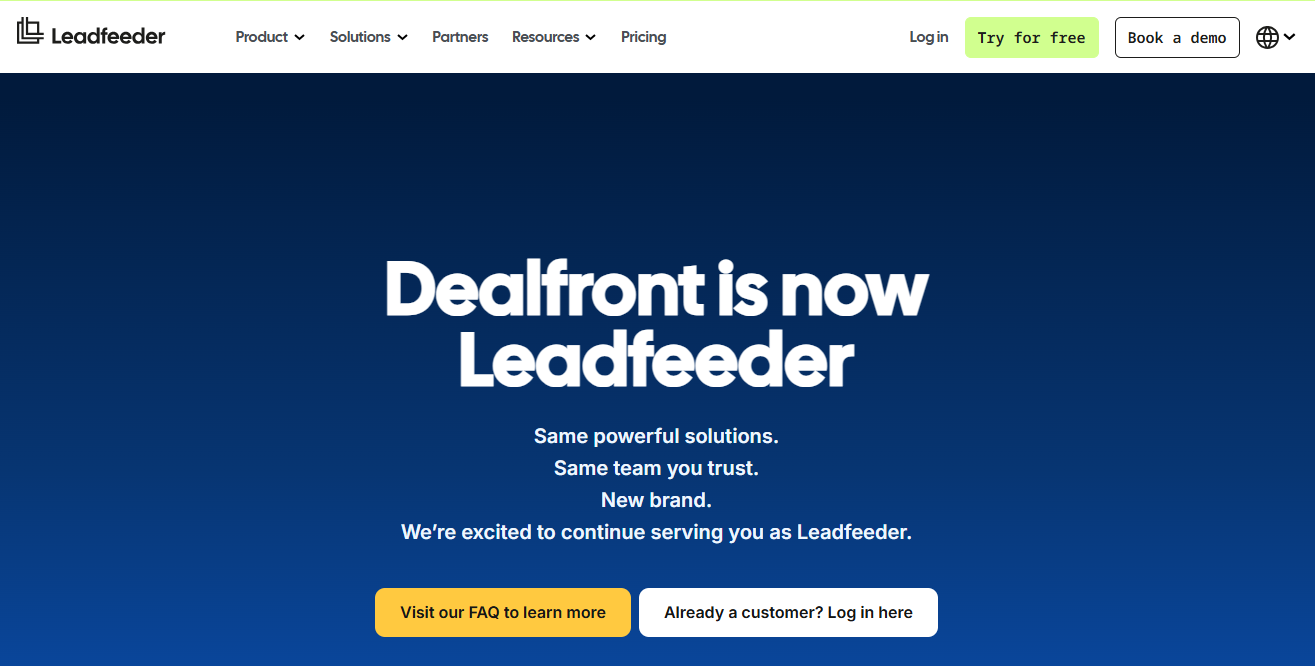
Dealfront suits European B2B teams that want a free start and a vendor that says where its data lives. It names companies, not individual people, and its Lite plan lets you test that before you pay anything.
Dealfront publishes its product under the Leadfeeder name, and its pricing page now sits on the leadfeeder.com domain. The old dealfront.com/pricing address redirects there. The page describes company-level identification and does not say individual website visitors are identified. Contact data is a separate layer. The Activate plan adds it through credits, covering work emails, job titles and direct dials.
The buyer is a marketing or sales team in or selling into Europe that wants named accounts in HubSpot, Salesforce or Pipedrive, and wants a vendor stance on hosting and legal basis it can show to a data protection officer.
Pricing: The plans below come from Dealfront's own pricing page. Every paid plan is limited by a monthly company cap, so the entry price buys a ceiling, not unlimited identification.
| Plan | Price | Billing Basis | What Is Included |
|---|---|---|---|
| Lite | Free | No end date | Last 100 companies per month |
| Discover | From EUR 79 per month; EUR 113 billed monthly | Annual or monthly | Company-level identification up to the plan's monthly company cap |
| Activate | From EUR 369 per month; EUR 527 billed monthly | Annual or monthly | Adds contact data through credits (work emails, job titles, direct dials) |
| Scale | From EUR 599 per month | Annual only | Company-level identification up to a higher plan cap |
| Enterprise | Custom | Custom | Quoted by the vendor |
- Free tier: Lite is free with no end date and shows the last 100 companies per month.
- Trial: New sign-ups get 14 days of full access first, and paid plans carry a 14-day free trial with no card required.
- Hosting and legal basis: Dealfront states its servers and data are hosted and processed on Amazon Web Services in Ireland. It also states it processes personal data on legitimate interest under Article 6(1)(f) GDPR, supported by a balancing test, and its GDPR page says customers must assess their own legal basis.
Strengths:
- A free plan with no end date, which almost nobody else on this list offers.
- Hosting is stated in plain words, AWS Ireland, so a European buyer has something to point at.
- Three named CRM integrations, HubSpot, Salesforce and Pipedrive, cover most mid-market stacks.
- A legitimate-interest position backed by a stated balancing test.
Trade-offs:
- Lite shows only the last 100 companies per month, so it is a test bed, not a working pipeline.
- Contact data costs credits and starts at Activate, which is EUR 369 per month billed annually.
- Each plan is capped by a monthly company count, so a busy site can outgrow a tier fast.
- The pricing page is silent on match rate.
Key capabilities:
- Company-level visitor identification.
- Contact data through credits on Activate.
- CRM integrations with HubSpot, Salesforce and Pipedrive.
- AWS Ireland hosting and a published legitimate-interest basis.
- A 14-day trial on paid plans.
- Good fit: A European or EU-selling team that wants a free way to see which companies visit before it commits budget.
- Not a fit: A team that needs named individuals from day one, because the pricing page describes company-level identification only.
The limitation that matters most is the Lite cap of 100 companies a month, and the vendor page says nothing about match rate, so you cannot judge how many of your visits Dealfront will name until you try it.
2. Leadinfo: Best For Teams Needing Contact Data On A Starter Plan
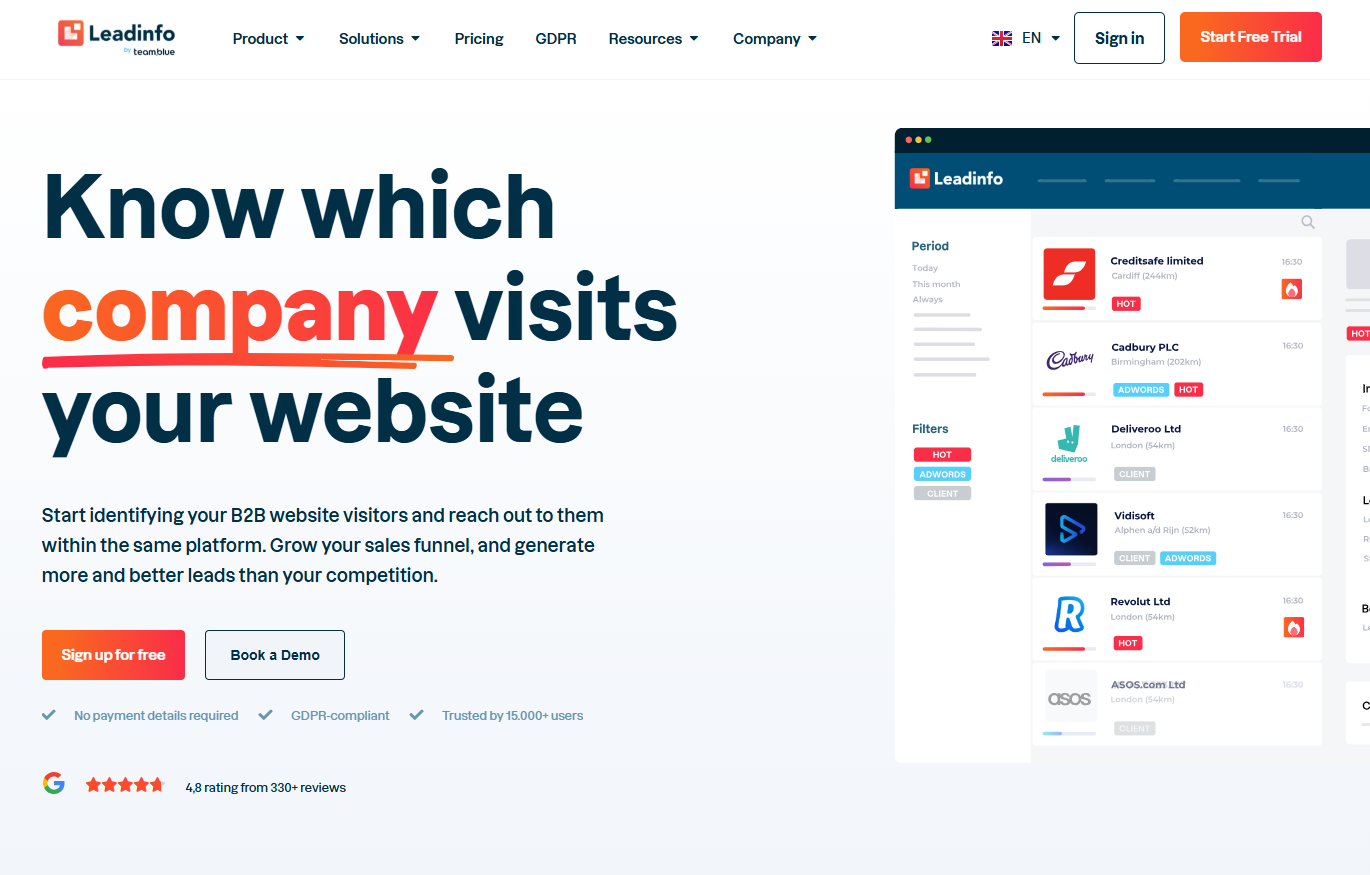
Leadinfo suits teams that want a named contact, not just a company name, without moving up a plan. Its Starter plan already includes LinkedIn profiles, emails and phone numbers, which is rare at this price.
It identifies companies and attaches person-level contact data to them. Personal mobile numbers arrive on Pro. The company states on its pricing page that use of Leadinfo is legal under the GDPR, and its GDPR page sets out the position in more detail.
The buyer is a small or mid-sized B2B team in Europe that wants a contact to call after a company shows up, and does not want to pay for a second data tool on day one. Price rises with the number of companies identified, so the plan is chosen twice, once for features and once for volume.
Pricing: The plans below come from Leadinfo's own pricing page. Tier bands on the page are approximate, and prices are billed monthly.
| Plan | Price | Billing Basis | CRM Unlocked |
|---|---|---|---|
| Starter | From EUR 69 per month for 0 to 50 companies; EUR 99 for 51 to 100 | Monthly | 67 free integrations, unnamed, manual sending only |
| Scale | From EUR 159 per month for 0 to 250 companies; up to EUR 539 for 4,001 to 5,000 | Monthly | HubSpot and Microsoft Dynamics |
| Pro | From EUR 359 per month for 0 to 500 companies; up to EUR 889 for 4,001 to 5,000 | Monthly | Salesforce and Marketo; personal mobile numbers |
- Free tier: None. Leadinfo offers a 14-day trial instead.
- Contact data: LinkedIn profiles, emails and phone numbers are included from Starter.
- GDPR position: Leadinfo states its basis is its own legitimate interest under Article 6(f) GDPR, that the IP address is personal data under the GDPR, that IP addresses are not kept, and that only general business information about companies is provided to users. The hosting location is not named on the pages read.
Strengths:
- Contact data from the entry plan, not as a paid add-on.
- A plain statement that IP addresses are not kept.
- A published position that the IP address counts as personal data, which is more candid than most vendors manage.
- A clear ladder from Starter to Pro, so you can see what each step unlocks.
Trade-offs:
- No free tier, so the 14-day trial is your only free look.
- Price climbs with identified companies, up to EUR 889 per month on Pro at the 4,001 to 5,000 band.
- Hosting is not named on the pages read, which weakens the answer for an EU compliance review.
- Starter's 67 integrations are unnamed and manual only.
Key capabilities:
- Company-level identification with person-level contact data.
- Personal mobile numbers on Pro.
- HubSpot and Dynamics on Scale, Salesforce and Marketo on Pro.
- A 14-day trial.
- Good fit: A HubSpot or Dynamics team that wants contact data included and can live on Scale.
- Not a fit: A Salesforce team on a tight budget, because Salesforce sync sits on Pro at EUR 359 per month and up.
The limitation that matters most is that CRM automation is gated by plan, so a Salesforce team pays for Pro.
3. Snitcher: Best For Low-Volume Sites And Agencies On A Budget
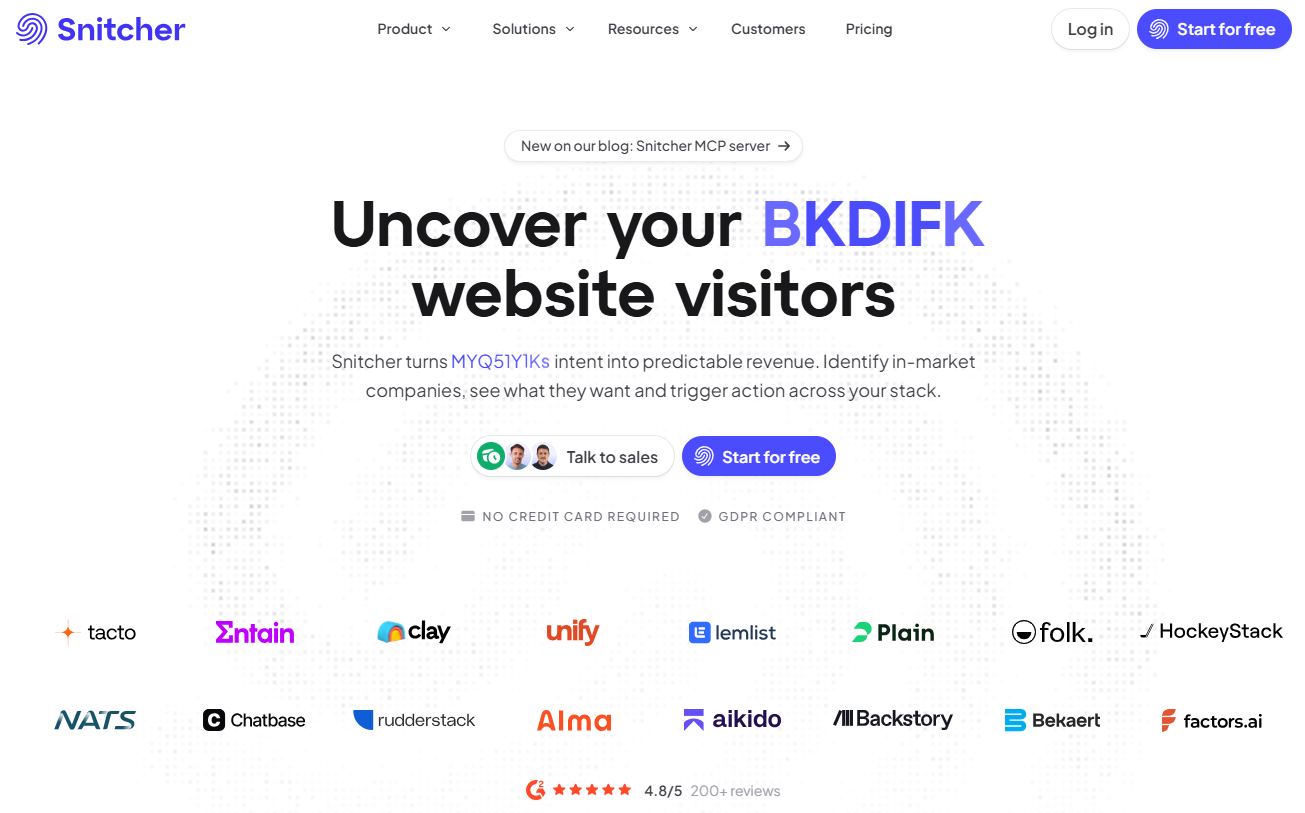
Snitcher suits low-volume sites and agencies that need company-level identification without a large commitment. It prices by the number of companies identified each month, so a small site pays a small number.
The core offer is company-level identification. The Platform plan adds a person-level layer called Identity Layer, and contact details appear only when you choose to reveal them. That reveal step keeps the personal-data exposure in your hands rather than the tool's.
The buyer is a small team, an agency running several client sites, or a sales-led SaaS with modest traffic. The price starts low and steps up in bands, so you can read the cost of growth straight off the page.
Pricing: The tiers below come from Snitcher's own pricing page, shown at the entry, middle and top published bands. The page prints a dollar symbol but no currency code, and it does not make clear whether the tier figures are monthly or annual. It says annual billing is about 30 percent cheaper.
| Band | Companies Identified Per Month | Price As Printed | Billing Basis |
|---|---|---|---|
| Entry | 0 to 50 | $49 | Not clear on the page; annual about 30 percent cheaper |
| Middle | 751 to 1,000 | $229 | Not clear on the page; annual about 30 percent cheaper |
| Top published | 4,001 to 5,000 | $529 | Not clear on the page; custom above 5,000 |
- Free tier: None. Snitcher offers a 14-day free trial with full access and no credit card.
- CRM: The Platform plan lists HubSpot, Salesforce and Pipedrive, and the FAQ names Zoho, Dynamics, Attio and Close.
- Hosting and legal basis: Snitcher's help article states collected data goes to infrastructure on AWS in Frankfurt, Germany (eu-central-1), and that processing rests on legitimate interest under Article 6(1)(f) GDPR. The pricing page shows a GDPR Compliant badge and an ISO 27001 In Progress badge.
Strengths:
- The lowest priced entry band among the paid plans here.
- Hosting in Frankfurt is stated by the vendor.
- Person-level contact details appear only on reveal, which keeps the exposure deliberate.
- Ten published priced bands before custom pricing, so cost scales in small steps.
Trade-offs:
- No free tier, only the 14-day trial.
- The billing basis of the tier prices is not clear on the page.
- The currency code is not printed, so confirm it before you sign.
- ISO 27001 is marked in progress, not complete.
Key capabilities:
- Company-level identification priced by companies identified per month.
- Identity Layer for person-level identification on Platform.
- HubSpot, Salesforce and Pipedrive on Platform.
- AWS Frankfurt hosting and a legitimate-interest basis.
- Good fit: An agency or a low-volume site that wants named companies from a small, predictable plan.
- Not a fit: A team that wants a permanently free plan, or one that needs a signed ISO 27001 certificate before it can buy.
The limitation that matters most is the missing free tier combined with no published match rate, so the 14-day trial has to answer the question the page cannot.
4. RB2B: Best For US-Heavy Traffic And Person-Level Leads
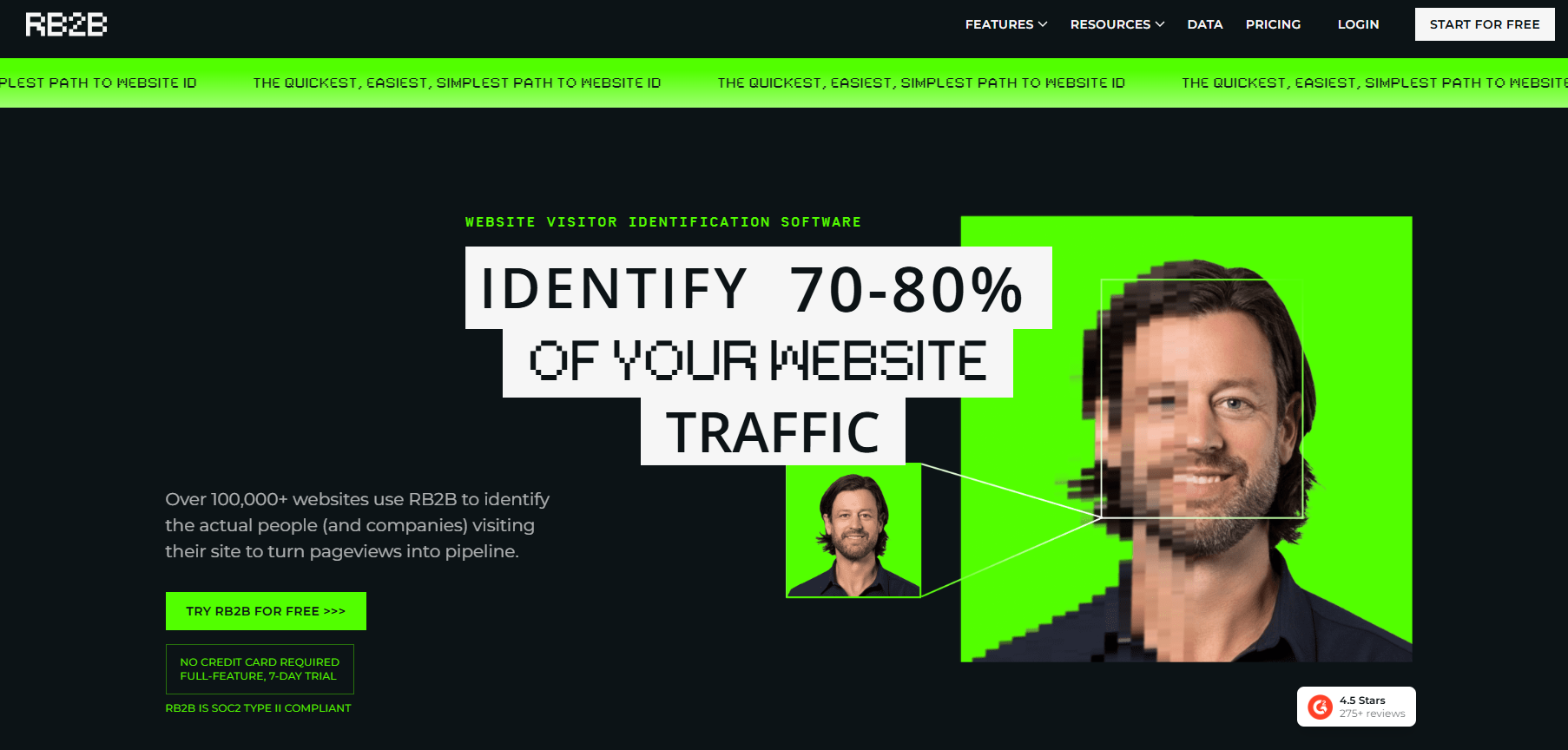
RB2B suits teams whose traffic is mostly American, because its person-level identification works for US visitors only. Outside the US it is a company-level tool.
The free plan gives 150 company-level resolutions a month. Company-level identification is on every plan. Person-level identification starts on Starter and covers US visitors only. RB2B states coverage of 15 to 20 percent on Starter and Pro and 35 to 45 percent on Pro+, and it gives no method for those figures. Read them as the vendor's own statement and nothing more.
The buyer is a US-focused B2B team that wants a named person to message, not just a company, and is comfortable owning the legal decision that comes with person-level data.
Pricing: The plans below come from RB2B's own pricing page. Billing is monthly only. The page prints a dollar symbol and no currency code.
| Plan | Price | Billing Basis | Identification Level |
|---|---|---|---|
| Free | $0 per month | Monthly | Company-level, 150 resolutions |
| Starter | $79 per month | Monthly | Company-level plus person-level for US visitors only, 300 resolutions |
| Pro | From $149 per month | Monthly | Company-level plus person-level for US visitors only, 600 to 2,500 resolutions |
| Pro+ | From $199 per month | Monthly | Company-level plus person-level for US visitors only; vendor-stated coverage 35 to 45 percent |
- Free tier: A free plan with no end date.
- Trial: A 7-day Pro trial.
- Integrations: Pro and Pro+ list HubSpot and Salesforce, Clay, Zapier, Webhook, Apollo and CSV export, and Slack and Teams are listed too.
- Hosting and legal basis: EU hosting is not stated on the pricing page, and a GDPR page was not located.
Strengths:
- A real free plan with no end date.
- The lowest-priced plan on this list that names US visitors as individuals, at $79 per month.
- A wide integration list on Pro, including Clay, Zapier and Apollo.
- Vendor-stated coverage figures are printed, even if the method is not.
Trade-offs:
- Person-level identification is US only, so it does little for European traffic.
- Billing is monthly only, with no annual saving shown.
- EU hosting is not stated and the GDPR page was not located.
- CRM sync sits on Pro and above, so Starter users export by hand.
Key capabilities:
- Company-level identification on all plans.
- Person-level identification for US visitors from Starter.
- HubSpot, Salesforce, Clay, Zapier, Apollo, Slack and Teams on higher plans.
- A free plan and a 7-day Pro trial.
- Good fit: A US-focused sales team that wants to message named people who visited.
- Not a fit: A team with EU-heavy traffic, because person-level identification does not cover those visitors and the hosting position is not stated.
The limitation that matters most is that person-level identification is US only.
5. Warmly: Best For Teams With An Annual Budget Above $10,000
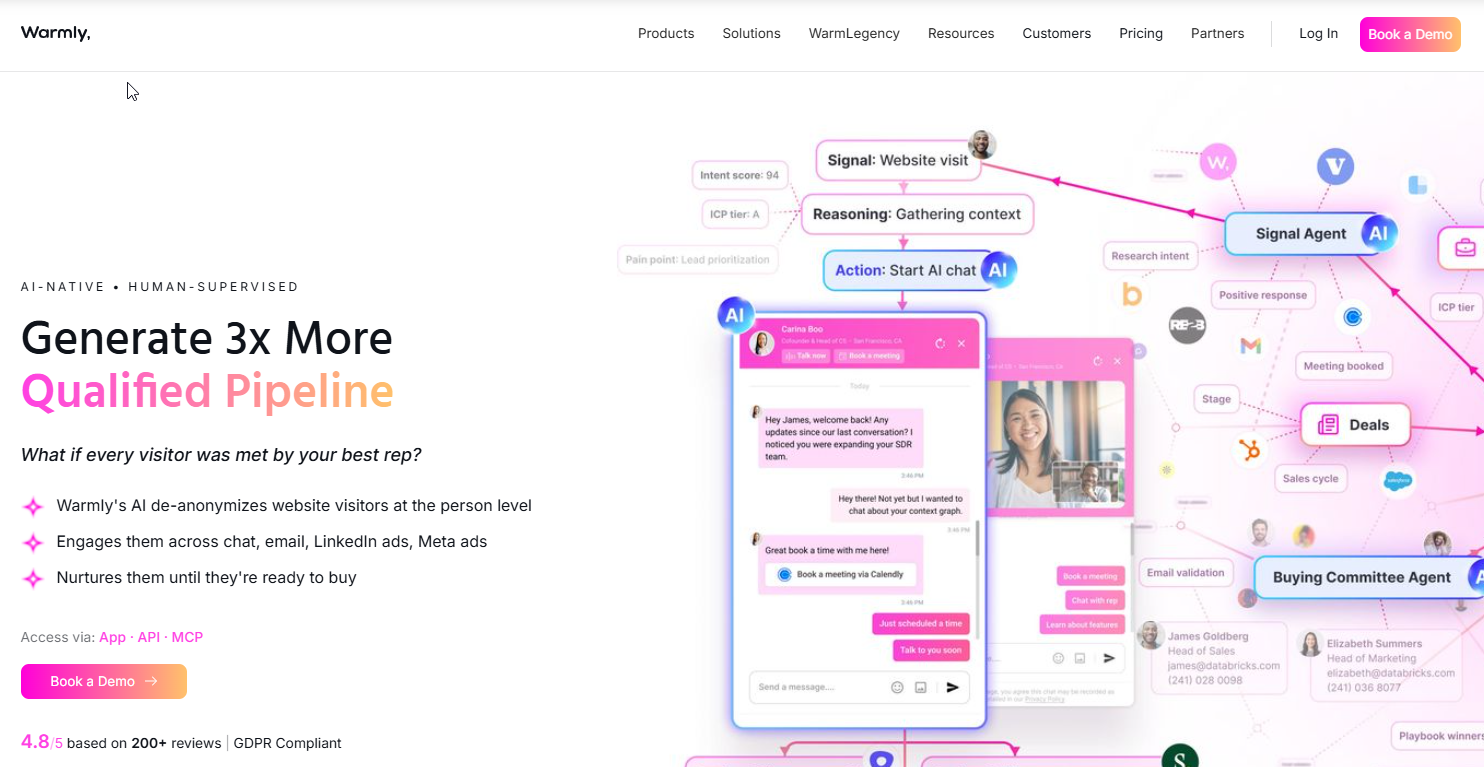
Warmly suits teams with an annual budget of $10,000 or more that want identification bundled with inbound chat and automation. Below that number it is the wrong shop. Everything on its pricing page starts at five figures a year.
Its entry product is AI Web-Deanonymization, covering contacts and companies. Inbound Chat and AI Inbound Autopilot sit above it. Two add-ons, the GTM Signals Package and Warm Experiences, cost $10,000 a year each.
The buyer is a funded growth or revenue team that wants identification wired into chat and outbound, and has a person who will run it. It is the only tool here sold on annual contracts alone.
Pricing: The figures below are annual, taken from Warmly's own pricing page. Billing is annual with a 30 percent saving toggle. The page prints a dollar symbol and no currency code. Quarterly figures on the page do not reconcile with the annual ones, so they are left out here.
| Plan | Price | Billing Basis | What Is Included |
|---|---|---|---|
| AI Web-Deanonymization | From $10,000 per year | Annual | Contacts and companies |
| Inbound Chat | From $20,000 per year | Annual | Not described in the sources read |
| AI Inbound Autopilot | From $30,000 per year | Annual | Not described in the sources read |
- Add-ons: The GTM Signals Package and Warm Experiences are $10,000 per year each.
- Free tier and trial: The pricing page states no free tier and no trial.
- Hosting: Warmly's privacy policy says the company is located in the United States and has service providers in the United States and potentially other countries. It names no EU hosting or residency option.
Strengths:
- Identification, chat and automation under one contract.
- Contacts and companies in the entry product.
- A published annual price, so the budget conversation can start before a sales call.
- A 30 percent saving toggle on annual billing.
Trade-offs:
- Five figures a year before add-ons.
- No free tier and no trial stated.
- No CRM is named on the pricing page, which mentions CRM sync and 40+ integrations only in general.
- Data is processed in the United States with no EU residency option stated.
Key capabilities:
- AI Web-Deanonymization for contacts and companies.
- Inbound Chat and AI Inbound Autopilot as higher tiers.
- Add-ons for signals and on-site experiences.
- CRM sync described as part of 40+ integrations.
- Good fit: A team with $10,000 or more a year that wants identification feeding live chat and outbound.
- Not a fit: A small team, an EU-compliance-led team, or anyone who needs a trial before signing.
The pricing page does not say which CRMs connect and offers no trial, and that is the limitation that matters most.
📋 Get Listed / Advertise
We update this guide monthly. Want your tool featured? Contact: [email protected].
What Website Visitor Tracking Is And How Identification Differs
Website visitor tracking is the umbrella term for any method of recording who visits a site and what they do there. Most of what people mean by it is web analytics. A smaller, more valuable slice is identification, and that is what this page covers.
Website visitor identification names the company, and sometimes the person, behind a visit to a website. Web analytics counts and describes sessions without naming anyone. Website visitor identification answers who came, and web analytics answers how many came and what they did.
Analytics tells you the pricing page had 400 sessions. Identification tells you three of those sessions came from companies on your target list. Those are different questions, and one tool rarely answers both well.
The main kinds of visitor tracking are these.
- Web analytics: Counts sessions, sources and conversions.
- Behaviour maps and recordings: Show where people click and scroll, and replay sessions.
- Visitor information: Describes the visitor, such as the company behind the visit.
- Known-lead tracking: Follows a person you already know across visits and pages.
The benefits depend on who reads the data. Marketing sees which campaigns bring target accounts, not just clicks. Sales gets a named account to chase while interest is fresh. UX teams use recordings and maps to find where visitors give up. Retargeting uses the visit as a signal for later ads.
This page is about the identification kind. Standard analytics and ad-retargeting pixels are out of scope. They answer other questions, and a team that needs them should keep them alongside any tool in the list above. Sibling guides on narrower slices carry their own vendor tables, so this section does not repeat them.
How Website Visitor Identification Works
The mechanism is simple, and knowing it helps you ask vendors sharper questions. It runs in four steps.
- A script on the website captures the visit and the visitor's IP address.
- The tool matches that IP address against a company database.
- The tool returns a company record to the dashboard or CRM.
- On some plans, a second data source attaches a named contact to the company.
Cookies and scripts add detail on top of that. A script records which pages a visitor viewed and for how long, and a cookie lets the tool recognise a returning browser. Cookies and fingerprinting used for identification fall under cookie-consent rules in the EU, while identification that sets no cookie avoids that step.
What comes back depends on the plan. Company-level records usually carry the company name, size, sector and location. Some plans add contact details such as an email or a phone number.
Person-level identification needs a separate source. Tools usually match a visitor's IP address to a company database, and person-level identification comes from a different data source and matches less often than company-level. That is why most vendors sell company-level as the default and person-level as an add-on.
On privacy, two vendor statements are worth knowing. Leadinfo states that IP addresses are not kept and that the IP address is personal data under the GDPR. Take those as one vendor's position, not an industry rule.
Company-Level Versus Person-Level Identification
The rule is short. Company data is not personal data, and a named person at that company can be.
| Level | What It Returns | Legal Exposure | Offered By |
|---|---|---|---|
| Company-level | Company name, size, sector and location | Lower, because company information sits outside personal-data rules | Dealfront, Leadinfo, Snitcher, RB2B and Warmly |
| Person-level | A named individual with job title, email or phone | Higher, because information about a person at a company can be personal data | RB2B (US visitors only), Leadinfo, Warmly, Dealfront (contact data by credit from Activate) and Snitcher (details shown on reveal) |
Most vendors sell company-level as the default and person-level as an add-on or a region-limited feature. RB2B limits person-level to the US. Dealfront sells contact data by credit from Activate. Snitcher shows contact details only when you reveal them. Leadinfo and Warmly include contact data in their products. In general terms, person-level matches less often than company-level, so a person-level promise should be tested harder, not taken at face value.
For a sales team the practical difference is the next step. A company name tells a rep which account to research. A contact tells a rep who to message today. If you only need the first, you carry less legal risk and pay less. If you need the second, you are choosing a data source as much as a tracking tool, and our comparison of B2B data providers is the place to start.
Is Website Visitor Identification Legal Under GDPR?
Yes, in most cases, with a condition. Company-level identification is generally treated as outside personal-data rules, because EU Recital 14 says the Regulation does not cover the processing of personal data concerning legal persons, including a company's name, legal form and business contact details. Person-level identification and IP handling are different, and the usual legal basis is legitimate interest.
The UK position is close but separate. Information about a company is not personal data under UK GDPR, while information about an individual who works at a company, such as a name plus a corporate email, can be. That is the UK position, not the EU's.
The legal basis most vendors rely on is legitimate interest. Article 6(1)(f) lets a controller process personal data for its legitimate interest unless the data subject's own interests or rights override it. That override is the catch, and it is why a balancing test matters. The stakes are real, because Article 83 sets the maximum fine for the most serious infringements at 20 million euro or 4 percent of worldwide annual turnover, whichever is higher.
Cookies and fingerprinting are a separate layer. They fall under cookie-consent rules in the EU, so a tool that sets a cookie needs a consent step that a cookie-free method avoids.
Each vendor states a different position. The table shows what each says about hosting and legal basis, and "not stated" means the pages read were silent.
| Vendor | Hosting Stated | Legal Basis Stated |
|---|---|---|
| Dealfront | AWS Ireland | Legitimate interest under Article 6(1)(f), with a balancing test |
| Leadinfo | Not stated on the pages read | Legitimate interest under Article 6(f); IP address described as personal data |
| Snitcher | AWS Frankfurt (eu-central-1) | Legitimate interest under Article 6(1)(f) |
| RB2B | Not stated; GDPR page not located | Not stated on the pricing page |
| Warmly | United States, per the privacy policy | Not stated on the pages read |
Those positions come from the vendors' own pages, namely Dealfront's GDPR page, Leadinfo's GDPR page, Snitcher's help article and Warmly's privacy policy.
This is not legal advice. Each customer must assess its own legal basis, as Dealfront's page says, and a data protection officer should sign off before you switch a person-level tool on.
How To Evaluate Visitor Identification Software
Start with the criteria you can read off a vendor page. Then run a test, because the one number you want, match rate, is the one nobody publishes.
- Identification level: Decide whether you need company-level only, or named people too.
- CRM fit by plan: Check which CRM unlocks at which plan, because Leadinfo gates it by tier.
- Hosting and legal basis: Ask where data is processed and which basis the vendor relies on.
- Price basis: Companies identified, resolutions or an annual contract change what you are really buying.
- Trial length: Dealfront, Leadinfo and Snitcher offer 14 days, RB2B offers a 7-day Pro trial and Warmly states none.
- Opt-out handling: Ask how a visitor opts out and how the tool honours it.
No vendor in this list publishes a tested match rate. The only disclosed-sample test found is a vendor test. Factors.ai reports 64 percent company-level identification from its own test on 20,000 IP addresses. The sample is disclosed, the vendor ran the test, and no independent test was found. Do not use that figure to rank the five tools above. It is a reason to run your own.
Here is the method. Your site is the only sample that matters.
- Pick two tools and start both trials on the same day, so each sees the same traffic.
- Install both scripts on the same site for the full trial window, which is as short as 7 days for RB2B.
- Export both company lists when the trials end.
- Collect the companies that filled in a form or booked a call during the same window.
- Check each tool's list against those known companies and count how many each one found.
- Compare the two counts and the cost per identified company, using the formula in the section on when the purchase does not pay.
When the two lists disagree, trust the one that found more of your known visitors and keep the other trial running a few extra days if the vendor allows it. Disagreement is the normal result. It tells you which tool sees your traffic and which does not.
How To Choose: Which Tool Fits Which B2B Team
The rule is to pick on the constraint you cannot change, then test the rest. Hosting, CRM and traffic origin are fixed. Price and features can move.
| Team Type | Pick | Reason | What Would Change The Pick |
|---|---|---|---|
| EU-compliance-led team | Dealfront | States AWS Ireland hosting and has a free Lite plan | A need for named contacts on a small budget points to Leadinfo |
| HubSpot or Dynamics team wanting contact data | Leadinfo Scale | Contact data from Starter and HubSpot and Dynamics on Scale | A Salesforce stack means Leadinfo Pro or Dealfront |
| Agency or low-volume site | Snitcher smaller tiers | Entry band starts at $49 for 0 to 50 companies | A need for a permanent free plan points to Dealfront Lite |
| US-heavy traffic wanting people | RB2B | Person-level identification for US visitors from $79 per month | Any large share of EU traffic removes the advantage |
| Large budget wanting inbound orchestration | Warmly | Identification bundled with chat and automation | No annual budget of $10,000 rules it out |
Where the choice is undecided, test. A HubSpot team choosing between Dealfront and Leadinfo should run the two trials in parallel. An agency choosing between Snitcher and Dealfront Lite should compare the lists on one client site.
Narrower segment guides, such as HubSpot-only, B2C, free and GDPR-only, each cover a single constraint. This page does not replace them, and it will not pretend one tool wins all of them.
Identification is also not the only use of an identified company. If the goal is changing what a known account sees, website personalization tools are the next step. If your site is too small for identification to work, customer messaging platforms give visitors a way to raise a hand themselves.
Identification only tells you who came. The pages they land on decide whether they stay, and that is the work our SaaS content marketing service covers. See what it includes and whether it fits.
When Website Visitor Identification Is The Wrong Tool
Skip identification when one of these three conditions is true.
- Too few business visits: A site with too few business visits has nothing to name, and the tool will sit idle.
- Mostly consumer traffic: Traffic that is mostly consumer gives a company database nothing to match against.
- No process to act: A team with no process to follow up on a named account within days is paying for a list nobody uses.
A fourth case is a buyer who really needs an account-based marketing platform. Vendr's data puts the median 6sense contract at USD 62,220, and Vendr's Demandbase data puts the median at USD 68,591. That tier is a different budget and a different decision.
Before you buy, run the arithmetic. The formula is monthly price divided by companies actually identified, which gives the cost per identified company. The denominator is the number of companies the tool really names on your traffic, not the cap on the plan.
Here is the example, using published entry tiers and an assumed 20 companies identified in a month.
- Snitcher: The entry band on its pricing page is $49 for 0 to 50 companies. At 20 companies identified, $49 divided by 20 is $2.45 per company. The page does not state the billing basis.
- Leadinfo: Starter on its pricing page is from EUR 69 for 0 to 50 companies. At 20 companies identified, EUR 69 divided by 20 is EUR 3.45 per company.
- Dealfront: Discover on its pricing page is from EUR 79 per month billed annually. At 20 companies identified, EUR 79 divided by 20 is EUR 3.95 per company.
The twenty is an assumption, so replace it with the number your trial produces. The result matters because it exposes the real cost. If your cost per identified company is higher than the value of the meeting it might produce, identification is the wrong purchase.
If the real problem is too little traffic, the fix is traffic. That means content and search work, and our guide on demand generation tools covers the tooling side. For the search side, it helps to get cited in AI answers.
How Much Website Visitor Identification Software Costs
Three pricing models cover the five tools. Snitcher, Leadinfo and Dealfront price by companies identified per month. RB2B prices by resolutions. Warmly prices by annual contract.
| Tool | Price Model | Entry Price As Printed |
|---|---|---|
| Dealfront (Leadfeeder) | Plan with a monthly company cap | Lite free; Discover from EUR 79 per month billed annually |
| Leadinfo | Companies identified per month | Starter from EUR 69 per month |
| Snitcher | Companies identified per month | $49 for 0 to 50 companies; billing basis not stated |
| RB2B | Resolutions per month | Free at $0; Starter $79 per month |
| Warmly | Annual contract | From $10,000 per year |
Each entry price is as printed on the vendor's own page, namely Dealfront, Leadinfo, Snitcher, RB2B and Warmly. Prices change, and these are the figures as read from those pages.
Account-based platforms sit in another bracket. Vendr reports a median annual contract of USD 62,220 for 6sense, based on 386 purchases in February 2026. Vendr also reports a median of USD 68,591 for Demandbase, based on 187 purchases in February 2026. Those are medians for a different class of product, and they show how far a five-figure Warmly contract still is from the top of the market.
What To Do With The Companies You Identify
Your sales operations lead routes each named account into the CRM the tool connects to, so the visit appears on a record a rep already owns. A rep then enriches the account with a named contact before writing a word. The owner of the account decides who follows up and how fast, because a visit loses value with every day it sits.
Enrichment is where most teams stall. Start with our guide to B2B sales intelligence tools for account research and scoring. Then look at tools for finding B2B contact information and B2B email finder tools for the contact step. Startups with short lists should read about AI prospecting tools for startups, since small lists pair well with outbound.
Identification only pays when enough of the right companies reach the site. For the traffic side, our ongoing SEO and AI visibility work is the long game.
FAQs
Can You Track Who Visited Your Website?
Is It Legal To Track Someone's IP Address?
How Do You Track Anonymous Website Visitors?
What Is The Difference Between Website Visitor Tracking And Web Analytics?
Is There A Free Website Visitor Identification Tool?
Does Person-Level Identification Work For Visitors In The EU?
How Many Of My Visitors Will A Tool Actually Identify?
Do I Need Cookie Consent For Website Visitor Identification?
Do I Still Need Google Analytics If I Use A Visitor Identification Tool?
If you want a second opinion on which tool fits your stack, or on why the right companies are not reaching your site, book a thirty-minute call. One of the founders takes it, and you leave knowing what we would fix first.