

TL;DR
If you need verified business email addresses for outbound prospecting, Lead411, Wiza, Snov, Prospeo, and Skrapp each handle the job differently. Lead411 is the strongest pick for teams that want email plus direct dial bundled in a single export with intent data on top. Wiza is the go-to if your workflow runs through LinkedIn Sales Navigator and you need high-volume list exports with real-time verification. Snov gives you an all-in-one platform combining email finding, verification, drip campaigns, and a built-in CRM. Prospeo specializes in LinkedIn-to-email workflows with a Chrome extension that consistently delivers 95%+ accuracy on individual lookups. Skrapp is the budget-friendly entry point with a pay-per-success credit model on paid plans and credits that roll over month to month on Professional and Enterprise tiers.
This guide walks through what each tool does, who it works best for, pricing, limitations, and when one option makes more sense than another for your team.
Best Email Finder Tools in 2026 (Quick Comparison)
| Tool | Starting Price | Credits/Month | Best For |
|---|---|---|---|
| Lead411 | $49/mo | 200 exports | Teams wanting email + phone bundled with intent data |
| Wiza | $0 (Free) | 20 emails (Free); Unlimited (Paid) | LinkedIn Sales Navigator power users |
| Snov | $39/mo | 1,000 credits | All-in-one prospecting + outreach |
| Prospeo | $0 (Free) | 75 credits (Free); 1,000+ (Paid) | LinkedIn Chrome extension email lookups |
| Skrapp | $0 (Free) | 50 credits (Free); 2,000+ (Paid) | Budget-conscious teams with rollover credit needs |
1. Lead411
What It Does
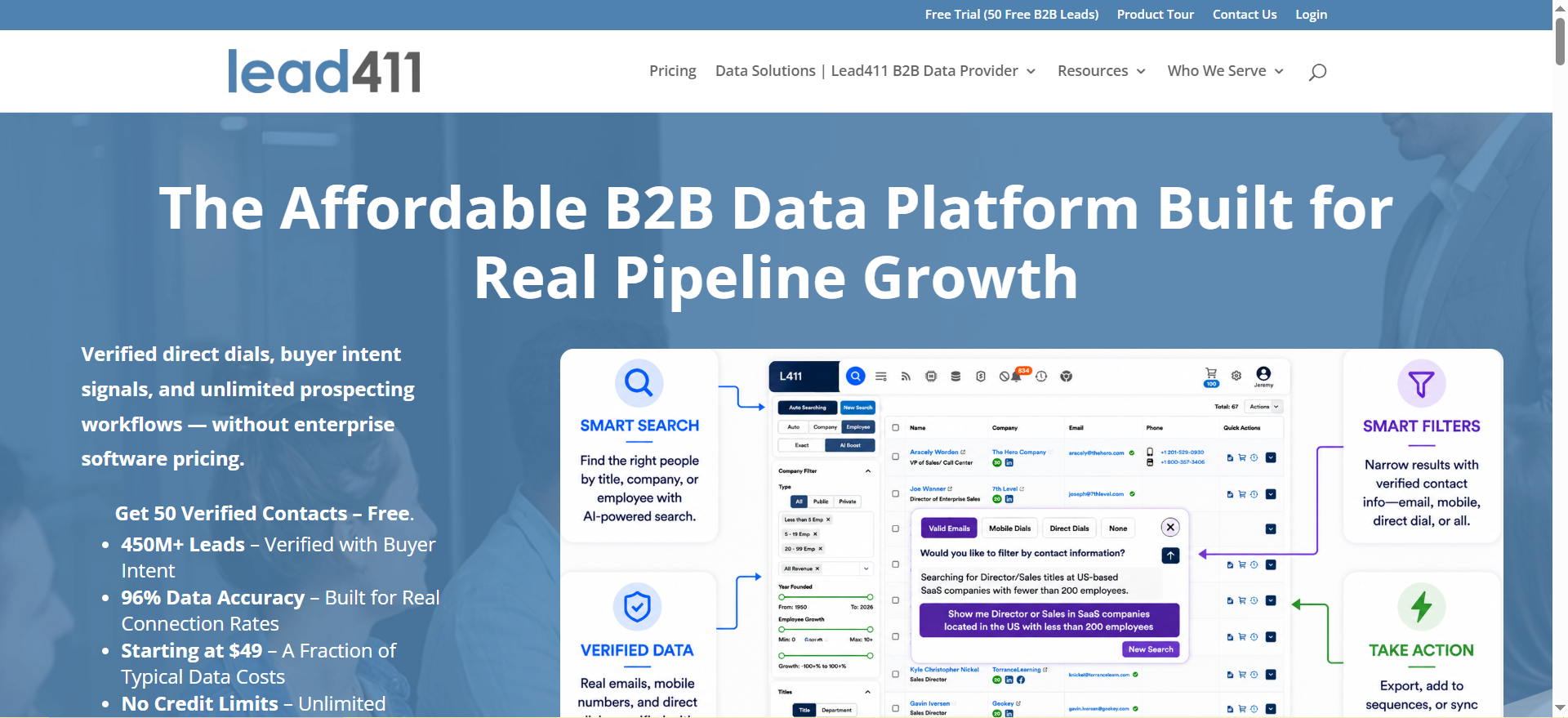
Lead411 is a B2B data platform that provides verified contact information — email addresses and direct-dial phone numbers — enriched with firmographic, technographic, and intent data signals. Unlike most email finders that charge separately for emails and phone numbers, Lead411 bundles both into a single export credit. The platform covers over 450 million contacts across 20 million companies and includes growth intent triggers powered by Bombora to help teams prioritize outreach to companies actively showing buying signals.
Why Teams Use It
Sales teams choose Lead411 because it eliminates the need to stitch together separate tools for email finding, phone number sourcing, and intent data monitoring. One export gives you the full contact record — email, direct dial, company data, and intent signals — without burning credits across three different platforms. The Bombora intent data integration means SDRs can filter for companies actively researching relevant topics, so outreach lands when prospects are already in a buying cycle rather than cold.
What It Is Good For
Lead411 excels when your outbound strategy depends on multi-channel outreach — email plus phone — and you need to prioritize accounts showing purchase intent. It handles domain-based searches, company lookups, and individual contact discovery with real-time verification baked in. The platform works particularly well for teams running account-based strategies where knowing which companies are in-market matters more than raw volume of contacts.
When It Is a Good Fit
Lead411 fits teams that run combined email and cold calling campaigns and do not want to pay separately for phone data. Growth-stage B2B SaaS companies, sales-led organizations with dedicated SDR teams, and agencies managing outbound for multiple clients will get the most value. If your team already uses Bombora intent data or wants to layer intent signals into prospecting without buying a separate intent platform, Lead411 gives you that in one subscription.
When It Is Not a Good Fit
Solo founders or small teams doing low-volume prospecting (under 200 contacts per month) may find the Spark plan more tooling than they need. If your workflow is entirely LinkedIn-based and you rarely prospect outside of Sales Navigator, a tool like Wiza or Prospeo will fit more naturally. Lead411 also does not offer a built-in email sequencing engine, so you will still need a separate tool for drip campaigns.
How to Use It
Sign up for the 7-day free trial (50 exports included). Start by running a company search filtered by industry, company size, and technographic criteria to build your target account list. Use the intent data filters to surface companies actively researching topics related to your product. Export contacts with verified emails and direct dials directly to your CRM or CSV. From there, feed the contacts into your outbound sequencer of choice.
Key Capabilities
Lead411 offers verified email and direct-dial data bundled in a single export, growth intent triggers via Bombora, advanced search with firmographic, technographic, and intent filters, a Chrome extension for on-the-fly lookups, CRM integrations with Salesforce, HubSpot, and others, real-time data verification, an AI search assistant, and team reporting and management tools on higher-tier plans.
Pricing
Lead411 offers three tiers. Spark starts at $49 per user per month (annual billing) with 200 exports per month and includes verified emails, direct dials, the Chrome extension, and CRM integrations. Ignite starts around $150 per user per month and adds Bombora intent data, AI search, email automation via Reach, growth intent triggers, and team management with reporting. Blaze provides custom pricing for enterprise teams with unlimited data access, custom onboarding, API support, and advanced features. A 7-day free trial with 50 export credits is available on all plans.
Free Tier?
Yes. Lead411 offers a 7-day free trial with 50 verified lead credits. No permanent free plan exists — once the trial ends, you need a paid subscription to continue exporting contacts.
Downsides and Limitations
Lead411 does not include a built-in email sequencing or campaign tool, so you need a separate platform for drip campaigns. The database, while large at 450M+ contacts, skews heavily toward North American businesses — international coverage can be thinner depending on the region. Pricing transparency has been an issue — multiple review sources report discrepancies between what is listed on the website and what is quoted during sales calls, so getting a clear price for the Ignite and Blaze tiers often requires contacting sales directly.
2. Wiza
What It Does
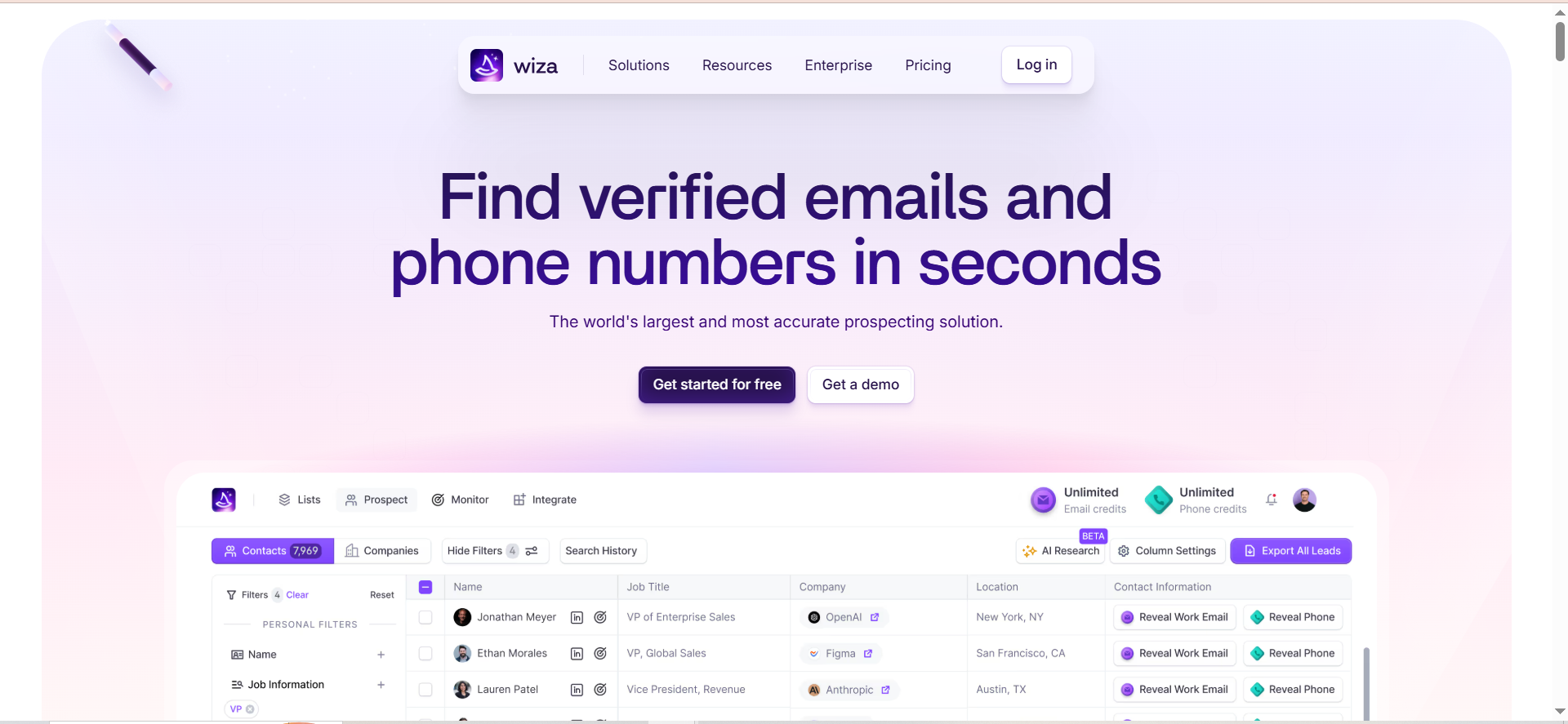
Wiza is a prospecting platform built specifically around LinkedIn Sales Navigator. It lets you extract contact data — verified email addresses and phone numbers — from LinkedIn profiles, search results, and saved lists at scale. The platform maintains a database of over 850 million prospects and includes real-time email verification, a Chrome extension that plugs directly into your Sales Navigator workflow, and a monitor feature that tracks job changes among your saved contacts.
Why Teams Use It
Teams use Wiza because it turns LinkedIn Sales Navigator from a research tool into a lead generation machine. Instead of manually visiting profiles one-by-one and guessing email patterns, Wiza bulk-exports entire Sales Navigator lists with verified emails attached. The real-time verification targeting 99%+ deliverability means fewer bounces in outbound campaigns. Wiza Monitor adds a layer of sales intelligence by alerting you via Slack or email when tracked decision-makers change jobs — a high-value trigger for outbound timing.
What It Is Good For
Wiza is strongest when your prospecting workflow starts and ends in LinkedIn. Bulk exporting up to 2,500 contacts from a single Sales Navigator list, enriching prospect records with verified emails before pushing them into your CRM, and staying on top of job-change signals within your target accounts are where Wiza delivers the most value. The AI Research feature adds live web data enrichment to fill in gaps beyond what LinkedIn provides.
When It Is a Good Fit
Wiza fits teams that already pay for LinkedIn Sales Navigator and want to maximize the return on that subscription. SDR teams at B2B SaaS companies running outbound at scale, recruiting firms sourcing candidates from LinkedIn, and agencies that prospect on behalf of clients using Sales Navigator all benefit from Wiza's tight integration. If LinkedIn is your primary prospecting channel, Wiza is purpose-built for that workflow.
When It Is Not a Good Fit
If you do not have a LinkedIn Sales Navigator subscription, Wiza's value drops significantly — the platform's core features depend on Sales Navigator being active, which is a separate cost ($79-$139 per month). Teams that prospect primarily through domain searches, company databases, or non-LinkedIn sources will find tools like Lead411 or Snov more versatile. The 30,000 exports per year cap on paid plans (roughly 2,500 per month) also limits teams doing very high-volume prospecting.
How to Use It
Install the Wiza Chrome extension and connect it to your LinkedIn Sales Navigator account. Run a search in Sales Navigator, save the list, and use Wiza to bulk-export up to 2,500 contacts per list with verified email addresses. Push enriched contacts directly to Salesforce, HubSpot, or Outreach via native CRM sync. Set up Wiza Monitor on key accounts to receive job-change alerts automatically.
Key Capabilities
Wiza provides a searchable database of 850M+ prospects (Wiza Prospect), bulk export from Sales Navigator lists with up to 2,500 contacts per list, real-time email verification targeting 99%+ deliverability, job-change monitoring with alerts via Slack or email (Wiza Monitor), direct CRM push to Salesforce, HubSpot, and Outreach, an AI Research feature that enriches prospects with live web data, a Chrome extension for individual and bulk lookups, and CSV export support.
Pricing
Wiza offers a Free plan at $0 per month with 20 emails and 5 phone numbers per month. The Starter plan costs $49 per month with 100 email and 100 phone credits. The Email plan runs $99 per month ($83 per month on annual billing) with unlimited emails, phone numbers at $0.35 each, 30,000 exports per year, AI Research, and CRM integrations. The Email+Phone plan costs $199 per month ($166 per month on annual billing) with unlimited emails, unlimited phone numbers, 30,000 exports per year, and all features. Team plans for 3+ users require custom pricing.
Free Tier?
Yes. The Free plan includes 20 email credits and 5 phone number credits per month with no credit card required. It provides access to basic prospecting features and the Chrome extension, making it a viable option for testing the platform or for very low-volume individual prospecting.
Downsides and Limitations
Wiza requires an active LinkedIn Sales Navigator subscription ($79-$139 per month) to unlock its core functionality, which significantly increases the total cost of ownership. The 30,000 exports per year cap limits high-volume teams. Overage charges of $0.15 per email and $0.35 per phone kick in automatically when you exceed monthly allotments, which can lead to unexpected costs. Pricing transparency is also a concern — team plan pricing is no longer publicly listed, and the gap between listed prices and actual costs (including Sales Navigator) is not always clear at first glance.
3. Snov
What It Does
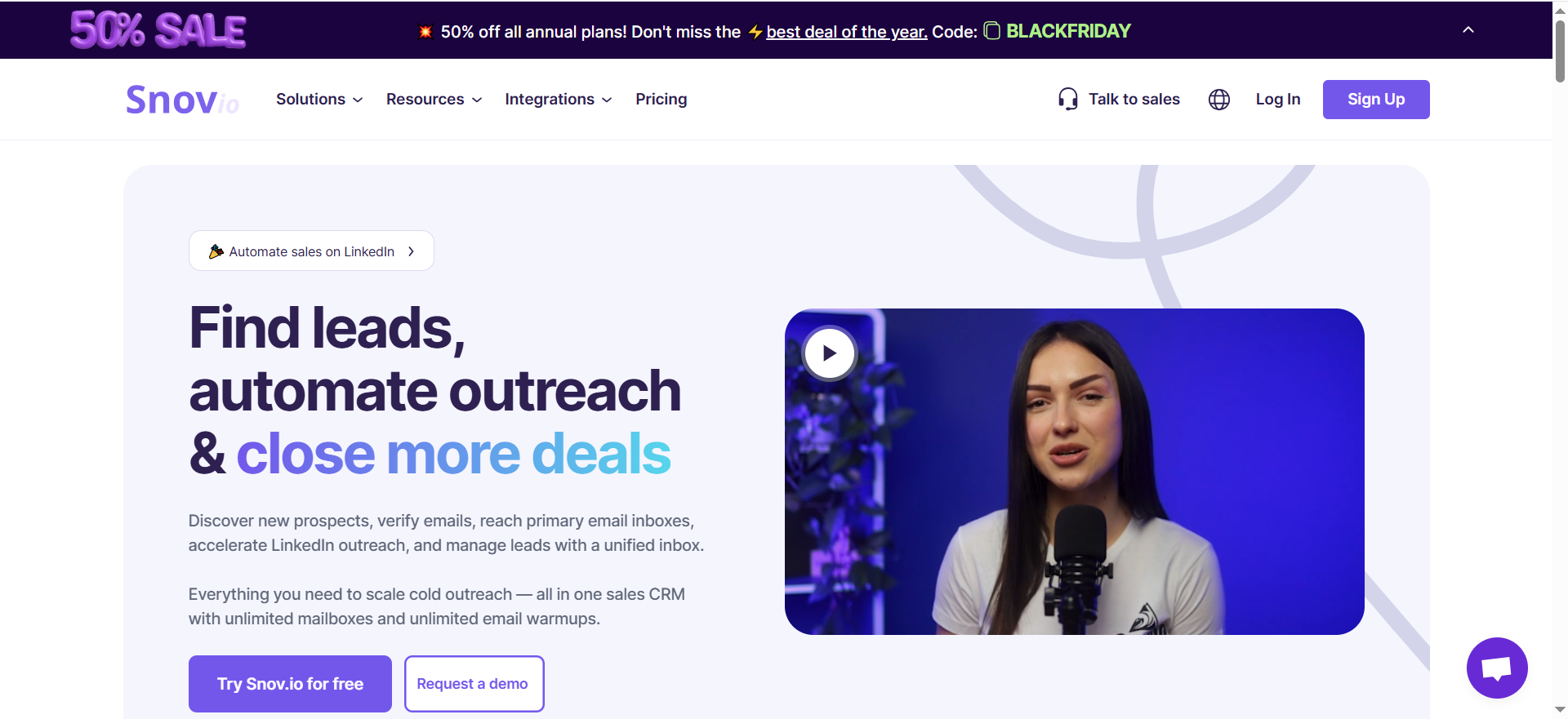
Snov is an all-in-one sales engagement platform that combines email finding, email verification, drip campaigns with A/B testing, email warm-up, and a built-in CRM with deal pipelines. The email finder draws from a database of over 500 million B2B contacts and supports multiple search modes — domain search, company search, individual name lookup, and a full database search with filters for industry, location, job title, and company size. Emails found through the Email Finder come pre-verified, meaning you do not burn additional credits to confirm deliverability on those contacts.
Why Teams Use It
Teams choose Snov because it consolidates the entire prospecting-to-outreach workflow into a single platform. Instead of paying for an email finder, a separate verification service, an outreach sequencer, and a CRM, Snov handles all four. The pre-verified email finder saves credits and steps. The built-in drip campaign tool with A/B testing and tracking lets teams launch and manage outreach sequences without switching platforms. For teams that want to reduce their tech stack and simplify their workflow, Snov delivers significant operational efficiency.
What It Is Good For
Snov works best when your team needs to find emails, verify them, and immediately launch outreach sequences from the same platform. It handles domain-based prospecting well — enter a company domain and get a list of verified emails for employees at that organization. The combination of finder, verifier, campaigns, warm-up, and CRM in one tool makes it particularly valuable for small to mid-size sales teams and agencies that want to avoid managing multiple subscriptions and data transfers between tools.
When It Is a Good Fit
Snov fits teams that want an all-in-one prospecting and outreach platform without enterprise-level complexity or pricing. Startups, small sales teams, agencies running outbound for clients, and freelance SDRs will find the most value in Snov's unified workflow. If you are currently using three or four separate tools for finding, verifying, sequencing, and tracking — and the overhead of managing those integrations is slowing you down — Snov consolidates that into one subscription.
When It Is Not a Good Fit
Enterprise teams that need advanced CRM features, complex multi-channel sequences (LinkedIn plus email plus phone), or deep reporting dashboards will likely outgrow Snov's built-in CRM quickly. The LinkedIn automation add-on is a separate $62-$69 per month per slot charge that can push costs up if LinkedIn outreach is central to your strategy. Teams that already have a preferred outreach tool (like Outreach, SalesLoft, or Smartlead) and only need an email finder will be paying for campaign and CRM features they do not use.
How to Use It
Start with the free Trial plan (50 credits, 100 email recipients). Use the domain search to find verified emails at target companies, or search the database by industry, location, and title filters. Once you have a prospect list, build a drip campaign directly in Snov with up to 10 email steps, A/B test subject lines, and set follow-up delays. Activate email warm-up on your sending accounts to improve deliverability before launching campaigns. Track opens, clicks, and replies in the built-in CRM.
Key Capabilities
Snov provides access to 500M+ B2B contacts with pre-verified email results, multiple search modes including domain, company, name, and database-wide search, a 7-tier email verification system, drip campaigns with A/B testing and multi-step sequences, email warm-up tools, a built-in CRM with deal pipelines, a Chrome extension for LinkedIn and web-based email finding, REST API access, and integrations with over 5,000 apps via native connectors and Zapier.
Pricing
Snov offers a free Trial plan with 50 credits, 100 email recipients, and 1 warm-up slot. The Starter plan costs $39 per month (or about $29 per month on annual billing) with 1,000 credits, 5,000 recipients, and 3 warm-up slots. Pro S costs $99 per month with 5,000 credits and 25,000 recipients. Pro M costs $189 per month with 20,000 credits and 50,000 recipients. Pro L costs $369 per month with 50,000 credits and 100,000 recipients. Annual billing saves 25% across all plans. Unused credits roll over with plan auto-renewal.
Free Tier?
Yes. The Trial plan is a renewable free option that provides 50 credits, 100 email recipients, and 1 email warm-up slot each month. It gives access to all core features — lead search, email verification, warm-up, campaigns, and CRM — with limited volume. This is enough to test the platform thoroughly before committing to a paid plan.
Downsides and Limitations
Credits are shared across the finder and verifier, so finding and then independently verifying the same email burns credits twice (though finder results come pre-verified, reducing this issue for most workflows). The LinkedIn automation add-on is an additional $62-$69 per month per slot, which is not included in any base plan. The built-in CRM is functional but basic compared to dedicated CRM platforms — teams with complex pipeline management needs will still need Salesforce or HubSpot alongside Snov. Data accuracy can vary by region, with stronger coverage in North America and Western Europe.
4. Prospeo
What It Does
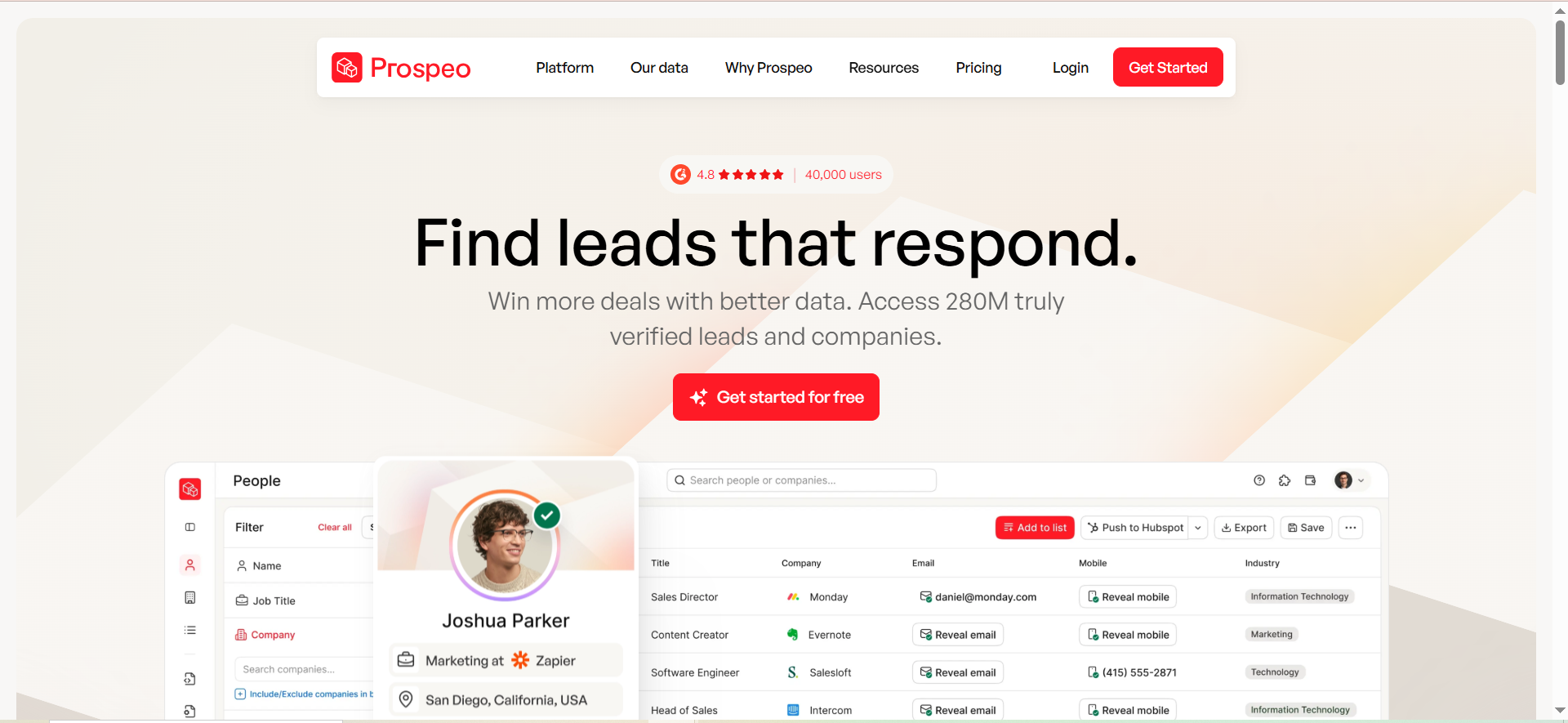
Prospeo is an email finder and verification platform that specializes in extracting verified business email addresses from LinkedIn profiles, company domains, and bulk lists. The platform uses a proprietary 5-step verification process — checking syntax validity, domain existence, catch-all server detection, disposable address filtering, and SMTP deliverability confirmation — to achieve a claimed 98% accuracy rate across 143 million verified emails drawn from a database of over 300 million B2B profiles. The Chrome extension, used by over 40,000 people, is the centerpiece of the product and plugs directly into LinkedIn and Sales Navigator for one-click email extraction.
Why Teams Use It
Teams pick Prospeo primarily for its Chrome extension experience. The extension delivers consistently high accuracy on individual LinkedIn profile lookups — independent reviews report 95%+ hit rates on single-profile searches. For SDRs who prospect directly from LinkedIn one profile at a time, this per-profile accuracy makes Prospeo one of the most reliable options available. The 5-step verification process means returned emails have already been thoroughly checked before you ever see them, reducing the need for a separate verification step.
What It Is Good For
Prospeo excels at single-profile LinkedIn-to-email workflows. If your process involves browsing LinkedIn, identifying a decision-maker, and immediately needing their verified business email, Prospeo's Chrome extension handles that faster and more accurately than most alternatives. It also works well for small-to-medium bulk jobs — uploading a CSV of names and companies to get back verified emails. The credit cost is transparent at 1 credit per email found and 10 credits per mobile number, so budgeting is straightforward.
When It Is a Good Fit
Prospeo fits SDRs and account executives who prospect manually from LinkedIn and need reliable email data one contact at a time. It also works well for agencies that build prospect lists from LinkedIn searches and need high-accuracy email enrichment before launching campaigns. If your team values accuracy over volume and your typical workflow involves looking up 50-200 contacts per day rather than bulk-exporting 5,000 at once, Prospeo's per-profile strength delivers.
When It Is Not a Good Fit
Teams that need high-volume bulk prospecting will hit limitations. Independent tests show that while individual lookup accuracy is strong, bulk hit rates drop significantly. If you need to export thousands of contacts from a database search and expect 80%+ coverage, tools like Lead411 or Wiza with larger databases will perform better at scale. Prospeo also does not include built-in outreach, campaigns, or CRM features — it is purely a finder and verifier, so you need separate tools for everything downstream.
How to Use It
Install the Chrome extension and navigate to any LinkedIn profile or Sales Navigator search. Click the Prospeo icon to extract the verified email address for that contact. For bulk lookups, upload a CSV with names and company domains to the Prospeo dashboard and the platform will return verified emails for each row. Use the email verifier separately to clean existing lists — it costs 0.5 credits per verification. Export enriched data to your CRM or outreach tool via native integrations with HubSpot, Salesforce, Outreach, SalesLoft, Smartlead, Zapier, and lemlist.
Key Capabilities
Prospeo provides a Chrome extension for LinkedIn and Sales Navigator email extraction, a 5-step email verification process with 98% claimed accuracy, a 300M+ B2B profile database with 143M verified emails, a domain search tool for finding emails by company, a mobile number finder at 10 credits per number, bulk CSV upload and enrichment, an email verification tool at 0.5 credits per check, a REST API, and native integrations with HubSpot, Salesforce, Outreach, SalesLoft, Smartlead, Zapier, Clay, and lemlist.
Pricing
Prospeo offers a Free plan with 75 email credits and 100 Chrome extension credits per month. The Starter plan costs $39 per month with 1,000 credits. The Growth plan costs $99 per month with 5,000 credits. The Pro plan costs $199 per month with 20,000 credits. The Business plan costs $369 per month with 50,000 credits. Pricing is flat regardless of billing cycle — no annual discount. Credit add-ons are available starting at 1,000 credits for $10.
Free Tier?
Yes. The Free plan includes 75 email credits and 100 Chrome extension credits per month. This is enough to test the platform and handle low-volume prospecting without a credit card or time limit. The free tier provides access to core features including the email finder, verifier, and Chrome extension.
Downsides and Limitations
Credits do not roll over — unused credits expire at the end of each billing cycle with no carry-forward. There is no annual discount, so monthly and yearly pricing per credit is identical (unlike most competitors that offer 20-25% savings on annual plans). Bulk accuracy drops compared to individual lookups, which limits Prospeo's usefulness for teams that prospect at high volume. The platform is purely an email finder and verifier — no outreach, sequencing, or CRM features are included, so you need separate tools for the rest of your workflow. Mobile numbers cost 10 credits each, which adds up quickly if phone data is important to your process.
5. Skrapp
What It Does
Skrapp is a B2B email finder and lead generation platform that helps sales teams, recruiters, and marketers find verified professional email addresses through domain searches, LinkedIn profile lookups, and bulk CSV enrichment. The platform combines web crawling, pattern recognition, and real-time email verification to locate business emails — analyzing publicly available data, identifying email patterns within a company, generating candidate addresses, and verifying each for deliverability. Skrapp maintains a database of over 150 million professionals and processes around 5 million email searches per day.
Why Teams Use It
Teams choose Skrapp for its straightforward credit model and cost efficiency. The pay-per-success system on Professional and Enterprise plans means you only spend credits on emails that return Valid or Catch-all status — invalid and unknown results do not cost anything. Credits roll over from month to month on paid plans, which is a rare feature among email finders and eliminates the pressure to use-it-or-lose-it each billing cycle. For teams with variable prospecting volume — busy one month, lighter the next — this rollover policy prevents wasted spend.
What It Is Good For
Skrapp handles LinkedIn-based email finding well through its Chrome extensions for both LinkedIn and Sales Navigator. The platform works for domain-based company searches, individual name lookups, and bulk enrichment via CSV upload. It is particularly effective for teams doing steady, moderate-volume prospecting (100-1,000 lookups per month) who want a reliable tool without committing to a high monthly cost. The Sales Navigator list saver feature on paid plans lets you save and enrich entire lists directly from Sales Navigator.
When It Is a Good Fit
Skrapp fits budget-conscious teams, solo founders, and small sales operations that need a dependable email finder without the overhead of an all-in-one platform. Recruiters who prospect from LinkedIn profiles, freelance SDRs managing outbound for clients, and startups in early growth stages will appreciate the low entry price and rollover credits. If you do not need built-in sequencing, intent data, or a CRM — just clean, verified emails at an affordable price — Skrapp delivers on that core promise.
When It Is Not a Good Fit
Teams that need intent data, phone numbers, built-in outreach campaigns, or advanced enrichment beyond email addresses will need to look elsewhere. Skrapp's database of 150 million professionals is significantly smaller than competitors like Lead411 (450M+) or Snov (500M+), which means hit rates on harder-to-find contacts will be lower. The platform does not include any outreach or sequencing features, so you will need a separate tool for campaigns. Enterprise teams needing API access, SSO, or dedicated account management need to commit to the Enterprise tier at $262+ per month.
How to Use It
Start with the free plan (50 credits per month). Install the Chrome extension for LinkedIn or Sales Navigator. Browse to a target profile and click the extension to find their verified email. For bulk lookups, upload a CSV with first name, last name, and company domain to the Skrapp dashboard and receive verified emails back. Export results to CSV or push directly to Salesforce or HubSpot via native CRM sync. On Professional plans, use the Sales Navigator list saver to enrich entire saved lists automatically.
Key Capabilities
Skrapp provides a LinkedIn and Sales Navigator Chrome extension for email extraction, domain-based company email search, bulk email finder via CSV upload, a built-in email verification tool, a pay-per-success credit model on paid plans (no charge for invalid or unknown results), credit rollover across months on Professional and Enterprise tiers, a database of 150M+ professionals, Sales Navigator list saver and LinkedIn auto-connect on paid plans, native CRM sync with Salesforce and HubSpot, REST API access on Enterprise plans, AI enrichment tools, and GDPR-compliant data processing.
Pricing
Skrapp offers a Free plan with 50 credits per month and access to core features. The Professional plan starts at $29 per month (annual billing) with 2,000 credits per month and 2 user seats, with tiers scaling to 5K, 10K, and 25K credits. The Enterprise plan starts at $262 per month with 50,000 credits, 15 user seats, API access, SSO, and a dedicated account manager. Custom plans are available for teams needing 500K+ credits per month.
Free Tier?
Yes. The Free plan includes 50 renewable credits per month with access to core features — Email Finder, Email Verifier, Chrome extensions, and restricted lead and company searches. No credit card required. Note that the Free plan does not include the Fair Credit Policy or credit rollover — those features are available on Professional and Enterprise plans.
Downsides and Limitations
The 150 million contact database is smaller than most competitors, which can result in lower coverage on less common contacts, smaller companies, or regions outside North America and Western Europe. Skrapp does not offer built-in email outreach, drip campaigns, or CRM features — it is strictly a finder and verifier. Phone number data is not available, which limits teams that need multi-channel contact information. The accuracy claim of 92% success rate, while solid, trails behind some competitors' reported figures. API access requires the Enterprise tier ($262+ per month), which puts programmatic integration out of reach for smaller teams.
How Do Email Finder Tools Work?
Email finder tools locate business email addresses by combining several data collection and verification methods. Most platforms start by crawling publicly available sources — company websites, professional directories, social media profiles, press releases, and SEC filings — to build a base index of known email addresses associated with specific domains and individuals.
From there, tools use pattern recognition to identify the email format a company uses. If a tool knows that three employees at a company all use [email protected], it can predict the email address for any other employee at that company with reasonable confidence. This pattern-matching approach works well for mid-size and enterprise organizations that enforce consistent email conventions.
Once a candidate email address is generated, the tool runs it through a verification process. Basic verification checks whether the email domain exists and whether the mail server responds. More advanced verification (like Prospeo's 5-step process) goes further — checking syntax, domain validity, catch-all server behavior, disposable address filtering, and SMTP-level deliverability confirmation.
Some tools also maintain proprietary databases built from opt-in data partnerships, business card scanning apps, and email exchange analysis. Lead411 and Snov, for example, maintain databases of 450M+ and 500M+ contacts respectively, combining crawled data with enrichment partnerships to improve coverage.
The accuracy of any email finder depends on how frequently the underlying data is refreshed, how robust the verification process is, and how common the target contact's email pattern is. Tools that re-verify data regularly and flag stale records tend to deliver better results than those that rely on static snapshots.
Are Email Finder Tools Legal and GDPR Compliant?
Email finder tools operate in a legal gray area that depends on your jurisdiction, how you use the data, and which tool you choose. Under GDPR (which applies to EU residents regardless of where your company is based), processing personal data — including business email addresses — requires a lawful basis. The most commonly invoked basis for B2B outreach is "legitimate interest," which allows businesses to contact professionals about relevant products or services without explicit consent, provided the processing is proportionate and the individual's rights are respected.
Most reputable email finder tools comply with GDPR by only processing publicly available business contact information, providing opt-out mechanisms, and allowing individuals to request data deletion. Skrapp, for example, explicitly states it operates in full compliance with GDPR and international data protection regulations and includes built-in consent management tools.
However, compliance ultimately falls on you as the data controller. Using an email finder tool to collect business emails and then sending unsolicited marketing emails may violate GDPR, CAN-SPAM, or local privacy regulations depending on how your outreach is structured. Best practices include only collecting data you have a legitimate business reason to use, providing a clear opt-out mechanism in every email, honoring unsubscribe requests promptly, documenting your legitimate interest assessment, and regularly purging contacts who have not engaged.
The short answer is that these tools are legal to use when used responsibly for B2B outreach with proper compliance measures in place. The risk comes from how you use the data, not from collecting it.
What Is the Difference Between Email Finder and Email Verifier?
An email finder and an email verifier solve two different problems in the prospecting workflow, though many tools combine both functions into a single platform.
An email finder locates email addresses you do not already have. You provide an input — a person's name and company, a company domain, or a LinkedIn profile URL — and the tool returns one or more email addresses associated with that input. The finder is doing the discovery work: searching databases, crawling the web, applying pattern recognition, and generating candidate email addresses.
An email verifier checks whether an email address you already have is valid and deliverable. You provide a list of email addresses and the verifier runs each one through a series of checks — syntax validation, domain existence, MX record lookup, SMTP handshake, catch-all detection, and disposable email filtering. The output is a status for each email: valid, invalid, catch-all, or unknown. The verifier is doing the hygiene work: cleaning your list before you send.
Some tools blur the line between these two functions. Snov, for example, pre-verifies all emails returned by its finder, so you do not need to run a separate verification step on found contacts. Prospeo's 5-step verification process is built into the finding process itself. Other tools like Skrapp charge 1 credit for finding an email and 1 credit for verifying it separately, giving you the option to verify only when you need to.
For most prospecting workflows, you need both: a finder to build your list and a verifier to clean it (or an existing list) before sending. The question is whether you want these capabilities in a single tool or as separate services.
How to Choose the Right Email Finder Tool for Your Team
Choosing the right email finder comes down to four factors: your prospecting workflow, your volume requirements, your budget, and what other tools you already use.
Start with your workflow. If your team prospects primarily from LinkedIn, tools like Wiza, Prospeo, and Skrapp — which all offer Chrome extensions for LinkedIn and Sales Navigator — will fit most naturally. If you prospect through company databases and domain searches, Lead411 and Snov offer more robust database search capabilities.
Next, consider volume. If you need to find fewer than 100 emails per month, a free tier from Prospeo (75 credits), Skrapp (50 credits), Snov (50 credits), or Wiza (20 credits) may be sufficient. For 1,000-5,000 lookups per month, the starter or mid-tier paid plans from any of these tools will cover you. For high-volume teams doing 10,000+ lookups monthly, Lead411's bundled data model or Wiza's unlimited email plan offer better economics at scale.
Budget matters, but total cost of ownership matters more. Wiza's $99 per month Email plan looks affordable until you add the $79-$139 per month LinkedIn Sales Navigator subscription it requires. Prospeo's flat pricing (no annual discount) means the per-credit cost never drops, while Snov's 25% annual billing discount rewards commitment. Skrapp's credit rollover policy makes it the most flexible option for teams with variable monthly volume.
Finally, consider your existing stack. If you already have an outreach tool like Outreach, SalesLoft, or Smartlead, you do not need Snov's built-in campaigns — a pure finder like Prospeo or Skrapp will be more cost-effective. If you want to consolidate tools, Snov's all-in-one approach eliminates the need for separate finder, verifier, sequencer, and CRM subscriptions. If intent data is critical to your strategy, Lead411 is the only option in this group that includes Bombora intent data natively.
How Accurate Are Email Finder Tools in 2026?
Accuracy is the most important metric for email finder tools, but it is also the most misleading. Every tool claims high accuracy — typically 92-99% — but the definition of "accuracy" varies between vendors and rarely matches real-world results.
Most vendors define accuracy as "the email did not bounce within the first 24 hours of testing." This is a low bar. An email that does not bounce may still land in spam, reach an abandoned inbox, hit a catch-all server that accepts everything, or belong to the wrong person. The gap between claimed accuracy and practical deliverability is consistently 15-25 percentage points in independent tests.
In independent testing across 500+ contacts in 2026, several patterns emerge. Tools that focus on pre-verification during the finding process (like Snov and Prospeo) tend to return fewer results but with higher per-contact accuracy. Tools with larger databases (Lead411, Snov) offer better coverage but may include stale records that have not been re-verified recently. The pay-per-success model (Skrapp) naturally inflates reported accuracy because you only count emails that came back as valid.
The most effective approach for teams that need consistently high accuracy is to waterfall multiple providers — use a primary finder, then run unfound contacts through a secondary tool, and verify the combined list through an independent verifier before sending. This approach can push effective coverage from 50-60% (single tool) to 75-80% (multi-tool waterfall) while maintaining deliverability above 95%.
Rather than comparing accuracy claims at face value, evaluate tools based on your specific use case. Run a test batch of 100-200 known contacts through each tool and compare results against your ground truth data. This gives you a practical accuracy number for your target market, industry, and geography — which is far more useful than vendor benchmarks.
What Is Catch-All Email Detection and Why Does It Matter?
A catch-all (or accept-all) email server is configured to accept emails sent to any address at that domain, regardless of whether the specific mailbox exists. If a company uses a catch-all server, sending an email to [email protected] will be accepted by the server even if no one named John Smith works there and no such inbox exists.
This matters for email finders because catch-all detection determines how reliably a tool can confirm that a specific email address is valid. When a tool pings a catch-all server to verify an email, the server responds "yes, this address exists" for every query — making it impossible to distinguish real addresses from fabricated ones through SMTP verification alone.
Different tools handle catch-all emails differently. Some tools (like Skrapp) report catch-all status transparently and charge 1 credit for catch-all results just like valid results, letting you decide whether to include them in your outreach. Other tools may exclude catch-all results entirely to protect their accuracy metrics, which improves their reported accuracy but reduces the total number of contacts returned.
For your outreach strategy, catch-all emails carry moderate risk. Sending to them will not always bounce (the server accepts everything), but the email may land in a shared inbox, get filtered, or go to no one. Best practice is to separate catch-all emails into a distinct segment and send to them at lower volume with careful monitoring. If your bounce rate on catch-all sends stays below 5%, they are safe to include. If it spikes, pull them from active campaigns.
How to Verify Emails Before Outreach Campaigns
Email verification before outreach is not optional — it is the single most impactful step you can take to protect sender reputation and ensure deliverability. Sending to a list with more than 2-3% hard bounces can trigger spam filters, damage your domain reputation, and get your sending accounts throttled or blocked.
Here is a practical verification workflow. First, run your list through the email finder's built-in verifier if available. Tools like Snov (pre-verified results), Prospeo (5-step verification), and Skrapp (pay-per-success model) handle verification as part of the finding process. If you built your list from multiple sources or it is older than 30 days, run it through a dedicated verifier as a second pass.
Second, segment your results by status. Valid emails go directly into your outreach sequence. Catch-all emails go into a separate, lower-volume segment. Invalid, unknown, and risky emails get removed entirely. Do not attempt to send to invalid or unknown addresses under any circumstances.
Third, re-verify before re-engaging old lists. Email addresses decay at roughly 2-3% per month due to job changes, company reorganizations, and domain changes. If a list is more than 60 days old, re-verify before sending. The cost of verification credits is a fraction of the damage a high bounce rate can do to your sending domain.
Fourth, monitor bounce rates in real time during campaigns. If your hard bounce rate exceeds 2% on any send, pause the campaign and re-verify the remaining unsent contacts. Most outreach tools (and Snov's built-in sequencer) provide real-time bounce tracking.
Email Finder Tools vs Contact Data Platforms — What Is the Difference?
Email finder tools and contact data platforms serve overlapping but distinct purposes. Understanding the difference helps you choose the right solution — or decide whether you need both.
Email finder tools do one thing well: given an input (name, company, domain, LinkedIn URL), they return a verified email address. They are lightweight, credit-based, and designed for prospecting workflows where you already know who you want to reach and just need their contact information. Prospeo, Skrapp, and the email finder component of Snov are examples of tools that focus primarily on this function.
Contact data platforms are broader. They combine email finding with company databases, firmographic data, technographic data, intent signals, phone numbers, org charts, and enrichment features. They are designed for teams that need to discover who to target in addition to how to reach them. Lead411 fits this category — it is not just finding emails but providing a full B2B data infrastructure with 450M+ contacts, Bombora intent data, and direct-dial phone numbers bundled into every export.
Wiza sits in between. It is built around a specific data source (LinkedIn Sales Navigator) and combines email finding with enrichment (AI Research) and sales intelligence (job-change monitoring), but it does not offer the broad database search and intent data capabilities of a full contact data platform.
The practical question is: do you already have a target account list and just need emails, or do you need to identify target accounts first? If the former, an email finder is sufficient. If the latter, you need a contact data platform or a combination of tools. Many teams use both — a platform like Lead411 for account discovery and prioritization, plus a specialized finder like Prospeo or Skrapp for supplementary lookups on contacts the platform misses.
Can You Use Multiple Email Finder Tools Together?
Yes, and for high-stakes outbound campaigns, you should. Using multiple email finder tools in a waterfall configuration — running unfound contacts through a second or third tool — is the most reliable way to maximize coverage while maintaining accuracy.
The reason is simple: no single email finder has 100% coverage. Each tool draws from different data sources, uses different crawling and verification methods, and has different strengths across industries, geographies, and company sizes. A contact that Lead411 cannot find may be in Snov's database, and vice versa. Independent tests show that waterfalling two or three providers can push effective coverage from 50-60% (single tool) to 75-80% (multi-tool).
Here is a practical waterfall approach. Choose a primary tool based on your workflow and use it for the first pass on your full target list. Take the contacts that came back with no results and run them through a secondary tool. If coverage is still below your threshold, use a third tool for the remaining gaps. After combining all results, run the full list through a single independent verifier to ensure consistent quality.
Cost-wise, waterfalling makes sense when coverage matters more than per-contact cost. If you are running account-based campaigns targeting 200 high-value accounts, paying for three tools to achieve 80% coverage is worth it. If you are doing high-volume spray-and-pray outreach to 10,000 generic contacts, the marginal coverage gain from multiple tools may not justify the cost.
Tools like Clay and other enrichment orchestration platforms can automate this waterfall process — routing contacts through multiple providers in sequence and deduplicating results automatically. If waterfalling becomes a regular part of your workflow, investing in an orchestration layer saves significant manual effort.
What Is the Best Free Email Finder Tool in 2026?
Among the five tools covered in this guide, Prospeo offers the most email credits on its free tier: 75 email credits plus 100 Chrome extension credits per month, with no credit card required. The Chrome extension accuracy on individual LinkedIn lookups is among the best available at any price point.
Prospeo's free tier comes in second with 75 email credits and 100 Chrome extension credits per month. It does not offer rollover, but the Chrome extension accuracy on individual LinkedIn lookups is among the best available at any price point.
Snov's renewable Trial plan provides 50 credits and 100 email recipients per month, plus access to all features including the drip campaign builder, CRM, and email warm-up. If you value the all-in-one experience and want to test whether consolidating your tools makes sense, Snov's free tier gives you the broadest feature access.
Wiza's Free plan includes 20 email and 5 phone credits per month — the most limited free offering in this group but still useful for occasional lookups.
Lead411 does not offer a permanent free plan, only a 7-day trial with 50 credits.
For pure volume on a free plan, Prospeo wins with 75 email credits. For breadth of features, Snov wins. For budget-conscious teams that plan to upgrade, Skrapp’s paid plans offer the best credit rollover policy. The right choice depends on whether you need more credits, more accuracy, or more capabilities from your free tier.


