

TL;DR
If you prospect on LinkedIn, you already know the gap: you can see the right person, but you cannot reach them without a verified email address. LinkedIn email finder tools close that gap by pulling verified contact data from profiles, search results, and Sales Navigator lists so your outreach actually lands.
The five tools in this guide — Wiza, Skrapp, Snov, Kaspr, and Prospeo — each take a different approach to LinkedIn email extraction. Some are pure Chrome extensions. Others bundle outreach sequencing or phone data. Pricing models range from pay-per-email credits to unlimited plans. This guide breaks down what each tool does well, where it falls short, what it costs, and which team it fits best so you can build a shortlist based on your actual workflow rather than a feature checklist.
Best Tools to Find Emails from LinkedIn (Quick Comparison)
| Feature | Wiza | Skrapp | Snov | Kaspr | Prospeo |
|---|---|---|---|---|---|
| Best For | Sales Navigator bulk exports | Budget-friendly LinkedIn cemail finding | All-in-one outreach + email finding | Real-time European contact data | High-accuracy single-profile lookups |
| Chrome Extension | Yes | Yes | Yes | Yes | Yes |
| Free Plan | 20 emails/mo | 50 credits/mo | 50 credits/mo | 15 B2B emails + 5 phones + 5 direct emails/mo | 75 emails + 100 extension credits/mo |
| Starting Price | $83/mo (annual) | $29/mo (annual) | $29.25/mo (annual) | $49/mo | $39/mo |
| Email Accuracy | 99%+ claimed | 92% search success, 97% verification | 98%+ claimed | 75–80% reported | 98% claimed |
| Sales Navigator Required | Yes | No (but supported) | No (but supported) | No (but supported) | No (but supported) |
| CRM Integration | HubSpot, Salesforce | HubSpot, Salesforce, Pipedrive | HubSpot, Salesforce, Pipedrive | HubSpot, Salesforce, Pipedrive | HubSpot, Salesforce |
| Bulk Export | Yes (up to 2,500/search) | Yes (multi-page enrichment) | Yes (CSV + list-based) | Yes (CSV enrichment) | Yes (but low match rates reported) |
| Phone Numbers | Yes ($0.35/each or unlimited) | No | Yes (add-on) | Yes (included in credits) | Yes (10 credits/mobile) |
1. Wiza
What It Does
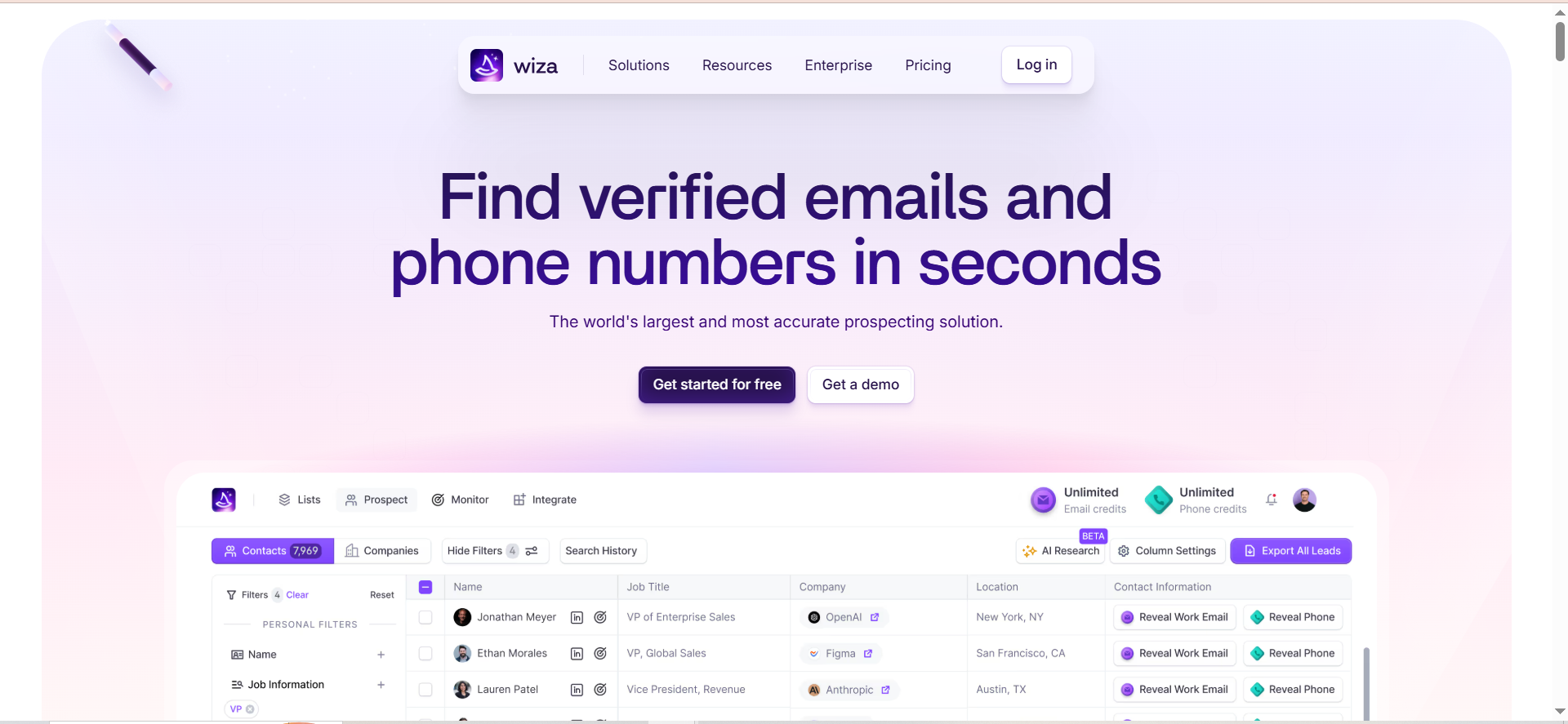
Wiza is a LinkedIn Sales Navigator companion that turns your saved searches and lead lists into verified email lists. It installs as a Chrome extension, overlays directly on Sales Navigator, and lets you export up to 2,500 contacts per search with verified emails, phone numbers, and company data attached. Wiza also offers an 850M+ contact database for prospecting outside LinkedIn.
Why Teams Use It
Sales teams that live inside LinkedIn Sales Navigator use Wiza because it removes the manual step of copying profiles one by one. You run a Sales Navigator search, click export, and Wiza processes the entire list — verifying emails in real time and pushing clean records to your CRM. The Wiza Monitor feature also alerts you when tracked decision-makers change jobs, which creates a natural trigger for re-engagement.
What It's Good For
Wiza excels at high-volume Sales Navigator exports. If your workflow involves building targeted lead lists in Sales Navigator and then moving those lists into HubSpot or Salesforce for sequencing, Wiza handles that bridge cleanly. The bulk export capability (up to 2,500 per search with 30,000 annual exports on paid plans) makes it practical for SDR teams running territory-based prospecting. The built-in verification targeting 99%+ deliverability means fewer bounces reaching your outreach tool.
When It's a Good Fit
Wiza fits teams that already pay for LinkedIn Sales Navigator and need a reliable way to extract and verify contacts at scale. It is especially useful for mid-market and enterprise sales teams running account-based motions where the target list lives in Sales Navigator. If your team exports 500+ contacts per week and needs CRM sync without manual CSV handling, Wiza is built for that workflow.
When It's Not a Good Fit
Wiza requires an active LinkedIn Sales Navigator subscription to function. If your team uses free LinkedIn or LinkedIn Premium (without Sales Navigator), Wiza will not work. It is also not the right choice if you need a full outreach platform — Wiza finds and exports contacts but does not send emails or manage sequences. Teams that need a combined email finder and sequencer should look at Snov instead.
How to Use It
Install the Wiza Chrome extension, connect it to your LinkedIn Sales Navigator account, and run a search. Wiza adds an "Export with Wiza" button to your Sales Navigator interface. Click it, select the contacts you want, and Wiza processes the list — finding and verifying emails, appending phone numbers (if on the Email+Phone plan), and formatting the data for CSV download or direct CRM push. You can also use the Wiza web app to search the 850M+ database by company, title, industry, and location filters.
Key Capabilities
Wiza's core capabilities include one-click Sales Navigator list export (up to 2,500 contacts per search), real-time email verification with 99%+ deliverability targeting, phone number enrichment, CRM sync with HubSpot and Salesforce, an 850M+ contact database with 40+ data points per record, Wiza Monitor for job change alerts, AI Research for automated prospect enrichment, and CSV export for offline use.
Pricing
Wiza offers four paid tiers. The Starter plan costs $49/month (monthly billing only) and includes 100 email credits and 100 phone number credits per month, with team analytics and CRM integrations. The Email plan costs $83/month billed annually ($990/year) and includes unlimited email credits, phone numbers at $0.35 each, 2,500 exports per month, AI Research, and CRM integrations. The Email+Phone plan costs $166/month billed annually ($1,990/year) and adds unlimited phone numbers. Team pricing is custom for 3+ users.
Free Tier?
Yes. Wiza offers a free plan with 20 email credits and 5 phone number credits per month. No credit card is required to start. The free tier is useful for testing accuracy on a small sample before committing, but 20 emails per month is not enough for active prospecting.
Downsides / Limitations
The hard dependency on LinkedIn Sales Navigator is the biggest limitation — if your subscription lapses, Wiza stops working entirely. The 30,000 annual export cap can also become a constraint for large SDR teams. Some users report that the 850M+ database is less accurate than the LinkedIn-sourced data, so results from the web app may not match the quality of Sales Navigator exports. Finally, there is no built-in outreach or sequencing capability, so you need a separate tool for email campaigns.
2. Skrapp
What It Does
Skrapp is a B2B email finder that pulls verified professional email addresses from LinkedIn profiles, Sales Navigator searches, and company websites. The Chrome extension overlays on LinkedIn to surface email addresses with a single click, while the web platform offers bulk enrichment, lead search, and list management. Skrapp verifies every email in real time before delivering it, using a pay-per-success model where you only spend credits on emails that return as "Valid" or "Catch-all."
Why Teams Use It
Teams choose Skrapp for its simplicity and transparent credit system. The pay-per-success model means you do not burn credits on invalid results — if Skrapp cannot find a verified email, you keep your credit. This makes cost planning straightforward, especially for smaller teams with limited budgets. The Chrome extension works across LinkedIn free, LinkedIn Premium, and Sales Navigator, so you do not need a Sales Navigator subscription to get value.
What It's Good For
Skrapp is strong for teams that need a reliable, affordable email finder without the complexity of a full sales engagement platform. The multi-page LinkedIn enrichment feature lets you process entire search result pages in bulk rather than clicking profile by profile. The 92% search success rate and 97% verification accuracy (based on Skrapp's published metrics) mean the data quality is competitive at this price point. The daily database refresh helps keep bounce rates low over time.
When It's a Good Fit
Skrapp is a good fit for early-stage sales teams, solopreneurs, and agencies that prospect on LinkedIn and need verified emails at a manageable cost. If your monthly volume is under 5,000 emails and you want a tool that just finds emails well without bundling outreach features you will not use, Skrapp keeps things lean. It also works for recruiters who need candidate contact information from LinkedIn without committing to enterprise-grade platforms.
When It's Not a Good Fit
Skrapp does not include phone number data, outreach sequencing, email warm-up, or CRM deal management. If you need a combined prospecting and outreach tool, Skrapp will leave gaps. Teams prospecting at volumes above 20,000 emails per month may also find the credit tiers expensive compared to unlimited-email platforms like Wiza. The tool is also less suited for teams that need deep technographic or firmographic data beyond email addresses.
How to Use It
Install the Skrapp Chrome extension from the Chrome Web Store. Navigate to any LinkedIn profile, and Skrapp displays the verified email address in an overlay. For bulk prospecting, go to a LinkedIn search results page and use the multi-page enrichment feature to process hundreds of profiles at once. Found emails are saved to lists in the Skrapp dashboard, where you can export them as CSV or sync to your CRM (HubSpot, Salesforce, or Pipedrive).
Key Capabilities
Core capabilities include a Chrome extension for LinkedIn and Sales Navigator, multi-page LinkedIn enrichment for bulk processing, pay-per-success credit model (no charge for invalid results), real-time email verification with 97% accuracy, daily database refresh, lead search by company, title, and location, CSV export and CRM sync (HubSpot, Salesforce, Pipedrive), LinkedIn auto-connect feature, and Sales Navigator list saver.
Pricing
Skrapp uses a credit-based system with annual and monthly billing. The Professional plan starts at $29/month (billed annually) for 2,000 credits and 2 users, scaling up to $39/month for 2,000 credits on monthly billing. Higher Professional tiers offer 5,000 credits, 10,000 credits, and 25,000 credits at increasing price points. The Enterprise plan starts at $262/month (billed annually) for 50,000 credits and 15 users, with options up to 500,000 credits. One credit equals one email found or one email verified.
Free Tier?
Yes. Skrapp offers a free plan with 50 credits per month, including access to core features: email finder, email verifier, and Chrome extension. The free tier gives enough volume to test the tool on real prospects before upgrading.
Downsides / Limitations
No phone number data means you cannot build multi-channel outreach lists from Skrapp alone. The tool does not include email sequencing, warm-up, or campaign management, so you need a separate outreach platform. Some users report that accuracy drops for smaller companies or niche industries where Skrapp's database has thinner coverage. The LinkedIn auto-connect feature, while useful, requires careful use to avoid LinkedIn account restrictions.
3. Snov
What It Does
Snov is an all-in-one sales automation platform that combines email finding, verification, drip campaigns, email warm-up, and a built-in CRM. The email finder searches a database of 500M+ B2B contacts using filters like job title, location, industry, and company size. The Chrome extension pulls email addresses directly from LinkedIn profiles and search results, and found contacts can flow straight into multi-step outreach sequences without leaving the platform.
Why Teams Use It
Teams choose Snov because it consolidates prospecting, verification, and outreach into one tool. Instead of paying for separate email finder, verification, warm-up, and sequencing tools, Snov bundles everything. The campaign builder supports email and LinkedIn touchpoints in the same sequence, so you can build coordinated multi-channel cadences. For teams that want to reduce their tool stack and manage the entire pipeline from lead discovery to reply handling in one place, Snov offers that consolidation.
What It's Good For
Snov is strong for teams that want both email finding and outreach automation under one roof. The drip campaign builder with A/B testing, spintax, and behavioral conditions (on the Pro plan) makes it possible to run sophisticated sequences. The email warm-up feature helps new mailboxes build sender reputation before launching campaigns. Unlimited email accounts and campaigns on all paid plans mean you can scale sending across multiple domains without per-seat charges.
When It's a Good Fit
Snov fits small-to-mid-size sales teams and agencies that want an affordable all-in-one platform. If you are currently paying for a separate email finder, a verification tool, a warm-up service, and a sequencing platform, consolidating into Snov can reduce cost and complexity. It is also a good fit for teams launching outbound for the first time who want a single platform to learn on rather than stitching together multiple tools.
When It's Not a Good Fit
Teams doing heavy LinkedIn automation should note that LinkedIn campaign steps are a paid add-on ($69/month per slot, or approximately $62/month with annual billing), not included in the base price. Also, the credit system can get complex — email finding, verification, and campaigns all draw from the same credit pool, so heavy usage in one area reduces capacity in others. Teams that only need email finding without outreach features may find a simpler, cheaper tool like Skrapp or Prospeo more cost-effective.
How to Use It
Install the Snov Chrome extension to find emails from LinkedIn profiles and search results. Found contacts are added to your Snov account, where you can organize them into lists, verify emails, and launch drip campaigns. From the web platform, use the email finder to search the 500M+ database by company, title, or domain. Build multi-step sequences with email and optional LinkedIn touchpoints, set sending schedules, and monitor replies from the built-in CRM.
Key Capabilities
Key capabilities include a 500M+ B2B contact database with 15+ search filters, Chrome extension for LinkedIn and website email finding, 7-tier email verification, drip campaign builder with A/B testing and behavioral conditions (Pro plan), email warm-up for sender reputation building, built-in CRM with deal pipelines, unlimited email accounts and campaigns on all paid plans, LinkedIn automation add-on for multi-channel sequences, and integrations with HubSpot, Salesforce, Pipedrive, and 5,000+ apps via Zapier.
Pricing
Snov uses a credit-based system with monthly, 3-month, and annual billing options. The Starter plan costs $39/month (or approximately $29.25/month billed annually with 25% discount) for 1,000 credits and 5,000 recipients. The Pro S plan is $99/month (approximately $74.25/month billed annually) for 5,000 credits and 25,000 recipients. Higher Pro tiers include Pro M at $189/month for 20,000 credits and Pro L at $369/month for 50,000 credits. The Custom Ultra plan offers 200,000+ credits at custom pricing. LinkedIn automation is a separate add-on at $69/month per slot (with a 10% discount for annual billing).
Free Tier?
Yes. Snov offers a trial plan with 50 credits, 100 email recipients, and 1 mailbox warm-up slot. The free tier is limited but lets you test the email finder and verification workflow before committing to a paid plan.
Downsides / Limitations
The shared credit pool is the main friction point — using credits for email finding reduces what is available for verification and campaigns. LinkedIn automation being a paid add-on at $69/month per slot adds meaningful cost for multi-channel teams. Some users also report that email accuracy from the database search is lower than from direct LinkedIn profile lookups.
4. Kaspr
What It Does
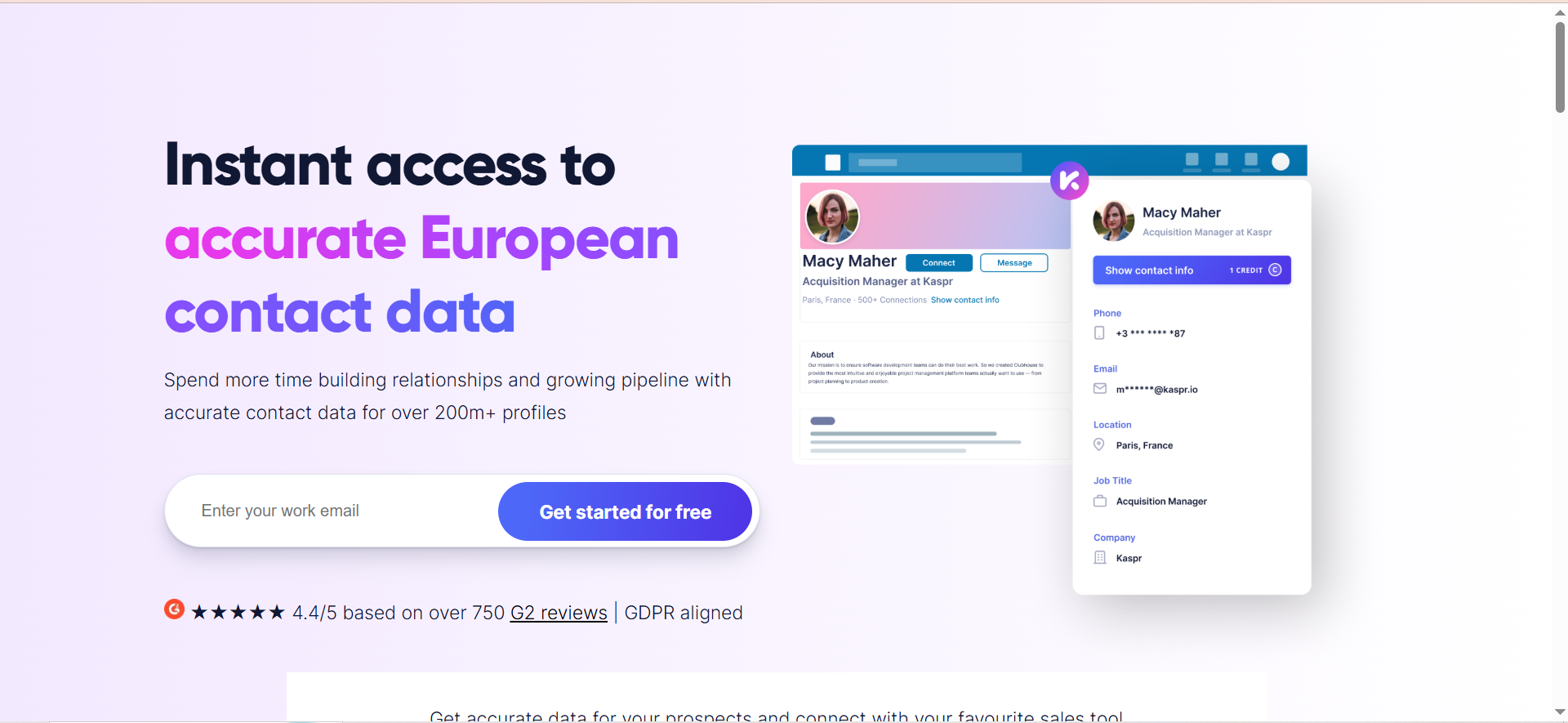
Kaspr is a LinkedIn Chrome extension owned by Cognism that reveals phone numbers and email addresses directly on LinkedIn profiles. Unlike database-lookup tools, Kaspr performs real-time checks when you request contact data — querying its sources at the moment you click rather than pulling from a static cache. The extension overlays contact information on LinkedIn profiles, groups, events, and Sales Navigator searches. Kaspr also offers CSV enrichment for bulk workflows and integrates with major CRMs and outreach tools.
Why Teams Use It
Teams use Kaspr because it provides both email and phone data in a single extension click, with a strong emphasis on European contact coverage. The real-time lookup model means the data you see is current — not weeks or months old like some cached databases. For sales teams targeting European markets, Kaspr's access to 120M+ European contacts with GDPR-aligned data sourcing is a meaningful differentiator. The credit system is transparent: you pay per contact revealed, and if Kaspr does not find data, no credit is charged.
What It's Good For
Kaspr is strongest for one-at-a-time LinkedIn prospecting where you need both phone and email from a single profile. The real-time data model ensures freshness, which matters for fast-moving industries where people change roles frequently. The LinkedIn event and group prospecting feature lets you target attendees of specific events or members of relevant groups — a workflow that most competitors do not support natively. Kaspr's native integrations with Lemlist, HubSpot, Salesforce, Pipedrive, and Brevo make it easy to push enriched contacts into existing workflows.
When It's a Good Fit
Kaspr is a good fit for European-focused sales teams, especially those that need phone numbers alongside emails. It works well for SDRs and account executives who prospect one profile at a time during LinkedIn browsing sessions rather than running bulk exports. If your team uses Lemlist or another cold email tool that integrates natively with Kaspr, the workflow is seamless. Teams at companies selling into GDPR-regulated markets also benefit from Kaspr's Cognism-backed compliance framework.
When It's Not a Good Fit
Kaspr's email accuracy (75–80% per independent reviews) is lower than tools like Wiza or Prospeo that claim 98%+. If email deliverability is your top priority, Kaspr may not be the strongest choice for email-only prospecting. The credit-based pricing also gets expensive at scale — the Business plan at $99/month (monthly billing) provides 200 phone credits and 200 direct email credits per month, and if you need both a phone number and direct email for each contact, that covers around 200 contacts per month. Teams needing 5,000+ contacts per month will find better unit economics elsewhere. Kaspr also does not include outreach sequencing or warm-up features.
How to Use It
Install the Kaspr Chrome extension and navigate to LinkedIn. When you visit a profile, Kaspr displays an overlay showing available email addresses and phone numbers. Click to reveal the data (each reveal costs one credit per data type). For bulk workflows, use the CSV enrichment feature: upload a CSV with LinkedIn profile URLs, and Kaspr processes the list and returns enriched contact data. Found contacts are organized in the Kaspr dashboard and can be exported or synced to your CRM.
Key Capabilities
Core capabilities include a Chrome extension for LinkedIn profiles, groups, events, and Sales Navigator, real-time contact data lookup (not cached), email and phone number enrichment in a single click, CSV enrichment for bulk LinkedIn URL processing, 120M+ European contacts and 500M+ global phone/email records, native integrations with HubSpot, Salesforce, Pipedrive, Lemlist, and Brevo, Zapier integration for custom workflows, lead list management and organization, and GDPR-aligned data sourcing through Cognism.
Pricing
Kaspr uses a per-user pricing model with annual and monthly billing. The Starter plan costs $49/month per user (billed annually) or $65/month monthly, and includes unlimited B2B email credits, 100 phone credits per month, and 5 direct email credits per month. The Business plan costs $79/month per user (billed annually) or $99/month monthly, with unlimited B2B emails, 200 phone credits per month, and 200 direct email credits per month. The Enterprise plan is custom-priced for larger teams with unlimited credits. Additional phone, direct email, and export credits can be purchased as add-ons.
Free Tier?
Yes. Kaspr offers a free plan with 15 B2B email credits, 5 phone credits, and 5 direct email credits per month. This is enough for a quick test but not practical for ongoing prospecting. The free tier includes full Chrome extension access so you can evaluate the user experience before paying.
Downsides / Limitations
Email accuracy at 75–80% is below the category average for tools that claim 90%+ verification. Phone credits are limited on each plan, and teams needing high volumes of phone numbers will need to purchase add-on credits, increasing costs. Coverage outside Europe is thinner, so teams targeting North American or APAC markets may see lower hit rates. The tool does not include outreach sequencing, email verification (beyond its own data), or campaign management.
5. Prospeo
What It Does
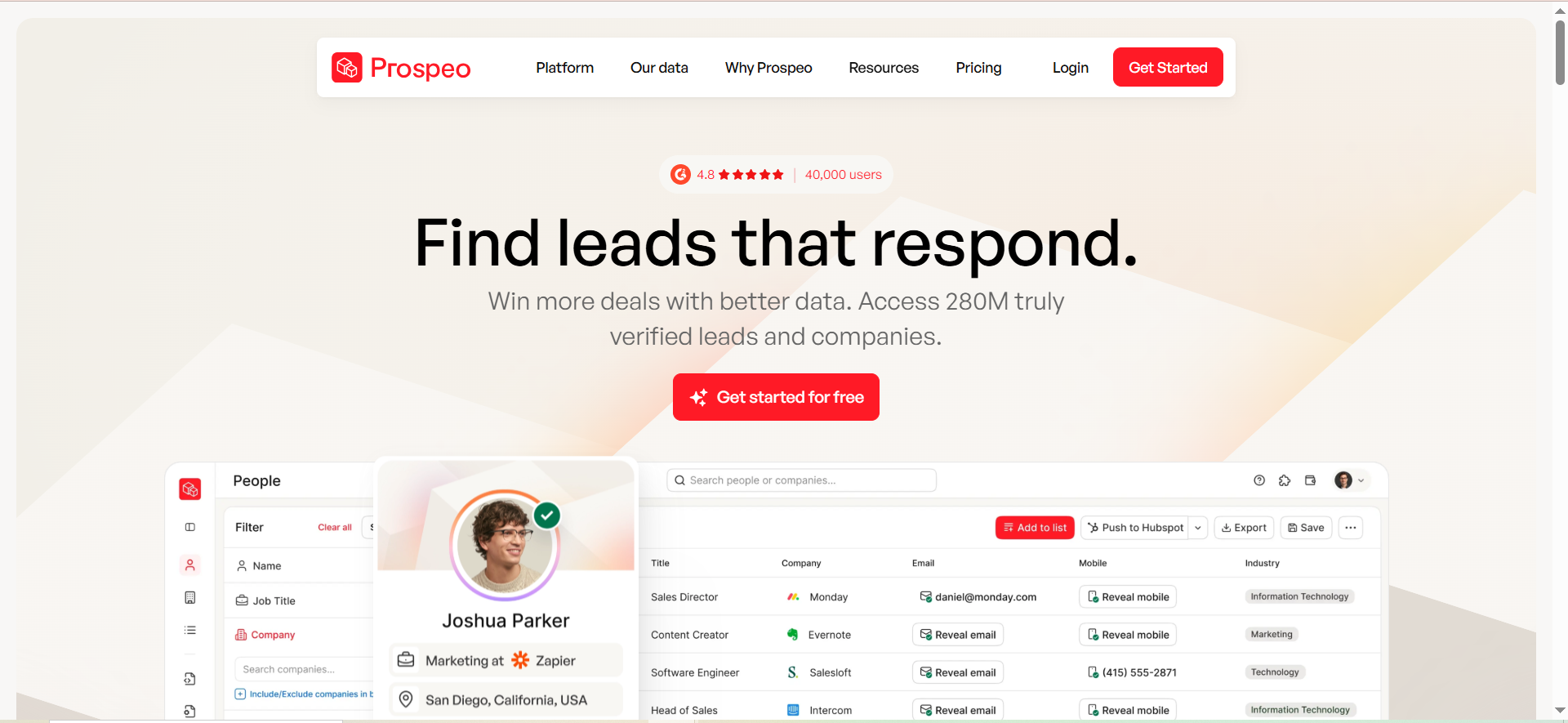
Prospeo is an email finder and verification platform focused on accuracy. The Chrome extension (40,000+ users, 4.8-star rating) pulls verified email addresses from LinkedIn profiles and Sales Navigator with a single click. Behind the scenes, Prospeo runs a proprietary 5-step verification process on every email before delivering it, and the database refreshes on a 7-day cycle — significantly faster than the industry average of six weeks. Prospeo also offers mobile number finding, domain search, and an email verification API.
Why Teams Use It
Teams choose Prospeo for single-profile accuracy. When you need one verified email address from one LinkedIn profile, Prospeo's hit rate and verification depth consistently outperform most competitors on that specific workflow. The 98% claimed accuracy and credit-only-on-success model mean you pay for results, not attempts. The 7-day database refresh cycle reduces the chance of hitting stale data, which is a common complaint with tools that refresh monthly or less.
What It's Good For
Prospeo excels at targeted, high-accuracy email finding for teams that prioritize deliverability over volume. If your outreach strategy involves carefully researched, personalized emails to a smaller number of high-value prospects, Prospeo's accuracy-first approach aligns with that workflow. The domain search feature (returning up to 50 results per search at $0.039 per search) is useful for account-based teams that want to map an entire company's email landscape. The email verifier (0.5 credits per verification) lets you clean imported lists from other sources.
When It's a Good Fit
Prospeo fits teams and individuals who prioritize email accuracy over volume and do not need bundled outreach features. It is well-suited for account executives running small, highly targeted campaigns, recruiters reaching out to specific candidates, and agencies that manage outreach for clients and need consistently low bounce rates. If your current tool produces too many bounces and you want to improve deliverability without overhauling your entire workflow, swapping your email finder to Prospeo is a low-friction upgrade.
When It's Not a Good Fit
Prospeo's bulk import capabilities have significant limitations. Independent reviews report match rates as low as 4.5% on Sales Navigator list imports, and credits are consumed on every row regardless of whether an email is found — a sharp contrast to the single-profile experience where accuracy is high. If your workflow depends on bulk list enrichment (exporting hundreds or thousands of contacts at once), Prospeo is not the right tool. There is also no outreach sequencing, warm-up, or CRM deal management — Prospeo is strictly a data tool.
How to Use It
Install the Prospeo Chrome extension and navigate to a LinkedIn profile or Sales Navigator search. Click the extension icon on any profile to get a verified email address. For domain search, enter a company domain on the Prospeo web platform to find up to 50 associated email addresses. For verification, paste or upload a list of emails to check them against Prospeo's 5-step verification process. Found contacts can be exported or synced to HubSpot, Salesforce, or connected to Clay, Zapier, and Instantly.
Key Capabilities
Key capabilities include a Chrome extension with 40,000+ users and 4.8-star rating, proprietary 5-step email verification, 7-day database refresh cycle, domain search (up to 50 results per query), mobile number finder, email verification API, native integrations with HubSpot, Salesforce, Clay, Zapier, and Instantly, credit-only-on-success model for single lookups, and flat pricing with no annual discount (what you see is what you pay).
Pricing
Prospeo uses a credit-based model with flat pricing (no annual discounts). The Starter plan is $39/month for 1,000 credits. The Growth plan is $99/month for 5,000 credits with team management features. Higher tiers include Pro at $199/month for 20,000 credits and Business at $369/month for 50,000 credits. Email addresses cost 1 credit each ($0.039 per email on the Starter plan). Mobile numbers cost 10 credits each ($0.39 per mobile). Email verifications cost 0.5 credits each.
Free Tier?
Yes. Prospeo offers a free plan with 75 email credits per month plus 100 Chrome extension credits per month. This is a generous free tier that lets you test the single-profile workflow thoroughly before committing. The extension credits are separate from email credits, giving you 175 total actions per month at no cost.
Downsides / Limitations
Bulk import accuracy is the critical weakness — the 4.5% match rate reported by independent reviewers makes Prospeo impractical for list-based prospecting. Credits being consumed on bulk rows even without results makes the problem worse economically. No outreach, sequencing, or warm-up features mean you need additional tools. The flat pricing with no annual discount means long-term costs do not decrease with commitment. Mobile numbers at 10 credits each ($0.39/number) are significantly more expensive than competitors.
How Do LinkedIn Email Finders Work?
LinkedIn email finders use a combination of web crawling, pattern detection, and database matching to locate professional email addresses associated with LinkedIn profiles. When you click the Chrome extension on a profile, the tool takes the person's name, company, and domain, then cross-references those data points against its database of known business emails. Some tools (like Kaspr) perform real-time lookups against multiple data sources at the moment of request, while others (like Wiza and Snov) pull from pre-built databases of hundreds of millions of contacts.
The verification step is what separates useful tools from unreliable ones. After finding a likely email address, the tool runs it through SMTP verification to confirm the mail server recognizes the address. More thorough tools add additional checks — catch-all detection, spam trap identification, and disposable email filtering. This is why claimed accuracy rates differ so much across tools: the number of verification steps directly affects deliverability.
Most LinkedIn email finders deliver their results through a Chrome extension overlay, a web dashboard, or both. Found emails can typically be exported as CSV files or synced directly to CRMs like HubSpot and Salesforce.
Are LinkedIn Email Finder Tools Legal?
LinkedIn email finder tools operate in a legal gray area that depends on how the tool collects data, where you and your prospects are located, and how you use the emails you find. In the United States, the Ninth Circuit's 2022 ruling in hiQ Labs v. LinkedIn established that scraping publicly available LinkedIn data does not violate the Computer Fraud and Abuse Act (CFAA). However, LinkedIn's Terms of Service prohibit automated scraping, and violating those terms can result in account restrictions.
In the European Union, GDPR adds additional requirements. Any tool collecting data on EU residents must have a lawful basis for processing that data. Legitimate interest is the most common legal basis used by B2B prospecting tools, but you must be able to demonstrate that your outreach serves a genuine business purpose and that the prospect can easily opt out. Tools like Kaspr (owned by Cognism) explicitly market GDPR-aligned data sourcing as a differentiator.
The practical risk for individual users is LinkedIn account restrictions rather than legal action. Using email finder extensions can trigger LinkedIn's automated detection, especially if you extract data at high volumes or use automation features aggressively. Staying within reasonable daily usage limits and avoiding bulk automation on your primary LinkedIn account reduces this risk.
What Is the Best Free LinkedIn Email Finder?
Among the five tools in this guide, Skrapp offers the most useful free tier at 50 email credits per month with full access to the Chrome extension, email finder, and email verifier. That is enough volume to test the tool on real prospects and run a small outreach campaign each month without paying.
Skrapp's free plan provides 50 credits per month with access to core features including the email finder, email verifier, and Chrome extension. This gives enough volume to test the tool on real prospects before upgrading.
Snov's trial plan offers 50 credits and 100 email recipients per month, which provides a brief introduction to the platform's combined finding and outreach capabilities. Wiza's free plan (20 emails/month) is too limited for meaningful testing but useful for a one-time accuracy check. Kaspr's free tier (15 B2B emails + 5 phones + 5 direct emails) is small but gives you a taste of the real-time lookup experience.
For users who want to prospect without paying, combining Prospeo's 175 free actions with Skrapp's 50 free credits gives over 200 verified email actions per month at no cost.
How to Find Someone's Email from LinkedIn Without a Tool
You can find professional email addresses from LinkedIn profiles without installing any tool, though the methods are less efficient. The simplest approach is checking the Contact Info section on a LinkedIn profile. If the person has chosen to make their email visible, it appears there — though most professionals keep this hidden from non-connections.
Another method is the name + domain pattern approach. Find the person's company, identify the company's email format ([email protected], [email protected], etc.), and construct the likely email address. You can identify the pattern by searching for the company domain on free domain search tools or by checking email headers from any previous correspondence with someone at that company.
Google search operators can also help. Searching "person's name" + "@company.com" sometimes surfaces email addresses from public documents, conference registrations, or author bios. Checking GitHub, personal blogs, or conference talk pages is another manual route.
These methods work for one-off lookups but do not scale. If you need more than a handful of emails per week, a dedicated tool will save significant time and provide verification that manual methods cannot.
LinkedIn Email Finder Chrome Extension vs Full Platform — Which Is Better?
Chrome extensions and full platforms serve different workflows. A Chrome extension (like Kaspr or Prospeo's extension) is ideal for real-time, one-at-a-time prospecting as you browse LinkedIn. You see a profile, click the extension, and get the email instantly. This workflow suits account executives and recruiters who prospect during their regular LinkedIn browsing sessions.
A full platform (like Snov or Wiza's web app) is built for volume. You search a database by filters, build targeted lists, and export hundreds or thousands of contacts at once. This workflow suits SDR teams running territory-based campaigns, agencies prospecting for multiple clients, and anyone who separates prospecting from outreach execution.
Most tools in this guide offer both — a Chrome extension for ad-hoc lookups and a web platform for bulk operations. The choice is not either/or but rather which workflow dominates your day. If you spend most of your prospecting time on LinkedIn, prioritize extension quality. If you run batch campaigns, prioritize database search and bulk export capabilities.
How Accurate Are LinkedIn Email Finders?
Accuracy varies significantly by tool, verification methodology, and the type of lookup. Single-profile lookups (clicking the Chrome extension on one LinkedIn profile) consistently produce higher accuracy than bulk imports or database searches. This is because the tool has a specific name, company, and domain to work with, reducing ambiguity.
Reported accuracy ranges from the tools in this guide are: Wiza claims 99%+ deliverability, Skrapp reports 92% search success and 97% verification accuracy, Snov claims 98%+, Kaspr shows 75–80% in independent reviews, and Prospeo claims 98% accuracy with under 1% bounce on verified addresses.
Independent testing across the broader category shows that real-world accuracy typically lands between 65–75% for database searches and 80–95% for direct LinkedIn profile lookups. The gap between vendor claims and real-world results exists because vendors measure accuracy on their verified/confident results (excluding "unknown" or "catch-all" results), while independent tests measure across all attempts including failed lookups.
The most reliable way to evaluate accuracy for your specific use case is to test 50–100 profiles from your actual ICP across 2–3 tools and compare results. Accuracy varies by industry, company size, and geography, so the best tool for one team may not be the best for another.
Can You Export Emails from LinkedIn Sales Navigator?
LinkedIn Sales Navigator does not include a native email export feature. You can see profile information, save leads to lists, and send InMail, but there is no built-in way to extract email addresses or export contact data to a CSV or CRM.
This is exactly the gap that LinkedIn email finder tools fill. Tools like Wiza, Skrapp, and Kaspr install as Chrome extensions that overlay on Sales Navigator, adding export functionality that LinkedIn intentionally does not provide. Wiza is particularly built for this workflow, allowing you to export up to 2,500 contacts from a single Sales Navigator search with verified emails attached.
When exporting from Sales Navigator through a third-party tool, be aware of LinkedIn's fair use policies. Extracting data at very high volumes or using aggressive automation can trigger account restrictions. Most tools include rate limiting to stay within safe boundaries, but using your primary Sales Navigator account for large-scale extractions carries inherent risk.
How to Verify Emails Found on LinkedIn
Email verification should happen before you send any outreach, regardless of which tool found the emails. Most LinkedIn email finder tools include built-in verification (Snov uses a 7-tier process, Prospeo uses a 5-step process, Skrapp verifies in real time), but running a secondary verification step is good practice.
The standard verification process checks syntax (is the email formatted correctly), domain (does the domain exist and have active MX records), SMTP (does the mail server confirm the address exists), and catch-all detection (does the server accept all emails regardless of the address, making verification unreliable).
For secondary verification, tools like ZeroBounce, NeverBounce, or Snov's standalone verifier can process your list and flag risky addresses. The standard for cold outreach is a bounce rate under 3% — anything higher damages your sender reputation and deliverability across your entire domain.
Catch-all addresses deserve special attention. About 30% of business domains use catch-all configurations where the server accepts all incoming email regardless of whether the specific address exists. SMTP verification will mark these as "valid," but the email may still bounce or get silently dropped. Most tools flag catch-all addresses separately so you can decide whether to include them in your outreach.
What Is the Difference Between Email Finding and Email Scraping?
Email finding and email scraping are different processes with different risk profiles. Email finding uses a combination of database lookup, pattern matching, and verification to locate a specific person's professional email address. You provide a name and company, and the tool returns a verified email. The data typically comes from aggregated business databases, public web sources, and partnerships rather than direct extraction from LinkedIn.
Email scraping, by contrast, extracts any visible email addresses directly from web pages, HTML source code, or platform interfaces. Scraping tools crawl pages and collect every email address they encounter without verification or filtering. The results often include generic addresses (info@, support@), personal emails, and outdated addresses.
The distinction matters for three reasons. Compliance: email finding with verification is more defensible under GDPR's legitimate interest basis than raw scraping. Data quality: found emails go through verification before delivery, while scraped emails are unverified and produce higher bounce rates. Platform risk: LinkedIn actively detects and restricts scraping activity more aggressively than it restricts Chrome extension lookups that use their visible interface.
All five tools in this guide are email finders, not scrapers. They use structured lookup and verification processes rather than raw page scraping.
How Many Emails Can You Extract from LinkedIn Per Day?
Daily extraction limits depend on the tool, your subscription tier, and LinkedIn's rate limiting. There is no single universal number, but practical limits exist at multiple levels.
At the tool level: Wiza allows up to 2,500 exports per Sales Navigator search, Skrapp's multi-page enrichment can process hundreds per session, and Kaspr's credits (1,200–4,800/month depending on plan) effectively cap daily volume at 40–160 per day. Snov and Prospeo's daily limits are governed by their monthly credit allocations.
At the LinkedIn level: LinkedIn monitors extension activity and automated behavior. While there is no published daily limit, experienced users recommend staying under 100–150 profile lookups per day on a standard account and under 200–300 on Sales Navigator to avoid triggering restrictions. Spreading extractions across the day rather than running them in rapid bursts also reduces risk.
If you need more than 300 contacts per day, consider using the tool's database search (independent of LinkedIn) rather than running all lookups through the Chrome extension. Wiza's 850M+ database and Snov's 500M+ database can serve high-volume needs without touching LinkedIn directly.
Do LinkedIn Email Finders Work Without Sales Navigator?
Yes, most LinkedIn email finders work with free LinkedIn accounts, though with reduced functionality. Skrapp, Snov, Kaspr, and Prospeo all support lookups from standard LinkedIn profiles and search results. The Chrome extension overlays work on any LinkedIn page, not just Sales Navigator.
The exception is Wiza, which requires an active LinkedIn Sales Navigator subscription to function. The tool is built specifically around Sales Navigator's advanced search and list features, so it does not work with free or Premium LinkedIn accounts.
The practical difference between using these tools on free LinkedIn versus Sales Navigator is search depth. Free LinkedIn limits search results and filtering options, so you see fewer prospects per search. Sales Navigator provides advanced filters (company size, revenue, technology, seniority level) and shows up to 2,500 results per search, giving you a much larger pool to extract from. The email finder tool itself works the same way in both contexts — the limitation is in how many relevant profiles LinkedIn shows you.
How to Choose a LinkedIn Email Finder for Your Team
Choosing the right tool depends on four factors: your prospecting volume, your workflow pattern, your budget, and what else you need the tool to do.
For volume, if you need fewer than 50 emails per month, any free tier will work. For 100–2,000 emails per month, Skrapp's Professional plan ($29/month annual for 2,000 credits) or Prospeo's Starter ($39/month for 1,000 credits) offer the best value. For 2,000–5,000 per month, Snov's Pro S ($74.25/month annual for 5,000 credits) provides the most features per dollar. For 5,000+ per month, Wiza's unlimited email plan ($83/month annual) becomes the most economical option.
For workflow pattern, if you prospect one profile at a time during LinkedIn sessions, Kaspr or Prospeo give the fastest per-profile experience. If you export large lists from Sales Navigator, Wiza is purpose-built for that workflow. If you need outreach sequencing in the same tool, Snov is the only option in this group.
For budget, Skrapp's Professional plan at $29/month (annual) and Snov's Starter at $29.25/month (annual) are the cheapest paid entry points. Prospeo's no-annual-discount flat pricing means the monthly price never drops, while Snov and Wiza offer significant annual savings.
For additional features, only Snov includes outreach sequencing and warm-up. Only Kaspr and Wiza include phone numbers in their core offering. Only Kaspr offers real-time data lookup (versus database pull). Matching your "must-have" features to the tool's strengths is more important than comparing feature count.



