

If you want the quickest path to better-qualified outbound, pick one “system of record” for contacts and companies (often ZoomInfo), pair it with LinkedIn Sales Navigator for real-time role and org-context, and use an enrichment layer like Clearbit (Breeze Intelligence) if you’re standardizing around HubSpot.If you need a flexible, multi-source workflow to build lists, enrich, and personalize at scale, Clay is the standout. And if your outbound targets fast-moving startups, emerging categories, or funding-trigger plays, Crunchbase can be the sharpest private-market lens.
📋 Get Listed / Advertisement
We update this guide monthly, and if you Want your tool featured? you can contact us: [email protected].
Best Prospect Research Tools (Quick Comparison)
| Tool | Best for | Standout capability | Pricing model (high level) |
|---|---|---|---|
| ZoomInfo | Enterprise-grade contact + account research | Broad B2B dataset + GTM workflows, enrichment, and intent/buying signals (varies by package) | Quote-based; pricing not fully public |
| Clearbit (Breeze Intelligence) | HubSpot-first enrichment + visitor intelligence | HubSpot-native enrichment and “reveal intent” style website identification workflows | Credit-based inside HubSpot |
| LinkedIn Sales Navigator | Person + org-context research | Prospecting inside LinkedIn with advanced search, lists, and plan tiers | Published tier pricing for Core/Advanced; Enterprise is custom |
| Clay | Multi-source research + enrichment workflows | Access many data providers + scrape/enrich/route in one workflow layer | Credits-based plans with published pricing |
| Crunchbase | Startup, funding, and private-market intelligence | Round-by-round funding + firmographics + data endpoints | Pro is purchasable online; other tiers vary |
📋 Get Listed / Advertisement
We update this guide monthly, and if you want your tool featured? You can contact us: [email protected].
1. ZoomInfo
What it does
ZoomInfo positions itself as a GTM platform for finding and enriching company and contact data, maintaining clean records across systems, and supporting sales execution. It’s commonly used as the “base dataset” SDR teams lean on to build lists, find direct dials, and enrich CRM records.
Why teams use it
Teams use ZoomInfo when they want a single source that covers a lot of ground: account research, contacts, enrichment, and (in many packages) buying sis. ZoomInfo also publishes educational content defining intent data and how teams can operationalize signals, which reflects how central “in-market identification” has become to modern outbound.
What it’s good for
- Building account lists fast from firmographic filters (industry, size, region), then layering personas.
- Finding the right people: multiple contacts per account, role filters, and org context.
- Scaling research quality: standardizing fields in the CRM and reducing manual “tab hopping.”
- Intent-driven prioritization (where enabled): focusing time on accounts showing buying signals.
When it’s a good fit
- You have multiple SDRs and need consistent list-building and enrichment rules.
- You care about data governance (deduping, field mapping, refresh cycles).
- You’re running ABM or territory-based outbound where coverage matters more than creative scrappiness.
When it’s not a good fit
- You’re a very small team that doesn’t need enterprise coverage and can’t justify quote-based pricing.
- You mainly sell to very early startups where private-market data sources (like Crunchbase) sometimes give clearer signals.
- You prefer an “assemble your own stack” approach (Clay + your chosen providers).
How to use it
A practical way to use ZoomInfo without creating busywork:
- Start with ICP filters, not personas. Build an account list that actually matches your win profile (industry, employee range, region, funding stage if relevant).
- Add a persona layer: identify 1–3 likely buyer roles.
- Pull 3–6 contacts per account (not 30). You want coverage, not spam.
- Run a “research pass”: confirm the company narrative (what they sell, who they sell to, where your product fits).
- Enrich into CRM carefully: only write fields you’ve agreed are “system fields” (title, seniority, department, company size, domain, etc.).
- Use signals to prioritize (if available): treat intent as “triage,” not truth.
Key capabilities
- Data enrichment and data management across systems is a stated focus of ZoomInfo’s positioning.
- ZoomInfo describes intent data as market intelligence that identifies accounts researching solutions, and highlights the need to operationalize signals into action.
Pricing
ZoomInfo’s pricing is not publicly listed; it’s available by quote based on your licenses, credit usage, and data needs.
Free tier?
ZoomInfo doesn’t offer a free tier, but it does offer a free trial.
Downsides / limitations
- Price opacity makes it harder to compare cleanly.
- Data isn’t perfect (no provider is). You still need sampling, QA, and bounce monitoring.
- Teams can accidentally create CRM pollution if they enrich everything without governance.
2. Clearbit (Breeze Intelligence)
What it does
Clearbit is positioned as a HubSpot-native data provider for enrichment and for identifying and acting on signals like website visitors that match your ICP. It emphasizes enrichment, scoring, routing, and “reveal intent” style workflows tied to IP intelligence.
Why teams use it
Clearbit (in its HubSpot-native form) is attractive when your revenue org is serious about HubSpot as the operating system. The goal is fewer brittle integrations and faster activation: enrich records, route leads, and trigger outbound plays without exporting CSVs every week.
What it’s good for
- Automatic enrichment in HubSpot: firmographic and contact attributes to improve routing and segmentation.
- Turning anonymous traffic into targets: surfacing companies visiting key pages, then handing off to outbound.
- Making lead scoring less guessy: richer attributes mean cleaner scoring and better SLAs.
When it’s a good fit
- Your SDR team lives in HubSpot and you want enrichment that feels native.
- You have a clear field schema and you know which fields you will trust/write.
- You want to add “warmth” to outbound by using website signals responsibly.
When it’s not a good fit
- You’re not on HubSpot or you don’t want to adopt HubSpot’s credit-based usage model.
- You need deep direct-dial coverage and classic sales intelligence breadth (ZoomInfo-type coverage may be more relevant).
- You want maximum flexibility across many providers (Clay may be better).
How to use it
- Define your “enrichment contract.” Decide which properties Clearbit can write, and which are human-owned.
- Enrich only the segments that matter. For example: new inbound leads, target accounts, or specific territories.
- Set up routing + alerts. If a target account visits pricing or integration pages, route to the right SDR and create a task.
- Use signals to craft outreach. Keep it subtle: “Noticed you’ve been evaluating solutions in this space…” rather than creepy specifics.
Key capabilities
Clearbit highlights enrichment depth (100+ attributes distilled from many data sources), automated refresh, and ML/QA improvements.It also promotes “reveal intent” style identification of anonymous website traffic into account-level signals.
Pricing
Breeze Intelligence is usage-based via HubSpot Credits, which start at $10/month for a 1,000-credit capacity pack.
Free tier?
Breeze Intelligence doesn’t offer a free tier; you’ll need HubSpot and paid HubSpot Credits (though some HubSpot plans include monthly credits).
Downsides / limitations
- Credit economics can surprise teams if you enrich too broadly.
- Best fit is HubSpot-first; outside that ecosystem, it may be less compelling.
- Like all enrichment, you must guard against stale or conflicting fields with rules and QA.
3. LinkedIn Sales Navigator
What it does
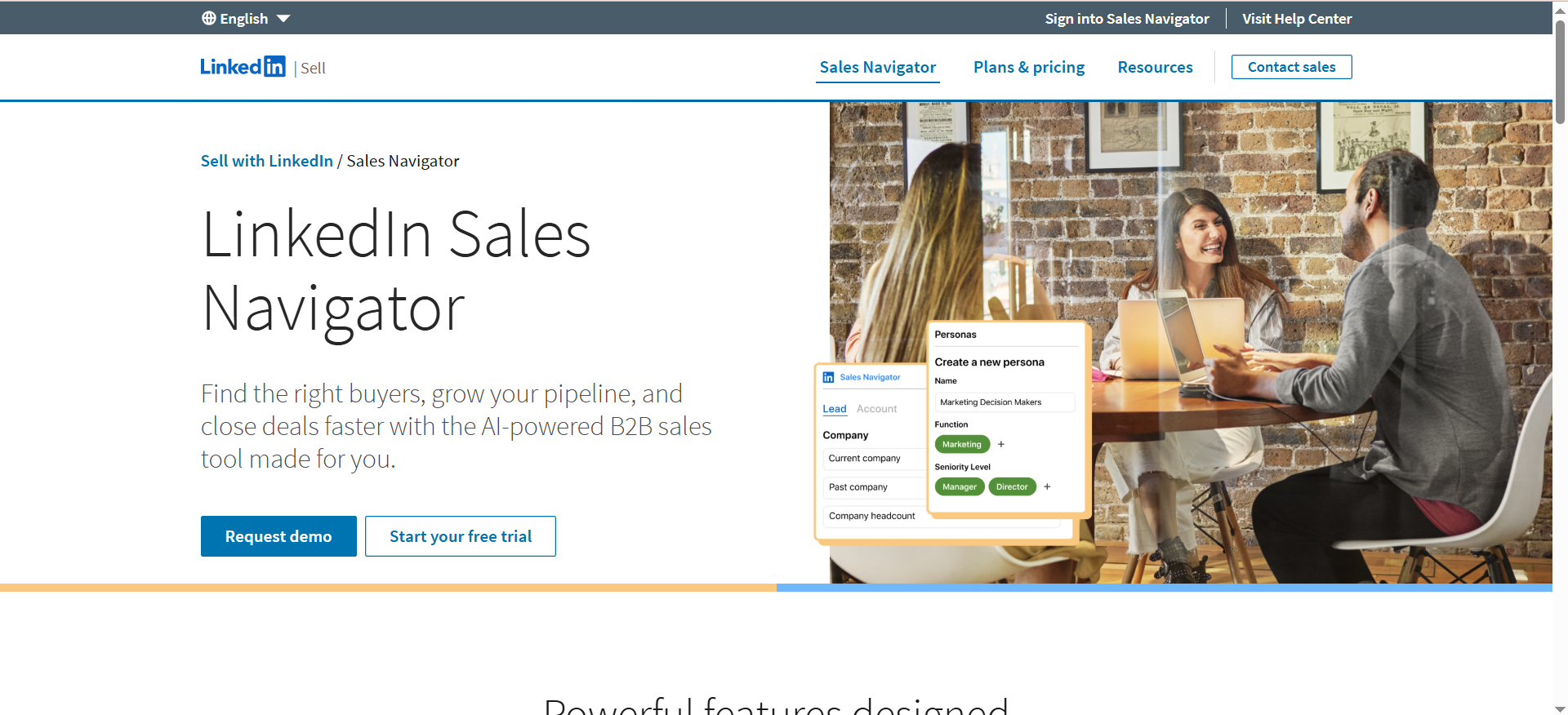
LinkedIn Sales Navigator is LinkedIn’s prospecting product with plan tiers designed to help sellers find the right people, save lists, and manage prospecting workflows inside LinkedIn. LinkedIn provides an official plan comparison and publishes starting prices for certain tiers.
Why teams use it
Even if your database is strong, LinkedIn is often the most current place to confirm:
- who someone reports to,
- whether they recently changed roles,
- how the org describes itself,
- and what the buyer cares about (posts, comments, shared content).
In other words: Sales Nav is the “truth layer” for roles and relevance.
What it’s good for
- Persona discovery: finding the right titles and departments when your ICP is nuanced.
- Org mapping: identifying champion + decision-maker patterns.
- Warm context: mutual connections, recent posts, hiring signals, and messaging hooks.
- Outbound hygiene: you send fewer emails to the wrong person.
When it’s a good fit
- Your SDRs do research-heavy outbound (enterprise, multi-stakeholder deals).
- You sell into functions where LinkedIn presence is high (GTM, product, marketing, ops).
- You want consistent prospecting lists and account tracking.
When it’s not a good fit
- Your outbound motion is ultra high-volume and not research-led.
- Your buyers aren’t active on LinkedIn (varies by industry and region).
- You expect it to replace a contact database entirely (it usually complements one).
How to use it
- Create 2–3 “saved searches” per segment (industry + size + region + persona keywords).
- Build account lists (target accounts) and attach lead lists to each.
- Use it to validate database pulls. Before sending sequences, spot-check a sample to confirm titles and seniority.
- Create a research template: “Role + priority + why now + trigger” in under 3 minutes per account.
Key capabilities
LinkedIn’s plan pages outline tier differences and include an enterprise tier (Advanced Plus) that adds deeper CRM integration and admin tooling.
Pricing
LinkedIn Sales Navigator pricing starts at $119.99/month per license for the Core plan, and Advanced Plus pricing is custom/quote-based.
Free tier?
LinkedIn Sales Navigator doesn’t offer a free tier, but it does offer a free trial.
Downsides / limitations
- It’s not a complete contact database (you still need emails/phones via another source).
- If SDRs don’t have a process, it can become “research theater” (lots of scrolling, little output).
- Some benefits depend on your plan tier and CRM integration.
4. Clay
What it does
Clay is a workflow platform that helps teams access many data providers, enrich records, scrape data (including from the web), and run multi-step “waterfall” enrichment. Clay also describes a credit-based model and provides a pricing page and a credits calculator.
Why teams use it
Clay is for teams who don’t want to be locked into one provider and who want to:
- pull data from multiple sources,
- resolve conflicts (best email, best phone, best company size),
- and automate research steps so SDRs spend time messaging, not copying/pasting.
What it’s good for
- Building lists with nuance: “companies hiring for X + using Y tech + in Z range.”
- Multi-provider enrichment: run one provider, then fall back to another if fields are missing.
- Workflow automation: turning research rules into repeatable pipelines.
- Personalization support: pulling snippets for messaging when used responsibly.
When it’s a good fit
- You have an ops-minded SDR leader or RevOps partner who can own workflows.
- You already pay for multiple providers and want to orchestrate them.
- You want flexible experimentation: new segments, new triggers, new data sources.
When it’s not a good fit
- You want a single “buy it and forget it” database with minimal setup.
- Your team has no bandwidth to manage data workflows and QA.
- You don’t have clarity on ICP and personas (Clay will scale confusion fast).
How to use it
A simple, effective Clay workflow for prospect research:
- Input: a seed list of accounts (domains) from your CRM, Sales Nav, or manual research.
- Normalize company fields: name, domain, HQ, employee count (choose the field sources you trust).
- Add technographics: the tools they use, hiring, or other fit signals.
- Pull contacts: select roles and seniority bands.
- Waterfall enrichment: email, phone, and validation steps.
- Output: push clean records back into CRM with tags for segment + confidence level.
Clay’s credits calculator is useful here: you can estimate how many credits you’ll burn based on how deep your enrichment workflow goes.
Key capabilities
Clay highlights access to a large set of data providers plus workflow automation in one platform.
Pricing
Clay’s paid pricing starts at $134/month for the Starter plan (billed annually), and Enterprise pricing is available by quote.
Free tier?
Clay offers a free tier ($0/month) with 100 credits per month.
Downsides / limitations
- Workflow complexity can creep: without governance, you can create a “data spaghetti” problem.
- Credit burn can spike if you chain too many enrichments per lead.
- SDRs still need training so Clay outputs turn into action, not just prettier spreadsheets.
5. Crunchbase
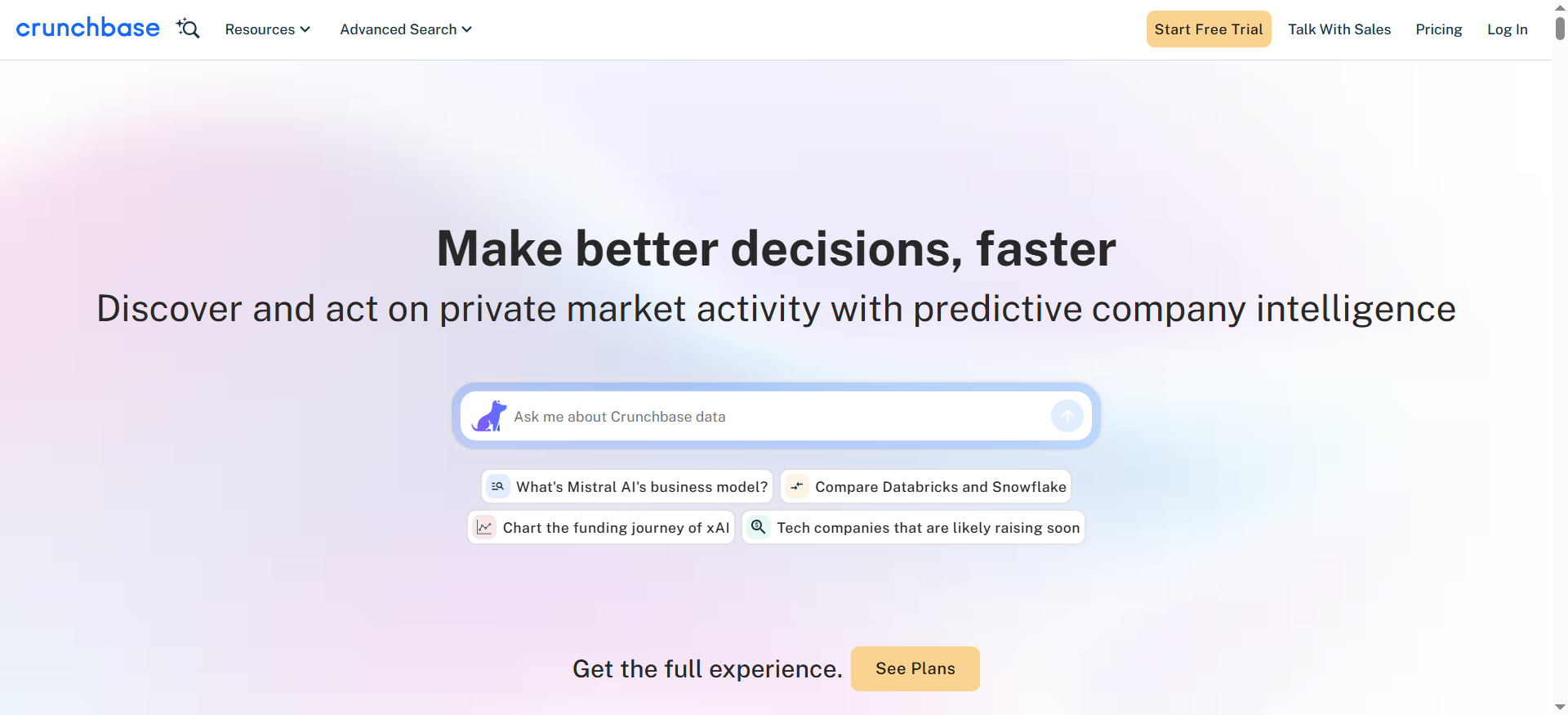
What it does
Crunchbase focuses on private-company intelligence: firmographics, funding rounds, investors, and signals that help you understand trajectory and timing. Crunchbase also offers data endpoints via Crunchbase Data for programmatic use cases.
Why teams use it
If your ICP includes startups, high-growth companies, or emerging categories, “classic” databases can be necessary but not sufficient. Crunchbase is often where teams go to answer:
- Are they funded recently?
- Who invested?
- Are they scaling headcount?
- Are they the kind of company that buys now?
What it’s good for
- Trigger-based outbound: funding, growth, market moves.
- Startup segmentation: stage-based targeting (Seed, Series A, etc.).
- Account narratives: investors, acquisitions, category context.
- Ops + enrichment through data endpoints where appropriate.
When it’s a good fit
- You sell to VC-backed companies and timing matters.
- Your outbound motion depends on “why now” triggers.
- You want data beyond contacts: trajectory and market context.
When it’s not a good fit
- You need deep contact info (emails, phones) as your primary pain.
- Your ICP is mostly stable mid-market/enterprise where the funding stage is less predictive.
How to use it
- Build a segment list: stage, industry, geography.
- Set alerts for funding events or key changes.
- Enrich the story: who invested, what they likely care about, and what that implies operationally.
- Pair with contacts from ZoomInfo/Sales Nav so outreach has both timing + the right people.
Key capabilities
Crunchbase Data emphasizes broad access to funding data and private market intelligence via many endpoints.Crunchbase also publishes guidance to help buyers choose between plan tiers.
Pricing
Crunchbase Pro costs $99 billed monthly, and annual pricing can vary (including introductory discounts for new users).
Free tier?
Crunchbase offers a free tier, and Crunchbase Pro doesn’t offer a free tier, but it does offer a free 7-day trial.
Downsides / limitations
- Doesn’t replace a contact database.
- Data coverage varies by region/market segment.
- If your team doesn’t use triggers, you may not get full ROI.
What “prospect research” means in 2026 (and why it changed)
Prospect research used to mean “find an email address and send a sequence. Now it’s closer to: identify the right account, the right buying committee members, and the right timing signals, then act with enough context that your outreach earns a reply.
A helpful mental model is the pipeline distinction between lead vs prospect. Outreach’s prospecting guide summarizes it clearly: a prospect is a lead that has been qualified as worth pursuing (often using frameworks like budget/authority/need/timing). Research is what moves you from “maybe” to “worth time.”
The shift happened because:
- Buyers get flooded. Generic outreach fails fast.
- Data got cheaper, but attention got expensive.
- Signals (like intent, hiring, traffic, and funding) let you prioritize, but only if you can operationalize them. ZoomInfo’s own explanation of intent data emphasizes that the hardest part is turning signals into action.
So the best prospect research tools don’t just provide data. They support decision-making: who to contact, why now, and what to say.
The prospect research stack (categories + how they fit together)
If you’re building a “quality-first” outbound motion, you typically need four categories:
- Core database (contacts + accounts): ZoomInfo-type coverage for breadth.
- Enrichment layer: fill missing firmographics and keep CRM fields fresh (Clearbit/HubSpot-style).
- Context layer: LinkedIn for role accuracy, org movement, and credibility.
- Workflow/orchestration layer: Clay-style automation to make research repeatable.
- Private-market intelligence (optional): Crunchbase for funding and trajectory triggers.
You don’t need all five categories on day one, but you do need a coherent “source of truth” strategy: what fields come from where, and which ones you trust.
How to choose the right tool (a practical decision framework)
Here’s a straightforward way to decide, based on the job your team needs done.
Step 1: Clarify your primary “research outcome”
Pick one:
- Outcome A: Find accurate contacts fast.
- Start with ZoomInfo (coverage) + Sales Navigator (validation).
- Outcome B: Keep CRM data clean automatically.
- If you’re on HubSpot, prioritize Clearbit (Breeze Intelligence) + strong field governance.
- Outcome C: Build lists with complex rules and enrich at scale.
- Choose Clay, then attach providers as needed.
- Outcome D: Time outbound around startup triggers.
- Add Crunchbase for funding and trajectory context.
Step 2: Decide how much workflow complexity you can handle
- Low complexity: Sales Nav + one database + light enrichment
- Medium complexity: Add Clearbit workflows or simple Clay recipes
- High complexity: Clay orchestration, multiple providers, scoring rules, automated push/pull into CRM
Be honest here. The best tool is the one you’ll actually operationalize.
Step 3: Use a “data confidence” scoring checklist
When a record enters your outbound pipeline, score it:
- Fit confidence: firmographic match (industry, size, geo)
- Buyer confidence: correct persona, right seniority
- Reachability confidence: validated email/phone available
- Timing confidence: a reason now (intent, traffic, hiring, funding)
Intent data can help with timing confidence, but treat it as probabilistic. Even ZoomInfo points out that signal noise and data freshness are common challenges.
A repeatable SDR prospect research workflow (step-by-step)
This is the “quality-first” workflow you can standardize across SDRs. The goal is speed and consistency.
Step 1: Build the account list (ICP-first)
Start with accounts that match your win profile:
- industry + sub-industry
- employee count band
- region
- (optional) funding stage or growth stage
If you sell to VC-backed companies, Crunchbase can sharpen this stage-based segmentation.
Step 2: Validate the narrative (2-minute company scan)
Answer:
- What do they sell?
- Who do they sell to?
- What’s changing right now? (hiring, funding, new product, expansion)
This becomes the base for personalization.
Step 3: Identify the buying committee slice (not “everyone”)
Pick:
- 1 likely champion role
- 1 likely exec sponsor
- 1 adjacent stakeholder
Sales Navigator is great for confirming seniority and role relevance.
Step 4: Enrich + verify reachability (without wrecking your CRM)
If you’re HubSpot-first, use Clearbit enrichment carefully with a defined field schema and credit awareness.
If you’re orchestrating multiple sources, Clay can run a waterfall enrichment approach so you don’t overpay for fields you already have.
Step 5: Prioritize using signals, not vibes
Possible prioritization signals:
- website activity from target accounts (where available)
- intent-style research behavior (where available)
- funding or growth events
Step 6: Produce a “research brief” SDRs can act on
Keep it simple. For each account:
- ICP match (1 sentence)
- who to contact (2–3 names)
- why now (1 trigger)
- message angle (1 hypothesis)
If research output doesn’t translate to a message in under 5 minutes, the workflow is too heavy.
Data quality, compliance, and risk checks
Prospect research tools are only as good as your governance.
The three failure modes to watch
- False precision: acting like a data point is definitely true when it’s probabilistic.
- CRM pollution: overwriting fields or creating duplicates without rules.
- Signal creep: using “intent” or visitor identification in a way that feels creepy or violates policy.
Practical guardrails
- Create a single field map: what comes from where (database vs LinkedIn vs enrichment vs manual).
- Set write-permissions: which properties can be auto-written, and which require human confirmation.
- QA sampling weekly: check bounce rate, wrong titles, and wrong industries.
- Keep messaging humans: don’t reveal more than you’d feel comfortable hearing as a buyer.
Which tool is best for account-based prospecting vs high-volume outbound?
Account-based prospecting (ABP / ABM-style outbound) is about depth: fewer accounts, more research, more stakeholders, and higher-quality personalization. High-volume outbound is about breadth: more accounts, faster cycles, and ruthless prioritization.
Here’s how the tools from this guide tend to fit each motion.
Best tools for account-based prospecting
Best core combo: LinkedIn Sales Navigator + ZoomInfo
- Sales Navigator gives you the most reliable “who is who” and org context: current titles, team structure, seniority, and likely stakeholders.
- ZoomInfo gives you scale for contacts and direct outreach fields (emails/phones), plus account insights and workflows depending on what you license.
Add when you need orchestration: Clay
Clay is strong when ABM requires complex rules like “only target accounts hiring for X and using Y” and you want a repeatable enrichment + list-build workflow across multiple data sources.
Add for startup/trigger ABM: Crunchbase
If your ABM is built around “why now” triggers (funding, growth signals), Crunchbase is often the cleanest source for that narrative, especially in private markets.
ABM decision tip: If your reps spend more time figuring out “who do I contact and why now?” then sending messages, prioritize Sales Nav first, then choose the database/enrichment layer.
Best tools for high-volume outbound
High-volume outbound wins when you can reliably do three things: (1) pull big lists that match your ICP, (2) avoid bad data that trashes deliverability, and (3) prioritize so your reps aren’t spraying randomly.
Best fits: ZoomInfo (for list scale) + a workflow/enrichment layer
- ZoomInfo is commonly used for broad list-building and scaled contact discovery.
- Clay can help you build “waterfall enrichment” so you’re not stuck with one provider’s gaps and can validate/standardize fields before upload.
If you’re HubSpot-first: Clearbit / Breeze Intelligence can reduce manual effort by enriching and routing inside HubSpot (but watch credit usage).
High-volume decision tip: If you’re sending lots of sequences, your bottleneck is usually data QA + deliverability, not “more prospects. Build the guardrails before you add more volume.
Which tool is best if you live in HubSpot? In Salesforce?
If you live in HubSpot
Best-first tool: Clearbit (Breeze Intelligence as HubSpot’s native data provider)Why it fits:
- It’s built to enrich and activate data inside HubSpot, reducing exports and manual list work.
- HubSpot’s credit/billing model matters here because enrichment and signal features often consume credits.
Recommended HubSpot research stack (practical):
- Clearbit/Breeze for enrichment + routing and keeping records usable day-to-day
- LinkedIn Sales Navigator for real-time role validation and org context
- Optional: Clay if you need multi-source workflows, list logic, or enrichment waterfalls beyond what native workflows cover
If you live in Salesforce
Your “best” option depends on whether you need a database, orchestration, or signals more.
Most common Salesforce-first pairing: ZoomInfo + LinkedIn Sales Navigator
- ZoomInfo tends to be evaluated heavily in Salesforce orgs because enrichment and sales workflows often start from Salesforce objects (Accounts/Leads/Contacts).
- Sales Navigator adds the context layer and, at higher tiers, LinkedIn positions it as having deeper CRM integration capabilities.
If your Salesforce org is complex (multiple products/regions):
Add Clay to enforce consistent enrichment and segmentation rules before data hits Salesforce.
Key takeaway: In HubSpot, the “native enrichment layer” matters more early. In Salesforce, the “governance and orchestration layer” often matters more because bad data spreads fast.
How do you validate emails and phone numbers without killing deliverability?
Bad data doesn’t just waste time. It can hurt deliverability and domain reputation if you keep sending to bounces or spam-trap-like addresses. Here’s a simple, safe approach that works regardless of which database you choose.
Email validation: a safe, modern workflow
- Use a waterfall, not a single source. If your first provider doesn’t confidently return an email, fall back to another source and validate again. Tools like Clay are commonly used to orchestrate multi-step enrichment and validation workflows.
- Validate before sequencing, not after. The easiest way to “kill deliverability” is to upload a list, blast sequences, then discover a 8–15% bounce rate. Make validation a gate: no validation = no send.
- Track bounce rate by source + segment. Even good tools degrade in certain industries, regions, or job functions. If one segment bounces more, change the provider order or tighten filters.
- Avoid over-enrichment that rewrites good data. Enrichment tools can overwrite fields if you let them. Define which fields are allowed to be written automatically (and which need human confirmation). For HubSpot users, keep a close eye on enrichment usage because it ties into credit consumption and workflow behavior.
Phone validation: What “validation” realistically means
Phone validation is harder than email because “does it connect” is not the same as “is it the right person.” A practical approach:
- Treat the phone as tiered confidence.
- Tier 1: direct dial with strong confidence
- Tier 2: company line / switchboard
- Tier 3: unknown or unverified
- Use Sales Nav to reduce wrong-person calls.
- Confirm the person is still at the company and in the right role before you spend dials.
Deliverability guardrails (non-negotiable)
- Don’t scale sends until bounce rates are consistently low.
- Keep list hygiene continuous (don’t “set and forget”).
- Segment your sending: new domains warm gradually, and avoid sudden spikes.
(These are general best practices; your exact thresholds depend on your email provider and setup.)
What’s the fastest way to find the right buyer titles and map the org?
Speed comes from having a repeatable “org map recipe” so SDRs don’t reinvent research every time.
Fast org mapping method (10 minutes or less per account)
Step 1: Start in LinkedIn Sales Navigator
- Search the company and filter by function + seniority.
- Save 3–5 people into a “buying committee seed list.”
Step 2: Use a simple 3-role map
Pick one from each:
- Champion (day-to-day owner): the role closest to the pain
- Economic buyer (budget): VP/Head who owns the spend
- IT/Procurement/security stakeholder (approval): if relevant in your category
Step 3: Validate titles and seniority, then export contacts
Once you have the right names and structure, pull reachable contact info from your database layer (often ZoomInfo) and push into your sequencing workflow.
Title discovery cheat sheet (how SDRs should think)
Instead of hunting for one “perfect title,” use title clusters:
- “Head of X,” “Director of X,” “VP X” (owning function)
- “RevOps / Ops” titles (process owner)
- “Systems/Platform” titles (technical stakeholder)
When you need org mapping at scale
This is where Clay helps: you can turn your “org map recipe” into a workflow that consistently pulls roles and outputs a clean buying-committee list (instead of SDRs manually copying profiles).
What’s the best stack for enterprise outbound (multi-product, multi-region)?
Enterprise outbound is messy because you’re dealing with:
- multiple ICPs (by product line),
- multiple geographies and compliance rules,
- territory assignments,
- multi-threaded buying committees,
- and long cycles where data staleness is constant.
So the “best stack” is the one that gives you coverage + governance + context.
Recommended enterprise stack (high-confidence baseline)
1) ZoomInfo (core dataset + list building + enrichment features)
This is often the backbone for scalable contact/account coverage and enrichment, depending on the package.
2) LinkedIn Sales Navigator (context + org truth)
This is how reps keep lists accurate when orgs shift every quarter.
3) Clay (workflow orchestration + multi-source enrichment + QA gates)
Enterprise teams benefit from a layer that standardizes rules across regions and product lines: consistent segmentation, consistent enrichment ordering, consistent “do not upload unless validated” logic.
4) Crunchbase (optional, for private-market segments and trigger plays)
Especially useful if a meaningful portion of the pipeline comes from VC-backed or fast-growth accounts.
If you’re HubSpot enterprise (yes, it happens)
Swap in Clearbit/Breeze as the default enrichment + activation layer inside HubSpot, and keep Sales Nav as your context layer.
The enterprise “make it work” rule
In enterprise, tools don’t fail because they lack features. They fail because:
- fields aren’t governed,
- enrichment overwrites trusted data,
- duplicates multiply
- and reps stop trusting the CRM.
So whatever stack you choose, invest early in:
- a field ownership map,
- enrichment write rules,
- dedupe processes,
- and a weekly data QA loop.
FAQs
What is prospect research in sales?
Do I need both a database (ZoomInfo) and LinkedIn Sales Navigator?
What is “intent data” and should SDRs trust it?
If we use HubSpot, is Clearbit enough?
When does Clay beat “traditional” prospecting tools?
Is Crunchbase a prospect research tool for SDRs or just for investors?
What’s the minimum viable prospect research stack for a small team?
How do we avoid wasting time on research that doesn’t convert?
📋 Get Listed / Advertisement
We update this guide monthly, and if you want your tool featured? You can contact us: [email protected].


