

TL;DR
Most recruiter email finder tools are designed for sales teams first, recruiters second. The lookup patterns are different. Recruiters search by name and company to reach a specific person, not by domain to scrape every employee at an organization. Compliance matters more when you are contacting candidates who did not opt in to hearing from you. And accuracy requirements are higher because a bounced email to a passive candidate is a missed opportunity you may not get again.
After evaluating five tools against real recruiter workflows, here is where each one lands. Wiza stands out for teams that live inside LinkedIn Sales Navigator and need bulk exports with high deliverability. Kaspr is the strongest pick for European recruiting with its deep EU contact database and phone number coverage. Skrapp offers the best accuracy-to-cost ratio for mid-volume sourcing. Snov gives you email finding plus outreach sequences in one platform. And Prospeo delivers the fastest single-profile lookups through its Chrome extension. This guide breaks down each tool by recruiter-specific strengths, pricing, accuracy, limitations, and workflow fit so you can shortlist the right option without sitting through five product demos.
Best Email Finder Tools for Recruiters (Quick Comparison)
| Tool | Best For | Starting Price | Free Plan |
|---|---|---|---|
| Wiza | LinkedIn bulk export and Sales Navigator users | $83/mo (annual) | 20 emails/mo |
| Kaspr | European candidate sourcing and phone numbers | $49/mo (annual) | 15 B2B email credits + 5 phone credits |
| Skrapp | Mid-volume recruiter sourcing on a budget | $29/mo (annual) | 50 credits/mo |
| Snov | Finding plus outreach in one platform | $29.25/mo (annual) | Trial plan with 50 credits/mo |
| Prospeo | Fast single-profile lookups with high accuracy | $39/mo | 75 email credits/mo |
1. Wiza
What It Does
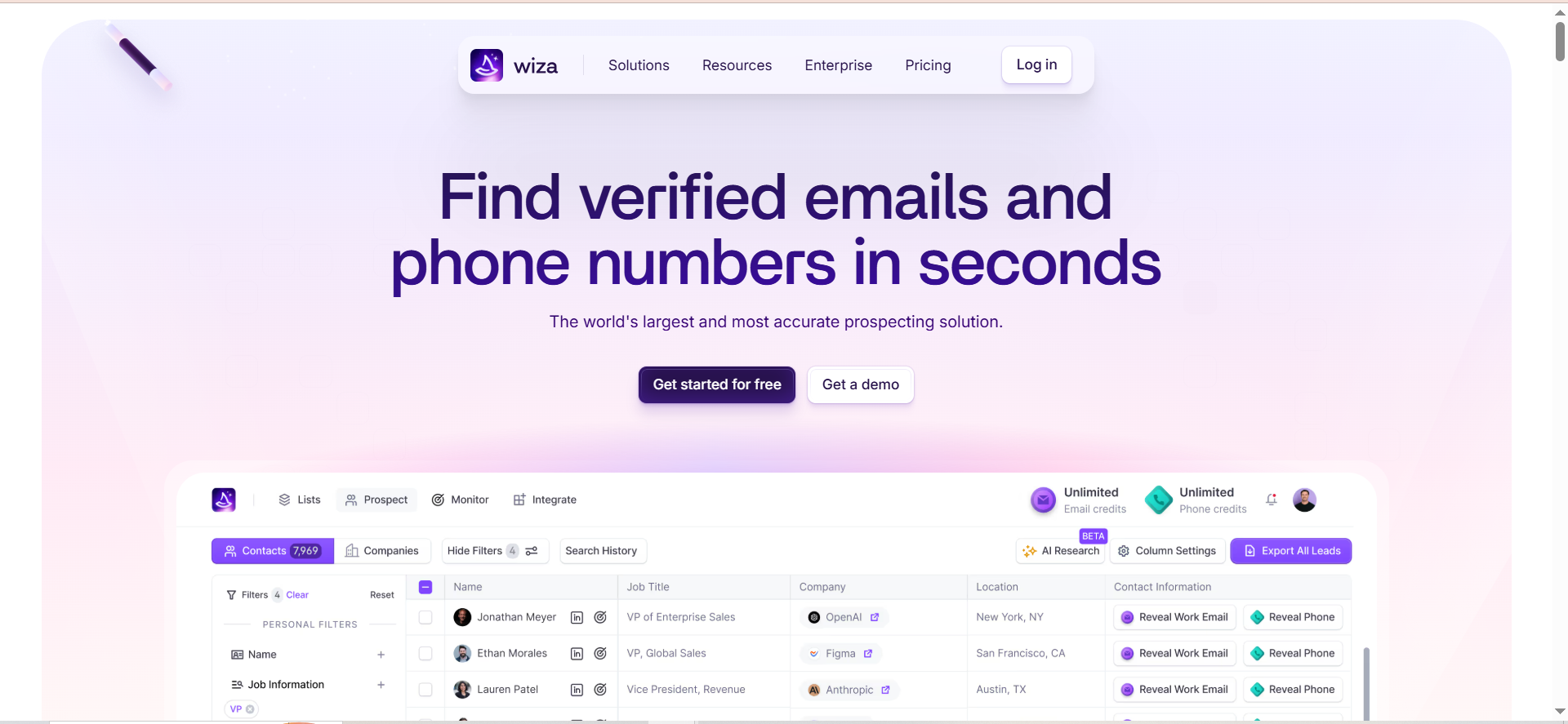
Wiza is a B2B contact data platform that extracts verified email addresses and phone numbers from LinkedIn profiles. It works by scanning LinkedIn, Sales Navigator, and LinkedIn Recruiter in real time, running live SMTP verification on every email before surfacing it. The result is a verified contact list exported to CSV or pushed directly into your CRM.
Why Teams Use It
Recruiting teams use Wiza because it eliminates the manual copy-paste cycle that comes with LinkedIn sourcing. Instead of visiting profiles one by one and guessing email formats, Wiza pulls contact data in bulk from any Sales Navigator search or saved list, handling up to 2,500 leads at once. The real-time verification means fewer bounces when you start outreach, which protects your sender reputation with candidates.
What It's Good For
Wiza excels at high-volume LinkedIn-based candidate sourcing. If your recruiting workflow starts with a Sales Navigator search filtered by title, industry, location, or company size, Wiza turns that search into a verified contact list in minutes. It also exports 40+ data fields per candidate, including open-to-work status, time in current role, and work history, giving you context for personalized outreach without extra research.
When It's a Good Fit
Wiza fits recruiters who source primarily through LinkedIn and need to export candidate lists in bulk. It is especially useful for agency recruiters running high-volume searches across multiple roles and clients. If you already pay for Sales Navigator or LinkedIn Recruiter, Wiza extends the value of that subscription by adding verified contact data to every profile you find.
When It's Not a Good Fit
Wiza only works with LinkedIn. If you source candidates from job boards, conferences, inbound applications, GitHub, Stack Overflow, or other channels, Wiza cannot enrich those contacts. The total cost is also a consideration. Between the Wiza subscription and a required Sales Navigator seat, you are looking at $265 to $315 per month minimum. For solo recruiters or small firms with low sourcing volume, that adds up quickly. Budget-conscious teams may prefer an email finder built for startups instead.
How to Use It
Install the Wiza Chrome extension. Navigate to LinkedIn Sales Navigator and run your candidate search. Click "Export with Wiza" and select the fields you need. Wiza verifies each email in real time and delivers a cleaned list to your CSV or syncs it directly to Salesforce, HubSpot, or your preferred CRM. You can also use Wiza Prospect, a searchable database of 850M+ contacts, to find candidates without starting from LinkedIn.
Key Capabilities
Real-time SMTP email verification on every lookup. Bulk export of up to 2,500 leads per search. 40+ enrichment fields per contact including job tenure and open-to-work status. Direct CRM sync with Salesforce and HubSpot. AI Research feature that enriches prospects using live web data. Wiza Monitor for job-change alerts delivered via Slack or email.
Pricing
Free: $0/month with 20 emails and 5 phone numbers. Starter: $49/month for 100 emails and 100 phone numbers. Email: $99/month or $83/month billed annually for unlimited emails. Email + Phone: $199/month or $166/month billed annually for unlimited emails and phone numbers. Team: Custom pricing for 3+ users.
Free Tier?
Yes. The free plan includes 20 emails and 5 phone numbers per month, plus access to the free email finder and email verifier tools. It is limited but enough to test accuracy and workflow fit before committing.
Downsides / Limitations
LinkedIn-only data source with no enrichment for contacts found outside LinkedIn. High total cost when factoring in Sales Navigator at $265-315/month combined. Credit consumption can be unpredictable for phone number lookups. No built-in outreach or email sequencing, so you need a separate tool to actually contact candidates.
2. Kaspr
What It Does
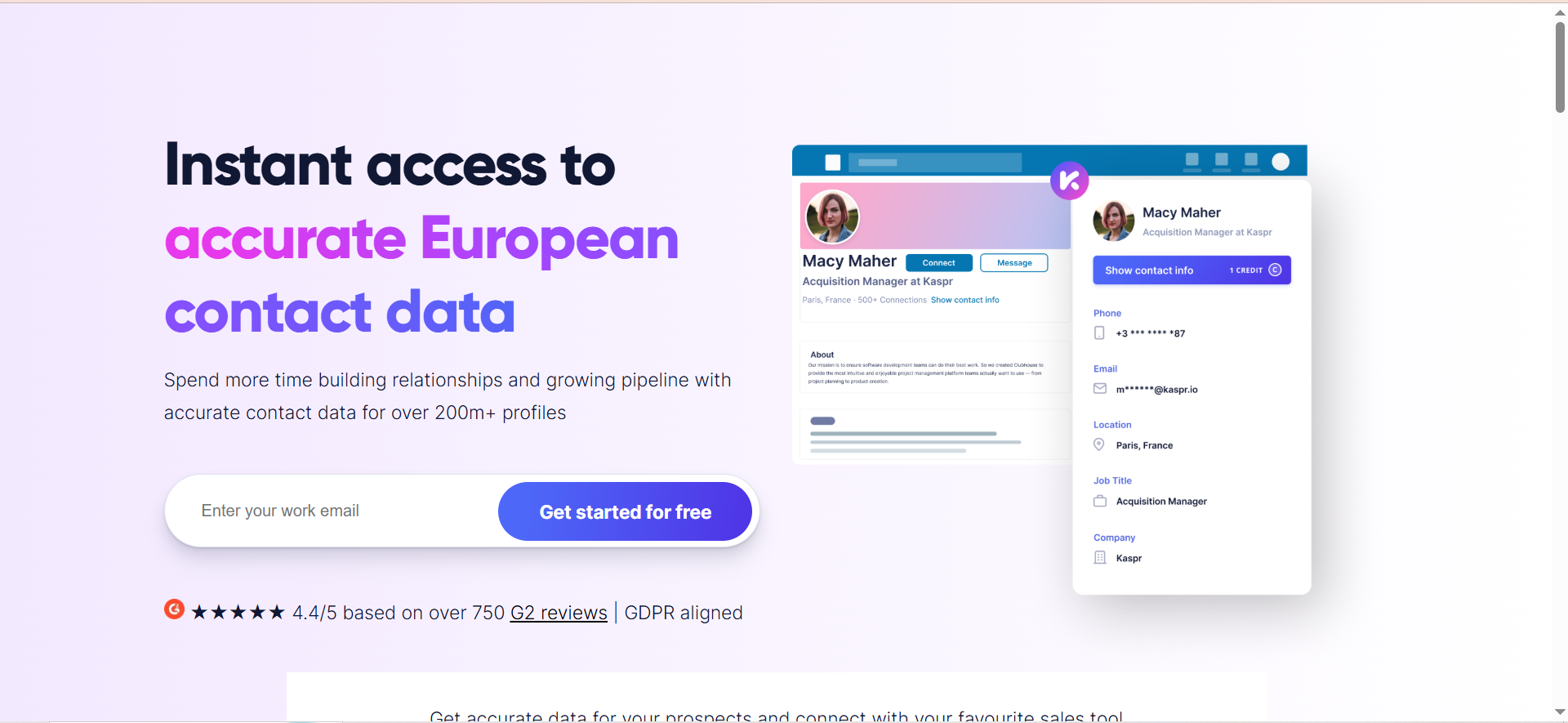
Kaspr is a B2B contact data enrichment tool built as a Chrome extension that overlays verified phone numbers and email addresses directly on LinkedIn profiles, groups, events, and Sales Navigator searches. It pulls data from over 150 sources in real time and maintains a database of 500M+ contacts with particular depth in European markets.
Why Teams Use It
Recruiting teams use Kaspr for its instant access to direct phone numbers alongside emails. This matters when you need to reach passive candidates who do not respond to cold email. The Chrome extension is seamless: visit a LinkedIn profile and Kaspr reveals the contact data without leaving the page. For European hiring specifically, Kaspr's database of 120M+ EU contacts runs significantly deeper than most competitors in the space.
What It's Good For
Kaspr is strongest for recruiters who need phone numbers alongside emails, particularly for roles where phone outreach drives higher response rates. Executive search, technical hiring, and urgent fills all benefit from the phone data. Its LinkedIn automation features, including automated connection requests and message sequences, also save time for recruiters running high-touch outreach campaigns.
When It's a Good Fit
Kaspr fits recruiters sourcing candidates in Europe and needing both phone numbers and emails. It is a strong choice for recruitment agencies running LinkedIn-first workflows where phone outreach is part of the process. The free plan with 15 B2B email credits per month lets you test the tool before committing budget, while the Starter plan unlocks unlimited B2B emails.
When It's Not a Good Fit
Kaspr's phone number accuracy sits around 50-65% based on user reports, with US numbers generally less accurate than European ones. If you primarily recruit in North America and phone accuracy is critical, another tool may serve you better. Email accuracy of 75-80% for business emails is also lower than some competitors.
How to Use It
Install the Kaspr Chrome extension. Browse LinkedIn profiles, search results, groups, or events as you normally would. Kaspr automatically displays available contact data on each profile. Click to reveal the full details, then export to your CRM or download as CSV. You can also set up automated LinkedIn workflows within Kaspr, including connection requests, follow-up messages, and data enrichment sequences.
Key Capabilities
Chrome extension for LinkedIn, Sales Navigator, and LinkedIn Recruiter Lite. Access to 500M+ phone numbers and emails globally with 120M+ European contacts. Automated LinkedIn connection requests and message sequences. CRM integrations with Salesforce, HubSpot, Pipedrive, and others. ATS integrations for recruitment workflows. Team dashboard for managing credits and exports across multiple users.
Pricing
Free: 15 B2B email credits, 5 phone credits, 5 direct email credits, and 10 export credits per month. Starter: $49/month billed annually or $65/month billed monthly with unlimited B2B email credits and 100 phone credits per month. Business: $79/month billed annually or $99/month billed monthly with unlimited B2B emails, 200 phone credits, and 200 direct email credits per month. Enterprise: Custom pricing with a minimum of 5 users and unlimited credits.
Free Tier?
Yes. The free plan includes 15 B2B email credits, 5 phone credits, 5 direct email credits, and 10 export credits monthly. This provides enough access to test the tool's data quality and workflow fit before upgrading to a paid plan.
Downsides / Limitations
Phone number accuracy of 50-65% means roughly half your calls may not connect. Email accuracy around 75-80% is lower than competitors like Skrapp and Prospeo. Stronger for European data than US data. Starter plan limits on phone credits can feel restrictive for active recruiters. No standalone email verification step before export.
3. Skrapp
What It Does
Skrapp is a B2B email finder platform that locates verified professional email addresses from LinkedIn profiles and company domains. It combines a Chrome extension for LinkedIn-based lookups with a web app that supports bulk email finding, domain search, and email verification. The platform focuses on email accuracy over feature breadth.
Why Teams Use It
Recruiters use Skrapp because it balances accuracy and affordability. The platform only charges credits for emails marked as "Valid" or "Catch-all," which means you do not spend credits on invalid results. The credit-based pricing model ensures you only pay for deliverable emails, making your sourcing budget more predictable.
What It's Good For
Skrapp handles mid-volume recruiter sourcing well. If you need to find work emails for 100-500 candidates per month, the pricing stays reasonable and accuracy holds up. The LinkedIn Recruiter integration means you can extract emails directly from your existing sourcing workflow. Company Search is also useful for targeted recruiting: plug in a company domain and get a list of employees with their roles and verified emails.
When It's a Good Fit
Skrapp fits recruiters who want reliable email finding at a moderate price point and do not need phone numbers or outreach automation built in. It works well for in-house recruiting teams that source from LinkedIn and need clean email lists to hand off to their outreach tool or ATS. The credit rollover feature, where unused credits carry to the next month, is a real advantage for teams with variable sourcing volume.
When It's Not a Good Fit
Skrapp does not provide phone numbers, so if phone outreach is part of your process, you will need a separate tool. Email accuracy can drop for smaller businesses and niche industries where the database has less coverage. There is no built-in outreach or sequencing, so Skrapp finds emails but you need another tool to send them.
How to Use It
Install the Skrapp Chrome extension. Open LinkedIn, Sales Navigator, or LinkedIn Recruiter and navigate to a profile or search results page. The extension reveals work emails directly on the profile. For bulk lookups, use the web app's Data Enrichment feature by uploading a CSV with names and company domains. Use Company Search to find all known employees at a target company.
Key Capabilities
Chrome extension for LinkedIn, Sales Navigator, and LinkedIn Recruiter. Data Enrichment for CSV uploads with name and domain. Company Search for company-wide employee lookups. Built-in email verification included in credit usage. Credit rollover on paid plans. Only charges for deliverable emails marked "Valid" or "Catch-all." AI Enrichment on Professional and Enterprise plans.
Pricing
Free: 50 credits per month with 1 user and access to all core features. Professional: $29/month billed annually or $39/month billed monthly for 2,000 credits and 2 users. Enterprise: $262/month billed annually or $349/month billed monthly for 50,000 credits and 15 users. Custom plans available for volumes above 500K credits per month.
Free Tier?
Yes. 50 credits per month with access to all core features including email finder, email verifier, and Chrome extension. The free plan includes 1 user.
Downsides / Limitations
No phone number data at all. No built-in outreach or email sequencing capability. Accuracy drops for smaller companies and niche industries. Database size is not publicly disclosed, making it hard to assess coverage for specific markets. No LinkedIn automation features. Professional plan limited to 2 users.
4. Snov
What It Does
Snov is an all-in-one sales engagement platform that combines email finding, email verification, drip email campaigns, email warm-up, and a built-in CRM. For recruiting, it lets you find candidate emails, verify them, and run outreach sequences from a single platform without switching between multiple tools.
Why Teams Use It
Recruiting teams use Snov when they want email finding and outreach in one tool. Instead of paying for one platform to find emails and another to send sequences, Snov handles both. The drip campaign builder supports multi-step email sequences with delays, follow-ups, and conditional logic based on opens, clicks, and replies, which means automated candidate nurturing without manual tracking.
What It's Good For
Snov is strongest for recruiters who want a combined prospecting and outreach workflow. Find a candidate on LinkedIn, extract their email, verify it, add them to a drip campaign, and track engagement, all within Snov. The database of 50M+ company profiles supports searching by 15 different filters, so you can also prospect directly within Snov without relying solely on LinkedIn.
When It's a Good Fit
Snov fits recruiting teams or agencies that want to consolidate their tech stack. Instead of paying separately for an email finder, outreach tool, and email verifier, Snov bundles everything together. It is a strong choice for budget-conscious teams sourcing candidates and running cold email outreach at moderate volume. The email warm-up tool, included free in all plans, is a bonus for maintaining deliverability.
When It's Not a Good Fit
Snov's credit system can get expensive because credits are shared between the finder and the verifier. Finding an email costs credits, and verifying that same email costs credits again. The LinkedIn automation add-on costs an additional $69/month per slot, which adds up for team use. If you need deep LinkedIn integration or bulk export from Sales Navigator, a dedicated LinkedIn prospecting tool like Wiza will be more efficient.
How to Use It
Install the Snov Chrome extension. Use it on LinkedIn to extract candidate emails from profiles. Alternatively, use the web app to search Snov's database by company, industry, job title, location, and other filters. Verify found emails using the 7-tier email verifier. Build drip campaigns in the email sequencer with A/B testing, delays, and conditional follow-ups. Track opens, clicks, and replies from the built-in CRM.
Key Capabilities
Email finder with 50M+ company profiles and 15 search filters. 7-tier email verifier for accuracy. Drip campaign builder with A/B testing and conditional logic. Email warm-up tool included in all plans. Chrome extension for LinkedIn email extraction. Built-in CRM with deal pipelines. Bulk email search via CSV upload. API access for integration with custom tools.
Pricing
Trial (Free): $0/month with 50 credits and 100 email recipients per month. Starter: $39/month or $29.25/month billed annually for 1,000 credits and 5,000 email recipients. Pro: $99/month or $74.25/month billed annually for 5,000 credits and 25,000 email recipients. Custom Ultra: Custom pricing for 200,000+ credits. Annual billing saves 25%.
Free Tier?
Yes. Snov offers a free Trial plan with 50 credits and 100 email recipients per month. This provides ongoing access to test the email finder, verifier, and campaign tools before committing to a paid plan.
Downsides / Limitations
Credits are shared between finding and verifying, effectively doubling the cost per contact. LinkedIn automation add-on is an extra $69/month per slot. Database of 50M+ company profiles is smaller than competitors like Wiza at 850M+. The all-in-one approach means no single feature is best-in-class. Email finder accuracy is not publicly stated, making it hard to benchmark against competitors.
5. Prospeo
What It Does
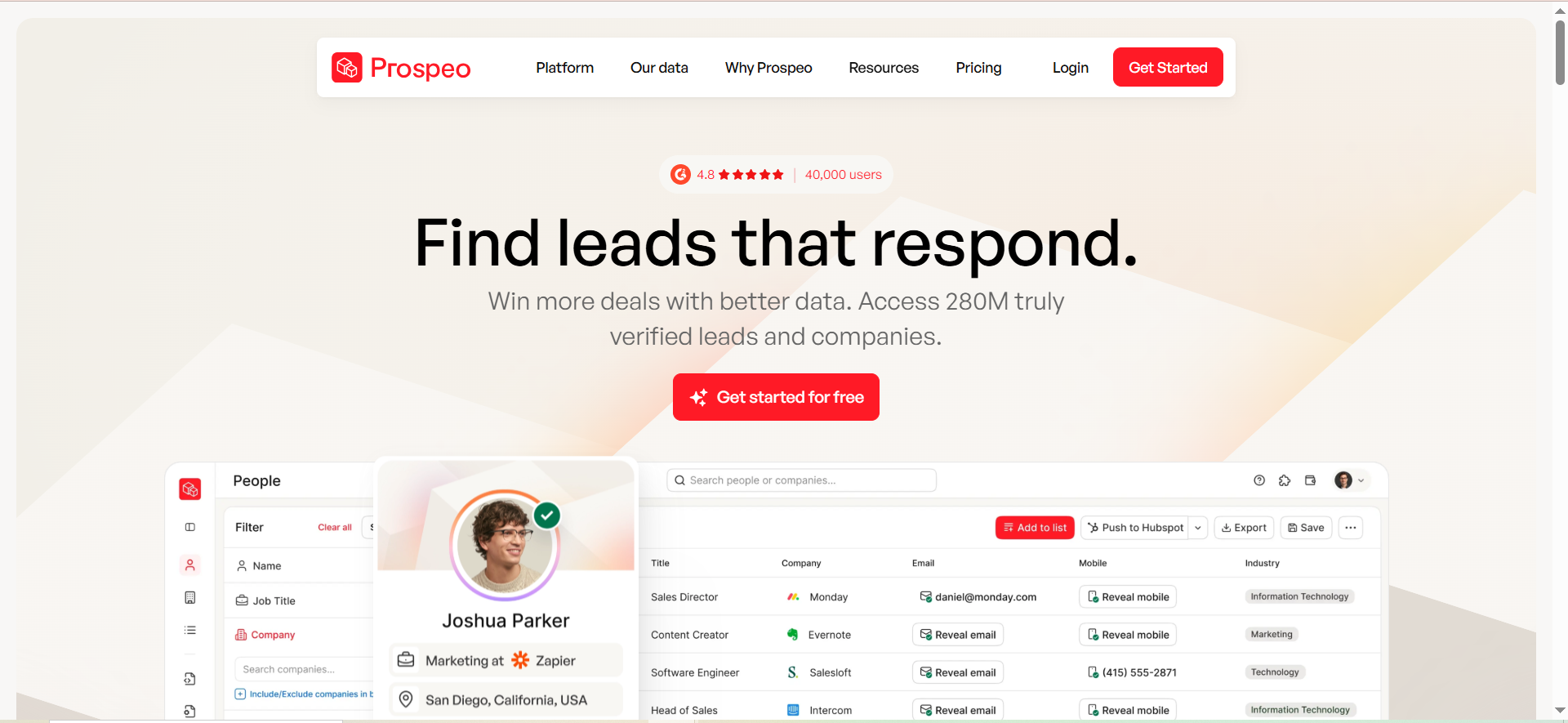
Prospeo is an email finder and verification tool focused on LinkedIn email extraction and domain search. It returns verified email addresses from LinkedIn profiles or company domains, backed by a 5-step verification process and a 7-day data refresh cycle that keeps contact information current.
Why Teams Use It
Recruiters use Prospeo for speed and accuracy on individual lookups. The Chrome extension returns a verified email within 2-3 seconds, making it ideal for recruiters who research candidates one at a time, reading profiles, assessing fit, and then grabbing the email when they find the right person. The 98% verified email accuracy and 7-day data refresh cycle mean you are less likely to hit an outdated address compared to tools with slower refresh rates.
What It's Good For
Prospeo is strongest for single-profile and low-to-mid-volume sourcing workflows. If you source 50-200 candidates per month and care about accuracy over bulk, Prospeo delivers. The mobile number finder with 125M+ verified mobiles is also a differentiator. When you need to call a passive candidate directly, Prospeo provides the number, though at a higher credit cost of 10 credits per phone lookup.
When It's a Good Fit
Prospeo fits recruiters who work one candidate at a time rather than running bulk searches. It is a strong pick for executive recruiters, boutique firms, and in-house sourcers who prioritize accuracy and fresh data over volume. The Chrome extension's 40,000+ users and 4.8-star rating reflect a polished user experience that does not interrupt your browsing flow.
When It's Not a Good Fit
Prospeo is not built for bulk processing. Users report importing large prospect lists and receiving very low match rates while consuming all credits. If your workflow requires exporting hundreds of candidates per search, a bulk-first tool like Wiza will be more efficient. Credits also do not roll over and expire monthly, which penalizes teams with variable sourcing volume.
How to Use It
Install the Prospeo Chrome extension. Browse LinkedIn profiles, company websites, or online directories. When you find a candidate, click the extension to reveal their verified email and phone number. For bulk lookups, use the web app's domain search or LinkedIn Sales Navigator export feature. Verify existing email lists using the built-in verifier at 0.5 credits per verification.
Key Capabilities
Chrome extension with 40,000+ users and a 4.8-star Chrome Web Store rating. 300M+ professional profiles in the database. 143M+ verified emails. 125M+ verified mobile numbers. 98% verified email accuracy. 5-step verification process catching spam traps and catch-all domains. 7-day data refresh cycle. Domain search for company-wide lookups. Email verifier at 0.5 credits per check. Mobile number finder at 10 credits per lookup.
Pricing
Free: 75 email credits plus 100 Chrome extension credits per month. Basic: $39/month for 1,000 credits. Pro: $99/month for 5,000 credits. Business: $199/month for 20,000 credits. Corporate: $369/month for 50,000 credits. No annual discount. Pricing is flat regardless of billing cycle.
Free Tier?
Yes. 75 email credits and 100 Chrome extension credits per month. This is enough for individual recruiters doing light sourcing, but credits do not roll over.
Downsides / Limitations
Weak for bulk processing with low match rates on large imports. Credits do not roll over, penalizing variable-volume users. Mobile lookups cost 10 credits each, making phone outreach expensive at scale. No built-in outreach or email sequencing. No annual discount on pricing, so no savings for yearly commitment.
How Do Email Finder Tools Work for Recruiters?
Email finder tools locate professional email addresses by cross-referencing publicly available data sources, web crawling results, and proprietary databases. When a recruiter enters a candidate's name and company (or visits their LinkedIn profile), the tool searches its database for matching records and applies email pattern recognition to generate likely addresses at that company's domain.
Most tools then run verification checks before returning results. Verification typically involves DNS lookups to confirm the domain accepts email, SMTP handshakes to test whether the specific mailbox exists, and checks for catch-all domains that accept any address regardless of whether a mailbox exists. Tools like Wiza perform this verification in real time for every lookup. Others like Skrapp only charge credits when the result is verified as valid.
For recruiters specifically, the workflow usually starts from LinkedIn. A Chrome extension overlays the email finder on LinkedIn profiles, letting you reveal contact data without leaving your sourcing flow. Bulk export features then let you export entire search result pages into CSV files or sync them directly to your CRM or ATS.
The key difference from sales use is the lookup pattern. Sales teams often use domain search to find every employee at a company. Recruiters search for specific individuals by name and role, which requires better pattern matching and a deeper database of individual profiles.
Are Email Finder Tools GDPR Compliant for Recruitment?
GDPR compliance for email finder tools in recruitment depends on both the tool's data sourcing practices and how you use the data. Under GDPR, processing candidate personal data requires a lawful basis. For recruitment, the most common basis is legitimate interest, which means you have a genuine business reason (filling a role) and the data processing is necessary and proportionate.
There are several things to check when evaluating a tool's compliance. First, verify that the tool sources data from publicly available sources like professional social networks and company websites, not from breached or leaked databases. Tools like Kaspr specifically highlight their GDPR compliance and data sourcing from public LinkedIn profiles.
Second, the tool should offer data deletion capabilities so you can respond to candidate requests to have their data removed. Under GDPR, candidates have the right to be forgotten, and you need to be able to honor that.
Third, be aware of your own responsibilities as a recruiter. You cannot keep candidate data indefinitely. General guidance suggests a 2-3 year retention period from last meaningful contact. After that, either delete the record or obtain fresh consent.
Fourth, when contacting candidates, include a privacy notice explaining who you are, what data you collected, why you collected it, how long you will keep it, and how they can exercise their rights. Link to your privacy policy in your email signature.
As of 2026, exemptions that previously existed for employee and applicant data in certain jurisdictions have been terminated, which means stricter compliance standards across the board. Choose tools that transparently describe their data sourcing methods and offer data management features that help you stay compliant.
What Is the Best Free Email Finder for Recruiters?
Among the five tools reviewed here, Kaspr offers 15 B2B email credits, 5 phone credits, and 5 direct email credits per month on its free plan. If you need phone numbers alongside emails for your sourcing workflow, Kaspr's free plan is the strongest starting point for testing both data types at no cost.
Prospeo's free plan is the next strongest option, offering 75 email credits and 100 Chrome extension credits per month. This is enough for individual recruiters sourcing 50-75 candidates monthly, and the 98% accuracy rate means most of those credits will return usable results.
Skrapp's free plan provides 50 credits per month with an important bonus: the tool only charges for deliverable emails. If your sourcing volume varies month to month, Skrapp's credit rollover on paid plans means you do not lose unused credits during slow periods.
Wiza's free plan gives 20 emails and 5 phone numbers per month. While the volume is low, the real-time SMTP verification on every lookup means those 20 results are highly reliable.
Snov offers a free Trial plan with 50 credits and 100 email recipients per month, providing ongoing access to test the email finder, verifier, and campaign tools.
For most recruiters starting out, Prospeo's 75 free email credits with 98% accuracy provide the best starting point for email-only sourcing. If you need phone numbers too, Kaspr's free plan gives you both data types to test.
How Accurate Are Email Finder Tools in 2026?
Email finder accuracy varies significantly based on the tool, the industry you are recruiting in, and the size of the companies you are targeting. Accuracy claims from vendors should be evaluated against several dimensions: the percentage of lookups that return a result (search success rate), the percentage of returned results that are valid email addresses (verification accuracy), and the actual deliverability rate when you send to those addresses.
Among the tools reviewed, Prospeo leads on stated accuracy with 98% verified email accuracy backed by a 5-step verification process and a 7-day data refresh cycle. Wiza targets 99%+ deliverability through real-time SMTP verification on every lookup. Kaspr's email accuracy sits around 75-80% for business emails based on user reports on review platforms.
Several factors affect real-world accuracy. Company size matters, as larger organizations with standardized email formats yield better results than small businesses or startups with less predictable patterns. Industry also plays a role, with technology and professional services companies generally having higher coverage in most databases compared to healthcare, government, or education.
B2B contact data decays at approximately 2.1% per month, meaning roughly 25% of any email database becomes outdated each year. Tools with faster refresh cycles mitigate this decay better than tools that update less frequently.
For recruiters, the practical recommendation is to always run a verification step before outreach, whether built into the tool or through a standalone verifier. Sending to unverified addresses risks hard bounces that damage your sender reputation and reduce future deliverability.
Can Email Finders Find Personal Email Addresses for Candidates?
Most B2B email finder tools focus on work email addresses at company domains rather than personal email addresses like Gmail or Outlook accounts. This is by design. Work emails confirm the candidate is currently employed at the listed company, the mailbox is likely active, and the email format is predictable.
That said, some tools do surface personal email addresses. Kaspr distinguishes between B2B emails and direct emails (5 per month on the free plan), where direct emails may include personal addresses. Wiza's enrichment data can sometimes include personal emails alongside work addresses.
For recruiters, there are scenarios where personal email addresses are useful. When a candidate has left the company listed on their LinkedIn profile, their work email may no longer be active. If a company's email server blocks cold outreach or uses aggressive spam filtering, a personal address may be the only way to reach the candidate. For passive candidates who are discreetly exploring opportunities, a message to their personal email feels less risky than one landing in their work inbox where colleagues or managers might see it.
However, using personal email addresses for recruitment outreach carries additional compliance considerations. GDPR and similar regulations are stricter about processing personal email addresses because they are considered personal data outside a professional context. If you use personal addresses, ensure you have a clear lawful basis and include a straightforward opt-out mechanism in every message.
How to Find Candidate Emails on LinkedIn Without Premium
You do not necessarily need LinkedIn Premium or Sales Navigator to find candidate emails, though having them improves the experience. Several email finder Chrome extensions work on standard LinkedIn profiles without requiring a premium subscription.
Kaspr's Chrome extension works on regular LinkedIn profiles, groups, and events. It reveals contact data on any profile you visit, regardless of your LinkedIn subscription level. The free plan gives 15 B2B email credits per month.
Skrapp's Chrome extension also works on standard LinkedIn pages. Install the extension, visit any LinkedIn profile, and it attempts to find the associated work email. The 50 free credits per month are enough for light sourcing.
Prospeo's Chrome extension operates on LinkedIn profiles as well as company websites and directories. You get 100 Chrome extension credits per month on the free plan.
The limitation of using these tools without LinkedIn Premium is search capacity. Standard LinkedIn restricts the number of search results you can view and the filters available for narrowing candidates. Sales Navigator and LinkedIn Recruiter open up advanced filters (years of experience, company growth rate, recent job changes) and return more results per search. If you are doing more than occasional sourcing, the combination of a LinkedIn Premium subscription and an email finder tool is more efficient than either one alone.
An alternative approach for low-volume sourcing: use LinkedIn's basic search to find the candidate, note their name and current company, then use a web-based email finder like Snov or Skrapp's Company Search to look up their email without needing a LinkedIn extension at all.
Email Finder vs LinkedIn Recruiter InMail: Which Is Better for Outreach?
LinkedIn Recruiter InMail and email finder tools serve the same goal — reaching candidates — through different channels. Each has tradeoffs that affect response rates, cost, and scalability.
InMail keeps your outreach inside LinkedIn, which means the candidate sees your profile, mutual connections, and company page alongside your message. This context builds credibility and can improve response rates for well-known employers or highly relevant roles. LinkedIn reports average InMail response rates of 10-25%, though this varies widely by industry and role.
Email outreach through found addresses lets you reach candidates in their inbox, where messages feel more personal and less transactional. Recruiting emails reportedly see the highest open rates among B2B cold email categories at 52.3%. Email also gives you more formatting control, lets you include attachments (job descriptions, company overviews), and allows automated follow-up sequences through tools like Snov.
The cost comparison also matters. LinkedIn Recruiter plans start at several hundred dollars per month and include a limited number of InMail credits. Email finder tools start at $29-49/month and give you reusable contact data. Once you have a candidate's email address, you can contact them indefinitely without spending additional credits. InMail credits are consumed on every message.
For most recruiting teams, the practical answer is to use both. Start with InMail for high-priority candidates where LinkedIn context adds credibility. Use email as the primary channel for volume outreach and follow-up sequences. An email finder tool pays for itself if it improves your response rate on even a handful of hires per quarter.
How Many Email Credits Do Recruiters Typically Need Per Month?
The number of email credits a recruiter needs depends on their sourcing volume, the number of open roles, and how they use the tool. Here are some benchmarks based on common recruiting scenarios.
An in-house recruiter filling 2-4 roles per month typically sources 50-200 candidates per role. At a 60-70% email find rate (not every lookup returns a result), that translates to roughly 150-600 successful lookups per month. A plan with 1,000 credits covers most in-house recruiters comfortably.
An agency recruiter working 5-10 roles simultaneously across multiple clients needs higher volume. Sourcing 100-300 candidates per role means 500-3,000 lookups per month. Plans with 5,000 credits are the starting point for active agency recruiters.
An executive recruiter doing targeted searches with deep research per candidate uses fewer credits but often needs phone numbers too. At 20-50 candidates per search, 200-500 email credits per month may be sufficient, but phone credit costs (10 credits per number on Prospeo, limited credits on Kaspr) can drive total usage higher.
Factor in verification costs as well. On tools like Snov where finding and verifying consume separate credits, your effective usage doubles. On tools like Skrapp where you are only charged for valid results, credit consumption is more predictable.
Start with a free plan or the lowest paid tier to calibrate your actual usage before committing to a higher plan. Tools with credit rollover (Skrapp paid plans) are safer if your volume fluctuates.
What Integrations Should a Recruiter Email Finder Have?
The most valuable integrations for a recruiter email finder connect it to the tools you already use daily, minimizing manual data entry and keeping candidate information flowing through your pipeline.
ATS integration is the most important for recruiters. The ability to push found contacts directly into Greenhouse, Lever, Workday, or your preferred applicant tracking system eliminates the CSV export and import cycle. Kaspr specifically highlights ATS integrations for recruitment workflows.
CRM integration matters for agencies and teams that manage candidate relationships over time. Wiza syncs directly with Salesforce and HubSpot. Kaspr and Snov integrate with Salesforce, HubSpot, and Pipedrive. If your team uses a CRM to track candidate pipelines, ensure the email finder pushes data cleanly into your existing fields.
LinkedIn compatibility is table stakes. All five tools reviewed here offer Chrome extensions for LinkedIn. Verify that the extension works specifically with your LinkedIn tier — standard LinkedIn, Sales Navigator, or LinkedIn Recruiter — since some tools only support certain versions.
Email and sequencing tool integration is important if you use a separate outreach platform. If your team runs candidate outreach through a separate email tool, check whether the email finder can export directly to that tool or if CSV is the only bridge.
Zapier or Make compatibility adds flexibility for custom workflows. If your recruiting stack includes niche tools, a Zapier integration lets you build automated pipelines (e.g., new found email triggers a Slack notification and creates a task in your project management tool).
How to Verify Candidate Emails Before Outreach
Verifying candidate emails before sending outreach is essential for protecting your sender reputation and ensuring your messages actually reach inboxes. Unverified lists lead to hard bounces, which signal email providers that you are sending to bad addresses, causing your future emails to land in spam.
Several of the tools reviewed include built-in verification. Wiza runs live SMTP verification on every email at the moment of lookup, aiming for 99%+ deliverability without requiring a separate verification step. Skrapp only charges credits when the result passes verification. Prospeo uses a 5-step verification process that catches spam traps, honeypots, and catch-all domains.
If your email finder does not include verification, or if you want a second layer of validation, standalone email verification services are available. These services typically run three checks. A syntax check confirms the email format is valid. A domain check confirms the domain exists and has active mail servers. An SMTP check confirms the specific mailbox exists and can receive messages.
Pay attention to catch-all domains. These are domains configured to accept email sent to any address, whether or not a mailbox exists. A catch-all email will pass verification but may still bounce or go nowhere. Some verification tools flag catch-all results so you can handle them separately, either excluding them from outreach or treating them as lower-confidence contacts.
For recruiting specifically, a good practice is to verify your entire candidate list before uploading it to your outreach tool, then re-verify any emails older than 90 days before re-engaging. Contact data decays at roughly 2% per month, so an email that was valid three months ago may no longer be active.



