

TL;DR
Most sales teams send hundreds of emails per week and have almost no visibility into what happens after they hit send. Email tracking tools solve that by telling you exactly when a prospect opens your message, clicks a link, or views an attachment, so your reps can follow up at the right moment instead of guessing. In this guide, we break down the five strongest email tracking tools for B2B teams in 2026: HubSpot Sales Hub, Mixmax, Yesware, Mailtrack, and Saleshandy. Each one is evaluated on tracking accuracy, CRM integration, pricing, and day-to-day usability so you can pick the right fit without wasting a week on free trials.
Best Email Tracking Tools (Quick Comparison)
| Tool | Best For | Starting Price | Email Client | CRM Integration |
|---|---|---|---|---|
| HubSpot Sales Hub | Teams already on HubSpot CRM | Free (paid from $15/mo per seat) | Gmail, Outlook | Native HubSpot CRM |
| Mixmax | Gmail-first sales teams wanting sequences + tracking | Free (paid from $29/mo per user) | Gmail only | Salesforce, HubSpot, Pipedrive |
| Yesware | Outbound reps needing Salesforce sync | Free (paid from $15/mo per user) | Gmail, Outlook | Salesforce (deep), HubSpot |
| Mailtrack | Individuals and freelancers on a budget | Free (paid from $5.99/mo per user) | Gmail only | None (standalone) |
| Saleshandy | Cold outreach at scale with unlimited accounts | Free trial (paid from $25/mo) | Gmail, Outlook | Salesforce, HubSpot, Zoho, Pipedrive |
1. HubSpot Sales Hub
What It Does
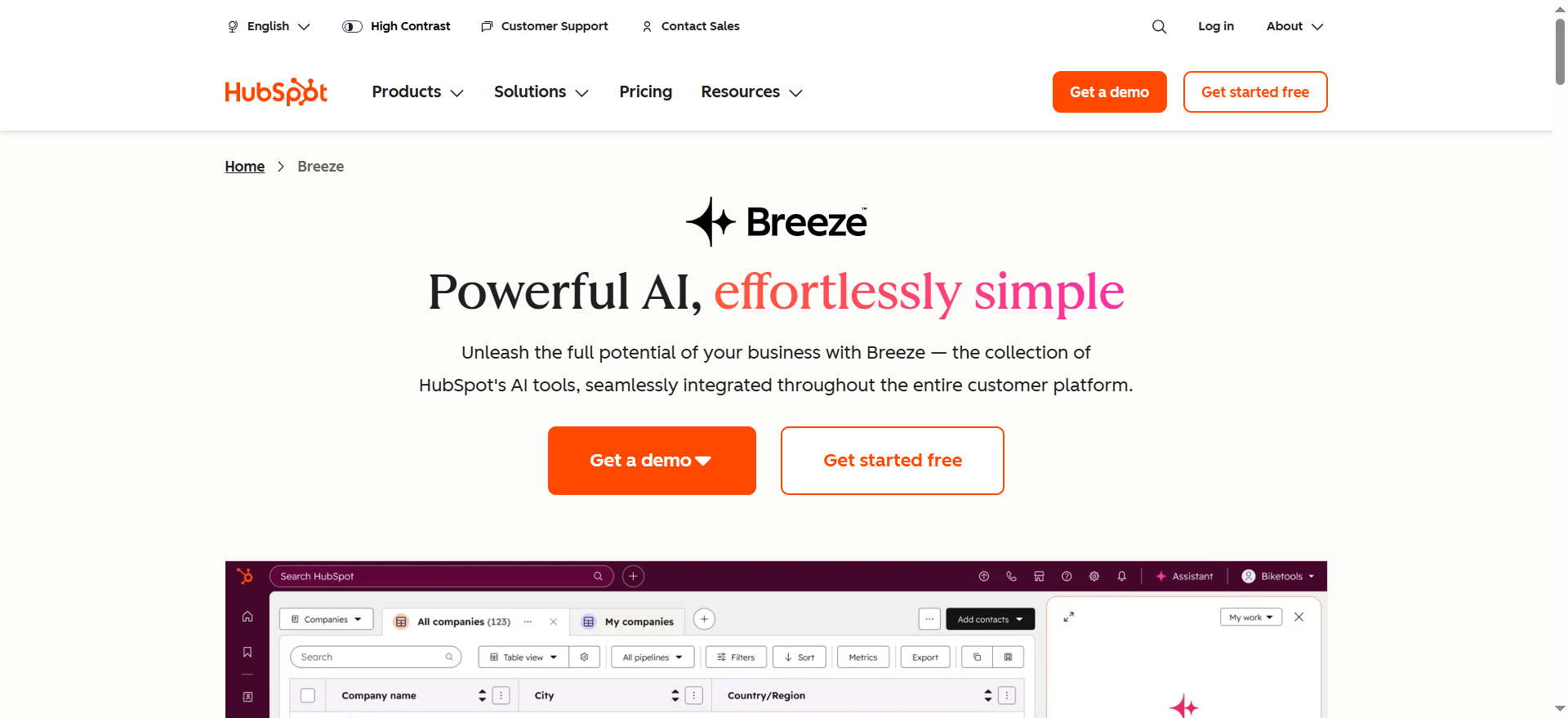
HubSpot Sales Hub is a full sales engagement platform built directly into the HubSpot ecosystem. Its email tracking feature monitors opens, clicks, and attachment views in real time, pushing instant desktop notifications to reps the moment a prospect engages. Every tracked interaction automatically logs to the contact record inside HubSpot CRM, giving managers a clean timeline of every touchpoint without manual data entry.
Why Teams Use It
Teams choose HubSpot Sales Hub because it eliminates the gap between email outreach and CRM. Instead of toggling between a standalone tracker and a separate CRM, everything lives in one system. Reps see a prospect's full engagement history — website visits, email opens, meeting bookings — in a single contact view. For organizations already running HubSpot Marketing Hub or Service Hub, Sales Hub slots in without any integration overhead.
What It's Good For
HubSpot Sales Hub excels at mid-funnel prospect engagement. The combination of email tracking, sequences (automated multi-step follow-ups), meeting links, and templates means reps can build repeatable outreach workflows that still feel personalized. The reporting layer ties email engagement directly to pipeline metrics, so sales leaders can see which sequences and templates actually drive meetings booked, not just opens.
When It's a Good Fit
HubSpot Sales Hub is a strong fit when your team already uses HubSpot CRM or when you want a single vendor for marketing, sales, and service tools. It works well for teams of 5 to 50 reps who need tracking, sequences, and pipeline management in one place. If you value clean CRM data over raw sending volume, this is the tool to evaluate first.
When It's Not a Good Fit
If your team runs on Salesforce and has no plans to migrate, layering HubSpot Sales Hub on top adds complexity rather than reducing it. It is also not the right choice for pure cold email at scale — HubSpot enforces sending limits and is designed around warm, relationship-based selling. Teams focused on high-volume outbound with thousands of emails per day should look at dedicated cold email platforms.
How to Use It
Install the HubSpot Sales Chrome extension for Gmail or the Outlook add-in. Once connected, a tracking toggle appears in your compose window. Turn it on, send the email, and you will see real-time notifications when the recipient opens it or clicks a link. All activity syncs automatically to the HubSpot CRM contact record. Set up sequences from the Sequences tab to automate follow-up emails triggered by engagement or time delays.
Key Capabilities
Real-time open and click notifications, email templates with personalization tokens, automated sequences with task reminders, meeting scheduling links, document tracking (know when a prospect views a proposal), custom tracking domains, A/B testing on subject lines and email body, pipeline and deal management, activity-based reporting dashboards, and integration with the broader HubSpot ecosystem.
Pricing
HubSpot Sales Hub offers a free plan with basic email tracking (up to 200 notifications per month). The Starter plan begins at $15 per seat per month (billed annually), or $20 per seat per month billed monthly. Professional is $100 per seat per month and adds sequences, custom reporting, and forecasting. Enterprise is $150 per seat per month with advanced permissions, predictive lead scoring, and conversation intelligence. One-time onboarding fees apply for Professional ($1,500) and Enterprise ($3,500).
Free Tier?
Yes. The free plan includes email tracking with up to 200 notifications per month, 5 email templates, 5 documents, 1 meeting scheduling link, and limited sequences. It is enough to test the tracking feature individually but not enough for a full sales team.
Downsides / Limitations
Pricing escalates quickly as you add seats and move up tiers — a 10-person team on Professional costs $1,000 per month just for Sales Hub. Some features like custom reporting and advanced sequences are locked behind the Professional tier. The free plan's 200-notification cap is restrictive for active reps. Teams not using HubSpot CRM will not get the full value of the integration, and the platform can feel heavyweight if all you need is simple open tracking.
2. Mixmax
What It Does
Mixmax is a sales engagement platform built specifically for Gmail. It adds email tracking, sequences, meeting scheduling, and workflow automation directly into the Gmail interface, so reps never have to leave their inbox to manage outreach. The tracking layer monitors opens, link clicks, and attachment downloads, surfacing engagement data in a sidebar and pushing real-time notifications to both Gmail and Slack.
Why Teams Use It
Teams choose Mixmax because it delivers a polished, low-friction experience inside Gmail. Reps can track emails, schedule meetings with one-click calendar links, set up multi-step sequences, and see prospect engagement data without switching tabs or opening a separate app. The Slack integration is particularly valued by teams that coordinate follow-ups in shared channels — when a prospect opens an email, the whole team sees it instantly.
What It's Good For
Mixmax is strong for mid-market sales teams doing consultative selling through Gmail. Its sequences are easy to build and support a mix of emails, calls, and LinkedIn tasks in a single workflow. The in-email enhancements like polls, surveys, and calendar embeds boost reply rates for teams that rely on creative outreach tactics. It is also effective for customer success teams managing renewals and upsells through email.
When It's a Good Fit
Mixmax fits best when your entire team uses Gmail (Google Workspace) and you want tracking plus sequences without migrating to a heavyweight sales platform. It is ideal for teams of 3 to 30 reps who care about inbox-native experience and want to integrate tracking data into Salesforce, HubSpot, or Pipedrive without manual logging.
When It's Not a Good Fit
Mixmax does not support Outlook at all, so if any part of your team runs on Microsoft 365, this tool is off the table. It is also not built for high-volume cold email — the platform is designed for personalized, relationship-driven outreach, and sending limits on lower tiers reflect that. Teams that need advanced analytics or custom reporting beyond what the dashboard offers may find the reporting layer thin.
How to Use It
Install the Mixmax Chrome extension and connect your Gmail account. A Mixmax sidebar appears inside Gmail showing tracking data, templates, and sequences. When composing an email, tracking is enabled by default. After sending, you receive real-time notifications for opens, clicks, and downloads. To build a sequence, go to the Mixmax dashboard, create a multi-step workflow, add contacts, and let the automation handle follow-ups based on engagement triggers or time delays.
Key Capabilities
Real-time email open, click, and download tracking with instant notifications, multi-channel sequences (email, phone, LinkedIn tasks), one-click meeting scheduling with embedded calendar, email templates with merge fields, Salesforce and HubSpot CRM sync, Slack notifications for engagement events, in-email polls and surveys, email send scheduling and snooze, team-wide engagement dashboards, and rules engine for automating workflows based on triggers.
Pricing
Mixmax offers a limited free plan with basic email tracking (capped at 20 tracked emails per month). Individual Copilot plans (Inbox or Meeting) start at $29 per user per month. The Engagement Copilot, which is the minimum plan required for sequences, is $49 per user per month. The full Suite (all three Copilots) is $89 per user per month — cheaper than buying them separately. Custom Teams pricing is available for groups of 5 or more reps. All paid plans include a 14-day free trial.
Free Tier?
Yes, but heavily limited. The free plan includes basic email tracking capped at 20 tracked emails per month, basic templates, and meeting scheduling with Mixmax branding. It does not include sequences. This is effectively a trial tier — not enough for daily sales use.
Downsides / Limitations
Gmail-only support is the biggest constraint — no Outlook, no Apple Mail. The jump from Free to a plan with sequences is steep ($49 per user per month for the Engagement Copilot). The Chrome extension can occasionally slow down Gmail, especially with large inboxes. Reporting is functional but not as deep as standalone analytics platforms. CRM integration with Salesforce requires the Suite plan ($89 per user per month) or higher.
3. Yesware
What It Does
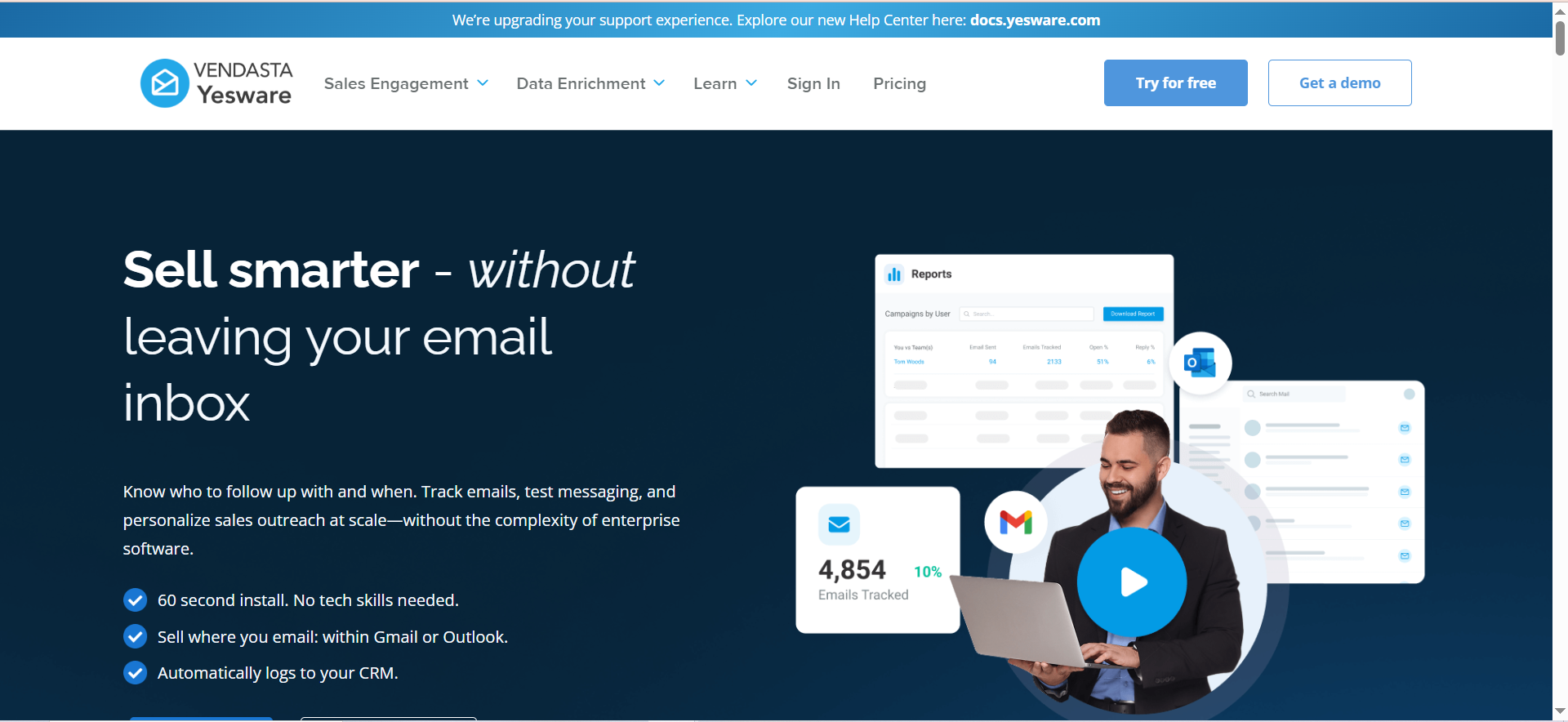
Yesware is a sales productivity platform that embeds email tracking, templates, sequences, and analytics directly into Gmail and Outlook. It tracks opens, link clicks, and attachment views in real time, sending instant notifications with the prospect's name, action taken, and timestamp. All engagement data flows into per-contact activity feeds and team-wide dashboards, and syncs bidirectionally with Salesforce for teams that need CRM-level visibility.
Why Teams Use It
Teams choose Yesware because it adds meaningful sales intelligence to the inbox without forcing reps to adopt a new platform. The Salesforce integration is particularly deep — activities sync automatically, and reps can view Salesforce data directly from Gmail or Outlook without opening a second tab. For SDR and AE teams that live in their inbox and run on Salesforce, Yesware removes the friction of manual CRM updates.
What It's Good For
Yesware is effective for outbound-heavy sales teams that run structured sequences and need engagement data to prioritize follow-ups. The multi-channel campaign builder supports email, phone tasks, and LinkedIn steps in a single sequence. The built-in Prospector database gives teams access to B2B contacts without needing a separate data provider, making it useful for teams that prospect and sell from the same inbox.
When It's a Good Fit
Yesware is a strong fit for Salesforce-centric sales teams that want tracking, templates, and sequences without leaving Gmail or Outlook. It works well for SDR teams of 5 to 25 reps who need enough automation to scale outreach but still want granular control over each message. If your team already runs Salesforce and wants email engagement data logged there automatically, Yesware is one of the tightest integrations available.
When It's Not a Good Fit
If your team does not use Salesforce, you lose a large portion of Yesware's value proposition — the CRM integrations with HubSpot and other platforms are less mature. Yesware is also not designed for mass cold email at scale; it is built for personalized, rep-driven outreach. Teams sending thousands of cold emails per day should use a dedicated cold outreach platform. Additionally, Apple Mail Privacy Protection inflates open data for Apple Mail users, which can reduce the reliability of tracking metrics.
How to Use It
Install the Yesware extension for Chrome (Gmail) or the Outlook add-in. Once installed, a tracking toggle appears in your compose window. Enable it, send your email, and Yesware notifies you in real time when the recipient opens or clicks. Access templates, sequences, and reporting from the Yesware sidebar or dashboard. Connect Salesforce from Settings to enable automatic activity sync and view Salesforce data inline.
Key Capabilities
Real-time open, click, and attachment tracking notifications, multi-channel campaigns (email, call, LinkedIn), email templates with personalization, Salesforce bidirectional sync (activities, contacts, opportunities), meeting scheduler, Prospector B2B contact database with email and phone data, team engagement dashboards and analytics, A/B testing on email subject lines and body copy, attachment tracking that shows which pages of a document were viewed, and recipient engagement scoring.
Pricing
Yesware offers a Free Forever plan with limited tracking. The Pro plan is $15 per user per month (billed annually) and includes unlimited tracking, templates, and basic campaigns. Premium is $35 per user per month with Salesforce integration, advanced sequences, and shared templates. Enterprise is $65 per user per month with custom fields, role-based permissions, and dedicated support. Monthly billing is available at higher rates ($19, $45, and $85 respectively).
Free Tier?
Yes. The Free Forever plan includes basic email open tracking, limited templates (up to 10), and a small number of campaigns. It is capped in both volume and features but provides enough functionality to test whether Yesware fits your workflow.
Downsides / Limitations
The full value of Yesware depends heavily on Salesforce — without it, the platform loses its key differentiator. The Prospector database is useful but not as comprehensive as dedicated data providers like Apollo or ZoomInfo. Open tracking accuracy is impacted by Apple Mail Privacy Protection, which pre-loads tracking pixels and inflates open rates for Apple Mail recipients. The interface can feel dated compared to newer competitors, and some features like advanced analytics are locked behind the Enterprise tier.
4. Mailtrack
What It Does
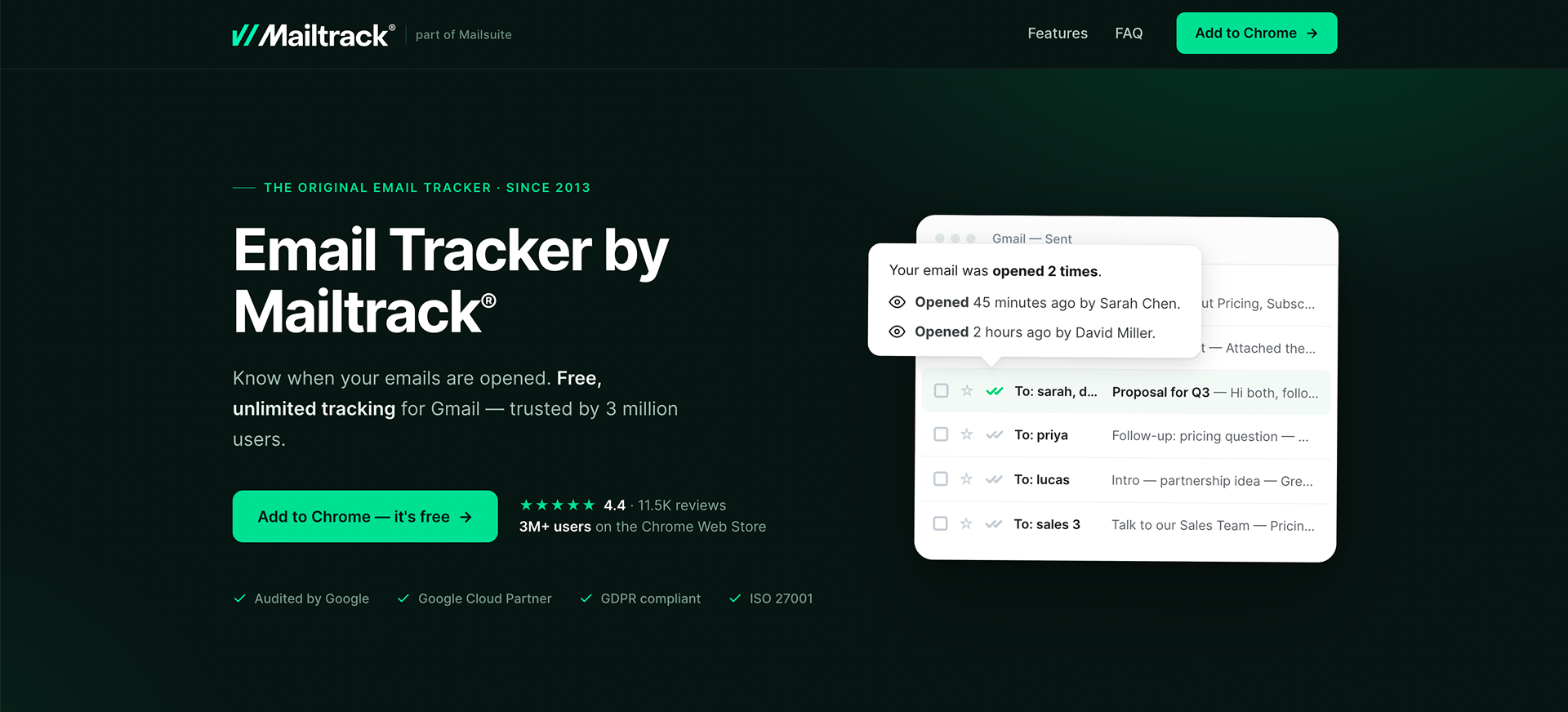
Mailtrack, made by Mailsuite, is a lightweight email tracking tool built for Gmail. It inserts a tracking pixel into outgoing emails and reports back when a recipient opens the message, how many times they opened it, and exactly when each open occurred. It also tracks link clicks on paid plans. The tool operates as a simple Chrome extension with no dashboard complexity — you get double-check marks inside Gmail (similar to WhatsApp read receipts) that indicate whether your email has been read.
Why Teams Use It
Teams and individuals choose Mailtrack for its simplicity and price. It does one thing well — tell you if your email was opened — without requiring you to learn a new platform or pay for features you do not need. Freelancers, solopreneurs, and small teams who just want basic visibility into email engagement find Mailtrack attractive because it works out of the box with almost no configuration.
What It's Good For
Mailtrack is best suited for individuals and very small teams who need basic open tracking without the overhead of a full sales engagement platform. It works well for freelancers following up on proposals, consultants checking if clients read important updates, job seekers tracking application emails, and small business owners monitoring outreach. It is also useful as a lightweight complement to a CRM that does not have built-in tracking.
When It's a Good Fit
Mailtrack fits when you are a solo user or part of a team of 1 to 5 people, you only use Gmail, and your primary need is knowing whether someone opened your email. If you do not need sequences, templates, CRM sync, or campaign analytics, and you want to pay under $10 per month (or nothing at all), Mailtrack delivers exactly what you need.
When It's Not a Good Fit
Mailtrack is not a fit for sales teams that need sequences, CRM integration, or team-level analytics. It has no Outlook support, no CRM sync, and no multi-step campaign builder. The free plan adds a Mailtrack signature to your emails, which looks unprofessional in B2B contexts. If you need to track more than opens and basic clicks, or if you need to share engagement data across a team, you will outgrow Mailtrack quickly.
How to Use It
Install the Mailtrack Chrome extension and connect your Gmail account. Once installed, every outgoing email is tracked by default (you can disable it per email). After sending, you see single or double check marks next to each email in your Sent folder — a single check means delivered, double checks mean opened. Click on any sent email to see a detailed timeline of opens, including timestamps and open count. Upgrade to Pro for link click tracking and to remove the Mailtrack signature.
Key Capabilities
Real-time email open notifications with push alerts, double-check read receipt indicators inside Gmail, per-email open count and timestamp history, daily email activity reports, link click tracking (Pro and above), campaign mail merge with personalization (Advanced plan), group email tracking with per-recipient open data (Advanced plan), mobile app for tracking on iOS and Android, and browser extension that works directly inside Gmail.
Pricing
Mailtrack offers a completely free plan with unlimited email tracking. The Pro plan is $5.99 per user per month and adds link tracking, full tracking history, removal of the Mailtrack signature, and email support. The Advanced plan is $9.99 per user per month and includes campaign mail merge, group email individual tracking, and all Pro features.
Free Tier?
Yes. The free plan includes unlimited email open tracking, real-time notifications, and daily reports. However, it adds a "Sent with Mailtrack" signature to every tracked email, which is the main limitation. Link click tracking and full history are not available on the free plan.
Downsides / Limitations
The free plan's email signature is a dealbreaker for many professional use cases. There is no CRM integration, no Salesforce or HubSpot sync, and no team dashboards. Gmail-only support means Outlook and Apple Mail users cannot use it. The tool does not offer sequences, templates, or any sales engagement features beyond basic tracking. Advanced analytics are minimal even on paid plans, and the lack of team features makes it unsuitable for sales organizations that need shared visibility into engagement data.
5. Saleshandy
What It Does
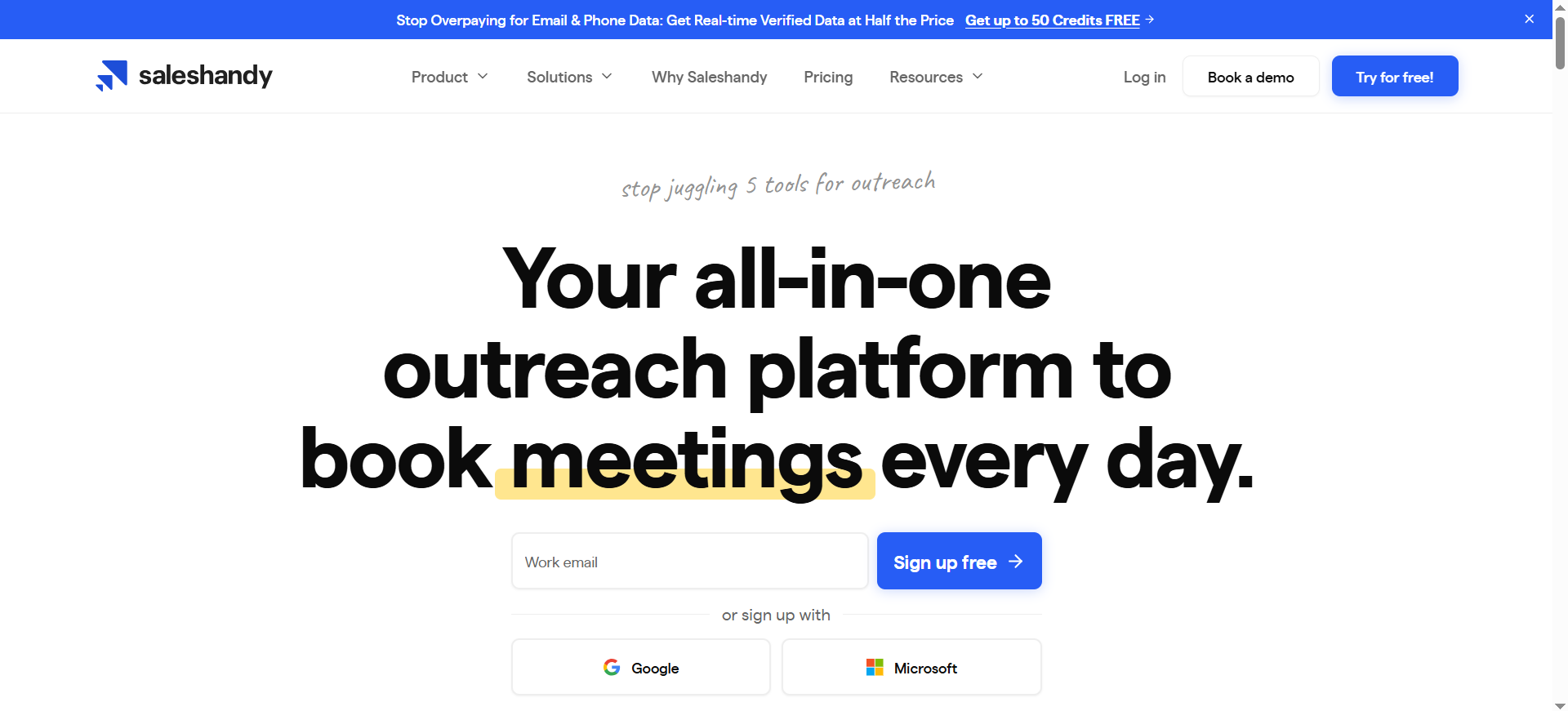
Saleshandy is a cold outreach platform that combines email tracking with automated sequences, mail merge, and document tracking. It monitors opens, clicks, replies, and bounces across all outgoing emails, feeding engagement data into a central dashboard. Unlike tools that focus on inbox-level tracking, Saleshandy is built for sending at scale — every plan includes unlimited email account connections, letting teams distribute volume across multiple sending addresses to protect deliverability.
Why Teams Use It
Teams choose Saleshandy because it solves two problems at once: tracking and scale. Instead of using one tool for email tracking and another for cold outreach automation, Saleshandy combines both. The unlimited email accounts feature is a significant differentiator — competitors typically charge per account or per seat, while Saleshandy lets you connect as many sending addresses as you need on any plan. This makes it particularly attractive for agencies and teams running cold outreach across multiple domains.
What It's Good For
Saleshandy is built for high-volume cold email outreach with built-in tracking. It excels at multi-step automated sequences where engagement data (opens, clicks, replies) triggers the next action. The platform is strong for lead generation teams, agencies managing outreach for multiple clients, and sales teams that need to send thousands of personalized emails per month while maintaining deliverability through account rotation and warm-up.
When It's a Good Fit
Saleshandy is a strong fit when your primary use case is cold outbound email at scale and you need tracking data to inform follow-up timing. It works well for teams of 3 to 50 that send 5,000 or more cold emails per month and need to distribute sending across multiple accounts. If you are an agency managing outreach for multiple clients, the unified inbox and multi-account support save significant operational overhead.
When It's Not a Good Fit
Saleshandy is not the right choice if you need deep CRM-native tracking like HubSpot or Salesforce-integrated tools provide. The CRM integrations exist but are not as tight as what Yesware or HubSpot Sales Hub offer. It is also not ideal for warm, relationship-driven selling where the priority is inbox-level engagement rather than campaign-level analytics. Teams that send fewer than a few hundred emails per month will not get enough value from the platform to justify the cost.
How to Use It
Sign up for Saleshandy and connect your email accounts (Gmail, Outlook, or any SMTP provider). Create a sequence by writing your email steps, adding personalization tokens, and setting delays between steps. Upload your prospect list or connect your CRM. Launch the sequence, and Saleshandy sends emails across your connected accounts with built-in rotation. Track opens, clicks, replies, and bounces from the analytics dashboard. Use the engagement data to manually follow up with hot leads or let the automation handle cold follow-ups.
Key Capabilities
Real-time email open, click, reply, and bounce tracking, unlimited email account connections on every plan, multi-step automated email sequences with A/B testing, email account rotation for deliverability, built-in email warm-up, prospect list management with tags and filters, unified inbox for managing replies across accounts, document tracking for proposals and attachments, CRM integrations (Salesforce, HubSpot, Zoho, Pipedrive), sender rotation and sending schedule controls, and agency features for managing multiple client campaigns.
Pricing
Saleshandy's Outreach Starter plan is $25 per month (billed annually) and includes 10,000 emails per month with unlimited email accounts. Outreach Pro is $69 per month with 150,000 emails per month to 30,000 active prospects. Outreach Scale is $149 per month with 250,000 emails per month and up to 60,000 active prospects. All plans include unlimited email accounts, A/B testing, and email warm-up. A 7-day free trial is available with 100 free emails and 5 lead credits — no credit card required.
Free Tier?
No permanent free plan. Saleshandy offers a 7-day free trial with 100 emails, 5 lead credits, and free verification credits. After the trial ends, you must upgrade to a paid plan to continue using the platform.
Downsides / Limitations
No free plan beyond the trial is a barrier for individual users just exploring email tracking. CRM integrations, while available, are not as deeply embedded as HubSpot Sales Hub or Yesware's Salesforce sync. The platform is optimized for cold outreach, so teams doing warm, consultative selling will find features like sequences and sending rotation less relevant. Deliverability management requires active attention — connecting many accounts and sending at volume without proper warm-up can hurt sender reputation. The UI has improved but still feels dense for first-time users navigating the dashboard.
How Does Email Tracking Work?
Email tracking relies on a tiny, invisible image called a tracking pixel that gets embedded into your outgoing email. When the recipient opens the email, their email client loads the pixel from a remote server, which registers the open event along with metadata like the timestamp, approximate location (based on IP address), and the device used. Link click tracking works differently — it wraps your URLs in a redirect link so the tracking tool logs the click before forwarding the recipient to the destination URL. Attachment tracking uses a similar redirect approach or a hosted document viewer that records page views and time spent. The key thing to understand is that open tracking depends on image loading, which means any email client that blocks images by default or pre-loads them (like Apple Mail with Privacy Protection enabled) will either suppress or inflate open data.
Is Email Tracking Legal?
Email tracking is legal in most jurisdictions, but the legal landscape depends on where your recipients are located and what data you collect. In the United States, there is no federal law specifically prohibiting email tracking pixels, and it is widely used in sales and marketing. In the European Union, GDPR requires transparency about data collection, which means you should disclose tracking in your privacy policy and, in some interpretations, obtain consent before tracking. Canada's CASL also requires consent for commercial emails, and tracking would fall under the broader data collection provisions. The practical reality is that most B2B email tracking tools are used without explicit per-email consent, but organizations should ensure their privacy policies cover email tracking and that they comply with applicable regulations in their recipients' regions.
Can Email Tracking Work with Apple Mail Privacy Protection?
Apple Mail Privacy Protection, introduced in iOS 15, fundamentally changed how open tracking works for Apple Mail users. When enabled, Apple routes emails through its own proxy servers and pre-loads all images — including tracking pixels — regardless of whether the recipient actually opens the email. This means every email sent to an Apple Mail user with MPP enabled will register as "opened," inflating open rates and making open data unreliable for that segment. Link click tracking is not affected by MPP, so clicks remain a reliable engagement signal. The practical impact is significant: Apple Mail accounts for roughly 50 to 60 percent of email opens globally, which means a large portion of your open data may be inaccurate. The best approach is to use open tracking as a directional signal rather than a definitive metric, and to weight click and reply data more heavily in your engagement scoring.
What Is the Difference Between Email Tracking and Email Analytics?
Email tracking and email analytics are related but serve different purposes. Email tracking is the act of monitoring individual email interactions — did this specific person open this specific email, click this link, or view this attachment? It operates at the per-email, per-recipient level and is designed for sales reps who need real-time signals to time their follow-ups. Email analytics, on the other hand, aggregates data across campaigns, sequences, or time periods to reveal patterns and trends. Analytics answers questions like "what is our average open rate this quarter," "which subject line performs best," or "how many touches does it take to get a reply." Most email tracking tools include some level of analytics (dashboards showing open rates, click rates, reply rates), but dedicated analytics platforms go deeper with cohort analysis, deliverability monitoring, and attribution modeling. In practice, sales teams need tracking for daily execution and analytics for strategic decisions about messaging, timing, and channel mix.
How to Choose the Right Email Tracking Tool for Your Team
Start with three questions: which email client does your team use, what CRM do you run, and what is your primary use case (warm selling, cold outreach, or basic visibility)? If your team is on Gmail and HubSpot CRM, HubSpot Sales Hub is the path of least resistance. If you are Gmail-only and want a polished inbox experience with sequences, Mixmax is worth evaluating. If your team runs on Salesforce, Yesware's deep integration makes it the logical choice. For solo users or very small teams who just want to know if an email was opened, Mailtrack is the simplest and cheapest option. For teams doing cold outreach at scale with multiple sending accounts, Saleshandy delivers the best volume-to-cost ratio. Beyond the primary use case, evaluate free tiers carefully — some tools cap tracking volume while others cap features. Check whether the tool supports your email client (Outlook support is notably limited among Gmail-first tools). And if Apple Mail is common among your recipients, prioritize tools that emphasize click tracking over open tracking.
Email Tracking for Gmail vs Outlook — Which Has Better Tool Support?
Gmail has significantly better tool support for email tracking. The majority of modern email tracking tools — including Mixmax, Mailtrack, and the Chrome extensions for HubSpot, Yesware, and Saleshandy — are built Gmail-first with Chrome extensions as the primary interface. Outlook support exists in tools like HubSpot Sales Hub, Yesware, and Saleshandy, but it is typically delivered through add-ins that are less polished and occasionally less stable than their Gmail counterparts. Mixmax and Mailtrack do not support Outlook at all. If your team uses Outlook and email tracking is a priority, your practical options narrow to HubSpot Sales Hub, Yesware, or Saleshandy. For teams on Microsoft 365, it is worth testing the Outlook add-in specifically during a free trial before committing, since the experience can vary depending on whether you use the desktop client, web app, or mobile app.
Free vs Paid Email Tracking Tools — When Should You Upgrade?
Free email tracking plans are useful for testing a tool and for individual users with low volume. The right time to upgrade depends on what limitation you hit first. If you are on Mailtrack's free plan and the "Sent with Mailtrack" signature is hurting your credibility, upgrade to Pro for $5.99 per month. If you are on HubSpot's free plan and hitting the 200-notification cap weekly, the Starter plan at $20 per month removes that limit. If you need sequences (automated follow-up emails), almost every tool locks that behind a paid tier. If you need CRM sync, that is typically a mid-tier feature or higher. The general rule: upgrade when the free plan's limitations are costing you more in lost opportunities or wasted time than the subscription fee. For a solo user sending 20 to 30 tracked emails per week, a free plan is usually sufficient. For a sales team that relies on tracking data to prioritize follow-ups and wants sequences plus CRM sync, paid plans pay for themselves quickly.
How to Use Email Tracking Without Being Intrusive
Email tracking is a tool for better timing, not surveillance. The most effective approach is to use tracking data to inform when and how you follow up, not to reference it directly in your messages. Saying "I noticed you opened my email three times" in a follow-up comes across as invasive and damages trust. Instead, use open data as an internal signal — if a prospect has opened your email multiple times, that indicates interest, and you should follow up promptly with additional value. Keep your tracking practices transparent by including a note about email tracking in your company's privacy policy. Use click tracking to understand which content resonates, and tailor your follow-up messaging around those interests rather than calling out the tracking explicitly. If you are sending to privacy-conscious audiences (EU recipients, technical teams, security professionals), consider using tracking selectively rather than on every email.
What Metrics Should You Track Beyond Email Opens?
Open rates are the most visible metric in email tracking, but they are also the least reliable due to Apple Mail Privacy Protection and image-blocking email clients. The metrics that matter more for sales teams are click-through rate (which links are prospects clicking), reply rate (how many recipients respond), bounce rate (how many emails fail to deliver), and time-to-open (how quickly prospects engage after receiving). For teams using sequences, track the number of touches before a reply, the sequence step with the highest engagement, and the unsubscribe or opt-out rate. Document tracking adds another layer — if you are sending proposals or pitch decks, knowing which pages a prospect viewed and how long they spent on each page is far more actionable than knowing they opened the email. The most sophisticated teams combine email engagement data with website visit tracking (available in HubSpot and Saleshandy) to build a fuller picture of prospect intent.
Can Email Tracking Improve Sales Conversion Rates?
Yes, but the improvement comes from better timing and prioritization, not from the tracking data itself. Email tracking gives reps a signal about who is engaged — a prospect who opens an email three times and clicks a pricing link is more likely to convert than one who never opens. By prioritizing follow-ups with engaged prospects, reps spend less time chasing cold leads and more time on conversations with buyers who are actively evaluating. Research from multiple sales platforms suggests that responding within the first hour of a prospect's engagement (an open or click) significantly increases the likelihood of booking a meeting compared to waiting 24 hours or more. Sequences with tracking-based triggers — like sending a case study automatically after a prospect clicks a pricing link — create timely, relevant touchpoints without manual effort. The teams that see the biggest conversion improvements from email tracking are the ones that build processes around the data, not just install the tool and glance at notifications.



