

TL;DR
Finding the right email addresses at a target company is still one of the biggest bottlenecks in B2B outbound. You have a list of accounts you want to reach, you know the job titles you need, but getting verified work emails without burning hours on manual research is the hard part. The tools in this guide solve that problem in different ways — some focus on domain search and pattern detection, others pull from large contact databases, and a few combine finding with verification and outreach in a single platform.
We tested and compared five company email finder tools — Skrapp, Snov.io, GetEmail.io, Findymail, and UpLead — across the criteria that actually matter for daily prospecting: accuracy, pricing model, credit policies, bulk capabilities, CRM integrations, and how well each tool handles domain-based company searches. If you are building outbound lists from target accounts and need verified emails for the people at those companies, this guide gives you enough context to shortlist the right tool without sitting through five demo calls.
Best Tools to Find Company Email Addresses (Quick Comparison)
| Feature | Skrapp | Snov.io | GetEmail.io | Findymail | UpLead |
|---|---|---|---|---|---|
| Starting Price | $29/mo | $39/mo | $58.80/mo | $49/mo | $99/mo |
| Free Plan | Yes (50 credits) | Yes (50 credits) | Yes (10 credits) | No (10 free test credits) | 7-day trial (5 credits) |
| Credits at Entry Tier | 2,000/mo | 1,000/mo | 300/mo | 1,000/mo | 170/mo |
| Charges on Failed Lookups | No | No | Yes | No | No |
| Built-in Verification | Yes | Yes (7-tier) | Basic | Yes (<5% bounce guarantee) | Yes (real-time) |
| Phone Numbers | No | Yes | No | Yes (10 credits) | Yes |
| Outreach Features | No | Yes (email sequences) | No | No | No |
| LinkedIn Extension | Yes | Yes | Yes | Yes | Yes |
| Best For | Budget-friendly LinkedIn prospecting | All-in-one outreach + finding | Quick one-off lookups | Accuracy-first outbound teams | Data-rich enterprise prospecting |
1. Skrapp
What It Does
Skrapp is a B2B email finder that combines a 200M+ contact database with a LinkedIn Chrome extension and domain search tool. You enter a company domain or browse LinkedIn profiles, and Skrapp returns verified professional email addresses associated with that company. The platform also supports bulk email finding through CSV uploads and offers built-in email verification.
Why Teams Use It
Skrapp has earned a reputation as one of the most straightforward email finders on the market. The interface is clean, the learning curve is minimal, and the pay-per-success credit model means you only spend credits when Skrapp returns a valid or catch-all email — failed lookups are free. For teams that primarily prospect through LinkedIn and need a fast, affordable way to pull company emails from profiles and Sales Navigator lists, Skrapp handles that workflow well.
What It Is Good For
Skrapp works best for LinkedIn-based prospecting workflows. The Chrome extension sits inside LinkedIn and Sales Navigator, letting you extract emails from individual profiles or entire search result pages. The domain search feature is useful when you have a target company and want to find all known email addresses associated with that domain. Bulk CSV uploads allow you to process larger lists of names and companies at once. Credit rollover means unused credits carry forward month to month, which is a meaningful advantage for teams with inconsistent prospecting volume.
When It Is a Good Fit
Skrapp is a good fit for solo founders, small sales teams, and SDRs who prospect primarily through LinkedIn and need a budget-friendly email finder that does one thing well. If your workflow is "find a prospect on LinkedIn, grab their email, add to CRM," Skrapp handles that loop efficiently at a lower price point than most competitors. It also works well for teams that prospect in bursts rather than continuously, since unused credits roll over.
When It Is Not a Good Fit
Skrapp is not ideal if you need phone numbers, social data, buying intent signals, or built-in email sequencing. The platform is email-only with no outreach features. Independent benchmarks have also flagged accuracy concerns — while Skrapp claims a 92% success rate, third-party tests on large samples have measured deliverable rates closer to 42-48% for certain domains. If you are running high-volume campaigns where every bounce matters, the accuracy gap could create problems. Teams that need waterfall enrichment, technographic filters, or multi-channel contact data will find the feature set limited compared to more comprehensive platforms.
How to Use It
Sign up for a free account (50 credits), install the Chrome extension, and start searching on LinkedIn. For domain-based searches, enter the company URL in the Skrapp dashboard to pull all known email addresses. For bulk operations, upload a CSV with first name, last name, and company domain columns. Skrapp will attempt to find and verify each email. Valid results consume one credit each. Export your verified list and sync to your CRM through available integrations.
Key Capabilities
Skrapp offers domain-based email search, LinkedIn profile email extraction, Sales Navigator list saving, multi-page LinkedIn enrichment, LinkedIn auto-connect, bulk CSV upload and processing, built-in email verification, lead and company search, list exports, CRM sync, and AI enrichment. The platform also provides an API for custom integrations on the Enterprise plan.
Pricing
Skrapp offers a free plan with 50 credits per month. The Professional plan starts at $29/month (billed annually) and includes 2,000 credits per month with access for 2 users. Higher tiers scale up credits and team seats, with the Enterprise plan starting at $262/month for 50,000 credits and 15 users, which adds API access, SSO, and a dedicated account manager.
Free Tier
Yes. Skrapp's free plan includes 50 email credits per month with access to all core features — email finder, email verifier, and Chrome extension. Credits roll over if unused.
Downsides and Limitations
Skrapp is email-only — no phone numbers, no social profiles, no outreach sequences. The credit allocation on the entry-level paid plan (2,000/month) can run out quickly for daily prospectors. The platform has not kept pace with modern enrichment tools: no waterfall enrichment, no buying signals, no technographic data. There have been reports that aggressive use of the LinkedIn integration can trigger LinkedIn account restrictions. Accuracy on smaller or niche company domains tends to be lower than on well-known enterprises.
2. Snov
What It Does
Snov.io is a full-stack lead generation platform that combines email finding, email verification, cold email outreach, LinkedIn automation, and deliverability tools in a single product. For company email finding specifically, Snov.io lets you search by domain, company name, or individual name to find professional email addresses, with results running through a 7-tier verification process before delivery.
Why Teams Use It
Teams choose Snov.io because it collapses the typical prospecting stack into one platform. Instead of paying for separate tools for email finding, verification, and cold outreach, Snov.io handles all three. The email finder searches a database organized by industry, company profile, and LinkedIn filters, and the built-in email drip campaign tool lets you act on those contacts immediately without exporting to a separate outreach platform.
What It Is Good For
Snov.io shines when you need to go from "I need emails at this company" to "I have a running email sequence" without switching tools. The domain search pulls emails from any company website, the bulk finder processes lists of companies or names, and the LinkedIn extension extracts emails from profiles. Once you have your contacts, you can move them directly into email sequences with automated follow-ups, A/B testing, and reply tracking — all without leaving Snov.io. The 7-tier verification process runs checks including syntax validation, MX record confirmation, SMTP verification, and catch-all detection.
When It Is a Good Fit
Snov.io fits teams that want a single subscription covering email finding, verification, and outreach. It works well for growing sales teams that are scaling outbound and want to avoid the complexity of integrating multiple point solutions. The Starter plan at $39/month with 1,000 credits provides a reasonable entry point, and the Pro tiers scale smoothly for teams running larger campaigns.
When It Is Not a Good Fit
Credits in Snov.io are shared across all features — finding, verifying, and sending all draw from the same pool. If you are a high-volume prospector who also runs large email campaigns, the shared credit system can burn through allocations faster than expected. The all-in-one approach also means that no single feature is best-in-class — dedicated outreach tools may offer more advanced sequencing, and dedicated finders may have higher accuracy on specific domains. Teams that only need email finding without outreach may find they are paying for features they do not use.
How to Use It
Create an account (the Trial plan gives you 50 free credits), then use the Email Finder to search by domain, company, or name. Install the Chrome extension for LinkedIn-based lookups. For bulk operations, upload a CSV or use the built-in prospecting filters to build a list. Once your contacts are collected, create a drip campaign directly within Snov.io — set up your email sequence, schedule sends, and monitor replies from the unified inbox.
Key Capabilities
Snov.io provides email finder with domain and name-based search, 7-tier email verification, cold email campaigns with unlimited sender accounts, LinkedIn automation, a unified inbox with reply sentiment analysis, A/B testing for subject lines and email copy, a deliverability toolkit for warming up domains, CRM integrations (HubSpot, Salesforce, Pipedrive), a Chrome extension for LinkedIn and web-based lookups, bulk email search and verification, and an API for custom workflows.
Pricing
Snov.io offers a free Trial plan with 50 credits and 100 email recipients. The Starter plan costs $39/month (with discounts for annual billing) and provides 1,000 credits and 5,000 email recipients. Pro plans range from Pro S at $99/month (5,000 credits) to Pro Ultra at higher tiers with up to 100,000 credits. Annual billing saves 25%. Custom Ultra plans are available for enterprise needs with unlimited seats and priority support.
Free Tier
Yes. The Trial plan includes 50 credits and 100 email recipients per month, with access to the email finder, email verifier, and basic outreach features.
Downsides and Limitations
Shared credits across finding, verification, and outreach mean your credit pool depletes faster if you use all features actively. The platform has a steeper learning curve than simpler email-only tools because of the breadth of features. Some users report that the email finder accuracy varies by region and industry. The LinkedIn automation features require careful configuration to avoid triggering LinkedIn restrictions. Deliverability tools, while included, are basic compared to dedicated deliverability platforms.
3. GetEmail
What It Does
GetEmail.io is an AI-powered email finder that takes a first name, last name, and company domain as inputs and returns a professional email address. The platform uses machine learning and pattern recognition to predict email formats and validate them against known patterns. It operates through a web dashboard and two Chrome extensions — one for LinkedIn and another for Gmail, Outlook, and Salesforce.
Why Teams Use It
GetEmail.io appeals to users who want the simplest possible workflow for finding individual email addresses. The Chrome extension embeds email lookup directly into LinkedIn profiles and email clients, making it fast for one-off searches. There is virtually no learning curve — you see a name and a company, click the extension, and get an email address. Support responsiveness also gets consistent praise from users.
What It Is Good For
GetEmail.io works best for individual, ad-hoc email lookups. If you are browsing LinkedIn and need to grab an email for a specific person at a specific company, the Chrome extension makes that a one-click operation. The Gmail/Outlook/Salesforce extension is useful for enriching contacts you are already interacting with. For users who need 10-20 emails per day and prioritize speed and simplicity over bulk volume, GetEmail.io handles that workflow efficiently.
When It Is a Good Fit
GetEmail.io fits individual sales reps, recruiters, or founders who do low-volume, targeted outreach and value simplicity above all else. If you prospect one person at a time and need a lightweight tool that lives in your browser, GetEmail.io delivers that experience. The free plan gives you a way to test the tool before committing.
When It Is Not a Good Fit
GetEmail.io is not a fit for teams running high-volume outbound campaigns. The credit system charges for every lookup attempt, whether the search succeeds or not and whether the returned email is accurate or not. This means you are paying for misses, which can get expensive quickly. Unused credits do not roll over — your balance resets each month. At $58.80/month for only 300 credits on the Basic plan, the cost per lookup is significantly higher than competitors. Independent reviews flag inconsistent accuracy, with some users reporting outdated or incorrect email addresses. There are no bulk processing features, no CRM integrations beyond the Chrome extension, no phone numbers, and no outreach tools.
How to Use It
Sign up for a free account, install the Chrome extension for LinkedIn or Gmail/Outlook/Salesforce, and start searching. On the web dashboard, enter a first name, last name, and company domain to find an email. Each lookup consumes one credit regardless of outcome. Export results manually or use them directly from the extension.
Key Capabilities
GetEmail.io offers AI-powered email finding from name and domain inputs, a Chrome extension for LinkedIn, a Chrome extension for Gmail/Outlook/Salesforce, bulk email finding via CSV upload, catch-all server detection, domain checks, recipient validation, and basic analytics.
Pricing
GetEmail.io offers a free plan with 10 credits. The Basic plan costs $58.80/month for 300 credits. The Standard plan is $118.80/month for 1,000 credits, the Premium plan is $178.80/month for 2,000 credits, and the Ultra plan is $478.80/month for 10,000 credits.
Free Tier
Yes. GetEmail.io offers a free plan with 10 credits. It provides enough for testing the tool on a handful of lookups.
Downsides and Limitations
The most significant limitation is the billing model — credits are consumed on every lookup attempt, regardless of whether an email is found or whether the found email is accurate. This is a fundamental difference from competitors like Skrapp, Snov.io, and Findymail, which only charge for successful results. No credit rollover means unused credits are lost at the end of each billing cycle. Accuracy is inconsistent, with users reporting outdated, incorrect, or missing email addresses, especially for smaller companies and niche domains. The price per credit is among the highest in this category. There is no phone data, limited integrations, no outreach features, and no bulk processing capabilities beyond basic CSV upload.
4. Findymail
What It Does
Findymail is a B2B email and phone finder built for outbound sales teams that prioritize deliverability above everything else. The platform finds and verifies professional email addresses and direct phone numbers simultaneously, using a combination of proprietary data sources and real-time SMTP verification. Every email that Findymail returns has been verified before delivery, and the platform guarantees a hard bounce rate below 5%.
Why Teams Use It
Teams choose Findymail for one primary reason: data accuracy. Independent benchmarks measuring 20,000 contacts recorded a hard bounce rate of just 1.1%, which is significantly lower than most competitors. The pay-per-success model means you only spend credits when Findymail returns a verified result — failed lookups are free. For outbound teams where email deliverability directly impacts sender reputation and campaign performance, this accuracy guarantee removes a major risk from the prospecting workflow.
What It Is Good For
Findymail excels in scenarios where bounce rates need to stay as low as possible — cold email campaigns at scale, outbound sequences with multiple follow-ups, and any workflow where sender domain reputation is critical. The platform also stands out for European coverage, with reviewers consistently noting stronger find rates on French, German, Italian, and Spanish business targets compared to US-centric competitors. The Intellimatch AI feature surfaces leads based on real website content analysis rather than static database filters, and the Datacare service helps clean existing CRM data for teams with legacy contact lists.
When It Is a Good Fit
Findymail fits outbound-first teams that run cold email campaigns and cannot afford high bounce rates. If your sender reputation is a business-critical asset, Findymail's verification guarantee is a meaningful differentiator. It also suits teams prospecting in European markets where other tools have coverage gaps. Teams with existing CRM databases that need cleaning will benefit from the Datacare feature.
When It Is Not a Good Fit
Findymail's find rate across large-list benchmarks lands around 75%, meaning roughly one in four contacts comes back empty. If your priority is coverage breadth over accuracy — you would rather have more contacts even if some bounce — a higher-volume tool may suit better. Phone number enrichment costs 10 credits per number (vs. 1 credit per email), making phone data expensive at scale. The API is synchronous only with no batch processing endpoint, which limits custom automation workflows. Some users note that the tool is heavily LinkedIn-dependent, with limited alternative finding methods.
How to Use It
Sign up for a free account (10 test credits, no credit card required) or the Starter plan ($49/month, 1,000 credits), install the Chrome extension, and start finding emails from LinkedIn profiles. For bulk operations, upload a CSV with names and company domains. Findymail will process each row, returning only verified results and charging credits only for successful finds. Connect your CRM (HubSpot, Salesforce, or Pipedrive) to sync contacts automatically. Use the Datacare feature to run verification passes on your existing database.
Key Capabilities
Findymail offers verified email finding with a sub-5% bounce guarantee, direct phone number discovery, Intellimatch AI lead finder based on website content analysis, Chrome extension for LinkedIn, CRM integrations with HubSpot, Salesforce, Pipedrive, Close, Copper, and Zoho, Datacare CRM cleaning service, bulk CSV upload and processing, real-time buying intent monitoring (Signals feature), credit rollover with a 2x cap on monthly allocation, and a pay-per-success billing model.
Pricing
Findymail offers the Starter plan at $49/month (1,000 credits), Scaling at $99/month (5,000 credits), Business at $249/month (25,000 credits), Business Plus at $399/month, Scale 50K at $549/month (50,000 credits), Scale 100K at $849/month (100,000 credits), and Enterprise plans with custom pricing and dedicated account management. All plans include access to all features.
Free Tier
No recurring free plan. Findymail offers 10 free credits on signup (no credit card required) to test the platform. The entry paid plan is the Starter at $49/month for 1,000 credits.
Downsides and Limitations
No recurring free plan, though 10 free test credits are available on signup. The 75% find rate means a significant portion of lookups will return no result, even though you are not charged for them. Phone number enrichment at 10 credits per lookup is expensive and limited to non-EU contacts in some cases. The API lacks batch processing, requiring synchronous calls for each lookup. The tool is heavily reliant on LinkedIn as a data source, with limited alternative discovery methods. Credits roll over but are capped at 2x your monthly allocation.
5. UpLead
What It Does
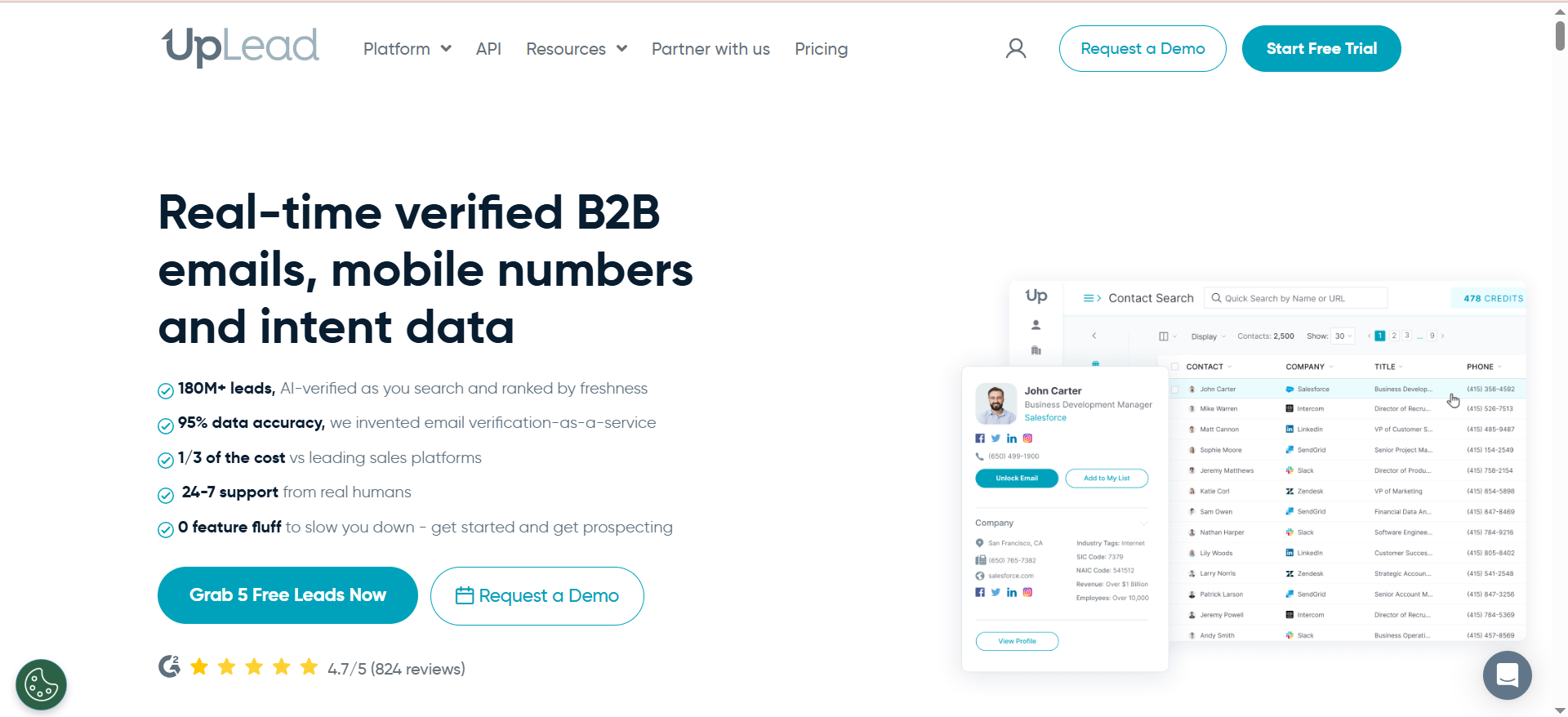
UpLead is a B2B sales intelligence platform with a database of over 160 million contacts and 16 million company profiles. For company email finding, UpLead lets you search by company domain, apply over 50 filters (industry, job title, seniority, location, company size, technologies used), and export verified contact data including email addresses, phone numbers, and firmographic details. Every email is verified in real-time at the point of export, and UpLead guarantees 95% accuracy with a credit-back policy for invalid results.
Why Teams Use It
Teams use UpLead when they need more than just email addresses — they want to filter prospects by technographic data, company revenue, employee count, seniority level, and buying intent before pulling contact details. The 50+ search filters let you build highly targeted lists without needing a separate research step. The real-time verification and credit-back guarantee mean you are paying for contacts that are actually deliverable. UpLead also provides technographic data covering 16,000+ technologies, which is valuable for teams selling to companies using specific tools or platforms.
What It Is Good For
UpLead shines when your prospecting requires precision targeting. If you need to find the VP of Marketing at SaaS companies with 50-200 employees, using HubSpot, headquartered in North America — UpLead can run that search and return verified contacts with a single query. The data enrichment feature also lets you upload existing CRM records and fill in missing fields. Buyer intent data (available on the Professional plan, powered by Bombora) surfaces companies actively researching topics related to your solution, adding a timing dimension to your prospecting.
When It Is a Good Fit
UpLead fits mid-market and enterprise sales teams that need rich filtering and data enrichment alongside email finding. It is a strong choice for account-based marketing (ABM) teams that target specific company profiles and need to identify the right contacts at those accounts. Teams selling into technology-driven markets benefit from the technographic filters. The month-to-month Essentials plan (no annual contract required) provides flexibility for teams that want to test before committing long-term.
When It Is Not a Good Fit
UpLead's per-contact cost is among the highest in this category. The Essentials plan provides only 170 credits per month at $99/month, making each lookup roughly $0.58. For high-volume prospectors who need thousands of contacts per month, the cost adds up quickly compared to tools like Skrapp or Findymail. Independent testing has shown bounce rates of approximately 20% in some tests, versus the claimed 5%. Phone number accuracy is lower than email accuracy, averaging 55-65% with no guarantee. Smaller companies and newer startups are sometimes missing from the database. The cancellation process has drawn criticism — the cancel button is hidden under an "Advanced Options" section on the billing page.
How to Use It
Sign up for the 7-day free trial (5 credits) to test the platform. Use the Prospector tool to build targeted lists using company and contact filters. Search by company domain to find all known contacts at a specific organization. When you find contacts you want, unlock them to reveal verified email addresses and phone numbers — verification happens in real-time. Export your list to CSV or sync directly to your CRM (Salesforce, HubSpot, Zoho, Pipedrive, or others). Use the data enrichment feature to upload and enrich existing contact lists.
Key Capabilities
UpLead provides a prospector tool with 50+ search and targeting filters, real-time email verification with a 95% accuracy guarantee, mobile direct dials and verified phone numbers, technographic data covering 16,000+ technologies, buyer intent data powered by Bombora (Professional plan), data enrichment for existing CRM records, company domain-based search, CRM integrations with Salesforce, HubSpot, Zoho, Pipedrive, Microsoft Dynamics 365, Outreach, and Salesloft, Zapier integration for custom workflows, email pattern intelligence, suppression list management, and API access on the Professional plan.
Pricing
UpLead offers a 7-day free trial with 5 credits. The Essentials plan is $99/month (or $74/month billed annually) with 170 credits per month. The Plus plan is $199/month (or $149/month annually) with 400 credits per month and adds technographics, data enrichment, and advanced filters. The Professional plan has custom pricing (estimated $3,000-$8,000/year) and includes buyer intent data, full API access, and bi-directional CRM sync.
Free Tier
No permanent free plan. UpLead offers a 7-day free trial with 5 credits to test the platform. After the trial, a paid subscription is required.
Downsides and Limitations
The highest per-contact cost among the five tools compared here. The Essentials plan's 170 monthly credits are restrictive for active prospecting teams. Independent tests have shown bounce rates higher than the 95% accuracy guarantee suggests. Phone number accuracy is noticeably lower than email accuracy and is not covered by the guarantee. The database has gaps in coverage for smaller companies and recent job changers. The cancellation process has drawn complaints for being deliberately obscured. Annual plans require 60 days' notice before renewal to avoid auto-charges. Buyer intent data and full API access are locked behind the most expensive plan tier.
How Do Company Email Finder Tools Work?
Company email finder tools use a combination of methods to locate professional email addresses. The process typically starts with pattern detection — the tool identifies the email format a company uses (such as [email protected], which accounts for roughly 40% of business email patterns, or first initial + last name, first name only, and other variations) and applies that pattern to generate a predicted address for a specific person. The predicted address is then validated through SMTP verification, where the tool checks the email against the recipient's mail server to confirm it exists without actually sending a message.
Beyond pattern detection, most tools maintain large databases of previously verified contacts, sourced from public web pages, professional networks, business directories, and data partnerships. When you search for a person at a company, the tool checks its database first and falls back to pattern prediction and verification if no existing record is found. Some tools also crawl company websites, social profiles, and professional directories to discover email addresses that are publicly listed.
The quality difference between tools comes down to how many data sources they maintain, how fresh their verification is, and whether they verify at the time of lookup (real-time verification, as UpLead does) or rely on pre-verified records from periodic database sweeps.
Are Company Email Finder Tools Legal to Use?
Yes, using company email finder tools is legal in most jurisdictions, but with important caveats depending on where your prospects are located. In the United States, the CAN-SPAM Act regulates commercial email but does not prohibit finding or using business email addresses — it requires that commercial emails include opt-out mechanisms, a physical address, and honest subject lines. There is no explicit consent requirement for initial B2B contact.
In the European Union, GDPR applies to processing personal data, including email addresses. B2B outreach can be conducted under the "legitimate interest" legal basis, but you must be able to demonstrate that your outreach is relevant to the recipient's professional role, offer clear opt-out options, and handle data according to GDPR principles. Tools based in the EU, like Findymail, tend to emphasize compliance features, but the legal responsibility lies with the sender, not the tool provider.
Canada's CASL (Canadian Anti-Spam Legislation) is stricter, generally requiring prior consent before sending commercial electronic messages. If you are targeting Canadian prospects, confirm that your use case qualifies under one of CASL's exemptions.
The bottom line: using email finder tools to discover business email addresses is legal, but how you use those addresses in outreach campaigns must comply with the relevant regulations for your recipients' locations. When in doubt, consult with legal counsel familiar with data privacy and electronic communications law in your target markets.
How Accurate Are Company Email Finders in Practice?
Vendor accuracy claims and independent test results frequently diverge. Most email finder tools claim accuracy rates between 90% and 97%, but independent benchmarks often tell a different story.
Findymail has the strongest independent accuracy data, with a measured hard bounce rate of 1.1% across a 20,000-contact benchmark. UpLead guarantees 95% accuracy with credit-back for bounces, though independent tests have recorded bounce rates around 20% in some scenarios. Skrapp claims a 92% success rate, but third-party tests measuring deliverability on large samples have found rates closer to 42-48% for certain domains. GetEmail.io claims 95% accuracy but user reviews consistently flag inconsistency, particularly for smaller companies.
Several factors affect real-world accuracy. Well-known companies with large, stable employee bases produce better results across all tools. Smaller companies, startups, and organizations with frequent personnel changes are harder to cover accurately. Geographic coverage also matters — some tools perform better in North American markets, while others (like Findymail) have stronger European databases. The age of the underlying data affects accuracy too, since job changes, company domain migrations, and email system changes can make previously valid addresses bounce.
The most reliable approach is to use a tool that verifies in real-time (rather than relying on pre-verified records) and one that charges only for verified results, so inaccurate lookups do not cost you credits.
Free vs Paid Company Email Finder Tools — What Is the Difference?
Free plans and free tools serve different prospecting needs than paid options, and the gaps are mostly in volume, verification depth, and integrations.
Free plans from tools like Skrapp (50 credits/month) and Snov.io (50 credits/month) give you access to the same core features as paid users, but with strict volume limits. These are useful for testing tool accuracy on your specific target companies before committing to a subscription, and they work for very low-volume prospecting (a few lookups per day). Google search operators (like site:company.com email OR contact) are a genuinely free alternative for finding publicly listed emails, though they require manual effort and produce inconsistent results.
Paid plans unlock the volume, integrations, and workflow features that make email finding scalable. The key differences include higher monthly credit allocations (typically 1,000-25,000+ credits), bulk processing via CSV upload, CRM integrations for direct contact syncing, API access for custom automation, team collaboration with multiple seats, and advanced search filters. Verification depth also tends to be more thorough on paid tiers, with features like real-time SMTP verification, catch-all detection, and deliverability guarantees.
If you are prospecting regularly — even a few times per week — a paid plan will pay for itself in time saved compared to manual email research methods.
How to Verify Company Email Addresses Before Sending Outreach
Email verification is critical for protecting your sender domain reputation and maximizing deliverability. Sending to invalid addresses generates hard bounces, which email service providers track and use to determine whether your domain is trustworthy. Too many bounces can land your entire domain on blocklists, affecting all outbound communication from your organization.
Some email finder tools build verification into the finding process. Findymail guarantees sub-5% bounce rates by verifying every email before returning it. UpLead runs real-time verification at the point of export. Snov.io uses a 7-tier verification process that includes syntax checks, MX record confirmation, SMTP verification, and catch-all detection.
If your email finder does not include verification, or if you want a second layer of confidence, standalone verification tools like ZeroBounce, NeverBounce, or Bouncer can process your list before you send. Upload your contact list, and these tools will categorize each address as valid, invalid, catch-all, or unknown. Remove invalid addresses entirely and treat catch-all addresses with caution — a catch-all domain accepts all emails to any address at that domain, so verification cannot confirm whether a specific address is actually monitored.
Best practices for verification include verifying your list as close to send time as possible (email addresses become invalid over time as people change jobs), re-verifying any list older than 30 days, removing role-based addresses (info@, support@, sales@) from outreach lists, and targeting a bounce rate below 2% for cold outreach campaigns.
What Is Domain Search in Email Finding?
Domain search is a lookup method where you enter a company website domain (e.g., company.com) and the tool returns all known email addresses associated with that domain. This is different from individual name-based lookups — instead of searching for a specific person, you are mapping every discoverable contact at the entire organization.
Domain search pulls results from multiple sources: the tool's existing database of previously verified contacts, web crawling of the company's website and public pages, professional directory listings, and email pattern analysis. Results typically include the contact's name, email address, job title (when available), confidence score, and verification status.
This method is particularly useful for account-based prospecting, where you have identified a target company and want to see who is reachable before deciding which individual to contact. It helps you identify the organizational structure, find multiple stakeholders for multi-threaded outreach, and discover contacts you might not have identified through job-title-based searches alone.
All five tools in this guide support domain search, though the depth of results varies. Tools with larger databases (like Snov.io and UpLead) tend to return more contacts per domain, while accuracy-focused tools (like Findymail) may return fewer contacts but with higher verification confidence.
How to Find Company Email Addresses Without LinkedIn
While LinkedIn is the primary prospecting channel for most B2B teams, several methods exist for finding company email addresses without relying on it.
Domain search is the most direct alternative. Enter a company domain into any of the email finder tools in this guide, and the tool will return all known email addresses at that company from its database and web crawling, regardless of whether those contacts have LinkedIn profiles.
Company websites often list team pages, about sections, or staff directories with email addresses or at least enough information (names and titles) to use with an email finder. Google search operators like site:company.com "@company.com" can surface publicly listed emails. Press releases, conference speaker lists, podcast guest bios, and industry publication author pages are other reliable sources of business email addresses.
Tools like UpLead also allow you to search by company attributes (industry, size, location, technologies used) and job title without requiring LinkedIn data, pulling from their own database of 160M+ contacts. Snov.io's company search feature similarly lets you build prospect lists from company and role-based filters without LinkedIn integration.
For manual research, checking GitHub profiles (for technical contacts), reviewing patent filings, and browsing industry association member directories can yield email addresses for hard-to-find contacts.
What Is Catch-All Email Detection and Why Does It Matter?
A catch-all domain (also called an accept-all domain) is configured to accept emails sent to any address at that domain, even if the specific address does not exist. For example, if company.com is a catch-all domain, an email sent to [email protected] will be accepted by the mail server rather than bounced — but it may land in a dead inbox or be silently discarded.
This matters for email finding because traditional SMTP verification cannot confirm whether a specific address at a catch-all domain is actively monitored. The verification check will return "valid" for any address, since the server accepts everything. This inflates the apparent accuracy of email finder results.
Most professional email finder tools now flag catch-all domains so you can treat those results differently. Skrapp charges credits for catch-all results (alongside valid results). Snov.io's 7-tier verification includes catch-all detection as a specific step. Findymail's verification process accounts for catch-all domains in its bounce guarantee.
When you encounter catch-all results, the best practice is to send to them but monitor bounce rates and engagement carefully, keep them in a separate segment from verified addresses, and reduce volume or pause if you see low engagement or delivery issues from catch-all contacts. Some teams choose to exclude catch-all results entirely from cold outreach and use them only for warmer, more targeted campaigns.
How Many Email Finder Credits Do You Actually Need Per Month?
Your credit needs depend on your prospecting model, team size, and the tool's find rate.
For a solo SDR or founder doing targeted account-based outreach — reaching out to 10-20 new prospects per week — 200-500 credits per month is typically sufficient. This assumes a 70-80% find rate, meaning you will need to search 250-700 times to get 200-500 verified results.
A small sales team of 2-5 SDRs running regular outbound campaigns will typically need 1,000-5,000 credits per month. At this volume, choosing a tool with pay-per-success billing (Skrapp, Snov.io, Findymail, UpLead) versus pay-per-attempt (GetEmail.io) makes a significant cost difference.
High-volume outbound operations with dedicated prospecting teams may need 10,000-50,000+ credits monthly. At this scale, negotiating enterprise or custom pricing directly with the vendor usually delivers better per-credit rates than standard plans.
Also factor in whether the tool shares credits across features. Snov.io uses a shared credit pool for finding, verifying, and sending outreach — if you use all three features, credits deplete faster than tools where finding credits are isolated.
Tools with credit rollover (Skrapp, Findymail with a 2x cap) provide a buffer for months with uneven prospecting activity. GetEmail.io and tools without rollover reset your balance each billing cycle, so unused credits are wasted.
What CRM Integrations Should an Email Finder Have?
The integrations that matter depend on your sales stack, but there are a few that are essential for most teams.
Direct CRM sync with Salesforce, HubSpot, Zoho, or Pipedrive is the most important integration. This lets you push discovered contacts directly into your CRM without manual CSV exports and imports, keeping your contact records current and reducing data entry errors. UpLead has the broadest CRM integration list among the tools in this guide, covering Salesforce, HubSpot, Zoho, Pipedrive, Microsoft Dynamics 365, Outreach, and Salesloft. Findymail integrates natively with HubSpot, Salesforce, Pipedrive, Close, Copper, and Zoho. Snov.io covers HubSpot, Salesforce, and Pipedrive.
Zapier integration is a flexible catch-all for connecting to tools without native integrations. If your CRM or outreach tool is not directly supported, Zapier can bridge the gap. UpLead and Snov.io both offer Zapier connections.
Chrome extension integration with LinkedIn and Sales Navigator is standard across all tools in this guide and is essential for teams that prospect through LinkedIn.
API access becomes important at scale or when you need custom workflows — for example, automatically enriching new CRM records or triggering email finds from form submissions. UpLead (Professional plan), Snov.io, and Findymail all offer API access, though Findymail's API is synchronous only (no batch processing).
If you use a dedicated outreach tool like Outreach, Salesloft, or Lemlist, check whether the email finder can push contacts there directly rather than routing through your CRM.
How to Reduce Bounce Rates When Using Email Finder Tools
High bounce rates damage your sender reputation and can get your domain blacklisted. Here are practical steps to keep bounce rates below the 2% threshold that most email service providers consider safe.
Start by choosing a tool with real-time verification. Findymail verifies every email before returning it and guarantees sub-5% bounce rates. UpLead verifies at the point of export. These built-in safeguards eliminate most invalid addresses before they enter your outreach list.
Run a secondary verification pass using a standalone verifier (ZeroBounce, NeverBounce, Bouncer) on any contacts that were not verified in real-time. This catches addresses that became invalid between the time they were found and the time you plan to send.
Verify close to send time. An email address that was valid last month may bounce today if the person changed jobs. Re-verify any list older than 30 days before sending.
Segment catch-all addresses separately. Catch-all domains inflate apparent deliverability because they accept all emails — but many of those addresses are not actively monitored. Send to catch-all contacts in smaller batches and monitor engagement metrics.
Remove role-based addresses (info@, support@, sales@, hr@) from outreach lists. These are not personal contacts and many organizations filter or ignore cold emails to role-based inboxes.
Monitor your bounce rates by email finder source. If one tool consistently produces higher bounces than another, adjust your volume or switch tools for that segment.
Warm up new sending domains before running large campaigns. Send low volumes of emails to engaged contacts first, gradually increasing volume over 2-4 weeks to build sender reputation before hitting cold prospects.
What Is the Difference Between Email Finding and Email Verification?
Email finding and email verification are related but distinct processes that serve different purposes in the prospecting workflow.
Email finding is the discovery step — given a person's name and company (or just a company domain), the tool locates their professional email address. The tool searches its database, detects email patterns, crawls public sources, and returns a predicted or known email address. The output is a contact's email address that you did not have before.
Email verification is the validation step — given an email address you already have, the tool checks whether that address is valid, active, and able to receive messages. Verification typically involves syntax checking (is the format correct?), MX record lookup (does the domain have a mail server?), SMTP verification (does the mail server confirm the address exists?), and catch-all detection (does the domain accept all emails regardless?).
Some tools combine both steps. Findymail finds and verifies in a single operation, only returning verified results. UpLead verifies in real-time when you export contacts. Snov.io offers both finding and standalone verification as separate features.
Other tools focus on one or the other. If your email finder does not include verification (or if you have an existing list from another source), you will want to run a separate verification step before sending outreach. This is especially important for older lists, contacts from trade shows or events, or any leads sourced from third-party databases where data freshness is uncertain.


