

TL;DR
Finding the right work email address is the first step in any outbound campaign that actually converts. Send to the wrong address and your message bounces. Send to a personal inbox and you look unprofessional. The margin between a reply and a spam report often comes down to whether the email address was correct and professional in the first place.
This guide compares five tools built specifically for finding verified work emails: Wiza, Skrapp, Snov, Findymail, and GetEmail. Each takes a different approach to sourcing, verifying, and delivering professional email addresses. Some prioritize accuracy above all else. Others bundle outreach features into the same platform. A few charge only for verified results while others burn credits on every lookup regardless of outcome.
Below, you will find a quick comparison table, followed by a deep breakdown of each tool covering what it does, who it is built for, pricing, strengths, and limitations. After the tool sections, we answer the most common questions sales and recruiting teams ask when evaluating work email finders.
Best Tools to Find Work Emails (Quick Comparison)
| Feature | Wiza | Skrapp | Snov | Findymail | GetEmail |
|---|---|---|---|---|---|
| Starting Price | $0/mo (Free) | $0/mo (Free) | $39/mo | $49/mo | $0/mo (Free) |
| Credits (Starter Paid) | 100 emails | 2,000 credits | 1,000 credits | 1,000 credits | 300 (Basic) |
| Database Size | 850M+ contacts | Not disclosed | 500M+ contacts | Not disclosed | Not disclosed |
| Verification | Real-time SMTP | Built-in verifier | 7-tier verification | Real-time (<5% bounce guarantee) | Built-in verifier |
| Chrome Extension | Yes (LinkedIn/Sales Nav) | Yes (LinkedIn) | Yes (LinkedIn) | Yes (LinkedIn) | Yes (LinkedIn + Gmail) |
| Outreach Features | No | No | Yes (drip campaigns, warm-up) | No | No |
| CRM Integration | Salesforce, HubSpot | Salesforce (higher plans) | Built-in CRM | CRM enrichment | Salesforce, HubSpot, others |
| Charges for Unfound Emails | No | No | Yes (1 credit per search) | No | Yes (1 credit per lookup) |
| Credit Rollover | No | Yes | No | Yes (capped at 2x) | No |
| G2 Rating | 4.6/5 | 4.4/5 | 4.6/5 | 4.9/5 | 4.6/5 |
1. Wiza
What It Does
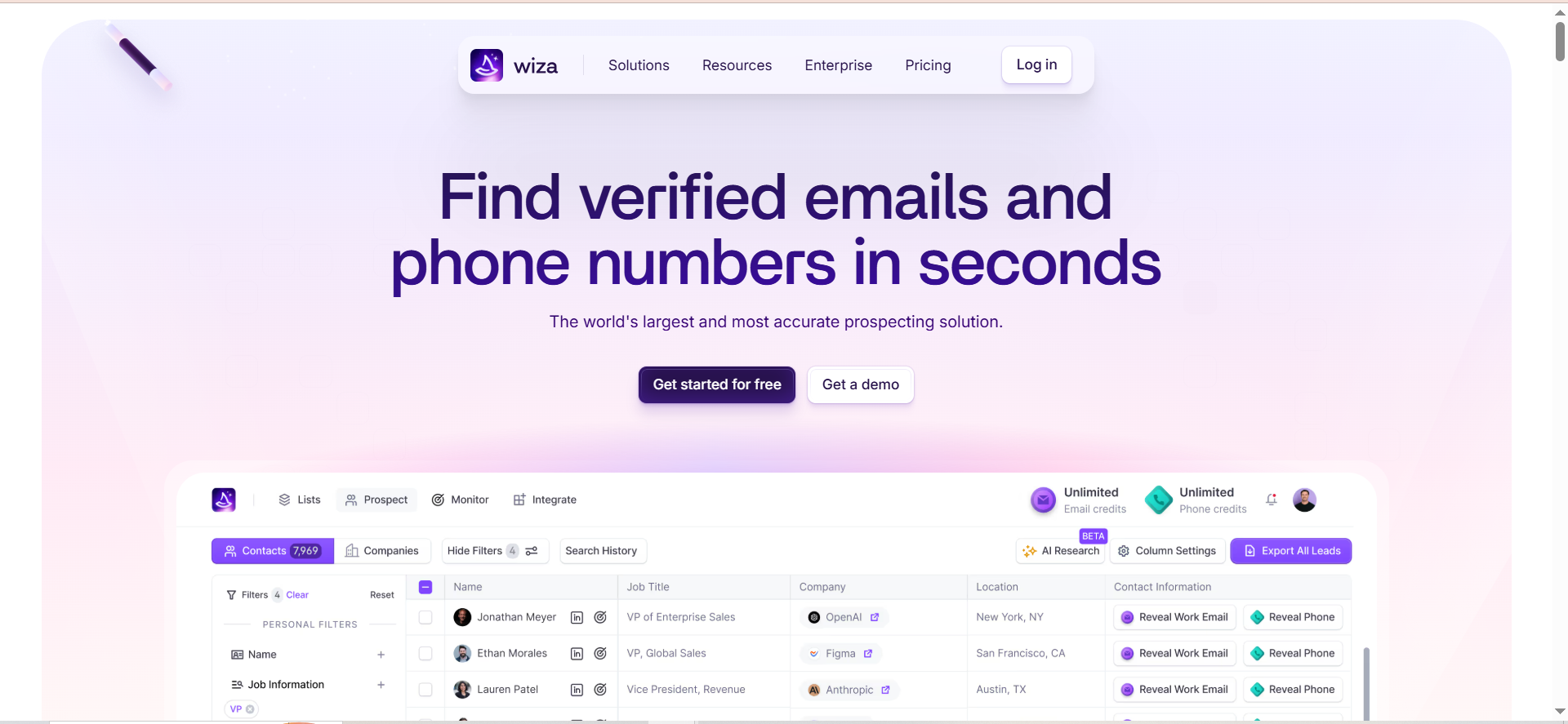
Wiza is a LinkedIn-first email finder that pulls verified work email addresses and phone numbers directly from LinkedIn profiles and Sales Navigator searches. Rather than relying on a static database, Wiza performs real-time lookups against live data sources every time you request a contact. This approach aims to deliver fresher results compared to tools that cache data and update periodically.
Why Teams Use It
Sales teams that live inside LinkedIn Sales Navigator choose Wiza because it turns prospect lists into verified contact sheets without leaving the browser. The Chrome extension sits on top of LinkedIn and lets you export entire Sales Navigator search results with emails and phone numbers attached. For teams already paying for Sales Navigator, Wiza removes the manual step of copying names into a separate lookup tool.
What It Is Good For
Wiza excels at high-volume LinkedIn prospecting. If your workflow starts with a Sales Navigator saved search and ends with a CSV import into your CRM or sequencer, Wiza handles that pipeline cleanly. The real-time verification means you skip the separate email cleaning step that most other tools require. The 850M+ contact database and 40+ data points per record give you enrichment beyond just the email address, including job title, company, location, and social profiles.
When It Is a Good Fit
Wiza fits teams that prospect primarily through LinkedIn and Sales Navigator, need real-time verified emails rather than cached results, want bulk export capability for large prospect lists, and already use Salesforce or HubSpot as their CRM. It works particularly well for SDR teams running account-based outreach where LinkedIn is the primary research channel.
When It Is Not a Good Fit
Wiza is not ideal if you do not have LinkedIn Sales Navigator, since the tool relies heavily on it and Sales Navigator costs an additional $79 to $139 per month. Teams with low prospecting volume (under 50 emails per month) will find the pricing hard to justify. If you need built-in outreach sequences, Wiza does not offer that — you will need a separate tool for sending campaigns.
How to Use It
Install the Chrome extension, navigate to a LinkedIn profile or Sales Navigator search, and click the Wiza button to extract contact data. For bulk exports, run a Sales Navigator search with your target filters, then use Wiza to export the full list. Results export to CSV or sync directly to Salesforce or HubSpot. The AI Research feature enriches prospects with additional context pulled from live web data.
Key Capabilities
Wiza's core capabilities include real-time email and phone verification against live SMTP servers, a Chrome extension for one-click extraction from LinkedIn and Sales Navigator, access to 850M+ contact profiles with 40+ data points per record, Wiza Monitor which alerts you to job changes among tracked decision-makers, bulk CSV export and direct CRM sync with Salesforce and HubSpot, and an AI Research feature for prospect enrichment using live web data.
Pricing
Wiza offers five pricing tiers. The Free plan costs $0 per month and includes 20 emails and 5 phone numbers. The Starter plan costs $49 per month for 100 email and 100 phone credits. The Email plan costs $83 per month when billed annually ($990 per year) and includes unlimited emails, phone numbers at $0.35 each, 2,500 exports per month, AI Research, and CRM integrations. The Email + Phone plan costs $199 per month and includes 500 emails and 500 phone numbers per month, with overage rates of $0.15 per email and $0.35 per phone number. The Team plan offers custom pricing for 3 or more users with unlimited emails, unlimited phone numbers, and dedicated account management.
Free Tier?
Yes. The free plan includes 20 email lookups and 5 phone number lookups per month. No credit card is required. This is enough to test the tool but not enough for any meaningful prospecting volume.
Downsides and Limitations
The biggest limitation is the LinkedIn Sales Navigator dependency. Without it, Wiza loses most of its utility, and Sales Navigator adds $99 per month to your total cost. The "unlimited" email plan is misleading — it caps at 30,000 exports per year and 10,000 monthly credits. Unused credits expire at the end of each month with no rollover. Multiple reviewers on G2 report unexpected overage charges when credits run out, as Wiza automatically bills at $0.15 per email and $0.35 per phone number beyond your plan limits. Annual contracts lock you in with no mid-year cancellation. North American data quality is strong, but coverage drops significantly for LATAM and some APAC regions.
2. Skrapp
What It Does
Skrapp is an email finder and lead search platform that extracts verified business email addresses from LinkedIn profiles, company websites, and its own internal database. It combines a Chrome extension for real-time extraction with a web app for bulk lookups and list management. The platform focuses on email finding and verification without bundling outreach or CRM features into the core product.
Why Teams Use It
Teams choose Skrapp for its simplicity and cost-effectiveness. The Chrome extension works directly on LinkedIn profiles and Sales Navigator searches, turning browsing into prospecting with a single click. At $29 per month on annual billing for 2,000 credits, it is one of the more affordable options for small teams that need a reliable email finder without the complexity of an all-in-one platform. The credit system only charges for valid and catch-all results — invalid and unknown results do not consume credits.
What It Is Good For
Skrapp handles day-to-day email lookups well, especially for contacts at mid-size and enterprise companies where its database coverage is strongest. The LinkedIn multi-page enrichment feature lets you process multiple pages of Sales Navigator search results in one batch, which saves significant time compared to profile-by-profile extraction. The bulk email finder accepts CSV uploads for processing large lists, and unused credits roll over to the next month.
When It Is a Good Fit
Skrapp fits solo prospectors and small teams (2-5 people) who need straightforward email finding at a reasonable price, prospect primarily through LinkedIn, want credits that roll over month to month, and do not need phone numbers, buying signals, or built-in outreach features. It works well for teams that use a separate tool for outreach and just need clean email data flowing into their CRM or sequencer.
When It Is Not a Good Fit
Skrapp is not ideal for teams that need high accuracy on smaller companies and niche domains, where its hit rate drops noticeably. If you need phone numbers, Skrapp does not offer them at any tier. Teams that need advanced SMTP verification and catch-all detection will find these features gated behind the Enterprise plan. The Salesforce integration is also limited to higher-tier plans, which may be a dealbreaker for CRM-dependent workflows.
How to Use It
Install the Chrome extension and visit any LinkedIn profile to find the associated work email. For Sales Navigator searches, use the multi-page enrichment feature to extract emails from an entire search result. For bulk processing, upload a CSV with first name, last name, and company domain to the web app and Skrapp will return verified email addresses. All results are stored in Skrapp lists that can be exported or synced to your CRM.
Key Capabilities
Skrapp's core capabilities include an email finder that locates valid addresses using name and company information, a Chrome extension for LinkedIn and Sales Navigator extraction, LinkedIn multi-page enrichment for batch processing, LinkedIn auto-connect for automated outreach, a Sales Navigator list saver, a bulk email finder for CSV uploads, an email verifier for list cleaning, and lead and company search within its database.
Pricing
Skrapp offers a Free plan with 50 email credits and access to all core features. The Professional plan starts at $29 per month on annual billing for 2,000 credits and 2 user seats, with access to advanced features including LinkedIn multi-page enrichment, auto-connect, and CRM sync. Plans scale up to the Enterprise plan at $262 per month on annual billing for 50,000 credits and 15 user seats. All plans are month-to-month or annual with no lock-in contract.
Free Tier?
Yes. The free plan includes 50 email credits with access to the email finder, email verifier, and Chrome extension. Credits do not expire on a monthly cycle, making it useful for occasional lookups or tool evaluation.
Downsides and Limitations
Accuracy is the primary concern. Independent benchmarks place Skrapp's email accuracy between 65 and 75 percent, which is below the 85 to 95 percent range achievable with waterfall enrichment tools. Coverage is good for well-known companies but drops for smaller businesses, niche domains, and non-English markets. Customer support response times receive frequent complaints on review platforms. The tool does not provide phone numbers, buying intent signals, or outreach features at any tier. CRM integration with Salesforce is restricted to higher plans, and there is no native HubSpot integration. Limited credits (2,000 per month on Professional) can run out quickly for teams prospecting daily.
3. Snov
What It Does
Snov is an all-in-one sales platform that combines email finding, email verification, cold email outreach, email warm-up, and a built-in CRM. The email finder searches a database of 500M+ B2B contacts using 15 different filters including job title, location, industry, and company size. Unlike tools that focus solely on finding emails, Snov lets you find contacts, verify them, build drip campaigns, and track deals in a single platform.
Why Teams Use It
Small teams choose Snov because it replaces three or four separate tools with one subscription. Instead of paying for an email finder, a verification service, a cold email sender, and a lightweight CRM, Snov bundles all of these into a single platform starting at $39 per month. The workflow flows naturally from finding a contact to verifying the email to launching a drip campaign to tracking the deal — all without switching tools or importing and exporting CSVs between platforms.
What It Is Good For
Snov handles the complete outbound workflow from contact discovery through deal tracking. The cold email outreach module supports unlimited sender accounts, behavioral conditions, A/B testing (on Pro plans), and a unified inbox with reply sentiment analysis. The email warm-up feature gradually builds sender reputation for new domains. The built-in CRM tracks deal pipelines without requiring a separate Salesforce or HubSpot subscription. For teams that want one tool to do everything, Snov delivers on that promise.
When It Is a Good Fit
Snov fits small teams under 10 reps who want everything in one platform, budget-conscious teams that cannot afford separate tools for finding, verifying, and sending, teams that need cold email automation with warm-up built in, and teams that prefer a lightweight CRM over a full Salesforce or HubSpot deployment. It works well for startups and agencies running outbound campaigns where speed of execution matters more than best-in-class accuracy on any single feature.
When It Is Not a Good Fit
Snov is not ideal if email accuracy is your top priority. Independent benchmarks show a 20.1 percent verified rate on a test of 5,000 contacts, meaning roughly 4 out of 5 contacts either were not found or could not be verified. The credit system consumes credits for both finding and verifying, so each usable contact costs at least 2 credits. Teams that need high-volume prospecting will burn through credits quickly. Snov also lacks LinkedIn automation in any standard plan — that costs an additional $69 per month per account slot.
How to Use It
Start by searching Snov's database using filters like job title, company, location, and industry. Once you have a list, run the contacts through Snov's 7-tier email verifier. From the verified list, build a drip campaign with email sequences, set sending schedules, and enable warm-up on new sender accounts. The CRM module lets you create deal pipelines and track progress from initial outreach through closed deals. The Chrome extension works on LinkedIn for profile-level lookups.
Key Capabilities
Snov's core capabilities include an email finder with 500M+ B2B contacts and 15 search filters, a 7-tier email verification system, cold email drip campaigns with A/B testing and behavioral conditions (Pro plans), unlimited sender accounts and email warm-up, a unified inbox with reply sentiment analysis, a built-in CRM with deal pipelines, and a Chrome extension for LinkedIn lookups.
Pricing
Snov offers three main tiers plus a renewable Trial. The Starter plan costs $39 per month (or $29.25 on annual billing) for 1,000 credits with basic features. The Pro S plan starts at $99 per month (or $74.25 on annual billing) for 5,000 credits and scales through Pro M ($189/mo), Pro L ($369/mo), and Ultra ($738/mo) tiers up to 100,000 credits. The Custom Ultra plan offers 200,000+ credits with custom pricing. Annual billing saves 25 percent.
Free Tier?
Snov offers a renewable Trial plan with 50 credits and 100 recipients per month. Credits and recipients renew every 30 days, so it can be used indefinitely for light evaluation. However, premium features like bulk search, integrations, A/B testing, and data export are not available on the Trial plan, making it unsuitable for real campaigns.
Downsides and Limitations
The most significant limitation is the gap between claimed and actual accuracy. Snov reports 98 percent accuracy on emails it returns, but independent benchmarks show only 20 percent of contacts produce a verified email in the first place. The credit system is punishing at scale since finding and verifying each contact costs a minimum of 2 credits. The Starter plan lacks critical campaign features including A/B testing, spintax, behavioral conditions, and sentiment analysis — all locked behind Pro at $99 per month (or $74.25 on annual billing). LinkedIn automation is not included in any standard plan and costs $69 per month per account slot on top of your subscription. Coverage for SMBs, local businesses, and regions outside North America drops noticeably, with multiple Trustpilot reviewers reporting zero results on entire target segments.
4. Findymail
What It Does
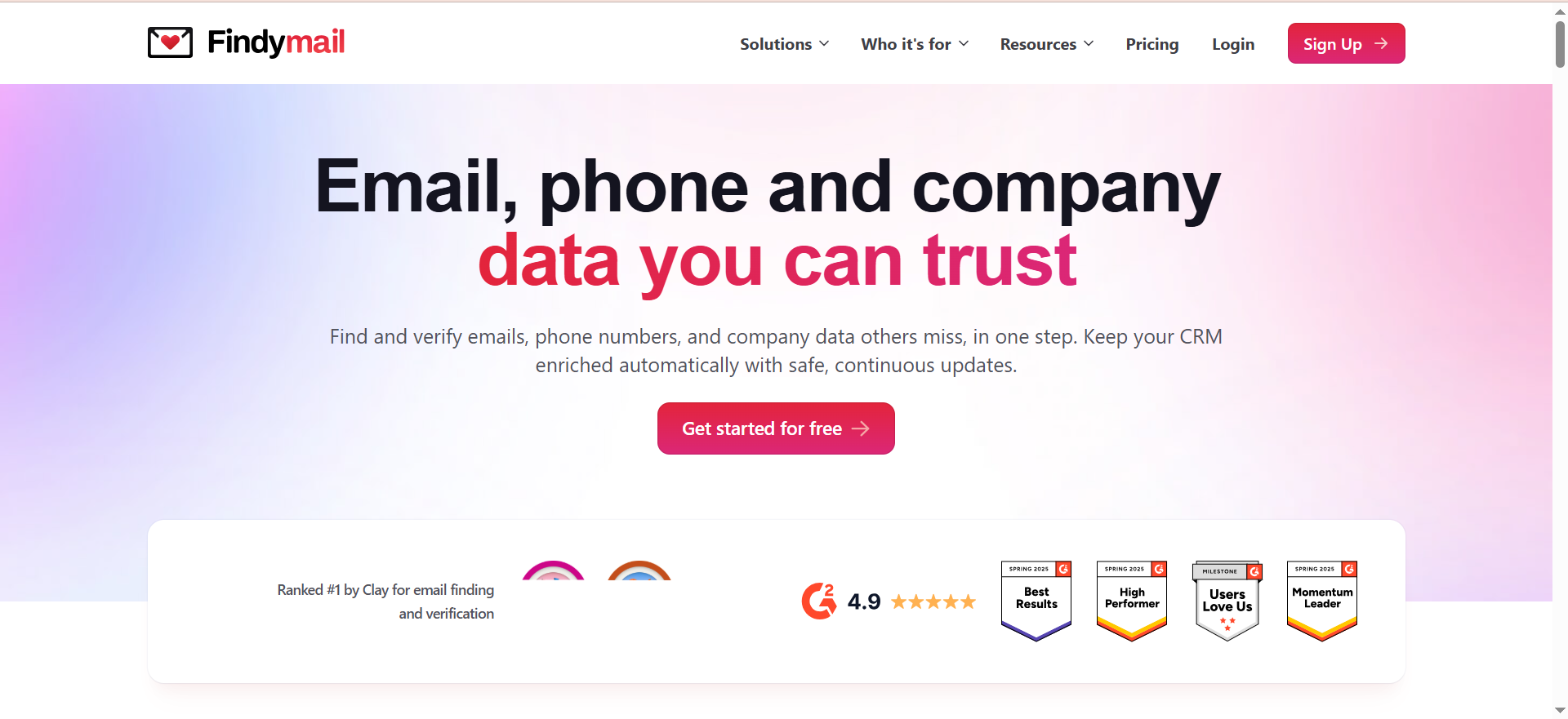
Findymail is a B2B email finder and verifier that only charges credits when it successfully finds and verifies an email address. The platform combines email and phone finding with an AI-powered lead discovery tool called Intellimatch that lets you describe your ideal customer in plain language and surfaces matching companies. Findymail guarantees less than 5 percent bounce rate on all returned emails, backed by real-time verification at the point of lookup.
Why Teams Use It
Teams that prioritize deliverability over raw volume choose Findymail because the verified-only billing model eliminates the risk of paying for bad data. An independent benchmark of 20,000 contacts measured Findymail's hard bounce rate at 1.1 percent, which is among the lowest in the category. The combination of high deliverability and pay-only-for-results pricing makes it attractive for teams running high-stakes outreach where every bounce damages sender reputation and campaign performance.
What It Is Good For
Findymail excels in scenarios where email accuracy directly impacts business outcomes. Cold email campaigns that depend on sender reputation benefit from the sub-5 percent bounce guarantee. Account-based teams that send personalized emails to small, high-value prospect lists need every address to land. The API processes 1,000 leads in approximately 4 minutes, making it fast enough for automated enrichment workflows. European business email coverage is a noted strength, which matters for teams targeting EU markets.
When It Is a Good Fit
Findymail fits teams that run cold email campaigns and cannot afford high bounce rates, account-based sales teams sending personalized outreach to targeted lists, teams targeting European markets where some tools have weaker coverage, and automated prospecting workflows that need a fast, reliable API. It works well for teams that would rather get fewer but highly accurate contacts than large lists of uncertain quality.
When It Is Not a Good Fit
Findymail is not ideal for teams that need maximum coverage. The verified-only approach means 25 to 35 percent of lookups return no result, so your total contact yield will be lower than tools with less strict verification. The $49 per month starting price is higher than budget alternatives like Snov ($39) or Skrapp ($29). Phone enrichment is unavailable for EU contacts due to GDPR compliance. Teams that need built-in outreach, CRM, or warm-up features will need separate tools since Findymail focuses solely on finding and verifying.
How to Use It
Search for individual contacts by name and company, upload a CSV for bulk enrichment, or use the Chrome extension on LinkedIn to find emails while browsing profiles. The Intellimatch feature lets you describe your ideal target company in natural language and returns matching companies based on real website content analysis. All found and verified emails are stored in your Findymail dashboard and can be exported or pushed directly to your CRM.
Key Capabilities
Findymail's core capabilities include an email and phone finder with verified-only billing, real-time verification guaranteeing less than 5 percent bounce rate, Intellimatch AI-powered lead discovery using natural language descriptions, a Chrome extension for LinkedIn extraction, bulk file upload for list enrichment, CRM enrichment automation, and a fast API processing approximately 1,000 leads in 4 minutes.
Pricing
Findymail offers multiple tiers. The Starter plan costs $49 per month for 1,000 finder and verifier credits. The Scaling plan costs $99 per month for 5,000 credits. The Business plan costs $249 per month for 25,000 credits. Higher tiers include Business Plus at $399 per month, Scale 50K at $549 per month, and Scale 100K at $849 per month. Enterprise plans offer custom credits and pricing with priority support. Annual billing saves approximately 17 percent (equivalent to 2 free months). Finding one email costs one credit. Phone numbers cost 10 credits each.
Free Tier?
No. Findymail does not offer a free plan. The entry point is the Starter plan at $49 per month. However, since credits are only consumed for verified results, the effective cost per usable contact is more predictable than tools that charge for every lookup attempt.
Downsides and Limitations
The primary downside is lower coverage. Findymail returns no result on roughly 25 to 35 percent of lookups because it refuses to deliver unverified addresses. An independent benchmark showed a 39.9 percent enrichment rate on a large list, meaning six out of ten contacts came back empty. The starting price of $49 per month is higher than several competitors. Phone data for EU contacts is unavailable due to GDPR restrictions. Credit rollover exists but is capped at twice your monthly allocation — on the Starter plan with 1,000 credits per month, your balance can never exceed 2,000 credits. There is no built-in outreach, warm-up, or CRM functionality.
5. GetEmail
What It Does
GetEmail is an email finder and verifier that uses big data and machine learning algorithms to locate professional email addresses. The tool offers domain-based search to find all email addresses associated with a company, individual lookups by name and company, and Chrome extensions that work across LinkedIn, Gmail, Outlook, and Salesforce. The platform integrates with major CRMs and marketing automation tools.
Why Teams Use It
Teams choose GetEmail for its simplicity and broad integration support. The two separate Chrome extensions — one for LinkedIn and one for Gmail, Outlook, and Salesforce — mean you can find email addresses without leaving whatever platform you are already working in. The integration list includes Salesforce, HubSpot, Outreach, SalesLoft, Marketo, Sendgrid, and LinkedIn, which reduces the manual data transfer between tools that slows down many sales workflows.
What It Is Good For
GetEmail handles basic email lookup and domain search tasks cleanly. The domain search feature returns a list of professional email addresses associated with a company, which is useful for mapping an organization's key contacts. The Gmail and Outlook Chrome extension lets you look up a sender's details without switching to a separate tool, which fits teams that spend most of their day inside their email client rather than LinkedIn.
When It Is a Good Fit
GetEmail fits teams that want a simple, no-frills email finder with minimal learning curve, need Chrome extensions that work across LinkedIn, Gmail, and Outlook, value broad integration support with tools like Salesforce, HubSpot, Outreach, and Marketo, and prefer domain-based search to map multiple contacts at a target company.
When It Is Not a Good Fit
GetEmail is not ideal if you need maximum accuracy or predictable costs. The credit-burn-on-failure policy charges one credit per lookup regardless of whether an email is found, which makes costs unpredictable when targeting less common domains. Credits do not roll over — your balance resets every month. Teams that need verified-only billing or high accuracy on niche targets will find better options in Findymail or Wiza. The Trustpilot score of 3.5 out of 5 across 1,173 ratings suggests billing friction and inconsistent results affect a meaningful portion of users.
How to Use It
Install either the LinkedIn Chrome extension or the Gmail/Outlook/Salesforce Chrome extension depending on your primary workflow. On LinkedIn, visit a profile and click the extension to retrieve the work email. In Gmail or Outlook, use the extension to look up a contact's details from within your inbox. For bulk lookups, use the web app to upload lists or search by company domain. Results can be exported or synced to connected CRM and marketing tools.
Key Capabilities
GetEmail's core capabilities include individual email lookup by name and company, domain search to find all professional emails at a company, two Chrome extensions covering LinkedIn and email clients (Gmail/Outlook/Salesforce), bulk email verification with catch-all detection, integration with Salesforce, HubSpot, Outreach, SalesLoft, Marketo, Sendgrid, and LinkedIn, data import and export with analytics, and API access on paid plans.
Pricing
GetEmail offers five pricing tiers. The Free plan provides 10 lookups per month. The Basic plan costs $58.80 per month. The Standard plan costs $118.80 per month. The Premium plan costs $178.80 per month. The Ultra plan costs $478.80 per month and includes 24/7 phone support. Each lookup consumes one credit whether or not an email is found. Support escalates by tier from email-only on Basic up to phone support on Ultra.
Free Tier?
Yes. GetEmail offers a free plan with 10 monthly lookups. The LinkedIn Chrome extension refunds credits when no email is found, but the web app does not offer the same protection. The free tier is sufficient for testing but not for regular prospecting.
Downsides and Limitations
The credit-burn-on-failure model is the biggest limitation. Every lookup costs one credit regardless of outcome, and unused credits do not roll over at month end. This makes GetEmail one of the more expensive options on a per-usable-contact basis, especially when targeting domains with lower coverage. Accuracy is inconsistent according to multiple review platforms — SoftwareAdvice reviews flag missing emails, outdated addresses, and unreliable verification as recurring issues. The gap between the G2 rating (4.6/5) and the Trustpilot score (3.5/5) suggests a significant portion of users experience billing friction, cancellation difficulties, and unwanted marketing communications after signing up. There is no outreach, CRM, or warm-up functionality built into the tool.
How Do Work Email Finders Actually Work?
Work email finders use a combination of techniques to locate professional email addresses. The most common method is pattern detection — most companies follow predictable email formats like [email protected] or [email protected]. When you provide a name and company domain, the tool constructs possible email variations based on known patterns for that domain and then verifies which one is active.
Beyond pattern matching, many tools crawl publicly available sources including company websites, social media profiles, press releases, conference speaker pages, and public databases. Some tools maintain proprietary databases of hundreds of millions of contacts built from data partnerships, web scraping, and user-contributed data.
The verification step is where tools diverge most significantly. Basic verification checks that the domain exists and accepts mail. Advanced verification performs real-time SMTP checks against the mail server to confirm the specific address is active. Tools like Findymail and Wiza perform this verification at the point of lookup, while others like Skrapp and Snov verify after the initial search.
The accuracy of any email finder depends heavily on the target. Large enterprises with standardized email conventions and established web presences yield the highest accuracy. Small businesses, startups, and companies in non-English-speaking markets typically show lower hit rates because their email patterns are less documented and their data appears less frequently in public sources.
What Is the Difference Between a Work Email Finder and a Personal Email Finder?
Work email finders locate professional email addresses tied to company domains (like [email protected]), while personal email finders locate consumer email addresses on services like Gmail, Yahoo, or Outlook. The distinction matters because each type serves a different use case and carries different compliance implications.
For B2B sales prospecting, work email finders are the standard choice. Professional addresses improve deliverability because company mail servers are more predictable than consumer email providers. Messages sent to work emails also carry more professional context — the recipient knows this is a business communication, which sets the right expectation for a sales or partnership conversation.
Personal email finders serve recruiting, executive outreach, and scenarios where the target does not use a corporate email or has changed companies recently. Some tools like ContactOut and ZoomInfo provide both work and personal emails, which is useful for multi-channel outreach strategies.
From a compliance standpoint, B2B email outreach to work addresses generally falls under legitimate business interest provisions in GDPR and similar regulations. Reaching out to personal addresses requires more careful handling since the data is considered more sensitive in many jurisdictions. Most B2B sales teams should default to work email finders unless they have a specific reason to target personal addresses.
How Accurate Are Work Email Finder Tools in 2026?
Accuracy in 2026 varies significantly depending on the tool, the verification method, and the target audience. Claimed accuracy rates range from 95 to 99 percent, but independent benchmarks paint a more nuanced picture.
Findymail delivered the strongest independent results with a 1.1 percent hard bounce rate across 20,000 contacts, though its enrichment rate was around 40 percent — meaning it found fewer contacts but the ones it found were almost all valid. Wiza claims under 1 percent bounce rate with real-time SMTP verification, and G2 reviewers generally confirm low bounce rates in practice. Snov reports 98 percent accuracy on emails it returns, but an independent test of 5,000 contacts showed only 20 percent produced a verified email. Skrapp lands between 65 and 75 percent accuracy in independent benchmarks, with stronger performance on well-known companies.
The key insight is that "accuracy" means different things depending on how you measure it. Some tools report accuracy only on emails they return (post-verification accuracy), while coverage — the percentage of lookups that return any result at all — is the metric that determines how many usable contacts you actually get. The tools with the highest post-verification accuracy (Findymail, Wiza) tend to have lower coverage, while tools with higher coverage (Snov, Skrapp) accept more risk on individual email quality.
For most teams, a combination of reasonable accuracy (under 5 percent bounce rate) and acceptable coverage (50 percent or higher find rate) produces the best practical results. Teams that cannot tolerate any bounces should prioritize accuracy-first tools like Findymail, even at the cost of lower total contact yield.
Are Work Email Finder Tools Legal to Use?
Yes, using work email finder tools is legal in most jurisdictions, but how you use the data determines compliance. The tools themselves operate within established data practices — they aggregate publicly available information, use pattern detection, and verify against mail servers. The legal considerations apply to what you do with the results.
Under GDPR, B2B email outreach is permitted when there is a legitimate business interest. For example, a SaaS company contacting a VP of Marketing about a relevant product has a legitimate basis. However, you must include a clear opt-out mechanism in every message, disclose how you obtained the contact information if the recipient asks, honor unsubscribe requests promptly, and avoid collecting data beyond what is necessary for your stated purpose.
The CAN-SPAM Act in the United States requires that commercial emails include a physical mailing address, a clear unsubscribe mechanism, and honest subject lines. It does not require prior consent for B2B emails but does regulate how they are sent.
Canada's CASL is stricter and generally requires implied or express consent before sending commercial emails, though B2B communications have some exemptions.
The practical takeaway: the tools are legal. Using them responsibly means following the sending regulations in your target recipients' jurisdictions, not just your own. Most B2B sales teams using these tools for legitimate outreach operate well within legal boundaries.
How to Verify Work Email Addresses Before Sending
Verification reduces bounce rates, protects your sender reputation, and ensures your messages reach real inboxes. Here is how to approach it depending on your volume and tools.
If your email finder includes built-in verification (Wiza, Findymail, Snov), emails are verified at the point of lookup or as a separate step within the same tool. Findymail guarantees under 5 percent bounce rate. Wiza performs real-time SMTP checks. Snov uses a 7-tier verification process.
If your email finder does not include robust verification (Skrapp on lower plans, GetEmail), run your list through a dedicated verification service before sending. Tools like ZeroBounce, NeverBounce, and Bouncer specialize in email verification and can clean lists at scale.
The verification process typically checks syntax validity (correct email format), domain existence (the company's mail server is active), mailbox existence (the specific address accepts mail), and catch-all detection (whether the server accepts all emails regardless of address validity). Catch-all domains are the trickiest category because the server accepts every email, making it impossible to confirm whether a specific address is monitored.
For best results, verify emails as close to send time as possible. Email addresses go stale as people change jobs — an address verified three months ago may bounce today. Re-verify any list older than 30 days before launching a campaign.
Can You Find Work Emails from LinkedIn for Free?
Yes, but with significant limitations. Several free methods exist for extracting email addresses from LinkedIn.
First-degree connections sometimes display their email in the Contact Info section of their profile. You can access this by clicking "Contact info" near the top of any connection's profile. This only works for people you are already connected with, and only if they have chosen to display their email.
LinkedIn allows you to export your connections as a CSV file, which includes the email address each person used to sign up for LinkedIn. This is a one-time source of data for anyone with an established network, but the emails are often personal addresses rather than work emails.
Free tiers of email finder tools provide limited lookups from LinkedIn. Wiza offers 20 free email lookups per month, Skrapp offers 50, and GetEmail offers a limited free tier. These all work via Chrome extensions installed on top of LinkedIn.
For volumes beyond 20-50 lookups per month, free methods are insufficient. The Chrome extension free tiers run out quickly, LinkedIn's own data export only covers existing connections, and manual methods (guessing email patterns, searching Google) are too slow for any real prospecting workflow. At that point, a paid tool becomes the practical choice.
What Is the Best Free Tool to Find Work Emails?
Among the tools reviewed here, Skrapp offers the most useful free tier with 50 email credits, access to all core features (email finder, verifier, Chrome extension), and credits that do not expire on a monthly cycle. For pure credit count on a free plan, Skrapp gives you the most lookups at no cost.
Wiza's free plan provides 20 email and 5 phone number lookups per month with real-time verification, which is fewer credits but potentially higher-quality results per lookup. GetEmail's free tier is the most limited in terms of usable lookups.
Outside of the five tools covered in this guide, Hunter offers 25 free searches per month with email verification included, and Apollo provides a generous free tier with limited monthly credits across its email finder and outreach features.
For teams that need more than 50 free lookups per month, the honest answer is that no free tool provides sufficient volume for regular prospecting. Free tiers are designed for evaluation and occasional use. Any team sending more than a handful of cold emails per week will need a paid plan.
How to Find Someone's Work Email with Just Their Name
Finding a work email using only a person's name requires narrowing down their employer first, then using that information to locate the email. Here is a practical approach.
Start with LinkedIn. Search for the person's name and use filters like location, industry, and current company to find the right profile. Once you identify their current employer and job title, you have enough data for most email finder tools.
With a name and company domain, any of the five tools in this guide can attempt to find the work email. Enter the first name, last name, and company domain into the tool's search function. The tool will cross-reference its database and pattern detection to return the most likely email address.
If you do not have access to an email finder tool, you can try manual pattern guessing. Look up the company's email format using a tool like Hunter's domain search (which shows the patterns used by a company's public-facing emails), then construct the likely address. Common patterns include [email protected], [email protected], [email protected], and [email protected]. Send a test email or use a free verification tool to check before sending your actual outreach.
Google advanced search can also help. Searching for "firstname lastname" "@company.com" sometimes surfaces publicly posted email addresses from conference listings, author bios, or press releases.
Work Email Finder vs Email Verifier — Do You Need Both?
An email finder locates email addresses you do not have. An email verifier checks whether email addresses you already have are still valid and deliverable. They solve different problems and many teams need both.
Some tools bundle both features. Snov includes a 7-tier verifier alongside its finder. Findymail verifies at the point of lookup and only charges for verified results. Wiza performs real-time SMTP verification on every contact it returns. In these cases, a separate verifier may be unnecessary for newly found contacts.
A separate email verifier becomes necessary when you have existing lists that were not recently verified (imported from a CRM, purchased from a third party, or collected over time), when your email finder does not include robust verification (Skrapp on lower plans, GetEmail), and when you need to re-verify lists before a campaign launch since email addresses go stale as people change jobs.
Dedicated verification services like ZeroBounce, NeverBounce, and Bouncer typically offer better accuracy on verification than email finders that include verification as a secondary feature. If your bounce rate is above 2 to 3 percent, adding a dedicated verifier to your workflow will likely improve deliverability and protect your sender reputation.
For most teams, using an email finder with built-in verification (Findymail, Wiza, or Snov) handles new contacts adequately. Adding a dedicated verifier is worthwhile when processing older lists or when your campaign bounce rate exceeds acceptable thresholds.
How Many Credits Do You Need Per Month for Work Email Finding?
Credit needs depend on your prospecting volume, the tool's find rate, and whether the tool charges for unsuccessful lookups. Here is a practical framework.
For individual sales reps prospecting 20 to 50 new contacts per week, plan for 100 to 250 successful lookups per month. With a tool like Findymail that only charges for found results, 250 credits covers this directly. With a tool like GetEmail that charges per attempt, factor in a 25 to 40 percent failure rate and budget 350 to 400 credits to net the same 250 usable contacts.
For small teams of 3 to 5 reps, multiply accordingly. A team of 5 reps each prospecting 30 contacts per week needs roughly 600 to 750 usable contacts per month. On a verified-only tool, 750 credits suffice. On a charge-per-attempt tool, budget 1,000 to 1,200 credits.
For high-volume outbound operations running account-based campaigns across multiple verticals, credit needs can reach 5,000 to 25,000 per month. At this scale, pricing differences between tools compound significantly. A tool charging $0.05 per credit versus $0.10 per credit costs an extra $250 per month at 5,000 lookups.
Start with the tool's lowest paid plan, track your actual find rate and credit consumption for a month, then scale up based on real data rather than estimated needs.
What Is Catch-All Email Detection and Why Does It Matter?
A catch-all domain is a mail server configured to accept all incoming emails regardless of whether the specific address exists. If you send an email to [email protected] and the server accepts it instead of rejecting it, that domain is a catch-all.
Catch-all detection matters because standard email verification cannot confirm individual addresses on these domains. The server says "yes, I accept this" for every address, making it impossible to distinguish between a real mailbox ([email protected]) and a nonexistent one ([email protected]). Sending to nonexistent addresses on catch-all domains results in bounces that arrive hours or days later, damaging your sender reputation over time.
Among the tools reviewed here, Findymail's verification handles catch-all domains more aggressively by flagging them and excluding uncertain results from delivered contacts. Wiza shows confidence levels that help you decide whether to include catch-all results. Snov uses a color-coded system where yellow indicates risky addresses, often catch-all domains. Skrapp's advanced catch-all detection is gated behind Enterprise plans. GetEmail includes catch-all detection in its verification but charges the credit regardless.
The practical approach to catch-all domains is to segment them separately from verified contacts. Send to verified contacts first, then test catch-all addresses in small batches to measure actual bounce rates before committing your full sending volume. Never mix catch-all addresses with verified ones in the same campaign, as bounces from catch-all domains can trigger spam filters that affect deliverability for your entire domain.
How to Choose the Right Work Email Finder for Your Team
Choosing the right tool comes down to four factors: accuracy requirements, volume needs, budget, and workflow integration.
Start with accuracy requirements. If your sender reputation is critical and you cannot afford bounces above 2 percent, Findymail's verified-only model and sub-5 percent bounce guarantee is the safest choice. If you can tolerate moderate bounce rates (3 to 5 percent) in exchange for higher coverage, Wiza or Snov offer a good balance.
Next, assess your volume needs. For under 100 lookups per month, free tiers from Skrapp or Wiza may be sufficient. For 100 to 1,000 lookups, starter plans from any tool work. For 1,000 to 10,000 lookups, compare the cost per usable contact across tools — verified-only billing (Findymail) often becomes more economical at scale than charge-per-attempt models (GetEmail).
Budget determines which tier and which tool are realistic. Snov at $39 per month (or $29.25 on annual billing) is the cheapest paid option and includes outreach features. Skrapp at $29 per month on annual billing is similarly affordable for pure email finding. Findymail at $49 per month costs more per month but may cost less per usable contact. Wiza at $83 per month (annual) adds the cost of Sales Navigator.
Finally, consider workflow integration. If your team lives in LinkedIn Sales Navigator, Wiza's Chrome extension is the most natural fit. If you need finding, verification, outreach, and CRM in one tool, Snov is the only option that bundles everything. If you use Salesforce or HubSpot and want direct CRM sync, check which tools support your specific CRM on your pricing tier — some restrict CRM integration to higher plans.
The best approach for most teams is to trial two or three tools with your actual prospect list and compare find rates, accuracy, and workflow fit based on real data rather than marketing claims.



