

AI visibility is quickly becoming a reliability problem: you’re not just trying to “rank,” you’re trying to stay present inside AI answers where buyers ask for recommendations. Conductor defines AI visibility as how your brand/content shows up across AI-powered search experiences (ChatGPT, Perplexity, Gemini, Google AI Overviews, etc.).
If you’ve ever seen your brand go from “mentioned everywhere” to “missing overnight,” you need two things:
- A consistent measurement system (prompts, models, locations, cadence).
- Anomaly detection + alerting so drops get caught fast, like uptime monitoring.
In this guide, the strongest picks (based on breadth + monitoring depth) are:
- Best enterprise-grade analytics & visibility intelligence: Profound
- Best “clean dashboard + self-serve prompt tracking” for growth teams: Peec AI
- Best “fast time-to-value” monitoring with clear pricing: OtterlyAI
- Best value for multi-model tracking + weekly reporting: Promptmonitor
- Best when you want AI + SEO + site monitoring governance in one platform: Conductor
📋 Get Listed / Advertisement
We update this guide monthly. Want your tool featured? Contact: [email protected].
Best 5 AI visibility tools with anomaly detection (quick comparison)
| Tool | Best for | Alerting / anomaly strength | Pricing starting point |
|---|---|---|---|
| Profound | Enterprise brands wanting deep AI-search intelligence | Strong analytics narrative; alerting details vary publicly | Custom enterprise pricing (official); other sources report self-serve |
| Peec AI | Growth teams tracking prompts daily with simple dashboards | Good for trendlines + fast detection via daily runs | €89/mo Starter, €199/mo Pro |
| OtterlyAI | Quick AI search monitoring + visibility index | Good monitoring cadence; add-ons for coverage | Standard $160/mo; Premium $422/mo |
| Promptmonitor | Multi-model monitoring on a budget + reports | Weekly reports + daily refresh; good “visibility score” framing | $29/mo Starter; $39/mo Growth; $129/mo Pro |
| Conductor | Enterprise AEO + SEO + 24/7 site monitoring workflows | Strong for operational alerting & segmentation | Scales by site size/usage (not fixed public tiers) |
📋 Get Listed / Advertisement
We update this guide monthly. Want your tool featured? Contact: [email protected].
▶️ Explore
1. Profound

Profound positions itself around helping brands improve visibility in AI-generated answers and track how content is referenced in AI responses.
What it does
Profound focuses on enterprise-grade AI visibility intelligence: tracking brand presence, references/citations, and performance signals tied to AI answer engines. Public messaging emphasizes monitoring AI-driven discovery and understanding which content gets referenced.
Why teams use it
- They want a high-signal view of AI answer visibility across many topics and assets.
- They need to understand what gets cited and how changes correlate with broader market movement.
- They treat AI visibility as a risk surface, brand narrative, correctness, and competitive share-of-voice.
What it’s good for
- Large sites with lots of pages where “which URLs get cited” can shift quickly.
- Competitive visibility analysis: “Who replaced us in answers?” and “What sources did the model choose instead?
When it’s a good fit
- You’re enterprise (or close) and need governance, not just a lightweight tracker.
- Your leadership wants a “single source of truth” for AI visibility and competitive movement.
When it’s not a good fit
- You’re early-stage and want the cheapest, self-serve option.
- You only need a small set of prompts and basic alerting.
How to use it
- Build a prompt set that mirrors revenue intent: “best X software,” “X vs Y,” “X pricing,” “alternatives,” “reviews,” and category queries.
- Segment prompts into clusters (brand, category, competitor, problem, integration).
- Define your baseline window (e.g., last 28 days) and set anomaly rules:
- “Drop > 25% in presence rate” across priority prompts
- “Drop > 20% in citations to our domain”
- “Competitor overtakes us in share-of-voice” for key comparisons
- Route alerts to Slack/email and attach a lightweight “triage checklist” (more on this below).
Key capabilities
- Mention + citation tracking across answer engines
- Topic/prompt organization and competitive comparisons
- Exportable reporting for exec updates
Pricing
Profound’s pricing starts at $99/month for its Starter plan, and Enterprise pricing is available by quote.
Free tier?
Profound doesn’t offer a free tier, but it does offer a demo and a free Answer Engine Optimization (AEO) Report.
Downsides / limitations
- Pricing and feature gates can be harder to evaluate without sales engagement (common for enterprise tools).
- For teams that mainly want simple, low-cost monitoring, it can be “more platform than you need.”
2. Peec AI
Peec AI is positioned as AI search analytics for marketing teams, set up prompts, monitor rankings/visibility, and act on changes.
What it does
Peec runs tracked prompts across supported AI platforms and turns responses into metrics like “visibility” (share of responses where your brand is mentioned).
Why teams use it
- The workflow is straightforward: prompts → daily runs → dashboards → shareable reporting.
- It’s designed for marketing teams that want visibility insights without building custom infrastructure.
What it’s good for
- Sudden drop detection via daily prompt runs (the moment your “presence rate” shifts, you see it).
- Simple competitive tracking: comparing your visibility against a shortlist of competitors.
When it’s a good fit
- You want a clean, self-serve product with transparent tiers and fast setup.
- You need unlimited seats/countries and care more about prompt volume than seat limits (Peec emphasizes unlimited seats/countries in tiers).
When it’s not a good fit
- You want deep “why did this happen” diagnostics down to source-level mechanics.
- You need a blended AI + SEO technical monitoring suite.
How to use it
- Start with 25 prompts that match pipeline:
- “best [category] for [ICP]”
- “alternatives to [competitor]”
- “compare [you] vs [competitor]”
- “does [product] integrate with [integration]?”
- Group prompts into tags: money, category, competitor, risk/brand.
- Set alert rules in your workflow even if the product’s alerting is basic:
- Weekly check: any cluster down > 20% WoW?
- Daily check: any “money prompt” cluster down > 25% vs 14-day baseline?
- When you detect a drop, isolate:
- Which models/engines changed?
- Which prompt clusters are affected?
- Which competitors gained share in those prompts?
Key capabilities
- Visibility metrics and definitions (visibility score concept + tracking prompt runs).
- Daily tracking across supported engines and prompt volumes per tier.
Pricing
Peec AI pricing starts at €89/month (Starter), with €199/month (Pro) and an Enterprise plan priced custom/by quote.
Free tier?
Peec AI doesn’t clearly advertise a free-forever tier, but it does offer a free trial (via “Start for free”).
Downsides / limitations
- As with many prompt trackers, you must design good prompts and taxonomy, or you’ll measure noise instead of signal.
- Daily runs are great for catching anomalies, but you still need a playbook to diagnose the root cause.
3. OtterlyAI
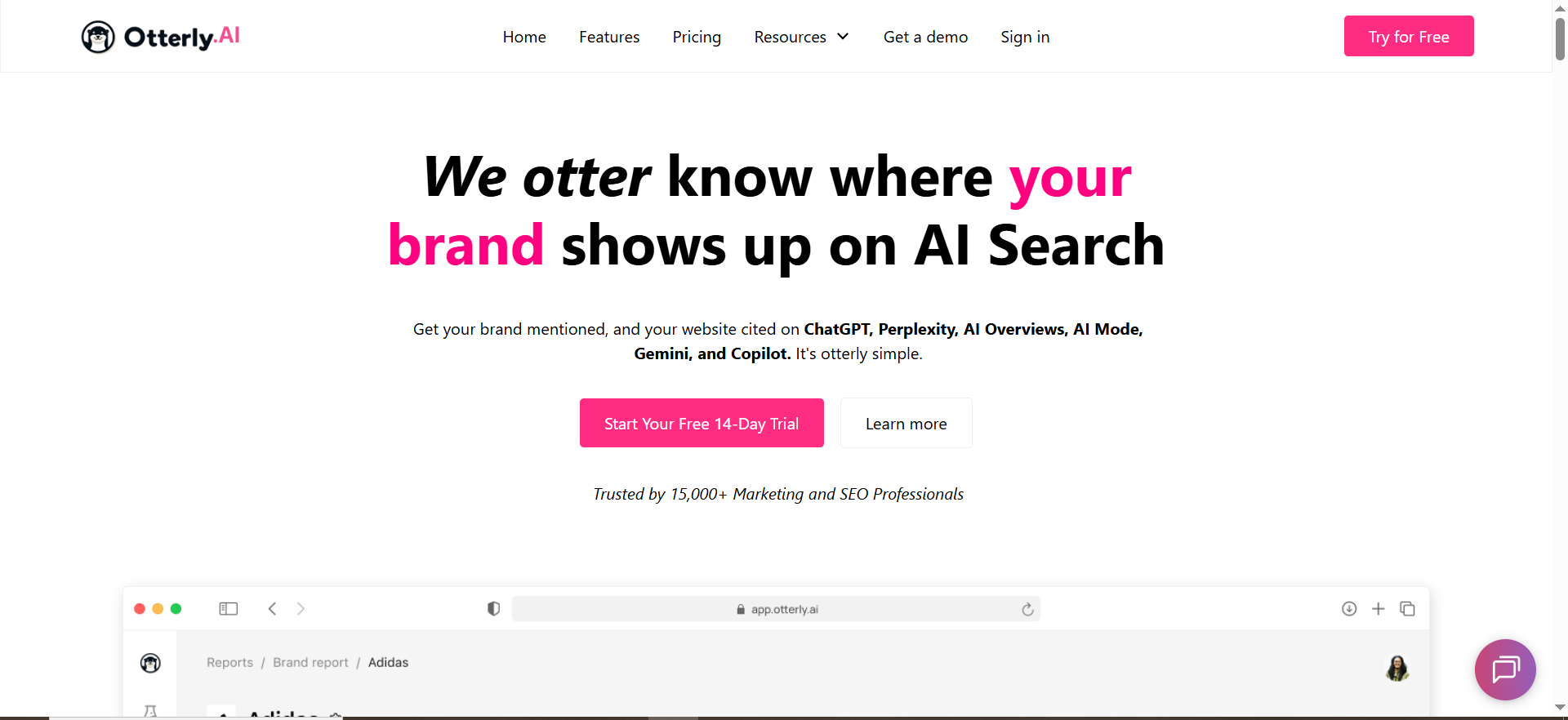
OtterlyAI describes itself as an AI search monitoring tool that tracks how brands appear across AI search engines and analyzes responses for mentions/citations.
What it does
OtterlyAI monitors AI answers across platforms like ChatGPT, Google AI Overviews, Perplexity, and Copilot, and provides research + reporting features such as a Brand Visibility Index and citation analysis.
Why teams use it
- Fast onboarding and clear “visibility index” style reporting (helpful for exec updates).
- Strong coverage emphasis and add-ons for expanded Google experiences.
What it’s good for
- Teams who want:
- daily tracking,
- multi-country monitoring,
- and solid exports/reporting without heavy enterprise overhead.
When it’s a good fit
- You need a practical monitoring tool to detect drops quickly and track recovery.
- You care about citations and want a clear view of “which sources/models cite us.”
When it’s not a good fit
- You require deep custom workflows, enterprise governance, or blended SEO + AEO reporting in one platform.
- Your monitoring needs are extremely large-scale and require bespoke data pipelines.
How to use it
- Build prompt groups around:
- category queries,
- comparisons,
- alternatives,
- integration queries,
- and “brand trust” queries (reviews, compliance, security).
- Track the Brand Visibility Index and set internal alert thresholds:
- Index drop > X points day-over-day
- Citations to your domain down > Y% week-over-week
- For anomaly investigation, compare:
- model-by-model changes (did only one engine change?),
- country-by-country changes (geo-specific anomalies are common).
Key capabilities
From its pricing page, OtterlyAI highlights: daily tracking, multi-country support, prompt research tools, Brand Visibility Index, domain ranking, and link citations analysis.
Pricing
OtterlyAI’s pricing starts at $29/month for the Lite plan; higher tiers go up to $422/month for Premium.
Free tier?
OtterlyAI doesn’t offer a free tier, but it does offer a free trial for new users.
Downsides / limitations
- Add-ons can complicate budgeting if you need broader Google coverage (AI Mode/Gemini add-ons are tier-dependent).
- Like all tools in this category, signal quality depends on prompt design and consistent measurement.
4. Promptmonitor
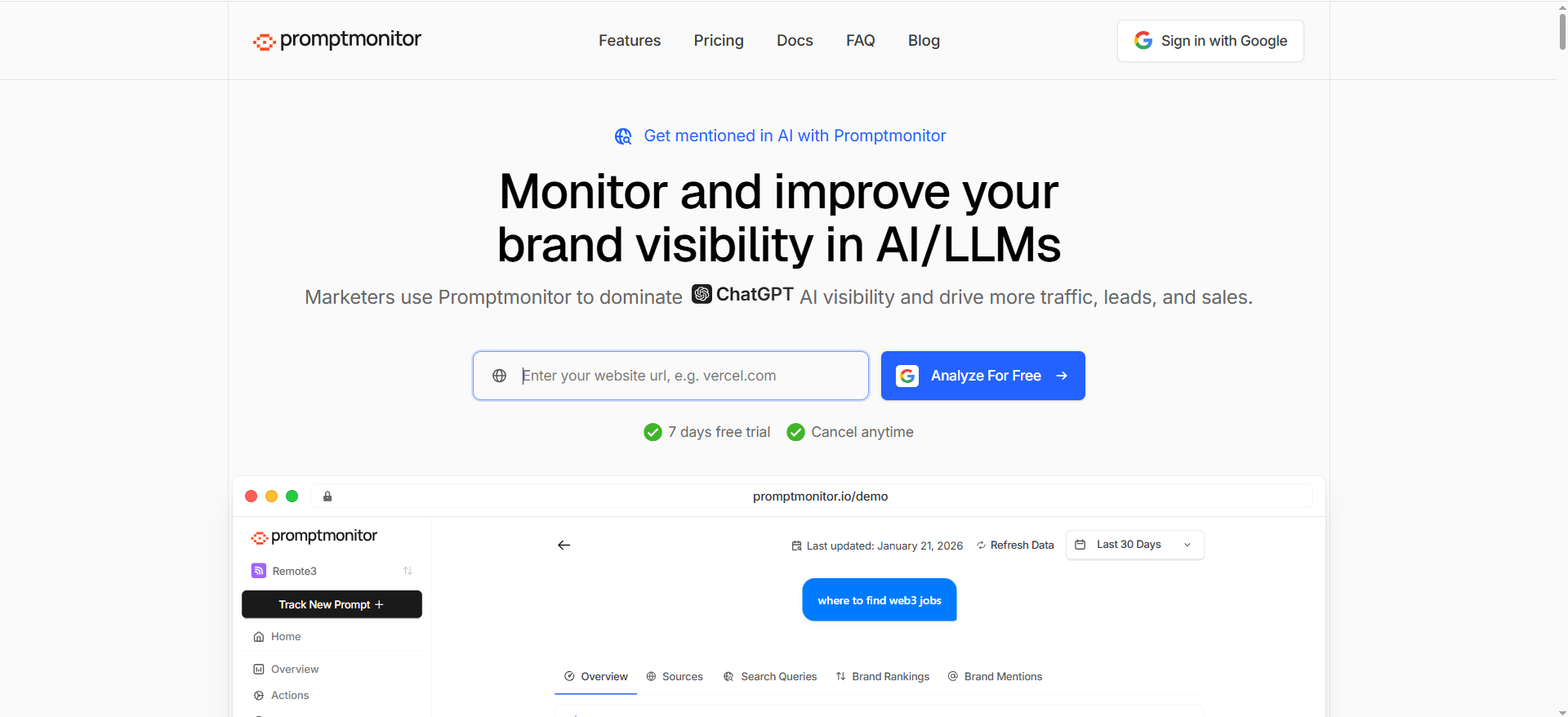
PromptMonitor positions itself as a GEO tool to track whether your company gets mentioned in AI answers across multiple models (ChatGPT, Claude, Gemini, Perplexity, etc.).
What it does
Promptmonitor tracks brand mentions across multiple AI platforms and frames performance with a “Visibility Score” concept (0–100%).
Why teams use it
- Strong value-for-money plans with multi-model coverage and daily refresh.
- Built-in weekly email reports (helpful for lightweight alerting and stakeholder updates).
What it’s good for
- Startups/SMBs who want:
- daily refresh monitoring,
- multi-model coverage,
- exports,
- and reporting without enterprise pricing.
When it’s a good fit
- You want a predictable monthly cost and quick setup.
- You’re managing multiple prompts and models but don’t need a full enterprise governance suite.
When it’s not a good fit
- You need advanced integrations, strict security requirements, or deeply custom dashboards at enterprise scale.
- You need a mature “incident workflow” productized inside the platform (some orgs do).
How to use it
- Start with prompts that mirror customer language: “best,” “top,” “alternatives,” “reviews,” “pricing,” “integrations.”
- Use daily refresh and weekly reports to detect trend breaks:
- If your Visibility Score drops sharply, immediately drill into which models stopped mentioning you.
- Create an alerting layer on top:
- Forward weekly reports to Slack (or your ticketing system)
- Add a rule: “If the score drops below X, open an incident.”
Key capabilities
Promptmonitor’s pricing page lists (by tier) projects, prompts, monthly “responses,” daily refresh, coverage across major AI platforms, exports, and weekly email reports.
Pricing
Promptmonitor’s pricing starts at $29/month for the Starter plan; higher tiers include $39/month (Growth) and $129/month (Pro), and Enterprise pricing is available by contact.
Free tier?
Promptmonitor doesn’t offer a standard free tier, but it does offer a 7-day free trial; it also has an Agency Plan priced at $0/month with a revenue-sharing model.
Downsides / limitations
- Great for monitoring, but you still need a “why/how” workflow (root cause analysis is a process, not a dashboard).
- If you’re extremely prompt-heavy, you’ll want to watch “responses per month” burn.
5. Conductor

Conductor positions itself as an enterprise platform to “get found in AI search,” and its materials emphasize AI visibility plus monitoring capabilities.
What it does
Conductor spans beyond AI visibility tracking into a broader enterprise SEO + content + site monitoring suite, useful when AI visibility drops are tied to technical issues, site changes, or content health.
Why teams use it
- They want one platform that connects AI visibility, SEO performance, and website monitoring signals.
- Enterprise teams need workflows: permissions, reporting, cross-team visibility, and operational guardrails.
What it’s good for
- Teams who treat AI visibility as part of a bigger system:
- If pages break, visibility can drop.
- If content changes, citation patterns can change.
- If technical health degrades, AI/SEO performance can degrade.Conductor’s academy content explicitly mentions monitoring/alerting capabilities in the context of readiness measurement.
When it’s a good fit
- You already run enterprise SEO programs and want AI visibility baked into them.
- You need alerts that connect to site reliability and not just “prompt output changed.”
When it’s not a good fit
- You only need lightweight AI prompt monitoring at low cost.
- You don’t need enterprise workflows and don’t want enterprise sales cycles.
How to use it
- Define AI visibility KPIs (mentions, citations, sentiment) alongside traditional SEO KPIs.
- Set segmented monitoring:
- “Money pages”
- “Top-of-funnel education pages”
- “Comparison pages”
- Configure alerting for:
- Technical incidents (downtime, robots changes, major template updates)
- Visibility shifts in priority sections
- Tie alerts to owners (SEO vs web dev vs content ops) so incidents don’t die in a Slack channel.
Key capabilities
- Enterprise AEO + SEO intelligence positioning
- Monitoring concepts include real-time alerting and segmentation in Conductor’s materials
Pricing
Conductor’s pricing is not publicly listed; plans are available by quote and are designed to scale based on customer needs.
Free tier?
Conductor doesn’t offer a free tier, but it does offer a free trial (3 weeks) and demos.
Downsides / limitations
- Likely overkill if you only need prompt monitoring.
- As with many enterprise platforms, pricing isn’t “one simple number,” which can slow evaluation.
What “anomaly detection” means for AI visibility
Most teams assume anomaly detection is “a fancy alert.” In practice, it’s a discipline: detecting when a metric deviates from expected patterns, often using a historical baseline (seasonality, trend, variance).
In observability tools, anomaly monitors typically let you choose:
- the baseline window (e.g., last 7 days),
- the algorithm/approach,
- sensitivity/deviations,
- and whether you alert on spikes, drops, or both.
Translate that to AI visibility and your “metrics” become:
The 4 AI visibility signals worth alerting on
- Presence rate (mentions): % of tracked prompts where your brand appears. (Peec explicitly defines visibility score this way.)
- Citation rate: % of prompts where your domain is cited/linked (crucial for traffic + authority).
- Position/placement: Are you recommended first vs buried in a list? (Even if “mentioned,” placement matters.)
- Cross-model consistency: Are you present across multiple engines, or only one? (Promptmonitor even weights cross-model consistency in its formula.)
What an “anomaly” looks like in the real world
- You drop from 60% presence → 25% across your top 20 “money prompts” in 48 hours.
- Citations to your domain fall sharply while mentions remain (meaning AI still “knows” you, but stops pointing to your pages).
- Only one engine changes (e.g., ChatGPT shifts; Perplexity remains stable).
- Only one geography changes (e.g., US drops, UK stable).
If you’ve ever debugged SEO volatility, this will feel familiar. The difference is that AI answers can change due to:
- model updates,
- retrieval source changes,
- safety/policy shifts,
- and prompt interpretation differences.
That’s why the spreadsheet angle for this post, “Monitoring like uptime”,is dead on: treat your AI visibility like a production service with dashboards, baselines, and incident response.
Why AI visibility drops suddenly (common root causes)
A “sudden drop” is rarely random. Usually it’s one of these buckets:
1) The model changed (or its retrieval changed)
AI systems evolve quickly. Even if your site didn’t change, the model’s preference for sources, formatting, or freshness can change, causing citation swaps.
How to spot it:
- Drops occur across many prompts at once, often across the same model.
- Competitors rise in the same prompts without you changing anything.
2) Your cited pages changed (or became less eligible)
AI answers often lean on pages that are:
- structured clearly,
- high-authority,
- and easy to extract snippets from.
If those pages were redesigned, de-indexed, non-indexed, blocked, slowed down, or changed materially, citations can drop.
How to spot it:
- Citation drop is larger than mention drop.
- The engine still mentions your brand but links elsewhere (or links competitors).
3) A competitor introduced “AI-friendly” content modules
If a competitor launches comparison pages, updated pricing pages, or crisp “best-of” lists with strong headings, they can take citations quickly.
How to spot it:
- You lose in specific clusters (e.g., “alternatives” prompts).
- The competitor appears with newly cited URLs.
4) Prompt set drift (measurement error)
If your prompts are inconsistent or too broad, variance can look like a drop.
How to spot it:
- Changes appear only in a handful of prompts that were noisy historically.
- Re-running prompts yields different results with no consistent pattern.
5) Your brand narrative got “blurry”
If AI starts describing your category in a way that doesn’t map cleanly to your positioning, it may “forget” to recommend you.
How to spot it:
- Mentions drop while category prompts remain stable.
- The model starts recommending adjacent-but-not-you solutions.
A practical alerting setup (thresholds, baselines, and guardrails)
This section is the “make it real” part: how you design alerting so it catches true incidents without waking you up every day.
Step 1: Pick the metrics you’ll actually act on
Don't be alert on everything. Alert on what triggers action:
- Tier 1 (Pager-worthy): “money prompt” presence + citation drops
- Tier 2 (Needs investigation): category share-of-voice shifts
- Tier 3 (FYI): sentiment/wording drift, minor placement changes
Step 2: Set baselines that match your cadence
Most AI visibility tools run prompts daily or weekly. Daily tracking is ideal for anomaly detection because it compresses “time to awareness.” (Peec and Otterly emphasize daily prompt runs/tracking; Promptmonitor includes daily refresh on plans.)
A solid baseline approach:
- Baseline window: 28 days
- Compare window: last 2 days or last 7 days depending on volume
- Alert if deviation exceeds thresholds
Step 3: Recommended thresholds (use these as defaults)
For each prompt cluster (money/category/competitor):
Presence rate alerts
- Warning: down ≥ 15% vs 28-day baseline
- Critical: down ≥ 30% vs 28-day baseline
Citation rate alerts
- Warning: down ≥ 20% vs baseline
- Critical: down ≥ 40% vs baseline
Cross-model alert
- Critical if 2+ major models drop simultaneously.
Step 4: Guardrails to reduce false alarms
- Require the drop to persist for 2 runs (e.g., 2 days) before paging.
- Ignore clusters with < X runs/week (low sample sizes are noisy).
- Track median instead of mean for placement-style metrics (less sensitive to outliers).
Step 5: Route alerts like incidents
The best alert is useless if it doesn’t reach an owner.
- SEO owner: citation/presence drops tied to pages/topics
- Content owner: narrative drift, missing modules, new competitor pages
- Web dev/infra: technical incidents, indexing changes, robots changes
The incident response playbook for sudden drops (do this in order)
When the alert hits, don’t “random-walk” your way through debugging. Use an order of operations.
Phase 1: Validate the incident (15 minutes)
- Confirm it’s not measurement noise
- Re-run a subset of prompts manually or compare across another engine/tool.
- Confirm scope
- Which prompt clusters?
- Which engines/models?
- Which goes?
If it only appears in one noisy prompt, it’s not an incident, it’s variance.
Phase 2: Isolate the failure mode (30–60 minutes)
A) Mentions dropped AND citations dropped
This usually indicates a broader “recommendation disappearance” problem.
- Check whether competitors are now recommended.
- Check whether model answers changed framing (e.g., moved categories, redefined criteria).
B) Mentions stable BUT citations dropped
This often means the model still recognizes you, but the “proof” (your pages) becomes less eligible.
- Check recent changes to top cited pages (title, structure, internal links, schema).
- Check whether those pages became harder to crawl/index.
C) Only one model dropped
This often means model-level behavior change.
- Track the “why now”: did the model recently update, or change how it retrieves sources?
- Adjust prompt wording slightly to test sensitivity.
D) Only one geo dropped
Geo-specific issues can be:
- localization and language,
- location-biased sources,
- or regional SERP shifts that impact retrieval.
Phase 3: Execute the fix (same day, if possible)
Fast fixes (hours)
- Add or improve a “best-of” module: clear criteria, decision tree, comparison table.
- Add missing entities the model expects (integrations, compliance, pricing, alternatives).
- Fix page accessibility issues (no index, canonicals, redirects, blocked resources).
Medium fixes (days)
- Create or refresh pages that are repeatedly cited for the prompt cluster.
- Strengthen internal linking to the most “citation-worthy” pages.
- Publish a targeted comparison/alternatives post if competitors are winning those prompts.
Long fixes (weeks)
- Build authority via third-party mentions and references (AI systems often echo consensus).
- Improve brand narrative clarity across owned + earned channels.
Phase 4: Post-incident review (what you document)
In one page:
- what dropped (metric + cluster),
- when it started,
- suspected root cause,
- what you changed,
- what recovered (and by how much).
Treat it like uptime. Because that’s exactly what it is.
How to choose the right tool (simple decision tree)
Use this decision tree to pick fast:
If you’re early-stage or budget-sensitive
- PromptMonitor is a strong starting point: multi-model coverage, daily refresh, weekly reports, and low entry price.
- Peec Starter is also viable if you want clean dashboards and prompt-based daily tracking.
If you’re a growth team that wants “simple but serious”
- Peec Pro for prompt scale + reporting.
- OtterlyAI Standard/Premium if you want strong monitoring + citation analysis with clear pricing and add-ons for extra Google coverage.
If you’re enterprise (or close) and visibility is a board-level concern
- Conductor if you want AI visibility connected to SEO + site monitoring workflows.
- Profound if you want deep AI visibility intelligence and are prepared for enterprise engagement.
If you’re an agency
Pick based on:
- number of client workspaces,
- export/report automation,
- prompt volume economics,
- and whether clients demand enterprise governance.
What counts as a “visibility drop” in ChatGPT vs Perplexity vs AI Overviews?
A “visibility drop” isn’t one single thing. It depends on how the engine answers, whether it cites sources, and how much ranking/placement matters in that UI.
In ChatGPT (and similar chat-first assistants)
What a drop looks like
- Mention drop: your brand stops appearing in answers for your tracked prompts (presence rate falls).
- Position drop: you’re still mentioned, but you move from “top recommendation” to “also-ran” (lower placement in the narrative).
- Attribution drop: the assistant still recommends you but stops referencing your site/docs as evidence (citation/URL loss where applicable).
Why it’s tricky
- ChatGPT answers can be more “synthesized,” so you may see fewer explicit citations depending on mode/settings. That means mentions and how you’re framed can matter as much as clicks.
What to measure
- Presence rate (% of prompts with mention)
- “Top-3 inclusion” rate (are you in the first cluster of recommendations?)
- Descriptor drift (e.g., “best for enterprise” → “mid-market tool”)
In Perplexity (and other citation-heavy answer engines)
What a drop looks like
- Citation drop is the big one: you may still be mentioned, but Perplexity stops citing your domain (or cites competitors instead).
- Source displacement: competitor URLs replace yours as the “supporting evidence.”
- Answer framing changes: Perplexity changes its criteria (e.g., prioritizes “open-source” or “pricing transparency”), and you lose inclusion.
Why it’s more measurable
- Because citations are prominent, you can track:
- % of answers citing your domain
- which pages are cited (URL-level)
- which competitor sources displaced you
In Google AI Overviews (SERP-integrated)
What a drop looks like
- Overview absence: AI Overview appears less often for your tracked queries OR appears but doesn’t include you.
- Link/citation loss: your pages stop being referenced in the AI Overview source links.
- SERP displacement effects: you might still rank organically, but the AI Overview captures attention and your brand disappears from the summary.
Why it’s different
- AI Overviews are influenced by SERP context (top organic results, freshness, authority, query intent). You’re often debugging a blend of:
- classic SEO volatility
- AI summary selection volatility
Practical definition you can standardize across all three
A drop counts as a visibility incident if any of these happen across your “money prompts”:
- Presence rate drops ≥ 30% vs baseline
- Citation rate drops ≥ 40% vs baseline
- “Top-3 inclusion” drops ≥ 25% vs baseline
- Competitor overtakes you on share-of-voice across priority clusters
What is anomaly detection in monitoring, and how do baselines work?
Anomaly detection is the practice of flagging behavior that deviates from what’s normal, not just “down compared to yesterday,” but “down compared to expected variation.”
Baselines in plain language
A baseline is the “normal range” for a metric based on historical data.
For AI visibility, your baseline needs to account for:
- natural answer variance (LLM outputs fluctuate)
- day-of-week patterns (if you run daily)
- prompt-set mix (if prompts change, the baseline breaks)
- model-specific volatility (some engines are more variable than others)
Three baseline styles you’ll actually use
- Rolling average baseline (simple and effective)
- Baseline = average of last 28 days
- Alert if current value deviates by X%Best for: small teams, fast setup.
- Rolling median baseline (better for noisy placement metrics)
- Baseline = median of last 28 days
- Less sensitive to outliers (“one weird run”)Best for: placement, “top-3 inclusion,” sentiment-ish metrics.
- Seasonal baseline (advanced)
- Compares “this Tuesday” to “previous Tuesdays”Best for: high-volume, daily monitoring where patterns repeat.
What you should baseline (and what you shouldn’t)
Baseline these
- Presence rate (mentions)
- Citation rate (domain links)
- Top-3 inclusion
- Share-of-voice vs competitors
Don’t baseline these without extra care
- Single prompt outputs (too volatile)
- “Exact wording” similarity (LLMs paraphrase)
- Small-sample clusters (<10 prompts) unless you use persistence rules
A clean anomaly rule set (starter)
- Warning: drop ≥ 15% vs 28-day baseline, persists 2 runs
- Critical: drop ≥ 30% vs baseline, persists 2 runs
- Immediate Critical: drop ≥ 50% in money prompts (even one run can matter)
What are the common causes of sudden drops (model updates, source changes, SERP shifts, site issues)?
Think of sudden drops like an outage: they usually come from a few predictable failure modes.
1) Model behavior changes (updates, policy shifts, ranking heuristics)
Symptoms
- Drop hits many prompts at once
- Often isolated to one engine/model
- Competitors gain even though your site didn’t change
Typical triggers
- The engine tweaks how it weighs authority, recency, or “consensus”
- Safety/policy updates reduce certain types of recommendations
- The model shifts which sources it trusts for your category
2) Source selection changes (who gets cited)
Symptoms
- Mentions may stay stable, but citations fall sharply
- Different pages/domains appear as “evidence”
- Your category pages are replaced by listicles, directories, or competitor docs
Typical triggers
- Competitors publish “AI-friendly” comparison pages
- New third-party sources become dominant (G2, Reddit, Wikipedia-like pages, etc.)
- Your key pages lose crawlability or clarity
3) SERP shifts (especially relevant to AI Overviews)
Symptoms
- Organic rankings change + AI Overview sources change together
- AIO starts showing for more queries (or fewer)
- Your pages drop from top results → vanish from AIO citations
Typical triggers
- Algorithm updates
- Freshness shifts (new content outranks old)
- Intent reinterpretation (query now treated as “reviews” vs “how-to”)
4) Site issues (technical and editorial)
Symptoms
- Citation drops disproportionately (your pages become “hard to use” as sources)
- Drops correlate with releases/migrations
- Multiple key pages disappear or redirect unexpectedly
Typical triggers
- Accidental no index, robots block, canonical errors
- Redirect chains, broken templates, or rendering issues
- Major content rewrites that remove scannable structure (H2s, lists, tables)
- Performance degradation (slow pages, timeouts)
How do I validate if the drop is “real” or measurement error?
Your first goal is to avoid chasing ghosts. Here’s a fast validation checklist.
Step 1: Check persistence
- Did the drop occur for 2 consecutive runs?If not, treat it as “suspected,” not confirmed.
Step 2: Replicate on a controlled subset
Pick 5–10 representative prompts:
- 3 money prompts
- 3 competitor/comparison prompts
- 2 category prompts
Re-run them:
- same wording
- same location
- same engineIf the outputs revert, you likely hit variance.
Step 3: Cross-check with a second lens
You can validate via:
- another AI visibility tool (if you have one)
- manual checks in the platform UI
- alternative models (if only one model shows the drop, it may be model-specific)
Step 4: Look for “patterned” change (real incidents have shape)
Real drops tend to show:
- one cluster tanking (e.g., “alternatives” prompts)
- one model tanking
- one geo tanking
- a competitor consistently replacing you
Measurement error tends to look like:
- random prompt-by-prompt noise
- no consistent competitor gain
- results that bounce back immediately
Step 5: Verify your measurement didn’t change
Common instrumentation mistakes:
- prompt list edited (new prompts added) → baseline invalid
- tags/clusters changed
- engine settings changed (model version, region, temperature-like controls if applicable)
- tracking cadence changed (weekly → daily) causing different variance
How do I map a drop to specific prompts, topics, or competitor changes?
This is the “root cause path.” You’re basically slicing the problem until it becomes obvious.
1) Start with segmentation: where exactly did it drop?
Break the metric by:
- prompt cluster (money/category/competitor/risk)
- topic (feature areas, use cases, industries)
- model/engine (ChatGPT vs Perplexity vs AIO)
- geo/language
- device/context (if applicable)
You’re looking for the smallest segment that explains most of the decline.
2) Identify “top loss prompts”
Rank prompts by:
- biggest absolute change in presence/citations
- highest business value weight (money prompts first)This becomes your investigation queue.
3) For each top loss prompt, capture the “before vs after”
Create a simple diff record:
- Old answer: were you mentioned? cited? top-3?
- New answer: who replaced you? What sources are cited?
You’ll often see one of these patterns:
- Competitor substitution (they appear where you used to)
- Source substitution (third-party site replaces your domain)
- Criteria shift (the answer now emphasizes attributes you don’t signal well)
4) Map prompts → pages → evidence
If citations exist, map:
- which pages used to be cited
- which pages are cited nowThen ask:
- Did our cited page change recently?
- Did competitors publish something new?
- Did a third-party page become dominant?
If citations don’t exist (chatty mode), map:
- which claims are made about “the best tools”
- which attributes are emphasizedThen align your content:
- add missing attributes/modules
- tighten positioning and entity coverage (integrations, compliance, pricing, category fit)
5) Build an “explainability dashboard” (simple version)
You don’t need fancy ML. You need:
- drop by cluster
- drop by engine
- competitor share-of-voice change
- top 10 prompts contributing to drop
- top 10 sources replacing you (domains + URLs)
6) Turn the mapping into action items
Each incident should end with 3–7 concrete actions, like:
- Refresh 2 comparison pages
- Add a “decision criteria” section to 3 money pages
- Fix indexing/canonical on 5 URLs
- Publish 1 alternatives page targeted to the cluster that dropped
- Strengthen internal linking to the 3 pages most likely to be cited
If you want, paste your prompt clusters (or the exact prompt list you’re tracking) and I’ll turn these sections into a tighter, tool-ready “incident workflow” with exact metrics + thresholds per cluster.
FAQs
What is AI visibility, in plain English?
What’s the difference between a “mention” and a “citation”?
How often should I run prompts to catch sudden drops?
Why do AI visibility metrics feel “noisier” than Google rankings?
What’s the fastest way to confirm a drop is real?
What thresholds should I use if I’m just starting?
Can these tools “fix” drops automatically?
📋 Get Listed / Advertisement
We update this guide monthly. Want your tool featured? Contact: [email protected].


