

Backlink prospecting and outreach has changed fast.It’s no longer just “get a link”; it's to earn placements of a brand's surface area across the web, so you show up in rankings and in AI-driven answers that pull from trusted pages, lists, and citations.
If you want the shortest path to results:
- Use an outreach CRM (BuzzStream or Pitchbox) if you need repeatable campaigns, relationship management, and scalable follow-ups.
- Use Respona if you want a more packaged “placements” motion (pay-per-result) or a simplified PR-style workflow.
- Use Ahrefs when your bottleneck is prospecting intelligence, finding the right pages, authors, and competitor gaps.
- Use Hunter when your bottleneck is contacts + verification + deliverability.
📋 Get Listed / Advertisement
We update this guide monthly.Want your tool featured? Contact us: [email protected].
Best AI Tools for Backlink Prospecting & Outreach (Pricing + Use Cases)
| Tool | Best for | “AI assist” you’ll actually use | Starting price |
|---|---|---|---|
| BuzzStream | Relationship-based link building + digital PR workflows | Templates, contact/org records, scalable but human-style outreach | From $19/mo (Solo) |
| Pitchbox | Agencies/teams scaling prospecting + follow-ups | AI personalization + reply assist + list building at scale | From $165/mo (Pro) |
| Respona | “Done-for-you” placements or simplified PR-style outreach | Placement/campaign packaging + outreach automation | From $90–$100 per placement (tiered) |
| Ahrefs | Prospecting intelligence (competitor gaps, pages, authors, topics) | Data → shortlist: Link Intersect, Content Explorer, gap finding | From $129/mo (Lite) |
| Hunter | Email finding, verification, and deliverability-first outreach | Fast enrichment + email verification to cut bounces | From $49/mo (Starter) |
1. BuzzStream
What it does
BuzzStream is an outreach and relationship-management platform built for link building and digital PR, think “CRM + outreach” where your prospects, contacts, emails, notes, and placements stay organized in one system.
Why teams use it
Most teams don’t fail at outreach because they can’t write an email, they fail because they lose track of conversations, pitch the same site twice, forget follow-ups, or can’t learn what’s working. BuzzStream’s core value is: keep the machine running without turning your process into spreadsheet chaos.
What it’s good for
- Building and maintaining publisher / blogger / resource-page lists
- Tracking relationships across multiple campaigns
- Coordinating a small team (handoffs, notes, status updates)
- Consistent outreach for: guest posts, resource pages, expert quotes, content promotion, basic PR
When it’s a good fit
- You do recurring outreach every month (not a one-off campaign)
- You care about relationship history (not “spray-and-pray”)
- You need lightweight structure more than heavy automation
When it’s not a good fit
- You want an agency-scale prospecting engine with lots of built-in automation controls
- Your biggest bottleneck is “which sites should I target?” (pair it with Ahrefs)
How to use it
- Create a campaign type (e.g., “Alternatives Pages,” “Listicles,” “Resource Pages,” “Digital PR – Data story”).
- Prospect in batches: import targets from search results, competitor backlink gaps, or curated lists.
- Enrich contacts: add editor/author/contact details (and tag decision-makers vs. contributors).
- Segment + personalize: use templates with 2–3 personalization fields you can fill quickly.
- Run follow-ups: schedule follow-ups that add value (not “bumping this).
- Log outcomes: link acquired, mention acquired, rejected, no response, future opportunity.
Key capabilities
- Campaign organization and contact records
- Email templates and scalable sending
- Reporting to see what subject lines and angles win
- Link/placement tracking (so you know what went live)
Pricing
BuzzStream’s pricing starts at $29/month (Starter plan).
Free tier?
BuzzStream doesn’t offer a free tier, but it does offer a free trial.
Downsides / limitations
- “AI” here is more about systems, templates, and process, less about built-in generative personalization.
- You still need a strong prospecting engine (Ahrefs) or a clear list-building method.
2. Pitchbox
What it does
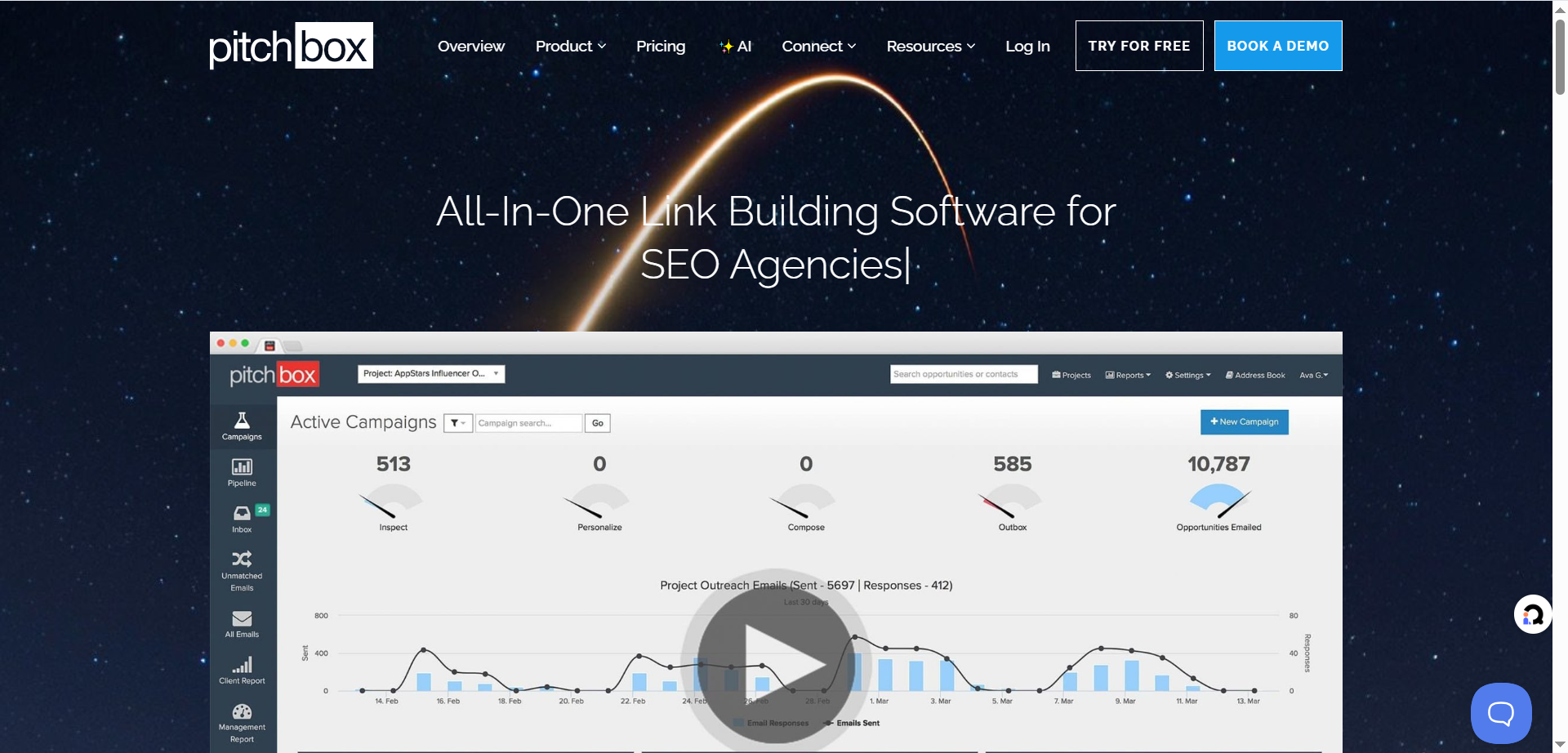
Pitchbox is an outreach platform designed to scale: prospecting → contact discovery → outreach + automated follow-ups → reporting. It’s widely used by agencies and in-house teams that need volume without losing control.
Why teams use it
Pitchbox shines when you need both:
- Bespoke campaigns (high personalization, high-value targets)
- Scalable campaigns (repeatable workflows, consistent follow-ups)
It also explicitly positions AI features like personalization and reply assistance inside the outreach workflow.
What it’s good for
- Agencies handling multiple clients and campaigns
- Systematized link building: broken links, reclamation, listicles, blogger outreach
- Teams that need built-in controls like email rotation and deliverability monitoring
When it’s a good fit
- You have enough volume to justify a higher monthly platform cost
- You want outreach automation with guardrails (accounts, rotation, workflows)
- You need AI assistance for bulk personalization rather than writing from scratch
When it’s not a good fit
- Solo founders or tiny teams doing occasional outreach (BuzzStream + Hunter may be simpler)
- If you’re primarily buying “placements” and don’t want to manage outreach ops (Respona’s model can be easier)
How to use it
- Choose a campaign archetype (Listicle insertions / guest posts / broken links / PR).
- Prospecting searches: generate target sites/pages in your niche.
- Contact discovery: confirm you’re emailing the right role (editor vs. author).
- AI personalization pass: generate a first draft per prospect, then human-edit the “hook.”
- Sequence + follow-ups: 2–4 follow-ups with value (additional asset, better angle, shorter ask).
- Inbox + negotiation: keep replies centralized and logged.
Key capabilities
Pitchbox’s pricing page lists core modules like prospecting, outreach + auto follow-up, CRM, inbox, reports, and AI personalization / AI reply features.
Pricing
Pitchbox’s pricing starts at $165/month (Pro plan).
Free tier?
Pitchbox doesn’t offer a free tier, but it does offer a free trial.
Downsides / limitations
- Higher cost means you need real outreach throughput to justify it.
- Like any automation platform, quality depends on your targeting and offer automation won’t fix weak positioning.
3. Respona
What it does
Respona positions itself around link building and digital PR style outcomes, including a “pay-per-result” placement model on its pricing page, effectively packaging placements by authority/traffic tiers.
Why teams use it
Some teams don’t want to build an outreach ops function. They want:
- a clearer “placement outcome,”
- simpler execution,
- and fewer moving parts.
Respona’s pitch (and pricing structure) caters to that.
What it’s good for
- Brands that want predictable placements (budget → number of placements)
- Teams doing digital PR lists, curated outreach, and visibility plays
- Marketers who care about mentions/citations as much as raw backlink count (very aligned with AI visibility)
When it’s a good fit
- You have budget and want outcomes faster than building your own full outreach machine
- You’re optimizing for authority placements and brand mentions, not just “cheap links”
When it’s not a good fit
- You need full control over every message and relationship (BuzzStream/Pitchbox win)
- You prefer a monthly SaaS subscription rather than a per-placement model
How to use it
- Define placement criteria (topical fit, minimum authority, target pages).
- Choose tier and volume based on the DR/traffic ranges you need.
- Provide assets: target landing pages, angle, supporting proof, brand kit.
- Review placements as they go live and feed learnings into your next wave.
Key capabilities
- Placement tiers with defined DR and traffic ranges (as listed on pricing)
- Add-ons like faster turnaround windows are described in FAQs (e.g., standard vs. express).
Pricing
Respona’s pay-per-result pricing starts at $100 per placement (Starter), with a $90 per placement discounted option shown.
Free tier?
Respona doesn’t list a free tier on its pricing page.
Downsides / limitations
- Per-placement economics can be expensive if your strategy is “many small wins.”
- You still need strategy: which pages to promote, which narratives to push, and how to convert the visibility into pipeline.
4. Ahrefs
What it does
Ahrefs is a full SEO platform, but for backlink prospecting it’s especially useful for two jobs:
- Find link gaps: sites that link to competitors but not you (Link Intersect).
- Find pages and authors worth pitching: content discovery and mention tracking (Content Explorer).
Why teams use it
If you email the wrong sites, no outreach platform will save you. Ahrefs helps you build a prospect list that’s:
- already linking in your niche,
- already publishing similar content,
- and more likely to respond to a relevant task.
What it’s good for
- Competitor-driven prospecting (best for “we need links like them”)
- Identifying listicles, alternatives pages, resource pages, and content hubs
- Prioritizing by relevance and performance signals (so you don’t waste outreach)
When it’s a good fit
- Your team can do outreach, but needs a better target list
- You’re building a repeatable system: “prospecting intelligence” → “outreach execution”
When it’s not a good fit
- You expect Ahrefs to send emails and manage relationships (it’s not an outreach CRM)
- You’re not willing to learn basic workflows (gap analysis, content filtering)
How to use it
The “Listicle Gap” play (high win-rate):
- Run Link Intersect against competitor tool pages.
- Filter for referring pages that look like “best X tools,” “alternatives,” “top Y platforms.”
- Export targets → enrich contacts in Hunter → manage outreach in BuzzStream/Pitchbox.
The “Content Explorer Prospecting” play:
- Search for keywords tied to your offer + “resources,” “tools,” “statistics,” “guide.”
- Filter for sites with real traffic and topical overlap.
- Build a shortlist and pitch a specific, relevant update.
Key capabilities
Ahrefs’ pricing page includes access to modules like Site Explorer, Keywords Explorer, Rank Tracker, Competitive Analysis, and in higher tiers Content Explorer.
Pricing
Ahrefs’ pricing starts at $29/month (Starter plan).
Free tier?
Ahrefs does offer a free tier through Ahrefs Webmaster Tools.
Downsides / limitations
- It’s a data platform, your team must turn data into action.
- Costs add up if you also need multiple user seats and add-ons.
5. Hunter
What it does
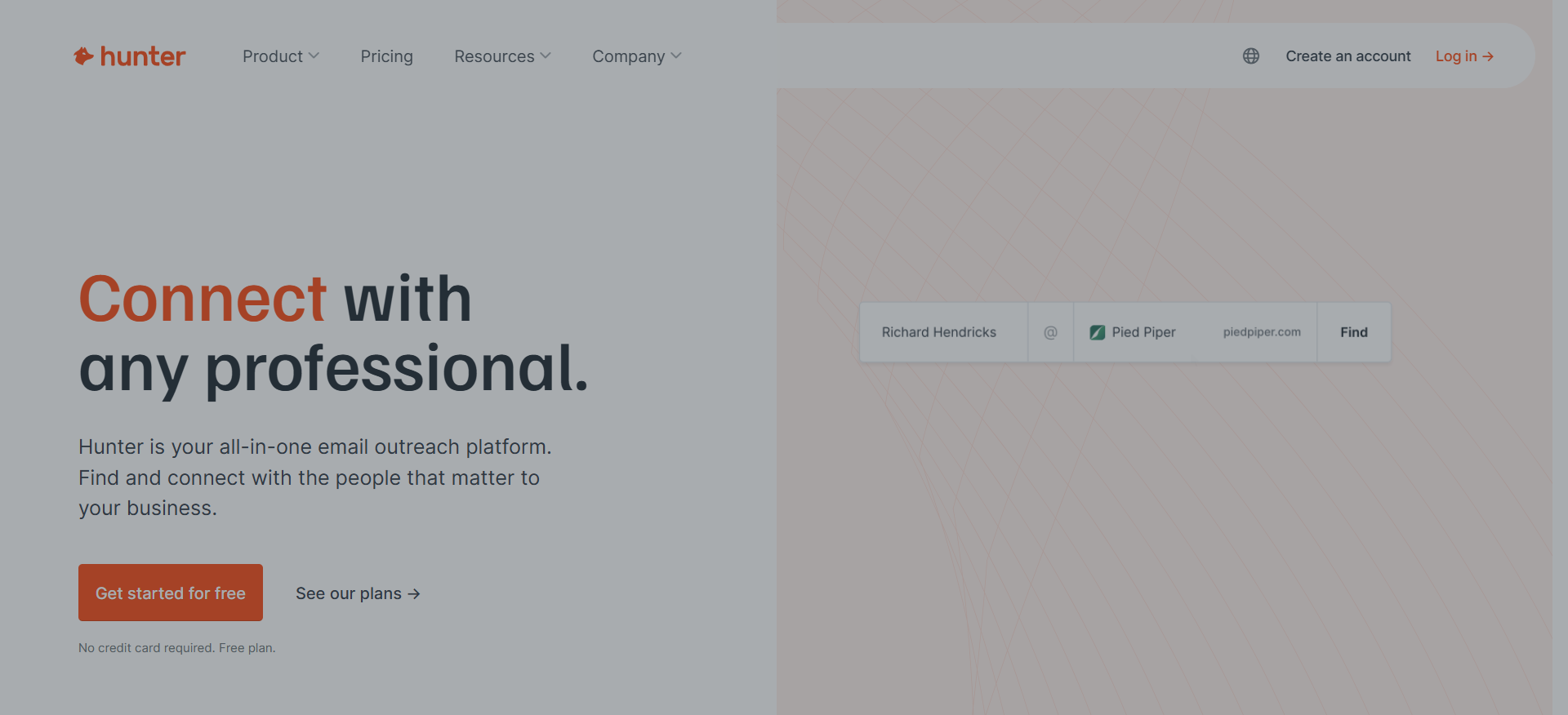
Hunter helps you find professional email addresses, verify them, and run outreach sequences with deliverability in mind. It’s the “contact + verification” layer that makes every outreach campaign safer and more effective.
Why teams use it
Outreach fails quietly when you:
- email the wrong person,
- hit invalid inboxes (bounce),
- or damage the sender reputation.
Verification and clean lists are the unsexy foundation of consistent outreach.
What it’s good for
- Finding and verifying emails for a curated list of prospects
- Cutting bounce rate before you send
- Lightweight outreach sequences for small teams
When it’s a good fit
- You already have target sites/pages and need contacts fast
- You care about deliverability and list hygiene
When it’s not a good fit
- You need a full outreach CRM with relationship history and multi-campaign reporting (BuzzStream/Pitchbox)
- You need deep prospecting discovery (Ahrefs)
How to use it
- Build a prospect list (Ahrefs or manual SERP research).
- Use Hunter to find emails for the right role.
- Run Email Verifier before any sequence to reduce bounces.
- Send a small-volume test sequence; iterate on messaging based on replies.
Key capabilities
Hunter’s pricing page highlights plan tiers, credits for finder/verifier usage, and outreach features (connected email accounts, sequences, etc.).
Pricing
Hunter’s paid pricing starts at $49/month (Starter plan).
Free tier?
Hunter does offer a free tier ($0 plan).
Downsides / limitations
- Contact databases are never perfect; you still need common sense checks (role accuracy, editorial relevance).
- For high-volume agency outreach, you’ll likely pair Hunter with Pitchbox or BuzzStream.
A modern backlink + AI visibility workflow (the “Brand Mention Surface Area” model)
The “timely” shift in 2026 is moving from links-only thinking to brand mention surface area, earning placements that create more places for your brand to be discovered, cited, and trusted (including by AI systems that summarize the web). This doesn’t replace links; it upgrades the target selection.
Step 1 — Pick targets that influence rankings and AI answers
Prioritize pages that are:
- Listicles / “best tools” pages (AI loves summarizing these)
- Statistics pages / research roundups
- Resource pages in your niche
- High-trust forums and communities (only if you can add real value; avoid spam)
Also keep risk in mind. Google’s spam policies explicitly warn against manipulative tactics; your outreach strategy should be value-driven and editorially legitimate.
Step 2 — Prospecting: build lists with intent + evidence
Use a two-list system:
List A: “Already linking to competitors”
- Run Ahrefs Link Intersect to find sites that link to competitors but not you yet.
List B: “Publishing similar content right now”
- Use content discovery to find recently updated pages in your topic cluster.
Then tag each prospect:
- Page type (listicle/resource/newsletter/blog)
- Topic fit (high/medium/low)
- Ask type (update, add, quote, broken link, partnership)
- Proof asset available (data, case study, unique framework)
Step 3 — Enrichment + verification
Before sending anything at scale:
- Find the right role (editor, author, content lead)
- Verify emails to protect sender reputation (Hunter’s verifier checks syntax, domain/server response, and more).
Step 4 — AI-assisted personalization that doesn’t sound robotic
AI is best used for:
- summarizing the target page,
- extracting 1–2 relevant “hooks,”
- drafting a first-pass email you rewrite.
Rule: The hook must be specific enough that it couldn’t have been written without reading the page.
Step 5 — Follow-up + negotiation guardrails
Don’t “bump.” Add value:
- alternative angle
- additional proof
- a smaller ask
- a pre-written snippet they can paste
Step 6 — Monitoring: links, mentions, and “citation-ready” placements
Track:
- live links
- unlinked mentions
- future update opportunities
This is where BuzzStream/Pitchbox systems pay off: your historical relationship context increases response rates over time.
How to choose the right tool
Use this quick picker:
- If you need scalable outreach ops (automation + follow-ups + many campaigns): Pitchbox
- If you need a relationship-first outreach CRM (lighter, cheaper, still structured): BuzzStream
- If you need outcomes packaged as placements (and want less ops overhead): Respona
- If you need “who should we pitch?” intelligence more than sending tools: Ahrefs
- If you need contacts + verification + deliverability foundation: Hunter
📋 Get Listed / Advertisement
We update this guide monthly. Want your tool featured? Contact us: [email protected].
Prompts, templates, and checklists (copy/paste)
1) Prospecting prompt (for listicle targets)
Prompt:
“Find pages that list or compare [CATEGORY] tools for [ICP]. I want targets that already mention competitors like [COMPETITOR 1], [COMPETITOR 2]. For each target, extract: page URL, page type, last updated hint, editor/author name if visible, and the exact section where a new tool could be added.”
2) Personalization prompt (1-minute per prospect)
Prompt:
“Summarize this page in 3 bullets. Then write 2 highly specific hooks referencing the page’s content (no generic flattery). Then draft a 90–120 word outreach email with: (a) specific hook, (b) single clear ask, (c) paste-ready snippet.”
3) “Paste-ready snippet” template (reduces friction)
- What the tool is (1 sentence)
- Best for (1 sentence)
- Key differentiator (1 bullet)
- Proof (1 bullet: metric, customer type, or unique capability)
- URL
4) Follow-up sequence checklist
- Follow-up 1 (2–3 days): smaller ask + paste-ready snippet
- Follow-up 2 (5–7 days): new angle (data point, update, broken link)
- Follow-up 3 (7–10 days): permission-based close (“Should I close the loop?”)
What’s the difference between link building and digital PR?
Link building is the practice of earning (or occasionally negotiating) backlinks to improve rankings, authority, and referral traffic. The campaigns are usually engineered around specific target pages (product pages, guides, linkable assets) and repeatable tactics like listicle insertions, broken link building, resource pages, or link reclamation.
Digital PR is the practice of earning coverage (mentions, citations, features, interviews) by pitching stories, data, and expertise to publishers, creators, and communities. Links are often a byproduct, but the bigger goal is credible third-party validation, the type of coverage that grows brand trust and gets referenced in other content over time.
Where teams get tripped up: they treat digital PR like “high-authority link building,” then pitch generic requests at scale. That increases spam signals and undermines relationships. Google’s guidance is clear that manipulative link behavior can be treated as spam, so the safest long-term approach is editorial value first (story, data, usefulness), not “please add my link.”
Quick mental model
- Link building = placement on pages that already exist (or are updated regularly).
- Digital PR = coverage created because you gave the publisher something newsworthy/useful (data, insight, expert quote, strong narrative).
In 2026, the overlap matters more: PR-style mentions on trusted sites can influence how people discover you and how AI systems see your brand’s “surface area” across the web.
How do I find sites linking to competitors but not to me?
The highest-win-rate prospecting method is “link gap” targeting: find domains/pages that already link to competitors, then pitch a stronger, more relevant resource.
The core workflow
Use a link intersect / competitor gap tool to identify domains that link to competitors but don’t link to you yet.
Steps
- List 3–10 close competitors (same category + same buyer intent).
- Run Link Intersect: “show me domains/pages that link to them but not me.”
- Filter for page types that are easiest to win:
- “best tools” listicles
- “alternatives” pages
- resource pages
- comparison guides
- Prioritize prospects where:
- the page is relevant to your niche
- the page is updated recently (or is clearly “maintained”)
- they already list multiple competitors (meaning they do add tools)
- Export → enrich contacts → outreach.
Pro tip: Don’t pitch the domain, pitch the page + section
A domain linking to competitors doesn’t mean every author on that domain will care. Your outreach improves when you reference:
- the exact URL
- the exact section (“You currently list X and Y under ‘outreach CRMs’…”)
- a concrete value-add (new category, fresh data, missing angle).
How do I automate outreach without hurting deliverability?
Automation is fine; bad sending practices are what hurt deliverability (bounces, spam complaints, low engagement). This is why deliverability-first systems emphasize list hygiene, verification, throttling, and relevance.
Deliverability-first checklist
- Verify emails before you send (reduce bounces). Email verification is explicitly designed to catch invalid addresses and protect sender reputation.
- Send fewer, better emails: start with small daily volume per inbox and scale slowly.
- Segment campaigns: don’t mix “guest post pitch” and “listicle insertion” in one sequence, different intent, different copy, different reply behavior.
- Personalize the “why you” in the first 2 lines: generic intros trigger deletes and spam complaints.
- Use short sequences: 2–4 touches max, each adding value (not “bumping”). Follow-ups have been shown to improve response rates in large outreach datasets.
- Protect compliance & link risk: avoid manipulative tasks or anything that looks like a link scheme; keep it editorial and user-benefiting.
What “safe automation” looks like
- Automation handles: sending schedule, follow-ups, logging, inbox management
- Humans handle: target selection, hook accuracy, offer strength, negotiations
A good rule: if your campaign would still work manually (because it’s relevant and valuable), automation just makes it faster.
What’s a good reply rate for link outreach?
Reply rates vary by niche, offer, list quality, and personalization, so the best benchmark is a range.
Useful benchmarks
- A large outreach analysis (Pitchbox + Backlinko) found roughly ~8–9% reply rate overall, meaning most outreach emails don’t get a response.
- Broader cold email benchmarks commonly cite ~1%–5% as a typical baseline across industries/tools.
Practical “good” ranges for link outreach
- Below 3%: usually a targeting problem (wrong pages, wrong people, weak offer) or deliverability issue.
- 3%–8%: decent for cold outreach if targeting is tight.
- 8%–15%: strong—typically indicates good fit + solid hooks + real value.
- 15%+: possible in narrow niches, warm lists, or when you’re offering something highly relevant (data, expert quotes, direct fixes). Case studies may report very high rates, but treat them as context-specific, not universal.
Measure the right “reply rate”
Track:
- Total reply rate
- Positive reply rate (the only number that really matters)
- Placement rate (links/mentions earned ÷ prospects contacted)
How do I track links and brand mentions over time?
Tracking is how you turn outreach from “random wins” into a compounding system.
What to track
- New backlinks to your target pages
- New referring domains
- Unlinked brand mentions (opportunities to request a link)
- Page-level placements (the exact URL that mentioned/linked to you)
- Campaign attribution (which pitch/tactic earned it)
Tools + workflows
- Backlink monitoring & competitor intelligence: Use a backlink platform to monitor new links and referring domains over time (and to confirm the link is still live/indexed).
- Outreach CRM logging: Track each prospect’s status (pitched / replied / negotiated / live / declined) so you don’t re-pitch blindly.
- Search Console for link hygiene: If you suspect manipulative links were built in the past, Google recommends removing spammy links when possible; disavow is a last resort.
A simple “monthly link audit”
- Export new links/referring domains
- Mark: keep / investigate / remove-request / disavow-candidate
- Record which placements correlate with ranking improvements and referral traffic
- Feed the best-performing page types back into your prospecting criteria
What are the best tools for small teams vs. agencies?
It comes down to throughput + complexity.
Best tool stack for small teams
Use a “best-in-class” stack where each tool does one job:
- Prospecting intelligence: Ahrefs (link gaps + target discovery)
- Contacts + verification: Hunter (find + verify emails to protect deliverability)
- Outreach CRM (optional but helpful): BuzzStream if you want relationship history and campaign tracking at a lighter cost.
Why it works: small teams usually don’t need heavy automation, they need better targeting and clean sending.
Best tool stack for agencies
Agencies need:
- multi-campaign operations
- standardized sequences
- team workflows
- reporting across clients
That’s where Pitchbox-style platforms stand out for scaling prospecting + outreach management in one place, especially for agencies managing multiple campaigns.
If you want “outcomes packaged”
If you don’t want to build a full outreach function internally and prefer a placement-based model, Respona’s tiered “per placement” approach can be easier to budget and operate.
FAQs
AI is safe when it’s used to speed up research and drafting, but you still need human judgment for relevance and tone. If AI leads you to send high-volume, low-relevance outreach, you increase spam complaints and can violate quality guidelines. Google’s spam policies focus on manipulative behavior; your outreach should be editorial and value-driven.
Which tool is best for agencies?
Which tool is best for a small in-house team?
How do I find sites that link to competitors but not to me?
What’s “pay-per-result” link building and when does it make sense?
Very. Verification reduces bounces and helps protect sender reputation. Hunter explains its verifier checks email syntax, domain information, server response, and more.
What should I avoid to reduce link risk?
📋 Get Listed / Advertisement
We update this guide monthly. Want your tool featured? Contact us: [email protected].


