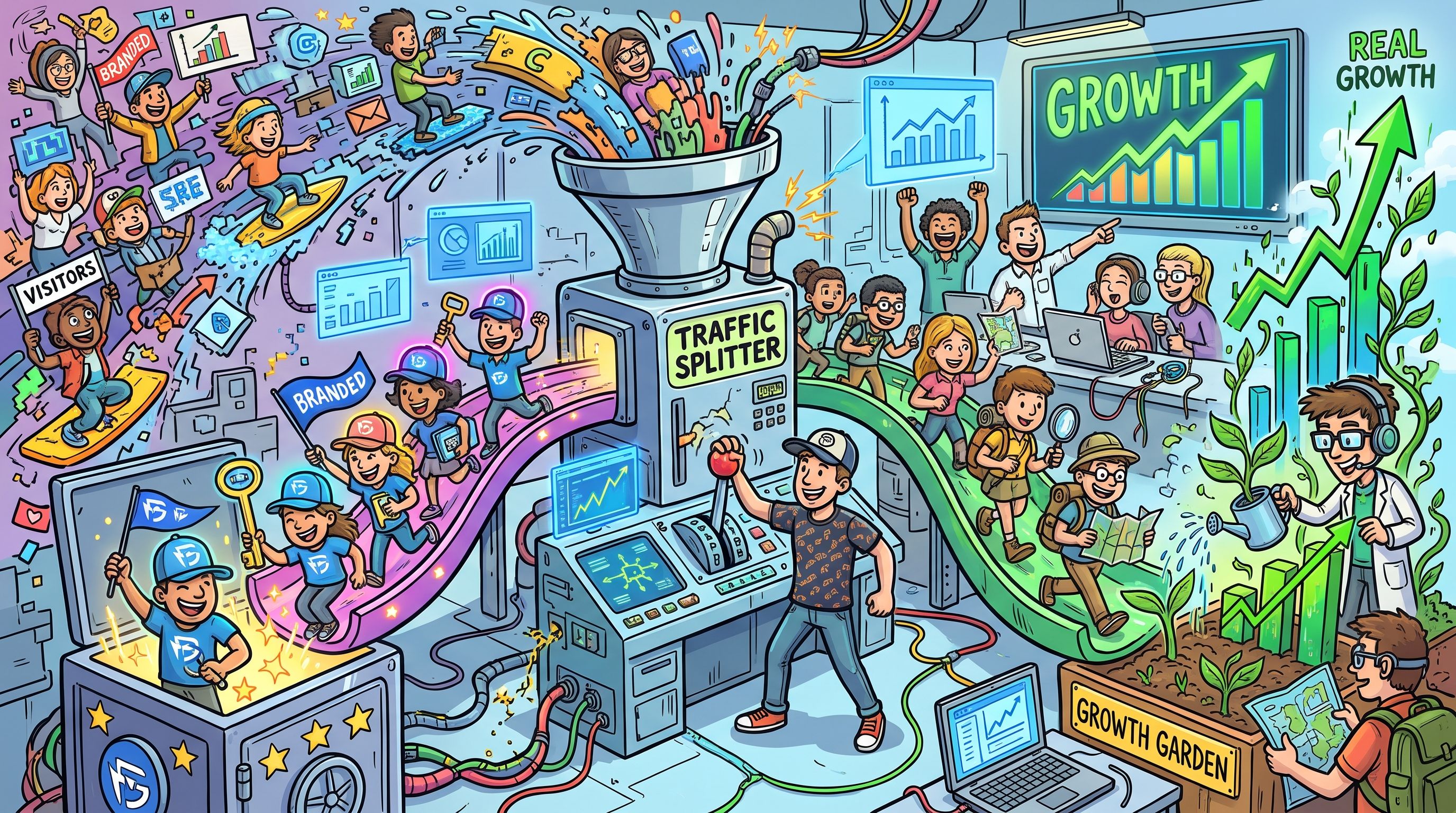
Report non-branded organic growth as your SEO progress and show branded traffic beside that trend, never blended into one total. Branded clicks come from people who already know your company, so they measure demand that other channels created. Non-branded clicks measure whether strangers find you for the problems you solve.
The rule applies to any site where people search the brand by name, and it needs a full quarter of data before the trend is readable. A branded share taken from Search Console is an estimate, because Google hides infrequent queries, so read the trend and not any single percentage.
TRM's GEO + SEO Growth Programme is the ongoing SEO work this split is built to measure. See how the programme runs.
What Branded And Non-Branded Queries Mean
A branded query is a search that includes your company name, a close variant or misspelling, or a product closely tied to the brand. A non-branded query is a topic search where the searcher finds your site without naming you.
For a SaaS site in Google Search Console, that gives you three buckets of branded queries:
- Company name: The brand as typed, including spacing variants and common misspellings.
- Product names: Any product or feature name closely tied to the brand, even when the company name is absent from the query.
- Sub-brands: Named add-ons, modules or acquired products that buyers search for directly.
Everything else is non-branded. That includes the category searches, the problem searches and the comparison searches where nobody has typed your name. Those are the queries that show whether your content reaches people who have never heard of you, and they are the ones you are paid to grow.
Why Blended Organic Traffic Hides Real Progress
One organic total is a flattering number. Branded queries are a sliver of what Google shows, but they pull a far bigger share of what gets clicked, because people searching your name are already looking for you.
Across 131 company sites with at least 1,000 impressions and 100 clicks, a Search Console study found branded queries, defined as any query containing the domain name, drew a median of about 18% of organic clicks in the 28 days from 6 September to 3 October 2026. In the same study, branded queries were a median of about 1.3% of organic impressions, and their click-through rate was a median of about 15.4% against about 0.5% for visible non-branded queries in September 2026.
| Measure | Branded Queries | Reading |
|---|---|---|
| Share of organic impressions | About 1.3% | Branded queries are a small part of what Google shows |
| Share of organic clicks | About 18% | They take a much larger part of what gets clicked |
| Click-through rate | About 15.4% against about 0.5% for visible non-branded | A branded impression is worth far more clicks |
The author also states that the sample is a convenience sample and the findings are correlational, which is why the study's stated limits matter when you quote it. The pattern is still hard to miss.
A blended total lets branded demand pass as SEO growth. A launch, a press mention or a busy season lifts brand searches, the organic line goes up, and the report credits SEO. If you want to see how this plays out on a real mature product, read the Avaza PSA SEO case study.
Native Filter Or Manual Regex: Splitting Queries In Search Console
Use the manual pattern for reporting and the native filter as a cross-check. The manual pattern stays consistent and stays under your control, and the native filter does not.
Google's Search Console branded queries filter classifies queries with an internal AI-assisted system that covers languages, misspellings and product names. Site owners cannot set a manual brand pattern in it, and Google has no current plan to let owners customise the classification. It also has three limits. It can occasionally misclassify queries, it does not separate AI Overviews or AI Mode traffic from overall Web reporting, and it is unavailable for URL-path or subdomain properties and for sites with low impression volume. Its historical data may also be incomplete.
| Attribute | Native Branded Filter | Manual Query Filter Or Regex |
|---|---|---|
| Who defines the brand list | Google's AI-assisted system | You |
| Can you edit the classification | No | Yes, any time |
| Works on subdomain and URL-path properties | No | Yes |
| Works for low-impression sites | No | Yes |
| Consistent from quarter to quarter | Depends on Google's system | Yes, while the pattern is unchanged |
Without the native filter, the split is done in the Performance report with a Query filter of "Queries containing" for branded and "Queries not containing" for non-branded, or with a custom regex on the Query field. Here is the sequence to follow:
- Check eligibility: See whether the native branded filter is available for your property. If it is, keep it as a cross-check.
- Filter branded queries: In the Performance report, add a Query filter of "Queries containing" with your brand string, or use a custom regex.
- Filter non-branded queries: Switch the filter to "Queries not containing" with the same brand string, or use "Doesn't match regex" with the branded pattern from the next section.
- Record the numbers: Note clicks and impressions for both groups over the same date range.
- Agree one pattern: Use the same brand pattern across every team and every report, because inconsistent definitions make trend lines non-comparable.
- Compare with the native filter: Where it is available, check the two splits against each other and investigate large gaps.
A Branded Regex Template For Search Console
A brand pattern with alternation covers spelling variants, and the same pattern under the filter's "Doesn't match regex" option isolates the non-branded queries. This template is TRM's method, not a cited fact. It uses a made-up brand, Brightlane, with a made-up product, Lanepulse.
brightlane|bright lane|bright-lane|brightlain|brightlayne|lanepulse|lane pulse
For non-branded, paste the same pattern and switch the match type from "Matches regex" to "Doesn't match regex". You do not need a second pattern.
The pattern above is an example. Replace every string with your own before you paste anything. Build yours in this order:
- List the brand strings: Write down the company name exactly as people type it, with and without spaces and hyphens.
- Add the variants: Include spelling and spacing variants, multi-brand names where you have them, and multilingual variants if you sell in more than one language.
- Add the products: Add every product, feature and sub-brand name that buyers search for without typing the company name.
- Add the misspellings: Pull the real misspellings from your own query list and add each one, since guessed misspellings miss what searchers actually type.
- Join them with the pipe character: The pipe separates alternatives. Keep every string lower case.
- Test before you trust it: Compare the matched query list against the full query list. Check that obvious brand queries match and obvious non-brand queries do not, before you trust any number.
Take the testing step seriously. Small regex syntax errors can silently produce wrong splits, so a pattern that looks fine can quietly put brand clicks in the non-branded bucket. A missing pipe or a stray bracket never shows an error message. It just gives you a wrong trend.
Once the pattern passes the test, freeze it. One agreed pattern, used by everyone, is what makes this quarter comparable with the last.
How To Classify Ambiguous Queries
Here is the rule. If the searcher already knows the company is the destination, classify the query as branded, and decide every edge case once, in writing, so the trend line stays comparable. Brightlane is the example brand in the table below, with Lanepulse as its product and BLM as an abbreviation.
| Query Pattern | Example | Classify As | Reason |
|---|---|---|---|
| Brand plus a generic term | brightlane reporting | Branded | The searcher named Brightlane, so the company is the destination |
| Competitor name plus your brand | brightlane vs rivalco | Branded | The searcher already knows Brightlane and is checking it |
| Competitor name alone | rivalco alternatives | Non-branded | The searcher has not named Brightlane, so this is discovery |
| Brand that is also a common word | orbit dashboard, where Orbit is the brand | Branded only if the query points to the product | The everyday meaning of the word is non-branded, so decide by intent |
| Abbreviation or name that differs from the domain | blm login | Branded | The searcher knows the company, whatever the domain says |
| Product or sub-brand | lanepulse alerts | Branded | The product is closely tied to the brand |
Abbreviations are where simple definitions fail. The 131-site study defined branded as a domain-name match, which means abbreviations and brand names that differ from the domain are missed, and six sites scored 0%. Add every abbreviation to your pattern and you avoid that trap.
Competitor queries need their own rule, because they look like brand queries and often are not. If you want a way to sort brand, alternative and versus terms, see this page on sorting competitor keywords.
Before you report, run a cross-check. Semrush documents a filter that separates branded from non-branded keywords, which makes it a quick way to compare your classification against a second source before the numbers go in a report. Semrush's knowledge base explains how branded status is determined. Expect differences, then work out why, and add whatever your own pattern is missing.
The Decision Rule: Which Trend Counts As Real Progress
Report the non-branded click trend as SEO progress. The exception is any period where the brand pattern changed, because a changed pattern breaks the comparison and the trend stops meaning anything.
Non-branded traffic is the main signal of SEO-driven growth because it reflects discovery and not existing brand awareness. The trend over time matters more than any single share figure. Four scenarios cover almost every quarter you will see.
| Scenario | What It Usually Means | What To Report | What To Do |
|---|---|---|---|
| Non-branded up, branded flat | SEO is reaching new people | The gain as SEO progress | Find the pages behind it and build more like them |
| Branded up, non-branded flat | Brand demand came from outside SEO, such as PR, campaigns or seasonality | The branded rise as shared demand, and SEO as flat | Credit the channel that created the demand and review content targeting |
| Both up | Real growth, with some brand lift mixed in | The non-branded gain as SEO progress | Check the non-branded gain holds when brand lift fades |
| Both down | Lost demand, a tracking or pattern problem, or a ranking drop | Both, with a note on the cause | Check the pattern and the data first, then the pages that lost clicks |
Rising brand share with flat non-branded traffic means SEO growth is not occurring, even when the total looks good. A branded spike with flat non-branded traffic points to causes outside SEO, such as PR, campaigns or seasonality.
Here is a worked example you can repeat with your own Search Console numbers. The figures below are invented round numbers for illustration, not data.
- Last quarter, total clicks: 10,000
- Last quarter, branded clicks: 6,000
- Last quarter, non-branded clicks: 4,000
- This quarter, total clicks: 11,000
- This quarter, branded clicks: 7,400
- This quarter, non-branded clicks: 3,600
Total clicks rose 10%, which a blended report would present as growth. Branded clicks rose about 23%, and their share of the total moved from 60% to about 67%. Non-branded clicks fell 10%. SEO went backwards while the headline went up, and only the split shows it. Put your own six numbers through the same arithmetic before your next report.
Once non-branded traffic is the number you are held to, the work that moves it is content built around problems buyers search for. TRM's SaaS content marketing service does that work, so read how it is run.
What Share Of Branded Clicks Is Normal
There is no universal answer, and two published benchmarks measure different things. One is a measurement. The other is a guideline.
The measurement comes from the 131-site study, which puts the median branded share of organic clicks at about 18%, with a range of roughly 5.5% to 40% between the 25th and 75th percentiles. In the same sample, 19 of 131 sites, about 1 in 7, got more than half of their organic clicks from branded queries. Counting only clicks with a visible query, the branded median rises to about 41%, because about 48% of clicks typically fall in queries Google hides.
The guideline is stricter. One author's guideline says a brand share above roughly 70 to 80 percent of clicks signals high brand dependence, and that healthy programmes sit around 50 to 70 percent or more of clicks from non-branded queries. That is a practitioner guideline and not an independent study.
| Benchmark | Source Type | What It Measures | Limit |
|---|---|---|---|
| Median branded share of clicks, about 18% | Measurement across 131 sites | Clicks where the query contains the domain name | Domain match misses abbreviations, and it is a convenience sample |
| Median branded share, about 41% | Same measurement, visible queries only | Clicks that have a visible query | Leaves out the hidden group of queries |
| Above 70 to 80 percent means high brand dependence | One author's guideline | A brand-dependency threshold | Not a study, and the definition of branded may differ |
The numbers differ for three reasons. The definitions differ, since a domain-name match counts fewer queries than a pattern covering products and misspellings. The hidden queries change the denominator. The 131 sites are also a convenience sample, so they may not look like yours.
So do not benchmark against either number first. Take your own previous quarter, use the same pattern, and ask whether the non-branded trend is rising. A site can sit well under any threshold and still be going nowhere, and a site above it can be growing fast.
The Reporting View Founders And CMOs Can Read
The non-branded trend is the headline number. Build the view for a founder or CMO from four panels, each one line, in this order.
- Non-branded clicks, quarter on quarter: The headline. This is the number SEO is judged on.
- Branded clicks, quarter on quarter: Shown beside it, so brand demand is visible and never mistaken for SEO growth.
- Total clicks, quarter on quarter: The blended figure, kept so nobody asks where it went.
- One-line reading and the pattern used: One sentence under the chart saying what changed, plus the brand pattern behind the split.
Use one agreed brand pattern for every report, and say so on the page. Anyone reading it next quarter will then know the lines are comparable.
Search Console does not report revenue, so this view shows clicks and impressions and nothing about money. Pair it with analytics or CRM data. Our guide to marketing analytics tools covers the options, and the guide to measuring SEO success beyond vanity metrics shows how the split fits into revenue-linked reporting.
If you want this view produced and explained every quarter, that is the ongoing SEO reporting inside TRM's programme.
What To Do When Non-Branded Growth Is Flat
Flat non-branded traffic means your content programme is not reaching people who do not know your company yet, so the next move is more pages aimed at problem-led queries. More brand activity will not move it. Brand activity lifts the branded line, which is the line you already own.
Start with the order of work. Pick the queries where a buyer with a problem is closest to a purchase and build for those first. This guide on how to order targets by revenue shows how to rank them. For the wider framework, read how to grow organic traffic.
Rewrites matter as much as new pages. The Buddy Punch SEO case study covers a blog rewrite programme. If you want the whole workload handled, TRM's SaaS content marketing programme builds the content that moves non-branded traffic.
Where The Split Breaks: Hidden Queries And AI Overviews
Any branded share you pull from Search Console is a floor or an estimate. Search Console hides infrequent queries, and about 48% of clicks, so report the direction of the trend and never a single percentage as if it were exact.
The second limit is AI. The native filter does not separate AI Overviews or AI Mode traffic from overall Web reporting, which means that traffic sits inside both your branded and non-branded totals. You need separate measures for it. The guide to AI search visibility metrics lists them, and TRM's answer engine optimization service covers getting cited in AI answers.
The third limit is context. A regex tells you which queries moved, and it cannot explain the context behind a traffic change. For the why, you need your campaign calendar, your release notes and your press coverage beside the chart.
FAQs
Why Do I Not See My Branded Keywords After Applying The Filter?
Does Google Search Console's Branded Queries Filter Replace A Manual Regex?
What Is A Good Ratio Of Branded To Non-Branded Traffic?
Can I Separate AI Overviews Or AI Mode Traffic From The Split?
Does The Native Branded Filter Work For Subdomain Or URL-Path Properties?
Should A Brand Name That Is Also A Common Word Count As Branded?
How Often Should I Revisit The Brand Regex?
Does Branded Traffic Count As SEO Success?
Can Search Console Show Revenue From Branded Versus Non-Branded Queries?
What Does It Mean When Total Traffic Rises But Non-Branded Stays Flat?
If your split looks wrong or your brand name makes the regex messy, send TRM the question. A person replies, and you leave with a clearer next step.
📑 Disclosure!
Some links in this article are affiliate links. If you sign up through them, The Rank Masters may earn a commission at no additional cost to you. This does not influence which tools we recommend or what we say about them.