A prompt panel should be small, written in your buyers' own words, and frozen for a quarter. Forty to eighty buyer questions, split into fixed intent groups and run on a set schedule, give you a number you can defend. A fresh set of prompts each month gives you a number nobody can compare.
That holds for a B2B SaaS team tracking visibility across several AI engines, where the panel is meant to produce a trend line leadership will read month after month.
A panel measures how often your brand appears for the questions you chose, not how buyers behave overall. A new product category may need a smaller panel until real buyer language accumulates.
If you would rather have a panel running next month than build one this week, Generative Engine Optimization is the service that sets it up and reports on it.
What A Buyer-Question Prompt Panel Is (And Is Not)
A buyer-question prompt panel is a fixed list of buyer questions, run on named AI engines on a schedule and scored the same way every time. It is the measuring instrument behind every AI visibility number you will ever report.
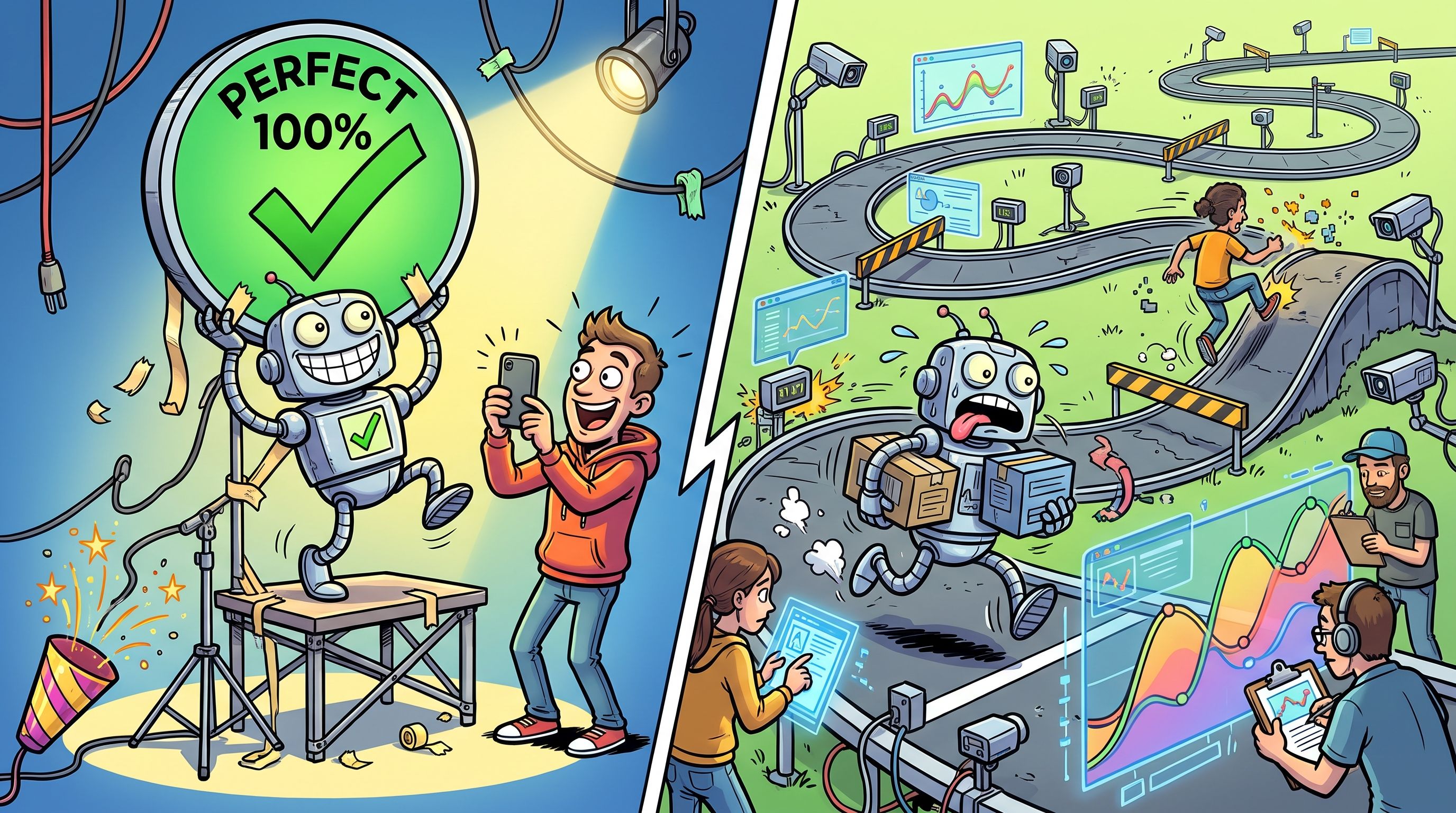
A common shortcut is to type a few questions into ChatGPT and screenshot the answer. That is a single run, and a single run is an anecdote. A fixed, repeatable benchmark of real buyer prompts tracked over time is the basis for measuring AI visibility.
Here is what the panel is, and what it is not.
- A panel is: A fixed set of questions your buyers actually ask, grouped by intent, run on the same engines with the same settings.
- A panel is not a one-off check: One answer on one afternoon tells you what one answer looked like once.
- A panel is not a tool: Software can run the panel for you, but the choice of questions is yours, and no vendor makes it for you.
- A panel is not a keyword list: Keywords are fragments, and buyers put full questions to AI engines.
The rest of this guide is the build, in eight steps, ending with a one-page template you can copy.
Step 1: Pull Buyer Questions From Sales Calls, CRM Notes, And Search Data
The best prompts are sentences your buyers already said. Prompts should come from real demand, not from a workshop where five people invent what a buyer might ask. Use three source types, in this order of trust.
- Sales calls and CRM notes. Recent transcripts, lost-deal notes and support tickets. This is how buyers phrase the problem when no one is writing for a search box.
- Search data. Search console queries phrased as questions, plus your on-site search logs. It is thinner on context but it shows what people type unprompted.
- Internal brainstorm. Useful only to fill gaps the first two leave. Anything here is a guess until a buyer confirms the wording.
Work through them in four moves.
- Pull the raw language. Copy the exact sentences buyers used when they described the problem, the shortlist or the reason they said no.
- Add the search wording. Collect question-form queries from your search console and on-site search, and cross-check the topics against the sales language.
- Rewrite each line as one question a buyer would type into an AI engine. Strip your brand name, your internal jargon and any second question hiding in the same sentence.
- Merge duplicates and keep the version closest to the buyer's own words.
Here is one line carried through the conversion.
- Raw sales-call line (illustrative): "We looked at three tools and none of them could show us which competitor kept showing up instead of us."
- Prompt: How do I see which competitors AI assistants recommend instead of my brand?
- What changed: The buyer's complaint became a question with one job, and the brand name stayed out of it.
If you already hold a keyword list, map SEO keywords into prompts instead of pasting the keywords in as they are.
For a second source to check against sales-call language, run the same topics through Semrush and read the questions people search around them. It shows you wording your own team would not have written.
The same buyer language also feeds your editorial plan, which is the work behind SaaS content marketing. Collect it once, use it twice.
Step 2: Group Prompts By Funnel Stage And Persona
Every prompt gets exactly one intent group and one persona tag. One group, not two. A prompt that sits in two groups lets you move it around later to flatter a number, and that destroys the comparison.
Grouping is often sold as a tool feature. It is a design choice you make before you open any tool. Use four groups, each tied to a stage of the buying decision.
| Intent Group | What It Asks | Example Prompt (Time-Tracking Tool For Agencies) |
|---|---|---|
| Category | Which kind of product solves this | What time tracking software do agencies use? |
| Comparison | Which option is better for a stated need | Which is better for agency billing, tool A or tool B? |
| Problem-first | How to fix a problem with no product named | How do I stop agency staff under-billing hours? |
| Brand-specific | Whether your named product fits a use case | Is Your Tool good for agencies with remote teams? |
The example prompts above are illustrations for a made-up product. Swap in your own category.
The persona tag records who is asking. A finance lead, an operations lead and a founder ask different questions about the same product, and the tag lets you see which of them your brand answers for. Keep the persona list short, four at most, or the report fragments into groups too small to read.
Tagging is how the groups hold in practice. If your panel lives in a spreadsheet, add the columns. If it lives in a tool, set up tagging prompts in bulk on day one rather than retrofitting it after the panel has grown.
Step 3: Size The Panel And Balance The Categories
A working panel holds 40 to 80 prompts, with 60 as a sensible default. Forty is the practical minimum for a panel you will report to leadership. Below that, one odd answer moves the headline number too far.
A starter benchmark can begin at 25 prompts. Our own proof-of-value test runs for 14 days on 25 to 50 prompts, with a fixed prompt set and three to five competitors tracked alongside your brand. Use that to see whether the work is worth doing before you commit to a full panel.
Here is the rule that matters more than the size. Fix the number of prompts in each group and keep it fixed. Extra runs barely move the estimate, as the run-count studies in Step 6 show, so the biggest thing that can move your number is which questions sit in the panel. If the mix drifts toward comparison prompts one month, your visibility can rise or fall for reasons that have nothing to do with the engines.
Here is a worked count for a 60-prompt panel. The split is an illustration, so adjust it to the questions your buyers actually ask.
| Intent Group | Prompts | Share Of Panel |
|---|---|---|
| Category | 15 | 25% |
| Comparison | 12 | 20% |
| Problem-first | 21 | 35% |
| Brand-specific | 12 | 20% |
| Total | 60 | 100% |
The competitor set follows the same logic. Track three to five rivals, name them before the first run and keep them for the quarter. The competitor benchmarking protocol covers how to pick them and how to read the comparison.
Step 4: Split The Panel Into Fixed And Rotating Prompts
Freeze the core for a quarter. Add prompts only at quarter boundaries, and re-baseline when you do. That is the whole rule, and the reason is simple. Every prompt you swap mid-quarter changes what the trend line is measuring, so a movement in the line stops meaning anything.
The fixed core is most of the panel. The rotating slice is where new questions wait their turn. They run, they get recorded, and they report separately. They join the core at the next quarter boundary, once you have a baseline for them.
| Attribute | Fixed Core | Rotating Slice |
|---|---|---|
| Purpose | The trend line leadership reads | Testing new questions and new wording |
| Changes | Only at a quarter boundary | Any time, logged |
| Reported | In the headline number | Separately, never in the trend line |
| Joins the core | Already in it | At the next quarter boundary, with a fresh baseline |
What happens when you swap a prompt mid-quarter anyway? The line before the swap and the line after it are built from different questions. You can still report both, but you cannot draw one line through them. Record the date of the change, start a new baseline from that wave, and say so in the report.
Wording tests belong in the rotating slice. If you want to know whether a phrasing change alters the answer, run it there, using the method in prompt variation testing, and promote the winner when the quarter turns.
On brand names, keep them out of everything except the brand-specific group. Buyers still choosing a category do not type your name.
Step 5: Choose The Engines And Lock The Run Settings
Choose engines by where your buyers are, not by what is easiest to run. The engines named in the cadence studies and roundups are ChatGPT, Perplexity, Google Gemini, Microsoft Copilot, DeepSeek, Google AI Overviews and Google AI Mode. You do not need all of them.
Ask buyers which assistants they use. Sales calls and onboarding forms will tell you. Start with the two or three that show up there, report each engine separately, and add more only when you can hold their settings fixed too. Results should be split by engine, by country or language, by device and by intent, rather than combined into one number.
Start with the engine most panels cover first. The guide to monitoring ChatGPT answers shows what to capture there. The work the panel measures, getting named and cited in these answers, is what answer engine optimization is for.
Then lock the run settings. Write these down once and record them on every run.
- Engine: The named product, and the surface if there is more than one (AI Overviews and AI Mode count separately).
- Model version: The model the engine reports, recorded with every run.
- Country and language: One locale per run, never mixed in a wave.
- Device: Desktop or mobile, the same one every wave.
- Logged-in state: Logged out on every run, so personal history does not shape the answer.
- Date and time: A timestamp on every run, because models and answers move.
If any of these changes between waves, you are no longer comparing like with like. Note the change and re-baseline.
Step 6: Set The Run Cadence
A full wave every four weeks is enough for most panels. Daily runs of the whole panel do not buy you a better answer, and two dated studies show why.
Meikai's 10-day study of 500 prompts across five platforms, covering 250,000 US English responses, found that one run per prompt per platform per day reached the same pooled result as ten runs a day, and that the 95th-percentile sampling error for citation share fell from 0.17 percentage points at one run a day to 0.08 at five. Extra runs narrowed the error without changing the estimate.
Profound's study of 753 prompts on seven platforms, run across 5,271 configurations from 1 to 14 June 2026, measured visibility at 78.7% with one run a day against 80.4% with ten, and citation share at 10.24% against 9.99%. It found once-a-day tracking sat close to the floor set by the platforms' own drift. Profound is an AI visibility vendor and published the study itself.
| Study | Prompts | Platforms | Window |
|---|---|---|---|
| Meikai | 500 | 5 | 10 days |
| Profound | 753 | 7 | 1 to 14 June 2026 |
Two studies from two different teams point the same way. More runs a day make your error band narrower. They do not move your number to a different place. So spend the effort on a consistent panel, not on volume.
Here is the rhythm to use.
- Full wave: Every four weeks. Weekly waves mostly measure noise and model updates, and a four-week gap lets real changes show.
- Priority prompts: Check them more often. There is no universal re-test cadence, and a monthly benchmark is a reasonable baseline with extra attention where the stakes are higher.
- Extra wave: Run one four weeks after a major content or structured-data change, and add testing around launches or reputation events.
Readers weighing daily against monthly will want the set-up for daily prompt runs. Use it as an alert on a handful of prompts. Do not read it as a trend line.
Running sixty prompts by hand every four weeks is a job that tends to slip in month three. The tracked prompt panel and monthly report sit inside our GEO + SEO Growth Programme, and the page shows what a first month looks like.
Step 7: Record Every Run In One Template
Keep one row per prompt, per engine, per run. A 60-prompt panel on three engines gives you 180 rows each wave. That sounds like a lot until you realise the alternative is a screenshot folder nobody can query.
Keep the raw answer next to the score. Scores depend on a rubric, and rubrics get revised. If you stored only the score, a rubric change means you cannot re-score the past, and your history breaks the day you improve your method. Score each answer on a fixed rubric, and write the rubric down.
| Field | Rule |
|---|---|
| Run date | Timestamp every row, the same wave sharing one date window. |
| Prompt ID | The ID from the panel, never retyped prompt text. |
| Engine and model | Product, surface and the model version reported. |
| Locale and device | Country or language, plus desktop or mobile. |
| Answer text | The full raw answer, pasted and never summarised. |
| Brand mentioned | Yes or no, for your brand name in the answer text. |
| Cited URLs | Every URL the engine lists as a source. |
| Competitors named | Each tracked rival that appears in the answer. |
| Position in list | Where your brand falls if the answer is a list. |
| Rubric score | The score from the fixed rubric, applied the same way each wave. |
Keep two words apart in this table. A mention is your brand name appearing in the answer text. A citation is a link to one of your pages listed as a source for the answer. An answer can do one without the other, so record them in separate columns.
The record is what turns a month of runs into history. Prompt result history shows how a stored record supports before and after comparisons when you change content.
Step 8: Decide When A Change Is Real
Report movement only when it holds across two waves, or when it exceeds the run-to-run spread you see in repeat runs. Everything else is an estimate with a band around it, and a single wave is exactly that.
Start by comparing like with like. Same panel, same engines, same group counts, same run settings. If any of those moved, the comparison is dead before you start.
Here is a worked example. The numbers are an illustration, not a benchmark.
- Wave one: Your brand is named in 24 of 60 answers, which is 40%.
- Wave two: Your brand is named in 27 of 60 answers, which is 45%.
- The gap: Three answers, or five percentage points.
What can you say? You can say the brand appeared in three more answers. You cannot yet say visibility improved. Now find the spread. Run the same panel twice back to back before you start reporting. If those two repeat runs land at 24 and 26, the natural spread is two answers, and a move of three barely clears it. If they land at 24 and 25, three is more believable. Either way, wave three decides. If it holds at 27 or higher, report the move. If it drops back to 24, report that nothing changed.
Be honest about the band too. Runs of the same prompt are correlated, so a panel has a wider honest error band than its raw run count suggests. Sixty prompts run ten times each is not 600 independent data points. Treat the 60 prompts as your sample size.
Keep metric definitions out of this decision. For how to define and report visibility, citation share and the rest, use the guide to AI visibility metrics and KPIs.
Common Mistakes That Break A Prompt Panel
Each of these destroys comparability. Each has a fix.
- Swapping prompts mid-quarter: The trend line then compares different questions. Freeze the core and move changes to the rotating slice.
- Brand-name prompts only: You measure how engines describe you, not whether buyers find you. Keep brand names to the brand-specific group.
- Unbalanced groups: A mix shift reads as a visibility change. Fix the count per group and keep it.
- Changing engine, model or locale between runs: The comparison breaks silently. Lock the settings and record them every time.
- Scoring without keeping raw answers: You cannot re-score when the rubric changes. Store the full answer beside the score.
- Reporting weekly waves as trends: Weekly waves mostly measure noise and model updates. Run a full wave every four weeks.
- Counting repeat runs as independent samples: Runs of the same prompt are correlated, so your error band is wider than it looks. Use the prompt count as your sample size.
- Writing prompts in team jargon: Buyers do not use your product vocabulary. Keep the wording from sales calls and CRM notes.
The One-Page Panel Template You Can Copy
This one page replaces the sprawling spreadsheet nobody can reconstruct three months later. Copy it as it stands and fill it in before the first run.
Start with the header. Fill in each line once per quarter.
- Product: The product or product line the panel covers.
- Quarter: The quarter the panel is frozen for.
- Engines: The two or three engines, with surface names.
- Run settings: Model, country or language, device, logged-out state.
- Competitors: Three to five rivals, named once.
- Owner: One named person.
Then the prompt table. One row per prompt, one example row filled in.
| ID | Prompt | Group | Persona | Fixed Or Rotating |
|---|---|---|---|---|
| P01 | How do I stop agency staff under-billing hours? | Problem-first | Finance lead | Fixed |
| P02 |
Then the run record, one row per prompt, per engine, per run.
| Run Date | Prompt ID | Engine And Model | Answer Text | Brand Mentioned | Cited URLs | Competitors Named | Position | Score |
|---|---|---|---|---|---|---|---|---|
| Wave 1 | P01 | Engine and model version | Pasted in full | Yes | URLs listed | Rival A | 2 | 3 |
The example row is an illustration of the format only.
Before the first run, check the page against this list.
- Prompts: Between 40 and 80, or 25 if this is a proof-of-value start.
- Groups: Each prompt has one group and one persona.
- Counts: The number of prompts per group is written down and fixed.
- Settings: Engine, model, locale, device and logged-out state are recorded.
- Rubric: The scoring rubric is written down.
For sample prompts by business type, see these prompt templates for SaaS.
FAQs
What Is A Prompt Panel In AI Visibility Tracking?
How Many Prompts Do I Need To Start?
Can I Change Prompts After I Have A Baseline?
Should Prompts Include My Brand Name?
Do I Need To Track Every AI Engine?
How Many Competitors Should I Track Alongside My Brand?
Is A Daily Run Better Than A Monthly Run?
What Is The Difference Between A Mention And A Citation In A Panel?
Who Should Own The Panel Inside A Marketing Team?
If you have a question about your own panel, ask us. Send the category you sell into and the five questions buyers ask most, and one of the founders will reply with what we would put in the first version.
📑 Disclosure!
Some links in this article are affiliate links. If you sign up through them, The Rank Masters may earn a commission at no additional cost to you. This does not influence which tools we recommend or what we say about them.