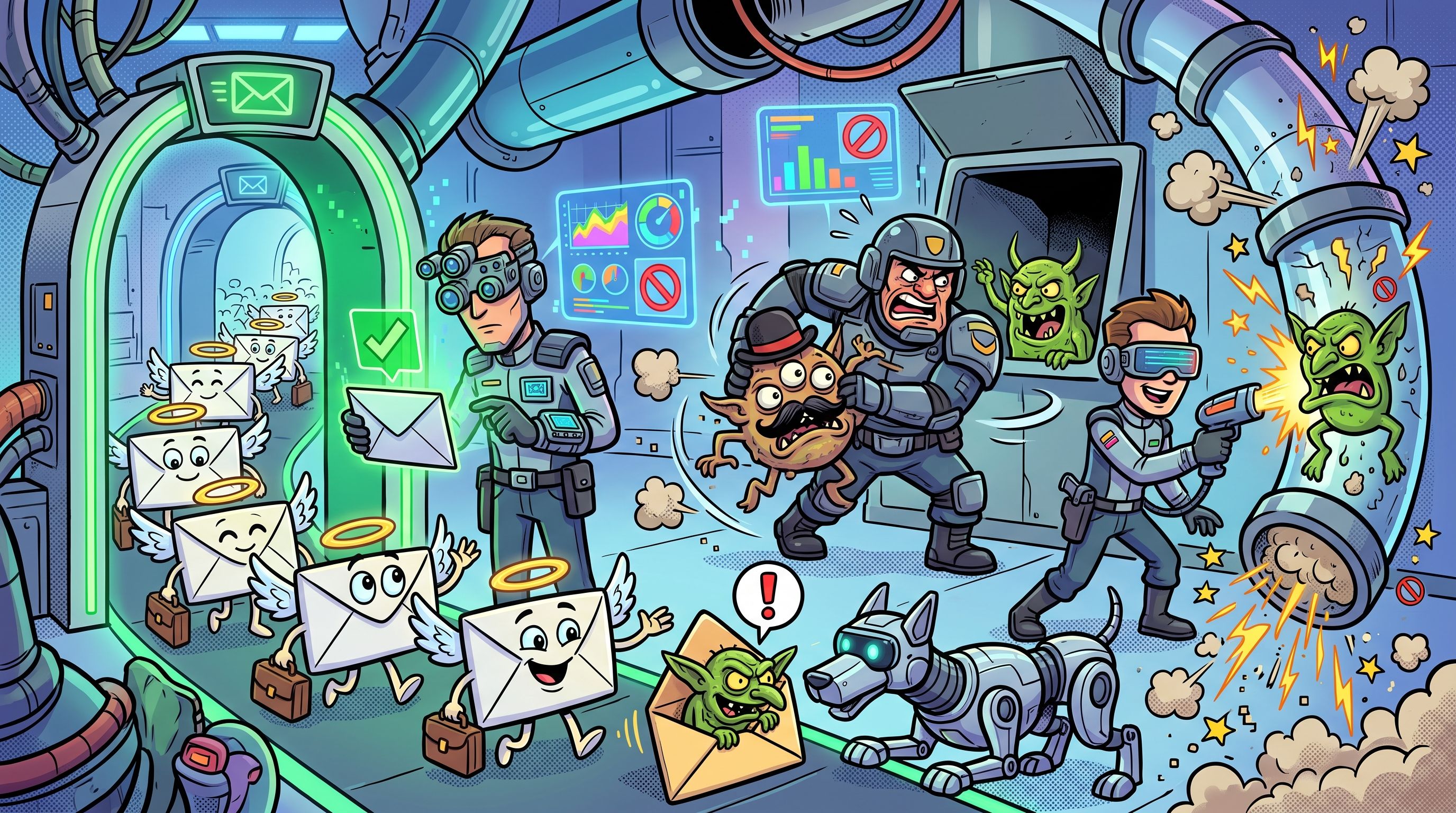
Build a page only for competitor searches where the buyer is already looking to leave, which means alternative, pricing and complaint terms. Skip broad competitor brand names, which mostly draw that competitor's existing customers hunting for logins. Give alternative-seeking terms an alternatives page, give versus terms a separate comparison page, and bid only where you can control the ad copy.
This holds for B2B SaaS teams that already know their main competitors and sell a product a buyer can switch to through a trial or a short migration.
It weakens where a competitor's name is also how your own prospects first search the category, and any paid test should start only after you have read the ad platform's current trademark policy.
If you would rather have the alternatives and comparison pages written than work out the structure yourself, our SaaS content marketing team builds them for B2B SaaS. Read on for the decision rule first.
What Competitor Keywords Are, And The Three Kinds That Matter
Competitor keywords are the search terms a rival ranks for or bids on, including its brand name. Every competitor keyword falls into one of three classes, brand-navigational terms, alternative-seeking terms and versus terms, and each class needs a different response.
Most guides stop at the definition and rush to the tools. That is the wrong priority. A list of competitor keywords is only useful once you know what each term is asking for. Pull every term a rival touches and you get a pile of searches from people who want completely different things.
Read each query as a request. The table shows what each class is actually asking for.
| Class | What The Searcher Wants | Example Query Shape |
|---|---|---|
| Brand-navigational | To reach the rival's own site, login or billing page | The rival's name on its own |
| Alternative-seeking | To leave the rival, or to check whether leaving is worth it | The rival's name plus alternatives, pricing, complaints or reviews |
| Versus | A side-by-side judgement between two named products | One product name versus another |
The first class is the trap. Broad competitor brand-name terms mostly attract that competitor's existing customers looking for logins or billing pages. Those people are not shopping. They are doing their jobs. A page or an ad aimed at them is spend with nothing to win.
The second and third classes are where buyers actually are, but they are different buyers. Competitor terms grouped by intent, covering pricing, complaint, alternative, review and feature comparison, work better than one broad group, with their own copy and landing page for each. The rest of this article uses the three classes above as the grouping.
How To Find Competitor Keywords In Organic, Paid And AI Results
You need a list before you can sort it, so the method comes first. Keep it short. Every guide on this topic covers it, and the tools do most of the work.
- Pick The Competitors First. Start with the rivals your buyers actually shortlist you against, then add adjacent products they might choose instead. A list built from guesswork produces a keyword list built from guesswork. If you want a tool to pull competitor coverage side by side, our guide to competitor content analysis tools covers the options.
- Pull Organic Keywords With A Keyword Tool. An organic keyword tool lists the terms each rival's domain ranks for. Export them, then filter for the rival's name and for pages titled alternatives, pricing, vs or reviews.
- Check The Paid Keyword Database. A paid keyword database lists the terms a rival advertises on. A term it pays for is a term it believes converts, which is a free hint about where its buyers come from.
- Read Google Results And Keyword Planner Directly. Search the rival's name, then its name plus alternatives, pricing and reviews, and read what Google returns, related searches included. Then put the same terms into Google Keyword Planner to see which ones have any volume at all.
- Mine Competitor Sitemaps And Landing Pages. A rival's sitemap lists every comparison, alternatives and integration page it has built. Its landing page headings show the buyer pains it is targeting.
- Check Which AI Prompts Name The Rival. Prompt checks in AI search show which questions about alternatives and complaints produce answers that name the rival, and which other companies those answers name.
For the organic and paid lists in steps two and three, Semrush is the tool we use, because its keyword gap and competitor research reports show the terms a rival ranks or advertises for that you do not, which is the raw list you sort with the rule below.
That raw list is usually far longer than you can act on. Most of it should end up with no page at all. The next section shows how to tell.
The Decision Rule: Which Competitor Searches Deserve A Page
This is the part most guides skip. A competitor keyword list is not a to-do list. Every term on it ends in one of four outcomes, and the table below sorts each class of term into its outcome.
| Term Class | Searcher Intent | Page Type | Why |
|---|---|---|---|
| Broad rival brand name | Reaching the rival's login or billing page | No page | The traffic is mostly that competitor's existing customers, so there is nothing to win |
| Alternative, pricing and complaint terms | Already looking to leave the rival | Alternatives page | The buyer has decided to switch and needs a page that leads with their pain points |
| Versus terms | Comparing two named products, often close to a purchase decision | Comparison page | The buyer wants a neutral scorecard, which is a different job from persuading a leaver |
| Narrow rival terms you cannot yet support with a page | Mid-research, specific | Paid test only | An ad with copy you control shows whether demand exists before you write a page |
Two points make the rule work.
First, the broad brand name gets no page and no ad. It is tempting because the volume looks large. The volume is the problem. Most of those searchers already pay the rival and want to sign in.
Second, alternative-seeking and versus searches look similar on a keyword list and are not. Comparison searchers are often well researched and close to a purchase decision, so they want a scorecard. Leavers want to hear that you understand what went wrong. The next section covers why mixing them fails.
Here are two worked sorts. Both queries are invented examples, using a made-up product called Northwind CRM.
- Northwind CRM login: The searcher is a customer trying to sign in. No page, no ad. Any money spent here buys a click from someone who will not buy.
- Northwind CRM alternatives for small teams: The searcher is shopping for a replacement and has told you their size. This earns an alternatives page, written for a small team that has outgrown or dislikes the tool.
The exceptions are narrow. If your own prospects use the rival's name as their word for the whole category, a broad term stops being pure noise, and a small paid test is reasonable before you rule it out. If a rival term is specific but you cannot yet support it with a page, run it as a paid test only, with copy you control, and let the click data decide whether a page is worth writing.
Choosing Competitors And Matching Keywords To Your Authority
Pick competitors in two tiers. The first tier is same-tier organic rivals, the companies that show up beside you in the results for your own category terms. The second tier is adjacent products a buyer might pick instead of you. Start with the first tier, because their searchers are your searchers.
Then match the keywords to what you can win. If the competitor has more authority than you, target long-tail and adjacent terms around indirect competitors, because the head terms are held by pages you cannot out-rank yet. If the competitor has similar authority to yours, go for the head alternative and pricing terms, because a better-built page can win them. Most of the addressable comparison volume sits in indirect competitors and bundler long-tail terms anyway, so the smaller fights are often the bigger prize.
Grouping is the other half. Sort the list by intent, not by competitor, so that every pricing term sits together, every complaint term sits together and so on. Keyword grouping by intent is a clustering task, and our roundup of AI keyword research and clustering tools covers tools that do it quickly.
Before you build, run this short checklist.
- Competitor choice: Is this a rival your buyers actually compare you against, or one you simply admire?
- Authority match: Can a page from your site realistically rank for this term, or does it need to be a long-tail variant?
- Intent group: Does the term belong to alternatives, pricing, complaints, reviews or feature comparison, and does that group already have a page type?
- Drop test: Does the term have no buying intent, such as a login or support search? Drop it.
Terms that fail the drop test are the cheapest decision in the whole process. Cut them now and you never write the page.
A worked example makes the authority rule concrete. Suppose a rival with far more authority than you owns the head term for its own alternatives. Fighting for that term is a slow way to lose. Write instead for the narrower searches around it, such as the rival's name plus your buyer's size or use case, and for the indirect competitors that the big rival's pages ignore. Those pages rank sooner, they draw buyers who are further along, and they build the authority that makes the head term winnable later.
The opposite case is just as common. If a rival is roughly your equal, its alternatives and pricing terms are open ground, and the winner is usually the page that answers the leaver's question better. That is a content-quality fight you can win, which is why the rule sends you straight at those terms.
Alternatives Page Or Comparison Page: Match The Page To The Intent
Alternative-seeking searchers have already decided to switch, so they get an alternatives page that leads with the pain they are leaving. Versus searchers want a neutral scorecard, so they get a separate comparison page. Mixing the two onto one page means neither reader gets the page they came for.
That is the whole argument, and it is easy to ignore because one page feels cheaper than two. It is not cheaper if it ranks for neither intent and converts neither reader. The table sets the two pages side by side.
| Alternatives Page | Comparison Page |
|---|---|
| Opens with the pain of staying with the rival | Opens with a neutral scorecard of both products |
| Written for a buyer who has decided to switch | Written for a buyer who is often well researched and close to a purchase decision |
| Ends with a migration path and one next step | Ends with a verdict by situation and one next step |
Opening and ending are the points that matter. A leaver reading a scorecard first feels sold a spreadsheet when they wanted reassurance. A comparer reading pain points first feels pushed when they wanted facts.
If you want to see a finished alternatives page, our Semrush AI Toolkit alternatives post is a live example of the structure. If you would rather hand the work over, our team writes comparison and alternatives pages for SaaS as a service.
What An Alternatives Page Must Do When The Buyer Arrives
An alternatives page has one reader, a buyer who typed a rival's name plus a word like alternatives, pricing or complaints. That buyer is already unhappy or already curious about leaving. The page has about one screen to prove it understands why.
Build it in this order.
- Give A Verdict In The First Screen. Say who the page is for and what the product does differently, in two sentences, before any scrolling. A buyer who has to hunt for the point leaves.
- Put A When-To-Choose-The-Competitor Section Near The Top. Name concrete situations where the rival is the better fit, such as a team size, a workflow or a requirement your product does not meet. A comparison page earns trust when it is honest, admits product limits and places those situations near the top. It also gives an answer engine a passage it can quote whole, since the section stands alone and states a rule.
- Name The Pains The Buyer Is Leaving. Use the complaint and review language from your keyword list. Lead with the problems the searcher already has, and show how your product handles each one.
- Add A Feature Or Fit Scorecard. Use a table of the attributes the buyer is weighing, the same ones for both products, with honest answers in every cell.
- Show The Migration Path. Switching is the real objection. Say what moves, what the buyer does first and what happens to their data and team.
- Make Pricing Visible Or Linked. A buyer comparing alternatives will price you within seconds. Show the pricing on the page or link straight to it.
- Offer One Next Step. A trial or a demo, not a menu of options.
Read in order, the page carries a verdict that frames the choice, a when-to-choose section that earns trust, the pains the buyer is leaving, a scorecard that settles fit, a migration path that removes the fear of switching, visible pricing that answers cost, and one next step that closes. The when-to-choose element states a concrete rule. Name a situation where the rival is the better fit and place it near the top.
Skeleton for the page, top to bottom.
- Verdict: Who this is for, in two sentences.
- When to choose the competitor: The honest list of situations.
- Pains you are leaving: The complaints, in the searcher's words.
- Scorecard: Same attributes, both products.
- Migration: What moves and how.
- Pricing: Shown or linked.
- Next step: One action.
On naming the rival, a trademark that appears only on the landing page does not trigger a Google Ads trademark restriction under Google's trademark policy. The page can say who the competitor is. The ad that leads to it needs more care, which the bidding section covers.
For a second worked example of this structure, see our Otterly AI alternatives page.
Once the page is built, it needs to rank, be cited and be measured, month after month. The GEO + SEO Growth Programme covers that work end to end, so the page keeps earning after launch.
Bidding On Competitor Terms: What Google Allows And Where The Risk Sits
Google Ads does not restrict trademarks as keywords, and its restriction applies to the trademark in the ad text, as Google's trademark policy sets out. So the question is rarely whether you may bid on a rival's name. It is whether you can run the campaign without the rival's name leaking into your ad copy.
The same policy page lets you read the edges. A trademark appearing only on the landing page does not trigger a restriction, and trademarks in the second-level domain of a display URL are not restricted either. The risk sits in the ad itself.
Complaints are where it bites. Trademark restrictions now apply to advertisers and ads named in a complaint, not to whole industries, and a complaint against an ad usually leads to disapproval. If you run ads with a rival's name in them, assume a rival will notice.
Cost is the other practical point. Competitor keywords usually cost more per click because they tend to have lower relevance and quality scores. We will not give a multiple, because the sources that offered one gave no method. Test small, read your own numbers and group the campaigns by intent, so pricing, complaint and alternative terms each get their own copy and landing page.
Before you spend, do these.
- Read the policy: Read the ad platform's current trademark page yourself. This article is not legal advice.
- Group by intent: Keep pricing, complaint and alternative terms in separate campaigns.
- Write every headline yourself: Control what the ad says about the rival, which should be nothing.
- Switch off dynamic keyword insertion: It can pull a competitor's name into ad copy, and so can auto-created assets.
And do not do these.
- Do not put the rival's name in ad text: That is exactly where the restriction applies.
- Do not bid on the broad brand name: The searchers are the rival's own customers.
- Do not skip the landing page: An ad for a leaver should land on the alternatives page, not your homepage.
Why AI Answers Change The Job Of The Page
Buyers now start vendor research in AI chatbots. A G2 survey of 1,076 B2B software buyers in March 2026 found that 51 percent start vendor research in an AI chatbot. For an alternatives page that means the first reader may be a model assembling an answer, and the page must be written to be quoted.
In practice that changes the structure, not the argument. Open each section with the answer, then the reasoning. Keep the when-to-choose section as its own named block that stands alone. Build the scorecard as a clean table that lifts out whole. Use the rival's full name and your own name in the passages, not pronouns, so a quoted fragment still makes sense.
Evidence that structure matters is thin but real. The GEO benchmark paper from November 2023 reports that optimization methods raised source visibility in generative engine responses by up to 40 percent. Its abstract gives only that overall figure and not the split by method, so read it as a sign that deliberate structure can help, and nothing more precise than that.
To see which prompts name the rival and what you are up against, our guide to AI visibility tools for competitor benchmarking covers the checking side. To find what AI engines cite instead of your page, use citation gap analysis tools. For the structural side of getting extracted, read how to increase visibility in Google AI Overviews. If you want the work done for you, our Generative Engine Optimization service covers it.
How To Tell Whether The Page Is Working
Four metrics tell you whether an alternatives or comparison page is doing its job.
- Rank for the target class: Read the page's position for its alternative or versus terms in Search Console.
- Clicks that reach pricing or the trial page: Read the path from the page to the buying step in your analytics.
- Assisted conversions: Read how often the page appears earlier in a journey that ends in a signup, in your analytics.
- AI citations for rival-plus-alternative prompts: Read how often answers to those prompts cite your page, in an AI citation tracker.
Rankings alone mislead. A page can sit on page one and still never reach the pricing page, which means it wins the click and loses the buyer.
Read the four together. A page that ranks and earns clicks but produces no pricing visits has a content problem, usually a weak verdict or a missing when-to-choose section. A page that gets pricing visits but no ranking has a visibility problem, and the fix is links, structure and internal linking. A page that does both but never appears in AI answers needs its passages rewritten so each one stands alone. Each pattern points at a different repair, which is the reason to track all four instead of one.
For first-hand evidence that an ICP-led content system can earn both rankings and citations, TRM's own PSOhub case study reports 12 of 18 pages on page one and 54 AI citations in 90 days from an ICP-led SEO and AEO content system. That is one case, and it describes a content system rather than an alternatives page, so it supports the measurement habit and nothing broader.
Once the page is live, ongoing monitoring matters more than the launch. Our guide to competitor alerts in AI visibility tools covers tools that tell you when the answers about the rival change.
FAQs
Is Bidding On Competitor Names Legal?
Can I Use A Competitor's Name In My Ad Copy?
Why Do Broad Competitor Brand Terms Waste Ad Spend?
Do Competitor Keywords Cost More Per Click?
Should I Turn Off Dynamic Keyword Insertion In Competitor Campaigns?
Can One Page Serve Both Alternative And Versus Searches?
Do I Need A Page For Every Competitor?
Can I Name The Competitor On My Landing Page?
How Do I Stop Competitors Bidding On My Own Brand Name?
If you want a second opinion on which competitor terms deserve a page in your market, book a thirty-minute call. One of the founders takes it, and you leave knowing which two pages we would build first.
📑 Disclosure!
Some links in this article are affiliate links. If you sign up through them, The Rank Masters may earn a commission at no additional cost to you. This does not influence which tools we recommend or what we say about them.