
Plenty of products sold as AI sales agents are assistants that draft messages for a rep to send. A real AI sales agent prospects, writes, sends, follows up and books meetings after a one-time setup, without a person approving each step. Judge every tool by who does the task after setup.
That test matters most if you are a 20-200 person B2B SaaS team choosing one or two tools to trial this year, because the same label covers chatbots, call assistants and autonomous outbound.
Most vendors do not state on their own pages whether messages send without per-message approval, so any tier below is our reading of stated behaviour and needs confirming in a demo.
If you sell software in this category and want to be the product buyers find when they ask this question, our SaaS content marketing team builds the comparison and listicle pages that earn that spot. Take a look at how it works.
📋 Get Listed / Advertise
We update this guide monthly. Want your tool featured? Contact: [email protected].
AI Sales Agents At A Glance
An AI sales agent is a tool that runs the task on its own after setup, with no person approving each step. An AI sales assistant is a tool that drafts and recommends while a person approves and sends. An AI SDR tool is an agent scoped to pre-sale qualification and meeting booking, mostly on inbound traffic.
The Tier column below is our reading of what each vendor's own pages state. Where a page is silent, the tier is a starting point for your demo, not a verdict.
| Tool | Tier | Channels | CRM Fit | Entry Price |
|---|---|---|---|---|
| Salesforge | Agent (Agent Frank in Auto-Pilot) | Email, LinkedIn | HubSpot, Salesforce, GoHighLevel | $40 per month (Pro), Agent Frank add-on $499 per month |
| 11x | Agent (confirm in demo) | Voice, email, chat, social, SMS, WhatsApp | HubSpot, Salesforce, Pipedrive | Pricing on request |
| Fin for Sales | SDR tool | Messenger, email | Salesforce, HubSpot, Marketo, Chili Piper | $9.99 per qualified lead |
| Apollo.io | Assistant (confirm autopilot in demo) | Email, phone | Not named on pages read | Pricing on request |
| Outreach | Assistant (confirm in demo) | Email, call and LinkedIn content | Not named on pages read | Pricing on request |
1. Salesforge: Best For Autonomous Email And LinkedIn Outbound
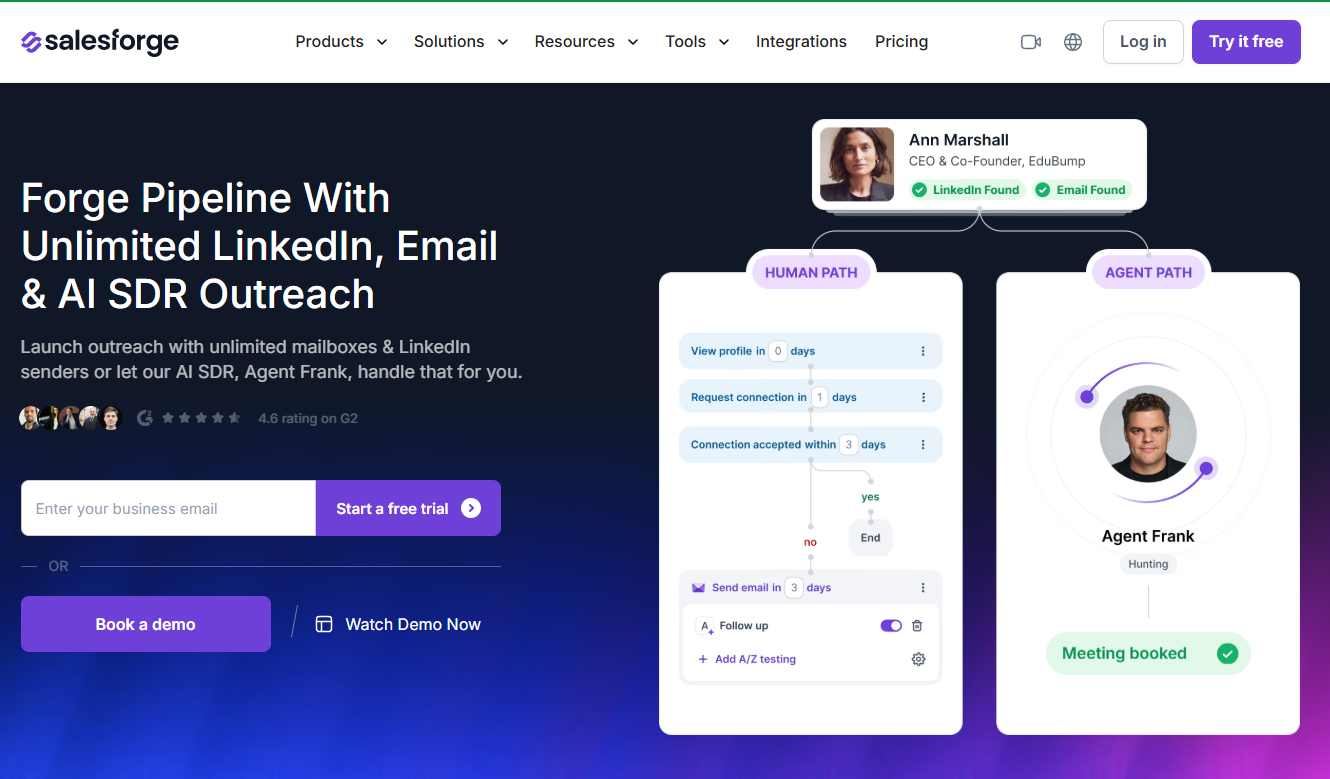
Salesforge sells Agent Frank as a separate add-on, and that add-on is the part that earns the agent label. Salesforge says Agent Frank finds prospects, writes tailored outreach, follows up and books meetings, on email and LinkedIn. Phone is not listed.
The autonomy question has a rare answer here. Salesforge's blog defines autonomous mode as sending without asking after you approve the setup once, and assisted mode as the agent drafting each message for your approval. The same blog says Agent Frank's Auto-Pilot finds leads, writes messages and sends them without asking first. The pricing page does not define the modes, so those definitions are the blog's, and you should still watch Auto-Pilot send before you trust it.
Salesforge suits a team that wants outbound to keep running while reps work other things. Most tools in this guide leave you guessing about autonomy. This one writes it down, which makes the demo shorter.
| Plan | Price | Billing Basis | What It Includes |
|---|---|---|---|
| Pro | $40 per month | Monthly figure, annual prices not published | 1 user, 1 LinkedIn sender, unlimited email senders, 1,000 active contacts, 5,000 emails per month |
| Growth | $80 per month | Monthly figure | Unlimited users, LinkedIn senders and mailboxes, 10,000 active contacts, 50,000 emails per month, API, MCP and CLI |
| Agent Frank | $499 per month | Quarterly or annual billing shown | Auto-Pilot and Co-Pilot modes, 24/7 automated prospecting, 2,000+ contacts per month at $0.25 per contact |
Those figures come from Salesforge's pricing page. Salesforge's site also lists a 14-day free trial. If you want the wider set of outbound products before committing, the guide to AI tools for outbound prospecting covers them.
Strengths:
- Autonomy is documented. The blog defines autonomous and assisted modes, and Agent Frank offers Auto-Pilot and Co-Pilot.
- Two channels covered. Email and LinkedIn outreach run from one product.
- Clear price ladder. Pro, Growth and Agent Frank have published monthly figures.
- Named CRM support. HubSpot, Salesforce and GoHighLevel are listed, with Slack, Clay, Zapier, webhooks and an API.
Trade-offs:
- The agent costs extra. Agent Frank is a separate $499 per month add-on on top of a plan.
- No phone channel. Phone is not listed for Agent Frank.
- Annual prices are missing. Only monthly figures are published for Pro and Growth.
- Autonomy lives on a blog. The pricing page is silent on whether messages send without approval.
Key capabilities:
- Prospect discovery, tailored outreach writing, follow-up and meeting booking in one flow.
- Auto-Pilot and Co-Pilot modes.
- Email and LinkedIn sending with CRM, Slack and Clay connections.
Good fit:
- Outbound-heavy teams that want sends and follow-ups to run unattended.
- Teams on HubSpot or Salesforce.
Not a fit:
- Teams that need phone or voice outreach.
- Teams that want a mostly inbound qualification tool.
The limitation that matters most is cost structure, because the autonomous part is a $499 per month add-on rather than something the base plan includes.
2. 11X: Best For Voice And Multichannel Digital Workers
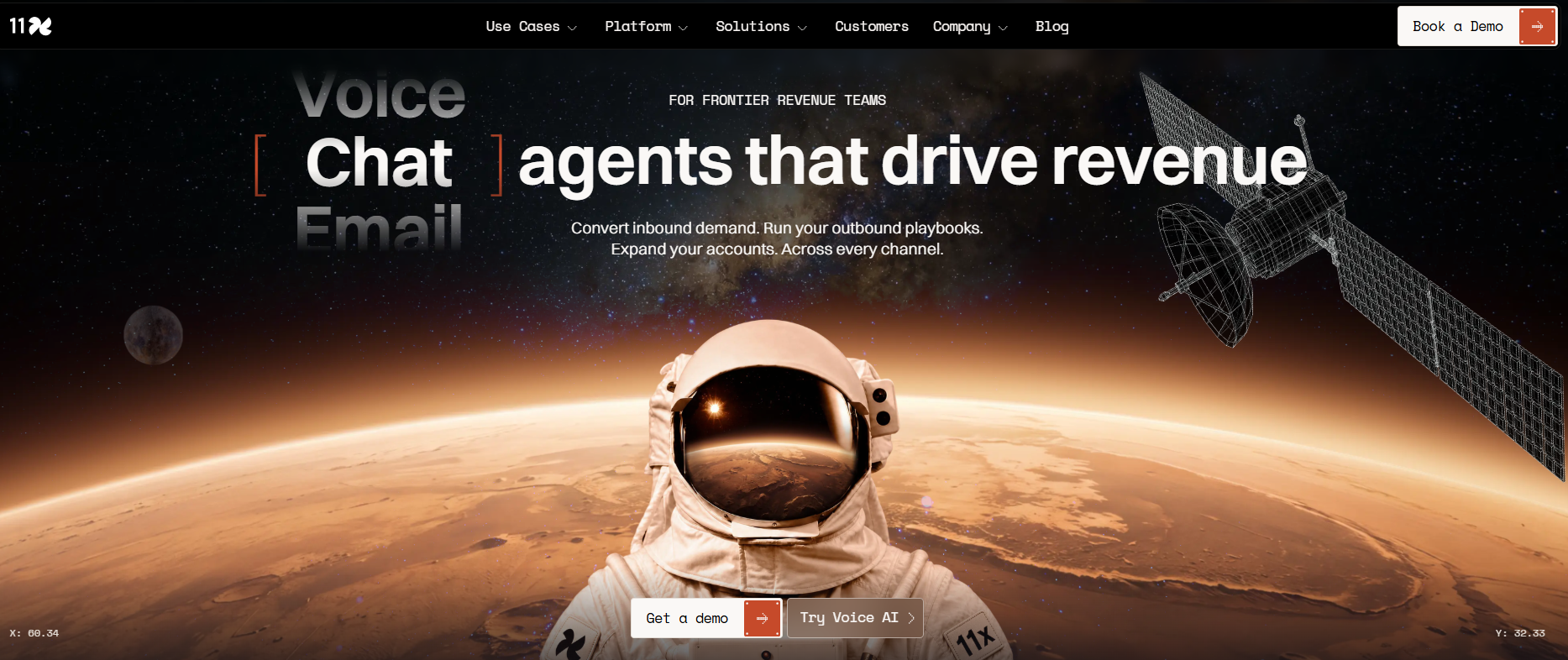
11x offers digital workers, and two matter here. Alice handles outbound, and Julian handles inbound and expansion.
Per 11x's site, Alice finds accounts, researches prospects, then drafts and sends email and social outreach. Julian works by voice and chat, qualifies visitors, books meetings under routing rules and transfers to a human rep when needed. That is a clean split between outbound and inbound, and it is the widest channel list in this guide.
The same site lists voice, email, chat, social, SMS and WhatsApp as channels, plus a human dialer. It names HubSpot, Salesforce and Pipedrive as CRMs.
Here is the autonomy gap, stated plainly. The page says the agents know when to step back, but it does not say whether individual actions need sign-off. That is the first question for the demo. A worker that steps back at the right moments and a worker that waits for approval on every message are very different purchases.
| Plan | Price | Billing Basis | What It Includes |
|---|---|---|---|
| Demo-based access | Pricing on request | Not published | Alice (outbound), Julian (inbound and expansion) |
11x publishes no plans or prices on its site, only a demo booking. Pricing on request means exactly that, so get a written quote before you compare it with anything else here.
Strengths:
- Widest channel list. Voice, email, chat, social, SMS and WhatsApp, plus a human dialer.
- Outbound and inbound both covered. Alice and Julian split the work.
- Human handoff exists. Julian transfers to a rep when needed.
- Named CRM support. HubSpot, Salesforce and Pipedrive.
Trade-offs:
- No published pricing. Access is by demo only.
- Autonomy is unstated. The site does not say whether individual actions need sign-off.
- Two workers to buy. Outbound and inbound are separate roles, so you will need to ask what each costs.
Key capabilities:
- Account finding, prospect research and outreach drafting and sending (Alice).
- Voice and chat qualification, routed meeting booking and human transfer (Julian).
Good fit:
- Teams that want one vendor across outbound and inbound.
- Teams that sell by phone and WhatsApp as well as email.
Not a fit:
- Teams that need a price on the page before a first call.
- Teams that need to know the approval model before a demo.
The limitation that matters most is opacity, since neither price nor approval behaviour is on the page.
3. Fin For Sales: Best For Qualifying Inbound Visitors
Fin for Sales engages inbound prospects, qualifies them against your playbook criteria, then books meetings through Calendly or Chili Piper, starts trials or hands off to a rep with the conversation history and an AI summary. It sits in the SDR tier here, because it qualifies and books inbound rather than running outbound.
Fin's sales page says it handles the full inbound motion on its own and names Messenger and email as channels. It names Salesforce, HubSpot, Marketo and Chili Piper as integrations. It says nothing on per-message approval, so that stays a demo question.
The pricing is the most unusual in the set. You pay per outcome, not per seat.
| Outcome | Price | Billing Basis | What It Includes |
|---|---|---|---|
| Qualified lead | $9.99 | Per qualified lead | A prospect qualified against your criteria |
| Disqualification or self-serve routing | $0.99 | Per outcome | A prospect screened out or routed to self-serve |
Fin's pricing page shows no seat or plan price for the sales product. If qualification is your bottleneck, the guide to AI lead qualification tools is the deeper shortlist, and the guide to AI business messaging platforms covers the chat-led tools that sit next to it.
Strengths:
- Pay for results. Cost follows qualified leads, not seats.
- Booking built in. Meetings go through Calendly or Chili Piper.
- Clean handoff. A rep gets the history and an AI summary.
- Marketing and CRM links. Salesforce, HubSpot and Marketo are named.
Trade-offs:
- Inbound only. It does not run outbound prospecting.
- Narrow channels. Messenger and email are the channels the sales page names.
- Cost scales with volume. A busy month costs more.
Key capabilities:
- Playbook-based qualification.
- Meeting booking, trial starts and rep handoff with context.
Good fit:
- Teams with steady inbound traffic and a clear definition of a qualified lead.
- Teams that want cost tied to outcomes.
Not a fit:
- Teams whose pipeline comes from outbound.
- Teams that need email nurture after qualification.
The limitation that matters most is that Fin for Sales does not currently support automated email follow-up sequences after qualification. A lead that qualifies and does not book goes back to your own process.
4. Apollo.io: Best For Prospecting With A Co-Pilot Or Autopilot Mode
Apollo's AI agents are where its agent claim comes from. We keep this profile short because the evidence is thin.
Apollo's AI page describes agents for prospecting, covering decision-maker discovery, lookalike accounts and lead lists built from a natural-language request. It also describes outreach drafting, engagement and follow-up across email and phone, and pre-meeting prep and call analysis. Meeting booking is not described as an agent function.
The page offers co-pilot and autopilot modes. It does not say whether autopilot sends need approval, which is the one fact that decides the tier. Until Apollo answers that in a demo, treat it as an assistant. The broader guide to AI prospecting software puts Apollo in context.
| Plan | Price | Billing Basis | What It Includes |
|---|---|---|---|
| Free | Free plan listed | Not stated | Free plan named, no figures shown |
| Basic | Pricing on request | Not stated | Named plan, no figure shown |
| Professional | Pricing on request | Not stated | AI features included |
| Custom | Pricing on request | Not stated | Named plan, no figure shown |
Apollo's pricing page names those four plans with no figures. It says AI features are included in Professional and that AI-researched data consumes credits. Ask how many credits a month of agent activity burns before you sign.
Strengths:
- Prospecting depth. Natural-language lead lists and lookalike accounts.
- Two modes. Co-pilot and autopilot.
- Pre-meeting prep. Call analysis is included.
Trade-offs:
- No published prices. Every paid plan is a quote.
- Credits add cost. AI-researched data consumes credits.
- Autopilot approval is unstated.
Key capabilities:
- Prospect discovery, outreach drafting, follow-up, meeting prep.
Good fit:
- Teams that want prospecting and AI in one place.
Not a fit:
- Teams that want an agent to book meetings end to end.
The limitation that matters most is credit consumption, since an unpriced plan with metered AI data is hard to forecast.
5. Outreach: Best For Teams Buying AI Credits With Seats
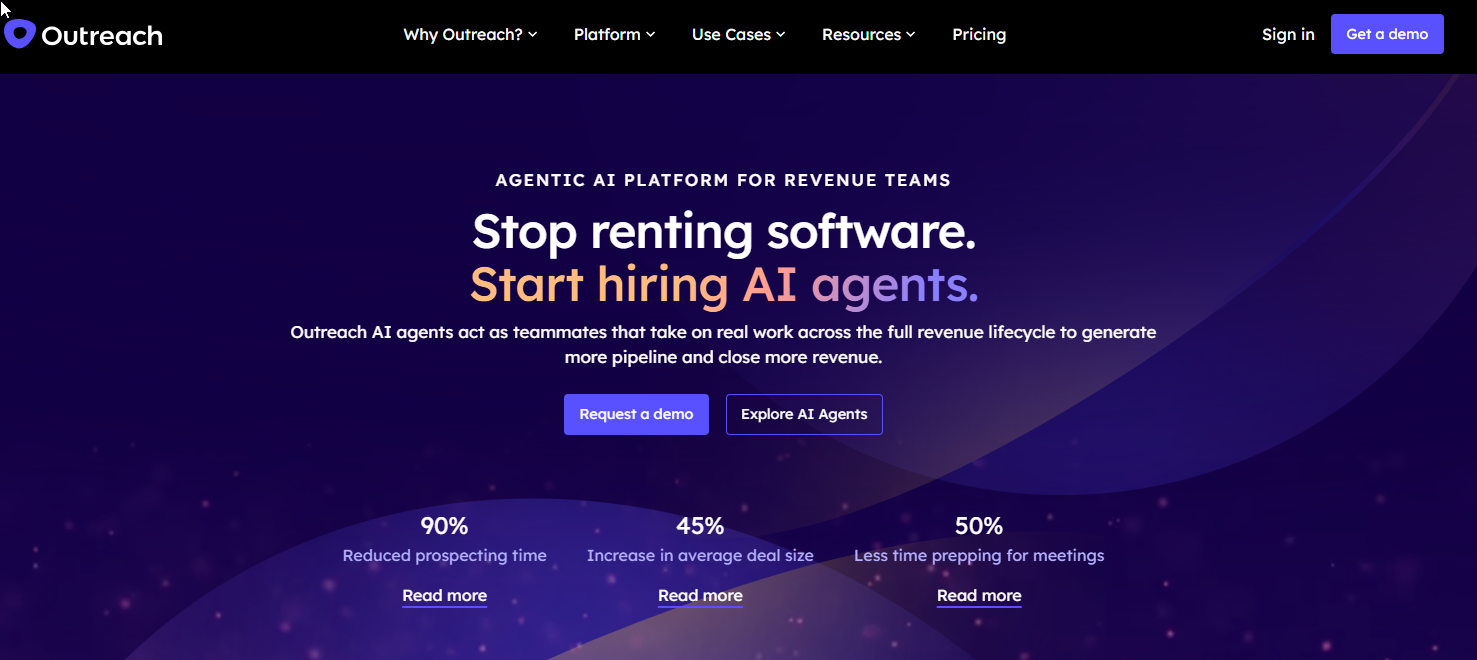
Outreach packages its AI as Amplify, with a roster of agents. The roster is Omni, Research, Personalization, Revenue, Deal and Meeting Prep. Personalization covers email, call and LinkedIn content.
The agent names describe jobs. The pages we read state no autonomy level and name no CRM. By stated behaviour, which is drafting content, we place Outreach in the assistant tier, and you should confirm that in a demo.
Pricing is per user, with four Amplify plans sorted by AI-credit allowance.
| Plan | Price | Billing Basis | What It Includes |
|---|---|---|---|
| Essentials | Pricing on request | Per user | 10,000 AI credits |
| Core | Pricing on request | Per user | 25,000 AI credits |
| Plus | Pricing on request | Per user | 50,000 AI credits |
| Pro | Pricing on request | Per user | 100,000 AI credits |
Outreach's pricing page shows each plan as Request pricing. The question to ask is how fast your team burns credits, because the allowance is the product.
Per-user pricing with an AI-credit allowance matters for a 20-200 person team, because the seat count and the credit allowance are two separate numbers to model. The four plans run from 10,000 credits on Essentials to 100,000 credits on Pro, with Core at 25,000 and Plus at 50,000. Every plan is Request pricing, and the price is per user, so you cannot size the bill from the page alone.
The agents are named for their jobs. Omni, Research, Personalization, Revenue, Deal and Meeting Prep are the six, and Personalization is the one that covers email, call and LinkedIn content. The pages we read do not say how credits are spent across those agents. That is a question to put to the vendor, not something to assume. Ask which agents use credits, how many credits a typical rep's month uses on the 10,000-credit Essentials plan, and whether the 100,000-credit Pro plan is headroom you need or money you would not use. Get the answers in writing before you compare Outreach with anything else here.
Strengths:
- Broad agent roster. Research, personalization, deal and meeting prep.
- Credit tiers. Four allowances from 10,000 to 100,000.
- Content across channels. Email, call and LinkedIn.
Trade-offs:
- No autonomy level stated.
- No CRM named on the pages read.
- Prices on request for every plan.
Key capabilities:
- Research, personalization, deal and meeting-prep agents.
Good fit:
- Teams already running Outreach sequences.
Not a fit:
- Teams that want unattended sending.
The limitation that matters most is that the credit model hides the real cost until you have run a pilot.
📋 Get Listed / Advertise
We update this guide monthly. Want your tool featured? Contact: [email protected].
What Is An AI Sales Agent?
An AI sales agent is software that does sales development work on its own, engaging buyers, qualifying them against an ideal customer profile, booking meetings and updating the CRM.
A scripted chatbot follows a fixed decision tree. An agent handles open-ended conversation and adapts to what the buyer says. Under the hood, an agent perceives unstructured data, reasons about next steps against goals and rules, and acts across the CRM, email and dialer.
The typical jobs are prospecting, outreach, follow-up, qualification and meeting booking. Not every product does all five, which is why the tier rule in the next section exists.
The problem agents are sold against is old. Sales reps spend 28% of their week selling, according to Salesforce's 2023 State of Sales snapshot, published in December 2022. The figure is dated, and the direction is what matters. The rest of the week goes to everything that is not selling.
One more shift is worth knowing about. We expect buyers to ask AI assistants this same question, so vendors in this category will want to appear in those answers. That is a generative engine optimization concern as much as a search one.
AI Sales Agent Vs AI Sales Assistant Vs AI SDR: The Three-Tier Rule
Sort by who does the task after setup. Three lines carry the whole rule.
- AI sales agent: Runs prospecting, writing, sending and follow-up without per-step approval, so the test is whether a person must approve each action.
- AI sales assistant: Drafts messages and suggestions that a person approves and sends, so the test is whether a human clicks send.
- AI SDR tool: An agent scoped to pre-sale qualification and meeting booking, mostly on inbound, so the test is whether it handles the pre-sale conversation alone.
Keep pre-sale SDR tools apart from post-sale support agents. AI SDR tools qualify website visitors and book meetings, while AI support agents resolve post-sale tickets. They are different categories and are usually bought separately. If you want the dedicated SDR comparison, see our list of the best AI SDR agents.
Here is where each of the five lands, and what to confirm.
| Tool | Tier | Evidence For The Tier | Confirm In Demo |
|---|---|---|---|
| Salesforge | Agent | Blog says Auto-Pilot sends without asking first | Does Auto-Pilot ever pause for approval? |
| 11x | Agent | Alice and Julian act on their own, and the page says they know when to step back | Which actions need sign-off? |
| Fin for Sales | SDR tool | Handles the inbound motion, qualifies and books | Can it follow up by email after qualification? |
| Apollo.io | Assistant | Offers co-pilot and autopilot, approval for autopilot unstated | Do autopilot sends need approval? |
| Outreach | Assistant | Agents draft content, no autonomy level stated | Can any agent send without a rep? |
Only one vendor, Salesforge, writes down what unattended sending means. For the other four, the tier is inference.
How To Evaluate An AI Sales Agent Before You Buy
Run this checklist in the demo. Each criterion has a reason and a question to ask.
- Autonomy level: This is the three-tier test, and it decides who does the work after setup.
- Demo question: Does any message send without a person approving it, and can I turn that on and off?
- Channel coverage: An agent that cannot reach buyers where they respond is a drafting tool.
- Demo question: Which channels does it send on today, not on the roadmap?
- CRM integration: Outreach that does not write back to the CRM creates a second source of truth.
- Demo question: Which fields does it read and write, and is the sync two-way?
- Qualification depth: Booking a meeting is easy. Booking the right one is the job.
- Demo question: Can I define my own qualification criteria, and what does it do with a borderline lead?
- Guardrails and human handoff: An agent will meet questions it should not answer.
- Demo question: What triggers a handoff to a rep, and what context goes with it?
- Data accuracy and time to value: Poor data in means poor outreach out, and slow setup delays the payback. Clean contact data matters before any agent starts, which is where AI lead enrichment tools earn their place.
- Demo question: What data does it need on day one, and how long until it sends the first message?
- Pricing transparency: A price you cannot model is a risk you carry.
- Demo question: Can you send a written quote that covers a month at my expected volume?
If a vendor cannot answer the first question, you have your tier. A vendor that answers it with "the agent knows when to ask" has told you nothing. Push for the specific actions that need a person, because that list is the real product.
Weight the criteria by your situation. An inbound team should care most about qualification depth and handoff. An outbound team should care most about autonomy, channel coverage and data accuracy. Everyone should care about pricing transparency, because a quote you cannot model is a bill you cannot predict.
What AI Sales Agents Cost And How To Read The Pricing
Pricing in this set comes in four shapes. Salesforge uses a subscription plus an add-on. Fin for Sales charges per outcome. Outreach sells seats with AI credits. Apollo and 11x publish no figures at all.
Most prices here are not published. Ask for a written quote and model your own month before comparing anything.
The per-outcome model is the easiest to check, so here is a worked example. The 30 disqualifications are an assumption for the exercise.
- Qualified leads: 20 a month at $9.99 each, which is $199.80.
- Disqualifications: 30 a month at $0.99 each, which is $29.70.
- Monthly total: $229.50.
Those rates come from Fin's pricing page. Swap in your own volumes. A seat model flips the logic, because the bill stays flat while volume climbs.
Each shape fails in its own way. A subscription plus add-on, like Salesforge, is easy to budget and easy to underuse, because you pay $499 per month for Agent Frank whether it books ten meetings or none. A per-outcome price, like Fin's, rewards you for volume you actually want and punishes a busy month with a bigger bill. Seats plus credits, like Outreach, make the credit allowance the thing to model. Quote requests, like Apollo's and 11x's, tell you nothing until a salesperson answers.
So ask every vendor for the same three things in writing. The monthly cost at your expected volume, what happens when you go over, and what you are charged if the agent does nothing useful in month one.
How To Run A Four-Week Trial Against One Sales Task
Most teams buy an agent and never measure it. A trial fixes that. Pick one task, set the measure first and give it enough time.
- Pick one task and one success measure. For example, qualifying inbound leads or first-touch outbound to one segment. Write the measure down before you sign anything, because a measure chosen after the results come in will always look good.
- Record a 30-day baseline. Capture how the current process performs before the agent touches anything. Without this number you are comparing the agent to a memory.
- Track four things. Efficiency, quality, volume and engagement. Efficiency is time spent per outcome, quality is whether the outcomes were the right ones, volume is how many, and engagement is how buyers responded.
- Run it for four to six weeks. That window allows for seasonality. A two-week test catches a lucky fortnight.
- Compare against the current process. Run an A/B split where you can, with the agent on one segment and your current process on a matched one.
- Test the agent directly. Check accuracy, whether it moves the conversation forward, use of key selling points, objection handling and tone. Each test needs at least three questions and one objection. Ask something the agent should not know and see whether it admits that.
- Hold a human review. Read real conversations, not only the dashboard. Someone senior should read at least a dozen start to finish.
- Make a go or no-go call. Decide against the measure you set in step one, and write down why. If the result is close, extend the trial by two weeks rather than buying on hope.
Shortlist two or three tools from this guide and trial one task.
Buyers in your own market run the same shortlist research in ChatGPT and Google before they ever book a demo. If you want your product to appear in those answers, the GEO + SEO Growth Programme is how we run that work month to month.
Where AI Sales Agents Go Wrong
The risks are mostly predictable. Each has a cause and a fix.
Poor Data In, Poor Outreach Out
An agent that writes to a wrong job title sends a wrong message at scale. Clean the list before you start.
Volume Without Precision
Sending more is not the same as sending better. Volume without targeting hurts deliverability. Cap daily sends and review replies weekly.
Set-And-Forget Drift
Messaging goes stale when nobody reads it. Schedule a monthly review of sent messages.
The Human Still Owns The Hard Moments
Pricing objections, security reviews and tangled buying committees need a person. Define the handoff triggers up front.
Buyers may be open to this. A March 2025 Business Wire report found nearly 60% of B2B buyers prefer AI agents in the sales process. We found it second hand through a vendor article, so read it as a sign of buyer attitude. It is no proof that any tool here performs.
Much of the material we found on this topic was written by the vendors that sell these products. That is a SaaS content marketing approach working as designed, and it is why this guide leans on vendor pages for product facts and on reasoning for the rest.
Which AI Sales Agent Fits A 20-200 Person B2B SaaS Team?
There is no single winner. Match the tool to your situation.
- Inbound-heavy team: Your leads already arrive, so qualification is the bottleneck. Fin for Sales fits, so confirm what happens to a lead that qualifies and does not book. If you also need ranking, see AI lead scoring tools.
- Outbound-heavy team: You need volume with follow-up. Salesforge with Agent Frank fits, so confirm whether Auto-Pilot ever pauses for approval.
- Team already on a sequencing or research platform: Extending what you own may beat adding a tool. Outreach or Apollo fits, so confirm the autonomy level and credit burn. Sales intelligence tools cover the research side.
- Early-stage team with a small list: Pay for little and learn fast. Salesforge Pro at $40 per month is the cheapest published paid plan in this set (Apollo lists a Free plan with no figures), so confirm what the Agent Frank add-on would add. The guide to AI prospecting tools for B2B startups covers the lean stack.
FAQs
What Is The Difference Between An AI Sales Agent And An AI SDR?
Can An AI Sales Agent Replace A Human SDR?
Do AI Sales Agents Send Messages Without Human Approval?
How Much Does An AI Sales Agent Cost?
Which CRMs Do AI Sales Agents Connect To?
How Long Should I Trial An AI Sales Agent?
Is An AI Sales Agent The Same As A Chatbot?
Do I Need A Separate Tool For Support Conversations?
What Data Does An AI Sales Agent Need Before It Starts?
If you would rather have a team check how your product appears when buyers ask for AI sales agents, book a thirty-minute call. One of the founders takes it, and you leave knowing what we would fix first.