

TL;DR
If your sales team is spending more time finding contact data and researching accounts than actually talking to buyers, AI prospecting software can close that gap. The five tools in this guide each solve a different piece of the prospecting workflow: UpLead gives you real-time verified emails with a 95% accuracy guarantee, LeadIQ captures contacts from LinkedIn and tracks job changes, Wiza exports and verifies entire Sales Navigator lists, RocketReach provides broad contact lookups across a 700M+ profile database, and Leadfeeder identifies companies visiting your website before they ever fill out a form. Below, you will find a side-by-side comparison followed by a detailed breakdown of what each tool does, who it fits, what it costs, and where it falls short.
Best AI Prospecting Software Tools (Quick Comparison)
| Tool | Best For | Starting Price | Key Strength |
|---|---|---|---|
| UpLead | Verified B2B contact data with technographics | $99/mo (170 credits) | 95% data accuracy guarantee with real-time email verification |
| LeadIQ | LinkedIn-native SDR prospecting workflows | Free (50 credits/mo); $200/mo (Pro) | Chrome extension with one-click LinkedIn capture and job-change tracking |
| Wiza | Bulk LinkedIn Sales Navigator list exports | Free; $49/mo (Starter) | Bulk export up to 2,500 contacts per Sales Navigator list with SMTP verification |
| RocketReach | Broad contact lookups across industries | $33/mo (Essentials, billed annually) | 700M+ profile database with email, phone, and social data |
| Leadfeeder | Website visitor identification and intent | Free (Lite); $99/mo (Paid) | IP-based company identification showing which firms browse your site |
1. UpLead
What It Does
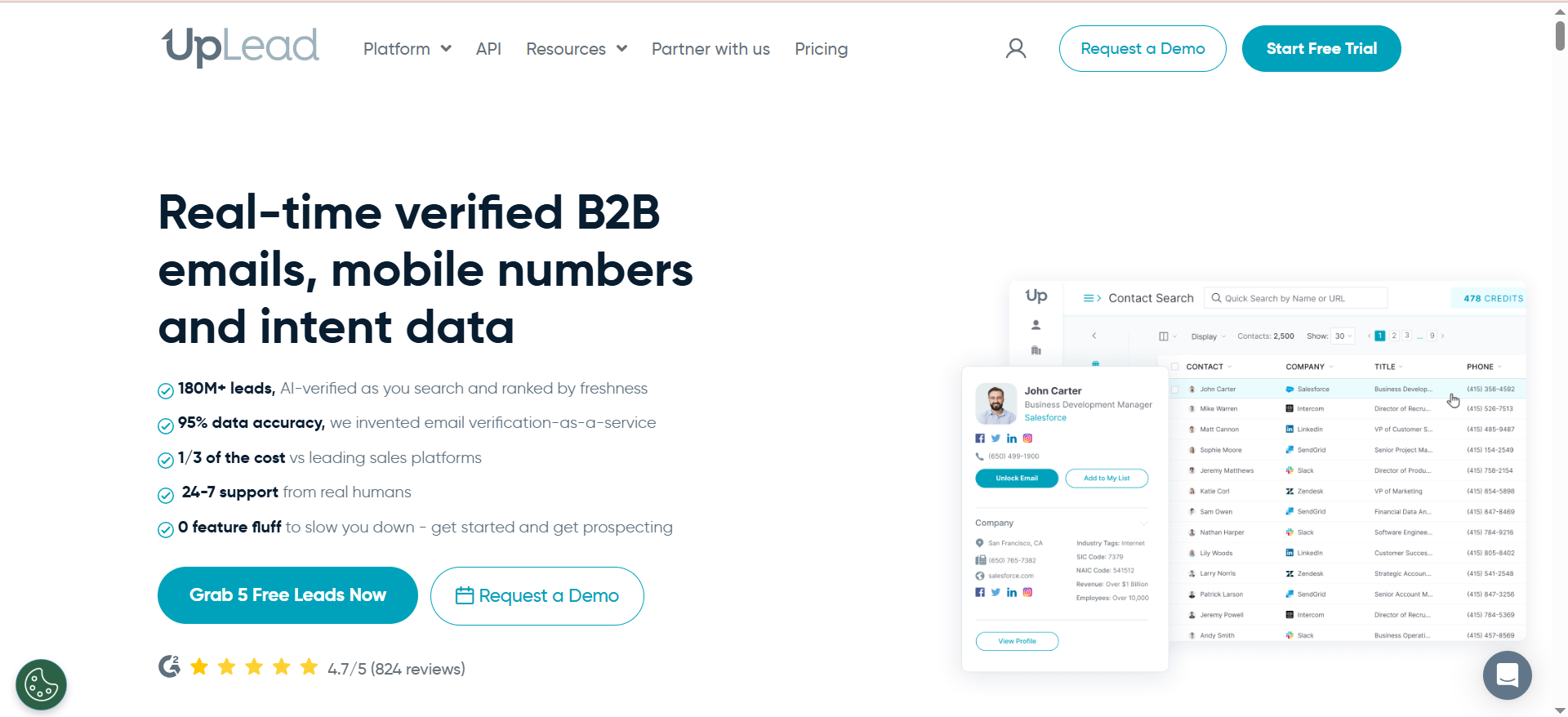
UpLead is a B2B contact and company data provider built around a search-first workflow. You use the Prospector to search a database of over 155 million business contacts using more than 50 filters — job title, industry, company size, revenue, location, and technologies used. Every email address is verified in real time at the point of export, not batch-verified from a stale list, so what you download is what actually reaches an inbox.
Why Teams Use It
Sales teams use UpLead because it removes the guesswork from list building. Instead of pulling contacts from a database and then running them through a separate verification tool, UpLead verifies each email before charging you a credit. That means fewer bounces, cleaner CRM imports, and less time wasted on dead-end outreach. The technographics filter is another draw — you can target prospects based on the specific software they use, which makes it easier to sell against a competitor or position an integration play.
What It's Good For
UpLead works well for teams that need clean, targeted contact lists without building a complex enrichment pipeline. If your workflow is search, filter, export, and push to a sequencer or CRM, UpLead handles the first three steps with minimal friction. The technographics data is particularly useful for SaaS companies that sell integrations or replacements — you can filter by companies using a specific CRM, marketing automation platform, or analytics tool and build lists that match your positioning.
When It's a Good Fit
UpLead fits teams that prioritize data accuracy over database size. If your outbound motion depends on high deliverability and you want a straightforward tool that does not require technical setup, UpLead delivers. It is also a strong fit for teams that prospect by technology stack, since the platform tracks over 16,000 technologies across categories like CRM, e-commerce, marketing automation, and analytics.
When It's Not a Good Fit
UpLead is not the right choice if you need real-time intent data, AI-generated email copy, or built-in sequencing. It is a data provider, not a full outbound platform. Teams running high-volume campaigns may also find the credit system limiting — the Essentials plan caps at 170 credits per month, and overage costs add up quickly. If you need to prospect at scale with thousands of contacts per month, you will likely outgrow the lower-tier plans fast.
How to Use It
The typical workflow is straightforward. Log in, open the Prospector, set your filters (title, industry, company size, location, technographics), review the results, and export verified contacts to CSV or directly to your CRM. You can also upload a CSV of names and company domains to enrich existing records with verified emails, phone numbers, and firmographic data. The Chrome extension lets you pull contact data from LinkedIn profiles and company websites without leaving the browser.
Key Capabilities
UpLead's core capabilities include a Prospector with 50+ search filters, real-time email verification on export, technographics tracking across 16,000+ technologies, a data enrichment tool for CSV uploads and existing CRM records, a Chrome extension for LinkedIn and web-based prospecting, intent data (available on higher plans), and company news alerts that surface hiring, funding, and expansion signals.
Pricing
UpLead offers two self-serve plans and a custom tier: Essentials at $99/month (170 credits) and Plus at $199/month (400 credits). Annual billing brings costs down to $74/month and $149/month respectively. The Professional plan is a custom annual contract — contact UpLead's sales team for pricing. A 7-day free trial with 5 credits is available. Each credit equals one contact export. Phone number lookups and intent data are only available on Plus and Professional plans.
Free Tier?
Yes — a 7-day free trial with 5 credits. No ongoing free plan is available after the trial ends.
Downsides / Limitations
The credit-based model can feel restrictive for teams running high-volume prospecting. 170 credits per month on Essentials will not cover an aggressive outbound motion. There is no built-in email sequencing, so you need a separate tool like Outreach, Salesloft, or a CRM with sequence capabilities. Some users also report that the cancellation process is not straightforward, with charges continuing after attempted cancellation. Phone number availability is limited compared to email data, particularly outside North America.
2. LeadIQ
What It Does
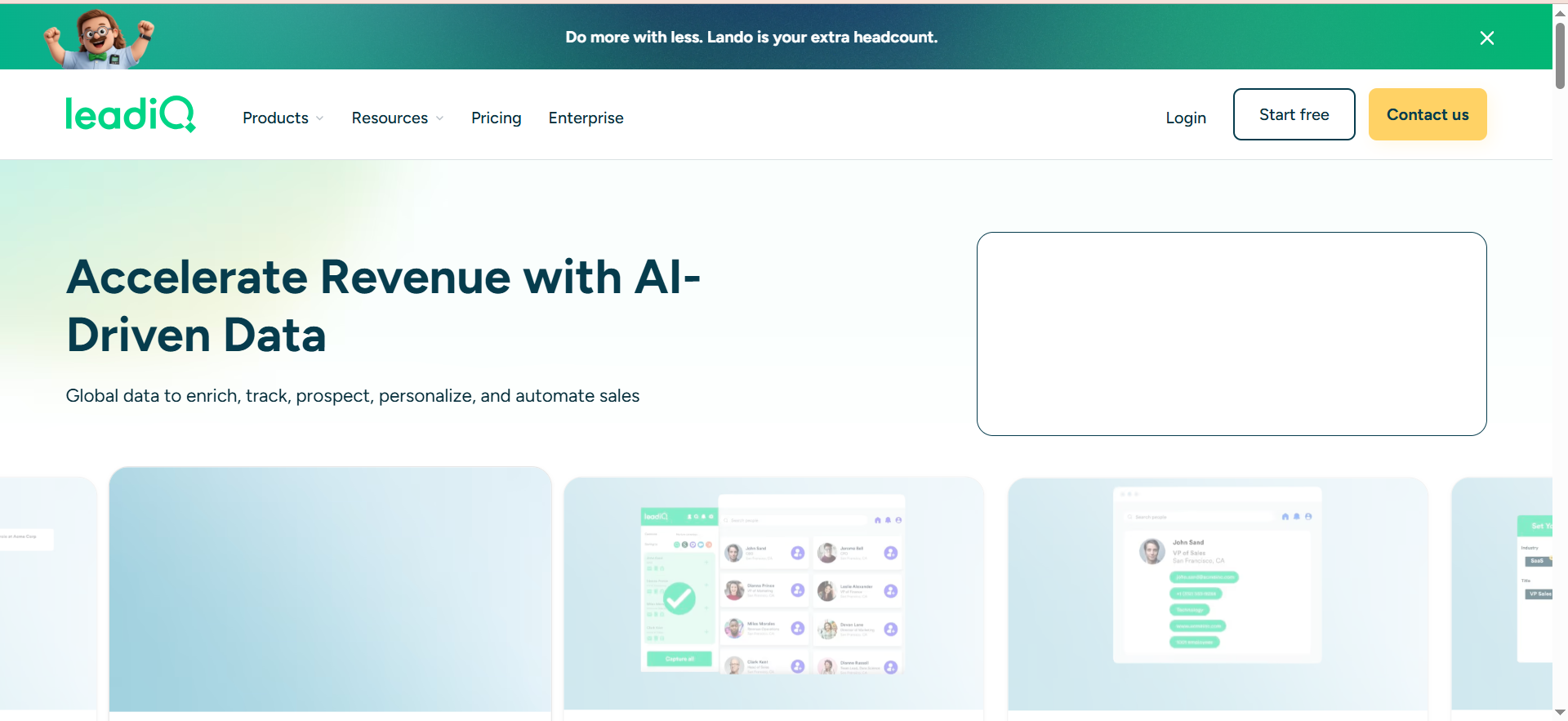
LeadIQ is a prospecting tool designed around a Chrome extension that captures contact data from LinkedIn and Sales Navigator. When you land on a prospect's LinkedIn profile, you click the LeadIQ extension, and it pulls their verified email address, phone number (when available), and company data. From there, you can push the contact directly to your CRM or sequencing tool with one click. Beyond capture, LeadIQ includes champion tracking that monitors when your contacts change jobs and an AI writing assistant called Scribe that generates personalized email drafts.
Why Teams Use It
SDR teams use LeadIQ because it sits where they already work — LinkedIn. Instead of switching between LinkedIn, a data provider, and a CRM to build a prospect record, LeadIQ collapses that into a single click. The job-change tracking is a strong differentiator for teams that rely on warm intros and past relationships. When a champion moves to a new company, LeadIQ surfaces that signal so you can reach out while the relationship is still fresh.
What It's Good For
LeadIQ is built for email-first, LinkedIn-heavy prospecting workflows. If your reps spend most of their prospecting time on Sales Navigator building lists and researching accounts, LeadIQ streamlines the capture and push steps. Scribe, the AI email writer, is useful for reps who need to personalize at volume without spending 10 minutes per email. It pulls context from the prospect's profile and your CRM data to generate drafts that feel relevant.
When It's a Good Fit
LeadIQ fits SDR and BDR teams that prospect through LinkedIn daily and need fast, accurate email capture with CRM sync. It is particularly strong for teams using Salesforce, HubSpot, Salesloft, or Outreach as their downstream systems, since the integrations are native and well-maintained. If your team also wants to track buyer job changes as a prospecting signal, LeadIQ handles that without requiring a separate tool.
When It's Not a Good Fit
LeadIQ is not ideal for teams that prospect primarily through search-based databases rather than LinkedIn. If you need to build lists from scratch using filters like company revenue, technographics, or industry codes, LeadIQ's search capabilities are limited compared to dedicated database tools like UpLead or ZoomInfo. Phone number accuracy is also a weak point — lookups cost 10 credits each (versus 1 credit per email), and the data is less reliable than email. Teams that rely heavily on cold calling will want a different data source for direct dials.
How to Use It
Install the Chrome extension, connect your CRM and sequencer, and start prospecting on LinkedIn. When you find a prospect, click the LeadIQ icon to capture their contact data. Review the data, select which fields to sync, and push to your CRM or sequence in one click. For account-level prospecting, you can use the Accounts tab to track target companies and get notified when contacts at those companies change jobs or show engagement signals. Scribe generates email drafts from the captured data — review, edit, and send.
Key Capabilities
LeadIQ's core capabilities include a LinkedIn Chrome extension for one-click contact capture, real-time email verification, champion tracking (job-change alerts), Scribe AI email writing assistant, account tracking and monitoring, CRM sync with Salesforce, HubSpot, Salesloft, Outreach, and Gong, and buying intent data on the Pro plan.
Pricing
LeadIQ uses a Universal Credits model that pools all lookups into a single credit bucket. The Free plan includes 50 credits per month for one user. The Pro plan starts at $200/month for 200 credits and scales up to 6,750 credits, with up to 5 users sharing the pool. Enterprise pricing is custom. Email lookups cost 1 credit each and phone lookups cost 10 credits each, so phone-heavy prospecting scales costs quickly. The previous Essential plan ($36/user/month) has been discontinued.
Free Tier?
Yes — a permanent Free plan with 50 credits per month for one user. Under the Universal Credits model, that translates to 50 email lookups or 5 phone lookups (or a mix). It is functional enough for evaluating the product before upgrading.
Downsides / Limitations
Phone number data quality is the biggest gap. At 10 credits per phone lookup, phone-heavy prospecting gets expensive quickly and the accuracy does not match email verification quality. LeadIQ does not include built-in email sequencing — you need Outreach, Salesloft, or a similar tool for multi-step campaigns. The search and filtering capabilities within LeadIQ itself are limited compared to full database platforms, which means you are dependent on LinkedIn or Sales Navigator for discovery. If your team does not prospect through LinkedIn, much of LeadIQ's value is lost.
3. Wiza
What It Does
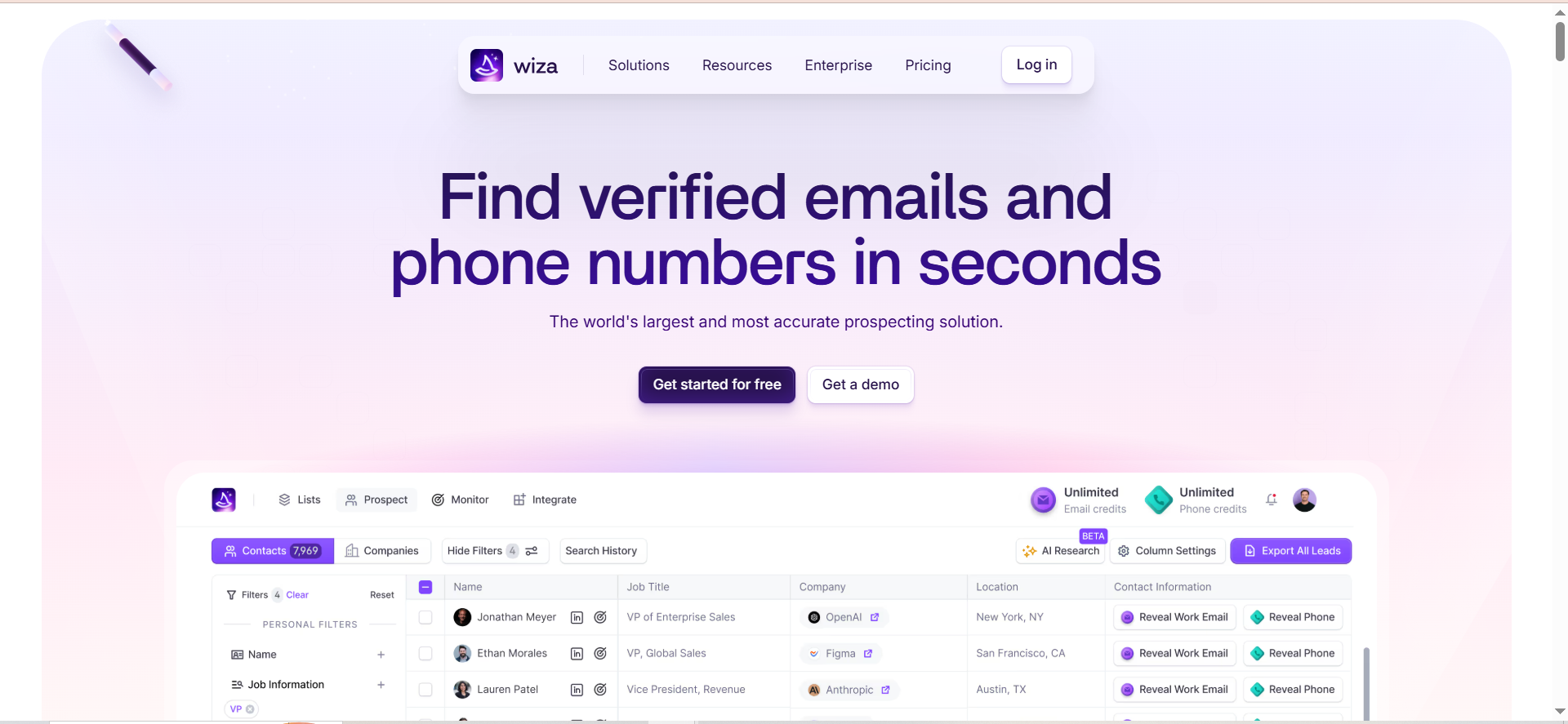
Wiza is a B2B prospecting tool built specifically for exporting contacts from LinkedIn Sales Navigator and verifying their email addresses in real time. You take a Sales Navigator search or saved list, run it through Wiza, and get back a clean spreadsheet of verified contacts with email addresses, phone numbers (when available), job titles, and company data. The verification happens via SMTP checks, not pattern-based guessing, which produces deliverability rates between 90% and 95%.
Why Teams Use It
Teams use Wiza because it solves one problem extremely well: getting verified contact data out of LinkedIn Sales Navigator at scale. If you have already invested in Sales Navigator and built your ideal prospect lists there, Wiza is the extraction layer that turns those lists into actionable, email-ready contacts. The bulk export capability — up to 2,500 contacts per list — means you can build entire campaigns from a single Sales Navigator search instead of capturing contacts one by one.
What It's Good For
Wiza excels at high-volume LinkedIn-based prospecting where you need to move from a Sales Navigator search to a verified contact list as quickly as possible. It is particularly useful for teams that build detailed ICP-filtered searches in Sales Navigator and need a reliable way to export and verify those contacts without manual effort. The real-time SMTP verification sets it apart from tools that rely on pattern matching or cached data.
When It's a Good Fit
Wiza fits teams that use LinkedIn Sales Navigator as their primary prospecting source and need a fast, reliable export-and-verify workflow. If your reps build lists in Sales Navigator and then need verified emails to feed into Outreach, Salesloft, or a CRM, Wiza sits cleanly between those steps. It is also a good fit for teams that run high-volume outbound campaigns and need clean data without building a complex enrichment stack.
When It's Not a Good Fit
Wiza is not the right tool if you prospect outside of LinkedIn. It cannot enrich contacts from conferences, inbound forms, partner lists, or other offline sources. It also requires a Sales Navigator subscription ($79-$139/month or more), which means your total cost is $128-$238+ per month before you send a single email. If you do not already use Sales Navigator, the combined investment may not make sense. Teams that need intent data, technographics, or company-level research will also need additional tools since Wiza focuses on contact extraction, not account intelligence.
How to Use It
Open LinkedIn Sales Navigator, run your search or open a saved list, activate the Wiza Chrome extension, and start the export. Wiza processes the list, verifies emails in real time, and delivers a downloadable CSV or pushes contacts directly to your CRM (Salesforce, HubSpot) or sequencer (Outreach, Salesloft). You can also use Wiza's web app for individual lookups by pasting a LinkedIn profile URL. The dashboard shows verification status, deliverability scores, and export history.
Key Capabilities
Wiza's core capabilities include bulk export of up to 2,500 contacts per Sales Navigator list, real-time SMTP email verification with deliverability scoring, phone number lookups, direct CRM push to Salesforce and HubSpot, sequencer integration with Outreach and Salesloft, individual LinkedIn profile lookups via the web app, and CSV download with full contact and company data.
Pricing
Wiza offers a Free plan (20 emails and 5 phone numbers per month), a Starter plan at $49/month, an Email plan at $83/month billed annually ($99 monthly), and an Email + Phone plan at $166/month billed annually ($199 monthly). Overage rates are $0.15 per email and $0.35 per phone number. A Team plan for 3+ users is available at custom pricing. Remember that Wiza requires a LinkedIn Sales Navigator subscription ($79-$139/month or more), so your total monthly cost will include that on top of your Wiza plan.
Free Tier?
Yes — a permanent Free plan with 20 emails and 5 phone numbers per month. No credit card required.
Downsides / Limitations
The biggest limitation is LinkedIn-only scope. If your prospect data comes from anywhere other than LinkedIn, Wiza cannot help. The mandatory Sales Navigator subscription adds significant cost to the total stack. Phone number data is available but costs more than email credits. There is no built-in sequencing, CRM enrichment beyond what LinkedIn provides, or account-level intelligence. Wiza is a single-purpose tool that does extraction and verification well but nothing beyond that.
4. RocketReach
What It Does
RocketReach is a contact data platform with a searchable database of over 700 million professional profiles. You can search by name, company, job title, location, industry, and revenue to find email addresses, phone numbers, and social profiles for prospects. The platform also offers a Chrome extension that overlays contact data on LinkedIn profiles and company websites, plus a bulk lookup feature that enriches CSVs of names and companies with verified contact information.
Why Teams Use It
Teams use RocketReach when they need a broad, general-purpose contact database that covers a wide range of industries, geographies, and seniority levels. Unlike LinkedIn-dependent tools, RocketReach lets you search and discover contacts independently. The database size is a draw for teams that prospect across multiple verticals or need to reach contacts outside the typical B2B SaaS audience — healthcare, manufacturing, finance, and government contacts are included alongside tech roles.
What It's Good For
RocketReach works well for teams that need to find contact information for known individuals or companies without relying on LinkedIn. If you have a name and a company, RocketReach can usually return an email and often a phone number. The bulk lookup feature is useful for enriching event attendee lists, inbound leads, or partner referrals where you have partial data and need to fill in the gaps. The API is also valuable for teams building custom prospecting workflows or integrating contact data into internal tools.
When It's a Good Fit
RocketReach fits teams that need broad contact coverage across multiple industries and roles, and who value a simple lookup workflow over advanced prospecting features. It is a good fit for teams that prospect outside of LinkedIn, since the search portal works independently. Companies with development resources can also benefit from the API for building custom enrichment pipelines. If your use case is "I have a name and company, give me their contact info," RocketReach does that efficiently.
When It's Not a Good Fit
RocketReach is not ideal for teams that need consistently high email accuracy. Independent tests show 75-85% email accuracy, which is lower than verification-first tools like UpLead or Wiza. The platform does not include intent data, job-change tracking, or AI-powered outreach features, so teams looking for a full prospecting workflow will need additional tools. The credit system uses two credit types (Lookup and Export), which can be confusing, and bulk operations consume Export credits separately from individual lookups.
How to Use It
Search the RocketReach portal by name, company, title, industry, or location. Click on a contact to reveal their email and phone number (this consumes a Lookup credit). For bulk operations, upload a CSV of names and companies and RocketReach matches and enriches the records, then exports back to CSV or pushes to your CRM. The Chrome extension works on LinkedIn profiles, company websites, and across the web — click the RocketReach icon to surface contact data for any professional page you are viewing.
Key Capabilities
RocketReach's core capabilities include a 700M+ professional profile database, search by name, company, title, industry, location, and revenue, a Chrome extension for LinkedIn and web-based lookups, bulk CSV upload and enrichment, an API for custom integrations, phone numbers and social profiles alongside email data, and CRM integrations with Salesforce, HubSpot, and Zapier.
Pricing
RocketReach offers individual plans billed annually: Essentials at approximately $33/month ($399/year, 1,200 email-only lookups), Pro at approximately $75/month ($899/year, 3,600 lookups including phone numbers), and Ultimate at approximately $175/month ($2,099/year, 10,000 lookups with API access). Monthly billing is more expensive. The Essentials plan covers email lookups only; phone numbers and bulk operations require Pro or higher. Team plans with shared credits are available at custom pricing.
Free Tier?
Yes — a permanent Free plan with 5 lookups per month, including access to personal and professional emails, basic person search, and the browser extension. No credit card required.
Downsides / Limitations
Email accuracy at 75-85% is below the standard set by verification-first tools. The dual credit system (Lookup vs. Export) creates confusion around actual costs. There is no built-in sequencing, intent data, or AI writing capabilities. Phone number accuracy varies and mobile numbers are often missing. The user interface is functional but dated compared to newer prospecting platforms. Data freshness can be inconsistent — some profiles reflect outdated job titles or company affiliations.
5. Leadfeeder (by Dealfront)
What It Does
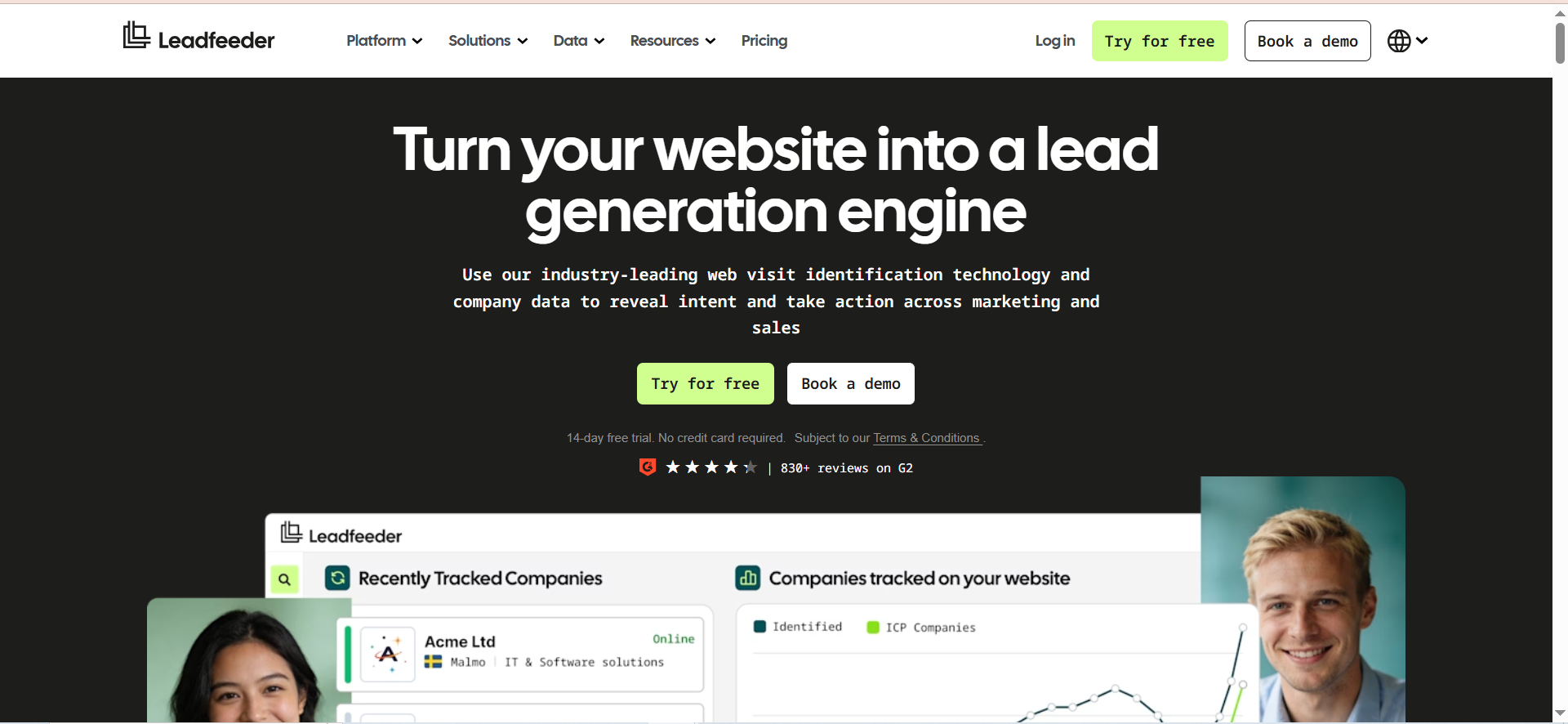
Leadfeeder identifies companies visiting your website by matching visitor IP addresses against a proprietary company database. Instead of waiting for prospects to fill out a form, Leadfeeder shows you which organizations are browsing your site, what pages they view, how often they return, and how engaged they are. It enriches each identified company with firmographic data including industry, company size, location, and employee count. After Leadfeeder merged with Echobot and rebranded as Dealfront in 2023, the broader platform added European company data and sales intelligence capabilities on top of the original visitor identification product.
Why Teams Use It
Sales and marketing teams use Leadfeeder to surface buying intent that traditional analytics tools miss. Google Analytics tells you that 500 companies visited your pricing page this month. Leadfeeder tells you which 500 companies those were, ranked by engagement. That turns anonymous traffic into a prospecting signal — your outbound team can prioritize accounts that already showed interest instead of cold-calling from a static list.
What It's Good For
Leadfeeder works best as a signal layer that feeds your existing prospecting and sales workflows. It is particularly valuable for account-based marketing (ABM) teams that maintain target account lists and want to know when those accounts visit key pages. The custom feed feature lets you build filtered views — for example, "companies with 50+ employees that viewed the pricing page more than twice in the last 7 days" — and push those leads to your CRM automatically.
When It's a Good Fit
Leadfeeder fits B2B companies with meaningful website traffic (at least 500+ monthly visitors) that want to convert anonymous visits into sales conversations. It is especially strong for teams running ABM programs, since you can match website visitors against your target account list and prioritize outreach based on real engagement. European companies benefit from the Dealfront merger, which added a 26M-company EU database for higher match rates on European traffic.
When It's Not a Good Fit
Leadfeeder identifies companies, not individual visitors. If you need contact-level identification (name, email, phone), you will still need a separate data provider like UpLead or LeadIQ to find the right person at the company Leadfeeder surfaces. Match rates vary significantly — expect 10-30% of total traffic to be identified depending on geography, with remote-heavy US audiences seeing lower match rates than European office-based traffic. Sites with low traffic volume will see too few identified companies to justify the cost. The usage-based pricing can also scale quickly for high-traffic sites.
How to Use It
Install the Leadfeeder tracking script on your website (similar to a Google Analytics snippet). Once data starts flowing, log into the dashboard to see identified companies, their page views, visit frequency, and engagement scores. Create custom feeds using filters like company size, industry, location, and behavior (pages viewed, visit count, referral source). Connect your CRM to automatically push identified companies as leads or activities. Set up notifications to alert reps when target accounts visit high-intent pages like pricing or case studies.
Key Capabilities
Leadfeeder's core capabilities include IP-based company identification with firmographic enrichment, behavioral analytics showing pages viewed, visit frequency, and engagement scoring, custom feed builder with filters for company size, industry, location, and behavior, native CRM integrations with Salesforce, HubSpot, and Pipedrive, automatic lead routing and CRM push, target account list matching for ABM programs, and a Dealfront-powered European company database with 26M+ EU companies.
Pricing
Leadfeeder offers a free Lite plan with 7 days of data history and up to 100 identified companies. Paid plans start at $99/month (billed annually) for up to 50 identified companies per month. Pricing scales with volume: higher tiers cover more identified companies per month, up to $1,199/month for 20,001-40,000 identified companies. Monthly billing costs approximately 40% more than annual. Annual plans are charged upfront for all 12 months and auto-renew unless canceled 30 days before the renewal date.
Free Tier?
Yes — a permanent Lite plan with 7 days of data history and up to 100 identified companies. It is useful for evaluating whether your site generates enough identifiable traffic to justify a paid plan, but the limited history makes it impractical for ongoing use.
Downsides / Limitations
Company-level identification only — no individual visitor names or contact details. Match rates are inconsistent, with remote workers and VPN users invisible to IP-based tracking. The Dealfront merger added complexity to the platform, and some smaller teams that used Leadfeeder as a simple visitor tracking tool find the expanded Dealfront interface over-engineered. Usage-based pricing can surprise high-traffic sites with unexpected bills. Annual contracts auto-renew and require 30 days notice to cancel, which has frustrated some users. Data accuracy for company matching can be inconsistent, with some visits attributed to ISPs rather than actual companies.
How to Choose the Right AI Prospecting Software
Selecting the right tool depends on where your prospecting bottleneck sits. If your team struggles with contact data quality, UpLead's verification-first approach eliminates the bounce-rate problem. If your reps live on LinkedIn and need faster capture, LeadIQ or Wiza will save hours per week. If you need broad contact lookups across multiple industries, RocketReach's database size gives you coverage. And if your pipeline depends on inbound website traffic that never converts, Leadfeeder turns those anonymous visits into outbound targets.
Start by mapping your current workflow from account identification through to first outreach. Identify the step where the most time is wasted or the most data quality issues occur. That bottleneck points you to the right tool category. Then evaluate within that category based on pricing, CRM integration quality, and the accuracy guarantees each vendor offers.
AI Prospecting Software vs. Sales Intelligence Platforms
AI prospecting software and sales intelligence platforms overlap but serve different primary functions. Prospecting tools focus on finding and verifying contact data so you can reach the right person. Sales intelligence platforms layer in intent signals, technographics, organizational charts, and buying committee mapping to help you prioritize which accounts to pursue and how to position your outreach. Tools like UpLead, LeadIQ, and Wiza fall squarely in the prospecting category. Platforms like ZoomInfo, Cognism, and 6sense combine prospecting data with intelligence layers. If your team needs both, evaluate whether a single platform can cover both needs or whether a best-of-breed stack (one prospecting tool plus one intelligence layer) delivers better results for your budget.
What Makes AI Prospecting Software Different from a Contact Database
A contact database gives you a static repository of names, emails, and company data that you search and export. AI prospecting software adds workflow automation, real-time verification, enrichment on demand, and increasingly, AI-generated personalization. The distinction matters because a database requires you to verify, enrich, and route data manually, while prospecting software handles some or all of those steps for you. UpLead's real-time verification, LeadIQ's job-change tracking, and Leadfeeder's visitor identification are all examples of prospecting intelligence that a static database cannot provide.
How to Evaluate Data Accuracy in Prospecting Tools
Data accuracy claims vary widely across vendors, and the testing methodology matters as much as the number. Here is how to run your own accuracy test. Pull 100 contacts from each tool you are evaluating, making sure they match your ICP in terms of title, industry, and company size. Send the email addresses through an independent verification service (NeverBounce, ZeroBounce, or similar). Track the bounce rate on your first campaign. Compare not just the percentage that verifies, but the percentage that actually reaches an inbox (deliverability). UpLead claims 95% accuracy with real-time verification. Wiza reports 90-95% deliverability via SMTP checks. RocketReach tests at 75-85%. These numbers should guide your expectations, but your own ICP and geography will affect results.
Can You Use Multiple Prospecting Tools Together
Yes, and many teams do. A common stack combines a visitor identification tool (Leadfeeder) as the signal layer, a contact data tool (UpLead or LeadIQ) as the enrichment layer, and a sequencing platform (Outreach or Salesloft) as the execution layer. Leadfeeder identifies which companies are showing intent. UpLead or LeadIQ finds the right contacts at those companies. The sequencer handles the multi-step outreach. The key is avoiding duplicate data and wasted credits. Use your CRM as the deduplication layer and set up rules so that contacts captured by one tool are not re-looked-up by another.
How Much Should You Budget for AI Prospecting Software
Budget depends on team size and volume. For a solo founder or a team of 1-3 reps doing moderate outbound, expect to spend $100-$200/month on a single prospecting tool. For a 5-10 person SDR team running high-volume campaigns, budget $500-$2,000/month depending on the tool combination and credit volume. Enterprise teams with 20+ reps and advanced needs (intent data, API access, custom enrichment) should plan for $2,000-$10,000+/month. Remember to factor in adjacent costs: Sales Navigator ($79-$139/user/month if using Wiza), sequencing tools ($50-$150/user/month), and CRM seats. The prospecting tool is one piece of a larger outbound stack, and total cost of ownership matters more than the sticker price of any single tool.
What Integrations Should Your Prospecting Tool Support
At minimum, your prospecting tool should integrate with your CRM (Salesforce, HubSpot, or Pipedrive) and your email sequencer (Outreach, Salesloft, or similar). Beyond that, evaluate whether the tool connects with your team's communication tools (Slack for notifications), your data warehouse (for analytics), and any enrichment or intent data platforms you use. Native integrations are preferable to Zapier connections because they maintain data integrity, sync in real time, and require less maintenance. All five tools in this guide offer Salesforce and HubSpot integrations. LeadIQ adds native Salesloft, Outreach, and Gong connections. Leadfeeder integrates with Pipedrive and Slack for real-time alerts.
How AI Is Changing Prospecting Workflows in 2026
AI is shifting prospecting from a manual, rep-driven process to a signal-driven workflow where software handles research, verification, and initial personalization. The biggest changes in 2026 include AI-generated email personalization (LeadIQ's Scribe, Apollo's AI Assistant), real-time intent signal processing that prioritizes accounts showing buying behavior, and automated enrichment pipelines that keep CRM data fresh without manual intervention. The tools that win are not the ones with the biggest databases — they are the ones that reduce the time between identifying a prospect and sending a relevant first message. For sales leaders evaluating tools, the question is shifting from "how many contacts can I access" to "how fast can my team go from signal to outreach with data they trust."



