

TL;DR
A lead database tool gives your sales team a searchable collection of B2B contacts and company records — emails, phone numbers, job titles, firmographics — so you can find and reach potential buyers without building lists from scratch. The right tool feeds your CRM and outreach sequences with verified data. The wrong one burns credits on bounced emails and outdated contacts.
This guide compares five lead database tools — Lead411, Wiza, Snov.io, Prospeo, and Skrapp.io — on the things that actually matter: data accuracy, database size, pricing structure, integrations, and the tradeoffs behind each option. Whether you are a solo founder running outbound for the first time or a growth-stage sales team scaling past 10,000 contacts per month, this breakdown will help you build a shortlist that matches your workflow and budget.
If you are short on time: Lead411 is the strongest pick for teams that want intent data and verified direct dials bundled into one platform at a price point well below ZoomInfo. Wiza is the best choice if your prospecting workflow lives inside LinkedIn Sales Navigator. Snov.io gives you the most for the least money if you need email finding, outreach sequences, and a lightweight CRM in a single tool. Prospeo leads on email accuracy with a 98% verified rate and weekly data refreshes. Skrapp.io is the most budget-friendly option for small teams that want LinkedIn-based email finding with credit rollover.
Best Lead Database Tools in 2026 (Quick Comparison)
| Feature | Lead411 | Wiza | Snov.io | Prospeo | Skrapp.io |
|---|---|---|---|---|---|
| Database Size | 450M+ contacts, 30M+ companies | 850M+ contacts (LinkedIn-sourced) | 500M+ contacts, 50M+ companies | 300M+ profiles, 143M verified emails | 150M+ leads, 20M+ companies |
| Starting Price | Basic Plus from $75/mo (annual) | $0 (free tier) / $83/mo paid | $39/mo ($29.25 annual) | $0 (free tier) / $39/mo paid | $0 (free tier) / $29/mo paid (annual) |
| Email Verification | Triple-verified | Real-time SMTP (99%+) | 98%+ accuracy | 98% (5-step process) | 99% verification accuracy |
| Direct Dials | 65M+ double-verified | Phone numbers on paid plans ($0.35 each on Email plan) | Available on paid plans | 125M+ verified mobiles | Not a primary focus |
| Built-in Outreach | Reach add-on (email + SMS) | No | Yes (drip campaigns) | No | No |
| CRM Integrations | 25+ (Salesforce, HubSpot, Pipedrive, etc.) | HubSpot, Salesforce, Outreach, Zapier | HubSpot, Pipedrive native; Salesforce via Zapier | HubSpot, Salesforce, Instantly, Clay, Zapier | HubSpot, Salesforce, Outreach, Pipedrive, Zoho |
| Best For | Teams wanting intent data + direct dials | LinkedIn-first prospecting teams | Budget-conscious teams needing all-in-one | Accuracy-focused outbound teams | Small teams on a tight budget |
1. Lead411
What It Does
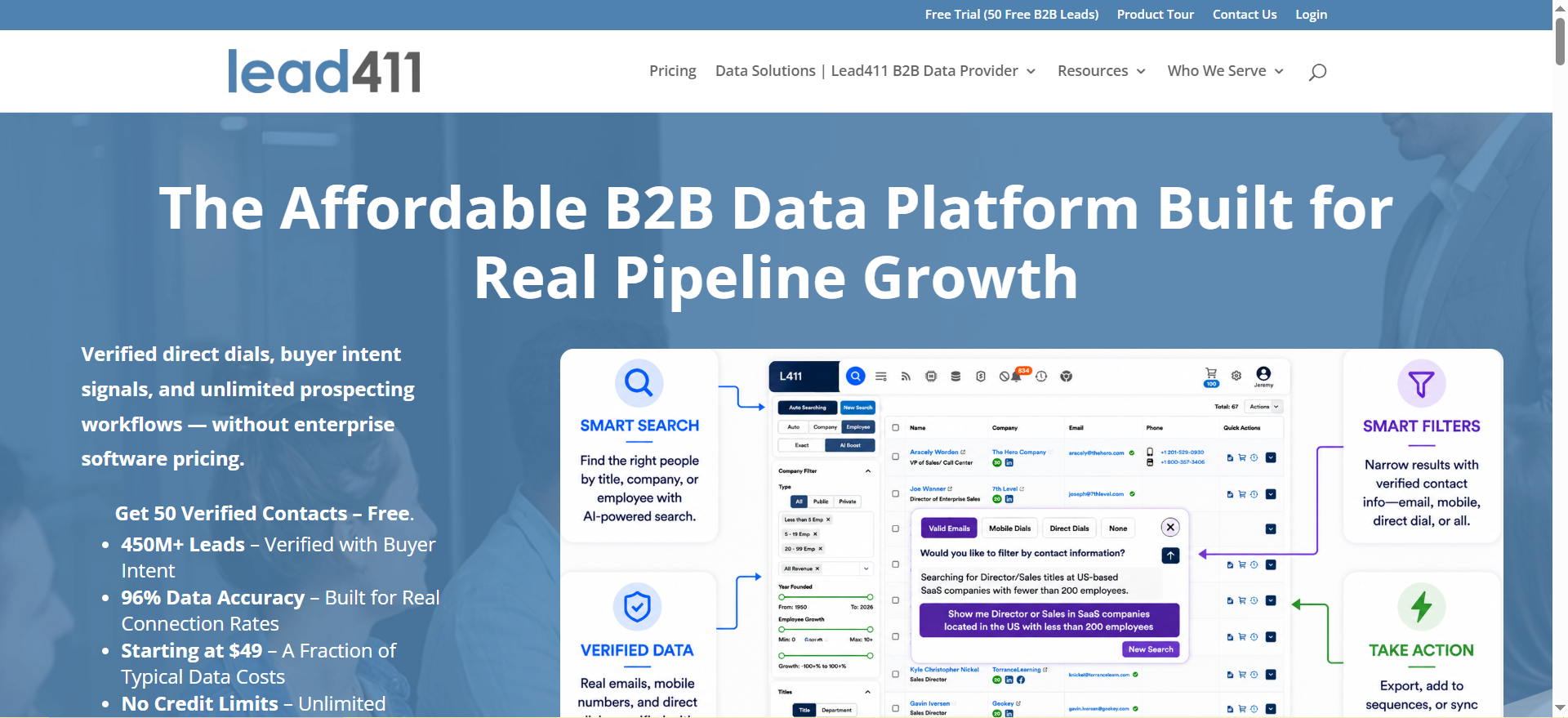
Lead411 is a B2B sales intelligence platform that combines a database of over 450 million verified contacts and 30 million companies with growth intent signals, buyer triggers, and verified direct dial phone numbers. It positions itself as a more affordable alternative to enterprise tools like ZoomInfo while offering comparable data depth for mid-market and growth-stage sales teams.
Why Teams Use It
Sales teams choose Lead411 because it bundles three things that usually require separate subscriptions: a contact database, intent data (powered by Bombora), and verified direct dials. The platform includes real-time growth triggers — like funding rounds, executive hires, and expansion signals — that help reps time their outreach to moments when a company is more likely to buy. Instead of blasting a static list, reps can prioritize accounts showing active buying behavior.
What It's Good For
Lead411 works best for outbound prospecting workflows where reps need both email addresses and phone numbers to run multi-channel campaigns. The growth intent scoring and trigger alerts make it particularly useful for account-based sales teams that want to prioritize which accounts to pursue based on real signals rather than gut feel. The platform also serves well for CRM enrichment — keeping existing records fresh with updated titles, emails, and company data.
When It's a Good Fit
Lead411 fits teams that are spending $200 to $500 per month on sales intelligence and want intent data included at that price. If your reps rely on direct dials to book meetings and you have been priced out of ZoomInfo, Lead411 covers the same core use cases at a fraction of the cost. It is also a good fit if you use one of the 25+ CRMs it integrates with natively — Salesforce, HubSpot, Pipedrive, Outreach, Salesloft, and others.
When It's Not a Good Fit
If your team sells primarily into EMEA or APAC markets, Lead411's database is strongest in North America and may have thinner coverage internationally. It is also not the right pick if you are a solo operator looking for the cheapest possible email finder — tools like Snov.io and Skrapp.io offer lower entry points. Some users have reported that data freshness can lag, with contacts that had changed roles months earlier still appearing under their old company.
How to Use It
Sign up and use the search filters to narrow by industry, company size, geography, job title, and seniority. Apply growth intent filters to surface companies showing buying signals. Export contacts individually or in bulk to your CRM or outreach tool. Use the Chrome extension to pull verified data while browsing LinkedIn or company websites. The Reach add-on lets you build email and SMS cadences directly inside Lead411 without needing a separate sequencing tool.
Key Capabilities
Lead411's core capabilities include triple-verified B2B email addresses, double-verified direct dial phone numbers (65M+ in the database), advanced search filters across firmographic and technographic dimensions, Bombora-powered intent data and lead scoring, real-time growth trigger alerts for funding, hiring, and expansion events, a Chrome extension for LinkedIn and website prospecting, CRM enrichment via API, and integrations with 25+ sales and CRM platforms including Salesforce, HubSpot, Outreach, Pipedrive, and Salesloft.
Pricing
Lead411 offers a Basic Plus Unlimited plan and a Pro plan with Bombora intent data on annual subscriptions. The Basic Plus plan includes 200 exports per month with unlimited email views and direct phone number views. The Pro plan adds Bombora intent data and includes 10,000 exports per year. Enterprise and Unlimited tiers are available with custom pricing for larger teams. All plans include CRM integrations and the Chrome extension. Pricing details are available on request — contact Lead411 for current rates.
Free Tier?
Lead411 does not offer a permanent free plan. However, they do provide a free trial with 50 exports so teams can test data quality against their ICP before committing. The trial gives access to the core search and export features.
Downsides / Limitations
The main limitation users flag is occasional data staleness — some contacts remain in the database after changing roles, though Lead411's triple-verification process catches most of these. The platform's UI, while functional, is not as polished as newer entrants. International coverage outside North America is less comprehensive than what you would get from a global-first provider like Cognism. The Reach outreach add-on is competent but not as feature-rich as dedicated sequencing tools.
2. Wiza
What It Does
Wiza is a sales intelligence platform built around LinkedIn data. It uses AI-driven technology to live-source contacts and their verified email addresses and phone numbers in real time from LinkedIn profiles, rather than relying on a static database. The platform serves nearly 500,000 individuals and over 50,000 companies globally, with a core focus on turning LinkedIn Sales Navigator searches into verified, exportable lead lists.
Why Teams Use It
Teams choose Wiza because it solves a specific pain point: getting verified contact data out of LinkedIn at scale. Rather than manually visiting profiles and guessing email formats, Wiza lets reps run a filtered Sales Navigator search and bulk-export up to 2,500 contacts per list with verified emails and phone numbers in a single click. The real-time verification means the data reflects where someone actually works right now, not where they worked six months ago.
What It's Good For
Wiza is built for prospecting workflows that start inside LinkedIn Sales Navigator or Recruiter. It is ideal for teams that already pay for Sales Navigator and want to maximize that investment by turning searches into actionable contact lists. The AI Research feature enriches prospect profiles with live web data, giving reps additional context for personalization. Wiza also works well for recruiting teams that need to pull verified contact info from Recruiter or Recruiter Lite searches.
When It's a Good Fit
Wiza is the right choice if your team's prospecting workflow is anchored to LinkedIn. If your reps spend most of their day in Sales Navigator filtering by industry, job title, company size, and geography, Wiza turns that workflow into a direct lead generation pipeline. It fits teams of any size — the free plan lets solo operators test the tool, and the paid plans scale to handle high-volume export needs.
When It's Not a Good Fit
Wiza requires an active LinkedIn Sales Navigator subscription to unlock its full functionality, which adds $79 to $139 per month or more on top of Wiza's own pricing. If you do not use Sales Navigator, Wiza loses most of its value. It is also not the right pick if you need built-in outreach sequences or a CRM — Wiza focuses on data extraction, not campaign execution. Teams that prospect outside of LinkedIn (through company databases, job boards, or industry directories) will find Wiza's coverage limited to what LinkedIn profiles contain.
How to Use It
Install the Wiza Chrome extension and connect it to your LinkedIn Sales Navigator account. Run a filtered search in Sales Navigator by industry, job title, geography, seniority, or company size. Click the Wiza export button to pull verified emails and phone numbers for up to 2,500 contacts per list. Export to CSV or push directly to HubSpot, Salesforce, or Outreach. Use the AI Research feature to enrich individual prospects with additional context from public web sources.
Key Capabilities
Wiza's capabilities include bulk export of up to 2,500 contacts per Sales Navigator list, real-time SMTP email verification targeting 99%+ deliverability, AI Research for prospect enrichment using live web data, phone number sourcing on paid plans, CRM push to HubSpot, Salesforce, and Outreach, Zapier integration connecting to 6,000+ apps, CSV export for any workflow, and deliverability scoring on every email address.
Pricing
Wiza offers individual and team plans. The Free plan includes 20 emails and 5 phone numbers per month at no cost. The Email plan costs $83 per month billed annually ($990 per year) and includes unlimited email reveals, phone numbers at $0.35 each, 2,500 exports per month, AI Research, and CRM integrations. The Email and Phone plan costs $166 per month billed annually ($1,990 per year) and includes unlimited email and phone reveals, 2,500 exports per month, AI Research, and all integrations. A Starter plan is also available at $49 per month (monthly billing only) with 100 emails and 100 phone numbers per month. Team plans with custom pricing are available for 3+ users.
Free Tier?
Yes. Wiza's free plan gives you 20 verified emails and 5 phone numbers per month with no time limit. This is enough to test data quality but not enough for sustained prospecting. The free plan includes the Chrome extension and basic export functionality.
Downsides / Limitations
The biggest limitation is the dependency on LinkedIn Sales Navigator. Without it, Wiza's core value proposition disappears, and the combined cost (Wiza + Sales Navigator) puts the effective starting price well above $160 per month. Wiza also does not include any outreach or sequencing features — you will need a separate tool for campaigns. The 2,500 monthly export cap on paid plans may feel restrictive for high-volume teams, and phone number pricing on the Email plan ($0.35 each) adds up quickly if direct dials are central to your workflow.
3. Snov
What It Does
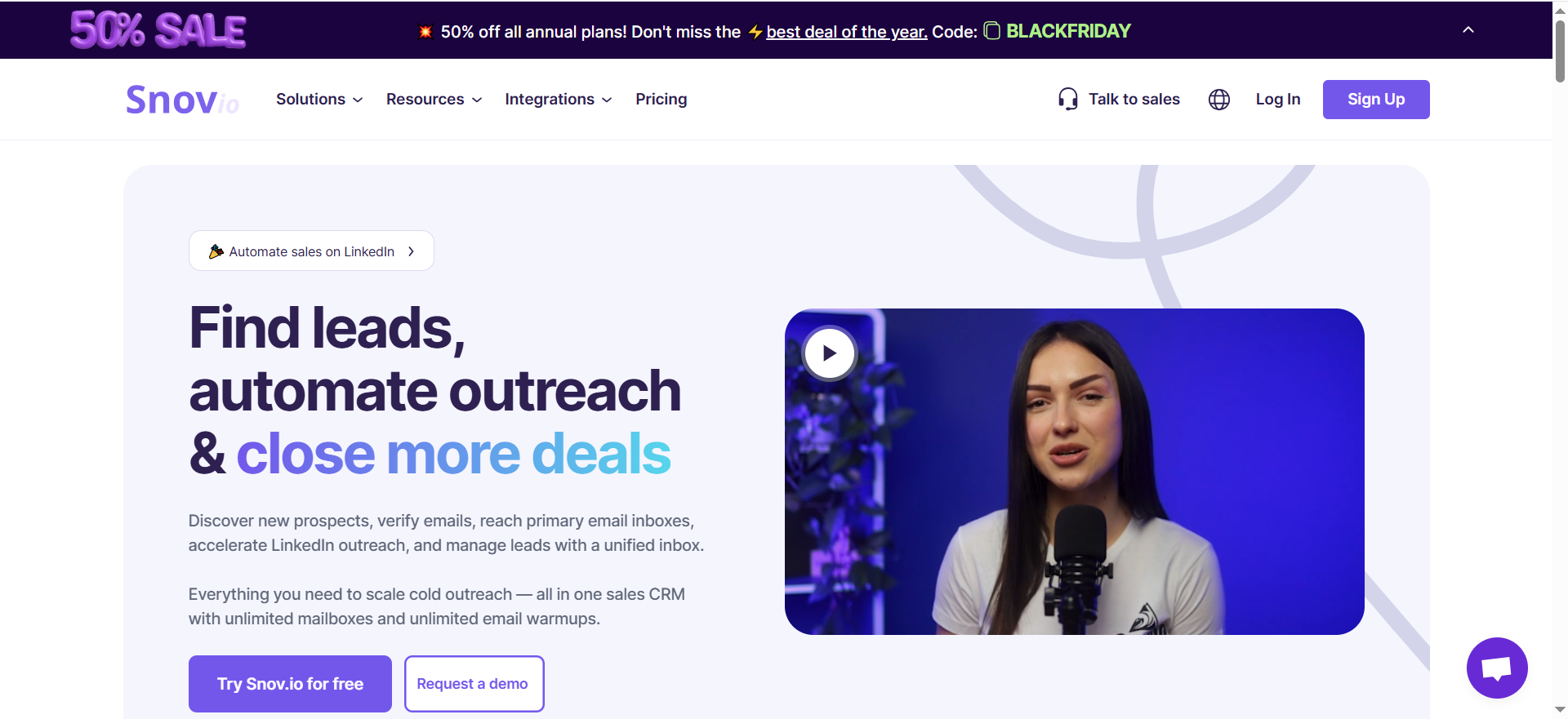
Snov.io is an all-in-one outreach platform that combines an email finder, email verifier, drip campaign builder, and a free CRM in a single tool. It pulls from a database of over 500 million B2B contacts and 50 million company profiles, using 15 different search filters to help teams find leads by job title, location, industry, company size, and more. Unlike pure database tools, Snov.io lets you find contacts and run outreach sequences from the same platform.
Why Teams Use It
Teams pick Snov.io because it eliminates the need to stitch together separate tools for email finding, verification, outreach, and CRM. For a small team that does not want to manage integrations between four different platforms, Snov.io provides an end-to-end workflow — find the contact, verify the email, add them to a drip sequence, and track the deal in a built-in CRM — all from one dashboard. The unlimited team seats on all paid plans make it especially attractive for growing teams that want to avoid per-seat pricing.
What It's Good For
Snov.io works best for small to mid-size teams (under 10 reps) running email-first outbound campaigns. The combined finder-plus-sequencing workflow removes handoff friction between tools and keeps the entire prospecting pipeline visible in one place. The built-in CRM handles deal tracking, pipeline management, and task scheduling without needing Salesforce or HubSpot. Email warm-up is included on all plans, which helps teams protect deliverability from day one.
When It's a Good Fit
Snov.io is the right tool if you are a bootstrapped team or solo operator who wants prospecting and basic outreach automation in one affordable package. It fits well when your primary channel is email (not phone) and your monthly contact volume stays under 50,000. The Starter plan at $39 per month ($29.25 per month when billed annually) is one of the lowest entry points in the category, making it accessible for early-stage companies testing cold outreach for the first time.
When It's Not a Good Fit
Snov.io is not the right choice if you need LinkedIn automation (that costs an additional $69 per month per account slot), a native Salesforce integration (it requires Zapier or API), or advanced campaign features on the cheapest plan — A/B testing, spintax, behavioral conditions, and sentiment analysis are locked behind the Pro tier. Teams scaling past 50,000 contacts per month will also outgrow the platform's analytics and reporting. If direct dials and phone-based prospecting are central to your workflow, other tools on this list offer stronger phone data.
How to Use It
Sign up and use the Email Finder to search by domain, company name, or individual. Apply filters for job title, seniority, location, and industry. Verified emails are returned directly — no separate verification step needed. Add contacts to a drip campaign with automated follow-ups, or push them to the built-in CRM. Use the Chrome extension to find emails while browsing LinkedIn or company websites. Connect to HubSpot or Pipedrive for two-way sync, or use Zapier and Make for Salesforce and other tools.
Key Capabilities
Snov.io's capabilities include an email finder across 500M+ contacts with 15 search filters, built-in email verification with 98%+ accuracy and a documented 1.72% average bounce rate, drip campaigns with automated follow-ups, a free CRM with up to 20 pipelines and 100 stages each, email warm-up on all plans (unlimited on Pro and above), a Chrome extension for LinkedIn and website prospecting, unlimited team seats on all paid plans, and integrations with HubSpot, Pipedrive, Zapier, and Make.
Pricing
Snov.io uses credit-based pricing with monthly, 3-month (5% off), and annual (25% off) billing options. The Starter plan costs $39 per month ($29.25 per month when billed annually) and includes 1,000 credits and 5,000 recipients. The Pro S plan costs $99 per month ($74.25 per month when billed annually) and includes 5,000 credits and 25,000 recipients. Pro M costs $189 per month with 20,000 credits. Pro L costs $369 per month with 50,000 credits. A Custom Ultra tier is available for teams needing 200,000+ credits with custom pricing. All plans include unlimited team seats. LinkedIn automation is an additional $69 per month per account slot on any plan.
Free Tier?
Snov.io offers a trial plan with 50 credits and 100 recipients per month that reset monthly. Credits can be used across email finding, domain searches, and verification. This is enough to test the platform but not enough for consistent prospecting. The trial includes access to the CRM and basic campaign features.
Downsides / Limitations
The Starter plan is feature-gated — no A/B testing, no spintax, no behavioral conditions in sequences. These are table-stakes campaign features that require upgrading to Pro at $99 per month. Real costs often exceed the listed price once you factor in LinkedIn add-ons and credit consumption for multi-step workflows. The API is rate-limited, which can bottleneck larger enrichment jobs. Snov.io does not offer a native Salesforce integration. The warm-up tool on the Starter plan only supports 3 mailboxes, even though you can connect unlimited sending accounts.
4. Prospeo
What It Does
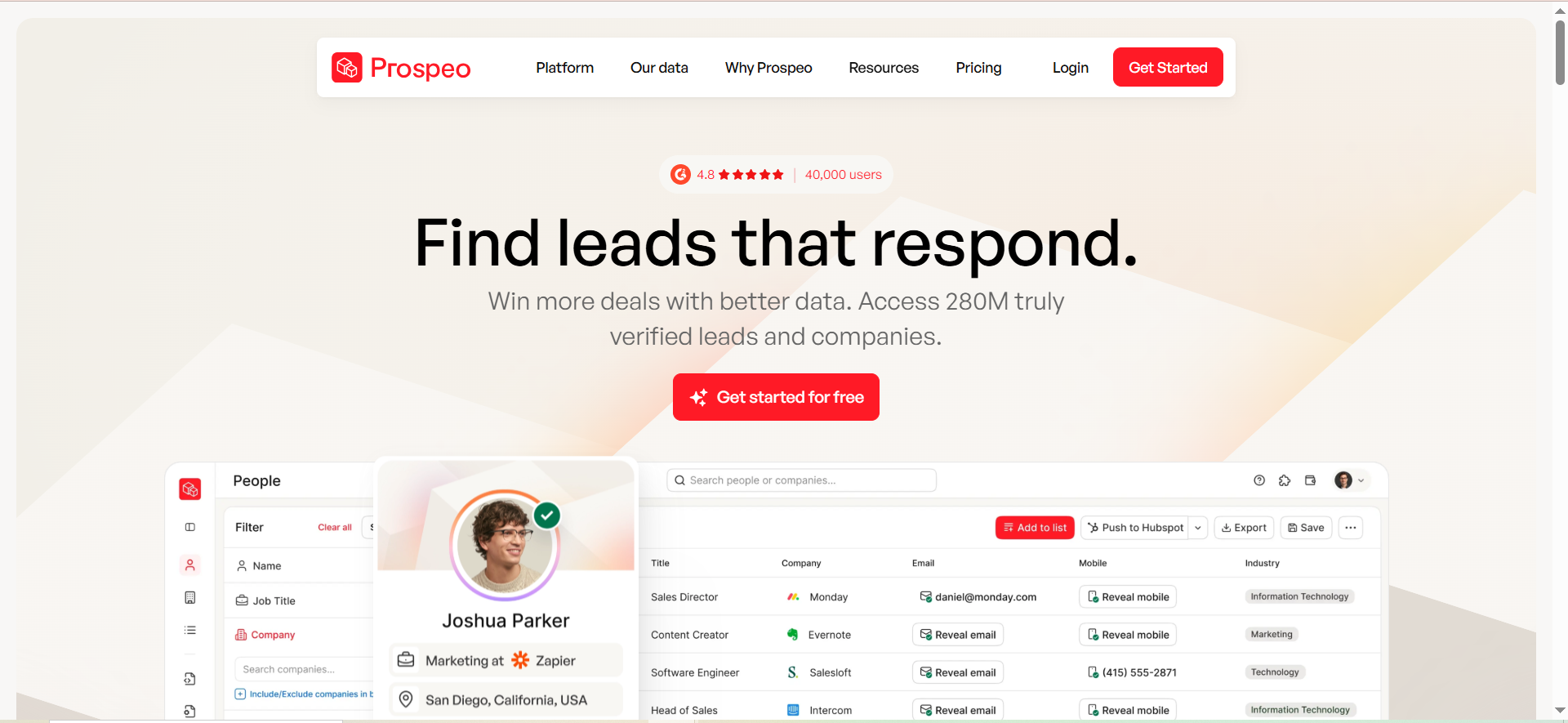
Prospeo is a B2B email finding and verification platform built around a database of over 300 million profiles, 143 million verified emails, and 125 million verified mobile numbers. Its core differentiator is a proprietary 5-step email verification process that delivers 98% data accuracy, with a 7-day database refresh cycle that keeps contact information substantially fresher than the industry average of six weeks. The Chrome extension, used by over 40,000 sales teams, lets reps capture verified data directly from LinkedIn, company websites, GitHub, and Twitter.
Why Teams Use It
Teams pick Prospeo because they want the highest possible email accuracy for cold outreach. The 5-step verification process — which includes catch-all handling, spam-trap removal, and honeypot filtering — means fewer bounces and better sender reputation. Credits are only charged for verified results on single lookups, so teams pay for data that actually works. The weekly database refresh keeps records closer to real-time than most competitors, reducing the chance of reaching people who have changed roles.
What It's Good For
Prospeo is best for teams running email-first outbound campaigns where deliverability is a top priority. If your open rates and reply rates depend on landing in primary inboxes — and you have been burned by high bounce rates from other providers — Prospeo's verification pipeline addresses that directly. The Chrome extension workflow is fast: find a prospect on LinkedIn, reveal a verified email and phone number without leaving the browser, and push to your CRM or outreach tool in seconds.
When It's a Good Fit
Prospeo fits teams that value accuracy over raw database volume. It is the right choice if your outbound math depends on low bounce rates and you are willing to pay slightly more per-credit for verified results. Teams using HubSpot, Salesforce, Instantly, or Clay will find native integrations ready to go. The free tier (75 credits per month, permanently) makes it accessible for solo operators and small teams testing the tool.
When It's Not a Good Fit
Prospeo is not the right pick if you do high-volume bulk prospecting with CSV imports. Bulk imports consume credits for every row whether Prospeo finds an email or not — if the match rate lands at 30 to 40 percent, you are paying for 60 to 70 percent dead credits, and the real per-email cost doubles or triples. Mobile number lookups cost 10 credits each (versus 1 credit for email), which eats through budgets quickly. Credits do not roll over between months, so unused credits expire — unlike Skrapp.io and some other competitors.
How to Use It
Sign up and use the Chrome extension to find verified emails and phone numbers directly from LinkedIn profiles, Sales Navigator, company websites, or GitHub. Use the web app's search filters (30+ dimensions including buyer intent and technographics) to build targeted lists. Export contacts to CSV or push directly to HubSpot, Salesforce, Instantly, or Clay. For bulk workflows, upload a CSV of names and domains to enrich in batch — but monitor match rates to manage credit spend.
Key Capabilities
Prospeo's capabilities include a 300M+ profile database with 143M verified emails and 125M+ verified mobile numbers, a 5-step email verification process with 98% accuracy, 30+ advanced search filters including buyer intent and technographics, a Chrome extension for LinkedIn, websites, GitHub, and Twitter, a 7-day database refresh cycle, native integrations with HubSpot, Salesforce, Smartlead, Instantly, Lemlist, and Clay, Zapier and Make connections for extended workflows, and an API with millisecond latency and 99.99% reported uptime.
Pricing
Prospeo uses credit-based pricing. The Free plan gives you 75 email credits per month permanently. The Starter plan is $39 per month with 1,000 credits. The Growth plan is $99 per month with 5,000 credits. The Pro plan is $199 per month with 20,000 credits. The Business plan is $369 per month with 50,000 credits. Email lookups cost 1 credit each; mobile number lookups cost 10 credits each. Annual billing is available with savings.
Free Tier?
Yes. Prospeo's free plan provides 75 email credits and 100 Chrome extension credits per month with no time limit. This is one of the more generous free tiers in the category and enough for early testing and light-volume prospecting.
Downsides / Limitations
The main downside is credit economics on bulk workflows — CSV imports charge credits regardless of match success, which can make the effective cost per verified email significantly higher than the headline pricing suggests. Mobile number lookups at 10 credits each consume budgets fast. No credit rollover means unused credits are lost at the end of each billing cycle. Customer support reviews are mixed, with some 2025-2026 G2 reviewers reporting slow response times and unresolved billing disputes. The database at 300M+ profiles is smaller than Lead411 or Snov.io, though the verification rate partially compensates for the size gap.
5. Skrapp
What It Does
Skrapp.io is an email finding and verification platform built for LinkedIn-based B2B prospecting. It combines a database of over 150 million leads and 20 million global companies with an AI-powered search engine, a Chrome extension for finding emails directly on LinkedIn, and bulk verification tools. The platform is designed for small to mid-size sales teams that want a straightforward way to turn LinkedIn profiles into verified email addresses without the complexity or cost of enterprise sales intelligence suites.
Why Teams Use It
Teams pick Skrapp.io for simplicity and value. The Chrome extension plugs directly into LinkedIn and Sales Navigator, making it easy to grab verified emails without leaving the prospecting workflow. Paid plans include features that competitors often charge extra for — invalid email refunds and credit rollover. For small businesses running lean outbound programs, Skrapp.io covers the core use case (find emails, verify them, export them) without bundling features they do not need.
What It's Good For
Skrapp.io works best for teams that run email-first outbound campaigns sourced from LinkedIn. The workflow is simple: search LinkedIn, use the Chrome extension to reveal emails, verify in bulk, and export to your CRM or outreach tool. The AI-powered search lets you build prospect lists by ICP criteria inside the Skrapp web app as well. It is a good fit for teams doing steady prospecting at moderate volume — not enterprise-scale bulk operations, but consistent weekly or monthly list building.
When It's a Good Fit
Skrapp.io fits small businesses and early-stage sales teams spending $29 to $100 per month on lead data. If credit rollover matters to you (many competitors expire unused credits monthly), Skrapp.io's rollover policy is a genuine advantage that lets you build up a reserve for high-volume months. The email verification accuracy and fair credit policy (you are not charged for invalid or unknown results) keep your lists clean without manual effort. Teams using Salesforce, HubSpot, Pipedrive, Outreach, or Zoho will find native integrations available.
When It's Not a Good Fit
Skrapp.io is not the right tool if you need direct dial phone numbers as a core part of your prospecting workflow — phone data is not a primary focus. It also does not include any outreach or sequencing features, so you will need a separate tool for campaigns. For larger companies or teams prospecting at high volume internationally, the 150M-contact database may feel limited compared to providers with 300M+ or 500M+ records.
How to Use It
Sign up and install the Chrome extension. Browse LinkedIn or Sales Navigator to find prospects, then use the extension to reveal verified email addresses. Alternatively, use Skrapp's web app to search the 20M+ company database by ICP criteria and build lists using the AI-powered search. Verify emails in bulk using the built-in verifier. Export to CSV or push directly to HubSpot, Salesforce, Pipedrive, Outreach, or Zoho. Use the REST API for custom integrations or Zapier for extended workflows.
Key Capabilities
Skrapp.io's capabilities include a 150M+ lead database with 20M+ global companies, an AI-powered search with ICP-based list building, a Chrome extension for LinkedIn and Sales Navigator, bulk email verification, fair credit policy (no charge for invalid or unknown emails), credit rollover on paid plans, native CRM integrations with HubSpot, Salesforce, Outreach, Pipedrive, and Zoho, a REST API for custom workflows, and CSV export.
Pricing
Skrapp.io offers a free plan with 50 credits per month for a single user. The Professional plan starts at $29 per month (billed annually) with 2,000 email credits and scales up through higher tiers. The Enterprise plan starts at $262 per month (billed annually) with 50,000 monthly credits across 15 users. All paid plans include CRM integrations, credit rollover, and fair credit policy.
Free Tier?
Yes. The free plan provides 50 credits per month for one user. It includes the Chrome extension, email finder, and email verifier. This gives you enough volume to test the tool and run light prospecting.
Downsides / Limitations
The email database can return outdated or incorrect emails for smaller companies or less active profiles. Credits deplete quickly during bulk prospecting sessions, and some users find the paid tiers somewhat expensive relative to credit limits at higher volumes. Customer support response times are slower than competitors. There are no outreach features — Skrapp is a data tool only, so you will need a separate platform for email sequences and follow-ups.
What Is a Lead Database Tool?
A lead database tool is a searchable platform that stores and organizes B2B contact and company information — email addresses, phone numbers, job titles, company size, industry, location, and often firmographic or technographic data. Sales and marketing teams use these tools to identify potential buyers who match their ideal customer profile, then export that contact data into CRMs or outreach platforms to start campaigns.
The core function is straightforward: instead of manually researching prospects one by one, a lead database lets you apply filters (like "VP of Marketing at SaaS companies with 50-200 employees in North America") and get a list of verified contacts who match. Modern lead databases go beyond basic contact details — many include intent data (signals that a company is actively researching solutions), direct dial phone numbers, technographic data (what software a company uses), and real-time verification to ensure emails are still active.
Lead databases differ from lead generation tools in scope. A lead generation tool might capture inbound leads from your website or run LinkedIn outreach. A lead database is the underlying data layer — the raw material that feeds those other tools.
How Do Lead Database Tools Verify Email Addresses?
Email verification in lead database tools happens through a multi-step process designed to confirm that an address is real, active, and safe to send to. The exact methods vary by provider, but the core techniques are consistent across the industry.
The first step is syntax validation — checking that the email address is properly formatted (no missing @ symbols, invalid characters, or spacing errors). The second step is domain verification, where the tool confirms that the domain (the part after @) has valid MX records, meaning it is configured to receive email.
The most important step is SMTP verification. The tool opens a connection to the recipient's mail server and simulates the delivery of an email (without actually sending one) to check whether the server accepts the address. This confirms the specific mailbox exists. Some tools, like Wiza, perform this verification in real time at the moment of export, which improves accuracy for contacts who may have recently changed roles.
Advanced verification adds catch-all detection (identifying domains that accept all emails regardless of whether the specific address exists, which can mask invalid contacts), spam-trap filtering (removing addresses known to be used by email providers to catch spammers), and honeypot detection. Prospeo's 5-step process and Lead411's triple-verification approach are examples of multi-layered verification that goes beyond basic SMTP checks.
The result is typically an accuracy rate and a deliverability score. Tools like Snov.io report 98%+ accuracy with an average bounce rate of 1.72%, while Wiza targets 99%+ deliverability through real-time SMTP checks. Higher accuracy means fewer bounced emails, better sender reputation, and ultimately higher reply rates.
What Is the Difference Between a Lead Database and a CRM?
A lead database and a CRM serve different stages of the sales process. A lead database is where you find new contacts — it is the research and discovery layer. A CRM is where you manage relationships with contacts once they enter your pipeline — it is the tracking and relationship layer.
A lead database stores millions of external contact records that you search and filter to find people who match your ideal customer profile. You do not own this data; you are querying a provider's dataset. When you find relevant contacts, you export them into your CRM or outreach tool.
A CRM (like Salesforce, HubSpot, or Pipedrive) stores your contacts — the people your team has actually engaged with. It tracks interactions (emails sent, calls made, meetings booked), manages deal stages, forecasts revenue, and logs the history of every account relationship. A CRM does not help you find new leads; it helps you manage the ones you already have.
The two tools work together. A lead database feeds the CRM with fresh contact data. The CRM tracks what happens after initial outreach. Some tools blur the line — Snov.io includes a built-in lightweight CRM alongside its email finder, and Lead411 offers CRM enrichment that automatically updates existing records with fresh data. But for most teams, the lead database is the top of the funnel and the CRM is the rest.
How Much Does a Lead Database Cost?
Lead database pricing in 2026 ranges from free to several hundred dollars per month, depending on volume, features, and data depth. Most tools use one of two models: per-seat pricing (a flat monthly fee per user) or credit-based pricing (you buy a pool of credits and each lookup or export consumes credits).
At the low end, Snov.io's Starter plan at $39 per month ($29.25 when billed annually) and Skrapp.io's Professional plan at $29 per month (billed annually) are the most affordable paid options. Both use credit-based pricing and include enough volume for small teams or solo operators running moderate outbound campaigns.
In the mid-range, Prospeo's Starter plan at $39 per month offers 1,000 credits per month. Lead411's pricing is available on request, with plans covering different export volumes and intent data access.
At the higher end, Wiza's paid plans start at $83 per month (but effectively cost $160+ once you add LinkedIn Sales Navigator), and Lead411's Pro plan with intent data is priced for teams that need Bombora signals bundled in. Enterprise-tier pricing from any provider typically starts in the $300 to $500 range per month.
The key cost variable is not the list price — it is the effective cost per usable contact. A tool with a 60% match rate at $99 per month gives you fewer usable contacts than a tool with 98% accuracy at the same price. Factor in match rates, credit consumption patterns, and whether unused credits roll over before comparing headline prices.
Can You Use a Lead Database Tool for Free?
Yes — several lead database tools offer permanent free plans, and stacking multiple free tiers can give a solo operator or small team a meaningful number of usable contacts per month at no cost.
Prospeo offers 75 email credits per month permanently. Skrapp.io's free plan gives 50 credits per month. Wiza's free plan gives 20 verified emails and 5 phone numbers per month. Snov.io's trial includes 50 credits per month that reset monthly.
Free tiers are genuinely useful for testing data quality against your specific ICP, running light prospecting when volume is low, or supplementing a paid tool with additional verified contacts from a second source. However, they come with volume limits that will not support sustained outbound campaigns. Most teams use free plans to evaluate which provider's data quality is strongest for their market before committing to a paid tier.
What Should You Look for When Choosing a Lead Database?
The most common mistake when choosing a lead database is focusing on the size of the database instead of the quality of the data for your specific ICP. A tool with 500 million contacts is only useful if it has accurate, verified data for the industries, geographies, and job titles you are targeting.
Start with data accuracy and verification methods. How does the provider verify emails? Is it real-time SMTP verification or periodic batch checks? What is the reported accuracy rate, and what do users say about bounce rates in practice? A 2% difference in accuracy at scale can mean hundreds of bounced emails per month.
Next, evaluate coverage for your market. If you sell into North American mid-market SaaS companies, most tools on this list will cover you well. If you sell into EMEA, APAC, or niche verticals, run a free trial and test hit rates for your actual target accounts before paying.
Integration depth matters more than integration count. Confirm that the tool has a native integration with your CRM and your outreach tool — not just a Zapier connection, which adds latency and breaks more often. HubSpot and Salesforce support is table stakes; check for your specific sequencing tool (Outreach, Salesloft, Instantly, Lemlist).
Pricing structure should match your usage pattern. If your volume fluctuates, a tool with credit rollover (like Skrapp.io) prevents waste. If you need intent data, Lead411 bundles it at a lower price than buying it separately. If per-seat pricing matters, Snov.io's unlimited seats are a real advantage for growing teams.
Finally, test before you commit. Every tool on this list offers either a free tier or a trial. Send test emails, verify job titles manually, and check match rates for your ICP. The right tool is the one that returns the most accurate data for the accounts you actually sell to.
How Do Lead Database Tools Handle Data Compliance and GDPR?
Lead database tools handle compliance through a combination of data sourcing practices, consent frameworks, and opt-out mechanisms. Under GDPR and similar regulations, the legal basis for processing B2B contact data typically falls under "legitimate interest" — the idea that contacting a business professional about a relevant business matter is a legitimate reason to process their data, provided certain conditions are met.
Most reputable providers source data from publicly available information: LinkedIn profiles, company websites, press releases, SEC filings, job postings, and other public records. They combine this with data partnerships and in some cases user-contributed data. Each provider is responsible for maintaining a legal basis for the data they store and distribute.
For teams selling into EMEA, GDPR compliance means you need a provider that offers opt-out mechanisms (allowing contacts to request removal), data processing agreements (DPAs), and transparency about data sources. Prospeo and Snov.io both document their compliance practices, and larger providers like Lead411 include compliance documentation for enterprise buyers.
Your own obligations as a user of lead data include honoring unsubscribe requests, providing a clear legal basis for outreach, including your business identity in communications, and maintaining your own records of consent or legitimate interest. The lead database tool provides the data, but compliance with outreach regulations is ultimately your responsibility.
Are Lead Database Tools Worth It for Small Businesses?
For small businesses running B2B outbound sales, a lead database tool is almost always worth the investment — but the right tool and plan matter more than the tool category itself.
The core value proposition is time savings. Without a lead database, building a list of 100 qualified prospects means hours of manual LinkedIn browsing, website visits, email guessing, and verification. A lead database compresses that process to minutes. At $29 per month (the starting annual price for Skrapp.io's Professional plan), the tool pays for itself if it helps you reach even a handful of additional qualified prospects per month.
The free tiers from Skrapp.io (50 credits), Prospeo (75 credits), and Wiza (20 emails) let small businesses start without any investment. For a solo founder sending 20 to 50 cold emails per week, these free plans may be sufficient for months before a paid upgrade is necessary.
The risk is overspending. Small businesses should start with the cheapest plan or free tier that covers their volume, test data quality for their specific market, and upgrade only when volume demands it. A $199 per month plan with intent data and 20,000 credits is overkill for a team sending 200 emails per month.
How Do Lead Databases Keep Contact Data Fresh?
Lead databases use a combination of automated systems and manual processes to keep contact data current. The specific approach varies by provider, but the core methods include continuous web crawling, user activity signals, change detection algorithms, and periodic re-verification.
Automated crawlers regularly scan public sources — LinkedIn profiles, company websites, job postings, press releases, and business registrations — to detect changes in job titles, company affiliations, and contact details. When a change is detected, the system flags the record for re-verification.
Some providers, like Prospeo, run database refreshes on an aggressive schedule — every 7 days — compared to an industry average of monthly or quarterly updates. This faster refresh cycle reduces the window during which a contact might have changed roles but still appears under their old company.
Real-time verification at the moment of export is another approach. Wiza performs live SMTP verification when you export contacts, ensuring the email address is active right now, not just that it was active when it was last batch-verified. This is particularly valuable for contacts in fast-moving industries where turnover is high.
Lead411 uses what they describe as a combination of technology and human validation, with triple-verified emails and double-verified direct dials. The human element is intended to catch edge cases that automated systems miss.
Despite these efforts, no database is 100% current. People change jobs, companies merge, and email systems get reconfigured. The practical advice is to use a tool with frequent refreshes or real-time verification, and to build in your own verification step (like email warmup tools or sending test batches) before launching campaigns to large lists.
What Integrations Matter Most in a Lead Database Tool?
The integrations that matter most depend on your existing sales stack, but three categories are consistently critical: CRM sync, outreach tool connections, and enrichment workflows.
CRM integration is the most important. Your lead database needs to push contacts directly into your CRM (Salesforce, HubSpot, Pipedrive, or whichever system your team uses) without manual CSV exports. Native two-way sync is ideal — it means your CRM can also flag existing contacts to prevent duplicates, and enriched data flows back automatically. All five tools in this guide integrate with HubSpot and Salesforce, but the depth varies. Snov.io, for example, only connects to Salesforce via Zapier, not natively.
Outreach tool connections are the second priority. If your team uses Outreach, Salesloft, Instantly, Lemlist, or another sequencing platform, confirm that the lead database can push contacts directly to that tool. Lead411 integrates with Outreach and Salesloft natively. Prospeo connects to Instantly and Lemlist. Wiza pushes to Outreach directly.
Enrichment and automation platforms (Clay, Zapier, Make) are important for teams that run multi-step enrichment workflows — for example, finding an email in Prospeo, enriching with firmographic data from another source, and routing to a CRM based on lead score. Zapier and Make integrations let you build these workflows without code, while Clay offers a more structured enrichment pipeline.
API access matters for engineering-supported teams that want to build custom integrations. All five tools offer APIs, though rate limits vary.



