

TL;DR
Most marketing teams lose between 95% and 98% of their website visitors without collecting a single email address. The right email capture tool changes that equation by turning anonymous traffic into a contactable audience you own — no algorithm changes, no ad spend increases, no third-party dependency. If you are exploring broader approaches to growing your subscriber base, our guide to the best AI tools for lead generation covers platforms that complement dedicated capture tools.
If you need a quick answer: OptinMonster is the strongest all-around pick for WordPress-heavy teams that want granular targeting and deep A/B testing. Privy is the go-to for Shopify stores that want email, SMS, and cart recovery in one place. Wisepops is the best choice if you want every feature unlocked from day one with no plan gating. Justuno wins for data-driven teams that need AI product recommendations and quiz-based lead capture. And Poptin is the most budget-friendly option for small businesses and bloggers who want solid popup functionality without a big monthly bill.
This guide breaks down all five tools across capture flow quality, conversion optimization features, pricing, and real-world usability so you can make the right call for your stack.
Best Email Capture Tools (Quick Comparison)
| Tool | Best For | Starting Price | Key Differentiator |
|---|---|---|---|
| OptinMonster | WordPress sites and advanced targeting | $9/mo billed annually (no free plan) | Exit-intent technology and page-level targeting |
| Privy | Shopify and ecommerce stores | Free plan; paid from $24/mo | Deep Shopify integration with email + SMS + cart recovery |
| Wisepops | Teams wanting all features unlocked | $49/mo (14-day free trial) | No feature gating — full access on every plan |
| Justuno | Data-driven teams and AI recommendations | Free (up to 2,000 visitors) | AI-powered product recommendations and quiz funnels |
| Poptin | Small businesses on a budget | Free (up to 1,000 visitors) | Affordable pricing with autoresponder included |
1. OptinMonster
What It Does
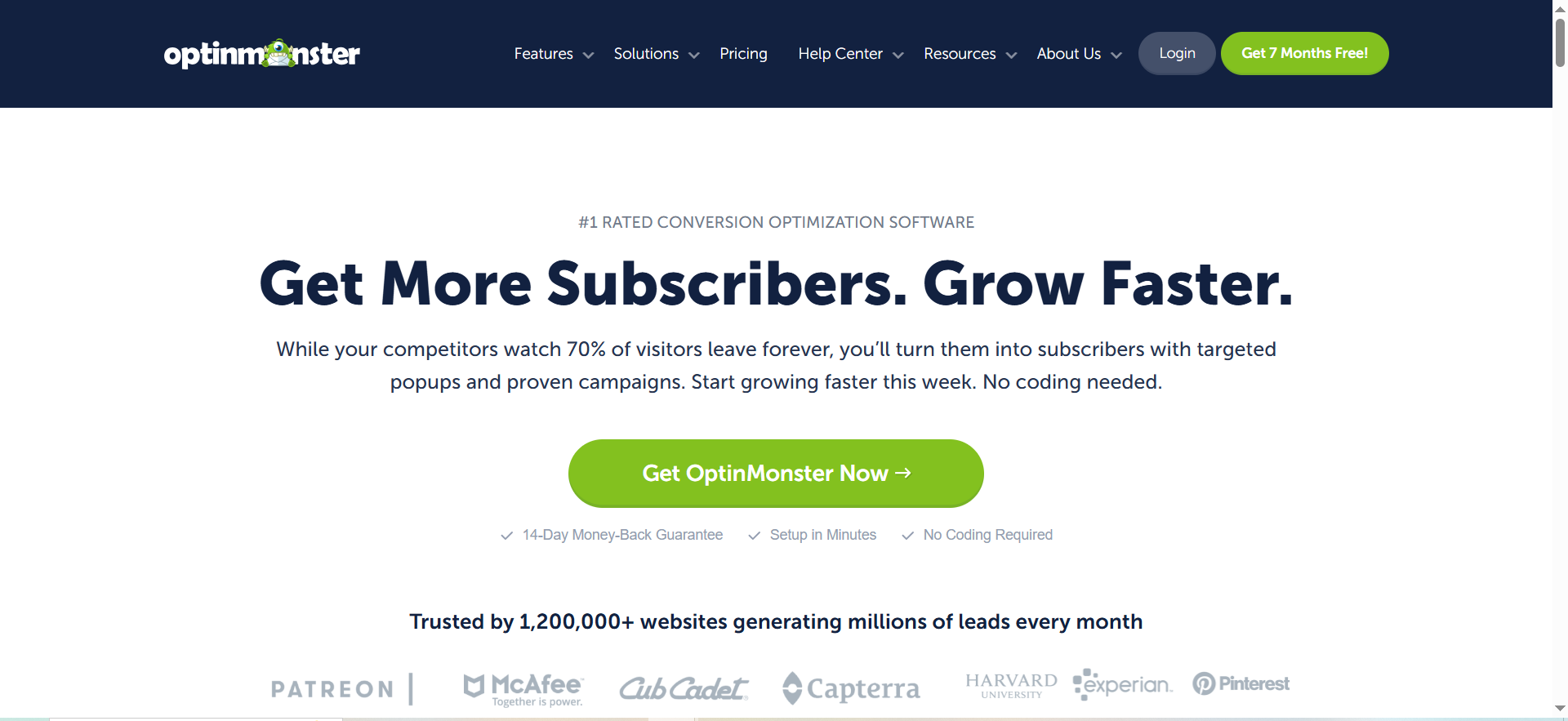
OptinMonster is a cloud-based lead generation and conversion optimization platform that lets you create high-converting opt-in forms, popups, slide-ins, floating bars, and inline forms using a drag-and-drop visual builder. It runs on any website but is especially well-integrated with WordPress through a dedicated plugin.
Why Teams Use It
Marketing teams reach for OptinMonster when they need precise control over who sees which offer and when. Its page-level targeting system lets you display different campaigns based on the specific page, referral source, cookie data, or even how far someone has scrolled. Teams that also invest in content optimization tend to see even stronger results because higher-quality pages give popups a better conversion baseline. This level of granularity is hard to match with simpler popup tools. Teams running content-heavy blogs or multi-product WordPress sites get the most value because they can segment their capture forms by topic, funnel stage, or traffic source without needing separate tools.
What It Is Good For
OptinMonster excels at converting blog readers into email subscribers through contextual, non-disruptive opt-in forms. Its exit-intent technology detects when a visitor is about to leave the page and triggers a targeted popup at exactly the right moment, which consistently produces higher conversion rates than standard timed popups. The platform also handles A/B testing natively, letting you test headlines, images, CTA copy, and trigger rules against each other to find the highest-performing combination.
When It Is a Good Fit
OptinMonster fits well when your website runs on WordPress or when you have a content marketing strategy that sends traffic to many different landing pages and blog posts. It is also a good fit for teams that want to run sophisticated targeting rules — showing different popups to first-time visitors versus returning visitors, or displaying location-specific offers based on geolocation data. If you value deep analytics and want to iterate on your opt-in strategy through data, OptinMonster gives you the controls to do that.
When It Is Not a Good Fit
OptinMonster is not the right pick if you run a Shopify store and want built-in cart abandonment emails or SMS marketing — it focuses on the capture side rather than the full post-capture workflow. Shopify merchants looking for tighter platform integration may prefer the options in our best email marketing tools for Shopify roundup. It also does not offer a free plan, so very early-stage startups testing the waters with zero budget may find the entry point steeper than alternatives like Justuno or Poptin. Teams that want a simple "install and forget" popup without deep configuration may find OptinMonster's feature depth unnecessary.
How to Use It
Sign up on the OptinMonster website and install the WordPress plugin (or add the universal JavaScript embed code to any other platform). Choose a campaign type — lightbox popup, floating bar, slide-in, fullscreen welcome mat, or inline form — then customize it with the drag-and-drop builder. Set your display rules (exit-intent, time delay, scroll percentage, page targeting, referral detection) and connect your email marketing platform through one of the 40+ native integrations. Publish the campaign and monitor performance through the built-in analytics dashboard.
Key Capabilities
OptinMonster provides a drag-and-drop campaign builder with 400+ pre-built templates, exit-intent detection on both desktop and mobile, page-level targeting for granular campaign segmentation, A/B split testing across all campaign elements, geolocation targeting for location-based offers, referral detection to customize messaging based on traffic source, scroll-triggered campaigns, MonsterLinks (two-step opt-ins), success tracking with revenue attribution, and integrations with email platforms including Mailchimp, HubSpot, ActiveCampaign, ConvertKit, Drip, and Constant Contact.
Pricing
OptinMonster offers four pricing tiers, all billed annually. The Basic plan costs $9 per month and covers one website with essential opt-in forms and integrations. The Plus plan costs $19 per month, supports two websites, and adds features like countdown timers and additional integrations. The Pro plan costs $29 per month and unlocks exit-intent technology, advanced targeting, and support for three websites. The Growth plan costs $49 per month and includes customer behavior automation, activity logging, priority support, and coverage for five websites.
Free Tier?
No. OptinMonster does not offer a free plan. All plans come with a 14-day money-back guarantee, which functions as a risk-free trial period.
Downsides and Limitations
The pageview-based pricing means fast-growing sites can hit plan limits quickly and need to upgrade. The platform is heavily optimized for WordPress, and while it works on other platforms through JavaScript embed, the experience is not as seamless outside the WordPress ecosystem. There is no built-in email sending — OptinMonster is purely a capture and conversion tool, so you will always need a separate email marketing platform to actually communicate with the leads you collect.
2. Privy
What It Does
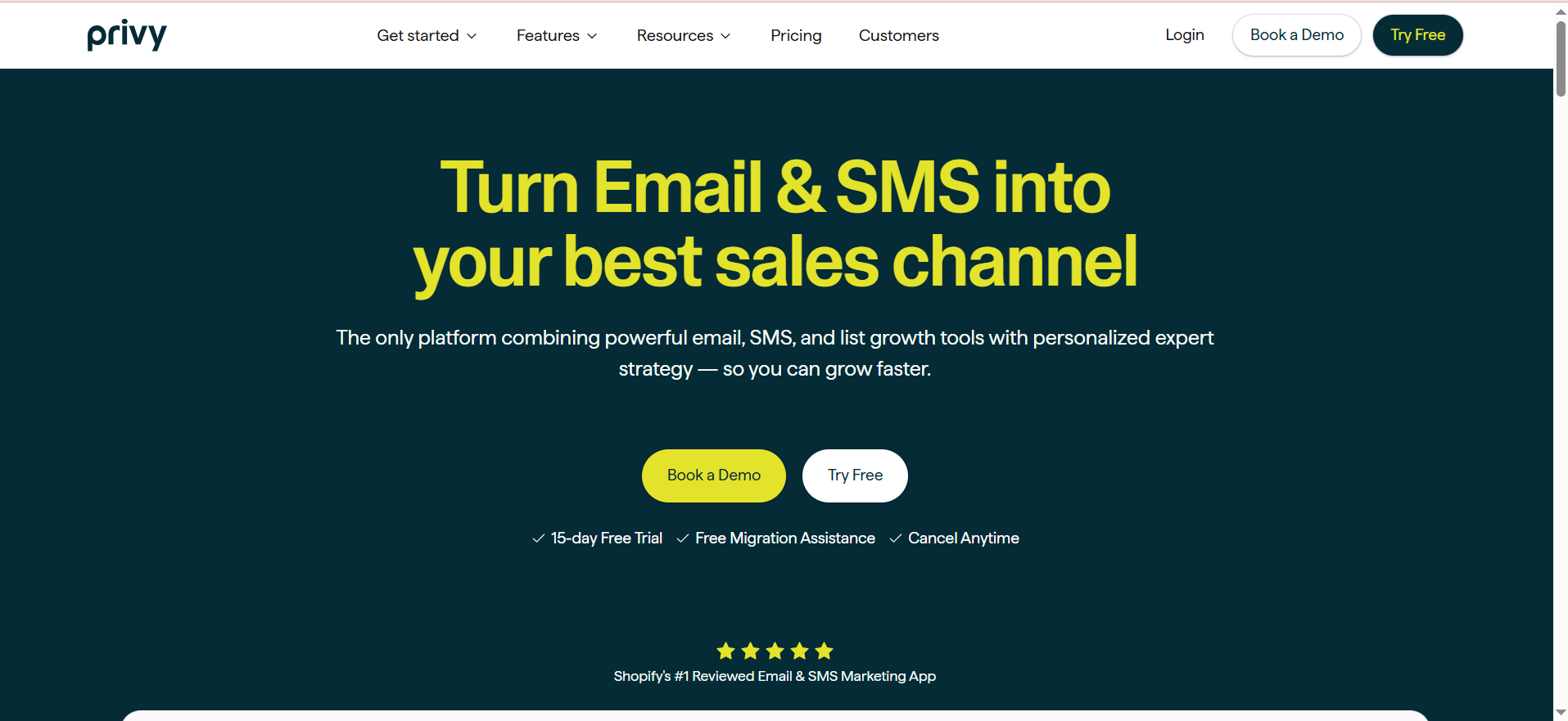
Privy is an ecommerce-focused marketing platform that combines email capture popups, banners, flyouts, and embedded forms with built-in email marketing automation, SMS campaigns, and cart abandonment recovery. It is designed to be the all-in-one growth engine for online stores, handling everything from the initial signup popup through the post-purchase follow-up sequence.
Why Teams Use It
Ecommerce teams choose Privy because it collapses several tools into one. Instead of running separate platforms for popups, email automation, and SMS marketing, Privy handles all three. Its deep Shopify integration means you can trigger campaigns based on real-time cart value, display product-specific offers, sync coupon codes automatically, and track revenue attribution back to specific popups — all without leaving one dashboard.
What It Is Good For
Privy is best at converting ecommerce traffic into buyers through tightly integrated capture-to-conversion workflows. The spin-to-win display type gamifies the signup experience and consistently produces higher opt-in rates than standard form popups in ecommerce contexts. Its cart abandonment email and SMS sequences activate automatically when a shopper leaves items behind, and the built-in coupon management system creates, distributes, and tracks unique discount codes without manual intervention.
When It Is a Good Fit
Privy fits when you run a Shopify, Shopify Plus, BigCommerce, or WooCommerce store and want your popup tool, email marketing, and SMS campaigns all in one platform. It is especially good for small-to-mid-size ecommerce brands that do not have the budget or bandwidth to manage separate tools for each marketing channel. If your primary goal is growing your email list while simultaneously reducing cart abandonment and increasing average order value, Privy covers that full workflow.
When It Is Not a Good Fit
Privy is not ideal for non-ecommerce websites. If you run a SaaS blog, media site, or B2B content hub, Privy's feature set is built around shopping behaviors (cart value, product pages, discount codes) that do not apply to your context. B2B teams focused on outbound may get more value from dedicated email outreach tools for B2B marketing instead. Teams that already use a sophisticated email marketing platform like Klaviyo or HubSpot and only need a standalone popup tool may find Privy's bundled approach redundant — you would be paying for email and SMS capabilities you do not plan to use.
How to Use It
Install the Privy app from the Shopify App Store (or connect via JavaScript on other platforms). Create a display — popup, banner, flyout, spin-to-win, or embedded form — using the drag-and-drop editor. Set targeting rules based on cart value, pages visited, time on site, exit intent, or device type. Connect a coupon code to incentivize signups. Then set up your post-signup automation: welcome email series, cart abandonment sequences, and post-purchase follow-ups. All of this happens within the Privy dashboard.
Key Capabilities
Privy provides customizable popup types including banners, flyouts, scroll boxes, announcement bars, and embedded forms. It features spin-to-win gamified displays, advanced targeting and segmentation based on user behavior, location, and cart activity. The platform includes built-in email marketing with newsletters, automated welcome series, and cart recovery flows. SMS marketing capabilities are built in. Privy offers deep Shopify integration with automatic coupon sync and revenue tracking. Additional features include cross-sell and upsell display options, A/B testing for popups and emails, and integrations with Klaviyo, Mailchimp, HubSpot, Bronto, and Magento.
Pricing
Privy offers three main plans. The Convert plan costs $24 per month and covers onsite popups only — email capture displays, targeting rules, and basic reporting. The Starter plan costs $30 per month and adds email marketing capabilities including newsletters, automated flows, and segmentation. The Growth plan costs $45 per month and includes everything in Starter plus SMS marketing, advanced segmentation, and priority support. Pricing scales up based on your contact list size.
Free Tier?
Yes. Privy offers a free plan that includes unlimited list growth popups, all popup types, advanced targeting options, and support for up to 100 mailable contacts. For teams that want to explore paid features, Privy also offers a 15-day free trial of its Starter and Growth plans — no credit card required.
Downsides and Limitations
Pricing increases as your contact list grows, which can make Privy expensive for stores with large subscriber bases. The platform is heavily ecommerce-oriented, so non-retail websites get limited value from many of its core features. The email marketing capabilities, while convenient, are not as deep as dedicated email platforms like Klaviyo or ActiveCampaign — teams with sophisticated segmentation and automation needs may outgrow Privy's built-in email tools.
3. Wisepops
What It Does
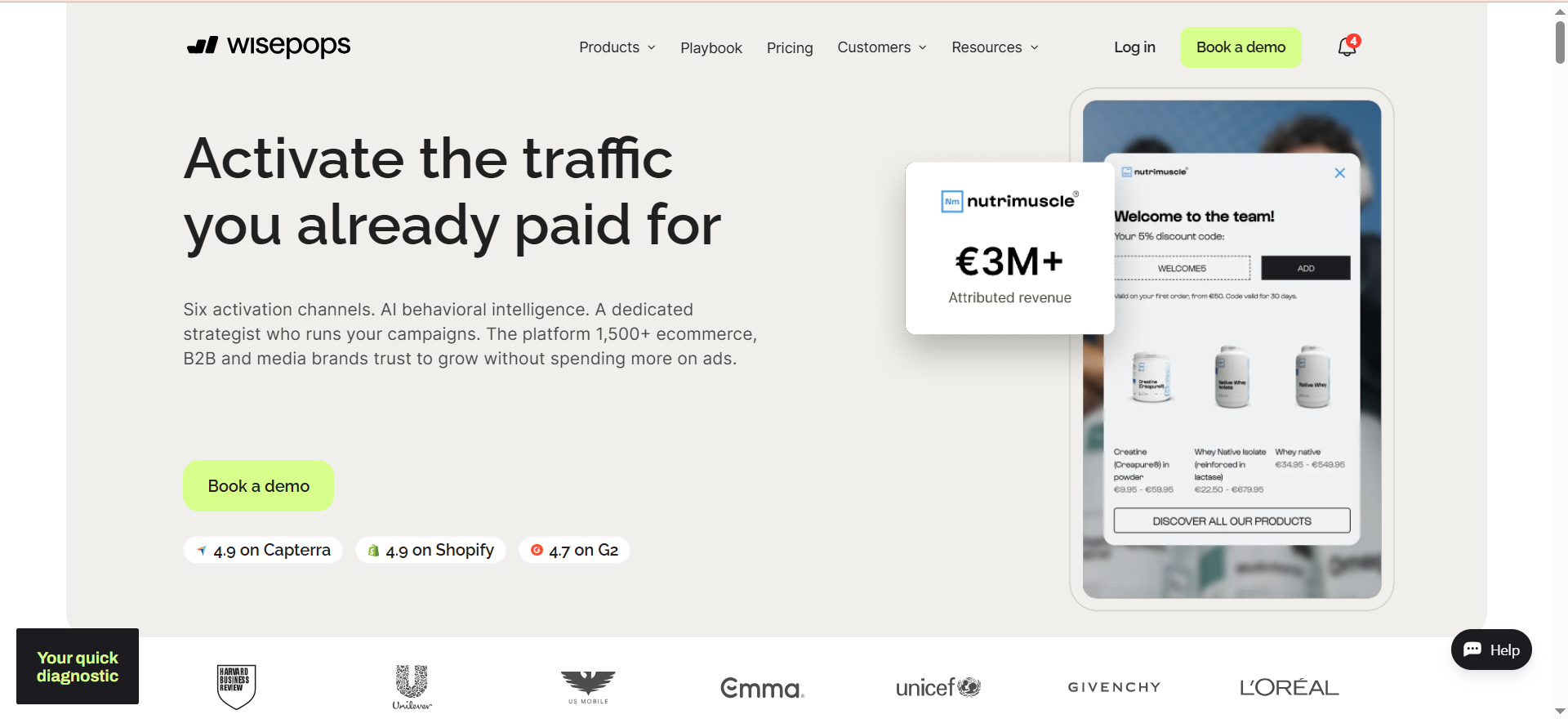
Wisepops is a dedicated onsite marketing platform that helps websites convert visitors into leads and customers through popups, notification bars, embedded signup forms, slide-ins, gamified spin-to-win wheels, and web push notifications. The platform uses AI-powered features for product recommendations and cart abandonment campaigns, and it positions itself as the all-features-unlocked option where every plan gets access to every capability.
Why Teams Use It
Teams choose Wisepops because they get the full feature set from day one, regardless of which pricing tier they select. For teams evaluating how capture tools fit into a broader marketing automation stack, this no-gating approach simplifies planning. There is no feature gating — whether you are on the entry-level plan or the highest tier, you have access to A/B testing, advanced targeting, Shopify-specific rules, AI-powered campaigns, and every display type. This makes it a strong choice for teams that want to start simple but scale their onsite marketing without hitting artificial feature walls.
What It Is Good For
Wisepops is strongest at creating sophisticated, multi-channel onsite campaigns that go beyond basic popups. Its AI-powered product recommendation popups can surface relevant products based on visitor browsing behavior, and the AI cart abandonment campaigns automatically trigger when a shopper shows signs of leaving. The web push notification feature adds a capture channel that most popup tools do not include, letting you reach visitors even after they have left your site.
When It Is a Good Fit
Wisepops fits when your team values feature completeness and does not want to worry about upgrading plans to unlock specific capabilities. It is a strong pick for ecommerce brands running on Shopify that want AI-driven personalization in their popups and notification bars. Marketing agencies managing multiple client sites also benefit because the platform scales across domains without feature restrictions. If you want popups plus push notifications in one tool, Wisepops covers both.
When It Is Not a Good Fit
The $49 per month starting price makes Wisepops the most expensive entry point on this list, which can be prohibitive for very small businesses or solopreneurs just testing email capture for the first time. If budget is your primary constraint, our list of the best AI marketing tools for small business includes more affordable alternatives. If your needs are simple — one basic popup on one site — you can get that done for free with Justuno or Poptin. Wisepops also does not include built-in email marketing or SMS, so like OptinMonster, you need a separate platform to actually send emails to the leads you capture.
How to Use It
Sign up on the Wisepops website and install the JavaScript snippet on your site (or use the Shopify app for automatic installation). Build a campaign using the drag-and-drop editor — choose from popups, bars, embedded forms, slide-ins, spin wheels, or push notification opt-ins. Set targeting rules based on visitor behavior, page URL, traffic source, device type, Shopify cart data, or custom properties. Activate A/B testing to compare variations. Publish and monitor through the analytics dashboard.
Key Capabilities
Wisepops provides a drag-and-drop campaign builder with ready-to-use templates, all display types (popups, bars, embedded forms, slide-ins, gamified wheels), AI-powered product recommendations and cart abandonment campaigns, web push notifications as a built-in capture channel, A/B testing across all campaign types, deep visitor targeting by behavior, URL, source, geography, and device, a comprehensive data dashboard with conversion tracking, Shopify-specific targeting rules (cart value, product page, collection), and integrations with major email and marketing platforms.
Pricing
Wisepops plans start at $49 per month and scale based on monthly pageviews. The platform offers six pricing tiers. All tiers include the full feature set — the only variable is pageview volume. Annual billing saves the equivalent of two months per year. A 14-day free trial is available on all plans. Note: Wisepops is standardizing its pricing structure effective June 1, 2026.
Free Tier?
No permanent free plan. Wisepops offers a 14-day free trial with full feature access. After the trial, a paid plan is required.
Downsides and Limitations
The $49 per month entry price is the highest starting point among the five tools reviewed here. Pageview-based pricing means costs can climb quickly for high-traffic sites. There is no built-in email sending or SMS — Wisepops is a capture and conversion tool that requires a separate email platform. The upcoming pricing standardization in June 2026 may affect existing customers on legacy plans.
4. Justuno
What It Does
Justuno is a conversion optimization platform that enables marketers to create popups, slide-ins, banners, notification bars, embedded experiences, quizzes, and landing pages. It combines traditional popup functionality with AI-powered product recommendations and zero-party data collection through interactive quizzes and surveys, making it a data-rich capture tool rather than a simple form builder.
Why Teams Use It
Teams pick Justuno when they want to go beyond basic email capture and build interactive conversion experiences. The quiz and survey functionality lets you collect zero-party data — information visitors voluntarily share about their preferences, needs, and intent — which feeds directly into your email and SMS platforms for more personalized follow-up. This data-first approach pairs well with AI-powered ecommerce marketing tools that use behavioral signals to personalize the full buyer journey. The AI product recommendation engine adds five recommendation algorithms (upselling, cross-selling, recently viewed, most viewed, most purchased) that turn popups into revenue-generating touchpoints rather than just list-building tools.
What It Is Good For
Justuno is best at combining email capture with personalization and product discovery. The quiz funnels are particularly effective for ecommerce brands with large catalogs — a visitor answers three to five questions about their needs and receives a personalized product recommendation alongside the email opt-in. This approach consistently produces higher conversion rates and better lead quality than generic discount popups because visitors self-select into segments based on real preferences.
When It Is a Good Fit
Justuno fits well for mid-market ecommerce brands and data-driven marketing teams that want to turn their popup strategy into a zero-party data collection engine. It is also a strong choice if you are already using Klaviyo, Attentive, or HubSpot for email and SMS — Justuno's deep integrations push collected data directly into these platforms for immediate use in automated flows. The free plan (up to 2,000 monthly visitors) makes it accessible for small stores that want to start with AI recommendations without a financial commitment.
When It Is Not a Good Fit
Justuno's interface has a steeper learning curve than simpler tools like Poptin or Privy. The quiz and recommendation features take time to configure properly, and teams without a dedicated marketer to set up and optimize campaigns may find the platform overwhelming. The paid plans also get expensive quickly — the Flex plan at $89.10 per month is a significant jump from the Lite tier, and pricing scales with visitor volume beyond that.
How to Use It
Create an account on the Justuno website and install the JavaScript snippet on your site (or use the Shopify, BigCommerce, or WordPress integration). Start with a campaign type — popup, banner, slide-in, quiz, or embedded experience. Use the visual editor to customize the design and set targeting rules based on visitor behavior, traffic source, URL, geography, device type, or cart value. For quiz funnels, map questions to product recommendation rules and connect the output to your email platform. Publish and use the built-in analytics to track conversion rates and revenue impact.
Key Capabilities
Justuno provides popup, slide-in, banner, and notification bar creation through a visual editor. It features quiz and survey funnels for zero-party data collection, AI-powered product recommendations with five algorithms and ten filters, A/B testing across all campaign types, advanced targeting by behavior, source, URL, geography, device, and cart value. The platform includes progressive profiling forms that build visitor profiles over multiple interactions, 100+ integrations including Shopify, Klaviyo, Attentive, Mailchimp, HubSpot, BigCommerce, WordPress, and Magento, plus a built-in analytics dashboard with revenue attribution.
Pricing
Justuno offers three plans. The Always Free plan costs $0 per month and includes one team seat, one live workflow, and default segments for up to 2,000 monthly unique visitors — it includes access to most features. The Lite plan costs $35.10 per month and adds three team seats, three live workflows, live chat support, and full customer data access. The Flex plan costs $89.10 per month and includes unlimited team seats, custom segments, custom properties, an account strategist, and advanced analytics. Pricing scales with monthly visitor traffic beyond plan thresholds.
Free Tier?
Yes. The Always Free plan supports up to 2,000 monthly unique visitors with access to most features including popups, targeting, and AI recommendations. No credit card required.
Downsides and Limitations
The learning curve is steeper than simpler popup tools — setting up quiz funnels and AI recommendations requires more configuration time. The jump from the Lite to the Flex plan is significant ($35.10 to $89.10 per month), and visitor-based pricing means costs increase with traffic growth. The free plan limits you to one live workflow, which restricts how many simultaneous campaigns you can run. Some users report that the visual editor feels less polished than competitors like OptinMonster or Wisepops.
5. Poptin
What It Does
Poptin is a website conversion toolkit that helps you create popups, embedded forms, widgets, and autoresponders using a no-code drag-and-drop builder. It focuses on making email capture accessible to small businesses, bloggers, and solo marketers by combining simple setup with smart triggering options — all at a price point that undercuts most competitors.
Why Teams Use It
Small teams and solo operators choose Poptin because it delivers core popup functionality at a fraction of the cost of enterprise-grade tools. The included autoresponder feature is a genuine differentiator — most popup tools require a separate email platform to send even a basic welcome email, but Poptin lets you trigger an automatic follow-up message immediately after someone opts in. Teams that want to polish those follow-up messages further can pair Poptin with one of the best AI email writing tools on the market. This makes Poptin a surprisingly self-contained solution for businesses that want to capture emails and start a conversation without adding another monthly subscription.
What It Is Good For
Poptin is best at providing solid, no-frills email capture for websites that do not need enterprise-level targeting or AI-powered recommendations. Its smart trigger system covers the fundamentals well — exit intent, time delay, scroll percentage, pages visited, geographic location, and traffic source — without the complexity overhead of more feature-rich platforms. The unlimited popups, forms, and leads on every plan (including free) means you are never penalized for creating more campaigns.
When It Is a Good Fit
Poptin fits when you are a small ecommerce store, SaaS startup, blogger, or solo marketer who wants effective popup-based email capture without a significant monthly investment. It is a good starting point for teams that are new to onsite conversion optimization and want to learn what works before committing to a more expensive platform. The free plan supporting up to 1,000 monthly visitors makes it genuinely zero-risk to start.
When It Is Not a Good Fit
Poptin is not the right tool for high-traffic sites or enterprises that need advanced personalization, AI recommendations, or deep A/B testing workflows. The platform covers the basics well but lacks the depth of OptinMonster's targeting engine, Justuno's quiz funnels, or Wisepops' AI-powered campaigns. Teams managing multiple high-traffic domains may also outgrow Poptin's pricing structure, as the Pro plan ($59 per month) is needed for multi-domain support.
How to Use It
Create a free account on the Poptin website — no credit card required. Add the JavaScript snippet to your site or install through a platform-specific integration (Shopify, WordPress, Wix, and others). Choose a popup type from the template library and customize it with the drag-and-drop editor. Configure trigger rules — when the popup appears (exit intent, time delay, scroll, page count) and who sees it (country, traffic source, device). Optionally set up an autoresponder email that fires immediately after opt-in. Publish and track performance in the dashboard.
Key Capabilities
Poptin provides a no-code drag-and-drop popup builder with template library, multiple display types (popups, embedded forms, widgets, fullscreen overlays), built-in autoresponder for immediate post-signup emails, smart triggers including exit intent, time delay, scroll depth, page count, and inactivity. The platform includes targeting by country, traffic source, device, OS, and page URL, unlimited popups, forms, and leads on all plans, A/B testing for popup variations, 70+ native integrations plus Zapier for workflow automation, and API access for custom integrations.
Pricing
Poptin offers four plans. The Free plan costs $0 per month and supports up to 1,000 monthly visitors with unlimited popups and leads on one domain. The Basic plan costs $25 per month and increases the visitor limit with additional customization options. The Pro plan costs $59 per month and adds autoresponder functionality, multi-domain support, and advanced features. The Agency plan costs $119 per month and is designed for agencies managing multiple client sites. All paid plans are available at discounted rates with annual billing.
Free Tier?
Yes. The Free plan supports up to 1,000 monthly visitors with unlimited popups, forms, and leads on one domain. No credit card required. It includes basic trigger and targeting options.
Downsides and Limitations
The 1,000-visitor limit on the free plan is restrictive for any site with meaningful traffic. Advanced features like autoresponders and multi-domain support require the Pro plan at $59 per month, which narrows the price gap with more capable tools. The platform lacks AI-powered features, quiz funnels, and the deep ecommerce integrations that competitors like Justuno and Privy offer. Template selection and design polish are adequate but not as refined as OptinMonster or Wisepops.
What Is an Email Capture Tool?
An email capture tool is software that helps you collect email addresses from website visitors through onsite forms, popups, slide-ins, notification bars, and other interactive displays. These tools sit between your website traffic and your email marketing platform — they handle the moment of conversion where an anonymous visitor becomes a known contact in your database. If your goal extends beyond list building to filling the full pipeline, demand generation tools cover the broader funnel.
The core job of an email capture tool is to present the right offer to the right visitor at the right time. That means combining a visual form builder with trigger rules (when to show the form), targeting rules (who sees it), and integrations (where the collected email goes). Most modern tools also include A/B testing so you can continuously improve conversion rates over time.
Email capture tools are distinct from email marketing platforms (which handle sending campaigns), CRM systems (which manage contact relationships), and landing page builders (which create standalone pages). While some tools bundle these functions together, the core value of a dedicated email capture tool is maximizing the conversion rate of your existing traffic.
How Do Email Capture Tools Work?
Email capture tools work by embedding a lightweight JavaScript snippet on your website that monitors visitor behavior and triggers display campaigns based on predefined rules. Understanding where that traffic comes from in the first place is equally important — website traffic analysis tools help you identify which sources deserve the most capture investment. When a visitor meets the conditions you have set — such as spending 30 seconds on a page, scrolling past 50% of the content, or moving their cursor toward the browser's close button — the tool renders a popup, slide-in, bar, or embedded form.
The visitor sees the form, enters their email (and optionally other information like name or company), and submits. The tool then passes that data to your connected email marketing platform through an API integration, adding the new contact to a specific list or segment. Some tools also trigger immediate actions like displaying a thank-you message, redirecting to a specific page, or sending an autoresponder email.
Behind the scenes, the tool tracks impressions (how many people saw the form), submissions (how many people filled it in), and conversion rate (submissions divided by impressions). This data feeds into A/B testing and optimization workflows that help you improve performance over time.
What Is the Best Free Email Capture Tool?
Justuno and Poptin both offer genuine free plans, but they serve different needs. Justuno's free plan is the stronger option for ecommerce sites because it includes access to AI product recommendations and most platform features, with a 2,000 monthly visitor limit and one live workflow. Poptin's free plan is better for simple use cases — bloggers, small business sites, and SaaS landing pages — because it offers unlimited popups and leads with a 1,000 visitor limit and straightforward setup.
If your site receives more than 2,000 monthly visitors, you will need a paid plan from any tool on this list. In that case, the most affordable paid options are Privy's Convert plan at $24 per month (popups only, no email marketing) and Poptin's Basic plan at $25 per month.
Email Capture Tool vs Landing Page Builder — Which Converts Better?
They serve different conversion contexts and work best together rather than as replacements for each other. Email capture tools (popups, slide-ins, bars) intercept visitors who are already on your site browsing content or products — they layer on top of existing pages. Landing page builders create standalone destination pages optimized for a single conversion action, typically used with paid ads or email campaigns.
In terms of raw conversion rates, landing pages tend to produce higher rates (averaging around 20-25% for well-optimized pages) because visitors arrive with higher intent — they clicked an ad or email specifically to reach that page. Popup conversion rates typically range from 3-10%, but they capture leads from organic traffic that would otherwise leave without converting.
The volume math often favors email capture tools because they work across your entire site. A popup running on 50 blog posts reaching 100,000 monthly visitors at a 3% conversion rate generates 3,000 leads — potentially more than a landing page with higher conversion rate but lower traffic volume.
How to Increase Email Capture Popup Conversion Rates
The most impactful lever is the offer itself. Generic "subscribe to our newsletter" popups convert at 1-2%, while popups offering specific, immediate value (a discount code, a free tool, a downloadable template, exclusive content) convert at 5-10% or higher. Match the offer to the content the visitor is reading — a popup on a blog post about SEO should offer an SEO-related resource, not a generic company newsletter.
Timing is the second biggest factor. Exit-intent popups consistently outperform time-delayed popups because they catch visitors at the moment of highest engagement loss — they have already consumed your content and are about to leave. Scroll-triggered popups (appearing after 50-70% scroll depth) also perform well because they target visitors who have demonstrated interest by reading deeply into your content.
Design plays a role but is less impactful than offer and timing. Keep forms short (email-only fields convert 20-30% higher than multi-field forms), use contrasting colors for the CTA button, write specific button text ("Get My Free Template" outperforms "Submit"), and ensure the popup is mobile-responsive. A/B test one variable at a time and let tests run until you reach statistical significance.
What Is Exit-Intent Technology and How Does It Boost Email Signups?
Exit-intent technology uses cursor tracking (on desktop) and behavioral signals (on mobile) to detect when a visitor is about to leave your website. On desktop, it monitors mouse movement speed and direction — when the cursor moves rapidly toward the browser's address bar, back button, or tab close button, the system triggers a popup before the visitor navigates away. On mobile, exit-intent typically relies on scroll-up behavior, back-button taps, or tab-switching patterns.
This technology boosts email signups because it targets the exact moment when a visitor would otherwise be lost entirely. Rather than interrupting someone mid-read (which annoys engaged visitors), exit-intent waits until the visitor has finished their session and is leaving. The popup becomes a last-chance offer rather than an interruption, which produces less friction and higher conversion rates.
Among the tools reviewed here, OptinMonster was one of the pioneers of exit-intent technology and offers it on its Pro plan and above. Wisepops, Justuno, and Poptin all include exit-intent triggers across their plans. Privy also supports exit-intent detection with its popup displays.
How to Set Up Email Capture Popups Without Coding
All five tools reviewed in this guide offer no-code setup paths. The general process is the same across platforms: sign up for an account, install a JavaScript snippet on your site (usually a single line of code pasted before the closing body tag, or an app installation through Shopify, WordPress, or Wix), choose a template, customize it with the drag-and-drop editor, set your trigger and targeting rules, connect your email marketing platform, and publish.
The easiest setup experiences are Poptin (sign up, paste one snippet, build a popup in under 10 minutes) and Privy (install the Shopify app and everything syncs automatically). OptinMonster's WordPress plugin installation is also straightforward for WordPress users. Wisepops and Justuno offer similarly smooth onboarding but have more features to configure, which means the initial setup takes slightly longer if you want to use advanced targeting or AI features.
Best Email Capture Tools for Shopify Stores
For Shopify stores specifically, Privy is the strongest choice because of its deep native integration — it syncs customer data, cart information, coupon codes, and purchase history directly with your Shopify admin. For a broader comparison of platforms built around the Shopify ecosystem, see our roundup of the best email marketing tools for Shopify. This means your popups can display dynamic offers based on cart value, trigger abandoned cart emails automatically, and attribute revenue back to specific campaigns without any custom setup.
Justuno is the second-best Shopify option, especially for stores with large product catalogs. Its AI product recommendation popups can surface relevant products based on browsing behavior, and quiz funnels help shoppers find the right product while capturing their email — a two-in-one conversion approach.
Wisepops also offers strong Shopify integration with cart-based targeting rules and AI-powered campaigns. OptinMonster and Poptin work with Shopify but do not offer the same depth of ecommerce-specific features.
How to Make Email Capture Popups GDPR and CCPA Compliant
Compliance starts with three fundamentals: explicit consent, transparent data handling, and easy opt-out. Your popup must clearly state what the visitor is signing up for — "Get weekly marketing tips" is compliant, while a pre-checked checkbox that silently adds someone to multiple lists is not. Include a link to your privacy policy near the submit button, and never pre-check consent boxes.
For GDPR (which applies to EU visitors regardless of where your business is based), you need affirmative consent — the visitor must take a clear action to opt in. Double opt-in (sending a confirmation email after signup) is the gold standard because it creates a verifiable record of consent. Making sure those confirmation emails actually reach the inbox is where email deliverability tools become essential. All five tools reviewed here support double opt-in through their email platform integrations.
For CCPA (which applies to California residents), the key requirement is giving users the ability to request deletion of their data. Make sure your email platform supports data deletion requests and that your privacy policy explains how to submit them. Cookie consent is also relevant — if your popup tool uses cookies for targeting (most do), you need a cookie consent banner for EU visitors.
Email Capture vs Lead Generation — What Is the Difference?
Email capture is a specific subset of lead generation. Lead generation is the broad category that includes every method of collecting prospect information — content downloads, webinar registrations, contact form submissions, demo requests, chatbot conversations, event signups, and cold outreach. Email capture specifically refers to collecting email addresses through onsite tools like popups, forms, and notification bars.
The practical difference matters because it determines which tools you need. An email capture tool like OptinMonster or Poptin is designed to maximize onsite opt-in conversions. A lead generation platform like HubSpot or Marketo handles the full funnel — capture, scoring, nurturing, and handoff to sales. For a closer look at platforms that span the entire funnel, see our guide to the best AI tools for digital marketing. If your goal is purely to grow your email list from website traffic, a dedicated email capture tool is more focused and typically more effective per dollar than a full lead generation suite.
Best Email Capture Strategies for SaaS Websites
SaaS websites face a different capture challenge than ecommerce stores. Visitors are evaluating software, not shopping for products, so discount codes and spin-to-win wheels feel off-brand. The most effective SaaS email capture strategies center on educational value exchange.
Content upgrades are the highest-converting approach for SaaS blogs — offer a downloadable resource (checklist, template, framework, worksheet) that directly extends the blog post the visitor is reading. Pairing strong capture forms with a disciplined SEO content collaboration workflow ensures each new post is both optimized for traffic and wired for conversion. A popup on a post about email deliverability best practices should offer a deliverability audit checklist, not a generic newsletter signup. Tools like OptinMonster and Wisepops make this easy with page-level targeting, letting you show different content upgrade offers on different blog posts.
For SaaS product pages, the capture strategy shifts to trial-oriented offers. Exit-intent popups offering extended trial periods, strategy calls, or ROI calculators convert well because they target visitors who are already evaluating your product but have not committed. Justuno's quiz funnels can also work on SaaS sites — a "find the right plan for your team" quiz captures email while helping the visitor self-qualify.
Webinar and event registration popups are another strong SaaS strategy. Promote upcoming webinars through notification bars and slide-ins, capturing emails from visitors who are interested in learning but not ready to trial the product yet.
How to A/B Test Email Capture Forms for Higher Conversions
Effective A/B testing for email capture follows four principles: test one variable at a time, ensure adequate sample size, let tests run to statistical significance, and prioritize high-impact variables. Teams that want to extend testing beyond popups into full-page experiences should explore dedicated AI tools for CRO that handle multivariate experiments across entire funnels.
Start with the offer — this has the biggest impact on conversion rate. Test a discount code against a free resource, or test different resource types (ebook vs. checklist vs. template). Once you have the winning offer, test the headline copy. Then test the trigger timing (exit-intent vs. 30-second delay vs. scroll trigger). Finally, test design elements like button color, form layout, and image selection.
All five tools reviewed here support A/B testing, though the depth varies. OptinMonster offers the most granular testing capabilities, letting you split test across headlines, images, CTAs, trigger rules, and display rules simultaneously. Wisepops and Justuno provide solid A/B testing across all campaign types. Privy supports A/B testing for both popups and emails. Poptin offers basic A/B testing for popup variations.
A practical testing cadence for most teams: run one test per popup per month. Let each test accumulate at least 1,000 impressions per variation before drawing conclusions. Document your results and apply winning patterns across your other campaigns.


