

TL;DR
If your outbound sequences keep bouncing or your pipeline feels thin, the problem usually starts with the list. The best prospect list building tools in 2026 help you find verified contacts that match your ICP, enrich them with firmographic and intent data, and push clean records into your CRM or sequencer without manual cleanup. For teams that want intent-driven prospecting with built-in triggers, Lead411 is the strongest pick. Wiza is best if your workflow starts and ends on LinkedIn Sales Navigator, while Snov covers the most ground as an all-in-one finder, verifier, and outreach platform. Prospeo wins on per-email accuracy for one-at-a-time lookups, and Skrapp is a budget-friendly option for teams that need basic email finding without complexity. Below, we break down each tool by features, pricing, fit, and limitations so you can shortlist the right one for your team.
Best Prospect List Building Tools (Quick Comparison)
| Tool | Best For | Starting Price | Key Strength |
|---|---|---|---|
| Lead411 | Intent-driven prospecting | $49/mo | Growth intent triggers + Bombora data |
| Wiza | LinkedIn Sales Navigator exports | $83/mo (annual) | Bulk export + real-time verification |
| Snov | All-in-one prospecting + outreach | $39/mo ($29/mo annual) | Email finder + drip campaigns + free CRM |
| Prospeo | High-accuracy single lookups | $39/mo | 98% email accuracy claim |
| Skrapp | Budget-friendly email finding | $29/mo (annual) | Fair credit policy (pay only for valid) |
1. Lead411
What It Does
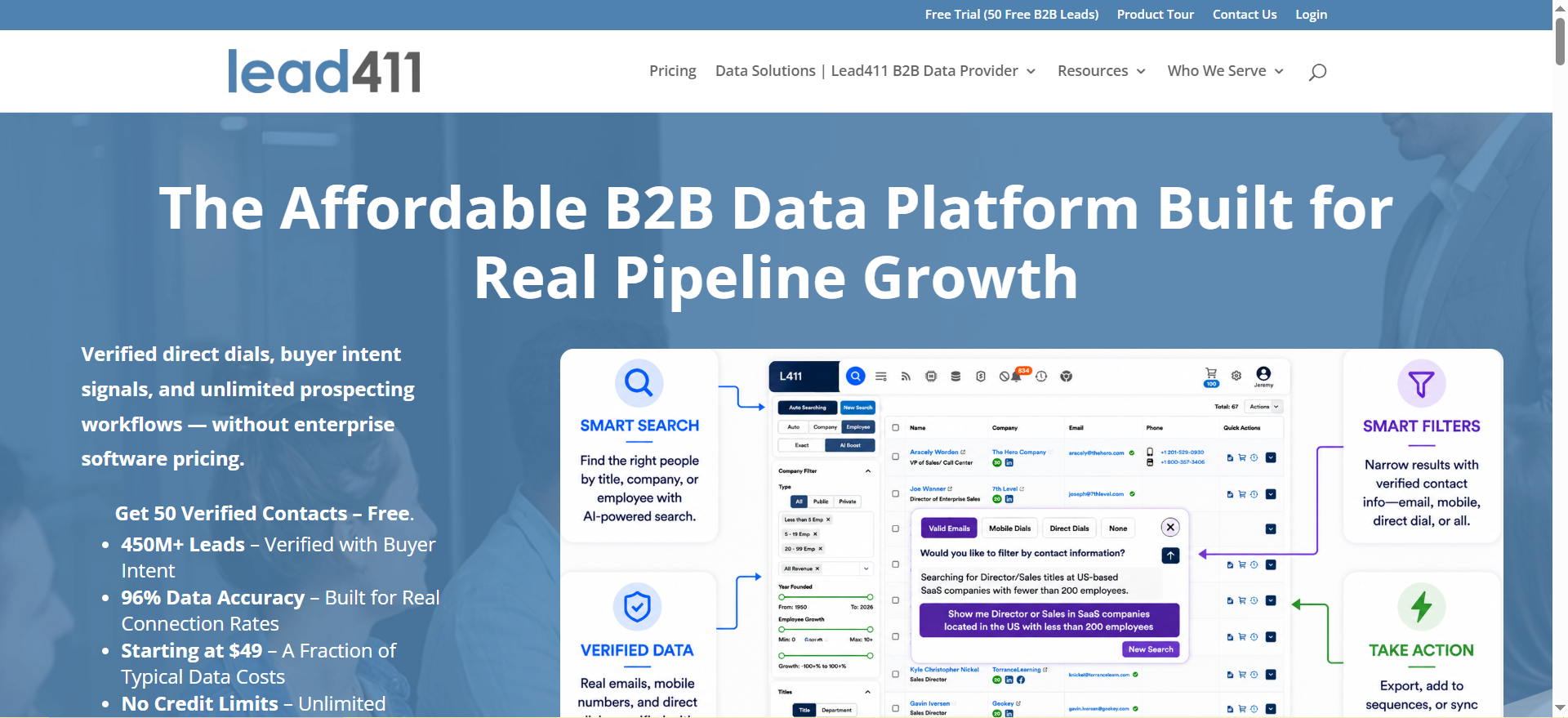
Lead411 is a B2B sales intelligence platform that combines a verified contact database with real-time growth intent signals. It gives outbound teams access to over 450 million contacts along with firmographic, technographic, and intent data. The platform stands out because it does not just hand you a list of names and emails. It tells you which companies on that list are actively showing buying behavior right now, using Bombora-powered intent signals and proprietary growth triggers like hiring surges, new funding rounds, and executive changes.
Why Teams Use It
Sales teams choose Lead411 when they want to prioritize prospects who are already in a buying cycle rather than cold-calling through a static list. The intent data layer means your SDRs spend less time guessing which accounts to target and more time reaching out to companies that have a reason to take the call. It also reduces wasted outreach by surfacing signals before you ever write the first email.
What It Is Good For
Lead411 works best for B2B teams running account-based outreach where timing matters. If your sales motion depends on catching companies at the right moment, like when they just raised a round, hired a new VP of Marketing, or started researching your category, Lead411 surfaces those signals automatically. It is also strong for teams that want verified direct dials alongside emails, since it double-verifies phone numbers.
When It Is a Good Fit
Lead411 fits well when your team targets mid-market to enterprise accounts in North America, you need intent data baked into your prospecting workflow rather than bolted on separately, and you want a single platform for contact data plus buying signals. It is also a good fit for teams with dedicated SDRs who can act on intent triggers quickly, because those signals are time-sensitive.
When It Is Not a Good Fit
Lead411 is less ideal if your ICP is heavily international, particularly in Europe or APAC, where its coverage is thinner compared to platforms like Cognism. It is also not the best pick if you need built-in email sequencing. Lead411 integrates with outreach tools like Salesloft and Outreach, but it does not have its own campaign builder the way Snov does. Teams on a tight budget who just need basic email finding without intent data may find the higher-tier plans more than they need.
How to Use It
Start by defining your ICP filters: industry, company size, revenue range, geography, and job title. Then layer on intent topics relevant to your product category. Lead411 will return a list of contacts at companies that match your firmographic criteria and are actively researching those topics. Export the list directly to your CRM (Salesforce, HubSpot, Zoho, or Microsoft Dynamics) or push it into your sequencer. Use the Sales Triggers dashboard to monitor for new signals on accounts you are already watching.
Key Capabilities
Lead411 provides triple-verified emails with continuous re-validation, double-verified direct dial phone numbers, Bombora-powered intent data on higher-tier plans, proprietary Sales Triggers covering hiring, funding, expansion, tech adoption, and leadership changes, AI-powered search with natural language queries, a built-in email automation tool called Reach on Ignite and Blaze plans, integrations with over 25 CRMs and sales engagement platforms including Salesforce, HubSpot, Outreach, and Salesloft, and a Chrome extension for prospecting from LinkedIn and company websites.
Pricing
Lead411 offers three plans. The Spark plan starts at $49 per month and includes 1,000 exports per month (12,000 per year) with verified emails, direct dials, and company data. Additional exports cost $0.50 each. The Ignite plan starts around $3,000 per year with custom pricing and adds Bombora intent data, AI search, Reach email automation, growth intent triggers, and team management with reporting. The Blaze plan is $6,000+ per year for enterprise teams and includes everything in Ignite plus dedicated support, custom integrations, and higher limits.
Free Tier?
Yes. Lead411 offers a free trial with 50 verified lead credits. No credit card is required. This is enough to test data quality against your ICP before committing.
Downsides and Limitations
The credit system on the Spark plan can feel restrictive for high-volume prospecting teams. Intent data is only available on the Ignite plan and above, which means the entry-level plan misses one of the platform's biggest differentiators. International coverage, especially in Europe and APAC, is weaker compared to Cognism or ZoomInfo. The UI can feel dated compared to newer tools like Apollo or Clay, though the underlying data quality is competitive.
2. Wiza
What It Does
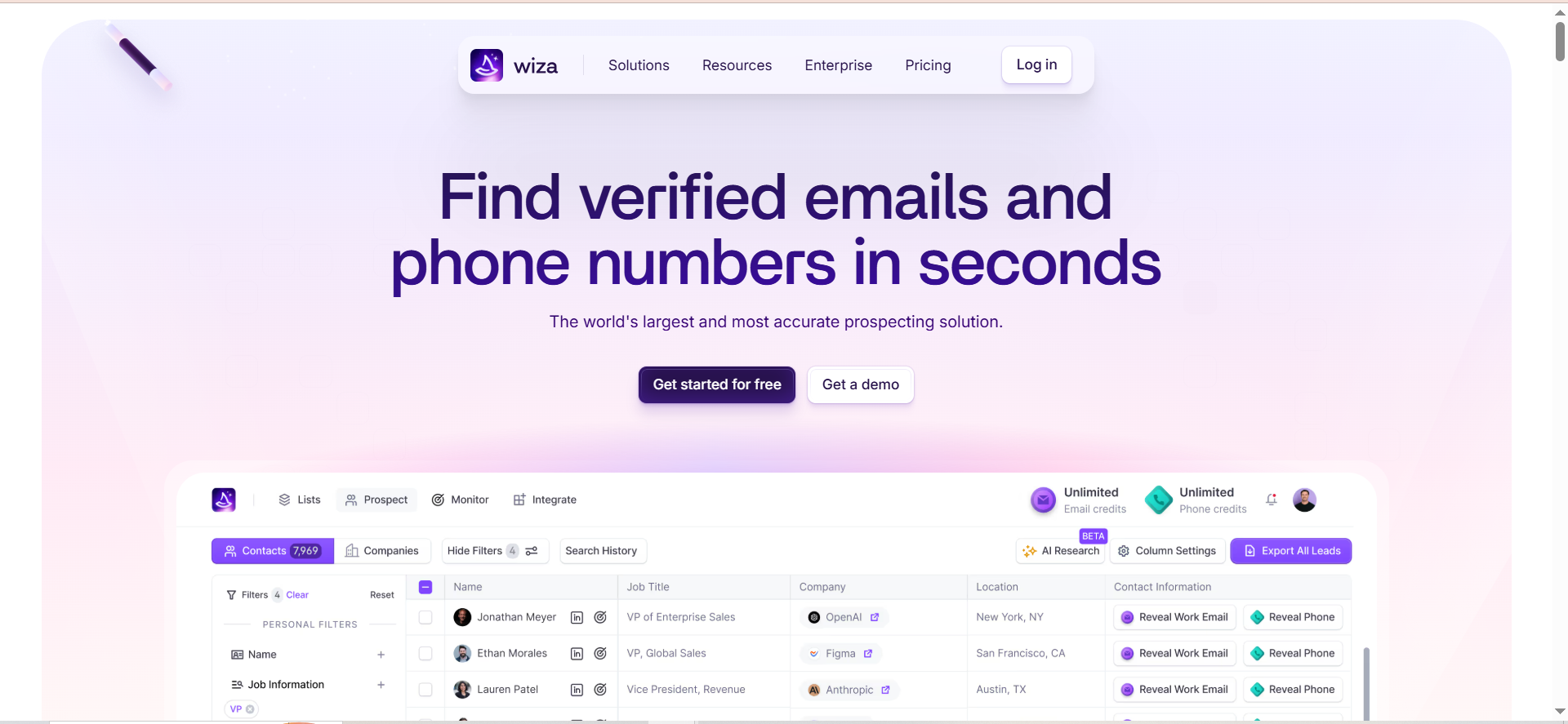
Wiza is a prospecting tool built specifically for extracting contacts from LinkedIn Sales Navigator and verifying their email addresses in real time. If your team spends most of its prospecting time inside Sales Navigator building saved lists, Wiza sits on top of that workflow and turns those lists into verified, exportable contact records with emails, phone numbers, and enrichment data. It processes up to 2,500 contacts per Sales Navigator list in a single bulk export.
Why Teams Use It
Teams choose Wiza because it eliminates the gap between finding prospects on LinkedIn and getting their contact details into a CRM or sequencer. Without a tool like Wiza, the workflow is manual: find someone on LinkedIn, search for their email somewhere else, verify it, then copy it into your outreach platform. Wiza collapses those steps into one click. It also includes real-time email verification with deliverability scoring, so you are not exporting unverified addresses and hoping for the best.
What It Is Good For
Wiza works best for teams whose prospecting starts and ends on LinkedIn. If you use Sales Navigator as your primary search and filtering tool, Wiza is the most natural extraction layer. It is particularly good for SDR teams that build multiple saved lists per week and need a fast way to turn those lists into actionable records with verified emails. The Chrome extension also supports one-off lookups directly from LinkedIn profiles.
When It Is a Good Fit
Wiza is a good fit if your team already pays for LinkedIn Sales Navigator and needs a clean way to extract and verify contacts from it, your prospecting motion is LinkedIn-first, you want verified emails with deliverability scoring before they hit your sequencer, and you need a straightforward tool that does one thing well rather than an all-in-one platform.
When It Is Not a Good Fit
Wiza is not ideal if you need to prospect outside of LinkedIn. It cannot enrich contacts from conferences, inbound forms, partner lists, or other non-LinkedIn sources. It also requires a separate Sales Navigator subscription ($80-100/month), which effectively doubles your per-user cost. Teams that want built-in outreach, CRM, or intent data will need to pair Wiza with other tools. Credits expire at the end of each billing period and do not roll over, which penalizes inconsistent usage patterns.
How to Use It
Install the Wiza Chrome extension. Open LinkedIn Sales Navigator and build or open a saved lead list. Click the Wiza button to start extracting contacts. Wiza processes the list, finds and verifies emails in real time, and returns a downloadable CSV or pushes the records directly into HubSpot, Salesforce, or Outreach. You can also use Wiza on individual LinkedIn profiles for one-off lookups. The Wiza Monitor feature tracks job changes among your saved contacts and alerts you when a decision-maker moves to a new company.
Key Capabilities
Wiza's key capabilities include bulk export of up to 2,500 contacts per Sales Navigator list, real-time email verification targeting 99%+ deliverability, access to 850M+ contact profiles with 40+ data points per record, a Chrome extension for one-click prospecting from LinkedIn and Sales Navigator, Wiza Monitor for tracking job changes among saved contacts, CRM push to HubSpot, Salesforce, and Outreach, per-credit pricing on monthly plans at $0.15 per extra email and $0.35 per phone number, and AI Research for enriching contact records with additional context.
Pricing
Wiza offers a free plan with 20 emails and 5 phone numbers per month. The Email plan costs $83 per month billed annually ($990/year) and includes unlimited emails, phone numbers at $0.35 each, 30,000 exports per year, AI Research, and CRM integrations. The Email + Phone plan costs $166 per month billed annually ($1,990/year) and includes unlimited emails, unlimited phone numbers, and 30,000 exports per year. The Team plan uses custom pricing for organizations with 3 or more users that want unlimited access.
Free Tier?
Yes. The free plan includes 20 emails and 5 phone numbers per month. It is enough to test the extraction and verification workflow but not enough for regular prospecting.
Downsides and Limitations
The biggest limitation is LinkedIn dependency. Your coverage is only as good as what Sales Navigator surfaces, and contacts off LinkedIn or with stale profiles get missed. For broader coverage, standalone B2B data providers can fill the gaps. The required Sales Navigator subscription adds $80-100 per month per user, which is not included in Wiza's pricing. Credits expire monthly or annually depending on your billing cycle, with no rollover. API access is gated to the Team plan. And because Wiza only extracts from LinkedIn, it cannot serve as a standalone prospect database for teams that source leads from multiple channels.
3. Snov
What It Does
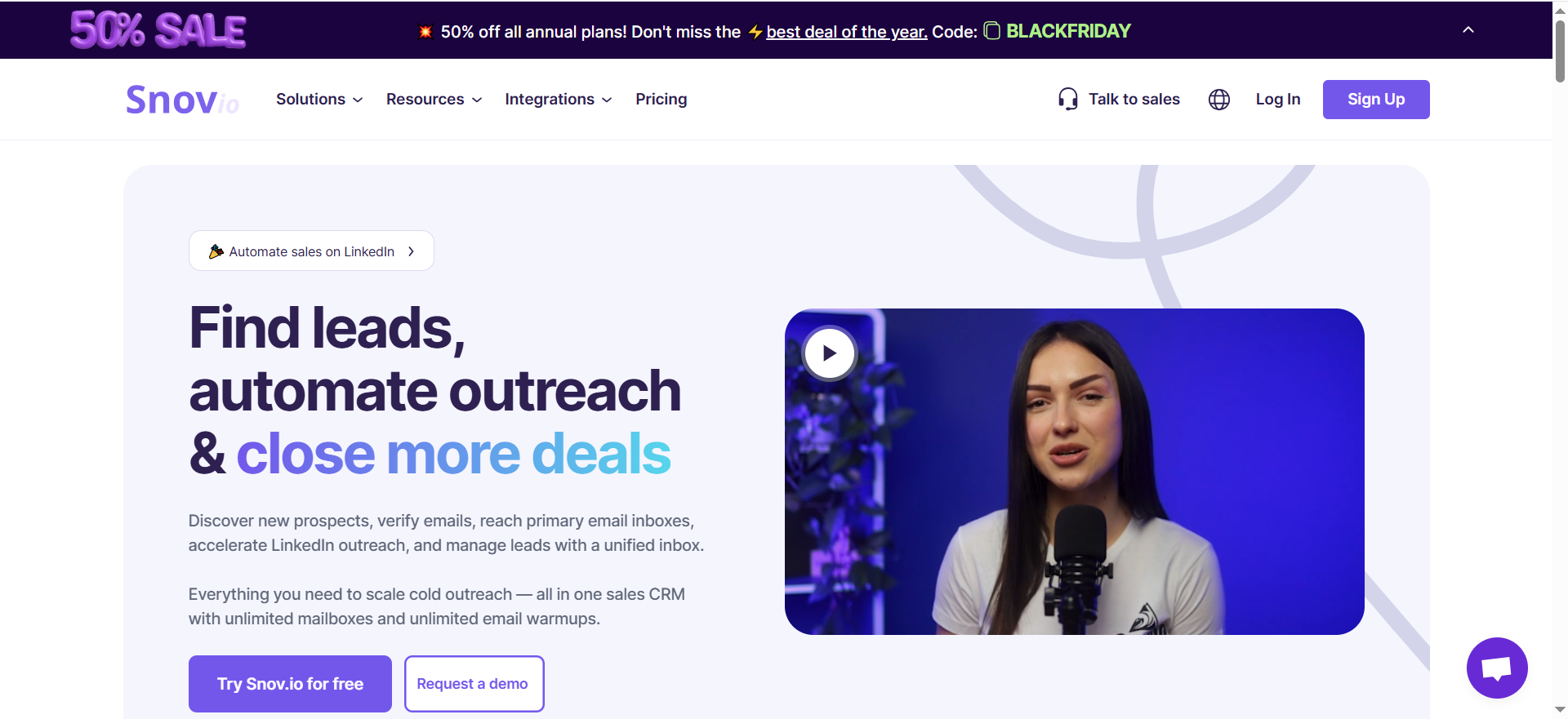
Snov is an all-in-one sales automation platform that combines email finding, verification, drip campaigns, and a built-in CRM in a single tool. It lets you find prospect emails by domain, name, or LinkedIn profile, verify them through a 7-tier process, build multi-step email sequences with conditional logic, and manage your pipeline in an included CRM. For teams that want to consolidate their prospecting and outreach stack, Snov covers more surface area than any other tool on this list.
Why Teams Use It
Teams choose Snov because it removes the need to pay for separate tools for email finding, verification, cold email campaigns, and pipeline management. You find a prospect, verify the email, start a drip sequence, and track the deal in one platform without switching tabs or managing integrations between three or four different products. The built-in CRM is free on all plans, which is unusual for a prospecting tool at this price point.
What It Is Good For
Snov works best for small to mid-size B2B teams running 500 to 2,000 cold emails per month. It is especially strong for consultative sales motions where you need low volume but high personalization, since the drip campaign builder supports conditional logic based on opens, clicks, and replies. It is also a good fit for teams that do not want to manage a separate CRM and outreach platform.
When It Is a Good Fit
Snov fits well when your team needs an email finder, verifier, and outreach tool in one place, you want a free CRM included without paying extra, your cold email volume is moderate (under 2,000 per month), and you value having campaign analytics alongside your prospecting data.
When It Is Not a Good Fit
Snov is not the best pick for high-volume outbound teams because the credit system pools finding, verifying, and mailing into one bucket. A single prospect can consume 3+ credits before you have even sent a message, which means heavy users burn through plans quickly. LinkedIn automation is not included and costs an additional $69 per month per account slot ($62 per month on annual billing). Teams that need deep intent data, large-scale direct dial coverage, or enterprise-grade compliance features will need a more specialized platform.
How to Use It
Start with the Email Finder to search by domain (up to 20,000 domains in one batch), individual name + company, or LinkedIn URL. Run found emails through the built-in verifier. Build a drip campaign using the visual sequence builder with delays, follow-ups, and conditional branches. Track replies and pipeline movement in the included CRM, which supports up to 20 pipelines with 100 stages each. Connect to HubSpot, Salesforce, Gmail, Outlook, or any of 30+ supported integrations.
Key Capabilities
Snov provides domain and individual email search with bulk processing up to 20,000 domains, 7-tier email verification checking syntax, MX records, SMTP, and more, a visual drip campaign builder with conditional logic based on opens, clicks, and replies, a free built-in CRM with up to 20 pipelines and 100 stages, LinkedIn prospecting via Chrome extension, over 30 integrations including HubSpot, Salesforce, Gmail, Outlook, Calendly, and Make, a warm-up tool to improve deliverability, and a technology tracker to see what tech stack a company uses.
Pricing
Snov offers a free Trial plan with 50 credits and 100 email recipients. The Starter plan costs $39 per month ($29 per month billed annually) with 1,000 credits. The Pro plan starts at $99 per month ($74 per month billed annually) for 5,000 credits, scaling up to $738 per month for 100,000 credits. The Custom Ultra plan uses custom pricing for 200,000+ credits and enterprise requirements. All plans include the CRM, email warm-up, and campaign builder.
Free Tier?
Yes. The Trial plan includes 50 credits and 100 email recipients per month. It provides access to the email finder, verifier, drip campaigns, and CRM. It is enough to test the workflow but not for sustained prospecting.
Downsides and Limitations
The shared credit pool is the biggest pain point. Email searches, prospect lookups, and verification all draw from the same bucket, so one prospect can cost 3+ credits before outreach even begins. LinkedIn automation is a paid add-on at $69 per month per slot ($62 on annual billing), which adds up quickly for multi-rep teams. The campaign builder has limited customization for complex branching or deep personalization. Some popular CRM and marketing platform integrations are missing. And at higher volumes, the per-credit cost can exceed what you would pay on a platform like Apollo.
4. Prospeo
What It Does
Prospeo is an email finding and verification platform built for sales teams that prospect on LinkedIn. You enter a name and company, or use the Chrome extension on a LinkedIn profile, and Prospeo returns a verified work email. The database covers 280M+ professional profiles and 143M verified email addresses. It also includes domain search, Sales Navigator export, and a mobile number finder. Prospeo focuses on doing one thing well: finding accurate emails fast.
Why Teams Use It
Teams choose Prospeo when email accuracy is the top priority. The platform claims 98% email accuracy with a bounce rate under 1% on addresses marked as valid. For teams that have been burned by high bounce rates from other email finder tools, Prospeo offers a tighter accuracy guarantee, especially for one-at-a-time lookups through the Chrome extension.
What It Is Good For
Prospeo works best for teams that prospect one contact at a time through LinkedIn and need high confidence that the email they find will actually land. It is especially useful for AEs or founders who do their own prospecting in small batches and cannot afford bounced emails damaging their sender reputation. The Chrome extension makes it fast to grab an email from a LinkedIn profile without leaving the page.
When It Is a Good Fit
Prospeo fits well when your prospecting is LinkedIn-based and one-at-a-time rather than bulk, email accuracy matters more than database size, you need a lightweight tool that integrates with Clay, Zapier, Outreach, or Lemlist, and your team is small enough that moderate credit limits are not a constraint.
When It Is Not a Good Fit
Prospeo is not ideal for bulk prospecting at scale. Reports show that CSV imports and cold Sales Navigator list exports yield significantly lower hit rates, as low as 4.5% in some cases and around 30% in others. The economics break down fast when you are paying per credit and most lookups return nothing. There is no built-in CRM, no campaign builder, and no intent data. For a more complete stack, compare AI tools for lead generation that bundle these features. Credits do not roll over within a billing cycle, though annual billing discounts are available.
How to Use It
Install the Chrome extension and use it directly on LinkedIn or Sales Navigator profiles to find emails with one click. For bulk lookups, use the domain search to pull multiple addresses for a company, or upload a CSV of names and companies. Verify found emails through the built-in verifier. Export results to CSV or push them into Clay, Zapier, Outreach, or Lemlist via integrations.
Key Capabilities
Prospeo provides individual email lookup by name + company, a Chrome extension for LinkedIn and Sales Navigator, domain search for company-wide email harvesting, Sales Navigator list export, a built-in email verifier, a mobile number finder, integrations with Clay, Zapier, Outreach, Lemlist, and CSV export, and API access for custom workflows.
Pricing
Prospeo offers a free plan with 75 email credits per month plus 100 Chrome extension credits. The Starter plan costs $39 per month for 1,000 credits. The Growth plan costs $99 per month for 5,000 credits. The Pro plan costs $199 per month for 20,000 credits. The Business plan costs $369 per month for 50,000 credits. Annual billing discounts are available, and credits do not roll over within a billing cycle.
Free Tier?
Yes. The free plan includes 75 email credits and 100 Chrome extension credits per month. It includes the email finder and verifier but no mobile lookups.
Downsides and Limitations
Bulk accuracy drops significantly compared to individual lookups. CSV imports and Sales Navigator exports can yield hit rates as low as 4.5-30%, making the per-credit cost much higher in practice. Credits do not roll over within a billing cycle, though annual billing discounts are available. The platform has no CRM, no campaign builder, and no intent data, so you need additional tools for everything beyond finding and verifying emails. It is a point solution, not a platform.
5. Skrapp
What It Does
Skrapp is a B2B email finder and lead generation platform that helps sales teams, recruiters, and marketers find verified professional email addresses. It works across LinkedIn, company websites, and a built-in lead search database. You can search for contacts by role, industry, and location, find their emails, verify the addresses, and export the results to your CRM. Skrapp positions itself as a simpler, more affordable alternative to larger platforms like ZoomInfo or Apollo. Teams evaluating low-cost options should also explore free email finder tools.
Why Teams Use It
Teams choose Skrapp when they need a straightforward, affordable email finder without the complexity of an all-in-one platform. The standout feature is the Fair Credit Policy: you only spend credits on emails that come back as "Valid" or "Catch-all." If a lookup returns "Invalid" or "Unknown," you do not lose a credit. This makes the cost more predictable than tools where every lookup costs a credit regardless of the result.
What It Is Good For
Skrapp works best for small teams and individual contributors who need basic email finding and verification at a low price. It is particularly good for teams that want to prospect from LinkedIn without the overhead of a platform like Apollo or the cost of ZoomInfo. The Chrome extension works on LinkedIn, Sales Navigator, and company websites, making it flexible for different prospecting motions.
When It Is a Good Fit
Skrapp fits well when your budget is limited and you need an affordable entry point into email prospecting, the Fair Credit Policy matters to you because you prospect in niches where hit rates are unpredictable, you need basic lead search with filters for role, industry, and location, and your team is small (the Professional plan includes 2 users at $29/month (annual billing)).
When It Is Not a Good Fit
Skrapp is not the right tool if you need intent data, advanced enrichment, campaign builders, or deep integrations with your sales stack. Its database is not disclosed in terms of size, and it does not provide direct dial phone numbers as prominently as Lead411 or Wiza. Teams that need multi-channel outreach, AI-powered search, or enterprise-grade compliance features will outgrow Skrapp quickly.
How to Use It
Sign up and install the Chrome extension. Use it on LinkedIn, Sales Navigator, or company websites to find emails one at a time. For bulk lookups, use the Lead Search feature to search the built-in database by role, industry, company size, and location. Upload a CSV for batch email finding. Verify results through the built-in verifier. Export to CSV or sync with your CRM. Skrapp supports LinkedIn multi-page enrichment and Sales Navigator list saving on paid plans.
Key Capabilities
Skrapp provides an email finder with domain search and individual lookup, a Chrome extension for LinkedIn, Sales Navigator, and company websites, a built-in lead search database with filters for role, industry, and location, email verification with 97% accuracy and real-time validation, CSV upload for batch processing, LinkedIn multi-page enrichment on Professional plans, LinkedIn auto-connect on Professional plans, Sales Navigator list saver, CRM sync and list exports, AI enrichment for additional data points, and a Fair Credit Policy where credits are only consumed for valid or catch-all results.
Pricing
Skrapp offers a free plan with 50 credits per month and access to all core features. The Professional plan starts at $29 per month (billed annually) for 2,000 credits and 2 users. Higher Professional tiers offer 5,000, 10,000, and 25,000 credits at increasing prices. The Enterprise plan starts at $262 per month for 50,000 credits and 15 users, with API access, SSO, and a dedicated account manager.
Free Tier?
Yes. The free plan includes 50 credits per month with access to the email finder, verifier, Chrome extensions, and limited lead and company searches. It is one of the more generous free tiers in this category.
Downsides and Limitations
The database size is undisclosed, which makes it hard to assess coverage for specific markets or verticals. Direct dial phone numbers are not a core feature the way they are on Lead411 or Wiza. There is no built-in campaign builder, CRM, or intent data. The platform is best suited for email finding and basic enrichment, not full-cycle prospecting. Teams that scale beyond 20,000 credits per month will likely need to evaluate enterprise alternatives.
How Do Prospect List Building Tools Verify Email Addresses?
Most prospect list building tools use a multi-step verification process to check whether an email address is real and deliverable before you add it to your outreach list. The typical process starts with syntax validation to confirm the address follows the correct format ([email protected]). Next, the tool checks MX (Mail Exchange) records to verify that the domain has an active mail server. Then it performs an SMTP handshake, connecting to the mail server and asking whether the specific mailbox exists without actually sending an email. More advanced tools like Snov add additional layers, running a 7-tier process that also checks for disposable email providers, role-based addresses (like info@ or support@), and catch-all domains that accept all incoming mail regardless of the address.
The key distinction is between the tool's own verification and independent verification. A tool might mark an email as "valid" based on its internal checks, but a separate SMTP verification service could disagree. Leading data providers maintain 91-95% email accuracy when measured through independent verification. Before committing to any tool, export 50-100 contacts during a free trial and manually validate 20 of them by cross-referencing with LinkedIn profiles and sending test emails. This gives you the real accuracy rate for your specific ICP, which can differ significantly from the vendor's headline number.
What Is Waterfall Enrichment in Prospect List Building?
Waterfall enrichment is a technique where your prospecting tool queries multiple data sources in sequence to fill in missing contact information. Instead of relying on a single database, the tool passes each prospect record through a chain of providers. If the first source does not have the email, it tries the second, then the third, and so on. The "waterfall" metaphor refers to data cascading down through multiple sources until it finds a match.
This matters because no single B2B data provider has complete coverage. A prospect's email might exist in one database but not another. Tools like Clay have popularized waterfall enrichment by connecting to 50+ data providers in a single workflow. Among the tools in this guide, Lead411 combines its own database with Bombora intent data, effectively using multiple data layers. Snov's bulk domain search queries its own database but does not natively waterfall across third-party providers. Wiza and Prospeo rely primarily on their own databases plus LinkedIn extraction.
If waterfall enrichment is critical to your workflow, evaluate whether the tool offers native multi-source lookups or whether you need to build the waterfall yourself using Zapier, Clay, or a custom integration. The trade-off is cost: each additional data source in the waterfall adds to your per-contact expense, but it also increases your coverage rate, which means fewer gaps in your prospect lists and higher connection rates on outreach.
How to Evaluate Data Freshness in a Prospecting Tool
B2B contact data decays at roughly 30% per year. People change jobs, companies rebrand, domains expire, and phone numbers rotate. A prospect list built with stale data will produce bounces, misdirected emails, and wasted outreach effort. Evaluating data freshness is one of the most important steps before choosing a tool.
Start by asking the vendor how often their database is refreshed. Some tools like Lead411 use continuous re-validation, checking records on an ongoing basis and flagging changes. Others refresh on a fixed schedule, quarterly or monthly. Then check whether the tool timestamps when each record was last verified. If you can see that a contact's email was last confirmed three days ago versus eight months ago, you can prioritize the fresher record.
During your free trial, run a practical test. Export 50-100 contacts in your target market and check 20 of them manually. Look up each person on LinkedIn to confirm they still hold the listed title at the listed company. Send test emails to a subset and measure the bounce rate. If more than 5% bounce, the data freshness is not adequate for outbound. Also check whether the tool offers real-time verification at the point of export, like Wiza does, versus serving pre-verified results from its cache. Real-time verification is slower but catches recent job changes that cached data misses.
What Is the Difference Between an Email Finder and a Lead Database?
An email finder is a point tool that takes a name and company (or LinkedIn URL) and returns a verified email address. It does not maintain its own searchable database of companies and contacts. You bring the prospect, and it finds the email. Prospeo is a clear example: you input a name and company, and it returns the email.
A lead database is a searchable platform where you can filter by job title, industry, company size, revenue, geography, and other criteria to discover prospects you did not already know about. Lead411 is a lead database: you define your ICP filters and it returns matching contacts with their emails, phone numbers, and company data. Snov and Skrapp sit somewhere in between, offering both a search database and an email finder function.
The practical difference is in your workflow. If you already know who you want to reach and just need their contact details, an email finder is sufficient. If you need to discover new prospects that match your ICP, you need a lead database. Most teams need both capabilities, which is why tools increasingly bundle them together. When evaluating, check whether the tool's database is large enough and fresh enough for your target market, and whether the email finder component is accurate enough for your outreach standards.
How to Build a Prospect List from LinkedIn Sales Navigator
LinkedIn Sales Navigator is the starting point for prospect list building at most B2B companies. The process starts with building a saved lead list using Sales Navigator's filters: job title, company size, industry, geography, seniority level, years in role, and more. Once you have a saved list, you need an extraction tool to pull the contact details out of LinkedIn and into a usable format.
Wiza is purpose-built for this workflow. Install the Chrome extension, open your saved lead list in Sales Navigator, and click the Wiza button. It extracts up to 2,500 contacts per list, finds and verifies their emails in real time, and returns a CSV or pushes records directly into your CRM. Snov and Prospeo also offer Chrome extensions that work on Sales Navigator, though with different credit economics. Skrapp supports Sales Navigator list saving and multi-page enrichment on its Professional plan.
The critical cost consideration is that Sales Navigator itself runs $80-100 per month per user, which is separate from whatever you pay for the extraction tool. Factor this into your total cost per lead. Also be aware of LinkedIn's usage limits. Extracting too aggressively can trigger LinkedIn's rate limiting or account restrictions. Most tools throttle their extraction speed to stay within safe limits, but the risk is never zero. Start with smaller lists and monitor your LinkedIn account health before scaling up.
What Integrations Should a Prospect List Building Tool Have?
The integrations that matter most depend on your existing sales stack, but there are four categories that every prospect list building tool should cover. First, CRM integration with Salesforce, HubSpot, or whatever system your team uses. The list should sync directly into your CRM as contacts or leads with deduplication rules so you are not creating duplicate records every time you export a new batch. Lead411 supports over 25 CRMs. Snov connects with HubSpot, Salesforce, and 30+ other tools.
Second, sales engagement platform integration with tools like Outreach, Salesloft, Lemlist, or Woodpecker. This lets you push verified contacts directly into a sequence without manual CSV exports. Wiza pushes directly to Outreach. Prospeo integrates with Lemlist and Outreach.
Third, enrichment and workflow tools like Clay, Zapier, or Make. These let you build custom workflows where your prospect list tool is one step in a larger pipeline, and are essential if you need waterfall enrichment or custom data processing. Prospeo and Snov both support Zapier.
Fourth, native API access for teams that want to build custom integrations or automate list building programmatically. Check which plan tier includes API access, as it is often gated to higher plans. Wiza gates API access to its Team plan. Skrapp includes API on its Enterprise plan.
How Much Do Prospect List Building Tools Cost?
Prospect list building tools range from free plans with limited credits to enterprise contracts costing $6,000+ per year. Here is how the pricing breaks down across the tools in this guide.
At the free tier, every tool on this list offers some level of free access. Skrapp offers 50 credits per month on its free plan. Prospeo offers 75 email credits plus 100 Chrome extension credits. Snov gives 50 credits. Wiza provides 20 emails and 5 phone numbers. Lead411 offers a trial with 50 credits.
For paid entry-level plans, Skrapp starts at $29 per month and Snov starts at $39 per month ($29 per month on annual billing), each offering 1,000+ credits. Prospeo starts at $39 per month for 1,000 credits. Lead411's Spark plan is $49 per month for 1,000 exports. Wiza's Email plan is $83 per month (annual).
The hidden costs to watch for include LinkedIn Sales Navigator ($80-100/month) required by Wiza, LinkedIn automation add-ons ($69/slot/month on Snov, $62 annual), credit expiration with no rollover on most platforms, and the difference between credits for finding versus verifying versus sending. On Snov, all three actions draw from the same credit pool, which means your effective cost per prospect is higher than the headline credit price suggests.
For most small teams doing 500-2,000 contacts per month, expect to spend $50-200 per month on the prospect list building tool alone, plus any required subscriptions like Sales Navigator.
What Is Intent Data and How Does It Improve Prospecting?
Intent data tracks online behavior signals that indicate a company is actively researching a product category or topic. These signals come from third-party data providers like Bombora, which monitors content consumption across thousands of B2B websites and publications. When a company's employees are reading significantly more content about "prospect list building tools" or "sales intelligence platforms" than their baseline, that company is flagged as showing intent.
Among the tools in this guide, Lead411 is the only one that integrates intent data directly into the prospecting workflow through its Bombora partnership. On the Ignite plan and above, you can filter your prospect searches by intent topics, so your list only includes contacts at companies that are currently showing buying behavior for topics relevant to your product. This is a fundamentally different approach from static list building, where you filter by firmographic criteria alone and hope that timing works out.
Intent data improves prospecting in three ways. It increases response rates because you are reaching out when the prospect is already thinking about the problem your product solves. It reduces wasted effort by deprioritizing accounts that are not in-market. And it shortens sales cycles because the prospect has already started their research process before your first touch. The limitation is that intent data works best at the account level, not the individual level, so you still need to identify the right contact within the company.
How to Reduce Bounce Rates When Using Prospect List Tools
High bounce rates damage your sender reputation, land your domain on blacklists, and tank your deliverability over time. Keeping your bounce rate below 2% should be a non-negotiable target for any outbound team. Here is how to reduce bounces when using prospect list building tools.
First, always verify before you send. Even if the tool claims to pre-verify its data, run your export through the built-in verifier or a separate service before loading it into your sequencer. Snov's 7-tier verification and Wiza's real-time verification at export both help, but double-checking with an independent verifier adds another safety layer.
Second, prioritize tools with real-time verification over cached data. Wiza verifies at the moment of export, which catches recent job changes. Tools that serve pre-verified results from their database may have records that were valid three months ago but are not valid today.
Third, filter out catch-all domains and role-based emails before sending. Catch-all domains accept all incoming mail, which means the tool cannot definitively confirm whether a specific mailbox exists. Role-based emails (info@, support@, sales@) are more likely to be monitored by multiple people or auto-filtered.
Fourth, segment your sends by verification confidence. Most tools return a confidence score or category (valid, catch-all, risky). Send to "valid" addresses first. Test catch-all addresses in small batches and monitor bounce rates before scaling.
What Compliance Features Should B2B Prospecting Tools Have?
GDPR, CCPA, and an expanding global privacy regulatory framework make compliance features non-negotiable for any B2B prospecting tool. At a minimum, the tool should offer opt-out and suppression list management so you can upload your do-not-contact list and the tool will exclude those addresses from any future searches or exports. Lead411, Snov, and Skrapp all support suppression lists.
The tool should also document its data sourcing methodology. Where does the contact data come from? Is it scraped from public profiles, gathered through partnerships, or assembled from user-contributed data? Tools that rely heavily on scraping may face legal challenges in jurisdictions with strict privacy laws. Wiza's model of extracting from LinkedIn carries LinkedIn's Terms of Service considerations.
Look for GDPR-specific features like data processing agreements, the ability to honor deletion requests, and transparency about data storage locations. If you prospect in Europe, check whether the tool has EU-hosted data processing options. Cognism is often cited as the gold standard for European compliance, but among the tools in this guide, Lead411 and Snov offer the most documented compliance postures.
Finally, audit your own usage. No tool can make you compliant if you are sending unsolicited bulk email to personal addresses or ignoring opt-out requests. Compliance starts with how you use the data, not just where you source it.
Can You Build Prospect Lists Without LinkedIn Sales Navigator?
Yes, but your options and workflow change significantly. LinkedIn Sales Navigator is the most popular starting point for B2B prospect list building because it offers the deepest professional profile data and the most granular search filters. However, several tools on this list work independently of LinkedIn.
Lead411 has its own searchable database of 450M+ contacts with firmographic, technographic, and intent filters. You can build complete prospect lists without ever opening LinkedIn. Snov offers domain search and its own prospect database alongside its LinkedIn Chrome extension. Skrapp has a built-in lead search database where you can filter by role, industry, and location.
The trade-off is coverage and freshness. LinkedIn profiles are self-maintained by professionals, which means job title and company data tends to be more current than third-party databases. When you use a standalone database, you are relying on the vendor's refresh cycle rather than the prospect's own updates. That said, standalone databases often provide data points that LinkedIn does not, like direct dial phone numbers, intent signals, and tech stack information.
For teams that want to avoid the $80-100 per month per user cost of Sales Navigator, Lead411 or Snov are the strongest alternatives. For teams that want LinkedIn data without the full Sales Navigator subscription, Skrapp's Chrome extension works on free LinkedIn profiles, though with less filtering capability than Sales Navigator provides.
How to Test a Prospecting Tool Before Buying
Every tool in this guide offers a free tier or trial, and you should use it before committing to a paid plan. Here is a structured testing process that takes about 30 minutes and gives you a reliable read on data quality for your specific ICP.
Start by defining a test cohort of 50-100 prospects that match your ICP. Use the same filters you would use in production: job title, industry, company size, geography. Export this cohort from the tool. Then manually validate 20 of the exported records. Check each person's LinkedIn profile to confirm they still hold the listed title at the listed company. Send a test email to 10-15 of the verified addresses and measure the bounce rate.
Score the tool on three metrics. Coverage rate: what percentage of your test cohort returned an email? Accuracy rate: what percentage of the returned emails were valid when independently verified? Freshness: how many of the contacts still held the listed position? If coverage is below 60%, accuracy below 90%, or more than 10% of contacts have changed roles, the tool may not be reliable enough for your market.
Also test the workflow integration. Push records into your CRM and check for deduplication, field mapping, and formatting issues. Time how long the export and enrichment process takes. A tool with great data but a clunky workflow will slow your team down just as much as one with mediocre data and a fast interface.



