

TL;DR
Most B2B sales intelligence comparisons read like rewritten pricing pages. They list features nobody disputes and skip the parts that actually determine whether a tool works inside your workflow — data freshness, credit economics, CRM friction, and how the tool behaves when your ICP spans multiple industries or geographies.
This guide takes a different approach. We tested UpLead, LeadIQ, Wiza, RocketReach, and Leadfeeder (Dealfront) against the criteria that matter for B2B teams running outbound, ABM, or inbound-assist motions: firmographic depth, contact accuracy, intent signals, integration speed, and total cost of ownership across a 12-month period. If you sell to businesses with complex org charts and long sales cycles, these five tools each solve a different piece of the sales intelligence puzzle.
Best B2B Sales Intelligence Tools (Quick Comparison)
| Tool | Best For | Database Size | Starting Price |
|---|---|---|---|
| UpLead | Verified contact data with 95% email accuracy guarantee | 160M+ contacts | $74/mo (annual) |
| LeadIQ | LinkedIn-first prospecting with one-click CRM sync and champion tracking | 750M+ profiles | $200/mo (200 credits) |
| Wiza | Sales Navigator bulk export and real-time verification | 850M+ profiles | $49/mo |
| RocketReach | Broad cross-industry contact lookup | 700M+ profiles | $33/user/mo |
| Leadfeeder (Dealfront) | Website visitor identification and intent signals | 60M+ companies | €99/mo (annual) |
1. UpLead
What It Does
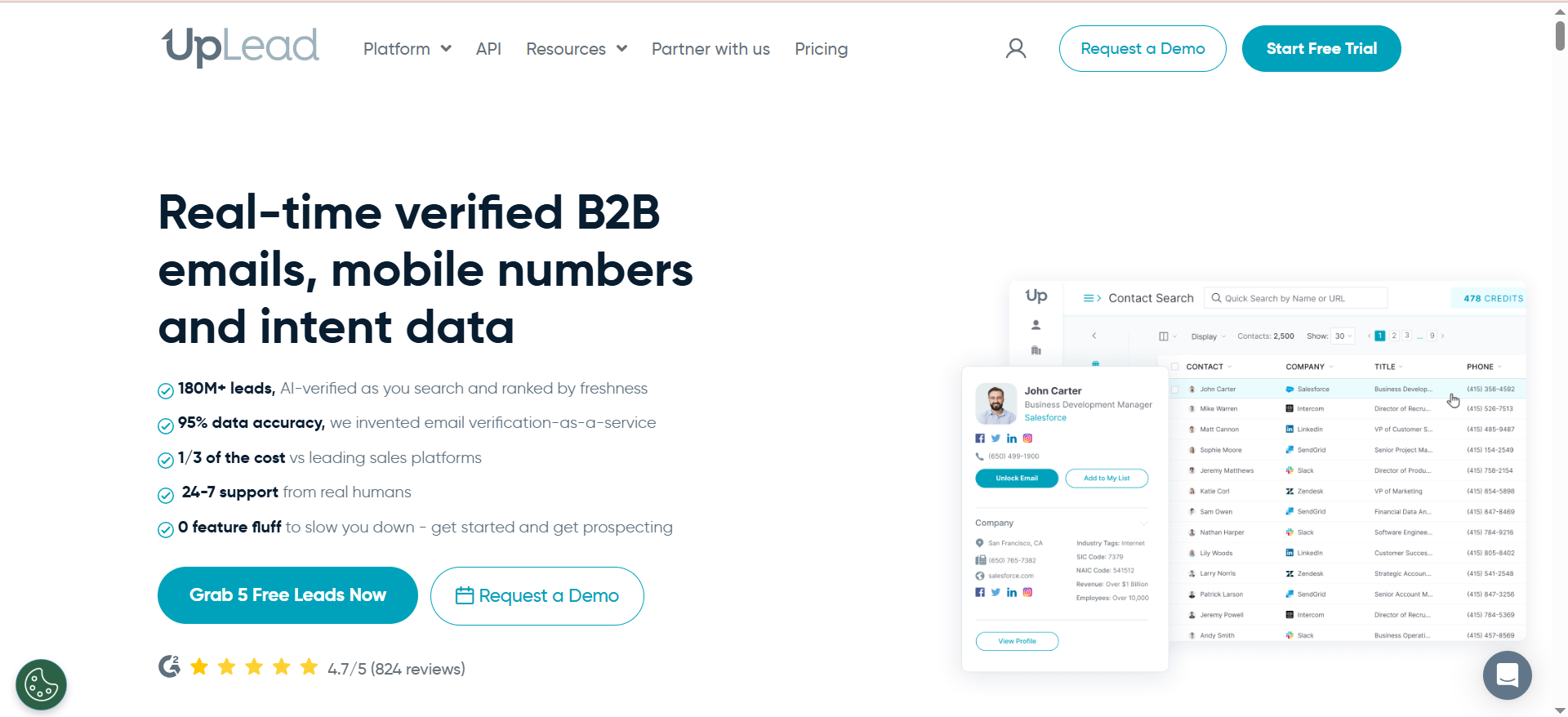
UpLead is a B2B contact database and prospecting platform that provides access to over 160 million verified business contacts across 200+ countries. The platform centers on real-time email verification — every contact is validated at the point of export, not just when the record was originally added. This means your outreach lists arrive pre-cleaned, reducing bounce rates and protecting sender reputation from day one.
Why Teams Use It
Sales teams pick UpLead when data accuracy is the priority over raw database size. The 95% email accuracy guarantee is backed by a credit-refund policy: if an email bounces, you get the credit back. For teams that have been burned by large but stale databases, this changes the economics of prospecting. You stop paying for contacts that waste sending capacity.
What It's Good For
UpLead excels at building targeted prospect lists using 50+ search filters spanning job title, company size, industry, revenue, location, and technographics. The technographic filter is particularly useful for B2B SaaS teams — you can find companies running specific tools in their stack and target them with relevant messaging. Intent data signals are available on higher plans, surfacing companies actively researching topics related to your solution.
When It's a Good Fit
UpLead fits teams that value precision over volume. If your sales motion depends on cold email deliverability and you need verified data without manual scrubbing, UpLead removes that friction. It works especially well for SMB and mid-market sales teams (5-30 reps) running outbound campaigns where every bounce directly impacts domain health.
When It's Not a Good Fit
If your team prospects exclusively through LinkedIn and needs a browser extension workflow, UpLead's strength is in its standalone platform rather than in-browser capture. Enterprise teams needing intent data as a core workflow should note that buyer intent is only available on the Professional plan ($299/month annual). Teams with very large credit needs may find the per-credit cost adds up quickly compared to unlimited-lookup platforms.
How to Use It
Start with the Prospector tool to define your ICP using firmographic and technographic filters. Build segmented lists by industry vertical, then export verified contacts directly into your CRM via native integrations with Salesforce, HubSpot, or Pipedrive. Use the data enrichment feature to fill gaps in your existing CRM records — upload a CSV of partial contacts and UpLead will append verified emails, phone numbers, and company data.
Key Capabilities
- Real-time email verification with 95% accuracy guarantee
- 50+ search filters including technographics and intent data
- Data enrichment for existing CRM records
- Native CRM integrations (Salesforce, HubSpot, Pipedrive, Zoho)
- Competitor intelligence on higher-tier plans
- API access for custom workflows
- Chrome extension for on-page prospecting
Pricing
UpLead offers a 7-day free trial with 5 credits. Paid plans start at $74/month (billed annually) for the Essentials plan with 200 credits/month, followed by Plus at $149/month (annual) for 500 credits/month. The Professional plan costs $299/month (annual) with 1,000 credits/month, intent data, full API access, and dedicated support.
Free Tier?
Yes — 7-day free trial with 5 credits. No permanent free plan exists, so teams must commit to a paid plan after the trial.
Downsides / Limitations
- No permanent free plan (only a 7-day trial)
- Intent data locked behind the Professional plan ($299/month annual)
- Credit-based model means costs scale linearly with volume
- Smaller database (160M) compared to competitors like RocketReach (700M+)
- Phone number credits cost more than email credits
2. LeadIQ
What It Does
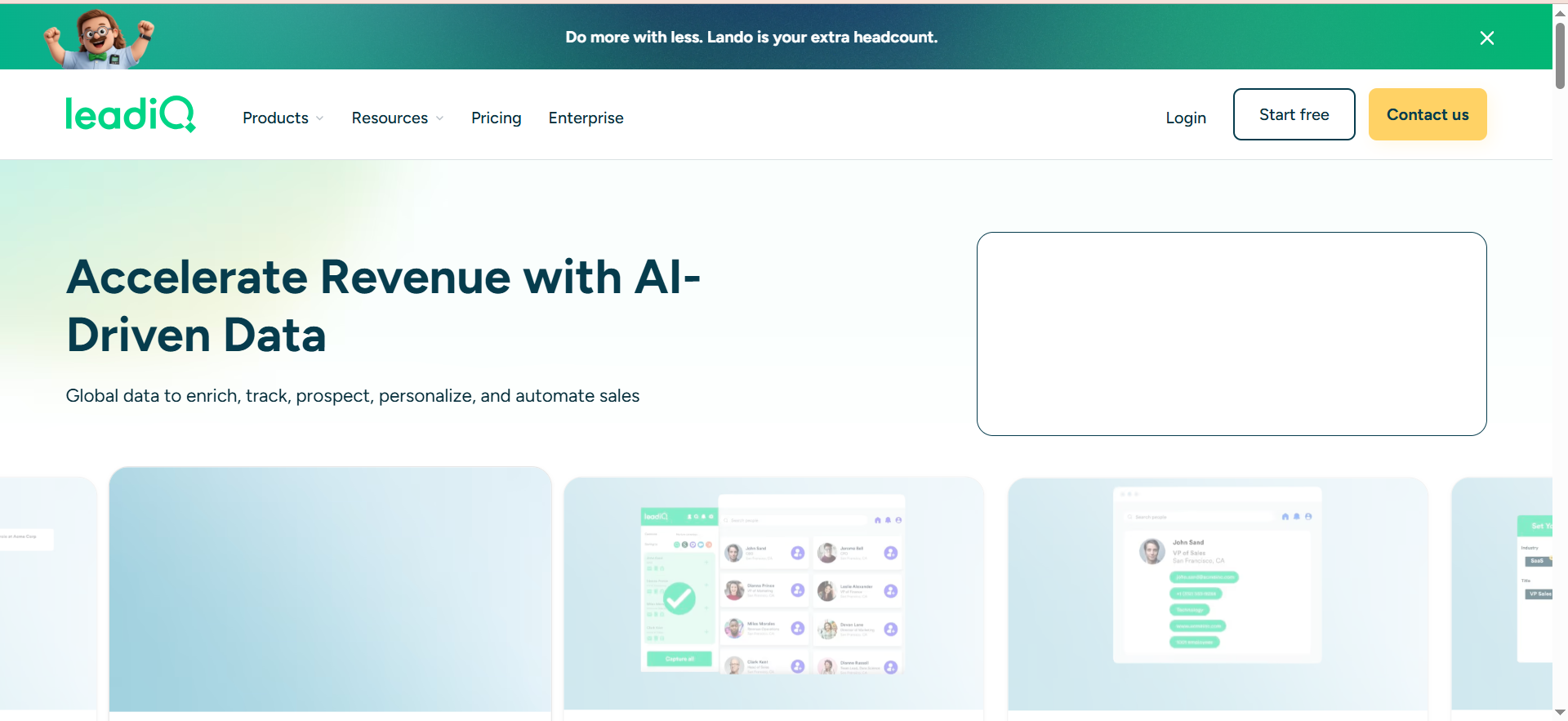
LeadIQ is a sales prospecting platform built around a Chrome extension that captures verified contact data — emails, phone numbers, and company information — directly from LinkedIn and Sales Navigator profiles. It syncs captured data into your CRM and sales engagement tools in one click, eliminating manual data entry. The platform also includes champion tracking (monitors when your contacts change jobs) and an AI writing assistant called Scribe for generating personalized email copy.
Why Teams Use It
Sales development teams adopt LeadIQ because it collapses the prospecting workflow from "find contact → verify → type into CRM → sequence" into a single click. The LinkedIn-native approach means reps never leave their prospecting environment. Champion tracking adds a retention and expansion layer — when a closed-won contact moves to a new company, LeadIQ flags it as a warm re-engagement opportunity.
What It's Good For
LeadIQ is purpose-built for teams whose prospecting motion starts on LinkedIn. If your SDRs spend their day in Sales Navigator building lists and reaching out, LeadIQ removes the data capture friction entirely. The Scribe AI feature helps reps personalize the first line of outreach at scale, which addresses the common bottleneck of moving from "I have the contact" to "I have the message."
When It's a Good Fit
LeadIQ fits sales teams of 5-50 reps that prospect primarily through LinkedIn and need tight CRM sync without manual data handling. It works best when paired with sales engagement platforms like Outreach, Salesloft, or Groove — the data flows directly from LinkedIn into a sequence without intermediate steps.
When It's Not a Good Fit
Teams that prospect outside LinkedIn (industry databases, trade shows, referral lists) will find LeadIQ less useful since its core value is the browser extension workflow. The platform lacks native email sequencing, so you need a separate tool for actual outreach execution. Phone number lookups cost 10x more credits than email lookups, which creates budget surprises for teams doing heavy phone prospecting. LeadIQ also requires Sales Navigator ($960/user/year additional) for full functionality.
How to Use It
Install the Chrome extension, navigate to LinkedIn Sales Navigator, and start building prospect lists. Click the LeadIQ icon on any profile to capture the contact and push it directly to your CRM and sequencing tool. Use champion tracking to set up alerts for job changes among your closed-won contacts. Leverage Scribe to generate personalized first lines based on the prospect's LinkedIn activity and profile data.
Key Capabilities
- One-click contact capture from LinkedIn/Sales Navigator
- Champion tracking for job change alerts
- AI-powered email writer (Scribe)
- Direct CRM sync (Salesforce, HubSpot, Pipedrive)
- Sales engagement integrations (Outreach, Salesloft, Groove by Clari)
- Universal Credits system for flexible data access
- Account-based prospecting workflows
Pricing
LeadIQ offers a free plan for 1 user with 50 Universal Credits per month. The Pro plan uses a credit-based model starting at $200/month for 200 Universal Credits, with pricing scaling based on credit volume (up to 6,750 credits/month at higher tiers). Annual billing saves 25%. Enterprise pricing is custom for larger teams and includes additional features like Lando Agent, AI account prospecting, governance controls, and SSO. Under the Universal Credits system, 1 email = 1 credit, 1 phone number = 10 credits, and 1 account enrichment = 3 credits.
Free Tier?
Yes — a permanent free plan for 1 user with 50 credits per month. Sufficient for testing the workflow but inadequate for regular prospecting.
Downsides / Limitations
- Phone lookups cost 10x more credits than email lookups
- Requires LinkedIn Sales Navigator ($960/year extra) for full value
- No native email sequencing — requires separate outreach tool
- Data accuracy can be inconsistent; some users report high bounce rates from cached data
- Credit system creates hidden cost surprises for phone-heavy teams
- Frequent pricing restructuring has confused legacy users
3. Wiza
What It Does
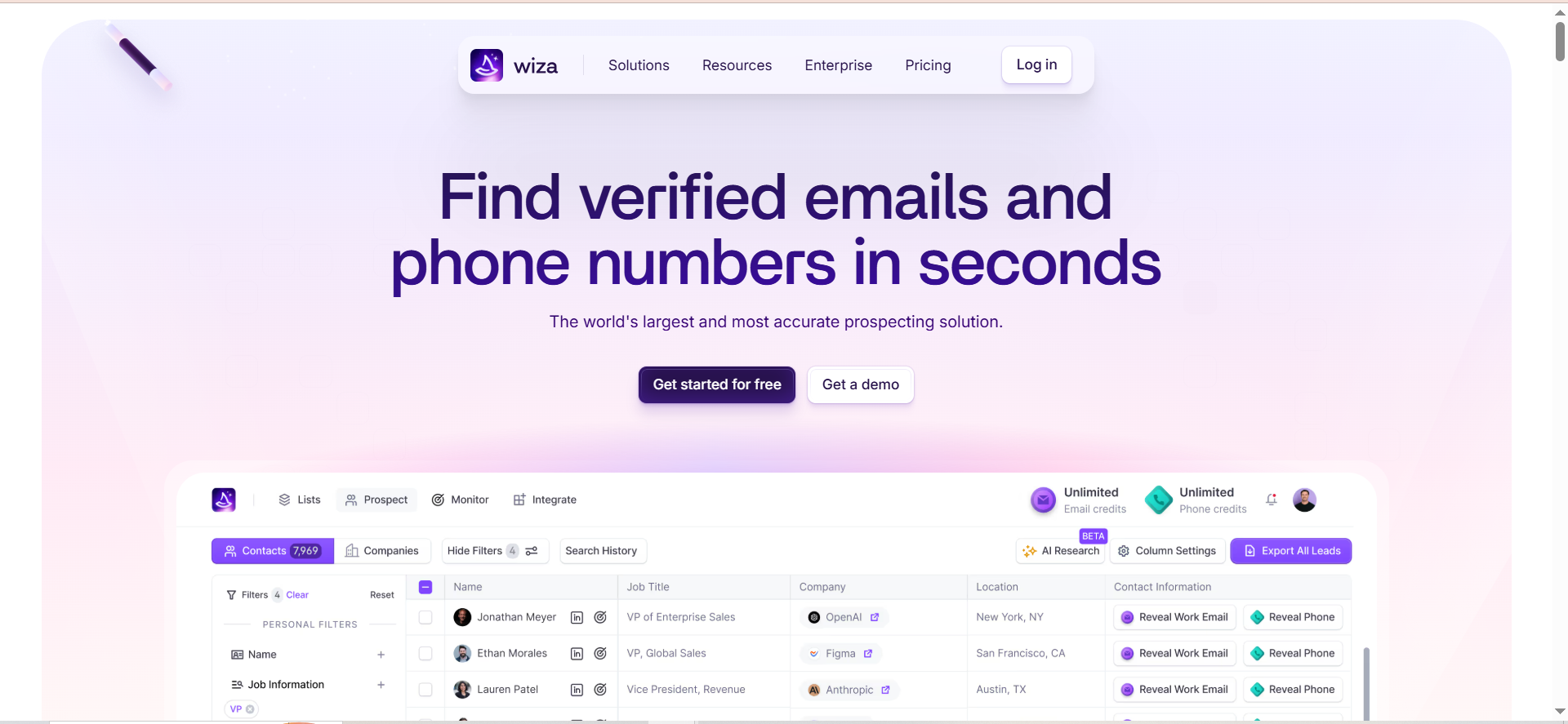
Wiza is a prospecting tool built specifically for extracting and verifying contact information from LinkedIn Sales Navigator. It allows bulk export of up to 2,500 contacts per Sales Navigator search or list, verifies emails in real-time with deliverability scoring, and pushes cleaned data to your CRM. Where other tools offer broad databases you search through, Wiza turns LinkedIn itself into your database and adds verification on top.
Why Teams Use It
Teams choose Wiza when they've already invested in Sales Navigator and want to unlock its full prospecting potential. Sales Navigator is powerful for finding prospects but deliberately limits bulk data export. Wiza bridges that gap — you build your exact ICP filter in Sales Navigator, then Wiza extracts the contact data you need to actually reach those people via email and phone.
What It's Good For
Wiza excels at high-volume LinkedIn-sourced prospecting where you need verified contact data for large segments. If your workflow is "filter in Sales Navigator → export → verify → load into sequencing tool," Wiza handles the middle steps automatically. The real-time verification means exported contacts come with deliverability scores, so you can filter out risky emails before they hit your sequences.
When It's a Good Fit
Wiza fits teams that rely heavily on LinkedIn Sales Navigator as their primary prospecting source and need bulk export capability with verification built in. It's particularly valuable for teams targeting specific industries, company sizes, or geographies where Sales Navigator's filters produce high-quality prospect pools. Works well for SDR teams doing high-volume outbound where manual LinkedIn browsing doesn't scale.
When It's Not a Good Fit
Wiza requires an active LinkedIn Sales Navigator subscription to function — without it, the tool has no data source. Teams prospecting outside LinkedIn (trade shows, purchased lists, inbound leads) won't find value here. Credits don't roll over month to month, creating waste for teams with variable prospecting volume. If you need a standalone contact database you can search without LinkedIn, Wiza isn't that.
How to Use It
Activate the Wiza Chrome extension, run your ICP search in LinkedIn Sales Navigator, and initiate a bulk export. Wiza crawls the results, finds and verifies email addresses, and presents the cleaned list with deliverability scores. Push verified contacts directly to HubSpot, Salesforce, or Outreach. For smaller lookups, use the single-profile extraction on individual LinkedIn profiles.
Key Capabilities
- Bulk export of up to 2,500 contacts per Sales Navigator list
- Real-time email verification with deliverability scoring
- Phone number extraction
- CRM integration (HubSpot, Salesforce, Outreach)
- Chrome extension for seamless LinkedIn workflow
- CSV export for flexible downstream use
- Filtering and segmentation post-export
Pricing
Wiza offers a permanent free plan with 20 emails and 5 phone numbers per month. The Starter plan costs $49/month for 100 credits. The Email plan runs $99/month for 500+ email credits. The Email+Phone plan costs $199/month for 500 email and 500 phone credits. All plans are per-user and credits do not roll over. Annual plans offer unlimited email and phone reveals starting at $83/month (Email) and $166/month (Email+Phone), billed yearly.
Free Tier?
Yes — a permanent free plan with 20 emails and 5 phone numbers per month. Enough to test data quality but far too limited for daily prospecting.
Downsides / Limitations
- Requires LinkedIn Sales Navigator subscription (not included, ~$960/year)
- Credits expire monthly — no rollover for unused lookups
- Completely dependent on LinkedIn as a data source
- Limited functionality without the Chrome extension
- No standalone contact database — cannot search outside LinkedIn
- Phone credits are capped separately from email credits
4. RocketReach
What It Does
RocketReach is a contact and company data platform with a database of over 700 million professional profiles and 60 million companies. It provides email addresses (personal and professional), direct dial phone numbers, and company firmographic data across virtually every industry. The platform works as both a standalone search tool and a Chrome extension for capturing contacts from LinkedIn and company websites.
Why Teams Use It
Teams adopt RocketReach for its sheer breadth of coverage. While many sales intelligence tools focus heavily on tech and SaaS, RocketReach covers construction, healthcare, manufacturing, professional services, and other industries where prospects rarely maintain updated LinkedIn profiles. If you need to find a VP of Operations at a mid-size manufacturing company in Ohio, RocketReach is more likely to have that contact than LinkedIn-dependent tools.
What It's Good For
RocketReach is strong for cross-industry prospecting where you need email and phone data for contacts who may not be active on LinkedIn. The bulk lookup feature lets you upload lists of companies or names and return contact data at scale. API access on higher plans enables programmatic lookups for teams building custom workflows or enrichment pipelines.
When It's a Good Fit
RocketReach fits teams that prospect across multiple industries and need broad contact coverage rather than deep integration with a single workflow. It works well for agencies, recruiters, and sales teams selling horizontal solutions where the ICP spans diverse verticals. The lower starting price ($33/user/month for email-only) also makes it accessible for individual contributors and small teams.
When It's Not a Good Fit
RocketReach relies heavily on algorithmic data matching rather than real-time verification, resulting in accuracy rates of 85-90% compared to UpLead's 95%. The database updates periodically rather than in real-time, meaning contacts who changed jobs recently may still show their old company. If your team needs tight CRM workflow integration or intent data, RocketReach's feature set is lighter than purpose-built prospecting platforms like LeadIQ.
How to Use It
Search for contacts directly on the RocketReach platform using filters for job title, company, industry, location, and company size. Use the Chrome extension to pull contact data while browsing LinkedIn or company websites. For high-volume needs, use the bulk lookup feature to upload a CSV of names or companies and receive matched contact data. API users can integrate RocketReach into enrichment workflows or internal tools.
Key Capabilities
- 700M+ professional profiles across all industries
- Email lookup (personal and professional addresses)
- Direct dial phone numbers
- Chrome extension for LinkedIn and website lookup
- Bulk lookup and CSV export
- API access (Ultimate plan)
- Company search with firmographic filters
- Org chart browsing for enterprise accounts
Pricing
RocketReach starts at $33/seat/month (billed annually) for the Essentials plan with unlimited email lookups. The Pro plan costs $75/seat/month and adds unlimited phone number lookups. The Ultimate plan runs $175/seat/month (billed annually) and includes unlimited lookups with 20,000 exports/year and API access. Custom team plans start at $6,000/year for larger organizations.
Free Tier?
Limited — RocketReach offers a few free lookups to test the platform but no permanent free plan for ongoing use.
Downsides / Limitations
- Data accuracy is 85-90% (algorithmic, not real-time verified)
- Database updates periodically, not in real-time — stale job data is common
- No intent data or buyer signals
- No native email sequencing or sales engagement features
- CRM integrations are basic compared to LeadIQ or UpLead
- Phone numbers only available on Pro plan ($75/mo) and above
- API access requires the Ultimate plan ($175/mo)
5. Leadfeeder (Dealfront)
What It Does
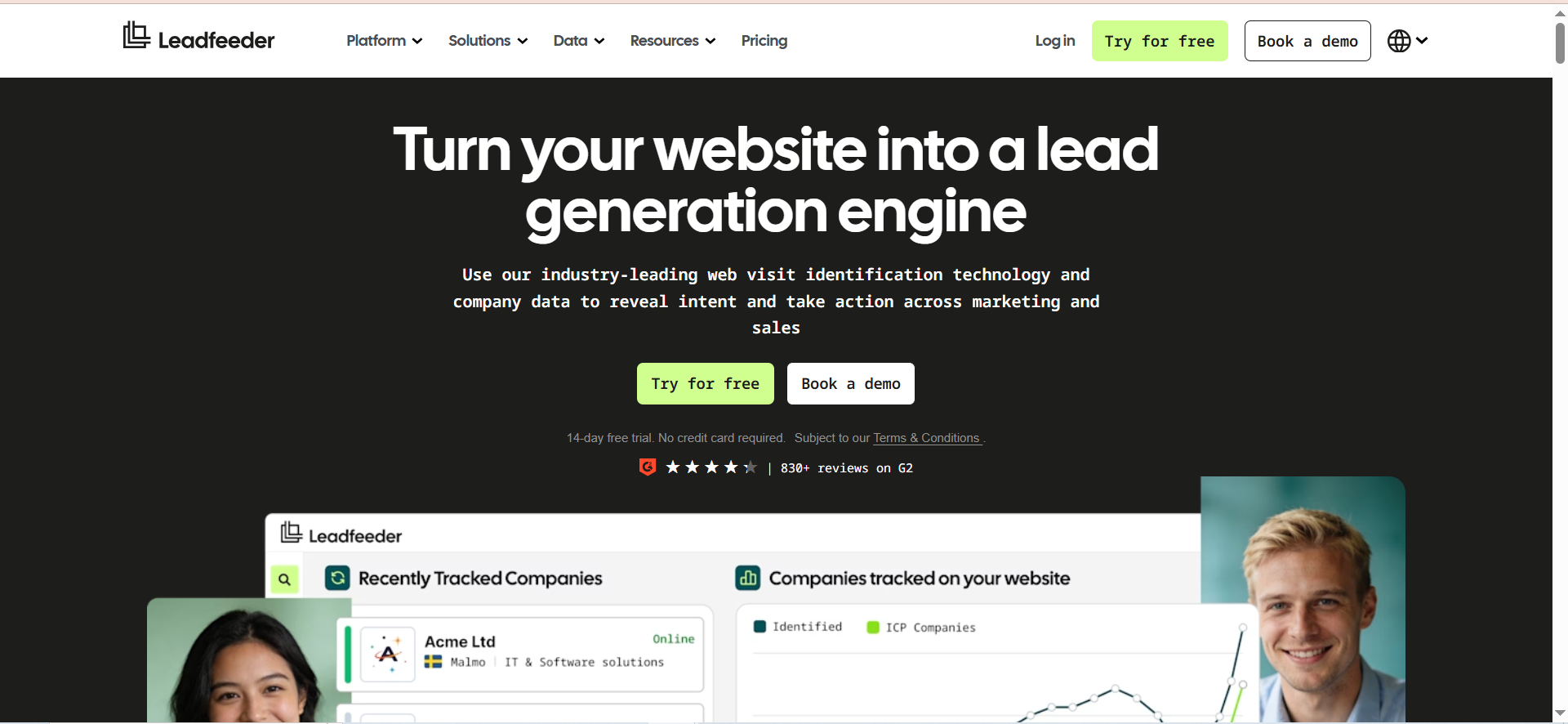
Leadfeeder is a website visitor identification platform that reveals which companies are visiting your website, what pages they view, how long they stay, and how engaged they are. It enriches each visit with firmographic data and decision-maker contacts, then syncs that information into your CRM. Originally part of the Dealfront platform after a 2023 merger of Leadfeeder and Echobot, the unified company rebranded back to Leadfeeder in March 2026 as the primary brand for website visitor intelligence.
Why Teams Use It
Sales and marketing teams use Leadfeeder to turn anonymous website traffic into actionable pipeline. Most B2B websites convert 2-5% of visitors into form fills — Leadfeeder identifies the other 95-98% at the company level, giving your team warm outreach targets who have already shown buying intent by visiting your site. This closes the gap between marketing generating traffic and sales having accounts to work.
What It's Good For
Leadfeeder excels at inbound-assist selling — identifying companies that visit key pages (pricing, case studies, product comparisons) and routing them to sales before they fill out a form or before a competitor captures them. The platform's custom feeds let you create filtered views by industry, company size, or page behavior, making it easy for reps to see only the visitors that match their territory or ICP.
When It's a Good Fit
Leadfeeder fits B2B companies with meaningful website traffic (500+ monthly visitors) that want to extract more pipeline from existing marketing investment. It's particularly strong for mid-market companies running content marketing or paid campaigns — you can tie specific campaigns to identified companies and measure account-level engagement beyond standard analytics. Works well alongside outbound tools as a signal layer.
When It's Not a Good Fit
Leadfeeder identifies companies, not individuals, using IP-based resolution. In a remote-first world, employees browsing from home or coffee shops use consumer ISPs and won't be identified. This means a significant share of actual buyer traffic goes undetected for companies with distributed workforces. Teams with low website traffic (under 500 monthly visitors) won't see enough identified companies to justify the cost. It's also not a contact database — you still need a separate tool to find the right person at the identified company.
How to Use It
Install the Leadfeeder tracking script on your website (similar to Google Analytics). Configure custom feeds based on your ICP criteria — filter by company size, industry, pages visited, and visit frequency. Set up CRM sync to automatically create or update accounts in Salesforce or HubSpot when a matching company visits. Use the decision-maker discovery feature to find contacts at identified companies, then hand them off to your outbound workflow.
Key Capabilities
- Company-level website visitor identification via IP resolution
- Firmographic enrichment for identified visitors
- Detailed visit timelines (pages viewed, time on site, visit frequency)
- Custom feeds with behavioral and firmographic filters
- Decision-maker contact discovery
- Native CRM integrations (Salesforce, HubSpot, Pipedrive, Zoho)
- Google Ads integration for campaign-to-account attribution
- Lead scoring based on visit behavior
- API for custom integrations
Pricing
Leadfeeder offers a free "Lite" plan that identifies up to 100 companies per month with 7 days of data retention. The paid Website Visitor Identification plan starts at €99/month (billed annually) for up to 50 identified companies per month, with pricing scaling based on volume: plans range from €99/mo (50 companies) up to €1,199/mo (20,001-40,000 companies). The broader Platform plan (which adds prospecting from a global database of 60M+ companies and 400M+ contacts, AI enrichment, and advanced CRM features) starts at €399/month (annual).
Free Tier?
Yes — a free forever Lite plan identifies up to 100 companies per month with 7 days of data storage. Enough to validate the concept but too limited in data retention for sustained use.
Downsides / Limitations
- IP-based identification misses remote workers on consumer ISPs
- Identifies companies, not individual visitors — you still need a contact database
- Legacy users report significant price increases following the Dealfront-era restructuring
- Data retention is only 7 days on the free plan
- European-focused company data (Dealfront heritage) means thinner coverage in some regions
- Requires meaningful website traffic (500+ visitors/month) to deliver value
- No email or phone contact data without the broader Platform plan
How to Choose a B2B Sales Intelligence Tool
Selecting the right tool depends less on feature lists and more on how your team actually prospects day-to-day. Here is a decision framework based on your primary workflow:
If your motion is outbound cold email and deliverability matters most: Start with UpLead. The 95% accuracy guarantee and real-time verification mean fewer bounces and healthier sender domains. The credit-refund policy reduces the financial risk of bad data.
If your team lives in LinkedIn Sales Navigator: LeadIQ or Wiza. LeadIQ if you want one-click CRM sync, champion tracking, and AI email drafting. Wiza if you need bulk export (2,500+ contacts per list) with deliverability scoring and your primary need is volume extraction.
If you prospect across diverse industries beyond tech: RocketReach. Its 700M+ profile database covers industries where LinkedIn presence is thin — manufacturing, healthcare, construction, professional services.
If you want to identify companies already showing buying intent on your website: Leadfeeder. It turns anonymous traffic into named accounts, giving outbound teams a warm signal layer that complements any contact database.
If you need multiple capabilities: Most B2B teams at scale use 2-3 tools together. A common stack is Leadfeeder for intent signals + UpLead or LeadIQ for contact data + a sequencing tool for execution.
What Is B2B Sales Intelligence?
B2B sales intelligence refers to the collection, analysis, and delivery of data that helps sales teams identify, qualify, and engage business buyers more effectively. Unlike basic contact databases that just provide names and emails, sales intelligence platforms layer in firmographic data (company size, revenue, industry), technographic data (what tools a company uses), intent signals (what topics a company is actively researching), and organizational data (reporting structures, buying committees).
The "B2B" modifier matters because these tools are built for complex buying environments — multiple stakeholders, longer sales cycles, and account-level decision-making rather than individual consumer transactions. A strong sales intelligence platform helps reps answer three questions before every outreach: "Is this the right company?", "Is this the right person?", and "Is this the right time?"
What Makes a Sales Intelligence Tool B2B-Specific?
A B2B-specific sales intelligence tool differs from general contact finders in several ways. First, it organizes data at the account level, not just the individual level — showing you the full buying committee at a target company rather than isolated contacts. Second, it includes firmographic and technographic layers that matter for B2B qualification: company revenue, headcount, growth rate, funding stage, and technology stack.
Third, B2B tools integrate into the workflows that B2B sales teams actually use: CRM systems like Salesforce, sales engagement platforms like Outreach or Salesloft, and ABM platforms like 6sense or Demandbase. General-purpose contact finders often lack these integrations because consumer-focused use cases don't require them.
Finally, B2B intelligence platforms increasingly include intent data — signals that a company is actively researching a problem your product solves. This timing layer is irrelevant for B2C but transformative for B2B, where reaching a buyer during active evaluation dramatically increases conversion rates.
How Do Intent Signals Improve Sales Prospecting?
Intent signals tell you which companies are actively researching topics related to your solution before they raise their hand. This transforms outbound from cold to warm. There are three types of intent data relevant to B2B sales intelligence:
First-party intent comes from your own digital properties — website visits, content downloads, webinar attendance, and email engagement. Leadfeeder specializes here, identifying anonymous company visitors and mapping their page-level behavior.
Second-party intent comes from publisher networks and review sites — when prospects read comparison articles, visit G2 pages, or engage with industry content. Platforms like Bombora and G2 Buyer Intent surface this.
Third-party intent aggregates research behavior across the web using cookies, bidstream data, or publisher co-ops. ZoomInfo, 6sense, and UpLead (on Professional plans) offer this layer.
For practical application, intent signals work best when combined with firmographic filters. Knowing that "a Series B SaaS company with 200 employees is researching CRM tools" is far more actionable than just having a list of companies in your ICP. Intent narrows the timing question — not just "who to call" but "who to call right now."
How to Evaluate Data Accuracy in Sales Intelligence Platforms
Data accuracy claims are the most misleading metric in sales intelligence marketing. Every vendor claims high accuracy, but the definitions vary wildly. Here is how to evaluate data quality in practical terms:
Email verification methods matter more than claimed percentages. UpLead verifies in real-time at the point of export (highest accuracy). RocketReach verifies algorithmically during periodic database sweeps (lower freshness). LeadIQ caches data that may go stale between verification cycles. Wiza verifies during extraction from LinkedIn (high accuracy for fresh pulls).
Test with your ICP before committing. Most tools offer free trials or credit-limited plans. Run your actual target account list through each platform and compare: How many contacts are returned? How many emails bounce? How many phone numbers connect? Real-world hit rates on your ICP matter more than aggregate accuracy claims.
Check data freshness, not just size. A database of 700M profiles means nothing if 30% of those contacts have changed jobs in the last year. Ask vendors about their refresh cadence and how they handle job changes, company acquisitions, and role transitions.
Understand the credit economics of bad data. If a platform charges per lookup and 15% of data bounces, your effective cost per valid contact is 15% higher than the listed price. UpLead's credit-refund policy addresses this directly; other platforms let you absorb the loss.
CRM Integration: What to Check Before You Buy
The depth of CRM integration varies dramatically between sales intelligence tools and often determines whether a platform actually gets used or becomes shelfware. Key questions to ask:
Does it push data or just export CSV? Tools like LeadIQ and UpLead offer native bi-directional CRM sync — contacts flow automatically into the right accounts, deduplication is handled, and field mapping is pre-configured. RocketReach and Wiza primarily export to CSV with basic CRM push, requiring more manual data hygiene.
Does it check for existing records? Good integrations check your CRM before creating a new record, preventing duplicates and preserving existing activity history. LeadIQ handles this well with its one-click sync; tools that only offer CSV export push the dedup burden onto your RevOps team.
Does it update stale records or just create new ones? Data enrichment (updating existing CRM records with fresh data) is different from prospecting (finding new contacts). UpLead offers both; most other tools in this comparison focus primarily on net-new contact creation.
What CRMs does it support natively? All five tools in this comparison integrate with Salesforce and HubSpot. Pipedrive support is available from UpLead, LeadIQ, and Leadfeeder. Zoho is supported by UpLead and Leadfeeder. If you use a less common CRM, check whether the tool offers API or Zapier-based workarounds.
Compliance and Data Privacy Considerations for Sales Intelligence
Using sales intelligence tools carries compliance obligations that vary by the geography of your prospects. Here is what B2B teams need to know:
GDPR (EU/UK prospects): B2B email outreach is permitted under "legitimate interest" in most cases, but prospects must have a clear unsubscribe mechanism, and you must be able to justify why you are contacting them. Leadfeeder is built with GDPR compliance as a core feature due to its European heritage. Other tools provide the data but compliance responsibility sits with your team.
CAN-SPAM (US prospects): Less restrictive — commercial email is permitted as long as you include a physical address, honor unsubscribe requests within 10 days, and don't use deceptive subject lines. All five tools in this comparison support US-focused outreach without compliance friction.
CCPA (California prospects): Gives prospects the right to know what data you hold and request deletion. If you are storing contact data from any of these platforms in your CRM, you need a mechanism to honor deletion requests.
Data sourcing transparency: Ask vendors where their data comes from. UpLead and LeadIQ source data through a mix of public records, opt-in partnerships, and web crawling. RocketReach uses algorithmic matching. Wiza extracts from LinkedIn (which has its own TOS implications). Understanding sourcing helps assess both accuracy and compliance risk.
How Much Should You Budget for Sales Intelligence in 2026?
Budgeting for sales intelligence requires looking beyond the sticker price of a single tool. Here is a realistic framework based on team size:
Solo founder or team of 1-3 reps: Budget $100-$300/month total. A single contact database (UpLead Essentials at $74/mo or RocketReach Essentials at $33/mo) covers your primary need. Add Wiza ($49/mo) if you prospect heavily through LinkedIn.
SMB sales team (5-15 reps): Budget $500-$2,000/month. You will likely need a contact database plus either an intent layer (Leadfeeder at €99/mo) or a LinkedIn workflow tool (LeadIQ starting at $200/mo for 200 credits). Factor in Sales Navigator costs ($80/user/month) if using LeadIQ or Wiza.
Mid-market/growth team (15-50 reps): Budget $2,000-$8,000/month. At this scale, you typically run 2-3 tools: a primary contact database with high credit volume, a website identification tool for intent, and either individual LinkedIn seats with LeadIQ or a bulk tool like Wiza for targeted campaigns.
Hidden costs to include: Sales Navigator subscriptions, CRM seat costs, email sequencing tools, data hygiene/dedup effort, and the opportunity cost of reps spending time on data quality issues instead of selling.



