

TL;DR
Most sales teams already know which companies they want to sell to. The hard part is finding the right person inside those companies, getting a verified email or phone number, and doing it fast enough that the data is still fresh when the outreach goes out.
That is where contact finder tools come in. They pull verified emails, direct dials, job titles, and firmographic data from large databases so reps can skip manual research and start conversations faster. The difference between tools comes down to how they source data, how they verify it, what filters they give you, and how cleanly the output plugs into your CRM or sequencer.
We tested and reviewed five tools built for this job. Below you will find a quick comparison table, a deep breakdown of each tool, and answers to the most common questions buyers ask when evaluating this category.
Best Tools for Finding Company Contacts (Quick Comparison)
| Feature | UpLead | LeadIQ | Wiza | RocketReach | Leadfeeder (Dealfront) |
|---|---|---|---|---|---|
| Best For | Verified email lists with accuracy guarantee | LinkedIn-to-CRM capture for SDRs | Bulk export from Sales Navigator | Large-scale lookups across industries | Identifying anonymous website visitors |
| Database Size | 180M+ contacts | Multi-source (9 providers) | 850M+ profiles | 700M+ profiles | 26M+ EU companies + IP matching |
| Email Verification | Real-time, 95% accuracy guarantee | Waterfall enrichment | Real-time verification | Periodic batch verification | N/A (visitor-level, not email-first) |
| Phone Numbers | Included (1 credit = email + phone) | Available but inconsistent | Available on higher plans | Strong direct dial coverage | Decision-maker lookup post-identification |
| CRM Integration | Salesforce, HubSpot, Zoho, Pipedrive | Salesforce, HubSpot, Outreach, Salesloft | HubSpot, Salesforce, Outreach | Salesforce, HubSpot | Salesforce, HubSpot, Pipedrive, Zoho, Dynamics 365 |
| Starting Price | $74/mo (200 credits, annual) | Free (50 credits/mo) | Free (20 emails/mo) | $33/mo (email only) | $99/mo (billed annually) |
| Free Trial/Plan | 7-day trial, 5 credits | Free plan available | Free plan available | No free plan | Free plan (limited) |
Tool #1: UpLead
What It Does
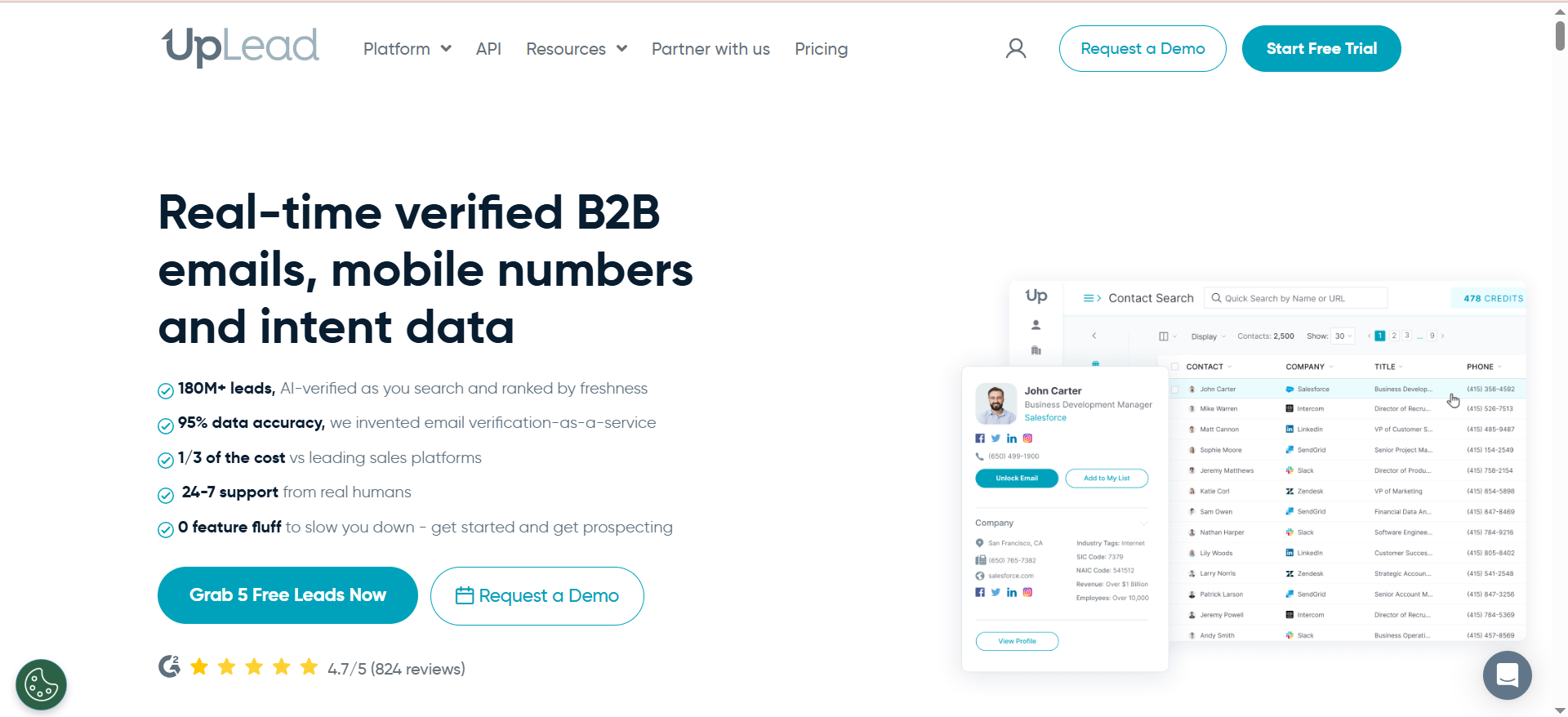
UpLead is a B2B contact database with over 180 million contacts across 200+ countries. You search by job title, seniority, department, company size, industry, revenue, location, and technographics to build targeted lead lists. Every email is verified in real time before you download it, and the platform backs that with a 95% accuracy guarantee.
Why Teams Use It
Teams pick UpLead when bounce rates from other tools have burned them. The real-time verification model means you are not downloading cached data that was last checked months ago. If an email bounces, UpLead credits it back. That guarantee removes the risk of wasting credits on dead addresses, which is a real problem with platforms that verify in batch cycles.
The one-credit-per-contact model also matters. One credit gets you both the email and the phone number for the same contact. Most competitors charge phone numbers separately or lock them behind higher tiers.
What It Is Good For
UpLead works best for teams building targeted outbound lists from scratch. If you know the firmographic profile of your ideal customer, the 50+ search filters let you slice the database by industry, tech stack, revenue, headcount, and department to get a clean list fast.
The technographics filter is a standout. You can search for companies running specific tools like Shopify, Stripe, AWS, or HubSpot, which is useful if your product integrates with or replaces a particular technology.
Buyer intent data is available on the Professional plan, surfacing companies actively researching topics related to your product.
When It Is a Good Fit
UpLead fits small to mid-size sales teams running outbound campaigns who need clean, verified lists without building a complex tech stack. It works well for teams that value data quality over database size, and for anyone tired of high bounce rates from cheaper alternatives.
When It Is Not a Good Fit
UpLead is not ideal for teams doing heavy LinkedIn-based prospecting since it lacks a LinkedIn overlay extension. It is also not the best option for high-volume teams that need thousands of lookups per month, because credit costs add up quickly at $0.60 per additional credit. Unused credits expire monthly, so seasonal outbound teams can waste 25 to 40 percent of paid capacity.
Intent data is locked behind the $299/month Professional plan, which prices out smaller teams that want buying signals.
How to Use It
Sign up for the 7-day free trial with 5 credits. Use the Prospector to set your filters, build a list, and download it. UpLead verifies each email in real time as you export. Push contacts directly to your CRM or download as CSV.
Key Capabilities
UpLead's core capabilities include real-time email verification with 95% accuracy guarantee, 50+ search filters including technographics, one credit covering both email and phone number, buyer intent data on the Professional tier, bulk list building and CSV export, and native CRM integrations with Salesforce, HubSpot, Zoho, and Pipedrive.
Pricing
UpLead offers three plans. Basic starts at $74/month on annual billing for 200 credits. Plus costs $149/month on annual billing for 500 credits. Professional costs $299/month on annual billing for 1,000 credits with intent data and advanced features. All plans include a 7-day free trial with 5 credits.
Free Tier?
No permanent free plan. UpLead offers a 7-day free trial with 5 credits to test the platform and data quality before committing.
Downsides and Limitations
The main downsides are high per-credit cost that scales quickly for active teams, monthly credit expiration that punishes inconsistent outbound cadences, intent data locked behind the most expensive tier, single-source data without waterfall enrichment, and no LinkedIn browser extension for on-the-fly prospecting.
Tool #2: LeadIQ
What It Does
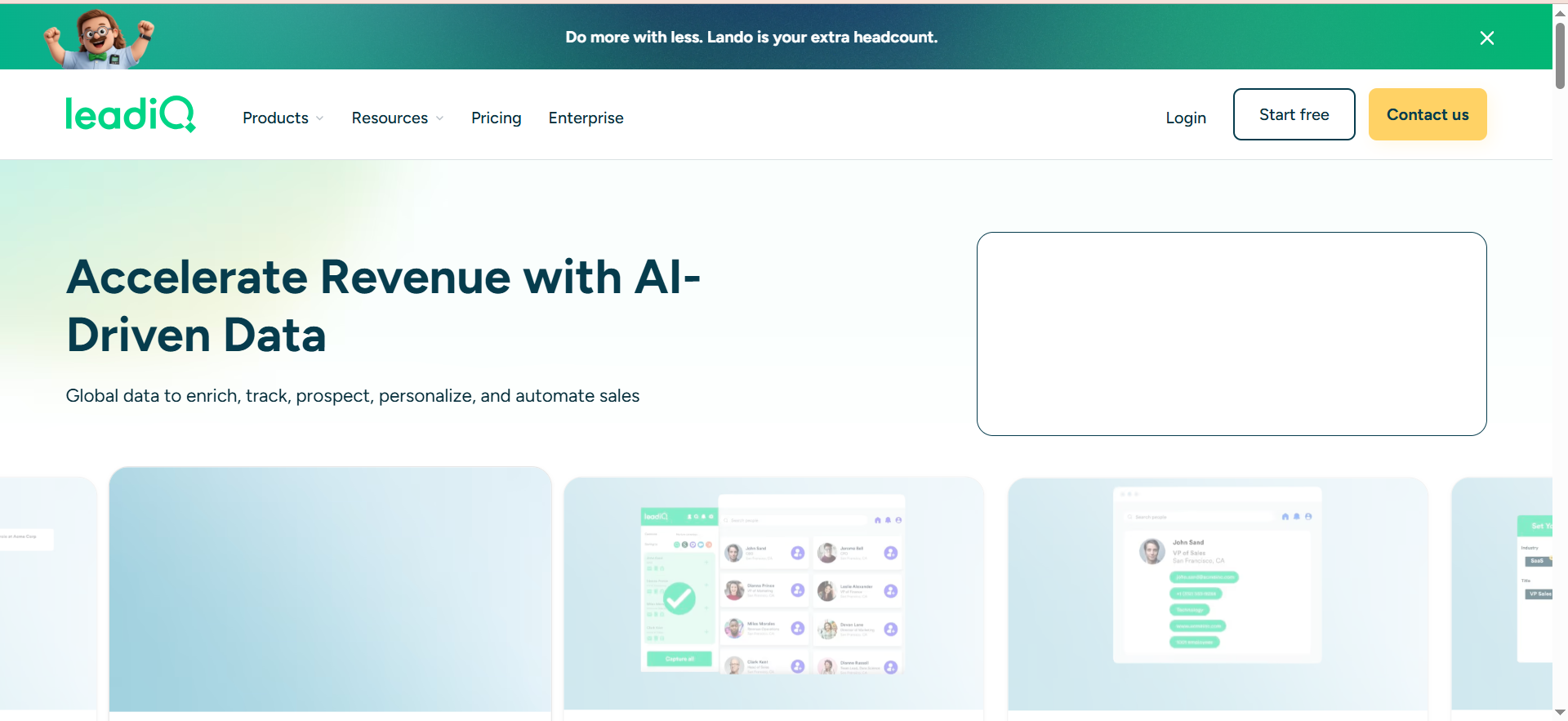
LeadIQ is a prospecting tool built around a Chrome extension that captures contact data directly from LinkedIn and Sales Navigator. It pulls verified emails and phone numbers with one click and syncs them straight to your CRM. Beyond data capture, LeadIQ includes champion tracking to monitor when contacts change jobs, AI-powered account prospecting, and an AI writing assistant called Scribe that generates personalized email copy.
Why Teams Use It
SDR teams pick LeadIQ because it sits on top of LinkedIn, where they are already prospecting, and removes the tab-switching between LinkedIn, a data provider, and the CRM. One click captures the contact, verifies the email through a waterfall enrichment system querying nine different data sources, and pushes it to Salesforce or HubSpot with the account matched automatically.
Champion tracking is a genuinely useful feature. When a contact who previously engaged with your company moves to a new role, LeadIQ flags it so you can re-engage at the new account. That turns a cold outreach into a warm one.
What It Is Good For
LeadIQ is best for SDR and BDR teams that spend most of their prospecting time on LinkedIn and Sales Navigator. It shines when your workflow is find person on LinkedIn, get their email, push to CRM, write the first email. The Scribe AI writer helps speed up that last step by generating personalized drafts based on the prospect's profile data.
It also works well for teams that care about CRM hygiene. LeadIQ matches contacts to existing accounts and flags duplicates, which keeps your Salesforce or HubSpot instance cleaner than bulk imports from CSV files.
When It Is a Good Fit
LeadIQ fits teams of 5 to 50 SDRs doing account-based outbound where LinkedIn is the primary research channel. It is especially useful for teams already on Salesforce, HubSpot, Outreach, or Salesloft because the integrations are tight and bidirectional.
When It Is Not a Good Fit
LeadIQ is not ideal for teams that need large bulk exports or list building outside LinkedIn. It does not have its own searchable database in the traditional sense, so you cannot run firmographic queries independent of LinkedIn. Phone number accuracy is the platform's weakest point, with users consistently reporting that mobile and direct-dial numbers are often inaccurate or outdated.
Teams needing intent data or buying signals should look elsewhere, as LeadIQ's intent features are limited to the Pro plan and less mature than dedicated intent providers.
How to Use It
Install the Chrome extension, connect your CRM, and start browsing LinkedIn or Sales Navigator. Click the LeadIQ icon on any profile to capture the contact. The extension verifies the email, matches the account in your CRM, and lets you push the record with one click.
Key Capabilities
Key capabilities include one-click contact capture from LinkedIn and Sales Navigator, waterfall enrichment across nine data sources, champion tracking for job change alerts, Scribe AI email writing assistant, native CRM sync with Salesforce, HubSpot, and Dynamics, integration with Outreach and Salesloft for sequencing, and automatic account matching and deduplication.
Pricing
LeadIQ uses a universal credit system. One credit unlocks one email, and ten credits unlock one phone number. The Free plan includes 50 credits per month for one user. Pro starts at $200/month for 200 credits, with 25 percent off on annual billing. Enterprise is custom-priced with higher credit allocations, Lando Agent, governance controls, and dedicated support.
Free Tier?
Yes. The Free plan includes 50 universal credits per month for one user, enough for up to 50 email lookups or 5 phone number lookups. It includes champion tracking, the Chrome extension, Scribe AI, and CRM integrations. It is enough to test the workflow but not enough for active prospecting.
Downsides and Limitations
The main downsides are weak phone number accuracy, no standalone searchable database outside LinkedIn, limited usefulness for teams not using LinkedIn as their primary prospecting channel, credit-based pricing that adds up quickly across large SDR teams, and intent data that is less developed than purpose-built intent providers.
Tool #3: Wiza
What It Does
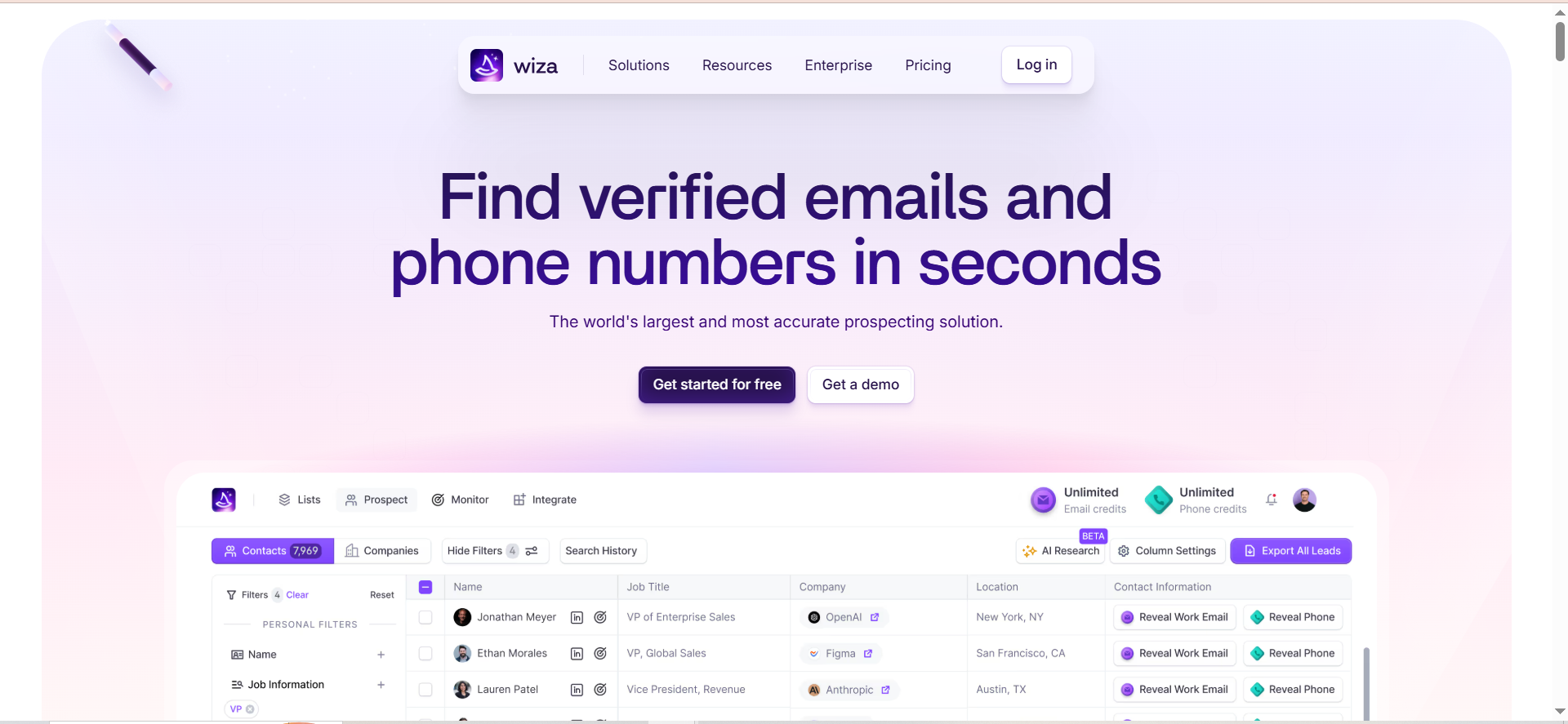
Wiza is a B2B prospecting tool built specifically for exporting contacts from LinkedIn Sales Navigator and verifying their email addresses. It works as a Chrome extension that overlays Sales Navigator, letting you bulk export up to 2,500 contacts from any saved list or search result. Each exported contact goes through real-time email verification with deliverability scoring before being pushed to your CRM.
Why Teams Use It
Teams choose Wiza when they have invested in LinkedIn Sales Navigator and need a way to get data out of it at scale. Sales Navigator is powerful for building targeted prospect lists, but LinkedIn does not let you export contact details natively. Wiza solves that problem by scraping the list, finding verified emails and phone numbers, and delivering the results as a clean spreadsheet or direct CRM push.
The real-time verification is a key differentiator. Wiza checks each email at the moment of export rather than relying on a pre-verified database, which means the data reflects current deliverability status.
What It Is Good For
Wiza is best for teams that already use LinkedIn Sales Navigator as their primary prospecting tool and need a bridge to get verified contact data into their CRM or outreach platform. It handles bulk exports well, which saves hours of manual work compared to capturing contacts one at a time.
The deliverability scoring system helps prioritize outreach. Instead of treating all emails equally, you can filter by verification confidence and focus on the contacts most likely to receive your message.
When It Is a Good Fit
Wiza fits teams that run their entire prospecting workflow through LinkedIn Sales Navigator, especially mid-market and enterprise sales teams with well-defined ICPs that translate into Sales Navigator searches. It is a strong option for teams doing account-based prospecting where the target list is already built in Sales Navigator.
When It Is Not a Good Fit
Wiza is not a standalone contact database. If you need to search for contacts outside LinkedIn, build lists from firmographic data, or enrich contacts from conference attendee lists, inbound forms, or partner referrals, Wiza cannot help. It is LinkedIn-only by design.
You also need an active LinkedIn Sales Navigator subscription, which is a separate cost not included in Wiza's pricing. That means you are paying for two tools instead of one, which surprises some buyers.
How to Use It
Install the Chrome extension, connect your Sales Navigator account, and build a search or saved list. Click the Wiza overlay to export contacts. Wiza verifies emails in real time, scores deliverability, and lets you push results to HubSpot, Salesforce, or Outreach, or download as CSV.
Key Capabilities
Core capabilities include bulk export of up to 2,500 contacts per Sales Navigator list, real-time email verification with deliverability scoring, phone number extraction on higher plans, CRM push to HubSpot, Salesforce, and Outreach, CSV export, and an 850M+ profile database powering the enrichment.
Pricing
Wiza offers a Free plan with 20 emails and 5 phone numbers per month. Starter costs $49/month for 100 valid emails and 100 phone numbers. Email runs $99/month for 500+ emails. Email+Phone costs $199/month for 500 of each. Team plans are custom-priced for three or more users with unlimited access.
Free Tier?
Yes. The Free plan includes 20 verified emails and 5 phone numbers per month. It is enough to test the export workflow and verify data quality but not sufficient for active prospecting.
Downsides and Limitations
The main limitations are LinkedIn-only scope with no ability to enrich contacts from other sources, dependency on a separate LinkedIn Sales Navigator subscription, credit limitations that restrict high-volume users, no standalone searchable database, and limited value for teams that do not use Sales Navigator as their primary prospecting tool.
Tool #4: RocketReach
What It Does
RocketReach is a B2B contact data platform with access to over 700 million professional profiles and more than 60 million companies. It provides verified emails and direct phone numbers along with advanced search filters covering job title, industry, location, company size, revenue, skills, and technology stack. Browser extensions for Chrome, Firefox, and Edge let you look up contacts while browsing LinkedIn, company websites, and Crunchbase.
Why Teams Use It
Teams pick RocketReach for the sheer size of the database and the breadth of coverage across industries. While many contact tools lean heavily on LinkedIn data, RocketReach covers industries where prospects rarely update LinkedIn profiles, including construction, healthcare, professional services, and manufacturing. If your ICP includes contacts outside the typical tech and SaaS bubble, RocketReach is more likely to have them.
The self-serve model also matters. You can sign up, pick a plan, and start pulling contacts within minutes. There is no sales call, annual commitment negotiation, or procurement process required.
What It Is Good For
RocketReach works well for broad-scope prospecting across multiple industries and geographies. The 100+ search filters let you build very specific lists, and the browser extensions make it easy to grab contact data on the fly while researching companies on LinkedIn or their websites.
The platform also includes native messaging, sequences, and an AI email writer for teams that want a lightweight outreach capability built into the same tool they use for contact discovery.
When It Is a Good Fit
RocketReach fits small to mid-size teams, startups, recruiters, and independent sales professionals who need wide database coverage without enterprise pricing. It works especially well for teams prospecting outside tech-heavy industries where LinkedIn data is thin.
When It Is Not a Good Fit
RocketReach is not the right choice for teams that prioritize real-time email verification. The platform verifies in batch cycles rather than in real time, which means a contact who changed jobs three months ago may still show their old company and email. Users also report inconsistent phone number accuracy and data freshness issues.
Billing practices are a known pain point. Multiple reviewers flag unexpected auto-renewal charges and difficulty canceling subscriptions. If your organization has strict procurement policies, factor in the cancellation process before signing up.
How to Use It
Sign up for a plan, use the search interface to build a list using filters, and export contacts as CSV or push to your CRM. Install the browser extension to look up contacts directly from LinkedIn profiles or company websites.
Key Capabilities
Key capabilities include a 700M+ professional profile database, 100+ search filters including technographics, browser extensions for Chrome, Firefox, and Edge, native messaging and sequence tools, AI email writer, org chart visualization on higher plans, and CRM integrations with Salesforce and HubSpot.
Pricing
RocketReach offers three plans. Essentials starts at $33/month (annual billing) for email-only lookups. Pro costs $75/month on annual billing and adds phone numbers and bulk lookups. Ultimate runs $175/month on annual billing and includes API access, Salesforce integration, and org charts. All plans are per-user with annual billing required.
Free Tier?
No free plan. RocketReach does not offer a free tier or a public free trial with credits. You need to commit to a paid plan to access the platform.
Downsides and Limitations
The main downsides are batch verification rather than real-time, meaning data can be stale, inconsistent phone number accuracy, billing and auto-renewal issues flagged by multiple reviewers, poor customer support responsiveness, data freshness concerns with periodic rather than continuous updates, and GDPR concerns flagged by some mid-market users including home address exposure in certain records.
Tool #5: Leadfeeder (Dealfront)
What It Does
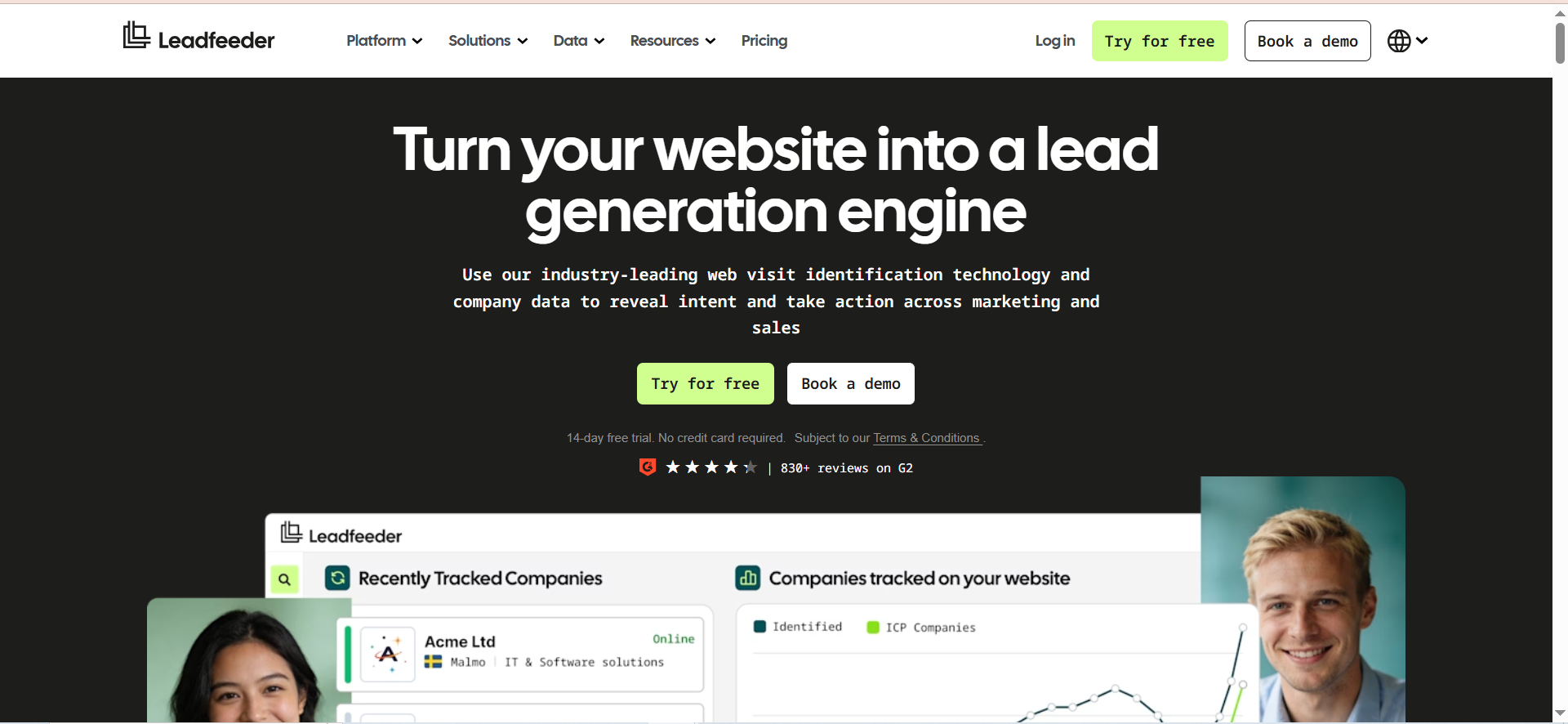
Leadfeeder, now part of the Dealfront platform, identifies companies visiting your website by matching IP addresses to its database of over 26 million companies, with particular strength in European markets. It does not give you individual contact names from a visit. Instead, it tells you which companies are browsing your site, what pages they viewed, how long they stayed, and which marketing channel brought them in. From there, it connects to decision-maker data so you can find the right person to contact at the identified company.
Why Teams Use It
Sales teams use Leadfeeder because it surfaces buying intent that other contact tools miss entirely. When a company visits your pricing page, reads three case studies, and comes back twice in a week, that is a signal worth acting on. Leadfeeder captures that behavior and turns it into an actionable lead with company name, visit timeline, page-level engagement data, and source attribution.
This is a fundamentally different approach from database-first tools. Instead of starting with a list of companies and searching for contacts, Leadfeeder starts with companies that have already shown interest and helps you find contacts within them.
What It Is Good For
Leadfeeder is best for teams that generate meaningful website traffic and want to convert anonymous visitors into sales conversations. It is particularly strong for inbound-heavy organizations where marketing drives traffic but the sales team needs to identify which companies are visiting and prioritize follow-up.
The filtering and lead scoring capabilities let you build custom feeds based on company size, industry, location, visit behavior, and traffic source. That means you can create a feed for enterprise companies that visited your pricing page from a Google Ads campaign and route those leads directly to an account executive.
When It Is a Good Fit
Leadfeeder fits B2B companies with meaningful website traffic, especially those in European markets where Dealfront's 26M-company EU database provides stronger coverage than US-focused competitors. It works well alongside traditional contact finder tools, acting as an intent signal layer on top of your existing prospecting stack.
When It Is Not a Good Fit
Leadfeeder is not a replacement for a contact database. It identifies companies, not individuals, and requires a separate step to find the right person at the identified company. It also cannot identify visitors who browse from home networks, coffee shops, or consumer ISPs, which is a growing gap as remote work remains the norm.
European website traffic faces additional challenges from GDPR cookie consent requirements, where a significant portion of sessions are not trackable. Expect 10 to 30 percent of total traffic to be matched to a company, depending on geography and the share of visitors on corporate networks.
How to Use It
Install the Leadfeeder tracking script on your website. Connect your CRM. The platform will begin identifying company-level visitors and populating your dashboard with visit data, page views, and engagement timelines. Set up custom feeds to filter and prioritize leads based on your ICP criteria.
Key Capabilities
Key capabilities include website visitor identification at the company level, firmographic enrichment and company data, detailed visit timelines and page-level engagement tracking, custom feeds with behavioral and firmographic filtering, lead scoring, campaign and channel attribution, decision-maker discovery, native CRM integrations with Salesforce, HubSpot, Pipedrive, Zoho, and Dynamics 365, and EU data residency with GDPR compliance posture.
Pricing
Paid plans start at $99/month billed annually, with pricing scaling by the number of companies identified per month. Annual subscriptions include a discount over monthly billing.
Free Tier?
A free plan is available with up to 100 identified companies per month and the last 7 days of visitor data. Paid plans unlock unlimited data storage, CRM integrations, custom feeds, and contact export credits.
Downsides and Limitations
The main limitations are company-level identification only with no individual visitor names, inability to identify visitors on home networks or consumer ISPs, GDPR cookie consent reducing trackable sessions in European traffic, significant price increases reported by legacy users after the Dealfront migration, annual billing with a narrow cancellation window, and match rates of only 10 to 30 percent of total traffic depending on geography and network type.
How Do Contact Finder Tools Verify Email Addresses?
Contact finder tools use several verification methods to reduce bounce rates. The simplest is syntax checking, which confirms the email follows a valid format. Beyond that, most tools ping the mail server (SMTP verification) to check whether the mailbox exists without actually sending a message. Some tools, like UpLead, run this check in real time at the moment of export, meaning you get current deliverability status rather than a cached result from weeks ago.
Waterfall enrichment is a more advanced approach used by tools like LeadIQ. Instead of relying on a single data source, the system queries multiple providers in sequence, cross-referencing results to increase match rates and accuracy. If the first source returns no result or a low-confidence match, the system moves to the next provider until it finds a verified address.
Wiza adds a deliverability scoring layer on top of verification, grading each email by confidence level so you can prioritize outreach to contacts with the highest likelihood of delivery. The practical takeaway is that not all verification is equal. Real-time verification catches stale data that batch-verified databases miss, especially for contacts who have recently changed jobs.
What Is the Difference Between a Contact Database and a Contact Finder?
A contact database is a pre-built, searchable collection of business contacts. You log in, set filters for job title, industry, company size, and location, and the system returns matching contacts from its existing records. UpLead and RocketReach are examples of this model. The database exists whether or not you have a specific target company in mind.
A contact finder, by contrast, works on demand. You give it a name, a company, or a LinkedIn profile, and it goes out and finds the email or phone number in real time. Wiza and LeadIQ operate closer to this model. They do not maintain a traditional searchable database you browse from scratch. Instead, they enrich contacts you have already identified through LinkedIn or another source.
The practical difference matters for workflow. If your team starts prospecting by defining an ICP and building a list from scratch, a database tool is the right starting point. If your team starts on LinkedIn, identifies specific people, and then needs contact details, a finder tool fits better. Some tools blur the line. RocketReach has a large database but also offers browser extensions that work like a finder. LeadIQ uses waterfall enrichment that draws from multiple databases behind the scenes.
How to Find Company Contacts Without LinkedIn
LinkedIn is the default starting point for most B2B prospecting, but it is not the only path. Contact database tools like UpLead and RocketReach let you search by company name, domain, or firmographic filters without opening LinkedIn at all. You can enter a target company's domain and pull a list of employees with their job titles, emails, and phone numbers directly from the platform's database.
Company websites are another source. Many businesses list their leadership team, department heads, and general contact information on About Us or Team pages. Tools like Hunter let you enter a domain and return all email addresses associated with it, which works well for smaller companies with published staff directories.
Industry directories and professional associations often publish member contact information. Conference attendee lists, trade show exhibitor directories, and published speaker bios can surface contacts that do not appear in standard B2B databases. For companies with significant web traffic, Leadfeeder identifies visiting companies through IP matching and then helps you find decision-makers within those organizations, bypassing LinkedIn entirely.
Government filings, press releases, and SEC documents can also reveal executive contacts at public companies, though this approach is manual and better suited for high-value enterprise targets.
What Is the Best Free Tool for Finding Company Contacts?
For free access, LeadIQ and Wiza both offer functional free plans. LeadIQ provides 50 universal credits per month on its free plan, enough for up to 50 email lookups. Wiza gives you 20 verified emails and 5 phone numbers monthly. Both are enough to test the workflow and data quality but not sufficient for active outbound campaigns.
LinkedIn itself is a free contact finding tool if you are willing to do manual work. You can search by company, filter by job title, and send connection requests to access email addresses that contacts have made public on their profiles. This scales poorly but costs nothing beyond your time.
Hunter offers a limited free tier for domain-based email searches, and many tools provide free trials with a small number of credits. UpLead's 7-day trial with 5 credits and various competitor trials let you test data quality before committing to a paid plan. The honest answer is that free tools work for occasional lookups or tool evaluation, but any team doing systematic outbound will hit the limits within a few days.
How Accurate Are B2B Contact Databases?
Accuracy varies significantly across providers and depends on how you measure it. UpLead claims 95% email accuracy with a real-time verification guarantee and credits back bounced emails. RocketReach reports 85 to 90 percent accuracy for verified emails, though users note that data freshness is a concern since verification happens in batch cycles. LeadIQ's waterfall enrichment approach improves email accuracy by cross-referencing nine data sources, but phone number accuracy remains a consistent weak spot across user reviews.
The biggest factor affecting accuracy is data freshness. The average employee tenure in the US is around 4 years, and in sales and marketing roles it is often shorter. Every month, a percentage of contacts in any database become outdated as people change jobs, companies restructure, and email domains shift. Tools that verify in real time, like UpLead and Wiza, catch these changes at the moment of export. Tools that verify in batch cycles, like RocketReach, may serve stale records that were valid when last checked but have since changed.
Phone number accuracy is worse than email accuracy across every tool in this category. Direct dial and mobile numbers change more frequently, are harder to verify programmatically, and are less widely published in professional databases.
How to Find the Right Person to Contact at a Company
Finding the right person starts with defining who you are looking for by role, not by name. Start with the job function most likely to care about your product, then narrow by seniority level. For most B2B sales, you want the person who owns the budget and the pain point your product addresses.
Contact finder tools help with this through title and seniority filters. UpLead and RocketReach let you filter by department, seniority, and job title within a target company. LeadIQ shows you the organizational context from LinkedIn, including reporting relationships, so you can identify whether someone is a decision-maker or an influencer.
Leadfeeder takes a different approach by showing you which pages someone at a target company has visited on your website. If the VP of Marketing at a prospect company is reading your case studies, that is a stronger signal than a cold database lookup for the CMO.
For enterprise targets, combining multiple approaches works best. Use a contact database to identify the right titles, LinkedIn to confirm current roles and reporting lines, and intent data or website visitor identification to prioritize the contacts showing the most buying behavior.
What Should You Look for in a Contact Finder Tool?
The most important evaluation criteria are data accuracy, database coverage for your target market, verification method, integration with your existing CRM and outreach tools, and pricing model relative to your volume needs.
Data accuracy matters more than database size. A tool with 100 million verified contacts is more valuable than one with 700 million unverified records if you are running email campaigns where bounces hurt your sender reputation. Look for tools that verify in real time or offer accuracy guarantees with credit-back policies.
Integration depth determines how much manual work you do after finding a contact. Tools that push directly to Salesforce, HubSpot, Outreach, or Salesloft with automatic account matching and deduplication save significant time compared to CSV export and manual import workflows.
Pricing model is where many teams get surprised. Credit-based pricing means your cost scales with usage, and some tools expire unused credits monthly. Calculate your expected monthly lookup volume and compare the per-contact cost across tools at that volume. A tool that looks cheap at the entry price may cost more per contact than a premium alternative once you factor in credit tiers and expiration policies.
Can Contact Finder Tools Integrate with Your CRM?
Yes, and integration quality is one of the key differentiators between tools. All five tools covered in this guide offer CRM integrations, but the depth varies.
LeadIQ has the strongest CRM integration story for individual contact capture. It automatically matches contacts to existing CRM accounts, flags duplicates, and syncs with Salesforce, HubSpot, and Dynamics in real time as you prospect on LinkedIn. It also integrates with Outreach and Salesloft for direct sequence enrollment.
UpLead integrates with Salesforce, HubSpot, Zoho, and Pipedrive for list-level exports. You build a list in UpLead and push the entire batch to your CRM with field mapping configured upfront. It is efficient for bulk operations but less seamless for one-at-a-time capture.
Leadfeeder connects with Salesforce, HubSpot, Pipedrive, Zoho, and Dynamics 365 to push identified companies and their engagement data into your CRM as new leads or activities attached to existing accounts. The campaign attribution data is a bonus that marketing teams value for pipeline reporting.
RocketReach integrates with Salesforce and HubSpot, though some advanced CRM features require the Ultimate plan at $175/month. Wiza pushes contacts to HubSpot, Salesforce, and Outreach, keeping the integration focused on the tools SDR teams actually use.
How to Find Phone Numbers for Business Contacts
Phone numbers are harder to find and less accurate than emails across every contact finder tool. The verification challenge is that you cannot programmatically confirm a phone number the same way you can verify an email address by pinging a mail server.
UpLead includes phone numbers at no extra credit cost, making it the most cost-effective option if direct dials are important to your outbound strategy. One credit gets you both the email and phone number for the same contact, while most competitors charge separately or restrict phone data to higher-priced plans.
RocketReach has strong direct-dial coverage, especially across non-tech industries, though accuracy is inconsistent. Wiza offers phone numbers on its Email+Phone plan at $199/month, pulling numbers from LinkedIn profiles and associated data sources. LeadIQ provides phone numbers but users consistently flag accuracy as the platform's weakest area.
For teams that rely heavily on phone outreach, the practical approach is to use a contact finder for initial phone numbers, then verify them against a second source before loading them into a dialer. No single tool delivers consistently accurate phone data across all industries and geographies.
What Is Website Visitor Identification and How Does It Help Find Contacts?
Website visitor identification is the process of matching anonymous website traffic to real companies using IP address data and reverse DNS lookups. When someone visits your website from a corporate network, the tool matches their IP address to a company in its database and tells you which organization was browsing your site, what pages they viewed, and how long they spent.
Leadfeeder, now part of Dealfront, is the tool in this guide that specializes in this approach. It does not identify individual visitors by name, but it shows you which companies are looking at your pricing page, reading your case studies, or comparing features. That behavioral data is a strong intent signal that cold database lookups cannot provide.
The limitation is coverage. Only visitors on corporate networks or known business ISPs can be identified. Anyone browsing from home, a VPN, or a consumer internet connection is invisible. In remote-first workforces, this means a meaningful share of genuine buyer traffic goes unidentified. Match rates typically range from 10 to 30 percent of total traffic depending on geography and the proportion of visitors on corporate versus consumer networks.
Website visitor identification works best as a complement to traditional contact finder tools. Use it to identify companies showing buying behavior, then use a database tool like UpLead or RocketReach to find the right decision-maker within that company.
How Do GDPR and Data Privacy Rules Affect Contact Finder Tools?
GDPR and data privacy regulations affect contact finder tools in two ways. First, they restrict how tools collect, store, and share personal data. Second, they limit how you can use the contact data you obtain for outreach.
Leadfeeder and Dealfront have the strongest EU compliance posture, with European data residency and built-in GDPR features. Their visitor identification relies on IP matching rather than cookie-based tracking, though GDPR cookie consent rules still reduce the volume of trackable sessions from European visitors.
UpLead, LeadIQ, and Wiza process data under standard compliance frameworks and provide data processing agreements for customers in regulated markets. RocketReach has faced some user-reported concerns about data handling practices, including home address exposure in certain records and unresponsive deletion request handling.
For buyers in GDPR-regulated markets, the key questions to ask any vendor are where data is stored, how they handle deletion requests under right-to-erasure rules, whether they can provide a Data Processing Agreement, and how their data collection methods align with legitimate interest or consent requirements. The regulatory landscape is evolving, and compliance posture should factor into your vendor evaluation alongside data accuracy and pricing.
How to Build a Prospect List Using Contact Finder Tools
Building a prospect list starts with defining your ideal customer profile. Nail down the firmographic criteria first: industry, company size, revenue range, geography, and technology stack. Then define the persona criteria: job title, department, seniority level, and function.
With those filters set, the workflow depends on your tool. In UpLead, enter your filters in the Prospector, review the matching contacts, and export the list with real-time verification. In RocketReach, use the advanced search with 100+ filters to build a list and export to CSV or push to your CRM. Both tools let you start from a blank slate and build a targeted list without any prior research.
If you start from LinkedIn, use Sales Navigator to build your target list based on company and persona filters, then use Wiza to bulk export the contacts with verified emails, or LeadIQ to capture contacts one at a time with CRM sync.
For a blended approach, use Leadfeeder to identify companies already visiting your website, then use a database tool to find decision-makers within those companies. This combines intent data with contact data, giving your outreach both targeting precision and timing relevance. The result is a prioritized list where the companies at the top are the ones already showing buying behavior.



