

TL;DR
Choosing a sales intelligence tool comes down to what your team actually needs: verified contact data, buyer intent signals, website visitor identification, or some combination of all three. Most teams overpay for features they never use because they start with the vendor's feature matrix instead of their own workflow gaps.
After evaluating dozens of platforms, five tools stand out for different use cases and team sizes in 2026: UpLead for verified B2B contact data with real-time email verification, LeadIQ for LinkedIn-first prospecting workflows, Wiza for bulk Sales Navigator exports, RocketReach for individual contact lookups at scale, and Leadfeeder (Dealfront) for identifying which companies visit your website before they fill out a form.
This guide breaks down what each tool does well, where it falls short, what it costs, and which type of team it fits. If you are evaluating sales intelligence platforms for the first time or replacing a tool that stopped delivering, start with the comparison table below and then read the sections that match your use case.
Best Sales Intelligence Tools in 2026 (Quick Comparison)
| Tool | Best For | Starting Price | Database Size |
|---|---|---|---|
| UpLead | Verified B2B contact data with 95%+ email accuracy | $99/mo | 160M+ contacts |
| LeadIQ | LinkedIn-based prospecting with CRM sync | $200/mo (Pro) | Not publicly disclosed |
| Wiza | Bulk LinkedIn Sales Navigator exports | $49/mo | LinkedIn-sourced |
| RocketReach | Individual contact lookups across 700M+ profiles | $33/mo (annual) | 700M+ profiles |
| Leadfeeder | Website visitor identification and account tracking | €99/mo (annual) | IP-to-company matching |
1. UpLead
What It Does
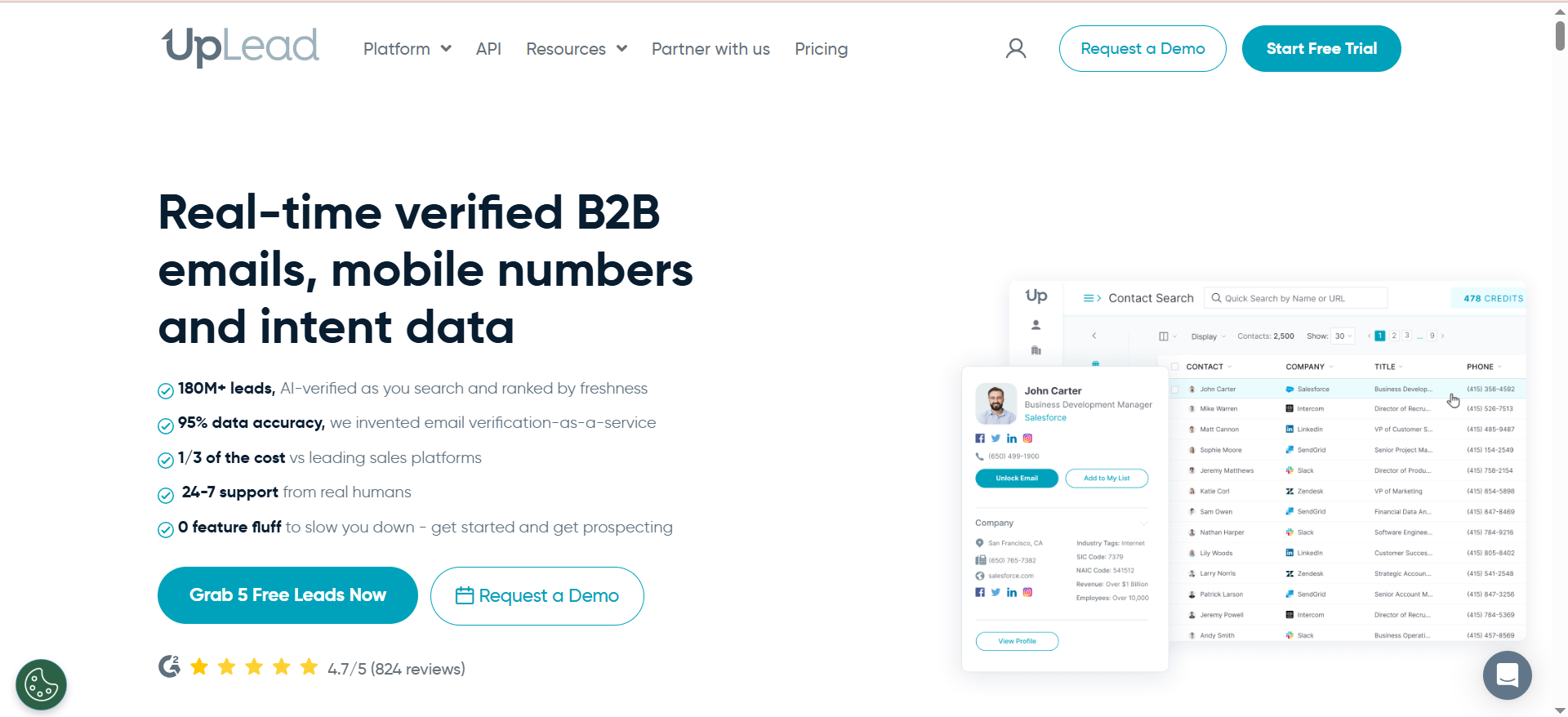
UpLead is a B2B contact data platform that lets sales teams build targeted prospect lists using over 50 search filters, including company size, industry, technology stack, revenue, and job title. Every email address goes through real-time verification before you download it, and UpLead backs that with a 95%+ accuracy guarantee — if a contact bounces, the credit is refunded.
Why Teams Use It
The real-time email verification is the primary draw. Most contact data platforms deliver a CSV and leave validation to you. UpLead verifies each email at the point of export, which means fewer bounces, cleaner CRM data, and less time spent on list hygiene. Teams that have been burned by bad data from other providers tend to gravitate toward UpLead for that reason.
What It's Good For
UpLead works well for outbound prospecting when you need to build lists from scratch. The filtering is granular enough to target specific company characteristics — you can filter by technologies used (tracking over 16,000 technologies), employee count ranges, SIC codes, and geography. The intent data add-on (available on higher plans) flags companies that are actively researching topics related to your product category, which helps prioritize outreach timing.
When It's a Good Fit
UpLead fits teams that run structured outbound campaigns and need clean, verified contact data as their starting point. It works particularly well for small to mid-size sales teams (under 20 reps) that do not need the full weight of an enterprise platform like ZoomInfo but want more reliable data than free tools provide. If your sales process depends on cold email and you cannot afford a high bounce rate, UpLead's verification model pays for itself quickly.
When It's Not a Good Fit
UpLead is not ideal if your prospecting workflow is centered on LinkedIn — tools like LeadIQ or Wiza integrate more tightly with Sales Navigator. It also lacks built-in email sequencing or multi-channel outreach capabilities, so you will still need a separate sales engagement tool. Enterprise teams that need org chart mapping, relationship intelligence, or conversation analytics will find UpLead too narrow for their needs.
How to Use It
The typical workflow is straightforward. Log in, open the Prospector, set your filters (industry, company size, location, job title, technologies), and build a list. Preview the contacts, then export them — UpLead verifies each email in real time during export. Push the verified list directly to your CRM (Salesforce, HubSpot, Zoho, Pipedrive, or others via Zapier) or download as a CSV. The Chrome extension lets you pull contact data while browsing LinkedIn or company websites without switching tabs.
Key Capabilities
UpLead's core capabilities include the Prospector tool with 50+ search filters, real-time email verification at point of export, technographic data covering 16,000+ technologies, buyer intent data (on higher-tier plans), a data enrichment API for appending data to existing CRM records, mobile direct dial numbers, a Chrome extension for LinkedIn and web enrichment, and bulk lookup for processing company lists. The platform covers 160M+ B2B contacts across 200+ countries.
Pricing
UpLead offers three paid plans. The Essentials plan costs $99/month (or $74/month billed annually) and includes 170 credits per month. The Plus plan costs $199/month (or $149/month billed annually) with 400 credits per month and adds technographics and enrichment API access. The Professional plan has custom pricing starting around $599/month for 2,000+ credits and includes intent data, advanced CRM integrations, and a dedicated account manager. Annual billing saves roughly 25% across all plans.
Free Tier?
Yes. UpLead offers a free trial with 5 credits so you can test the data quality and verification process before committing to a paid plan. No credit card is required to start the trial.
Downsides / Limitations
Credit-based pricing means costs scale directly with usage, and credits expire monthly with no rollover. The database, while verified, is smaller than enterprise competitors like ZoomInfo (160M+ vs 500M+ contacts). Intent data is locked behind the Professional plan, so lower-tier users miss out on a valuable prioritization signal. There is no built-in outreach sequencing, which means you need a separate tool for email campaigns. Some users report that direct dial coverage is weaker outside the United States.
2. LeadIQ
What It Does
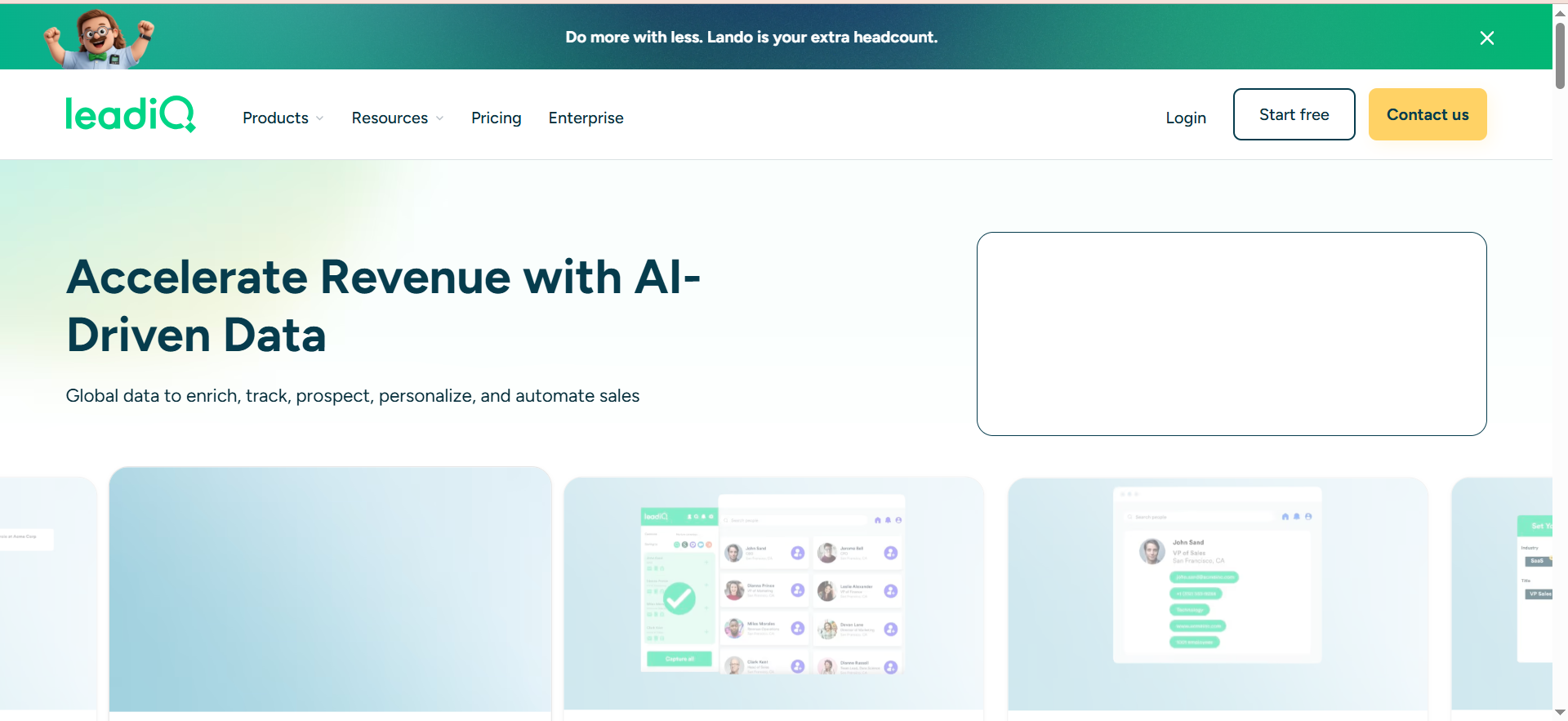
LeadIQ is a prospecting platform built around LinkedIn workflows. It captures contact data directly from LinkedIn profiles and Sales Navigator searches, verifies emails, and pushes enriched records into your CRM and sales engagement tools in a single click. The platform also tracks job changes across your prospect universe, surfacing timely outreach triggers when contacts move to new roles.
Why Teams Use It
LeadIQ reduces the friction between finding a prospect on LinkedIn and getting their verified contact data into the CRM. Without it, reps copy-paste between tabs, manually search for email addresses, and type records into Salesforce — a workflow that adds 10–15 minutes per prospect. LeadIQ compresses that into a browser extension click. The job change tracking is a strong secondary draw: it alerts your team when a champion or decision-maker moves companies, which is one of the highest-converting outreach triggers in B2B sales.
What It's Good For
LeadIQ excels in LinkedIn-first prospecting motions where sales reps manually identify prospects through Sales Navigator, mutual connections, or company page research. It is particularly effective for account-based selling, where reps need to capture multiple contacts at target accounts and push them into sequenced workflows quickly. The personalization features help reps craft tailored first-touch messages using data LeadIQ already captured, reducing the time between research and outreach.
When It's a Good Fit
LeadIQ fits mid-market and enterprise sales teams (5–50+ reps) that already invest in LinkedIn Sales Navigator and need a capture layer on top. It is well-suited for organizations running account-based sales motions where reps work defined account lists and need to build contact maps per account. Teams using Salesforce, HubSpot, Outreach, or SalesLoft will get the most value from LeadIQ's native integrations.
When It's Not a Good Fit
LeadIQ is not the right tool if your team does not use LinkedIn Sales Navigator as a primary prospecting channel — the Chrome extension's value drops significantly without it. It is also a poor fit for teams that need to build large prospect lists from scratch using firmographic filters, since LeadIQ is designed for one-at-a-time or small-batch capture rather than database-style searching. Sole proprietors or very small teams may find the pricing difficult to justify given the $200/month Pro plan cost plus the required Sales Navigator subscription.
How to Use It
Install the Chrome extension, navigate to LinkedIn or Sales Navigator, and click the LeadIQ icon on any profile to capture verified contact data. The extension pulls email addresses, phone numbers, and company details, then syncs them directly to your CRM records. For batch workflows, you can capture contacts from Sales Navigator search results or account pages. The Scribe feature helps draft personalized outreach messages based on the prospect's profile data. Job change alerts run in the background and surface notifications when tracked contacts move roles.
Key Capabilities
LeadIQ's feature set includes one-click contact capture from LinkedIn and Sales Navigator, verified work email addresses and mobile phone numbers, job change tracking across your entire prospect database, personalized outreach drafting through Scribe (AI-powered), native CRM integrations with Salesforce and HubSpot, sales engagement platform integrations with Outreach and SalesLoft, account-based contact mapping, and data enrichment for existing CRM records. The platform emphasizes workflow speed — the goal is to move from prospect identification to CRM record to outreach sequence in under a minute.
Pricing
LeadIQ uses a Universal Credits model with credits shared across users. The Free plan includes 50 credits per month for 1 user. The Pro plan starts at $200/month for 200 credits with up to 5 users sharing the credit pool (approximately $150/month billed annually). Enterprise pricing is custom and quote-based. Each email lookup costs 1 credit and each phone number costs 10 credits, so teams that need mobile numbers burn through credits significantly faster. Important note: LinkedIn Sales Navigator is not included and costs approximately $80–140/month per user on top of LeadIQ.
Free Tier?
Yes. The free plan provides 50 Universal Credits per month for 1 user. It supports the Chrome extension and basic CRM integration. This is enough to test the workflow but insufficient for a full sales motion.
Downsides / Limitations
The credit-pool pricing model can become expensive quickly, especially for teams that need phone numbers (10 credits per phone lookup vs. 1 credit per email). LeadIQ's value is heavily dependent on LinkedIn Sales Navigator, which adds a substantial cost that is not reflected in LeadIQ's pricing. The contact database is not independently searchable like UpLead or RocketReach — you need to start from LinkedIn profiles. Some users report that mobile phone number coverage and accuracy can be inconsistent, particularly for contacts outside North America. Data credits reset monthly with no rollover.
3. Wiza
What It Does
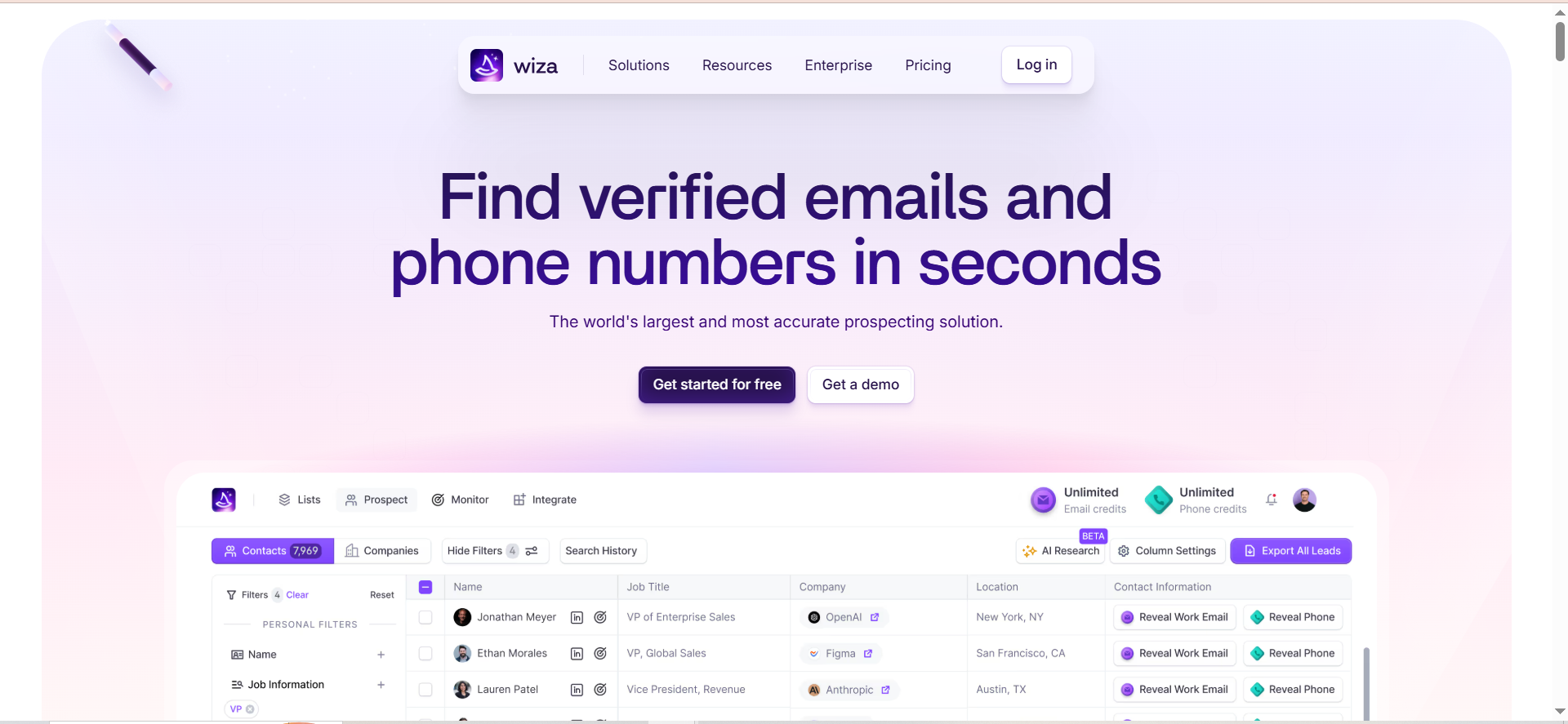
Wiza is a contact data extraction tool designed specifically for LinkedIn Sales Navigator. It takes your Sales Navigator search results and saved lists and converts them into verified email addresses, phone numbers, and structured prospect data that you can export to your CRM or as a CSV. Think of it as the bridge between LinkedIn's search capabilities and your outbound sales stack.
Why Teams Use It
The core value proposition is bulk export. LinkedIn Sales Navigator is excellent for finding prospects but deliberately limits what you can do with those results — you cannot export contacts, and you have to view profiles one at a time. Wiza removes that limitation by letting you export up to 2,500 contacts per Sales Navigator list with verified emails attached. For teams that spend hours manually pulling contacts from LinkedIn searches, Wiza gives that time back.
What It's Good For
Wiza is built for high-volume LinkedIn prospecting. If your team's workflow starts with building a targeted search in Sales Navigator and ends with a CSV of verified contacts loaded into your outreach tool, Wiza handles the middle. It works well for recruiters, SDR teams running outbound campaigns, and marketing teams building targeted lists for ABM campaigns. The real-time email verification means you skip the separate validation step that other LinkedIn scrapers require.
When It's a Good Fit
Wiza is a strong fit for teams that already have LinkedIn Sales Navigator and need an efficient way to turn searches into actionable contact lists. It works best for organizations that run outbound at volume — if you are building lists of 100–2,500 contacts per campaign, Wiza's bulk export functionality saves significant time. SDR teams at growing SaaS companies and recruiting agencies are typical use cases.
When It's Not a Good Fit
Wiza is not a standalone sales intelligence platform — it does not provide its own searchable database, intent data, or account-level insights. If you do not have LinkedIn Sales Navigator, Wiza loses its primary input source and becomes far less useful. It also does not fit teams that need ongoing account monitoring, buying signals, or territory planning. Enterprise teams looking for a comprehensive data platform will outgrow Wiza quickly.
How to Use It
Start with a search or saved list in LinkedIn Sales Navigator. Open the Wiza Chrome extension, select the contacts you want to export, and initiate the extraction. Wiza processes each profile, finds associated email addresses, verifies them in real time, and compiles the results into a downloadable list. You can push the contacts directly to Salesforce, HubSpot, or Outreach, or export as a CSV for use in any outreach tool. The dashboard tracks your credit usage and export history.
Key Capabilities
Wiza's core feature set covers bulk export of up to 2,500 contacts per Sales Navigator list, real-time email verification with deliverability scoring, phone number extraction (on higher-tier plans), direct CRM push to Salesforce, HubSpot, and Outreach, CSV export with structured contact and company data, and a Chrome extension that works alongside LinkedIn Sales Navigator. The platform focuses narrowly on doing one thing well: turning LinkedIn searches into verified contact data.
Pricing
Wiza offers a tiered model. The free plan includes 20 email credits and 5 phone number credits per month. The Starter plan costs $49/month and includes 100 email credits and 100 phone number credits per month, with overage pricing of $0.15 per additional email and $0.35 per additional phone number. The Email plan costs $99/month ($83/month billed annually) with unlimited email lookups on the annual plan. The Email + Phone plan runs $199/month ($166/month billed annually) with unlimited emails and phone numbers on the annual plan. Team plans start at $449/month billed annually for 3 or more users with unlimited lookups, CRM integrations, and a dedicated success manager. Credits on non-annual plans expire at the end of each billing cycle with no rollover. LinkedIn Sales Navigator ($79–139+/month) is required separately.
Free Tier?
Yes. The free plan provides 20 email credits and 5 phone number credits per month. It is enough to test the extraction workflow and email verification quality but not sufficient for regular prospecting.
Downsides / Limitations
Wiza is entirely dependent on LinkedIn Sales Navigator, which adds $79–139+ per month per user to your actual cost. The credit-based pricing with monthly expiry means unused credits are wasted. The platform does not have its own contact database, so you cannot prospect outside of LinkedIn. CRM integrations on lower-tier plans may be limited. There is no intent data, no account tracking, and no enrichment beyond what LinkedIn profiles provide. For teams that need a comprehensive sales intelligence solution, Wiza is a point tool, not a platform.
4. RocketReach
What It Does
RocketReach is a contact lookup platform with a database of over 700 million professional profiles and 60 million companies. It finds verified email addresses, phone numbers, and social media links for individual professionals or in bulk. The platform works as both a self-serve lookup tool and an API for teams that want to embed contact data into their own systems and workflows.
Why Teams Use It
The scale of the database is the primary differentiator. At 700M+ profiles, RocketReach covers a wider swath of professionals globally than most mid-market alternatives. Teams use it when they have a specific person or company in mind and need verified contact details quickly — the lookup model is straightforward and does not require building lists through complex filter workflows. The API is also a significant draw for product and engineering teams that need to integrate contact enrichment into custom applications, CRM automation, or lead routing systems.
What It's Good For
RocketReach handles individual contact lookups, company searches, and bulk enrichment well. It is particularly strong when you know who you want to reach (by name, company, or LinkedIn URL) and need their direct email or phone number. The browser extension pulls contact data from LinkedIn profiles, company websites, and other web pages. For companies building internal tools or custom prospecting workflows, the API provides programmatic access to the full contact database.
When It's a Good Fit
RocketReach fits teams that need flexible, high-volume contact lookups without committing to a full sales intelligence platform. It works well for sales teams, recruiters, journalists, investors, and marketing teams that look up contacts on a per-need basis rather than building large static lists. The API-first design also makes it a good fit for technically-oriented teams that want to embed contact data into custom workflows, lead scoring models, or enrichment pipelines.
When It's Not a Good Fit
RocketReach is a contact data tool, not a sales intelligence platform. It does not provide buyer intent signals, account-level insights, website visitor tracking, or sales engagement features. If your team needs to identify which accounts to target (not just find contact data for known targets), you will need a more complete platform. The lookup-based model is also less efficient for teams that want to build filtered prospect lists from firmographic criteria — tools like UpLead or ZoomInfo handle that workflow better.
How to Use It
Search for a contact by name, email, company, or LinkedIn URL on the web app or through the Chrome extension. RocketReach returns verified email addresses, phone numbers, and social media profiles when available. For bulk workflows, upload a list of names and companies, and RocketReach returns enriched contact data for each. The API supports programmatic lookups with endpoints for individual searches, bulk enrichment, and company data. Results can be exported to CSV or pushed to Salesforce via native integration.
Key Capabilities
RocketReach's feature set includes a searchable database of 700M+ professional profiles across 60M+ companies, verified email addresses with confidence scoring, direct dial phone numbers (on Pro and Ultimate plans), a Chrome extension for LinkedIn, company websites, and Crunchbase, a bulk lookup tool for processing contact lists, a full REST API with endpoints for search, lookup, and enrichment, org chart visualization (Ultimate plan), Salesforce integration, and advanced filters including job title, department, company size, industry, and location.
Pricing
RocketReach uses a tiered annual plan model. The Essentials plan costs $33/month (billed annually) with 1,200 email-only lookups per year. The Pro plan costs $83/month (billed annually) with 3,600 lookups per year and adds phone numbers. The Ultimate plan costs $207/month (billed annually) with 10,000 lookups per year, full API access, org charts, and Salesforce integration. Team plans follow the same tier structure with per-user pricing. Enterprise pricing starts around $6,000/year and scales based on volume, integrations, and support requirements.
Free Tier?
Yes. RocketReach offers a limited free tier with a small number of lookups so you can test data quality. The free credits are limited and intended for evaluation rather than sustained use.
Downsides / Limitations
Lookup-based pricing means you pay per contact found, which can become expensive at high volumes compared to platforms with unlimited search. There is no intent data, no account monitoring, and no sales engagement functionality. The Essentials plan is email-only — phone numbers require the Pro plan or higher. Salesforce integration and API access are locked behind the Ultimate plan, which is a significant jump in cost. Some users report that email accuracy, while generally good, varies by industry and geography. Org charts and advanced features are only available on the highest-priced tier.
5. Leadfeeder (Dealfront)
What It Does
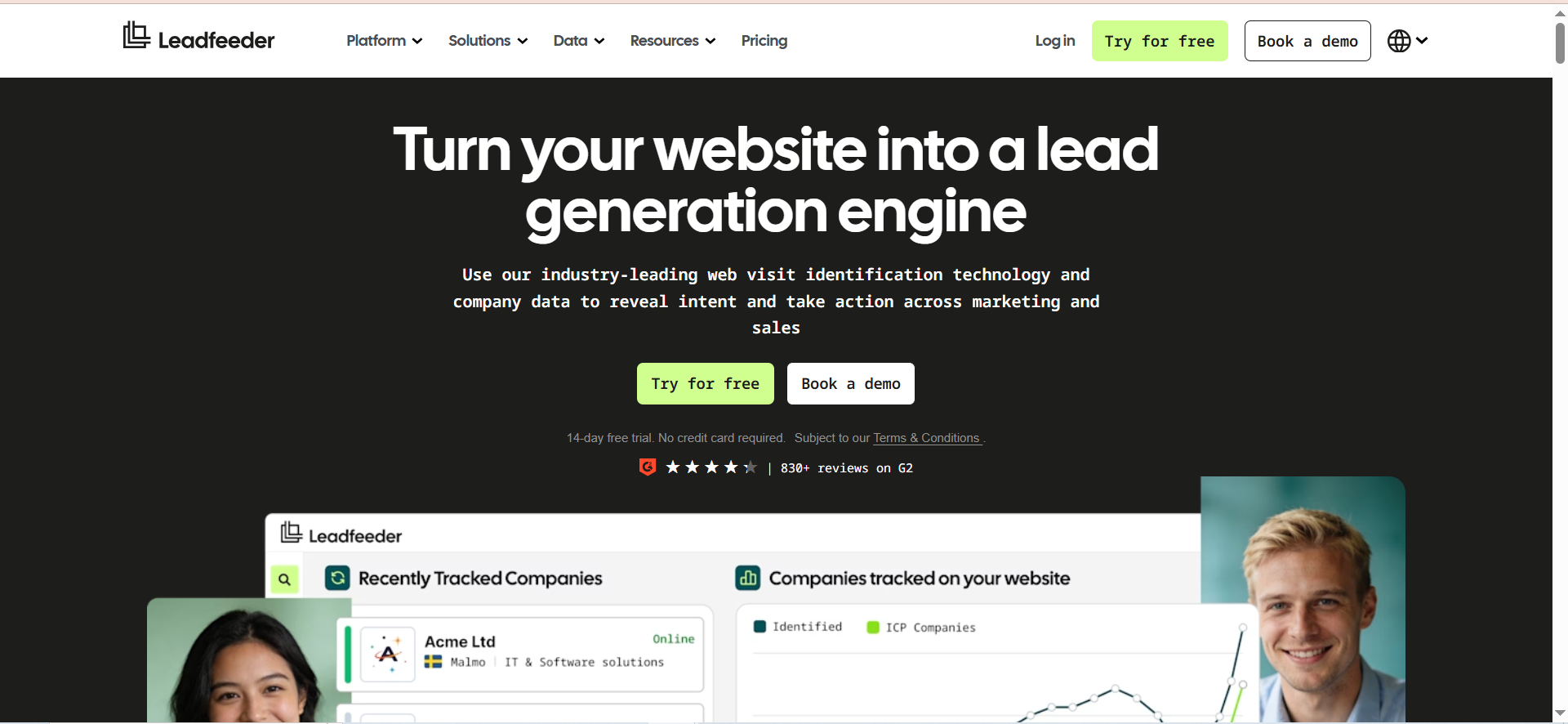
Leadfeeder is a website visitor identification platform that shows you which companies visit your website, what pages they view, how long they spend, and which traffic source brought them in. It uses reverse IP lookup to match anonymous website visitors to company profiles, then enriches those profiles with firmographic data and employee contact information. Leadfeeder (originally an independent product) became part of Dealfront after the 2022 merger with Echobot, and re-unified under the Leadfeeder brand in 2025.
Why Teams Use It
Most B2B websites convert less than 3% of visitors into leads through forms. Leadfeeder surfaces the other 97% — the companies that visited, researched your product, and left without converting. Knowing that a specific company viewed your pricing page three times this week is a powerful outbound trigger. Sales teams use Leadfeeder to prioritize outreach to accounts that are already showing buying signals through website behavior, rather than cold-calling companies that have never heard of them.
What It's Good For
Leadfeeder is built for demand generation and account-based marketing workflows where website behavior informs sales prioritization. It works well as a warm lead source: instead of reaching out cold, your team contacts accounts that have already demonstrated interest by visiting your site. The platform is also valuable for marketing teams that need to tie specific campaigns, content pieces, or traffic sources to the companies they attract. Customer success teams use it to monitor expansion signals when existing customers visit upgrade-related pages.
When It's a Good Fit
Leadfeeder fits B2B companies with meaningful website traffic (typically 1,000+ monthly visitors) that want to convert anonymous visits into sales conversations. It is well-suited for companies running inbound marketing programs, content-driven lead generation, or ABM campaigns where you need to know which target accounts are engaging with your site. The tool pairs well with outbound prospecting workflows — your reps can reference specific page visits when reaching out, which increases response rates.
When It's Not a Good Fit
Leadfeeder is not a prospecting database — it only identifies companies that have already visited your website. If your site does not get consistent traffic, Leadfeeder will not surface enough leads to justify the cost. It also struggles with remote workers using residential ISPs (which are unresolvable to a company) and VPN traffic, which is a growing gap in 2026 as hybrid and remote work continue. Companies that need contact-level identification (who specifically visited, not just which company) will not get that from Leadfeeder's IP-based approach — it identifies companies, not individuals.
How to Use It
Install the Leadfeeder tracking script on your website (a lightweight JavaScript snippet similar to Google Analytics). Once installed, Leadfeeder begins identifying visiting companies within hours. Set up custom feeds to filter visitors by criteria such as company size, industry, page visits, or visit frequency. Configure lead scoring to prioritize high-intent accounts. Push qualified accounts to your CRM (Salesforce, HubSpot, Pipedrive, or Microsoft Dynamics) automatically or review them in the Leadfeeder dashboard. Set up Slack notifications for real-time alerts when target accounts visit key pages.
Key Capabilities
Leadfeeder's features include first-party website visitor identification via IP-to-company matching, company-level visitor tracking with page view detail and session data, firmographic enrichment (company size, industry, location, revenue), employee contact data including emails and phone numbers (on paid plans), custom feed filtering with behavioral and firmographic criteria, lead scoring based on visit frequency, page depth, and company fit, two-way CRM integrations with Salesforce, HubSpot, Pipedrive, and Microsoft Dynamics, marketing platform integrations for campaign attribution, Slack and email notifications for real-time alerts, and unlimited user seats on both free and paid plans.
Pricing
Leadfeeder uses volume-based pricing tied to the number of companies identified per month. The Free plan supports up to 100 identified companies per month with 7-day data retention and unlimited users. The Paid plan starts at €99/month (billed annually) for up to 50 identified companies and scales up — €199/month for 101–200 companies, €499/month for 501–1,000, and up to €1,199/month for 20,001–40,000 companies. Monthly billing is approximately 40% more expensive than annual. All paid plans include unlimited data retention, verified contact details, CRM integrations, and marketing integrations. A 14-day free trial of the paid plan is available with no credit card required.
Free Tier?
Yes. The free plan identifies up to 100 companies per month with 7-day data retention and unlimited users. It provides a functional trial of the platform but the short retention window and company cap limit its usefulness for ongoing sales workflows.
Downsides / Limitations
IP-based identification has structural limitations in 2026. Remote workers on residential internet connections and VPN users are invisible to Leadfeeder, which creates a growing blind spot as distributed work continues. Identification rates vary — some users report that only a fraction of website visitors are matched to company profiles, particularly for smaller businesses. Pricing scales with visitor volume, which can become expensive for high-traffic websites. The tool identifies companies, not individuals, so you still need to figure out which person at the company to contact. Some user reviews mention aggressive auto-renewal policies with a 30-day cancellation window.
What Is Sales Intelligence and Why Does It Matter in 2026?
Sales intelligence refers to the data, tools, and processes that help sales teams identify the right accounts, understand buyer context, and time their outreach based on real signals rather than guesswork. At its core, sales intelligence answers three questions: who should we sell to, what do we know about them, and when is the right moment to reach out?
The category has evolved significantly. What started as simple contact databases in the early 2010s now encompasses buyer intent data, technographic profiling, relationship mapping, conversation analytics, and predictive scoring. In 2026, the sales intelligence market is valued at roughly $5.0–5.4 billion and is projected to reach $9–12 billion by the early 2030s, growing at 11–13% annually.
Why the growth? Three forces are driving it. First, buyer behavior has shifted — prospects do most of their research before engaging a salesperson, which means the window for relevant outreach is shorter and the cost of a poorly-timed cold call is higher. Second, data privacy regulations (GDPR, CCPA, and expanding state-level laws in the US) are tightening the rules around how contact data can be collected and used, pushing teams toward platforms that handle compliance natively. Third, AI capabilities now enable real-time signal processing that was not possible even two years ago — intent data, job change alerts, and technographic shifts can be detected and acted on within hours rather than weeks.
For sales teams, the practical impact is measurable. Signal-personalized outreach achieves 15–25% reply rates compared to the 3–5% cold email average. The first seller to contact a prospect after a buying trigger event is roughly 5x more likely to win the deal. Sales intelligence tools make both of those advantages accessible to any team, not just the ones with dedicated research analysts.
How to Choose a Sales Intelligence Tool for Your Team
Choosing the right sales intelligence tool starts with understanding your team's prospecting workflow, not with comparing feature lists. Two teams with similar revenue targets can need fundamentally different tools depending on how they find, qualify, and reach prospects.
Start by mapping your current process. Where do your reps spend the most time? If they are manually researching contacts on LinkedIn, a tool like LeadIQ or Wiza that streamlines that specific workflow will deliver faster ROI than a platform with features they will not use. If they are building cold prospect lists from scratch without any starting point, a database-first tool like UpLead or RocketReach is more appropriate.
Consider your data quality baseline. If your CRM is full of outdated contacts and bouncing emails, prioritize tools with real-time verification (UpLead's 95%+ guarantee) or enrichment capabilities that can clean your existing data. If your data is already solid but you lack timing signals for outreach, look for intent data and trigger-based alerts.
Evaluate integration depth, not just integration count. A sales intelligence tool that syncs to your CRM in real time and maps to your existing fields is far more valuable than one that offers 50 integrations but requires manual mapping or CSV exports. Check whether the tool supports your specific CRM (not just major CRMs), your sales engagement platform, and your team's daily workflow tools.
Factor in total cost of ownership, not just the listed price. Several tools in this category require LinkedIn Sales Navigator as a prerequisite ($80–140/month per user), which can double your effective per-rep cost. Credit-based pricing models also require careful estimation — underbuying means running out of lookups mid-month, and overbuying means paying for unused credits that expire.
Finally, test with real workflows. Every tool on this list offers a free plan or trial. Use them with your actual prospect accounts and ICP filters rather than demo data. The gap between marketing claims and real-world performance becomes obvious within a few days of actual use.
Sales Intelligence vs Lead Generation Tools — What Is the Difference?
The terms sales intelligence and lead generation are used interchangeably, but they describe different parts of the buyer acquisition process. Understanding the distinction helps you avoid buying a tool that solves the wrong problem.
Lead generation tools focus on creating volume — they help you build lists of potential prospects based on criteria like industry, company size, job title, and geography. The output is a list of names and contact details. Tools like UpLead, Wiza, and RocketReach fall primarily into this category: they give you data on who to contact.
Sales intelligence tools go further. They add context, timing, and prioritization to that contact data. Intent signals tell you which accounts are actively researching solutions in your category. Technographic data reveals what tools a prospect already uses, which informs competitive positioning. Website visitor identification (like Leadfeeder) shows you which companies are engaging with your content before they raise their hand. Job change tracking surfaces outreach triggers tied to organizational shifts.
In practice, the categories overlap substantially, and most modern platforms blend both. UpLead combines contact data (lead generation) with intent signals and technographics (sales intelligence). LeadIQ pairs contact capture (lead generation) with job change alerts (sales intelligence). The five tools covered in this guide all sit somewhere along that spectrum.
The practical takeaway: if your team's bottleneck is finding enough contacts to fill their pipeline, prioritize lead generation capabilities. If the bottleneck is reaching the right contacts at the right time with the right message, prioritize sales intelligence features like intent data, trigger alerts, and enrichment.
How Do Sales Intelligence Tools Use Buyer Intent Data?
Buyer intent data identifies when companies or individuals are actively researching a product category, problem space, or competitor. Sales intelligence tools integrate this data to help sales teams prioritize accounts that are in an active buying cycle over accounts that are not.
There are two primary types of intent data. First-party intent tracks behavior on your own properties — website visits, content downloads, webinar attendance, and product page views. Leadfeeder specializes in this, identifying companies visiting your site. Third-party intent aggregates research activity across the broader web — content consumption on review sites (G2, TrustRadius), publisher networks, and industry forums. UpLead offers third-party intent data on its Professional plan, flagging companies researching topics in your product category.
The practical application is straightforward: instead of working a static prospect list alphabetically, reps prioritize accounts showing active research behavior. A company that visited your pricing page twice this week and was reading G2 reviews of your competitors is a warmer prospect than one that has shown no signals at all.
Intent data is not a magic bullet, though. The signals can be noisy — not every company researching project management software is ready to buy, and intent scores from third-party providers vary widely in accuracy. The best practice is to use intent as one input in a scoring model, not as a standalone trigger. Combine it with firmographic fit (does this company match your ICP?), engagement history (have they interacted with your brand before?), and timing signals (recent funding, new hires in relevant roles, leadership changes).
Only about 25% of B2B companies currently use intent data in their sales process, according to recent market analysis. That gap between adopters and non-adopters represents both an opportunity and a caution — the technology works, but it requires thoughtful implementation to deliver results.
Best Sales Intelligence Tools for Small Businesses
Small businesses (under 50 employees) face a specific challenge with sales intelligence: most platforms are priced and designed for mid-market and enterprise teams with dedicated sales operations. The result is that small teams often pay for features they never use or struggle with platforms that require a full-time admin to configure and maintain.
Among the five tools reviewed here, UpLead and RocketReach are the strongest fits for small businesses. UpLead's Essentials plan at $99/month provides 170 verified contacts with real-time email verification — enough for a solo founder or small SDR team running targeted outbound campaigns. RocketReach's Essentials plan at $33/month (annual billing) offers 1,200 email lookups per year, which is the most affordable entry point for teams that need occasional contact data without a monthly commitment.
Wiza at $49/month is another viable option for small teams that already have LinkedIn Sales Navigator and prospect primarily through LinkedIn. The Starter plan provides 100 credits per month, which covers a small team's weekly list-building needs.
LeadIQ and Leadfeeder are harder to justify for small businesses. LeadIQ's Pro plan starts at $200/month (approximately $150/month on annual billing), which adds up fast when layered on top of the required Sales Navigator subscription. Leadfeeder's volume-based pricing can be cost-effective for small businesses with strong website traffic, but companies with fewer than 1,000 monthly visitors will not see enough identified companies to make it worthwhile.
The key consideration for small businesses is total cost of ownership. A $99/month tool that requires $139/month Sales Navigator and $50/month email verification suddenly costs $288/month per rep. Map out the full stack cost before committing.
How to Measure ROI from Sales Intelligence Software
Measuring ROI from sales intelligence tools requires connecting tool usage to pipeline outcomes, not just tracking feature adoption or contact exports. The most meaningful metrics fall into three categories: efficiency gains, pipeline impact, and data quality improvements.
Efficiency gains are the easiest to measure. Track how much time reps spend on prospecting research before and after implementing the tool. If reps previously spent 2 hours per day finding contact data and the tool reduces that to 30 minutes, that is 7.5 hours per week per rep redirected to selling. Multiply by the number of reps and their effective hourly cost to get a dollar figure.
Pipeline impact is the most important metric. Track the number of qualified meetings booked from contacts sourced through the sales intelligence tool, the conversion rate from those meetings to opportunities, and the revenue attributed to deals that originated from tool-sourced contacts. Compare these metrics to your pre-tool baseline. If your tool costs $200/month and sources one additional closed deal per quarter worth $10,000, the ROI is clear.
Data quality improvements reduce hidden costs. Track email bounce rates before and after implementation (tools like UpLead with verification guarantees should show measurable improvement), CRM record completeness (percentage of records with verified email, phone, company data), and the number of returned emails or undeliverable messages per campaign. Bad data has compounding costs: bounced emails hurt sender reputation, which reduces deliverability across all campaigns.
A reasonable benchmark for sales intelligence ROI is a 3–5x return on investment within the first 6 months. If you are not seeing measurable pipeline impact within 90 days, the issue is likely adoption (reps are not using the tool) or fit (the tool does not match your prospecting workflow), not the tool category itself.
Sales Intelligence and CRM Integration — What to Expect
CRM integration is where sales intelligence tools either deliver on their promise or create more work than they save. The difference between a native, real-time integration and a CSV-export-and-import workflow determines whether your team actually adopts the tool or abandons it within 60 days.
The five tools covered in this guide all offer CRM integrations, but the depth and quality vary substantially. UpLead integrates natively with Salesforce, HubSpot, Zoho, Pipedrive, and several other CRMs, plus 1,500+ apps through Zapier. LeadIQ offers deep Salesforce and HubSpot integrations with field mapping and deduplication. Wiza pushes contacts to Salesforce, HubSpot, and Outreach. RocketReach locks its Salesforce integration behind the Ultimate plan ($207/month). Leadfeeder supports two-way sync with Salesforce, HubSpot, Pipedrive, and Microsoft Dynamics.
When evaluating CRM integration, check these specifics. First, field mapping: does the tool map its data fields to your existing CRM fields, or does it create new custom fields that require configuration? Second, deduplication: does the tool check for existing records before creating new ones, or does it flood your CRM with duplicates? Third, sync direction: is it one-way (tool pushes to CRM) or two-way (CRM data also updates in the tool)? Fourth, sync frequency: is it real-time, hourly, or daily? For tools like Leadfeeder that track real-time website behavior, delayed sync reduces the value of time-sensitive signals.
The most common integration failure is not technical — it is organizational. Sales intelligence tools push data into the CRM, but if there is no process for reps to act on that data (routing rules, task creation, follow-up cadences), the records pile up untouched. Before evaluating integration features, define the workflow: when a contact or account arrives in the CRM, what happens next?
Common Mistakes When Buying Sales Intelligence Software
The most expensive mistake is buying for features instead of workflows. Sales intelligence platforms compete on feature count, but the features that matter are the ones that map to your team's daily prospecting process. A tool with 100 features that your team uses 5 of is worse than a focused tool that does those 5 things well — you pay more, ramp slower, and create complexity that discourages adoption.
Ignoring total cost of ownership is the second most common mistake. Several tools in this category require LinkedIn Sales Navigator ($80–140/month per user) to function properly. Others use credit-based pricing where the sticker price only covers a base allocation, and actual usage requires purchasing additional credits. Calculate the full per-rep cost including all prerequisites before signing an annual contract.
Buying based on database size alone leads to disappointment. A 700 million profile database sounds impressive until you discover that coverage for your specific market (geographic region, industry, company size) is thin. Test each tool with your actual target accounts, not generic searches. The relevant question is not how large the database is, but whether it covers the accounts and contacts you need.
Skipping the adoption plan is the third mistake. Sales intelligence tools only produce ROI if reps use them consistently. If your reps have established workflows and the new tool requires changing daily habits, expect 60–90 days of resistance. Plan for training, define clear adoption metrics, and assign someone to monitor usage during the rollout period.
Locking into long-term contracts without adequate testing is risky. Most tools offer free plans or trials. Use them with real workflows before committing to annual billing. The 25% discount on annual plans is not worth it if you discover in month three that the tool does not fit.
How Sales Intelligence Tools Handle Data Privacy and Compliance
Data privacy is a non-negotiable consideration when evaluating sales intelligence tools, and the regulatory landscape is tightening. GDPR (Europe), CCPA/CPRA (California), and expanding state-level privacy laws in the US all impose obligations on how B2B contact data is collected, stored, processed, and shared. The EU AI Act is adding requirements for AI-driven decision-making systems that will affect intent data and lead scoring through 2027.
Sales intelligence tools handle compliance in different ways. Most platforms source data from publicly available sources — professional social media profiles, company websites, press releases, SEC filings, and professional directories. They supplement this with opt-in data partnerships and web scraping. The compliance question centers on whether the data processing has a legitimate legal basis, whether proper consent or legitimate interest justifications are in place, and whether the data is accurate and up to date.
Among the tools covered here, UpLead emphasizes its 95%+ email verification as a data quality safeguard — accurate data is a compliance benefit because it reduces the chance of contacting the wrong person. RocketReach's database of 700M+ profiles draws from public sources with automated refresh cycles. Leadfeeder uses first-party data (your own website visitors) which simplifies the consent framework since you control the tracking disclosure through your privacy policy and cookie consent.
Practical compliance steps for buyers include verifying that your sales intelligence vendor can demonstrate where their data comes from and the legal basis for processing, ensuring your company's privacy policy covers the use of third-party contact data for outreach purposes, implementing opt-out mechanisms for prospects who request removal, and checking that the tool supports data deletion requests as required under GDPR's right to erasure and CCPA's right to delete.
Do not assume that your vendor handles compliance for you. The legal liability for misusing contact data falls on the company doing the outreach, not the data provider. Build compliance checks into your procurement process and review them annually as regulations evolve.
Sales Intelligence Tools vs Sales Engagement Platforms — Which Do You Need?
Sales intelligence and sales engagement are different categories that are often confused because some platforms now bundle both. Understanding the distinction helps you avoid either buying redundant tools or expecting capabilities from a tool that was never designed to provide them.
Sales intelligence tools focus on data and signals: who to contact, what you should know about them, and when to reach out. The output is enriched contact records, account insights, intent signals, and prioritized target lists. The five tools reviewed in this guide — UpLead, LeadIQ, Wiza, RocketReach, and Leadfeeder — all fall primarily in this category.
Sales engagement platforms focus on execution: how to reach those contacts through multi-channel sequences (email, phone, LinkedIn, direct mail) with automation, templates, A/B testing, and performance analytics. Examples include Outreach, SalesLoft, Apollo (which blurs the line by including its own database), and Reply.io.
Most B2B sales teams need both — intelligence for targeting and engagement for execution. The question is whether to buy them separately or look for a platform that combines both. Separate tools (e.g., UpLead for data + Outreach for sequencing) give you best-in-class capabilities in each category but require integration work. Combined platforms (e.g., Apollo or Amplemarket) reduce integration complexity but may compromise depth in one area.
The practical recommendation: if your team already uses a sales engagement platform and is happy with it, add a standalone sales intelligence tool for data and signals. If you are building your stack from scratch and want to minimize vendor count, evaluate combined platforms. Do not buy a sales intelligence tool expecting it to send emails, and do not buy a sales engagement platform expecting it to replace your contact data source.


