

If you want AI visibility to become a repeatable growth motion, you need two things:
- Scheduled reporting (a weekly email that leadership reads).
- Real-time-ish alerts (Slack notifications that route the right signal to the right owner fast).
The best tools are the ones that help you answer, every week:
- Are we showing up more or less in AI answers?
- Where did we gain/lose mentions and citations?
- What are we doing next week because of it?
This guide compares five tools picked for exactly that: Profound, Peec, OtterlyAI, Conductor, and Promptmonitor (the list from your topic brief), then gives you a copy/paste cadence to run AI visibility as an operating rhythm.
Best AI Visibility Tools with Scheduled Email Reports + Slack Alerts (Quick Comparison)
| Tool | Best for | Email + Slack readiness | Notes |
|---|---|---|---|
| Profound | Enterprise teams running AI visibility like a program | Workflow + integrations; Slack-enabled ops (verify exact report routes) | Strong “answer engine” positioning + workflow layer |
| Peec | Teams that want structured prompt tracking + benchmarks | Slack support + integrations; reporting/export workflows (verify scheduling) | Daily prompt intervals are emphasized in pricing tiers |
| OtterlyAI | Fast setup + automated weekly reporting vibe | Strong “automated weekly reports” positioning | Good option when you want “set it and review weekly” |
| Conductor | Orgs that want mature reporting + alerting | Alerts default to email + can go to Slack; reports can be scheduled | Best documented email+Slack path in this list |
| Promptmonitor | Budget-minded monitoring + source/citation workflows | Reporting/notifications vary; check current notification options | Useful for “track + identify cited sources + outreach” |
1. Profound

What it does
Profound positions itself around tracking and improving brand visibility in AI search/answer experiences, helping you understand how AI talks about your brand, how often you appear, and what sources/citations influence those answers.
Why teams use it
- Enterprise-grade program management: This tends to appeal when you’re treating AI visibility like a cross-functional initiative (marketing + SEO + comms + product).
- Workflow/integration posture: Profound highlights workflow-building and connecting into your existing stack.
- Operations support: It explicitly references priority support via email or Slack (support ≠ alerts, but it signals Slack-native operations).
What it’s good for
- Creating a centralized view of how your brand is represented in AI answers
- Tracking presence + citations at a program level
- Building repeatable internal processes (research → action → measurement)
When it’s a good fit
Choose Profound when:
- You need a high-touch, enterprise-ready approach
- You care about workflows and orchestration (not just dashboards)
- You want to standardize AI visibility reporting across teams
When it’s not a good fit
It may be too heavy if:
- You’re early-stage and just need a lightweight weekly signal
- You don’t have bandwidth to operationalize insights (a sophisticated tool won’t fix a missing cadence)
How to use it
A practical cadence:
- Track your core prompt set (category + competitor + “best tool” prompts).
- Each week, pull:
- Wins (new mentions, stronger citations)
- Losses (dropouts, competitor replacements)
- Source shifts (new domains showing up)
- Route:
- Exec summary → email
- “Dropout” events → Slack channel for immediate triage
Reporting + alerting notes
Profound emphasizes integrations/workflows, and public materials reference Slack in the context of operations.
If you’re buying specifically for scheduled Slack report delivery, confirm the exact mechanism in your demo (native scheduled reports vs workflow-based delivery).
Pricing
Profound’s pricing starts at $99/month.
Free tier?
Profound doesn’t offer a free tier, but it does offer demos.
Downsides / limitations
- Can be overkill for teams that just need “weekly visibility pulse”
- You must invest in prompt strategy and action workflows, or you’ll end up with “fancy dashboards, same outcomes”
2. Peec
What it does
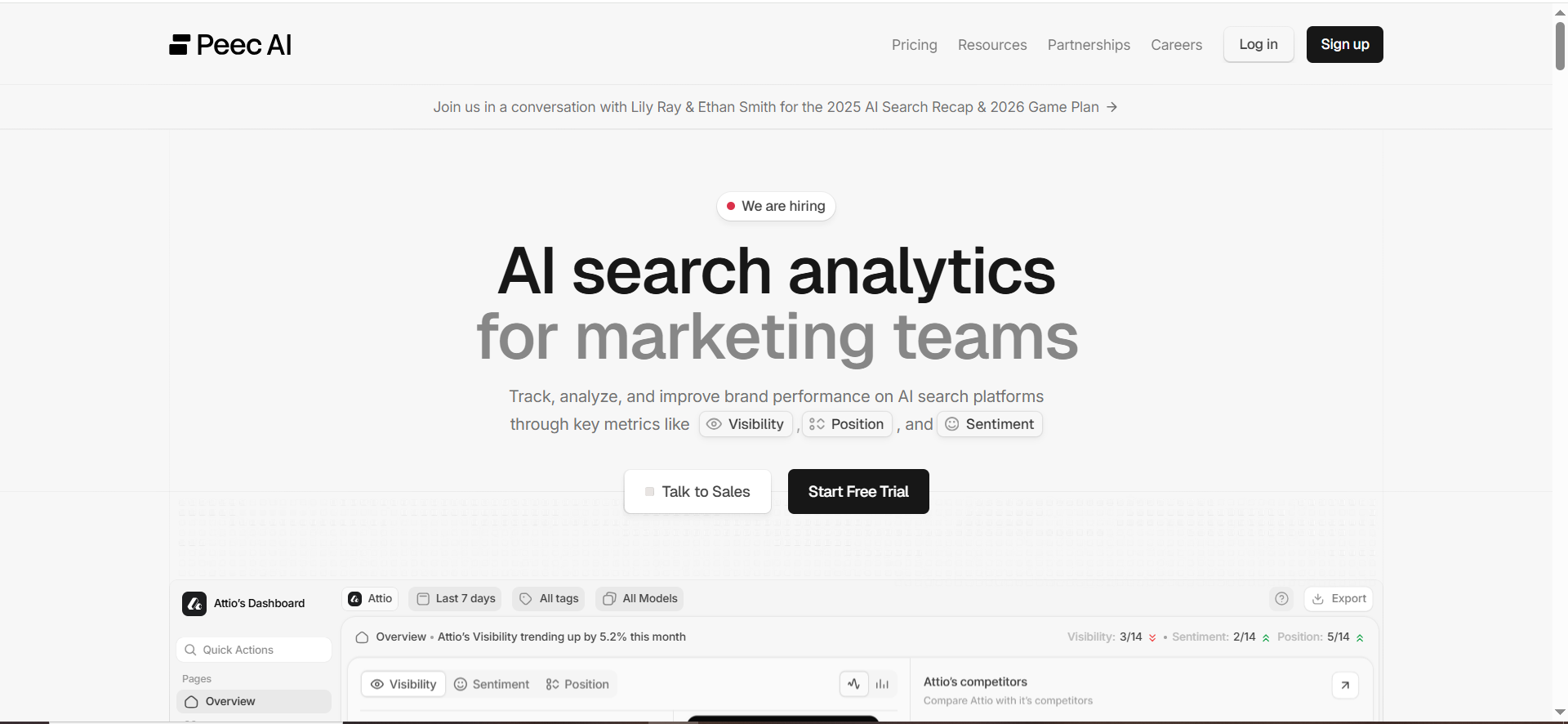
Peec is built around AI search analytics: tracking prompts, monitoring visibility/position signals, and comparing performance over time across AI search experiences.
Why teams use it
- Structured prompt monitoring: Pricing materials emphasize tracking prompts and running them on a daily interval at certain tiers.
- Integrations posture: Peec references integrations with tools like Slack and Zapier. Team support signals: Pricing mentions email + Slack support at the Pro tier (support is not the same as alerting, but it’s an indicator of Slack-ready workflows).
What it’s good for
- Daily prompt cadence monitoring
- Competitive comparisons and trend views
- Establishing a baseline for “are we showing up more this month than last month?”
When it’s a good fit
Pick Peec if you:
- Want a clear prompt-based tracking model with defined tiers
- Expect to scale prompts (25 → 100 → 300+) over time
- Plan to operationalize outputs via integrations (Slack/Zapier)
When it’s not a good fit
If you need highly opinionated “do this next” guidance, you may need to pair it with a process (like the cadence below) or a service layer.
How to use it
- Build 3 prompt buckets:
- BoFU “best/alternatives” prompts (highest revenue impact)
- Category prompts (broader discovery)
- Competitor prompts (“Who does AI recommend instead of us?”)
- Run daily; summarize weekly:
- Net new mentions
- Competitive movement
- Source/citation patterns
- Push weekly summary to leadership email; send drop alerts to Slack.
Reporting + alerting notes
Peec clearly references Slack integrations; confirm whether scheduled email reports are native (report schPeec’s pricing starts at €89/month, and it also offers an Enterprise plan with custom pricing.eduling) or achieved via exports + automation.
Pricing
Peec’s pricing starts at €89/month.
Free tier?
Peec offers a “Start for free” sign-up, but the pricing page doesn’t clearly state whether this is a free tier or a time-limited free trial.
Downsides / limitations
- If you don’t define “what triggers action,” you’ll collect data without decisions
- Like most monitoring tools, you still need a clear “do next” playbook
3. OtterlyAI
What it does
OtterlyAI positions itself as an AI search monitoring tool for tracking brand visibility across AI-driven search experiences and assistants.
Why teams use it
- Automated weekly reporting positioning: OtterlyAI explicitly promotes “fully automated weekly reports,” which aligns perfectly with the operating rhythm angle.
- Fast time-to-value: It’s commonly discussed as approachable for smaller teams and agencies getting started.
- Workspace concept: Helpful if you manage multiple brands/clients.
What it’s good for
- Teams that want AI visibility to feel like: set up → get weekly report → act
- Agencies packaging AI visibility as a recurring deliverable
- A monitoring-first approach that doesn’t require a heavy internal ops build
When it’s a good fit
Choose OtterlyAI when:
- You want a strong weekly reporting workflow baked into the product story
- You need something your team will actually check
- You’re building a retainer-style cadence (weekly summary + monthly QBR)
When it’s not a good fit
If you need deep enterprise governance, complex workflows, or very custom reporting pipelines, you may prefer a larger platform.
How to use it
- Week 1: baseline prompts + competitors + brand terms
- Week 2: add “citation targets” prompts (prompts where you want your pages cited)
- Weekly:
- Read the report
- Pick 2–3 actions (content update, new page, outreach to cited sources)
- Track whether those actions change visibility next week
Reporting + alerting notes
OtterlyAI’s positioning makes it one of the most naturally aligned picks for this specific topic because it emphasizes automated weekly reporting.
For Slack alerts specifically, confirm whether alerts are native or routed via integrations/automations depending on your plan.
Pricing
OtterlyAI’s pricing starts at $29/month.
Free tier?
OtterlyAI doesn’t offer a free tier, but it does offer a free trial for new users.
Downsides / limitations
- Like any weekly-report-first tool, you can drift into “reading reports” instead of “changing outcomes” unless you adopt a strict action cadence.
4. Conductor

What it does
Conductor is a mature SEO platform expanding into AI visibility, while also offering a well-documented monitoring and alerting layer.
Why teams use it
Conductor is the clearest “email + Slack” story in this list because the documentation explicitly states:
- Monitoring alerts default to email, and
- You can also receive them via Slack.
It also documents the ability to build reports and schedule recurring delivery.
What it’s good for
- Orgs that already run formal reporting rhythms (weekly leadership updates, monthly QBRs)
- Teams that want a documented, supportable alerting model
- Enterprises that want “visibility monitoring” integrated into broader SEO workflows
When it’s a good fit
Pick Conductor if:
- You care deeply about scheduled reporting mechanics and governance
- You need a reporting builder you can tailor to different audiences
- You want alerts that are clearly routed to email and Slack
When it’s not a good fit
If you’re a small team and only need a lightweight AI monitoring tool, a full enterprise platform can have a lot of surface area.
How to use it
- Configure Monitoring alerts for:
- Page or element changes that impact AI visibility (e.g., critical pages changing, templates shifting)
- Segment-based movement (important pages entering/leaving a “cited” segment)
- Route alerts:
- Email to the owner (and a catch-all inbox)
- Slack to the growth/SEO channel for immediate triage
- Build two scheduled reports:
- Exec weekly summary
- Operator weekly detail…and schedule recurring delivery.
Reporting + alerting notes
This is the most “ops-friendly” tool in the sense that reporting and alerting are explicitly supported and documented as schedulable and routable.
Pricing
Pricing is not publicly listed; it’s available by quote.
Free tier?
Conductor doesn’t offer a free tier, but it does offer a 3-week free trial.
Downsides / limitations
- You need internal ownership and a clear measurement strategy
- Bigger platforms can slow down “move fast” teams unless you keep the process simple
5. Promptmonitor
What it does
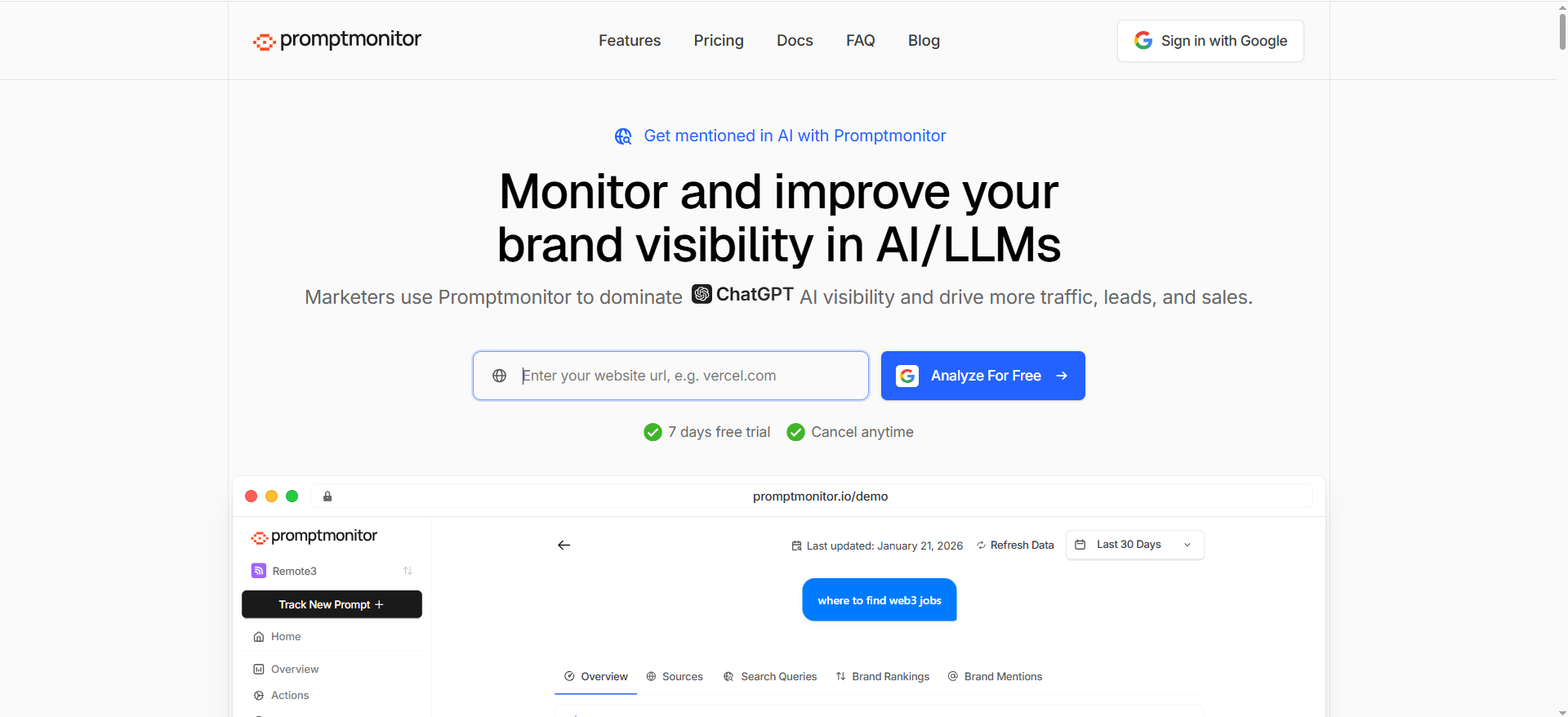
PromptMonitor positions itself around tracking brand visibility across AI/LLM platforms and helping you understand what sources AI cites, often with workflows that support outreach and content planning.
Why teams use it
- Visibility + sources workflow: Promptmonitor highlights showing which sources AI uses and enabling outreach workflows (including contact info discovery in its content).
- Action orientation: The “sources AI cites” angle is especially useful because citations are one of the most actionable levers in AI answers.
What it’s good for
- Teams that want a simple monitoring loop plus a “what to do next” outreach path
- Finding the domains that influence answers, then prioritizing PR, partnerships, and content distribution
When it’s a good fit
Choose Promptmonitor if:
- You want an affordable way to track visibility and tie it to sources
- You plan to run an outreach + content loop (not just measurement)
When it’s not a good fit
If your core requirement is native scheduled email reports + native Slack alerts, you should validate those exact delivery options in the product today (features change fast in this category).
How to use it
- Weekly:
- Identify prompts where competitors are cited and you’re not
- Pull the cited domains list
- Choose one action track:
- Create a stronger “cite-able” page
- Pitch cited publishers for inclusion
- Improve internal linking + on-page relevance for target pages
- Then measure whether citations/mentions change the following week.
Reporting + alerting notes
Promptmonitor’s public materials strongly emphasize visibility tracking and cited-source workflows.
Because “scheduled email + Slack alerts” is your buying requirement, confirm:
- Whether reports can be scheduled to email
- Whether Slack alerts are native or require an automation step
Pricing
Promptmonitor’s pricing starts at $29/month.
Free tier?
Promptmonitor doesn’t offer a free tier, but it does offer a 7-day free trial.
Downsides / limitations
- Like any monitoring-first tool, it works best when paired with a strict action cadence (see below)
Why scheduled reporting + Slack alerts are the difference between “tracking” and “winning”
Dashboards don’t create outcomes, cadence does
AI answers shift because models change, sources change, competitor content changes, and your own site changes. If your monitoring lives only inside a dashboard:
- It gets checked irregularly (usually right after something feels wrong).
- It becomes a “reporting artifact,” not a decision engine.
- Nobody owns the moment-to-moment response.
When your monitoring outputs become scheduled email reports and Slack alerts, you get something better: an operating rhythm.
That’s the ideal angle from your brief; “Make visibility a weekly operating rhythm.” (And it’s exactly what makes this post unique: you’re not just listing tools, you’re teaching a cadence.)
The two types of signals you must operationalize
To run AI visibility like ops, you need:
- Trend signals (weekly):
- Overall mention rate
- Share vs competitors
- Citation/source movement
- “What has changed since last week?” narrative
- Event signals (as they happen):
- You drop out of “top recommendations” prompts
- A competitor replaces you in citations
- Sentiment flips negative on key prompts
- A key page stops being cited (or starts being cited)
Weekly trend signals belong in an email. Event signals belong in Slack.
What to look for in an AI visibility tool (email + Slack-ready)
1) Prompt coverage and run frequency
A tool is only as useful as the prompts you track and how often you track them.
- Engines/models: Does it cover the systems your buyers actually use (e.g., ChatGPT-style assistants, Perplexity-style answer engines, Google AI experiences)?
- Cadence: Does it run prompts daily/weekly? Peec, for example, highlights daily prompt intervals in pricing.
- Segmentation: Can you separate prompts by intent, product line, geography, or funnel stage?
Rule of thumb: start with 25–50 prompts that represent your highest-value buying questions, then expand once your cadence works.
2) Alert design (thresholds, noise control, routing)
Slack alerts only help if they’re actionable.
Good alerting looks like:
- A trigger (drop, gain, competitor surge, sentiment shift)
- A threshold (so you don’t get pinged for noise)
- Routing (brand/PR → comms channel; SEO/content → growth channel; exec digest → leadership channel)
Conductor’s monitoring alerts are clearly documented: alerts default to email, and can also be delivered via Slack.
3) Reporting output (exec summary vs operator detail)
Your email report must work for two audiences:
- Execs: a 60-second read with “what changed” and “what we’re doing.”
- Operators: details, evidence, prompt-level context, sources.
Tools that can support both typically offer:
- Exportable summaries
- Dashboards you can screenshot confidently
- A way to tie changes to sources/citations
4) Evidence: screenshots, citations, and change logs
In AI visibility, trust is everything. If a tool says you “dropped,” you need to see:
- What the answer looked like
- What citations changed
- What the model said about you and competitors
Evidence is what lets you defend the story to leadership and act without second-guessing.
5) Collaboration + governance
If you’re running this across multiple brands, regions, or clients, look for:
- Workspaces
- Role-based access
- Multi-brand managementOtterlyAI emphasizes workspaces for managing brands/clients in one subscription.
The AI Visibility Ops Cadence (copy/paste this)
Your brief nails the unique positioning: AI visibility = an ops cadence. Here’s the actual cadence.
1) Weekly Email Report Template
Send every Monday morning.
Subject: AI Visibility Weekly; Wins, Losses, Next Actions
Include these sections:
- Headline metric (1 line):
- “Mention rate up/down X% WoW”
- “Citations gained/lost: X”
- “Top competitor movement: +/–”
- What changed (5 bullets):
- 2 wins
- 2 losses
- 1 “watch” item
- Why it changed (your best hypothesis):
- Source shift? New competitor content? Site change? Model change?
- What we’re doing this week (3 bullets):
- Content update
- New page/section
- Outreach targets
- Technical fix
- Evidence links/screenshots:
- 2–3 proof points (don’t overload)
This aligns with the SOP requirement to write for fast comprehension and to use a TL;DR-first approach.
2) Slack alerts map
Design alerts like routing rules, not “spam pings.”
Channel: #ai-visibility-alerts (operator channel)Send alerts for:
- “Dropped out” of top prompts
- Competitor replaces you in citations
- Negative sentiment spike on a revenue prompt
- High-intent prompt visibility falls below a threshold
Conductor’s monitoring alerts model is a clean example of email + Slack delivery support.
Channel: #leadership-growth (exec channel)
Send one weekly Slack summary that mirrors the email’s top 3 bullets (no more).
3) 60-minute weekly triage meeting agenda
0–10 min: review top changes (wins/losses)10–30 min: diagnose 1–2 losses (citations, sources, prompt intent mismatch)30–50 min: commit to actions (max 3)50–60 min: assign owners + decide what success looks like next week
4) Actions library: what to do when visibility changes
When you lose visibility, pick one track:
Track A: Fix the “cite-ability” gap
- Create/upgrade a page that answers the prompt cleanly
- Add definitions, comparisons, and structured sections
- Make it easy for AI systems to quote
Track B: Win the citation sources
If AI is citing “review” sites, directories, or forums:
- Get included there (PR/outreach)
- Provide better data (benchmarks, methodology) than competitorsPromptmonitor explicitly emphasizes finding cited sources and using that for outreach workflows.
Track C: Improve internal relevance and authority
- Internal links from strong pages → target pages
- Refresh content that matches the prompt’s intent
- Ensure pages are accessible and stable (no indexation surprises)
Common pitfalls (and how to avoid them)
Pitfall 1: Alert fatigue
If your alerts fire constantly, you’ll mute them and lose the whole benefit.
Fix it:
- Only alert on revenue prompts
- Use thresholds (e.g., “drop persists for 2 runs, not everyone
Pitfall 2: Measuring vanity prompts
Tracking “What is AI?” doesn’t help your pipeline.
Fix it:
- Prioritize prompts that match buying journeys:
- “best X for Y”
- “alternatives to X”
- “X vs Y”
- “recommend a tool for …”
Pitfall 3: Treating AI visibility like traditional rank tracking
AI answers are synthesized. Citations and sources often matter more than “position.”
Fix it:
- Track mentions + citations + narrative
- Always keep evidence (screenshots, source lists)
- Pair measurement with actions (content + distribution)
How do Slack alerts reduce time-to-action vs dashboards?
Dashboards are pull-based: someone has to remember to check them.
Slack alerts are push-based: the signal finds the owner right when it matters.
That one difference cuts your time-to-action dramatically.
What happens with dashboards
Even if you have a great AI visibility dashboard, the usual reality is:
- People check it inconsistently (or only when performance feels off).
- Issues sit undetected for days or weeks.
- When someone finally notices, the “why” is harder to diagnose because the change is already old.
Dashboards are still useful, but mostly for:
- Trend analysis
- Deeper diagnosis
- Reporting
What happens with Slack alerts
Slack alerts are for events, not trends:
- “We dropped out of top recommendations for a revenue prompt”
- “Competitor X replaced us in citations”
- “Negative sentiment appeared for a high-intent query”
- “Our product category page stopped being cited”
Instead of waiting for a weekly check-in, the alert:
- Notifies the right channel
- Triggers triage immediately
- Shortens the time between detection → decision → fix
Why Slack is faster specifically
Slack wins on three layers:
1) Ownership is instant
An alert in #ai-visibility-alerts or #growth-seo goes where operators already work.
2) Context is shared
People can reply in-thread:
- “This changed after our pricing page update.”
- “The AI is now citing a competitor's new comparison post.”
- “Let’s refresh our page section X and re-run prompts.”
3) Actions become trackable
Slack threads become lightweight “tickets”:
- assign owner
- set a deadline
- drop proof screenshots
- post outcome next week
The key: Slack alerts must be designed (or they become noise)
To prevent alert fatigue:
- Use thresholds (e.g., “drop persists 2 runs”)
- Alert only for high-intent prompts
- Route different alert types to different channels
- Keep alerts short and actionable (what changed + what to do next)
Done right, Slack transforms AI visibility from “a dashboard we should check” into “a system that tells us when to act.”
What should a weekly AI visibility email report include?
A weekly AI visibility email report should be executive-readable in 60 seconds and contain enough proof for operators to act without guessing.
The best structure (copy/paste)
Subject line:
AI Visibility Weekly — Wins, Losses, Next Actions
1) One-line headline metric
Pick 1–2 numbers that always show up:
- Mention rate: +X% WoW / –X% WoW
- Prompts won/lost: +X / –X
- Citations gained/lost: +X / –X
- Competitive share: you vs competitor
2) What changed (5 bullets max)
- 2 wins
- 2 losses
- 1 watch item
Example:
- ✅ Gained mention in “best AI visibility tools for SaaS” (now #2)
- ✅ New citation for /ai-visibility-guide/
- ❌ Dropped from “alternatives to [competitor]” prompt
- ❌ Competitor X gained 3 citations in BoFU prompts
- 👀 Sentiment drift: model framing pricing inaccurately
3) Why it changed (your best hypothesis)
Don’t overpromise certainty, give the likely driver:
- competitor published new content
- your page updated
- a cited source changed
- model output shifted
- PR mention/new review page appeared
4) What we’re doing next week (max 3 actions)
Force prioritization:
- Update one page (include section-level goal)
- Publish one new page
- Outreach to 3 cited publishers
- Fix technical issues (indexing/canonical/etc.)
5) Evidence (2–5 proof points)
Include:
- 2 screenshots (before/after) or tool snapshots
- top 3 prompts affected
- top citations gained/lost
- links to internal doc or action ticket
6) Owner + due date
End with:
- “Owner: ___”
- “Due: ___”
- “Next review: next Monday”
Why this format works
- Execs get the “so what” immediately.
- Operators get enough context to act.
- You build a repeatable weekly rhythm, same template every week.
What’s the minimum stack to operationalize (tool + Slack + tracker)?
You don’t need a massive stack to run AI visibility like ops. You need the smallest system that supports:
- Measurement (what changed?)
- Notification (who needs to know now?)
- Accountability (what are we doing about it?)
Here’s the minimum viable stack:
1) One AI visibility tool
Pick one tool that can:
- track prompts consistently (daily/weekly)
- show mentions + citations/sources
- export or summarize results
You do not need every feature. You need consistency.
2) Slack channels (two-channel model)
Create two channels:
#ai-visibility-alerts (operators)
For event alerts:
- dropouts
- competitor replacements
- negative sentiment spikes
- citation losses on revenue prompts
#leadership-growth (execs)
For weekly summaries only (no noise).
3) A tracker (simple spreadsheet or Notion table)
This is where teams become “operational.”
Your tracker needs these columns:
- Date detected
- Prompt/query
- What changed (win/loss)
- Evidence link/screenshot
- Hypothesis (why)
- Action chosen
- Owner
- Due date
- Status (Not started / In progress / Done)
- Outcome next week (improved / flat / worse)
This tracker is the “memory” of your program. Without it, you’ll repeat the same discussions every week.
4) A weekly meeting + scheduled email
Minimum cadence:
- Weekly report email (same template every time)
- 60-minute triage meeting
- Slack alerts only for meaningful events
What this stack gives you
With just these four components, you can:
- detect changes fast (tool)
- route them instantly (Slack)
- ensure follow-through (tracker)
- create momentum (weekly cadence)
If you want, I can now expand these sections into longer versions for your main blog post (with examples, templates, and thresholds) to match your 3,000+ word requirement.
FAQs
What is an AI visibility tool?
Why do scheduled email reports matter if I already have dashboards?
Why do Slack alerts matter?
How many prompts should I track at the start?
How often should prompts run, daily or weekly?
What should my weekly AI visibility report include?
How do I avoid false positives in “brand mention” tracking?
Do these tools replace SEO tools like Semrush/Ahrefs?
What’s the fastest way to improve AI visibility?
Which tool should agencies pick?
📋 Get Listed / Advertisement
We update this guide monthly. Want your tool featured? Contact: [email protected].


