

TL;DR
If your brand gets mentioned in a Slack thread, a Reddit rant, or a TikTok comment section and nobody on your team sees it — that mention might as well not exist. Brand monitoring tools fix that. But the ones worth paying for go a step further: they let you build custom dashboards that turn raw mention data into something your CMO, your PR lead, and your growth team can actually act on.
This guide compares five brand monitoring tools — Brandwatch, Talkwalker, Meltwater, Sprout Social, and Brand24 — specifically through the lens of custom dashboards and reporting. If you need a tool that tracks brand mentions across social, news, forums, and review sites and then lets you visualize that data in a way that matches how your team works, this is the comparison to read.
Brandwatch is the strongest pick for enterprise teams that need deep, flexible dashboard customization across large data volumes. Talkwalker is the best all-rounder for mid-market to enterprise teams that want strong dashboards paired with global media coverage. Brand24 is the most accessible option for smaller teams that want fast setup and clean reporting without enterprise complexity.
Best Brand Monitoring Tools with Custom Dashboards (Quick Comparison)
| Tool | Best For | Starting Price | Free Trial |
|---|---|---|---|
| Brandwatch | Enterprise teams needing deep, flexible analytics dashboards | Custom pricing (~$800+/mo for small teams) | Demo only |
| Talkwalker | Mid-market to enterprise teams wanting global coverage with strong visuals | Custom pricing (quote-based) | Free demo |
| Meltwater | Comms and PR teams needing unified earned/owned/paid dashboards | Custom pricing (~$6,000+/yr) | Demo only |
| Sprout Social | Social-first teams wanting monitoring plus publishing in one platform | $199/user/mo (Standard) | 30-day free trial |
| Brand24 | Small to mid-market teams needing fast setup and clean dashboards | $199/mo (Individual, billed annually) | 14-day free trial |
1. Brandwatch
What It Does
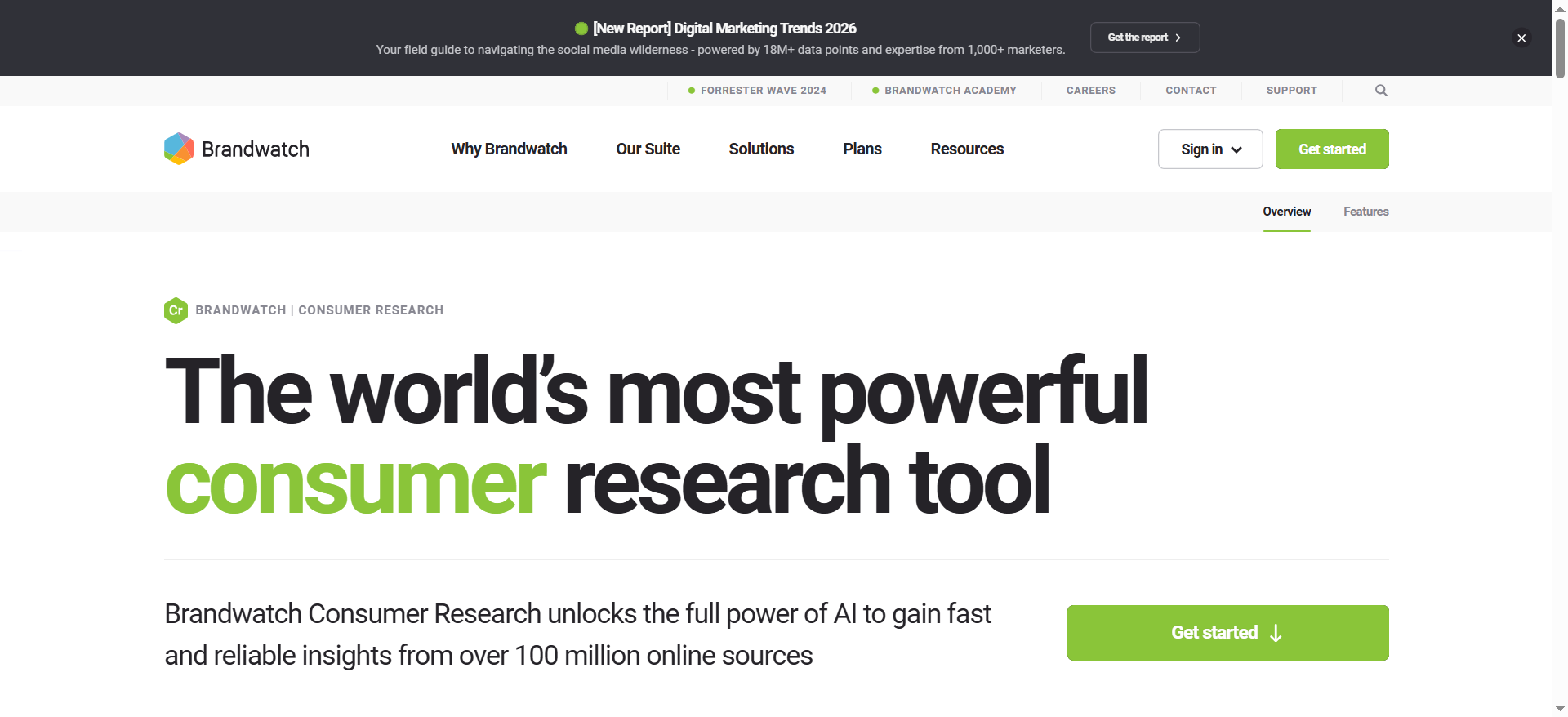
Brandwatch is a consumer intelligence and social listening platform that monitors over 100 million online sources worldwide. It collects mentions of your brand, competitors, and industry topics from social media, news sites, blogs, forums, review platforms, and more — then lets you build custom dashboards to analyze and report on that data in real time.
Why Teams Use It
Teams choose Brandwatch when they need serious depth. The platform is built for organizations that want to go beyond simple mention tracking and into full consumer intelligence — trend analysis, audience segmentation, competitive benchmarking, and crisis detection. The dashboard builder is the centerpiece: you can create entirely different views for your executive team, your analyst, and your social media manager, all pulling from the same data.
What It Is Good For
Brandwatch excels at large-scale brand monitoring with granular dashboard customization. Its drag-and-drop dashboard builder lets you add, resize, and configure widgets for sentiment breakdowns, mention volume over time, geographic distribution, influencer identification, share of voice, and topic clustering. You can save multiple dashboard templates and schedule automated email delivery — so your CMO gets a weekly executive summary without anyone manually pulling reports.
The platform also includes image recognition that can detect your brand logo in photos even when the brand is not mentioned in text, which is a differentiator most competitors do not offer at this depth.
When It Is a Good Fit
Brandwatch fits best when your team has dedicated analysts or a social intelligence function, you monitor multiple brands or product lines, you need stakeholder-specific dashboards (executive vs. operational vs. competitive), and your data volume is high enough to justify the investment. It is particularly strong for enterprise B2B SaaS, consumer brands, and agencies managing multiple client accounts.
When It Is Not a Good Fit
Brandwatch is not the right choice if you are a small team looking for quick, self-serve brand monitoring. The platform has a steep learning curve — expect multi-week onboarding to configure dashboards, queries, and data sources properly. If your budget is under $1,000/month or you do not have someone dedicated to managing the tool, the complexity will outweigh the value.
How to Use It
After onboarding, you start by setting up search queries (brand names, competitor names, industry keywords) with Boolean operators. Brandwatch then begins collecting mentions from its data sources. From there, you build dashboards in the visual editor — dragging in widgets for sentiment, volume, demographics, topics, and more. You can set up alerts for mention spikes or sentiment shifts, and schedule dashboard reports for automated delivery.
Key Capabilities
Real-time mention tracking across 100M+ sources, drag-and-drop custom dashboard builder with stakeholder-specific views, AI-powered sentiment analysis with high accuracy, image and logo recognition in visual content, competitive benchmarking and share-of-voice tracking, historical data access for trend analysis, automated scheduled reports via email, Boolean query builder for precise monitoring, audience segmentation and demographic analysis, and API access for custom integrations.
Pricing
Brandwatch does not publish pricing publicly. Based on third-party reports, expect approximately $800–$1,500/month for small teams, $2,000–$5,000/month for mid-market, and $5,000–$15,000+/month for enterprise configurations. Implementation and onboarding typically costs $5,000–$20,000 depending on complexity.
Free Tier
No. Brandwatch does not offer a free tier or a self-serve free trial. You need to request a demo through their sales team.
Downsides and Limitations
Steep learning curve with multi-week onboarding required. No transparent pricing — you must go through sales. High cost makes it impractical for small teams or startups. Dashboard configuration can be time-intensive upfront. Some users report the interface feels dense when first getting started.
2. Talkwalker
What It Does
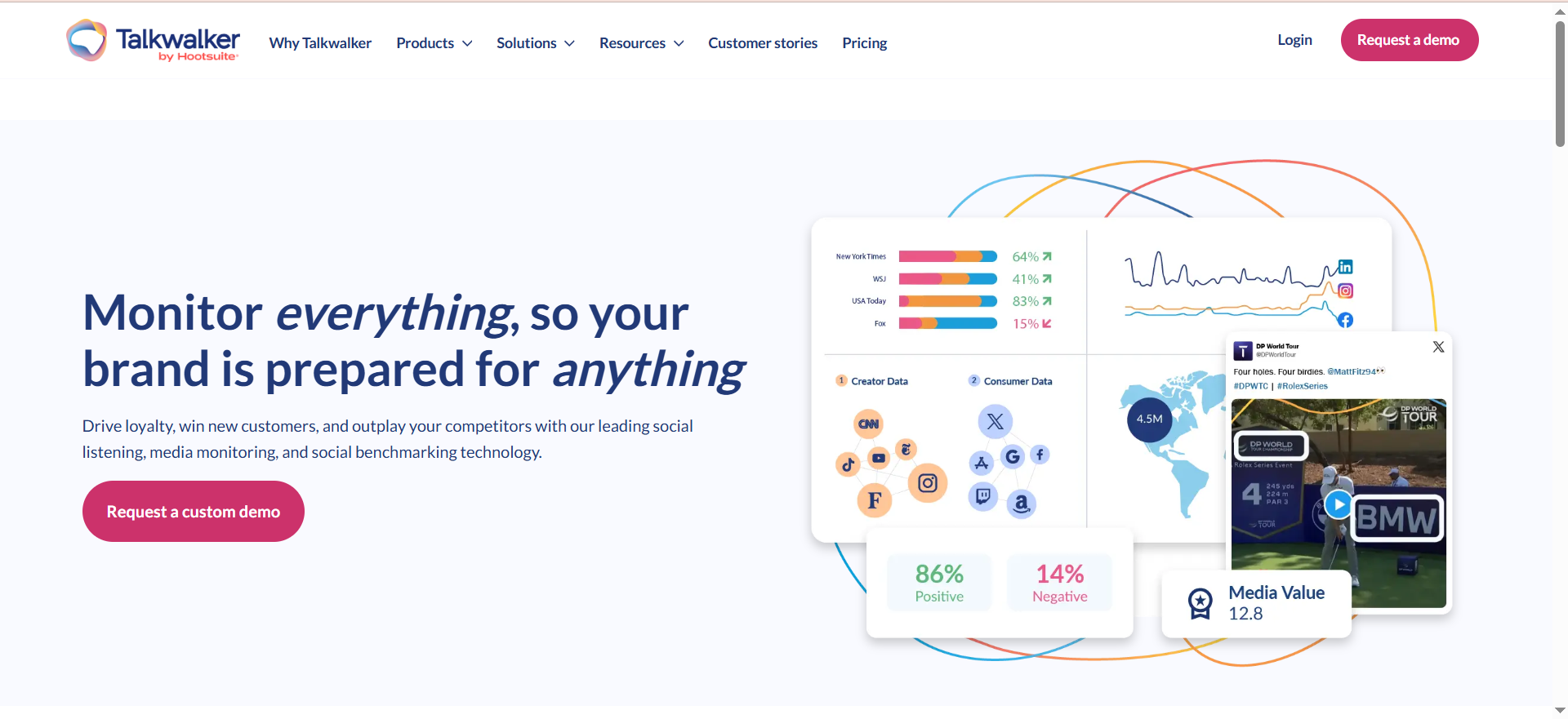
Talkwalker is a consumer intelligence platform that monitors brand mentions across over 150 million data sources, social media platforms, forums, blogs, news outlets, podcasts, and broadcast media in 187 languages. It combines social listening with analytics dashboards that let teams visualize brand health, campaign performance, and competitive positioning in real time.
Why Teams Use It
Teams choose Talkwalker for its combination of global coverage and dashboard flexibility. The platform is strong at tracking mentions across multiple languages and geographies — making it a solid fit for brands with international presence. The dashboard customization is intuitive enough that non-technical users can build meaningful views, while still offering enough depth for analysts.
What It Is Good For
Talkwalker shines in dashboard customization paired with global media intelligence. You can build dashboards with customizable widgets for sentiment trends, mention volume, engagement metrics, influencer identification, and competitive benchmarking. The platform supports automated report generation in PDF and PowerPoint formats, and you can schedule delivery to stakeholders.
Its AI-powered image and video recognition can identify brand logos in visual content, similar to Brandwatch. Talkwalker also offers strong trend detection and topic clustering, which feeds nicely into dashboard visualizations. The platform also includes LLM Insights, which lets teams monitor how AI assistants talk about their brand and industry.
When It Is a Good Fit
Talkwalker fits well for mid-market to enterprise teams that need global brand monitoring with strong, customizable dashboards. It is particularly useful if your brand operates in multiple markets and languages, you need automated reporting for stakeholders across departments, and you want a balance between depth and usability without the steepest enterprise learning curve.
When It Is Not a Good Fit
Talkwalker may not be the right choice for very small teams with tight budgets, as pricing is quote-based and typically starts in the range of $9,000–$12,000/year for entry-level packages. If you only need basic social media monitoring for one or two platforms, the breadth of Talkwalker's data coverage may be more than you need. Some users also report that certain advanced features require training to use effectively.
How to Use It
You set up monitoring topics by configuring keyword queries, brand names, and competitor mentions. Talkwalker pulls in data from its global source network and populates your dashboards in real time. You customize dashboards by adding and arranging widgets — charts for sentiment, mention volume, geographic distribution, source breakdown, and more. Alerts can be configured for mention spikes or sentiment changes. Reports can be scheduled for automatic delivery.
Key Capabilities
Real-time monitoring across 150M+ sources in 187 languages, customizable dashboards with drag-and-drop widgets, AI-powered sentiment analysis with sarcasm and context detection, image and video logo recognition, automated PDF and PowerPoint report generation, competitive benchmarking and share-of-voice tracking, trend detection and topic clustering, influencer identification and tracking, crisis detection alerts, LLM Insights for monitoring AI assistant brand mentions, and API access for custom integrations.
Pricing
Talkwalker uses custom pricing and does not publish rates publicly. The platform offers three tiers — Core, Analyze, and Business — all with unlimited users. Based on third-party reports, entry-level packages start around $9,000–$12,000/year. Mid-market teams typically spend between $13,000 and $27,000/year. Enterprise pricing is custom and can range significantly higher based on data volume and features.
Free Tier
No free tier. Talkwalker offers a free demo and consultation, but there is no self-serve free trial.
Downsides and Limitations
No free trial — you must go through a demo process. Pricing can scale significantly for larger data volumes. Some advanced dashboard and analytics features require training. The interface can feel complex for teams new to social listening platforms.
3. Meltwater
What It Does
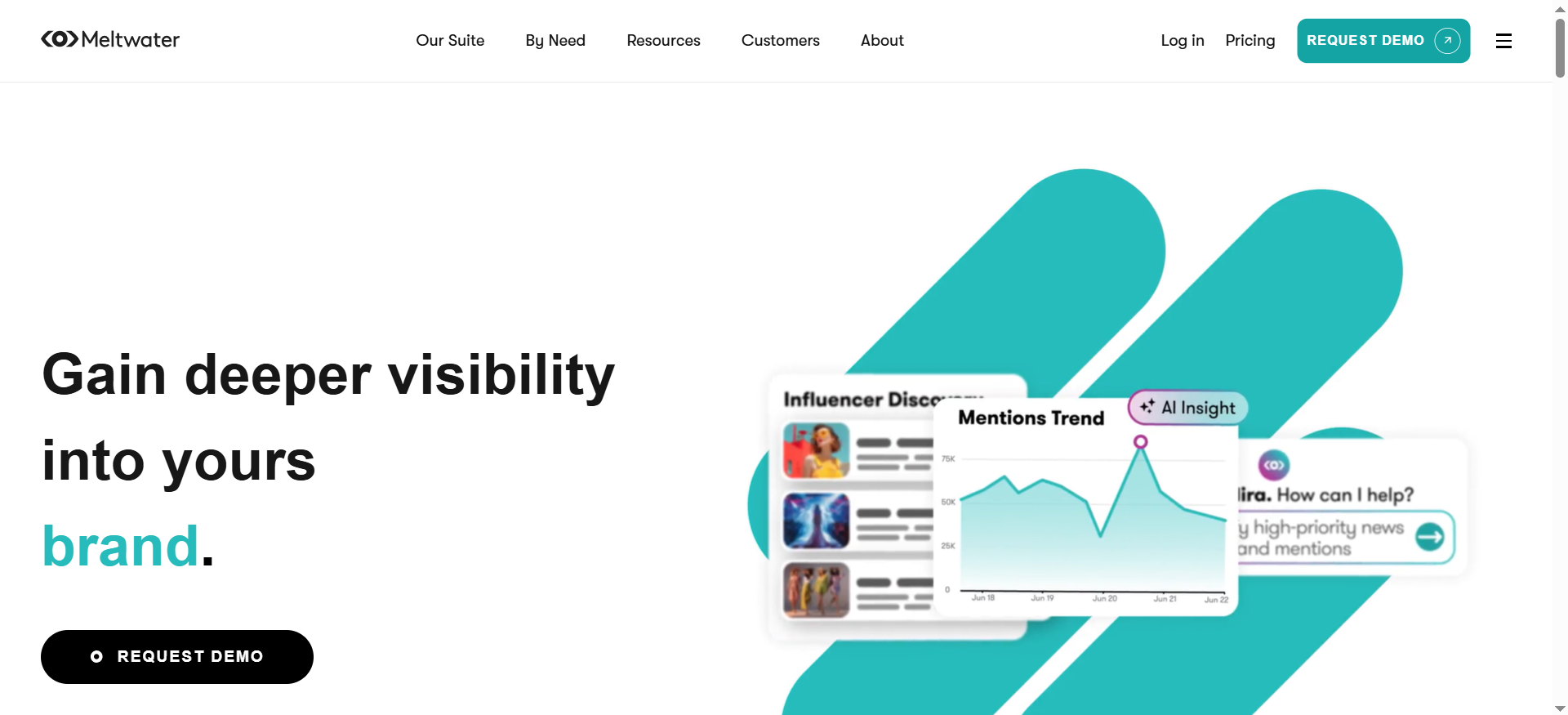
Meltwater is a media intelligence platform that monitors brand mentions across online news, social media, print publications, broadcast media, and podcasts. Its unified dashboards bring together earned, owned, and paid media data into a single cross-channel view — making it particularly strong for communications, PR, and brand teams that need to track media coverage alongside social conversations.
Why Teams Use It
Teams choose Meltwater when they need media monitoring that goes beyond social listening. The platform is built for comms and PR professionals who track press coverage, broadcast mentions, and print media alongside digital channels. The unified dashboard approach — combining paid, earned, and owned media in one view — is a key differentiator. Meltwater also recently added GenAI Lens, which lets teams monitor how AI models (like ChatGPT, Perplexity, and others) represent their brand.
What It Is Good For
Meltwater stands out for unified cross-channel dashboards. You can build views that combine social media mentions, news coverage, broadcast clips, and print mentions in a single dashboard. Reports can be scheduled for automatic delivery as PDF or PowerPoint files with customizable recipients and frequency.
The GenAI Lens feature is especially relevant in 2026 — it lets you upload bulk prompts to analyze how AI models talk about your brand, competitors, or key topics, helping scale LLM monitoring and streamline reporting workflows.
When It Is a Good Fit
Meltwater is a strong fit for communications and PR teams that need to track earned media alongside social mentions, organizations that want unified paid/earned/owned dashboards, teams that report to executives and need polished automated reporting, and brands that care about how they appear in AI-generated responses.
When It Is Not a Good Fit
Meltwater may not be ideal for teams that only need social media monitoring — the platform's strength is cross-channel media intelligence, and the pricing reflects that breadth. Small teams with budgets under $6,000/year will find it out of reach. The custom-pricing model also means you cannot quickly estimate costs without going through sales.
How to Use It
You configure media monitoring queries for your brand, competitors, and industry topics. Meltwater aggregates mentions from its global media database and populates your dashboards. You customize views by adding widgets for media type breakdown, sentiment analysis, mention volume, geographic reach, and source analysis. Unified dashboards let you layer social, news, and broadcast data in one view. Automated reports are scheduled and delivered to stakeholders.
Key Capabilities
Unified dashboards across paid, earned, and owned media, real-time monitoring of news, social, print, broadcast, and podcasts, GenAI Lens for LLM brand monitoring, automated scheduled reports in PDF and PowerPoint, AI-powered executive dashboards with trend summaries, sentiment analysis and topic detection, competitive intelligence and benchmarking, media contact database for PR outreach, expanded data coverage including YouTube and Dow Jones, and API access for custom integrations.
Pricing
Meltwater offers custom pricing only. Based on user reports: basic monitoring packages start around $6,000–$15,000/year, full-feature suite packages range from $15,000–$50,000/year, and enterprise configurations can exceed $50,000–$100,000+/year. The median buyer pays approximately $25,000/year according to marketplace data. Mid-sized organizations should budget $15,000–$35,000 annually.
Free Tier
No. Meltwater does not offer a free tier or self-serve trial. Access requires a demo and sales conversation.
Downsides and Limitations
No transparent pricing — custom quotes only. High entry cost relative to social-only monitoring tools. The platform can feel overwhelming for teams that only need social listening. Contract lengths tend to be annual with limited flexibility. Some users report that customer support response times vary.
4. Sprout Social
What It Does
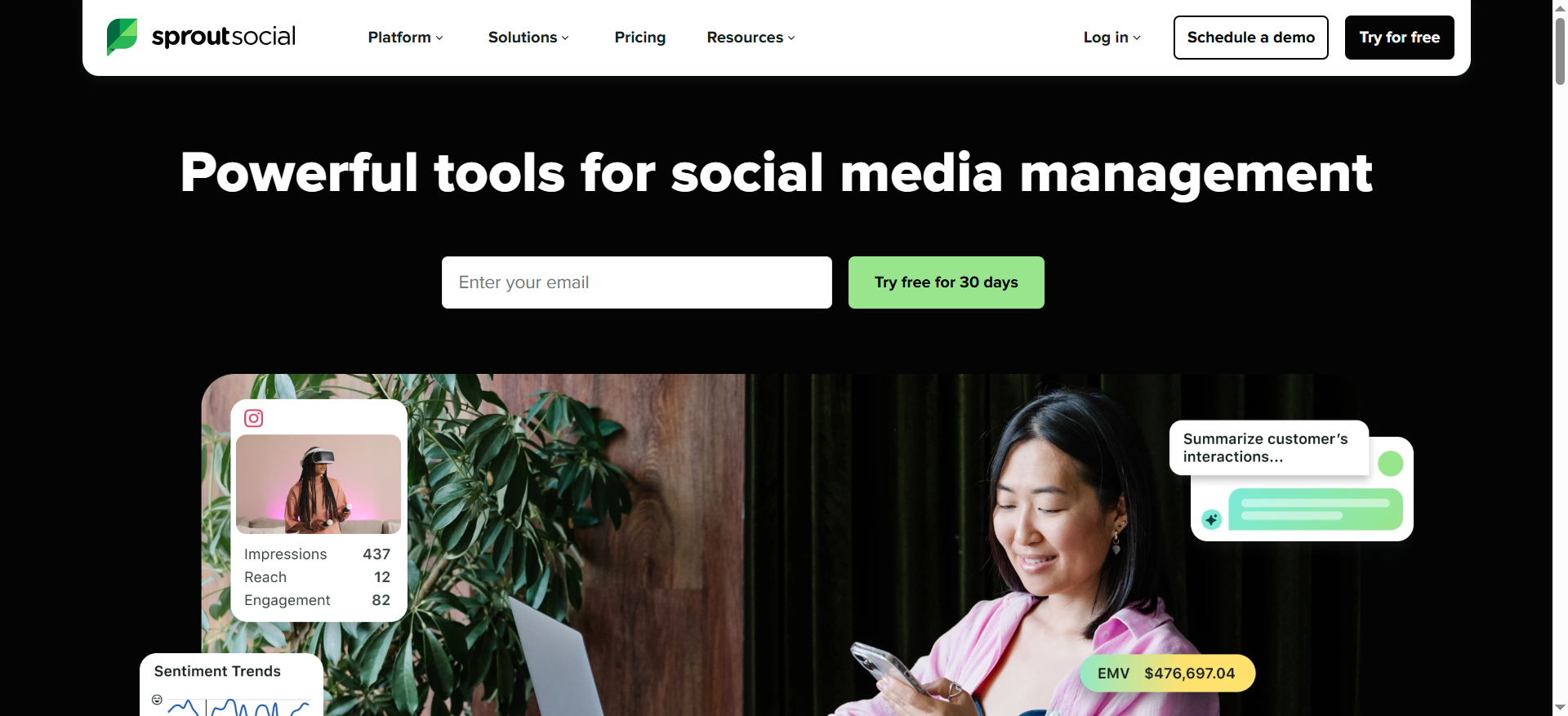
Sprout Social is a social media management platform that combines publishing, engagement, analytics, and social listening in a single tool. Its brand monitoring capabilities track mentions, hashtags, and keywords across major social platforms, news sites, and forums — and its dashboard system lets teams visualize engagement, audience growth, content performance, and competitive data.
Why Teams Use It
Teams choose Sprout Social when they want brand monitoring integrated with their social media management workflow. Instead of using separate tools for scheduling posts, responding to comments, and tracking mentions, Sprout puts everything in one platform. The dashboard customization is accessible — you can arrange widgets and reports to focus on whatever metrics matter most to your team.
What It Is Good For
Sprout Social is strongest when you need brand monitoring and social media management in one place. The listening engine monitors mentions, hashtags, and keywords across Twitter/X, Instagram, Facebook, TikTok, Reddit, YouTube, and news sites in real time. Sentiment analysis categorizes mentions automatically, and spike detection alerts flag unusual mention volume.
The dashboards let you customize views by arranging widgets for engagement metrics, audience demographics, content performance, competitive benchmarking, and mention trends. For deeper reporting, the Premium Analytics add-on provides advanced custom dashboards and data exports.
When It Is a Good Fit
Sprout Social fits well for social-first marketing teams that want monitoring baked into their publishing and engagement workflow, mid-market teams that need solid dashboards without enterprise-level complexity, organizations where the same team handles social media management and brand monitoring, and teams that value ease of use and fast onboarding.
When It Is Not a Good Fit
Sprout Social may not be the right fit if you need deep media intelligence beyond social channels (news, print, broadcast). Its monitoring is social-first, so teams that need Meltwater-style cross-channel media coverage will find gaps. The per-user pricing also adds up quickly — a 10-person team faces $24,000–$48,000/year before add-ons. If you need advanced custom dashboards, the Premium Analytics add-on is an extra cost.
How to Use It
You start by connecting your social profiles and setting up listening topics (brand mentions, competitor names, industry keywords). Sprout begins tracking mentions across connected platforms and its broader listening network. Dashboards are configured in the analytics section — you add widgets for mention volume, sentiment, engagement, audience growth, and content performance. Reports can be exported or scheduled. The listening module provides real-time alerts for mention spikes.
Key Capabilities
Unified social media management and brand monitoring platform, real-time social listening across major platforms and news sites, customizable analytics dashboards with widget-based layouts, sentiment analysis with automatic categorization, mention spike detection and alerts, competitive benchmarking and reporting, Premium Analytics add-on for advanced custom dashboards, scheduled report delivery, team collaboration tools built into the platform, and 30-day free trial available.
Pricing
Sprout Social publishes its pricing publicly. Standard: $199/user/month, Professional: $299/user/month, Advanced: $399/user/month, Enterprise: custom pricing. All plans are billed annually. Premium Analytics and Social Listening are add-ons priced per user. A 10-person team on the Professional plan would pay approximately $35,880/year before add-ons.
Free Tier
No permanent free tier, but Sprout Social offers a 30-day free trial with access to core features. This is the most generous trial period among the five tools compared here.
Downsides and Limitations
Per-user pricing makes it expensive for larger teams. Advanced dashboards require the Premium Analytics add-on at extra cost. Social Listening is also a paid add-on — not included in base plans. Monitoring coverage is social-first, so news, print, and broadcast coverage is limited compared to Meltwater or Brandwatch. Annual billing is required for published pricing.
5. Brand24
What It Does
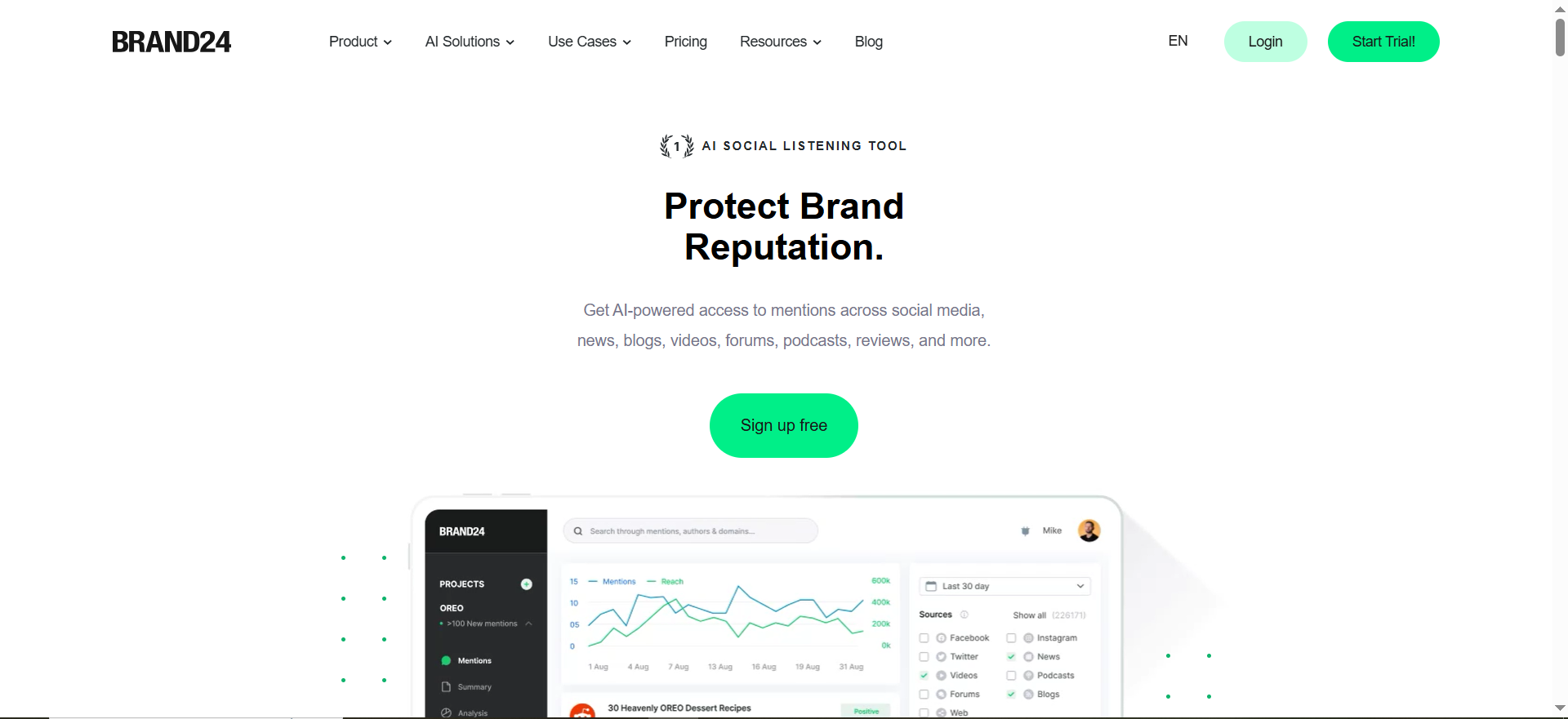
Brand24 is a social media and web monitoring tool that tracks brand mentions across social platforms (Instagram, X, TikTok, Reddit, LinkedIn, YouTube, Facebook, Quora, Telegram, Twitch), review sites (TripAdvisor, Yelp, Trustpilot, App Store, Google Play), news outlets, blogs, and forums. It provides dashboards for analyzing mention volume, sentiment, reach, and engagement — with a focus on accessibility and fast setup.
Why Teams Use It
Teams choose Brand24 when they want capable brand monitoring without the enterprise complexity and price tag. The platform can be set up in under 15 minutes with its self-serve interface — a significant advantage over tools like Brandwatch or Meltwater that require multi-week onboarding. The dashboards are clean and pre-configured, with options for customization through filters, date ranges, and source selection.
What It Is Good For
Brand24 is strongest for small to mid-market teams that need real-time brand monitoring with clean, actionable dashboards. The reporting suite includes customizable PDF and Excel exports that can be automated — you can set up a weekly executive summary that gets delivered automatically. The platform also offers an AI Visibility add-on that tracks how AI chatbots like ChatGPT, Claude, Gemini, Perplexity, and Grok mention and recommend your brand, which is an increasingly relevant signal in 2026.
Sentiment analysis has been upgraded in 2026 with improved NLP algorithms that better detect sarcasm, local slang, and context-dependent meanings across over 100 languages.
When It Is a Good Fit
Brand24 fits best for small to mid-market teams that want fast setup without vendor onboarding, teams with budgets under $500/month that still need solid monitoring, organizations that want clean preset dashboards with customizable reporting, and companies that care about AI visibility monitoring alongside traditional social listening.
When It Is Not a Good Fit
Brand24 is not ideal for enterprise teams that need the dashboard depth and data volume of Brandwatch or Meltwater. The platform does not cover print or broadcast media. Dashboard customization is more limited — you get clean preset views with filtering options rather than fully custom drag-and-drop builders. If you need stakeholder-specific dashboards with complex widget configurations, you will hit the ceiling.
How to Use It
You sign up, enter your brand keywords, and Brand24 starts collecting mentions immediately. The dashboard populates within minutes with mention volume, sentiment breakdown, reach estimates, and source analysis. You customize views using filters for date range, source type, sentiment, and influence score. Reports are configured in the reporting section and can be automated for regular delivery.
Key Capabilities
Real-time mention tracking across social, news, blogs, forums, and review sites, clean dashboard with preset views and customizable filters, AI-powered sentiment analysis with sarcasm detection in 100+ languages, AI Visibility add-on for tracking brand mentions across ChatGPT, Claude, Gemini, Perplexity, and Grok, automated PDF and Excel report exports, mention spike alerts and notifications, influence scoring for mention sources, hashtag and topic tracking, self-serve setup in under 15 minutes, and 14-day free trial with no credit card required.
Pricing
Brand24 publishes transparent pricing. Individual: $249/month ($199/month billed annually) — 3 keywords, 2,000 mentions/month, 1 user, updates every 12 hours. Team: $349/month ($299/month billed annually) — 7 keywords, 10,000 mentions/month, unlimited users, hourly updates. Pro: $499/month ($399/month billed annually) — 12 keywords, 40,000 mentions/month, unlimited users, real-time updates. Business: $699/month ($599/month billed annually) — 25 keywords, 100,000 mentions/month, unlimited users. Enterprise: from $1,499/month billed annually — custom keyword count and mention limits. All plans except Individual include unlimited users. A 14-day free trial is available with no credit card required.
Free Tier
No permanent free tier, but Brand24 offers a 14-day free trial with no credit card required. This gives you full access to test the platform and dashboards before committing.
Downsides and Limitations
Dashboard customization is more limited than Brandwatch or Talkwalker — preset views with filters rather than full drag-and-drop. No print or broadcast media coverage. Mention limits on lower tiers can be restrictive for brands with high mention volume. Update frequency on the Individual plan is every 12 hours, not real-time. Historical data access is limited compared to enterprise tools.
What Is Brand Monitoring and Why Do Custom Dashboards Matter?
Brand monitoring is the practice of tracking what people say about your brand across the internet — on social media, in news articles, on review sites, in forums, and increasingly in AI-generated responses. The raw data alone is not useful. What makes brand monitoring actionable is how you visualize and organize that data.
Custom dashboards matter because different stakeholders need different views of the same data. Your CMO wants a high-level brand health summary. Your PR team needs real-time alerts and sentiment trends. Your social media manager needs engagement metrics by platform. A tool that forces everyone into the same default view wastes time and buries the metrics that matter most to each role.
The best brand monitoring tools let you build multiple dashboards tailored to each audience, automate report delivery, and update in real time — so every team member sees exactly what they need without manual report building.
How to Choose Brand Monitoring Software with Custom Dashboards
Start with your team's reporting needs. Ask who will use the dashboards, what decisions they make from the data, and how often they need updates. If you need stakeholder-specific views with complex widget configurations, prioritize Brandwatch or Talkwalker. If your team wants clean, fast dashboards without heavy configuration, Brand24 is the faster path.
Next, evaluate data coverage. If you need social, news, print, and broadcast monitoring in one place, Meltwater is the strongest option. If social monitoring is your primary need, Sprout Social or Brand24 will cover it without paying for channels you do not use.
Then look at pricing structure. Per-user pricing (Sprout Social) scales differently than per-keyword pricing (Brand24) or custom enterprise pricing (Brandwatch, Meltwater). Model out your actual team size and keyword count to compare real costs, not just sticker prices.
Finally, test the dashboard builder. The best way to evaluate customization depth is through a trial or demo. Pay attention to whether you can create different views for different roles, schedule automated reports, and export in formats your stakeholders prefer.
Brand Monitoring Dashboards vs Social Media Analytics Dashboards
These two categories overlap but serve different purposes. Social media analytics dashboards — like those built into Sprout Social or native platform analytics — focus on your own social performance: post engagement, follower growth, content reach, and publishing metrics. They answer the question "how is our social content performing?"
Brand monitoring dashboards cast a wider net. They track what others say about your brand across the entire internet — not just on your social channels. They answer the question "what is the world saying about us and how should we respond?" This includes earned media, competitor mentions, review site sentiment, forum discussions, and AI-generated brand references.
If your primary need is tracking your own social content performance, a social media analytics dashboard is sufficient. If you need to understand your brand's reputation, competitive position, and public perception across all channels, you need a brand monitoring dashboard.
How to Set Up a Brand Monitoring Dashboard for Your Team
Start by defining your monitoring keywords. At minimum, track your brand name, common misspellings, product names, key competitor names, and industry terms. Boolean operators help you filter noise — for example, excluding mentions of a brand name that is also a common word.
Next, identify your stakeholders and create a dashboard for each audience. An executive dashboard should show brand health score, sentiment trend, share of voice vs. competitors, and mention volume over time. An operational dashboard should show real-time mention feeds, alerts, and source breakdown. A competitive dashboard should show head-to-head comparison metrics.
Configure alerts for anomalies — mention spikes, sentiment drops, or competitor surges. Set up automated report delivery so stakeholders receive their dashboards on a predictable schedule (weekly for executives, daily for operational teams).
Finally, review and refine. Dashboards should evolve as your monitoring needs change. Revisit widget selection and layout quarterly to ensure the views still match your team's priorities.
What Metrics Should a Brand Monitoring Dashboard Track?
The core metrics for any brand monitoring dashboard include mention volume (total mentions over time by source and platform), sentiment distribution (percentage of positive, negative, and neutral mentions), share of voice (your mention volume vs. competitors), reach and impressions (estimated audience exposure for mentions), engagement (likes, shares, comments, and replies on mentions), source breakdown (which platforms and sites generate the most mentions), influencer identification (high-reach accounts mentioning your brand), geographic distribution (where mentions originate), topic clustering (what themes and topics appear in mentions), and response time (how quickly your team responds to mentions that require action).
In 2026, add AI visibility metrics — how often your brand is mentioned or recommended in AI-generated responses from tools like ChatGPT, Perplexity, and Gemini. Brand24 (via its AI Visibility add-on) and Meltwater (via GenAI Lens) both offer this capability.
Free vs Paid Brand Monitoring Tools with Dashboards
Free brand monitoring tools exist — Google Alerts, Talkwalker Alerts, and basic social platform analytics are the most common. They cover a narrow slice of the monitoring landscape: Google Alerts tracks web mentions, Talkwalker Alerts provides basic email notifications, and native analytics show your own channel performance.
The gap between free and paid is significant when it comes to dashboards. Free tools provide no dashboard customization — you get email alerts or basic charts within platform-native analytics. Paid tools give you real-time dashboards with customizable widgets, automated reporting, sentiment analysis, competitive benchmarking, and multi-source aggregation.
If your brand monitoring needs are limited to basic awareness of web mentions, free tools can get you started. If you need to build dashboards for different stakeholders, track sentiment trends, benchmark against competitors, and automate reporting — you need a paid tool. Brand24 offers the lowest entry point among the tools in this comparison, starting at $199/month billed annually with a 14-day free trial.
Brand Monitoring for Small Teams vs Enterprise Organizations
Small teams (1–10 people) typically need fast setup, clean dashboards, and affordable pricing. They rarely have a dedicated analyst configuring complex queries and dashboard layouts. Brand24 is built for this use case — self-serve setup in under 15 minutes, preset dashboards with filtering, and transparent pricing starting under $250/month.
Enterprise organizations need scale, customization, and integration. They monitor multiple brands, track mentions across dozens of markets and languages, and deliver dashboards to stakeholders across departments. Brandwatch and Meltwater are built for this — they offer deep dashboard customization, API access, historical data, and dedicated support. The tradeoff is cost ($15,000–$100,000+/year) and onboarding time (weeks, not minutes).
Mid-market teams sit in between. Talkwalker and Sprout Social both serve this segment well — offering enough dashboard depth for meaningful reporting without requiring a full-time analyst to maintain the platform.
How AI Is Changing Brand Monitoring Dashboards in 2026
AI is reshaping brand monitoring dashboards in three ways. First, AI-powered analysis is getting smarter. Sentiment detection now understands sarcasm, slang, and context-dependent meaning across 100+ languages. Topic clustering automatically groups related mentions into themes without manual tagging. Anomaly detection flags unusual patterns — like a sudden spike in negative sentiment — before a human would notice.
Second, AI-generated summaries are replacing manual report writing. Tools like Meltwater now offer AI-powered executive dashboards that automatically summarize trends, highlight key insights, and generate narrative explanations of data changes. This saves hours of analyst time each week.
Third, AI visibility monitoring is a new dashboard category. As consumers increasingly ask AI chatbots for brand recommendations, tracking how your brand appears in those responses is critical. Brand24 (via its AI Visibility add-on), Meltwater (via GenAI Lens), and Talkwalker (via LLM Insights) all offer capabilities to monitor how ChatGPT, Perplexity, Gemini, and Claude reference your brand alongside traditional mention tracking.
How to Measure ROI from Brand Monitoring Tools
Measuring ROI from brand monitoring starts with connecting monitoring data to business outcomes. Track these links: crisis response time — how quickly your team identifies and responds to negative mentions. If brand monitoring cuts your average response time from 24 hours to 2 hours, quantify the revenue or reputation impact of faster response.
Competitive intelligence value — track how often monitoring-driven insights lead to strategic decisions. If your team discovers a competitor's pricing change or product issue through monitoring and adjusts strategy accordingly, that is measurable competitive advantage.
Campaign optimization — use dashboard data to identify which campaigns generate the most positive sentiment and highest reach. Reallocating budget toward better-performing campaigns based on monitoring data has a direct ROI.
Reputation trend correlation — track brand sentiment trends alongside business metrics (lead volume, conversion rates, customer retention). If sustained positive sentiment correlates with higher conversion rates, the monitoring tool's contribution becomes quantifiable.
For most mid-market teams, the ROI threshold is straightforward: if the tool saves more than a few hours per week in manual tracking and reporting, catches at least one reputation issue per quarter before it escalates, and provides competitive insights that inform at least one strategic decision per month, the investment pays for itself.
Brand Monitoring Tools with API Access for Custom Reporting
All five tools in this comparison offer some level of API access, but the depth varies significantly. Brandwatch offers the most robust API — you can pull raw mention data, sentiment scores, volume metrics, and demographic insights into custom BI tools (Tableau, Looker, Power BI) or internal dashboards. This is the strongest option for teams that want to build entirely custom reporting pipelines.
Talkwalker and Meltwater both offer API access for enterprise plans, allowing data export into third-party tools and custom workflows. Their APIs support mention data retrieval, analytics exports, and integration with existing tech stacks.
Sprout Social provides API access primarily through its partner integrations and the Advanced/Enterprise tiers. It is more limited than Brandwatch's API but sufficient for teams that want to push social data into their existing reporting stack.
Brand24 offers API access on the Business tier and above at an additional fee of $99. The API allows mention data to be pulled into custom dashboards or third-party tools. The API is simpler and less granular than Brandwatch's but adequate for mid-market teams building lightweight custom integrations.
If fully custom reporting is a priority, Brandwatch's API gives you the most flexibility. If you need good-enough API access to supplement built-in dashboards, any of the five tools will work on the right plan tier.



