

TL;DR
Most startups learn about brand monitoring the hard way — a negative review thread goes viral, a competitor quietly starts outranking them, or a partnership mention slips by unnoticed because nobody was watching. The problem is not that founders ignore monitoring. The problem is that most monitoring platforms price themselves for enterprise teams with five-figure software budgets, leaving seed-stage and early-growth companies stuck choosing between overpaying and flying blind.
This guide fixes that. We tested and compared five brand monitoring tools that actually work within a startup budget — from completely free to under $50 per month at entry level. Each tool is evaluated on what it monitors, how fast it surfaces mentions, what kind of analysis it offers, and whether the pricing structure makes sense for a team that counts every dollar.
If you need a quick answer: Awario offers the strongest balance of price and capability for most startups. Brand24 is the better pick if you want deeper AI-powered analysis and can stretch your budget slightly. Google Alerts is the right starting point if you have zero budget and need something running in the next five minutes.
Best Budget-friendly Brand Monitoring Tools for Startups (Quick Comparison)
| Tool | Starting Price | Free Plan/Trial | Best For |
|---|---|---|---|
| Brand24 | $249/mo ($199/mo annual) | 14-day free trial | AI-powered insights and sentiment analysis |
| Mention | Custom pricing (Company plan only) | 14-day free trial | Enterprise-grade media monitoring and social listening |
| Awario | $39/mo ($24/mo annual) | 7-day free trial | Best value per mention for budget teams |
| Google Alerts | Free | Yes (fully free) | Zero-budget web mention tracking |
| Sprout Social | $199/seat/mo (annual) | 30-day free trial | Teams already using Sprout for social management |
Tool #1: Brand24
What It Does
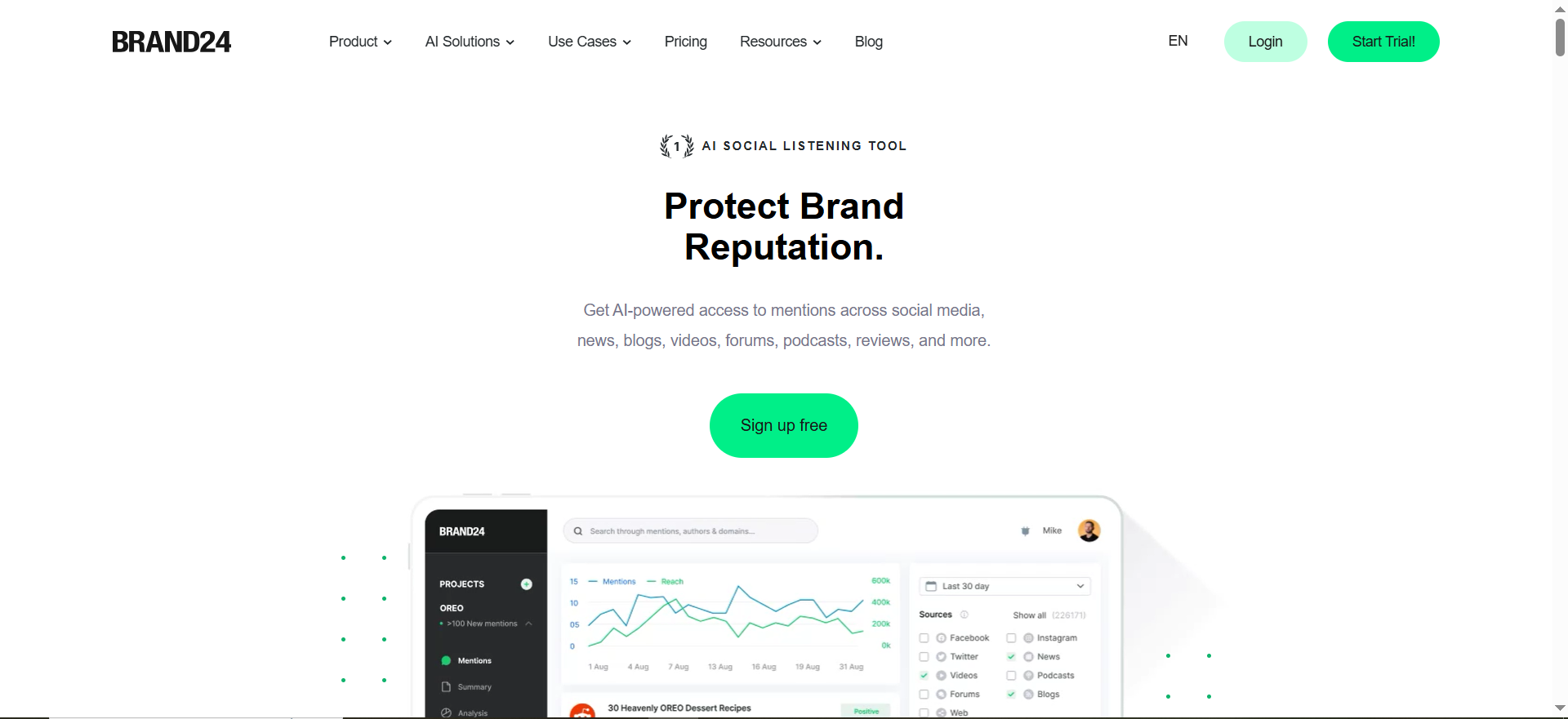
Brand24 is a real-time brand monitoring and social listening platform that tracks mentions of your brand, product, or any keyword across social media, news sites, blogs, forums, podcasts, and review platforms. It uses AI to analyze sentiment, identify trending topics, and surface the most influential voices talking about your brand. In 2026, Brand24 also added LLM monitoring — tracking how AI chatbots including ChatGPT, Claude, Gemini, Perplexity, and others mention and recommend your brand.
Why Teams Use It
Startups choose Brand24 when they want more than raw mention counts. The platform layers AI-driven analysis on top of monitoring data, giving you sentiment breakdowns, share of voice metrics, and automated reports without needing a dedicated analyst. The dashboard is clean enough that a founder wearing multiple hats can get value from it in a few minutes each day.
What It Is Good For
Brand24 excels at turning unstructured brand mentions into structured insights. The AI-powered sentiment analysis automatically categorizes mentions as positive, negative, or neutral, so you can spot reputation issues before they escalate. The influencer identification feature surfaces accounts with high reach that are already talking about your brand — useful for organic partnership opportunities. Podcast monitoring is a differentiator that most competitors at this price range do not offer. The LLM monitoring feature is another standout, letting you see how AI platforms like ChatGPT and Perplexity reference your brand in their responses.
When It Is a Good Fit
Brand24 fits best when your startup has moved past the zero-budget phase and can allocate $199-$249 per month for monitoring. It is ideal for teams that need to report on brand health metrics to investors or board members, since the automated reporting saves significant time. It also works well for startups in competitive markets where understanding share of voice matters.
When It Is Not a Good Fit
Brand24 is not a good fit if your total software budget for marketing tools is under $100 per month. The Individual plan caps you at 3 keywords and 2,000 mentions with 12-hour update intervals, which can feel restrictive for a fast-moving startup. If you need real-time alerts with minimal delay, you will need to move to the Team plan at $299 per month, which pushes it out of budget range for many early-stage companies.
How to Use It
Sign up for the 14-day free trial — no credit card required. Create your first project by entering your brand name, product name, or key competitor as a keyword. Brand24 begins collecting mentions immediately. The dashboard organizes mentions into a feed view where you can filter by source, sentiment, and influence score. Set up email alerts or Slack notifications to get pinged when new mentions appear.
Key Capabilities
Brand24 offers real-time mention tracking across social media, news, blogs, forums, podcasts, and review sites. The AI-powered features include automatic sentiment analysis, topic detection, and anomaly alerts that flag sudden spikes in mention volume. The platform supports multi-language monitoring, hashtag tracking, and competitive benchmarking through share of voice reports. Brand24 also monitors LLM responses across major AI chatbots, showing how your brand appears in AI-generated answers. You can export data via PDF reports or integrate with Slack, Google Sheets, and Zapier.
Pricing
Brand24 uses a tiered pricing model billed monthly or annually. The Individual plan costs $249 per month ($199 per month when billed annually) and includes 3 keywords, 2,000 mentions per month, and 1 user seat. The Team plan costs $299 per month ($249 per month annually) with 7 keywords, 10,000 mentions, and unlimited users. The Pro plan costs $499 per month ($399 per month annually) with 12 keywords, 40,000 mentions, and advanced AI features. The Business plan costs $599 per month ($499 per month annually) with 25 keywords and 100,000 mentions.
Free Tier?
No permanent free plan. Brand24 offers a 14-day free trial with full access to the Individual plan features.
Downsides and Limitations
The Individual plan's 12-hour update interval means you are not getting true real-time monitoring at the lowest price point. The 2,000 mention monthly cap can be exhausted quickly if your brand generates moderate online conversation. Moving from Individual to Team involves a significant price jump ($199 to $249 annually), which creates an awkward gap for startups that need slightly more capacity but cannot double their spend.
Tool #2: Mention
What It Does
Mention is a media monitoring and social listening platform that tracks brand mentions across the web, social media, forums, blogs, and news outlets. It combines real-time monitoring with competitive analysis features, allowing teams to track their own brand alongside competitors in a single dashboard. Mention is now backed by Agorapulse and has shifted its focus toward enterprise-grade monitoring.
Why Teams Use It
Mention built its reputation on affordable entry-level monitoring plans. However, as of July 2025, the Solo, Pro, and ProPlus self-serve plans are no longer available to new customers. Mention now sells exclusively through its Company plan, which requires contacting their sales team for custom pricing. Existing customers on legacy plans retain access, but new signups are directed to the enterprise tier. Teams that already have a legacy Mention plan still benefit from reliable monitoring at their locked-in price, but new startups should evaluate current alternatives.
What It Is Good For
Mention works well for straightforward brand monitoring where you need to know when and where your brand is being discussed. The competitive analysis feature lets you set up side-by-side monitoring of your brand against competitors, which is especially useful for startups trying to understand their positioning in a crowded market. The platform covers social media, blogs, forums, and news sources, giving a reasonably comprehensive view of online conversation.
When It Is a Good Fit
Mention fits when your organization needs enterprise-grade media monitoring with dedicated support and advanced features like Boolean search, historical data, and API access. It is a good match for teams that have outgrown budget tools and need comprehensive monitoring with custom alerting and reporting capabilities.
When It Is Not a Good Fit
Mention is not a good fit for budget-conscious startups or solo founders looking for affordable entry-level monitoring. With the deprecation of the Solo, Pro, and ProPlus plans for new customers, the only available option is the Company plan with custom pricing starting at $599 per month or higher. If you are looking for monitoring under $100 per month, Awario or Google Alerts are better options.
How to Use It
Contact Mention's sales team to discuss your monitoring needs and get a custom quote for the Company plan. Alternatively, start with the 14-day free trial to evaluate the platform. Set up your first alert by entering your brand name or target keyword. Mention immediately begins crawling its source network for matches. The dashboard presents mentions in a chronological feed with sentiment tags. You can filter by source type, language, and sentiment.
Key Capabilities
Mention monitors the web, social media (including X, Facebook, Instagram, and Reddit), news outlets, blogs, and forums. Core features include real-time alerts, sentiment analysis, competitive analysis, and influencer identification. The Company plan includes Boolean search for precise keyword filtering, Slack and Zapier integrations, custom reports, and the ability to export data. API access and historical data going back two years are available as upgrades.
Pricing
Mention's self-serve plans (Solo at $41/mo, Pro at $83/mo, and ProPlus at $149/mo) were deprecated for new customers in July 2025. New customers can only purchase the Company plan, which requires contacting Mention's sales team for custom pricing. Based on available information, Company plan pricing starts at approximately $599 per month. Legacy customers on existing self-serve plans retain access at their current pricing.
Free Tier?
No free plan. Mention offers a 14-day free trial with no credit card required.
Downsides and Limitations
The biggest limitation for startups is that Mention no longer offers affordable self-serve plans. The entry point for new customers is the Company plan at enterprise-level pricing, which puts it out of reach for most early-stage companies. No podcast monitoring at any tier, which is a gap for startups whose audience consumes audio content. The platform leans more toward media monitoring than deep social analytics, so if you need engagement metrics or audience demographics, you will need a separate tool.
Tool #3: Awario
What It Does
Awario is a social media and web monitoring tool that tracks brand mentions, competitor activity, and industry keywords across social platforms, news sites, blogs, forums, and the broader web. It differentiates itself with a built-in Leads feature that identifies sales opportunities by surfacing posts where people ask for product recommendations or complain about competitors.
Why Teams Use It
Startups choose Awario because it delivers the highest mention volume per dollar at the entry level. The Starter plan at $24 per month (billed annually) provides 30,000 mentions per month — dramatically more than Brand24's 2,000 at comparable price points. This makes Awario especially attractive for startups in categories with high conversation volume where mention caps become a bottleneck quickly.
What It Is Good For
Awario stands out for its Leads feature, which goes beyond passive monitoring into active prospecting. It collects posts where users ask questions like "can anyone recommend a project management tool" or complain about competing products — giving your startup a direct path to potential customers. The Boolean search is available on every plan, which is a meaningful advantage over competitors that gate it behind mid-tier pricing. Sentiment analysis, influencer identification, and share of voice reporting round out the analytics.
When It Is a Good Fit
Awario is the right choice when budget is your primary constraint and you still want meaningful monitoring capabilities. It fits well for startups at the seed stage, freelancers, small agencies, and lean marketing teams that need to monitor brand mentions without spending hundreds per month. It is particularly strong for startups that want to use monitoring data for lead generation — not just brand awareness.
When It Is Not a Good Fit
Awario is not a good fit if you need podcast monitoring, as the platform does not cover audio content. The Starter plan limits you to 1 team member, so if you need multi-user access you will need to upgrade to the Pro plan at $89 per month (annually), which narrows the budget advantage. The stored mentions cap (5,000 per topic on Starter) means historical analysis is limited compared to tools with larger data retention.
How to Use It
Sign up for the 7-day free trial, which gives you access to the Starter plan with 3 topics and 30,000 mentions. Create a topic by entering your brand name — you can add unlimited keywords within each topic (brand variations, misspellings, hashtags). Awario begins crawling immediately. The dashboard shows a mention feed with sentiment indicators, a reach graph, and source breakdown. Turn on the Leads feature in a separate tab to start collecting sales-relevant mentions. Set up email or Slack notifications for high-priority alerts.
Key Capabilities
Awario monitors social media (X, Facebook, Instagram, YouTube, Reddit), news sites, blogs, forums, and the general web. Core features include real-time alerts, sentiment analysis, Boolean search (all plans), share of voice analysis, influencer identification, and the Leads social selling module. Reporting includes PDF exports and white-label reports. The platform supports multiple languages and location-based monitoring for targeting specific geographic regions.
Pricing
Awario offers three plans with monthly and annual billing. The Starter plan costs $39 per month ($24 per month billed annually) and includes 3 topics, 30,000 mentions per month, 5,000 stored mentions per topic, and 1 team member. The Pro plan costs $149 per month ($89 per month annually) with 15 topics, 300,000 mentions per month, 15,000 stored mentions, and 10 team members. The Enterprise plan costs $399 per month ($249 per month annually) with 100 topics, 1,000,000 mentions per month, 50,000 stored mentions, and unlimited team members. Custom plans are available on request.
Free Tier?
No permanent free plan. Awario offers a 7-day free trial providing access to the Starter plan features.
Downsides and Limitations
No podcast monitoring, which puts it behind Brand24 for audio coverage. The Starter plan is limited to a single team member — there is no way to add even one collaborator without upgrading. The data export feature is restricted to Pro and Enterprise plans, so Starter users cannot easily move their data into other tools or spreadsheets. The user interface, while functional, is less polished than Brand24 and can feel cluttered when managing multiple topics.
Tool #4: Google Alerts
What It Does
Google Alerts is a free notification service from Google that monitors the web for new content matching your specified keywords. When Google indexes a new web page, blog post, or news article containing your keyword, it sends you an email notification. It is the simplest possible form of brand monitoring — no dashboard, no analytics, just email alerts when your keywords appear online.
Why Teams Use It
Startups use Google Alerts because it costs absolutely nothing and takes less than a minute to set up. There is no signup process beyond having a Google account, no trial period to manage, and no features to learn. For founders who are not yet ready to invest in monitoring software but want basic awareness of when their brand appears in web content, Google Alerts provides that minimum viable coverage.
What It Is Good For
Google Alerts catches mentions on web pages, blogs, news articles, and indexed forum posts that appear in Google's search index. It is effective for monitoring major coverage events — when a publication writes about your startup, when a blog reviews your product, or when a competitor publishes content mentioning your brand. You can create up to 1,000 alerts per account, which provides plenty of room for monitoring variations of your brand name, competitor names, and industry terms.
When It Is a Good Fit
Google Alerts is the right starting point if your startup has zero marketing budget, you are pre-revenue or pre-launch and just want to know when your name shows up on the web, or you want a lightweight layer of monitoring running in the background while you evaluate paid tools. It is also useful as a complement to paid tools — covering web content while a paid tool handles social media.
When It Is Not a Good Fit
Google Alerts is not a good fit as your primary monitoring tool if you need to track social media mentions. Google Alerts does not monitor X, LinkedIn, Instagram, TikTok, Facebook, or any social media platform. It does not offer sentiment analysis, competitive benchmarking, influencer identification, or any form of analytics. There is no dashboard — all output comes via email, which makes it impossible to analyze trends over time. If a mention appears in a format that Google does not index (social posts, ephemeral content, private forums), Google Alerts will miss it entirely.
How to Use It
Go to google.com/alerts. Enter your brand name or keyword in the search box. Configure delivery options: choose between as-it-happens, daily digest, or weekly digest. Select source types (news, blogs, web, video, books, discussions, or all). Choose language and region filters if you want to narrow geographic coverage. Click Create Alert. Repeat for competitor names, product names, and industry keywords. All notifications arrive via email to the Google account you use.
Key Capabilities
Google Alerts monitors web pages, blog posts, news articles, and Google-indexed forum discussions. Configuration options include delivery frequency (as-it-happens, daily, weekly), source filtering, language selection, and region targeting. You can create up to 1,000 alerts per Google account. There is no limit on how many mentions it will surface — if Google indexes it and it matches your keyword, you will get notified.
Pricing
Google Alerts is completely free. There are no paid tiers, no premium features, and no usage limits beyond the 1,000-alert cap per account.
Free Tier?
Yes — Google Alerts is entirely free with no paid alternative. All features are available to every user.
Downsides and Limitations
No social media monitoring whatsoever — the single biggest gap for startups that need to track conversations on X, Reddit, LinkedIn, or Instagram. No sentiment analysis or any analytical capability. No dashboard or historical data — all output is delivered via email with no way to aggregate, filter, or visualize trends. Google Alerts cannot detect mentions in AI-generated search results, AI Overviews, or LLM-based platforms like ChatGPT or Perplexity. Alert delivery can be inconsistent — some relevant mentions are missed, and irrelevant results sometimes appear. No team collaboration features.
Tool #5: Sprout Social
What It Does
Sprout Social is a comprehensive social media management platform that combines publishing, engagement, analytics, and social listening in a single tool. While it is not primarily a brand monitoring platform, its listening and monitoring features are robust enough to serve as a startup's brand monitoring solution — particularly if the team is already using Sprout for social media management.
Why Teams Use It
Startups choose Sprout Social for brand monitoring when they want to consolidate social media management and monitoring into one platform. Instead of paying for a social scheduler plus a separate monitoring tool, Sprout bundles both. The listening features are add-on based, but the standard engagement inbox already surfaces brand mentions, comments, and messages across connected social profiles.
What It Is Good For
Sprout Social excels when brand monitoring is one part of a broader social media workflow. The Smart Inbox aggregates mentions, comments, direct messages, and tagged posts from all connected social profiles into a single feed, making it easy to respond quickly. The analytics suite provides engagement metrics, audience demographics, and post performance data that pure monitoring tools do not offer. For teams that need to respond to mentions rather than just track them, Sprout's integrated engagement tools are a meaningful advantage.
When It Is a Good Fit
Sprout Social fits when your startup already uses or plans to use a social media management platform, and you want to avoid paying for two separate tools. It is ideal for startups at the Series A or growth stage that have a dedicated social media operator and enough posting volume to justify the platform. If your primary monitoring need is tracking mentions across your connected social profiles and responding to them, Sprout covers that without needing an additional tool.
When It Is Not a Good Fit
Sprout Social is not a good fit for budget-conscious startups looking specifically for affordable brand monitoring. At $199 per seat per month (billed annually) for the Standard plan, it is the most expensive option on this list, and the price is per user — a two-person team pays $398 per month minimum. The social listening add-on, which provides the deeper monitoring and analytics capabilities, requires additional spend with no public pricing. If you only need monitoring and do not care about social publishing or engagement tools, Sprout is expensive for what you would actually use.
How to Use It
Start with the 30-day free trial. Connect your social media profiles (Instagram, Facebook, X, LinkedIn, Pinterest, TikTok, YouTube). The Smart Inbox immediately begins aggregating mentions and messages from connected profiles. For broader brand monitoring beyond your connected accounts, you will need the Listening add-on, which is available on Professional and Advanced plans. Set up keyword monitoring through the listening module, configure alerts, and use the reporting dashboard to track mention trends over time.
Key Capabilities
Sprout Social monitors mentions, comments, direct messages, and tags across all connected social profiles. The Smart Inbox provides a unified view of all social engagement. The Listening add-on adds keyword-based monitoring across social networks, sentiment analysis, competitive benchmarking, and audience demographics. Publishing tools include content calendars, approval workflows, and optimal send-time recommendations. Analytics cover post performance, audience growth, engagement rates, and custom report builders.
Pricing
Sprout Social uses per-seat pricing billed annually. The Standard plan costs $199 per seat per month and includes 5 social profiles. The Professional plan costs $299 per seat per month with unlimited profiles. The Advanced plan costs $399 per seat per month with all features. Enterprise pricing is custom. The Listening add-on (Premium Analytics, Social Listening module) is priced separately and requires Professional or Advanced plans. All plans require annual prepayment.
Free Tier?
No free plan. Sprout Social offers a 30-day free trial.
Downsides and Limitations
The per-seat pricing model makes Sprout extremely expensive for teams — a three-person team on the Professional plan pays $897 per month. Social listening is an add-on, not included in the base price, so the total cost for monitoring can exceed $400 per seat per month. No web, blog, or forum monitoring in the base product — Sprout only monitors connected social profiles unless you purchase the listening add-on. The platform is overkill if you only need monitoring without social publishing, and there is no way to purchase just the monitoring features separately.
How Do Startups Choose a Brand Monitoring Tool on a Tight Budget?
Choosing a brand monitoring tool when money is tight comes down to three questions: what channels matter most to your startup, how many keywords you need to track, and what you plan to do with the data once you have it.
Start by identifying where your audience actually talks about products like yours. If your customers are primarily on X and Reddit, you need a tool with strong social coverage — Google Alerts will not help you there. If most of your mentions come from blog posts, news articles, and review sites, Google Alerts might genuinely be sufficient for your current stage.
Next, count your keywords. If you only need to track your brand name and maybe one competitor, even the cheapest paid plan from Awario ($24 per month annually for 3 topics) will cover you. If you need five or more keywords — brand name, product names, competitors — you will need to budget for mid-tier plans.
Finally, consider what you will do with the monitoring data. If you just need to know that mentions exist, a basic tool works. If you need sentiment analysis for investor reporting, competitive share of voice for positioning decisions, or lead identification for sales, you need a tool with analytical depth — and that means Awario or Brand24 at minimum.
What Is Brand Monitoring and Why Do Startups Need It?
Brand monitoring is the practice of tracking mentions of your brand, products, founders, and competitors across the internet — including social media, news sites, blogs, forums, review platforms, and the broader web. The goal is awareness: knowing what people say about you, where they say it, and whether the sentiment is positive, negative, or neutral.
Startups need brand monitoring for reasons that differ from enterprise companies. An enterprise monitors its brand to protect a decades-old reputation. A startup monitors its brand to build one. Specifically, brand monitoring helps startups catch early customer feedback that might not come through official support channels, identify PR opportunities when journalists or bloggers mention the company, spot competitive positioning shifts, find potential customers asking for recommendations in the startup's category, and detect negative sentiment before it spreads.
The cost of not monitoring is harder to quantify but very real. A negative Reddit thread can shape perception for months. A positive review on a niche forum can drive qualified traffic. A competitor's product launch might require a response. Without monitoring, you are reacting to these events days or weeks late — if you notice them at all.
Free vs Paid Brand Monitoring Tools — Which Is Better for Startups?
The honest answer is that free tools and paid tools serve different purposes, and most startups will use both at different stages.
Free tools like Google Alerts work well for basic web monitoring — knowing when your brand appears in a news article, blog post, or indexed web page. They cost nothing, require no commitment, and provide a baseline level of awareness that is better than having no monitoring at all.
Paid tools add three things that free tools cannot provide: social media monitoring, analytical depth, and workflow efficiency. Google Alerts cannot see X, Reddit, Instagram, or LinkedIn. It cannot tell you whether a mention is positive or negative. It cannot rank mentioners by influence or surface sales leads. If those capabilities matter to your startup — and for most B2B SaaS startups they do — a paid tool is worth the investment.
The practical path for most startups is to start with Google Alerts when the company is pre-revenue or pre-launch, then add a budget paid tool like Awario ($24 per month annually) once there is enough online conversation to justify monitoring it properly. As the startup grows and monitoring data becomes part of decision-making, upgrading to Brand24 or consolidating into a platform like Sprout Social makes sense.
How to Set Up Brand Monitoring for the First Time
Setting up brand monitoring takes less than an hour if you follow a systematic approach. Start with free coverage, then layer in paid tools as needed.
Begin with Google Alerts. Create alerts for your company name (and common misspellings), your product name, your founder's name, and two to three competitor names. Set delivery to daily digest to avoid inbox overload. This gives you immediate web coverage at zero cost.
Next, if you are investing in a paid tool, set up your keywords strategically. Most budget plans limit you to two to five keywords or topics, so prioritize: your brand name should always be the first keyword. Add your primary competitor as the second. If you have a third slot, use it for your product category (like "project management tool" or "brand monitoring software") to track broader industry conversation.
Configure your notification settings based on how you plan to use the data. If you are a solo founder checking mentions once a day, a daily digest email works fine. If mentions require immediate response (customer complaints, press mentions), set up real-time notifications via Slack or email.
Finally, schedule a weekly review. Spend 15 minutes each week reviewing your monitoring dashboard, noting trends in mention volume and sentiment. This rhythm is more valuable than checking mentions constantly, because it lets you spot patterns rather than reacting to individual data points.
Can You Do Brand Monitoring With Just Google Alerts?
You can, but with significant gaps. Google Alerts covers web pages, news articles, blog posts, and some forums that Google indexes. For many pre-launch or early-stage startups, this coverage is sufficient because the volume of brand mentions is low and most meaningful mentions occur in web-based content rather than social media.
The limitations become apparent as your startup grows. Google Alerts will not catch someone tweeting about your product, posting a review on Reddit, discussing your brand in a LinkedIn comment, or mentioning you in an Instagram story. It will not tell you whether the overall sentiment around your brand is positive or negative, and it will not help you identify which mentions are worth responding to.
A reasonable approach is to use Google Alerts as your primary monitoring tool while supplementing it with manual social media searches — periodically searching your brand name on X, Reddit, and LinkedIn to catch what Google Alerts misses. This is not scalable, but for a startup with fewer than 50 brand mentions per month, it works.
What Should a Startup Track With Brand Monitoring?
At minimum, every startup should monitor five categories of keywords: brand name and variations (including common misspellings and abbreviations), product names, founder and key team member names, direct competitor names, and category keywords that describe your product space.
Brand name monitoring is the foundation. This catches customer feedback, press mentions, partnership opportunities, and reputation risks. Include variations — if your brand is "TechFlow," also monitor "Tech Flow," "tech-flow," and any common misspelling.
Competitor monitoring is where brand monitoring becomes strategic. Tracking what people say about competitors reveals gaps you can exploit, messaging angles that resonate with your shared audience, and early signals about competitor product launches or pricing changes.
Category keyword monitoring is the broadest and highest-volume category. Tracking terms like "best project management tool" or "affordable CRM for startups" helps you understand how your market talks about the problem you solve. This is where Awario's Leads feature is particularly useful — it surfaces posts from potential customers actively looking for solutions.
How Much Should a Startup Spend on Brand Monitoring?
The practical range for startups is $0 to $200 per month, depending on your stage and needs.
Pre-revenue and pre-launch startups should spend $0. Google Alerts provides sufficient coverage when your brand is new and mention volume is low. Save your budget for tools that directly drive revenue.
Post-launch startups with growing brand awareness should budget $24 to $50 per month. At this range, Awario's Starter plan ($24 per month annually) gives you 30,000 mentions per month with social coverage and sentiment analysis — more than enough for most early-stage companies.
Growth-stage startups with consistent brand mentions and investor reporting requirements should budget $100 to $200 per month. Brand24's Individual plan ($199 per month annually) provides AI-powered insights and comprehensive coverage. If you also need social media management, consider whether consolidating into Sprout Social makes financial sense despite the higher per-seat cost.
The key principle is to match your monitoring spend to your mention volume. If you are getting fewer than 100 mentions per month, a $200 tool is overkill. If you are getting thousands of mentions and need to identify trends, a free tool is insufficient.
Brand Monitoring vs Social Listening — What Is the Difference?
Brand monitoring and social listening are related but serve different purposes. Brand monitoring tracks specific mentions of your brand, products, and competitors — it answers the question "what are people saying about us right now?" Social listening analyzes broader conversation patterns, sentiment trends, and audience behavior — it answers the question "how does our market feel about this topic over time?"
In practice, most tools marketed as brand monitoring tools include social listening features, and vice versa. Brand24, Awario, and Sprout Social all offer both mention tracking (brand monitoring) and sentiment analysis with trend visualization (social listening). The distinction matters more when evaluating feature depth than when choosing between tools.
For startups, the practical difference is this: brand monitoring tells you that a customer posted a negative review this morning. Social listening tells you that negative sentiment around your brand has increased 15% this quarter. Both are valuable, but at the earliest stages, reactive brand monitoring (catching and responding to individual mentions) is usually more important than strategic social listening (analyzing long-term sentiment trends).
When Should a Startup Upgrade From Free to Paid Brand Monitoring?
Three signals tell you it is time to move from Google Alerts to a paid tool. First, if you are missing mentions that matter — learning about a blog review from a friend's forwarded email rather than from your monitoring tool — your free setup has coverage gaps that need fixing. Second, if you are spending more than 30 minutes per week manually searching social platforms for brand mentions, a paid tool will save you time worth more than the subscription cost. Third, if you need to report on brand health metrics to investors, partners, or your board, you need a tool that provides data in a structured, exportable format.
The upgrade does not have to be expensive. Moving from Google Alerts to Awario's Starter plan at $24 per month (billed annually) is one of the most cost-effective upgrades in marketing software. You go from web-only email notifications to real-time social and web monitoring with sentiment analysis, competitive tracking, and a lead generation module — for less than the cost of a team lunch.
How Do Brand Monitoring Tools Use AI in 2026?
AI has become a standard feature in brand monitoring tools, though the depth of implementation varies significantly by platform. The most common AI application is automated sentiment analysis — classifying mentions as positive, negative, or neutral without requiring manual review. Every paid tool on this list (Brand24, Mention, Awario, and Sprout Social) includes some form of sentiment analysis.
Brand24 has invested the most heavily in AI among the budget-friendly options. Its AI features include automatic topic detection (grouping mentions by subject), anomaly alerts (flagging unusual spikes in mention volume), and AI-generated summaries of monitoring data. In 2026, Brand24 also introduced LLM monitoring — a feature that tracks how AI chatbots like ChatGPT, Claude, Gemini, and Perplexity mention and recommend your brand in their responses. This makes Brand24 the only tool on this list that bridges the gap between traditional brand monitoring and AI visibility tracking.
Awario uses AI primarily for its Leads feature, which algorithmically identifies posts where users are asking for product recommendations or expressing dissatisfaction with competitors. This is a more actionable application of AI — rather than just analyzing data, it surfaces specific opportunities to engage with potential customers.
The AI capabilities in free tools remain minimal. Google Alerts uses Google's search algorithms to match keywords but offers no AI-powered analysis, classification, or insight generation.



