
Pick your email marketing platform by how many contacts you have and the one job you need email to do. A ranked list cannot tell you that. Up to 250 contacts, a free plan from MailerLite or Mailchimp is enough. For newsletters, choose Kit. For heavy sending to a small list, choose Brevo. For a built-in CRM, choose HubSpot.
This rule applies to small and growing businesses sending marketing email to their own opted-in list, at list sizes from a few hundred to roughly ten thousand contacts.
Free-plan limits and prices change often and differ between review sites and vendor pages, so check the vendor's pricing page before you commit.
Choosing the platform is the easy half of the problem. If you also want the search traffic and sign-ups that fill the list, our GEO + SEO Growth Programme covers that side.
📋 Get Listed / Advertise
We update this guide monthly. Want your tool featured? Contact: [email protected].
Email Marketing Platforms At A Glance
Five platforms cover the main list sizes and jobs. Read across the row that matches your situation, then jump to that profile.
| Platform | Free Plan Limit | First Paid Price | Pricing Basis | Best For |
|---|---|---|---|---|
| MailerLite | 250 subscribers, 2,500 emails per month | From $12 per month | Subscriber count | Small lists on a tight budget |
| Brevo | 300 emails per day | See pricing page | Emails sent | Low contact counts with high send volume |
| Kit | 10,000 subscribers, no automated sequences | $33 per month at a 1,000-subscriber base | Subscriber count | Creators and newsletters |
| HubSpot Marketing Hub | 2,000 sends per month, 2 users | $7 per seat per month | Seats and tier | Teams that want a CRM attached |
| Mailchimp | 250 contacts, 500 emails per month | $13 per month | Contact count | Simple campaigns at low volume |
Every figure in the table comes from the vendor's own pricing page, and each profile below links that page.
1. MailerLite: Best For Small Lists On A Tight Budget
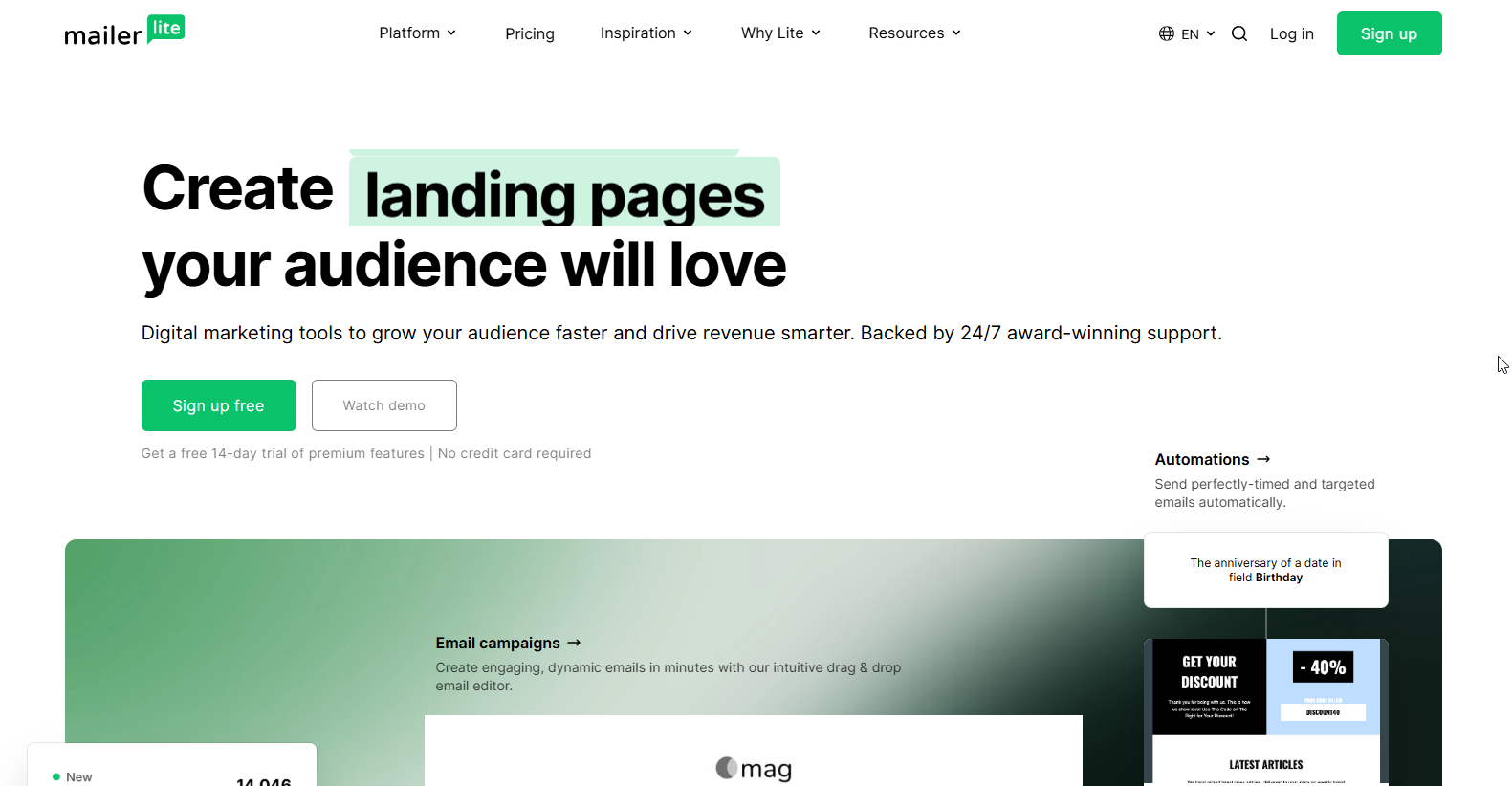
MailerLite is the cheapest sensible place to start when your list is small and your needs are simple. It sends your campaigns, runs a few automations on the free plan, and charges by subscriber count once you pay.
It suits a founder, a local business or a solo marketer with a list of up to 250 subscribers, because MailerLite's pricing page shows the free tier ending at 250 subscribers and 2,500 emails per month. Sending locks above 250 active subscribers on Free, so the free plan is a starting point and a hard ceiling in the same breath.
| Plan | Price | Billing Basis | Includes |
|---|---|---|---|
| Free | $0 | Up to 250 subscribers | 2,500 emails per month, 2 seats, 3 automations |
| Comfort | From $12 per month | Subscriber count tiers | Paid features listed on the vendor page |
| Power | From $25 per month | Subscriber count tiers | Unlimited emails subject to fair use, unlimited seats, 24/7 live chat and email |
| Enterprise | Custom | 200K+ subscribers | Custom |
- Free tier: Up to 250 subscribers, 2,500 emails per month, 2 seats and 3 automations.
Strengths:
- The free plan allows 2,500 emails per month for 250 subscribers, which is ten sends a month to a full list.
- Comfort starts at $12 per month, one of the lowest entry prices in this guide.
- Power includes unlimited seats and 24/7 live chat and email support.
- Three automations on the free plan let you test a welcome flow before paying.
Trade-offs:
- Sending locks above 250 active subscribers on the Free plan.
- Comfort and Power are tiered by subscriber count, so the bill rises as the list grows.
- Free is capped at 2 seats, which matters once a second person needs access.
- Lists of 200K+ subscribers move to a custom Enterprise quote.
Key capabilities:
- Email campaigns to a subscriber list
- Automations, three on the free plan
- Seats for collaborators, two on Free and unlimited on Power
- Live chat and email support around the clock on Power
Good fit:
- A list under 250 subscribers that sends a few campaigns a month
- A budget-first buyer who wants a paid plan from $12 per month
- A team that wants unlimited seats on a paid plan
Not a fit:
- A list that will pass 250 subscribers soon and cannot pay yet
- A team that needs a CRM attached to the email tool
The limitation that matters most is the 250-subscriber lock on Free, so plan the upgrade before you reach it.
2. Brevo: Best For Low Contact Counts With High Send Volume
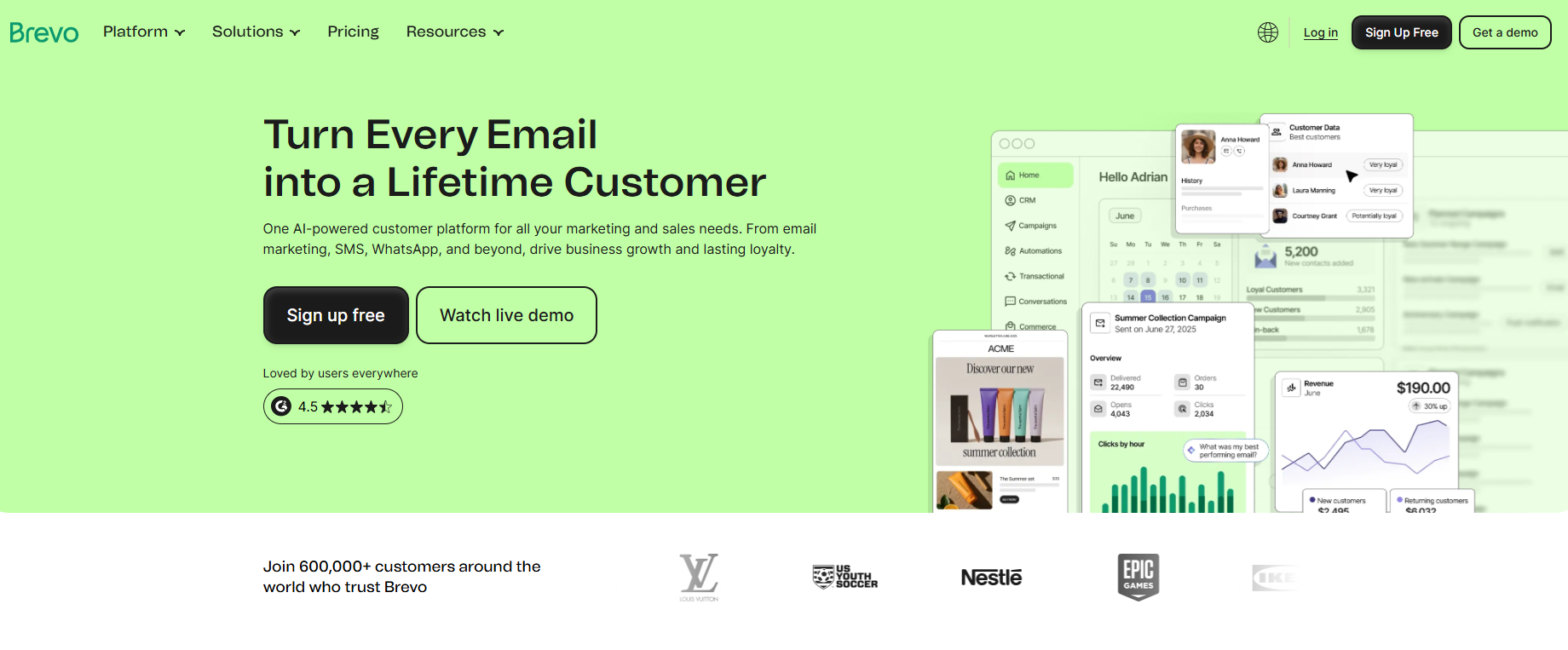
Brevo is the odd one out. Its plans are shaped by emails sent, not by how many contacts you store. That makes it the platform to check first when you have a small list that you email often.
Brevo's pricing page shows the Free plan allowing up to 300 emails per day after sending approval, and it states no contact or monthly email cap. Over a 30-day month, 300 a day adds up to as many as 9,000 emails, more than the monthly send caps on the MailerLite, Mailchimp and HubSpot free plans. If your job is volume, such as frequent updates to a few thousand people, read our guide to email blast tools next.
| Plan | Price | Billing Basis | Includes |
|---|---|---|---|
| Free | $0 | Emails per day | Up to 300 emails per day after sending approval |
| Starter | See pricing page | Emails per month | From 5,000 emails per month |
| Standard | See pricing page | Emails per month | No email cap stated, unlimited automated workflows |
| Professional | See pricing page | Emails per month | From 150,000 emails per month, 10 seats |
| Enterprise | See pricing page | Contacts | Designed for 1M+ contacts |
- Free tier: Up to 300 emails per day after sending approval, with no contact or monthly cap stated on the vendor page.
The paid prices did not appear on the vendor page when we read it, so this guide quotes none. Check the page for current figures.
Strengths:
- Pricing follows sending, so a small list that mails often is not pushed into a bigger tier.
- Free allows up to 300 emails per day.
- Standard states no email cap and unlimited automated workflows.
- Pay-as-you-go credits do not expire, and one email uses one credit.
Trade-offs:
- Free sending needs approval first, so do not plan a launch for the same day you sign up.
- Phone support is not included with pay-as-you-go credits.
- Paid plan prices must be checked on the vendor page before you can compare cost.
Key capabilities:
- Daily sending on the free plan
- Monthly email plans from 5,000 emails per month
- Unlimited automated workflows on Standard
- Ten seats on Professional
Good fit:
- A list of a few hundred or a few thousand contacts that you email every week
- A buyer who wants credits that do not expire
- A growing sender who expects to move to a plan of 150,000 emails per month or more
Not a fit:
- A buyer who needs phone support on pay-as-you-go credits
- A team that wants a fixed, published price for every tier before signing up
The limitation that matters most is support, since phone support is not included with pay-as-you-go credits.
3. Kit: Best For Creators And Newsletter Businesses
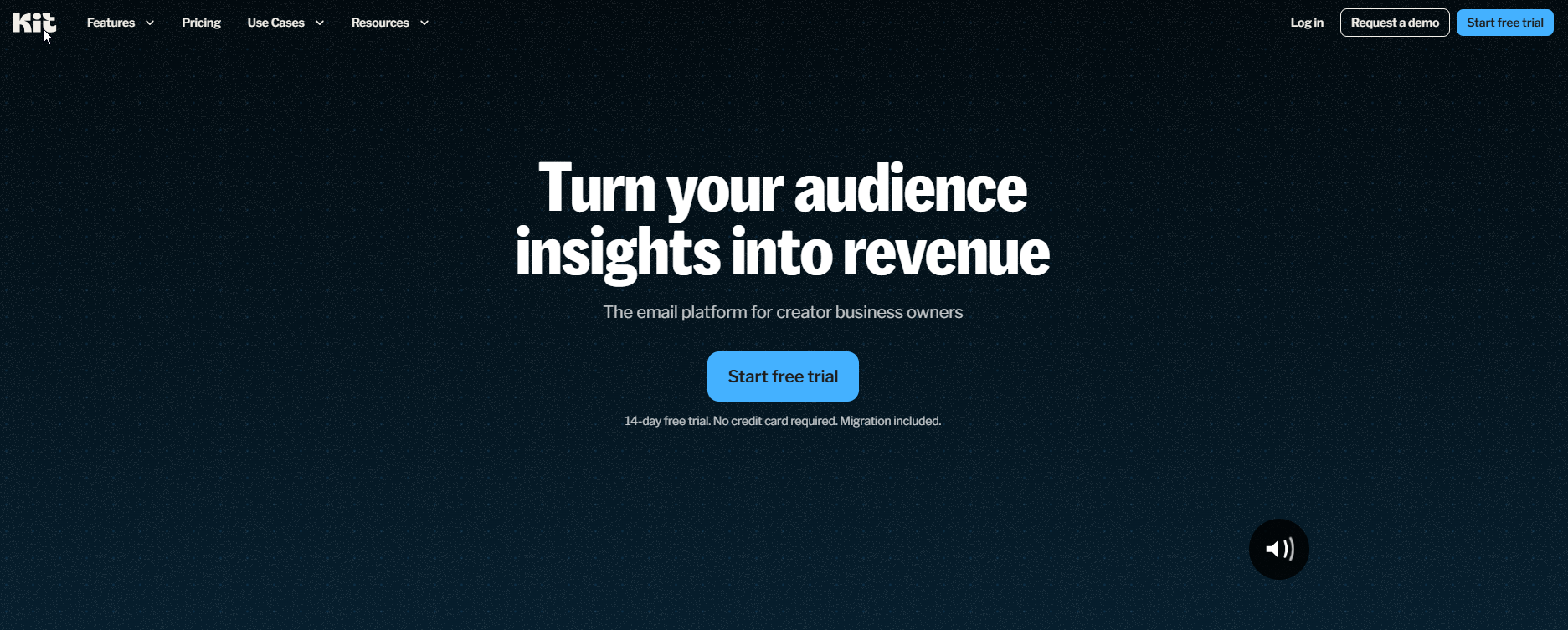
Kit is built around the newsletter. If your product is your audience, this is the platform whose free plan gets you furthest before it asks for money.
Kit's pricing page shows the Free plan running to 10,000 subscribers with unlimited landing pages, forms and email broadcasts, plus tagging and segmentation. The same page shows the limit that matters. The free plan has no visual automations and no automated sequences, and Kit branding stays on your emails.
The result is a platform that suits a writer or creator with a large list who sends broadcasts by hand. It suits a business that needs an automated welcome series much less, because that is where the paid plans start.
| Plan | Price | Billing Basis | Includes |
|---|---|---|---|
| Free | $0 | Up to 10,000 subscribers | 1 user, unlimited landing pages, forms and broadcasts, tagging and segmentation |
| Creator | $33 per month or $390 per year at a 1,000-subscriber base | Subscriber count | 14-day free trial |
| Pro | $66 per month at a 1,000-subscriber base | Subscriber count | Same base as Creator |
- Free tier: Up to 10,000 subscribers and 1 user, with no visual automations or automated sequences and Kit branding on emails.
Paying yearly for Creator costs $390 against $396 for twelve monthly payments at the 1,000-subscriber base, a saving of $6. The page also shows a $50 promotional price for Pro that renews at the standard rate. Prices above 1,000 subscribers are set on the vendor's pricing page, so check it at your list size.
Strengths:
- The free plan covers up to 10,000 subscribers, the largest free list in this guide.
- Landing pages, forms and broadcasts are unlimited on Free.
- Tagging and segmentation are included on Free.
- Creator comes with a 14-day free trial.
Trade-offs:
- No visual automations or automated sequences on the free plan.
- Kit branding stays on the free plan.
- The free plan has 1 user.
- Prices above a 1,000-subscriber base are not shown on the page we read.
Key capabilities:
- Unlimited landing pages and forms
- Unlimited email broadcasts
- Tagging and segmentation
- A free plan to 10,000 subscribers
Good fit:
- A newsletter writer or creator with a large list that sends broadcasts
- A business that wants to build a list before it pays for anything
- A buyer who wants tags and segments without a paid plan
Not a fit:
- A business that needs an automated sequence running from day one
- A team that must remove branding without paying
The limitation that matters most is that automation sequences require a paid plan.
4. HubSpot Marketing Hub: Best For Teams That Want A CRM Attached
HubSpot is a different kind of purchase. You are buying a marketing tool that sits on top of a CRM, and the price follows seats and tiers more than list size. That is unlike the contact-priced platforms above, and it changes how the bill grows.
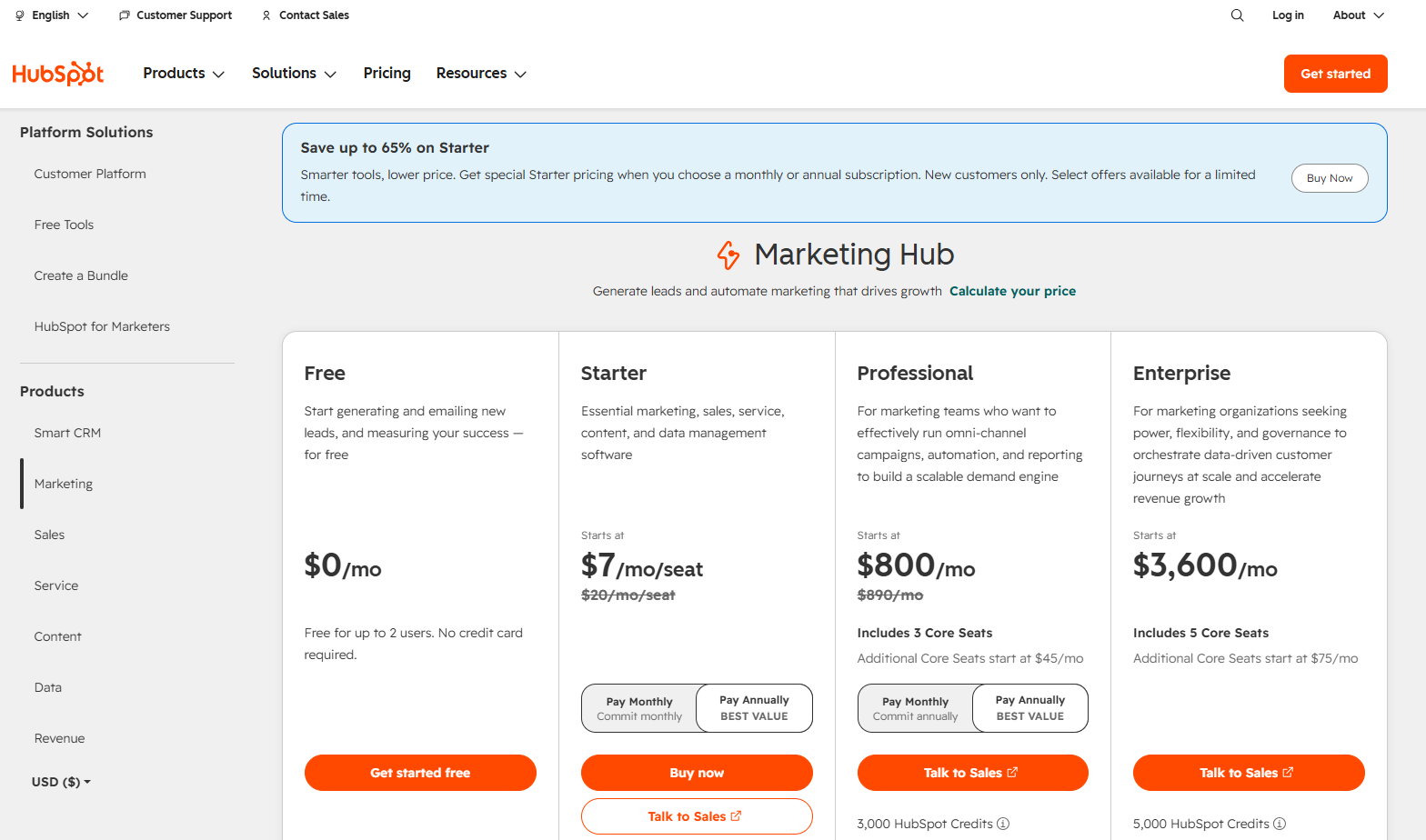
HubSpot's pricing page lists Free with up to 2 users, 2,000 sends per month with HubSpot branding and 1 automated action. Starter is $7 per seat per month, listed at $20 before a limited-time discount, with 1,000 marketing contacts, 5,000 sends per month at 1,000 contacts and up to 10 automation actions. That works out to five sends per contact each month.
The step to Professional is the steepest from a starter plan to the next tier in this guide. Professional is $800 per month, listed at $890 before discount, with 2,000 contacts, plus a $3,000 onboarding fee. Starter to Professional moves from $7 per seat to $800 per month, for a jump from 1,000 to 2,000 contacts.
| Plan | Price | Billing Basis | Includes |
|---|---|---|---|
| Free | $0 | Up to 2 users | 2,000 sends per month with HubSpot branding, 1 automated action |
| Starter | $7 per seat per month (listed $20) | Per seat | 1,000 marketing contacts, 5,000 sends at 1,000 contacts, up to 10 automation actions |
| Professional | $800 per month (listed $890) plus $3,000 onboarding | Per month, 3 Core Seats included | 2,000 contacts, 20,000 sends at 2,000 contacts, unlimited actions, extra seats $45 per month |
| Enterprise | $3,600 per month plus $7,000 onboarding | Per month, 5 Core Seats included | 10,000 contacts, 200,000 sends at 10,000 contacts, unlimited actions, extra seats $75 per month |
- Free tier: Up to 2 users, 2,000 sends per month with HubSpot branding and 1 automated action.
Strengths:
- The CRM sits next to the email tool, so sales and marketing share one contact record.
- Starter is $7 per seat per month, a low entry price for a small team.
- Professional and Enterprise include unlimited automation actions.
- Enterprise covers 10,000 contacts and 200,000 sends.
Trade-offs:
- Professional carries a $3,000 onboarding fee and Enterprise a $7,000 fee.
- Starter allows up to 10 automation actions, which a growing program will outgrow.
- Extra seats cost $45 per month on Professional and $75 on Enterprise.
- The Free plan carries HubSpot branding.
Key capabilities:
- A CRM attached to email
- Seat-based pricing by tier
- Up to 10 automation actions on Starter and unlimited actions above it
- 2,000 contacts on Professional and 10,000 on Enterprise
Good fit:
- A sales-led team that wants email and contact records in one place
- A small team that can start on Starter at $7 per seat per month
- A company that can fund Professional and its onboarding fee
Not a fit:
- A newsletter writer who just needs to send broadcasts
- A budget-limited buyer who cannot absorb an $800 per month step
The limitation that matters most is the onboarding fees on the top tiers, $3,000 on Professional and $7,000 on Enterprise.
5. Mailchimp: Best For Simple Campaigns At Low Volume
Is Mailchimp still a good email marketing service? For a small list that sends simple campaigns, yes. For anything bigger, it needs checking against the other four here.
Mailchimp suits a list of up to 250 contacts that sends a few campaigns a month, because Mailchimp's pricing page lists the Free plan at 250 contacts and a maximum of 500 emails per month or 250 per day. Essentials is $13 per month and Standard is $20 per month, both with a 14-day free trial. That free plan is small. Two sends to a full 250-contact list uses the whole month.
Prices scale by a contact slider, and the page shows no effective date. Confirm your own tier on the page before you rely on any figure here.
| Plan | Price | Billing Basis | Includes |
|---|---|---|---|
| Free | $0 | Up to 250 contacts | 500 emails per month or 250 per day |
| Essentials | $13 per month | Contact slider | Sends up to 10x contacts, 14-day free trial |
| Standard | $20 per month | Contact slider | Sends up to 12x contacts, 14-day free trial |
| Premium | $350 per month | Unlimited contacts | Unlimited contacts |
- Free tier: Up to 250 contacts, with a maximum of 500 emails per month or 250 per day.
Strengths:
- Essentials at $13 per month and Standard at $20 per month sit at the low end of paid pricing.
- Both paid plans include a 14-day free trial.
- Essentials sends up to 10x your contacts and Standard up to 12x, so a 1,000-contact list can send up to 10,000 or 12,000 emails per month.
- Premium offers unlimited contacts.
Trade-offs:
- The free plan caps sending at 500 emails per month or 250 per day.
- Prices scale by a contact slider, so cost rises with list size.
- The jump from Standard at $20 to Premium at $350 per month is large.
- The pricing page shows no effective date.
Key capabilities:
- Email campaigns to a contact list
- A free plan to 250 contacts
- Send allowances tied to contact count on paid plans
- Unlimited contacts on Premium
Good fit:
- A small list that sends a couple of campaigns a month
- A buyer who wants a 14-day trial before paying
- A business that expects to stay on a low-volume plan
Not a fit:
- A list that needs to send often on a free plan
- A buyer who wants a fixed price that does not move with the contact slider
The limitation that matters most is the free plan's 500-email monthly cap.
📋 Get Listed / Advertise
We update this guide monthly. Want your tool featured? Contact: [email protected].
How To Pick: A Decision Rule By Contact Count And Use Case
Most platforms bill by total contacts, so the right choice depends on the list size you expect over the next twelve months. The use case should then set the tool, whether that is retail revenue tracking or B2B lead scoring and pipeline sync. Three steps get you to a platform.
- Count your contacts today and project twelve months out. Choose for the list you will have, not the one you have now.
- Name the one job email must do. Newsletter, high send volume on a small list, a CRM attached, or simple campaigns.
- Read the thresholds below. Find your contact range and check the platform named first.
The thresholds are TRM's reading of the vendor figures, not vendor claims. Each one names the platform to check first, which is a starting point and not a guarantee.
- Up to 250 contacts: At about 250 contacts, a free plan is the place to start because MailerLite's free plan allows 250 subscribers and 2,500 emails per month, and Mailchimp's free plan allows 250 contacts and 500 emails per month.
- Up to 1,000 contacts: At about 1,000 contacts, the paid entry points line up, because HubSpot Starter covers 1,000 marketing contacts at $7 per seat per month, and Kit Creator is priced at a 1,000-subscriber base. Mailchimp Essentials and MailerLite Comfort are priced by a contact or subscriber slider, so check your tier on their vendor pages. Choose on use case, since price will not separate them cleanly.
- Around 2,000 contacts: At about 2,000 contacts, HubSpot Professional becomes the entry point for its automation tier because the vendor's page lists 2,000 contacts at $800 per month. Only a CRM-led team justifies that price step.
- Up to 10,000 contacts: At about 10,000 contacts, Kit is the platform to check first because its free plan covers up to 10,000 subscribers, without automated sequences.
- High volume on a small list: At any list size where you send often, Brevo is the platform to check first because its plans are built on emails sent, and Free allows up to 300 emails per day.
Once your list is growing, you also need a way to capture addresses. Our guide to email capture tools covers that. If email is one piece of a wider stack, see AI marketing tools for small business.
| Contact Range | Newsletter | High Send Volume | CRM Attached | Simple Campaigns |
|---|---|---|---|---|
| Up to 250 contacts | Kit | Brevo | HubSpot | Mailchimp |
| 251 to 1,000 contacts | Kit | Brevo | HubSpot | Mailchimp |
| 1,001 to 2,000 contacts | Kit | Brevo | HubSpot | Mailchimp |
| 2,001 to 10,000 contacts | Kit | Brevo | HubSpot | Mailchimp |
Mailchimp is the default for simple campaigns in every row, and MailerLite is the budget-first alternative if you want a paid plan from $12 per month. Kit's prices above a 1,000-subscriber base sit on its pricing page, so check them at your list size before you settle.
A platform only sends what you give it. If you would rather hand the newsletters, comparison pages and blog posts that fill it to a team that has done it before, see how our SaaS Content Marketing service works.
What Email Marketing Platforms Cost And Where Prices Jump
Email marketing software typically costs roughly $9 to $300+ per month, depending on list size and features, according to Nutshell's pricing breakdown, and prices scale in tiers by contact count. That band is wide because it blends tiny free-adjacent plans with large lists.
The more useful question is where your own bill jumps. Contact-based platforms get dearer as your list grows. Brevo grows with how much you send. HubSpot grows with seats and tier. Email marketing software is typically not charged per seat, so HubSpot's seat pricing is the exception here, and advanced features raise the price on every platform.
| Platform | Step | Price Before | Price After | What Changes |
|---|---|---|---|---|
| HubSpot Marketing Hub | Starter to Professional | $7 per seat per month | $800 per month plus $3,000 onboarding | 1,000 to 2,000 contacts |
| HubSpot Marketing Hub | Professional to Enterprise | $800 per month | $3,600 per month plus $7,000 onboarding | 2,000 to 10,000 contacts |
| Mailchimp | Standard to Premium | $20 per month | $350 per month | Contact slider to unlimited contacts |
| Kit | Free to Creator | $0 up to 10,000 subscribers | $33 per month at a 1,000-subscriber base | Sequences need a paid plan |
| Kit | Creator to Pro | $33 per month | $66 per month | Same 1,000-subscriber base |
| MailerLite | Comfort to Power | From $12 per month | From $25 per month | Both tiered by subscriber count |
HubSpot's pricing page holds the biggest jumps, from $7 per seat on Starter to $800 per month on Professional and then to $3,600 per month on Enterprise, with onboarding fees of $3,000 and $7,000 on the two top tiers. Mailchimp's pricing page lists Standard at $20 per month and Premium at $350 per month with unlimited contacts.
Kit's published prices stop at the 1,000-subscriber base, where Kit's pricing page shows Creator at $33 per month and Pro at $66 per month. Above that, the page sets the price for your list size, so check it before you budget. MailerLite's pricing page lists Comfort from $12 per month and Power from $25 per month, both tiered by subscriber count.
Brevo does not fit the table. Its plans are shaped by emails sent, and the paid prices did not appear on the vendor page when we read it, so this guide quotes none. Brevo is the platform where a small list stays cheap as long as you send moderately, and where a heavy sender steps up a plan.
A last point on budget. If the list is small because traffic is small, the money may do more in ongoing SEO and AI visibility work than in a bigger email plan.
Free Email Marketing Plans Compared
Every platform here has a free plan, and the limits are very different. Read the cap that will bind first for you, which is the contact cap for a growing list and the send cap for a frequent sender.
| Platform | Free Contact Cap | Free Send Cap | Other Limits |
|---|---|---|---|
| MailerLite | 250 subscribers | 2,500 emails per month | 2 seats, 3 automations, sending locks above 250 active subscribers |
| Brevo | Not stated on the vendor page | 300 emails per day | Sending approval required first |
| Kit | 10,000 subscribers | Unlimited broadcasts | 1 user, no automated sequences, Kit branding stays |
| HubSpot Marketing Hub | Not stated on the vendor page | 2,000 sends per month | 2 users, HubSpot branding, 1 automated action |
| Mailchimp | 250 contacts | 500 emails per month or 250 per day | Daily and monthly caps both apply |
Here is what the limits mean in practice. Kit's free plan is the only one that scales to a large list, 10,000 subscribers, but it gives up automated sequences. MailerLite's free plan gives you ten sends a month to a full 250-subscriber list. Mailchimp's free plan gives you two. Brevo's free plan lets you send up to 300 emails per day after approval, which suits a frequent sender. HubSpot's free plan puts HubSpot branding on 2,000 sends per month and allows 1 automated action.
Free-plan limits quoted by review sites often differ from the vendor's page, so the vendor page is the one to trust. Plans change, and a roundup written earlier can keep numbers a vendor has since changed. Check the pricing page for the plan you want, then compare it with what a review says.
Upgrade from a free tier when manual work takes too much time or when vendor branding must be removed. Add a third trigger of your own. Upgrade when the list passes the cap, because on some plans sending stops there.
Switching Platforms: What Moving Costs You
Choosing for the list you will have in twelve months avoids a forced move. Moving is still possible, and most of it is routine. Contacts and tags move as a file. Automations, forms and templates are usually rebuilt by hand. Consent records and suppression lists must come across, and that is where a rushed switch goes wrong.
The practical cost is time, mostly spent rebuilding what does not export. Follow these steps in order.
- Export your contacts and their tags as a file from the old platform.
- List every automation, form and template you use, so nothing is forgotten in the rebuild.
- Export your consent records and suppression list, and import them before you send anything.
- Rebuild the automations, forms and templates in the new platform and test each one.
- Keep the old plan live for a short overlap so you can send from it if the new setup misbehaves.
- Start sending from the new platform to your most engaged contacts first, then widen to the full list.
Do the sums on this before you commit. A cheaper plan that forces a move in a year can cost more in hours than it saves in dollars.
Deliverability: What A Platform Does Not Fix For You
A platform does not fix deliverability by itself. Inbox placement depends on domain authentication, list quality and sending habits, and no pricing tier changes that.
Authenticating the sender domain means setting up the records that prove your platform is allowed to send for you. Do it before the first campaign. Removing inactive addresses means dropping people who have not opened or clicked for a long stretch, so your sends go to people who want them. Steady send volume means building up gradually and keeping a regular rhythm, rather than mailing the whole list for the first time in one burst after months of silence.
Your platform sends the mail. You set up the sender domain properly, keep the list clean and send at a steady, sensible pace. If your emails land in spam, switching platforms rarely cures it, because the same habits travel with you. For monitoring and testing, see our guide to email deliverability tools.
How We Chose And Checked These Platforms
We picked five platforms because together they cover the main list sizes and jobs, from a free list of a few hundred to a CRM-led team. Every price, limit and plan comes from the vendor's own pricing page, and each page is linked where its figures appear. Where a page did not render a price, this guide says so and does not fill it from a review site.
The criteria are below.
- List-size fit: Each platform's contact or subscriber range, taken from its pricing page.
- Pricing basis: Whether the platform bills by contacts, emails sent or seats, read from the same page.
- Free-plan limits: The contact, send and seat caps on the free plan, as the vendor states them.
- Automation by tier: What each tier allows, covered below.
- Price jump points: The step in dollars between one tier and the next.
- Support level: Live chat, email or phone support as the vendor lists it.
Automation depth varies a lot by plan. Kit's free plan has no visual automations or automated sequences, so sequences need a paid plan. HubSpot Starter allows up to 10 automation actions, while Professional and Enterprise allow unlimited actions. Brevo's Standard plan states unlimited automated workflows. If automation depth is your deciding factor, read our guide to email automation tools for scalability.
Reporting is also worth weighing, and our guide to email tracking tools goes deeper on it. If you are weighing AI features, the guide to AI email writing tools covers the writing side.
What An Email Marketing Platform Is
An email marketing platform is software that stores a consented list of contacts, sends campaigns and automated messages to them, and reports opens, clicks and other results back to you.
It is a different category from cold outreach software, which sends to people who have not opted in, and from transactional email, which sends receipts and password resets. If you came here for cold outreach, read our guide to email outreach tools for B2B instead. A platform also needs something worth sending, which is where the content programme behind your emails comes in.
FAQs
Is Email Marketing Still Worth It For A Small Business?
Can I Start Email Marketing For Free, And When Does Free Stop Being Enough?
Why Do Free-Plan Limits For The Same Platform Differ Between Review Sites And The Vendor?
Is Mailchimp A Good Email Marketing Service For A Small List?
How Much Does An Email Marketing Platform Cost Per Contact?
Should I Pick A Platform That Charges By Contacts Or By Emails Sent?
Do I Need A CRM Built Into My Email Platform?
When Should I Upgrade From A Free Plan?
What Should I Check Before Importing My List Into A New Platform?
Which Email Marketing Platform Suits A Shopify Store?
If you want a second opinion on your shortlist, or on what to fix first in your growth plan, book a thirty-minute call. A founder takes it, and it is free.