
TL;DR
Most nonprofits run brand monitoring the same way they run everything else — on a shoestring, with too few people, and not enough time to compare tools properly. If your organization needs to track media mentions, measure campaign impact, or catch a PR issue before it spirals, the right monitoring tool can save hours of manual searching every week. After researching pricing, nonprofit discounts, feature depth, and ease of use across dozens of options, five tools stand out for nonprofit teams in 2026: Brand24 is the strongest all-around pick for small-to-mid nonprofits that need real-time alerts and sentiment tracking without enterprise pricing. Google Alerts remains the best zero-cost starting point. Hootsuite delivers the deepest nonprofit discount at up to 75% off through its HootGiving program. Mention works well for nonprofits that need media-focused monitoring with boolean search. And Sprout Social is the best fit for larger nonprofits that already manage multiple social accounts and want monitoring built into their publishing workflow. This guide walks through each tool's strengths, limitations, pricing, and nonprofit-specific fit so you can make a decision without spending weeks on demos.
Best Brand Monitoring Tools for Nonprofits (Quick Comparison)
| Tool | Starting Price | Nonprofit Discount | Best For |
|---|---|---|---|
| Brand24 | $79/mo | Not advertised | Small-to-mid nonprofits needing real-time alerts and sentiment analysis |
| Google Alerts | Free | N/A | Budget-conscious teams needing basic web mention alerts |
| Hootsuite | $199/user/mo | Up to 75% off via HootGiving | Nonprofits that need social scheduling + monitoring in one platform |
| Mention | $49/mo (legacy Solo) | Not advertised | Media-focused nonprofits needing boolean search and press tracking |
| Sprout Social | $199/user/mo | Up to 40% off for 501(c)(3) | Larger nonprofits managing multiple social accounts with dedicated teams |
1. Brand24
What It Does
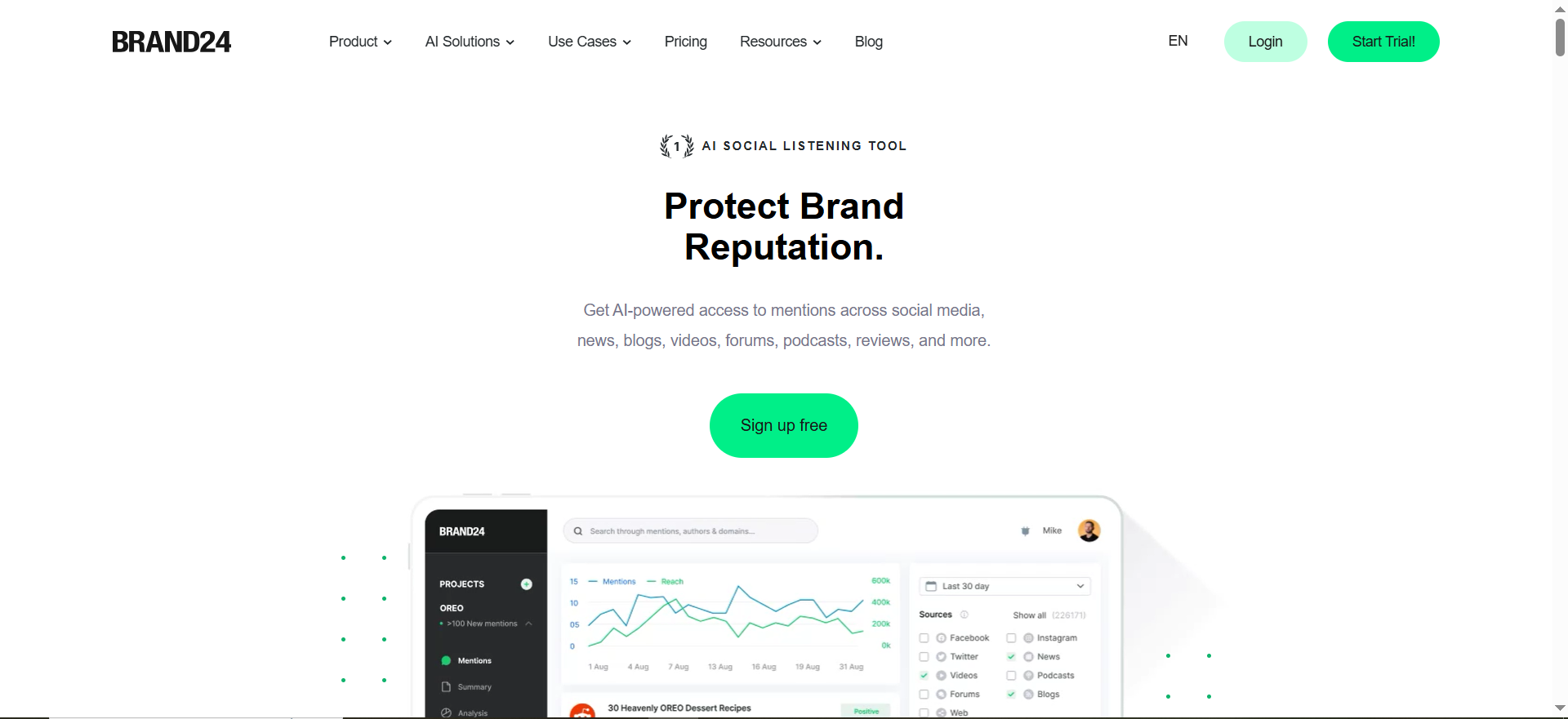
Brand24 is a social listening and brand monitoring platform that tracks mentions of your nonprofit across social media, news sites, blogs, forums, review sites, podcasts, and newsletters in real time. It uses AI-powered analysis to surface sentiment shifts, detect anomalies in mention volume, and generate topic summaries so you can understand what people are saying about your organization without reading every mention individually.
Why Nonprofit Teams Use It
Nonprofits choose Brand24 because it delivers monitoring depth that used to require enterprise-priced tools, at a price point that smaller organizations can actually approve. The platform covers sources that matter to nonprofits — news outlets covering your cause, social conversations about your campaigns, and forum discussions where stakeholders share opinions. The AI-generated summaries are particularly useful for teams that cannot assign a full-time person to monitoring: you get a daily or weekly digest that highlights what changed and why it matters.
What It Is Good For
Brand24 excels at real-time alerting. When someone publishes an article mentioning your nonprofit, you know within minutes rather than days. The sentiment analysis helps you gauge whether coverage is positive, negative, or neutral, which is critical for donor-facing communications and board reporting. The platform also tracks mention volume over time, so you can show stakeholders that a campaign actually moved the needle. Comparison with competitors or peer organizations is straightforward — just add their names as monitored keywords.
When It Is a Good Fit
Brand24 fits nonprofits that have at least a small marketing or communications function and need to move beyond manual Google searching. If your team runs awareness campaigns, manages donor relations, or handles media inquiries, Brand24 gives you the visibility you need without requiring an analyst to interpret dashboards. It works well for organizations with one to five people handling communications.
When It Is Not a Good Fit
If your nonprofit has zero budget for monitoring tools, Brand24 will not work — there is no permanent free plan. Organizations that only need to track a single keyword once a month will find the monthly cost hard to justify. And if your monitoring needs are purely internal (tracking internal comms or board mentions), Brand24 is overkill.
How to Use It
Sign up for the 14-day free trial (no credit card required). Add your nonprofit's name, key campaign names, and any cause-related keywords as monitored terms. Configure email or Slack alerts for mention spikes or negative sentiment. Review the AI-generated summary daily or weekly. Use the reporting feature to create PDF reports for board meetings or grant applications that show media impact.
Key Capabilities
Real-time mention tracking across social media, news, blogs, forums, review sites, podcasts, and newsletters. AI-powered sentiment analysis and anomaly detection. Automated PDF reports for stakeholders. Slack and email alerts for mention volume spikes. Topic analysis to identify what themes drive conversation about your organization. Multi-language monitoring for international nonprofits. Hashtag tracking for campaign measurement.
Pricing
Brand24 starts at $79 per month for the Individual plan, which covers basic monitoring with limited keywords and mention volume. The Team plan at $149 per month adds more keywords and collaborative features. The Pro plan at $249 per month unlocks unlimited mentions, advanced AI features, and white-label reporting. Enterprise pricing is custom. Annual billing saves roughly 25% across all plans, effectively giving you up to three months free.
Free Tier?
No permanent free tier. Brand24 offers a 14-day free trial with no credit card required. This is enough time to evaluate whether the tool covers the sources and mention volume your nonprofit needs.
Downsides and Limitations
No dedicated nonprofit discount program has been publicly announced. The Individual plan's keyword and mention limits may feel tight for nonprofits tracking multiple campaigns simultaneously. Historical data access is limited on lower-tier plans. The learning curve for boolean search and advanced filters is moderate — expect a few hours of setup time to get alerts dialed in properly.
2. Google Alerts
What It Does
Google Alerts is a free notification service from Google that sends you email alerts whenever new content matching your chosen keywords appears in Google's search index. It monitors web pages, news articles, and blog posts, delivering results as they are indexed or in a daily/weekly digest.
Why Nonprofit Teams Use It
The answer is simple: it costs nothing. For nonprofits operating on razor-thin budgets, Google Alerts is often the first monitoring tool anyone sets up. It requires no technical skill, no approval process, and no vendor negotiation. A communications coordinator can have alerts running in under five minutes.
What It Is Good For
Google Alerts is effective for tracking when your nonprofit is mentioned in news articles, blog posts, or other web-indexed content. It works well for monitoring competitor organizations, tracking industry keywords related to your cause, and catching press coverage. For nonprofits that primarily care about earned media (news articles, blog features, press releases), Google Alerts covers the basics.
When It Is a Good Fit
Google Alerts fits nonprofits that have no monitoring budget at all and need a basic safety net. It is also a good complement to a paid tool — use Google Alerts to catch web mentions while using a paid platform for social media and deeper analysis. If your nonprofit is small (under five people), focused on a niche cause, and primarily concerned with news coverage, Google Alerts may be all you need.
When It Is Not a Good Fit
Google Alerts does not monitor social media at all. It cannot track mentions on LinkedIn, X (formerly Twitter), Instagram, TikTok, Facebook, or any social platform. It also misses forums, podcasts, review sites, and most community platforms. If your nonprofit's audience lives on social media — which most do in 2026 — Google Alerts will leave enormous blind spots. There is no sentiment analysis, no AI summarization, no reporting, and no real-time alerting. Results are often delayed by hours or days, and not all pages are indexed, so coverage is inconsistent.
How to Use It
Go to google.com/alerts. Enter your nonprofit's name, campaign keywords, or cause-related terms. Choose delivery frequency (as-it-happens, daily digest, or weekly digest). Select sources (automatic, news, blogs, web, etc.). Set language and region if relevant. Google will send email notifications to your Gmail or any email address you specify.
Key Capabilities
Web mention alerts via email. Customizable frequency (real-time, daily, weekly). Source filtering (news, blogs, web, video, etc.). Language and region targeting. Unlimited keywords at no cost. RSS feed output for integration with other tools.
Pricing
Free. No paid tiers, no premium features, no upgrades. Google Alerts is entirely free with no usage limits on the number of alerts you can create.
Free Tier?
Yes — the entire product is free. There is no paid version.
Downsides and Limitations
No social media monitoring whatsoever. No sentiment analysis or AI-powered insights. Results are frequently delayed — sometimes by days. Coverage is inconsistent; not all web pages trigger alerts. No dashboard, no historical data, no reporting. No API or integration capabilities. Cannot track changes to existing pages (only new URLs). Poor signal-to-noise ratio on broad keywords. No team collaboration features.
3. Hootsuite
What It Does
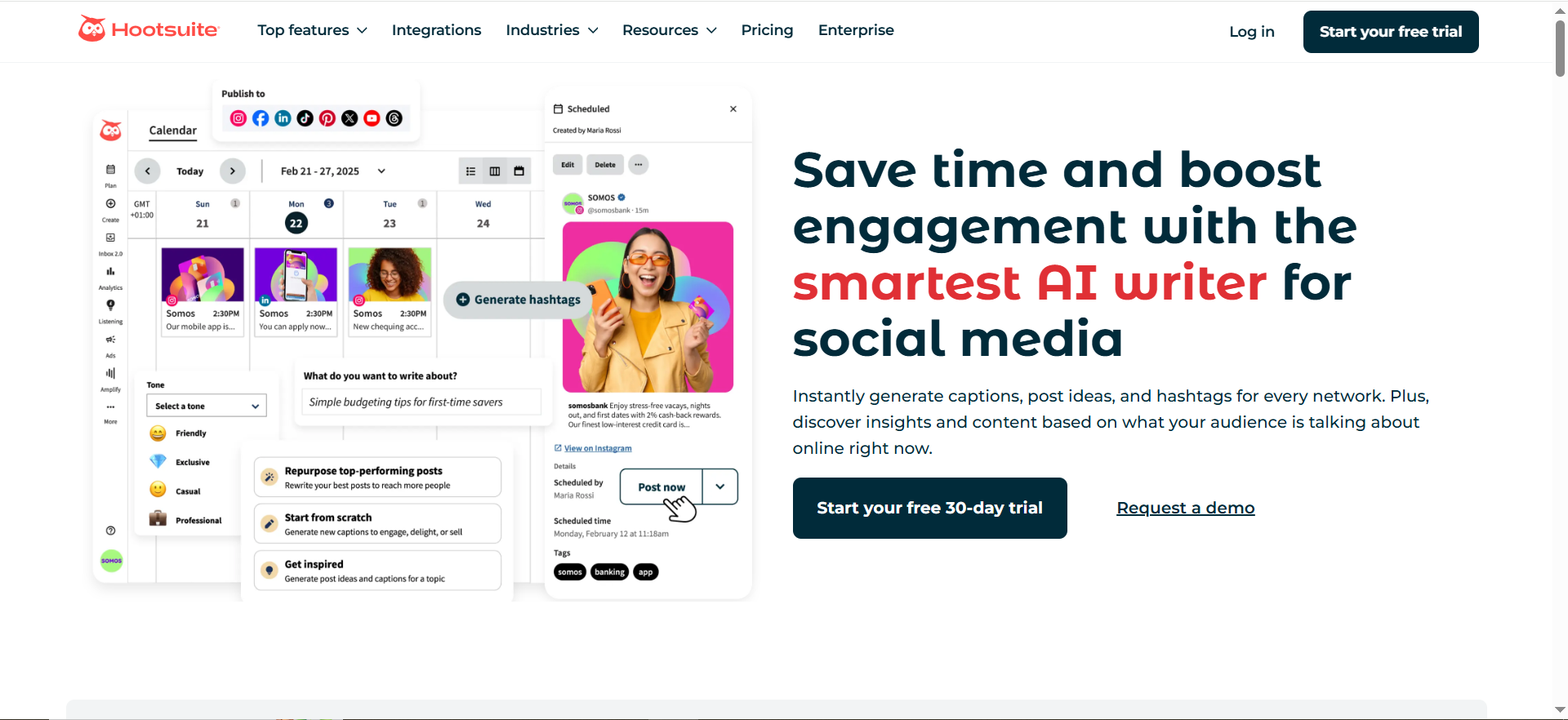
Hootsuite is a social media management platform that combines post scheduling, content publishing, analytics, and social listening into one dashboard. Its monitoring features let you track brand mentions, keywords, hashtags, and competitor activity across major social platforms, with AI-powered sentiment analysis and conversation summaries.
Why Nonprofit Teams Use It
Hootsuite is popular with nonprofits for two reasons. First, it consolidates social media publishing and monitoring in one place, which matters when your team is small and cannot afford to juggle multiple tools. Second, Hootsuite offers one of the most generous nonprofit discounts in the industry — up to 75% off through its HootGiving program. That discount turns a $199/month tool into something closer to $50/month, which dramatically changes the value equation for budget-constrained organizations.
What It Is Good For
Hootsuite works well when your nonprofit already manages active social media accounts and wants to add monitoring without adopting a separate tool. The social listening feature on the Standard plan covers the last seven days of mentions, which is enough for most day-to-day monitoring. AI-powered sentiment analysis and conversation summaries help you quickly understand whether people are talking positively or negatively about your organization. The unified inbox collects mentions, comments, and messages from all connected platforms in one stream.
When It Is a Good Fit
Hootsuite fits nonprofits that are already using (or planning to use) a social media scheduling tool and want monitoring included. If your organization manages three or more social accounts, publishes content regularly, and needs to respond to comments and mentions, Hootsuite consolidates those workflows. The HootGiving discount makes it especially compelling for registered 501(c)(3) organizations and international equivalents.
When It Is Not a Good Fit
If your nonprofit does not actively publish on social media and only needs brand monitoring, Hootsuite is overbuilt. You would be paying for scheduling, analytics, and publishing features you do not use. The monitoring capabilities, while solid, are not as deep as dedicated monitoring tools like Brand24 or Mention — Hootsuite's Standard plan only searches the last seven days of data. Nonprofits that need long-term media tracking, boolean search, or press monitoring will find Hootsuite's listening too shallow.
How to Use It
Apply for the HootGiving nonprofit discount at hootsuite.com/about/hootgiving with your 501(c)(3) documentation. Once approved (typically one to two weeks), connect your social accounts. Set up monitoring streams for your nonprofit's name, campaign hashtags, and cause-related keywords. Use the unified inbox to respond to mentions. Review the analytics dashboard weekly to report on social performance and brand sentiment.
Key Capabilities
Social media scheduling and publishing across major platforms. Social listening with keyword, hashtag, and mention tracking. AI-powered sentiment analysis and conversation summaries. Unified inbox for comments, mentions, and direct messages. Analytics and reporting dashboards. Team collaboration with approval workflows. Content calendar. Integration with Canva, Google Drive, and other content tools.
Pricing
Standard plan: $199 per user per month (annual billing). Advanced plan: $399 per user per month (annual billing). These are commercial rates. Through the HootGiving program, eligible nonprofits receive up to 75% off, bringing the Standard plan to approximately $50 per user per month or less. A 30-day free trial is available for both plans.
Free Tier?
No free tier. Hootsuite discontinued its free plan. However, the 30-day free trial gives nonprofits enough time to evaluate the platform, and the HootGiving discount significantly reduces the ongoing cost.
Downsides and Limitations
Monitoring depth is limited compared to dedicated tools — Standard plan only searches seven days back, Advanced extends to 30 days. No boolean search in the base monitoring feature. Per-user pricing means costs scale quickly for teams. The discount application process requires TechSoup registration and 501(c)(3) verification, which takes time. Social listening does not cover news sites, forums, or blogs as thoroughly as dedicated monitoring platforms.
4. Mention
What It Does
Mention is a real-time media monitoring tool that tracks brand mentions across the web, social media, news outlets, forums, review sites, and blogs. It offers boolean search capabilities for precise mention filtering and provides competitive analysis features that let you benchmark your nonprofit's visibility against peer organizations.
Why Nonprofit Teams Use It
Nonprofits that deal heavily with media coverage — press releases, news features, journalist outreach — gravitate toward Mention because it was built around media monitoring first. The boolean search feature lets you craft precise queries that filter out noise, which is critical for nonprofits with common-word names or causes that generate a lot of unrelated chatter. Mention's competitive analysis is also useful for organizations that need to demonstrate media impact relative to peer nonprofits in grant applications or board reports.
What It Is Good For
Mention is strong at tracking press coverage and web mentions in real time. The boolean search is its standout feature for nonprofits — you can build queries like "[Your Org Name] AND (donation OR fundraising OR grant)" to zero in on the mentions that actually matter. The alert system is fast, typically notifying you within minutes of a new mention. Historical data access lets you look back at mention trends over time, which is valuable for campaign post-mortems and annual impact reports.
When It Is a Good Fit
Mention fits nonprofits with an active media relations function. If your organization regularly sends press releases, pitches journalists, or manages media inquiries, Mention gives you the monitoring backbone to measure that work. It also suits nonprofits that need precise, filtered monitoring — the boolean search means you can track exactly what you need without drowning in irrelevant results.
When It Is Not a Good Fit
Mention's pricing structure has shifted in recent years. The legacy self-serve plans (Solo at $49/month, Pro at $99/month, ProPlus at $179/month) may no longer be available for new signups, with the platform moving toward a Company-level offering with custom pricing. This makes it harder for very small nonprofits to predict costs or get started quickly. If you need a simple, self-serve tool you can set up in ten minutes, Mention's current sales-driven onboarding may feel heavy for a small team. No nonprofit-specific discount has been publicly announced.
How to Use It
Sign up for a trial on mention.com. Create your first alert using your nonprofit's name. Use boolean operators to refine results if your name generates noise. Set up email or in-app alerts for new mentions. Connect social accounts if you want social mention tracking. Use the competitive analysis feature to add peer organizations and track relative mention volume. Export reports for stakeholder presentations.
Key Capabilities
Real-time mention tracking across web, social media, news, forums, reviews, and blogs. Boolean search for precise query building. Competitive analysis and benchmarking. Sentiment analysis. Historical mention data and trend tracking. Alert system with email and in-app notifications. Reporting and data export. API access on higher-tier plans.
Pricing
Mention's legacy plans started at $49 per month (Solo), $99 per month (Pro), and $179 per month (ProPlus). However, the platform has been transitioning toward a primarily Company-level offering with custom pricing based on mention volume and feature needs. New customers should contact Mention directly for current pricing. A 14-day free trial is available.
Free Tier?
No permanent free tier. A 14-day free trial is available for evaluation.
Downsides and Limitations
Pricing transparency has decreased as Mention shifts toward custom plans. No publicly advertised nonprofit discount. The transition from self-serve to sales-led can slow down evaluation for small teams. API access is limited to higher-tier plans. Social media coverage, while available, is not as comprehensive as dedicated social listening platforms. The learning curve for boolean search, while powerful, requires some investment.
5. Sprout Social
What It Does
Sprout Social is an enterprise-grade social media management platform that combines publishing, engagement, analytics, and social listening in a single interface. Its brand monitoring capabilities include mention tracking, sentiment analysis, trend detection, and competitive benchmarking across all major social platforms and web sources.
Why Nonprofit Teams Use It
Larger nonprofits with dedicated communications teams choose Sprout Social because it offers the deepest social media management feature set on this list. If your organization manages multiple social accounts, runs employee advocacy programs, handles high volumes of inbound messages, and needs enterprise-level reporting, Sprout Social consolidates all of that. The nonprofit discount (up to 40% off for qualifying 501(c)(3) organizations) helps offset the higher per-user cost.
What It Is Good For
Sprout Social excels at unified social management. The Smart Inbox aggregates mentions, comments, messages, and reviews from all connected platforms into one prioritized stream. The social listening engine (available as an add-on) is among the best in the industry for brand protection — it can detect sentiment shifts, track crisis-level mention spikes, and identify influential supporters or detractors in real time. Reporting is exceptionally polished, with presentation-ready dashboards that can be shared with boards and donors.
When It Is a Good Fit
Sprout Social fits nonprofits with five or more team members managing social media, organizations with multiple chapters or regional accounts, and nonprofits that need board-ready reporting out of the box. If your organization has the budget (especially with the nonprofit discount) and needs a tool that handles publishing, engagement, and monitoring without switching between platforms, Sprout Social delivers.
When It Is Not a Good Fit
Sprout Social is the most expensive tool on this list. Even with the 40% nonprofit discount, the Standard plan runs approximately $120 per user per month — and the social listening add-on is priced separately at $2,000 to $8,000 per year. For nonprofits with one or two people handling communications, this is likely overkill and over budget. The platform's depth is a drawback for small teams: there are more features and settings than a lean nonprofit needs, and the onboarding time is longer than simpler tools.
How to Use It
Contact Sprout Social's sales team to discuss nonprofit pricing for Professional or Advanced plans. Connect your social accounts and configure the Smart Inbox. Set up keyword monitoring for your nonprofit's name, campaign terms, and cause-related topics. If budget allows, add the Social Listening module for deeper monitoring. Use the reporting suite to create weekly or monthly performance reports. Set up approval workflows if multiple team members create content.
Key Capabilities
Unified Smart Inbox for all social mentions, comments, and messages. Social listening engine with sentiment analysis and trend detection (add-on). Publishing and scheduling across all major platforms. Employee advocacy tools (Bambu). Presentation-ready analytics and reporting. Competitive benchmarking. CRM-style contact management for social interactions. Approval workflows for team content creation. Integration with Salesforce, HubSpot, and other CRMs.
Pricing
Standard plan: $199 per user per month (annual billing). Professional plan: $299 per user per month. Advanced plan: $399 per user per month. Social Listening is an add-on priced between $2,000 and $8,000 per year depending on topic volume. Qualifying 501(c)(3) nonprofits receive up to 40% off Professional and Advanced plans, bringing the Professional plan to approximately $180 per user per month. A 30-day free trial is available.
Free Tier?
No free tier. A 30-day free trial is available. Nonprofit pricing requires contacting the sales team directly and providing 501(c)(3) documentation.
Downsides and Limitations
Highest per-user cost on this list, even with the nonprofit discount. Social listening is a paid add-on, not included in base plans. The platform's depth creates a longer onboarding period. Annual billing is required for published pricing. Per-user pricing makes it prohibitive for larger teams without significant budget. The sales-driven pricing model means no instant self-serve signup for nonprofit rates.
What Is Brand Monitoring and Why Do Nonprofits Need It?
Brand monitoring is the practice of tracking where and how your organization is mentioned across the internet — in news articles, social media posts, blog content, forums, review sites, and increasingly in AI-generated search results. For nonprofits, this matters because your reputation directly affects donations, grants, volunteer recruitment, and partnerships. A single negative news story that goes unaddressed can damage donor trust. A positive media feature that goes unnoticed is a missed opportunity to amplify your message. Brand monitoring closes that visibility gap by giving your team a systematic way to know what is being said about your organization, who is saying it, and whether the sentiment is working for or against your mission.
How to Choose a Brand Monitoring Tool on a Nonprofit Budget
Start with your actual needs rather than feature lists. Ask three questions: What sources matter most for your organization (news, social media, or both)? How many people will use the tool? And what is your realistic monthly budget? If you have zero budget, start with Google Alerts and reassess in six months. If you have $50 to $100 per month, Brand24 or Mention will cover most needs. If you already pay for a social media management tool, check whether it includes monitoring — switching to Hootsuite with the HootGiving discount may consolidate costs. Always factor in nonprofit discounts before comparing sticker prices; Hootsuite's 75% discount and Sprout Social's 40% discount dramatically change the math. Finally, use free trials before committing — every paid tool on this list offers at least a 14-day trial.
Can Nonprofits Use Free Brand Monitoring Tools Effectively?
Yes, with realistic expectations. Google Alerts is effective for tracking news coverage and web mentions at zero cost. It will catch press articles, blog posts, and other indexed content that mentions your nonprofit's name. However, free tools have hard limits: Google Alerts does not monitor social media, does not analyze sentiment, and delivers results with significant delays. For nonprofits whose stakeholders are primarily on social platforms, a free-only approach will miss most of the conversation. The practical strategy is to layer free tools as a baseline and add a paid tool when your monitoring needs outgrow what free can deliver — usually when you start running public campaigns, managing media inquiries, or reporting brand metrics to a board.
What Should Nonprofits Track With Brand Monitoring Software?
At minimum, track your organization's name (including common misspellings and abbreviations), your executive director or public spokesperson's name, campaign-specific hashtags and slogans, and the names of your major programs. Beyond that, track your cause area keywords to understand the broader conversation your nonprofit operates within. If you apply for grants or partnerships, tracking the names of peer organizations and potential funders gives you competitive intelligence and relationship-building signals. Set alerts for negative sentiment spikes — these are your early warning system for reputation issues that need immediate attention.
How Does Social Listening Differ From Brand Monitoring?
Brand monitoring tells you when someone mentions your name. Social listening goes deeper — it analyzes the conversations, sentiment patterns, and trending topics around your organization and cause area. Think of brand monitoring as the alert system ("someone mentioned us") and social listening as the analysis layer ("here is what people think about us and why"). Most paid tools on this list include both to varying degrees. Brand24 and Mention emphasize monitoring with some listening analysis. Hootsuite and Sprout Social offer more robust listening capabilities, especially on higher-tier plans. For most nonprofits, the monitoring layer is the priority; add listening when you need to understand why sentiment shifted, not just that it shifted.
Do Brand Monitoring Tools Offer Nonprofit Discounts?
Some do, but the availability and depth of discounts varies significantly. Hootsuite offers the most established nonprofit program (HootGiving) with discounts up to 75% off, available through TechSoup verification. Sprout Social provides up to 40% off Professional and Advanced plans for qualifying 501(c)(3) organizations. Brand24 and Mention do not publicly advertise nonprofit-specific pricing, though it is always worth contacting their sales teams to ask — many SaaS companies extend unadvertised discounts to registered nonprofits. Google Alerts is free for everyone, so no discount is needed. When evaluating costs, always ask the vendor directly about nonprofit rates before accepting sticker pricing.
How to Set Up Brand Monitoring for a Nonprofit Organization
Setting up brand monitoring does not require technical expertise. Start by choosing one tool from this list based on your budget and needs. Create an account and add your first monitored keyword — this should be your organization's exact name. Then add variations: abbreviations, common misspellings, campaign names, and key staff names. Configure alert frequency based on your capacity — daily digests work for most small teams, while real-time alerts are better for organizations in sensitive or high-visibility issue areas. Connect your email or Slack for notifications. Run the tool for one to two weeks and review the results to calibrate: are you getting too much noise? Tighten your keywords with boolean operators or filters. Too few results? Broaden your search terms. Schedule a weekly ten-minute review of your monitoring dashboard to maintain consistent visibility.
What Metrics Should Nonprofits Track With Brand Monitoring?
Focus on five core metrics: mention volume (how often your organization is mentioned over a given period), sentiment ratio (the split between positive, negative, and neutral mentions), share of voice (how your mention volume compares to peer organizations), source distribution (where mentions come from — news, social, blogs, etc.), and mention reach or potential impressions (the estimated audience size of the sources mentioning you). These metrics are directly useful in grant applications, board reports, and donor communications. Most paid tools on this list generate these metrics automatically. For nonprofits using Google Alerts, you will need to track volume manually by counting alerts over time.
How to Monitor Brand Mentions Without a Dedicated Marketing Team
Most nonprofits do not have a dedicated marketing team, so monitoring needs to fit into existing workflows. The key is automation: choose a tool that sends you alerts rather than requiring you to log in and check a dashboard. Set up daily digest emails that arrive at the same time each day. Assign one person (even if monitoring is only 5% of their role) as the owner who reviews alerts and escalates anything that needs a response. Use the reporting features to auto-generate monthly summaries instead of building them manually. If you have a Slack workspace, route alerts there so the whole team has passive visibility. The goal is to make monitoring a low-effort, high-visibility habit rather than a dedicated job.
Brand Monitoring vs Media Monitoring: What Is the Difference?
Media monitoring specifically tracks mentions in traditional and digital media — newspapers, TV, radio, online news outlets, and press wires. Brand monitoring is broader: it includes media sources but also covers social media, forums, review sites, blogs, podcasts, and increasingly AI-generated content. For nonprofits, the distinction matters when choosing a tool. If your primary concern is press coverage (because you have an active PR function), a media monitoring focus may be sufficient. If you need to understand the full picture of how people talk about your organization across all channels, brand monitoring is the right frame. Every tool on this list covers brand monitoring to some degree, but Google Alerts is the most media-centric (it only indexes web content), while Brand24, Hootsuite, and Sprout Social offer the broadest cross-channel coverage.


