

TL;DR
If you manage email campaigns for a B2B SaaS company and need more than open rates and click-throughs to understand what your audience actually does after they read your emails, this guide is for you. We compared HubSpot, Klaviyo, Customer.io, Iterable, and Braze across reporting depth, decision-support features, pricing transparency, and day-to-day usability so you can pick the tool that fits your team size, data maturity, and budget. HubSpot is the strongest all-rounder for teams that want CRM-connected email insights in one place. Klaviyo wins on revenue attribution for ecommerce-heavy SaaS. Customer.io is the best fit for product-led teams that trigger emails from backend events. Iterable and Braze serve growth-stage and enterprise teams that need cross-channel journey analytics at scale.
Best Customer Insights Tools For Analyzing Email Data (Quick Comparison)
| Tool | Best For | Starting Price | Email Analytics Depth | Standout Feature |
|---|---|---|---|---|
| HubSpot | CRM-connected teams wanting unified reporting | $15/seat/mo (Starter, annual) | Multi-touch attribution, custom dashboards | Revenue attribution tied to CRM deals |
| Klaviyo | Ecommerce and PLG SaaS tracking revenue per email | $20/mo (Email plan) | Revenue attribution, predictive analytics | CLV prediction and churn-risk scoring |
| Customer.io | Product-led teams using event-driven messaging | $100/mo (Essentials) | Conversion goal tracking, A/B testing | Data Pipelines acting as a lightweight CDP |
| Iterable | Growth-stage teams running cross-channel journeys | Custom (MAU-based) | Cross-channel attribution, journey analytics | Brand Affinity AI scoring |
| Braze | Enterprise teams needing real-time data streaming | ~$60K+/year | Real-time engagement data, predictive suite | Braze Currents for warehouse streaming |
1. HubSpot
What It Does
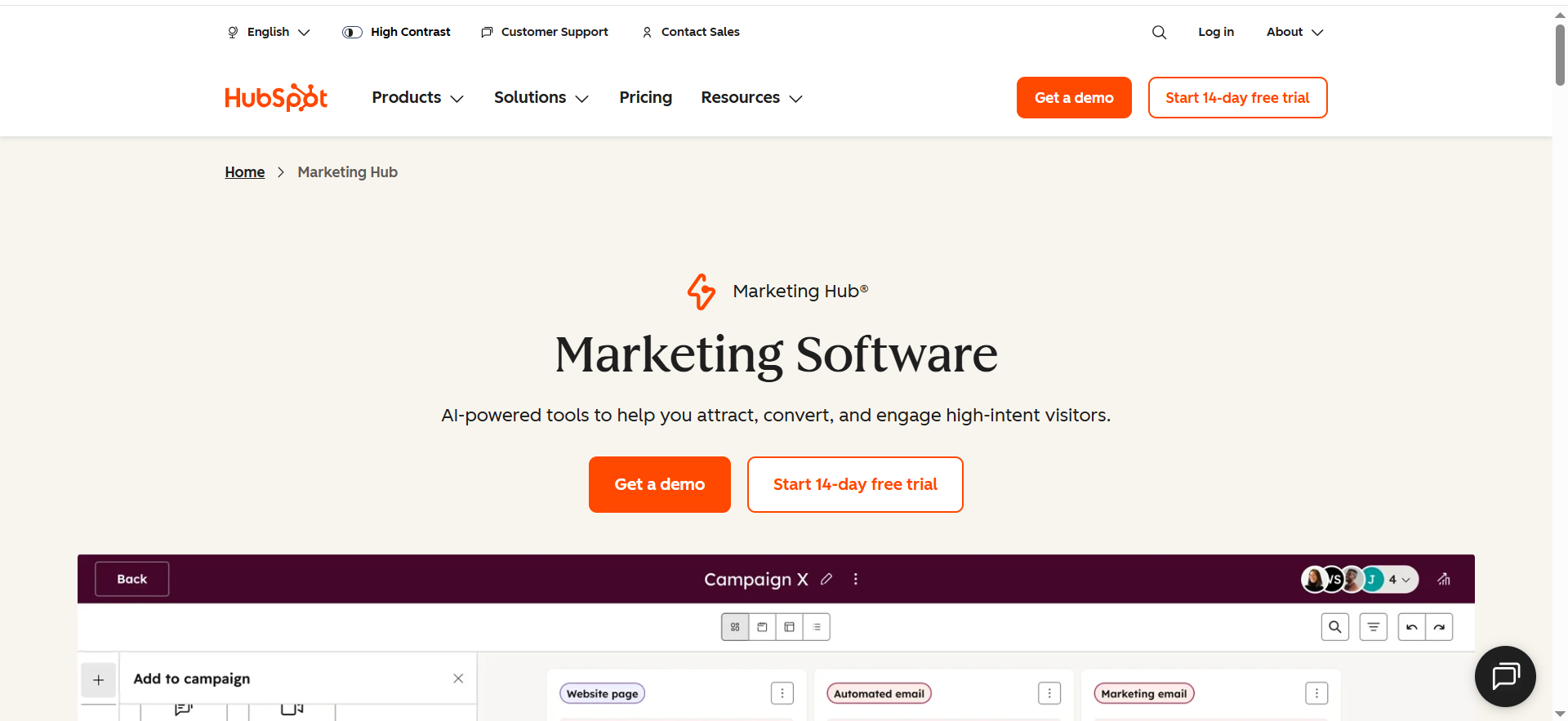
HubSpot Marketing Hub is an all-in-one marketing platform that combines email marketing, CRM, automation, and analytics into a single system. For email data analysis specifically, it connects every email interaction back to a contact record in the CRM, giving marketing and sales teams a shared view of how email engagement translates into pipeline and revenue.
Why Teams Use It
Marketing teams at B2B SaaS companies use HubSpot because it eliminates the gap between email performance data and sales outcomes. Instead of reporting on opens and clicks in isolation, HubSpot ties email engagement to deal stages, lifecycle changes, and revenue. RevOps teams value the custom reporting engine that lets them build dashboards combining email metrics with CRM data without needing a separate BI tool.
What It's Good For
HubSpot excels at multi-touch revenue attribution, showing which emails contributed to closed deals across the entire buyer journey. The platform's AI-powered segmentation dynamically groups contacts based on behavior, lifecycle stage, and engagement patterns, making it easier to identify which segments respond to which content. Conversation intelligence analyzes email threads and surfaces intent signals, helping teams spot opportunities and risks before they become obvious.
When It's a Good Fit
HubSpot works best for B2B SaaS teams in the growth stage that already use or plan to use a CRM and want their email analytics deeply connected to sales data. If your team needs to report on how email campaigns influence pipeline and you want one platform instead of stitching together multiple tools, HubSpot is the most practical choice. It is also well suited for companies with marketing and sales alignment goals, since both teams share the same contact records and reporting layer.
When It's Not a Good Fit
HubSpot is not ideal for teams that need granular, event-level behavioral tracking triggered by backend product events. If your email strategy is heavily product-led (sending emails based on in-app actions, API events, or complex user behavior sequences), platforms like Customer.io or Iterable handle that more natively. HubSpot's automation depth at the Starter tier is limited, so teams that need advanced branching workflows without a significant budget increase may find the jump to Professional ($890/month) steep.
How to Use It
Connect your email sending, CRM contacts, and website tracking under one HubSpot portal. Use the custom report builder to create dashboards that combine email engagement metrics (open rate, CTR, reply rate) with deal data (pipeline value, close rate by source). Set up attribution reports to see which email touches contributed to each closed deal. Use AI-powered contact scoring to prioritize follow-ups based on engagement signals.
Key Capabilities
HubSpot's core email analytics capabilities include multi-touch revenue attribution reporting, custom dashboards with drag-and-drop report building, AI-driven contact segmentation and lead scoring, conversation intelligence for email thread analysis, real-time email health reporting and deliverability monitoring, A/B testing with statistical significance tracking, and lifecycle stage tracking tied to email engagement. The platform also integrates with over 1,500 tools in its app marketplace, making it straightforward to pull in data from other sources.
Pricing
HubSpot Marketing Hub Starter begins at $15 per seat per month on an annual plan (or $20 per seat per month billed monthly) and includes basic email marketing, forms, and reporting for up to 1,000 marketing contacts. The Professional tier costs $890 per month and unlocks automation, A/B testing, custom reporting, and attribution. Enterprise starts at $3,600 per month and adds advanced permissions, predictive lead scoring, and multi-touch revenue attribution. Contact-tier fees increase as your database grows, so total cost scales with list size.
Free Tier?
Yes. HubSpot offers a free CRM with basic email marketing capabilities, including up to 2,000 email sends per month, email tracking, and limited reporting. The free tier is functional for small teams getting started but lacks automation, A/B testing, and advanced analytics.
Downsides / Limitations
Pricing escalates significantly as contact counts grow and as you move from Starter to Professional. The jump from Starter at $15 per seat to Professional at $890 per month is one of the largest in this category. Advanced attribution reporting is only available on Professional and Enterprise tiers. Event-based behavioral triggers are less flexible compared to Customer.io or Iterable. Some teams find the reporting interface overwhelming due to the sheer number of options, which can slow down onboarding.
2. Klaviyo
What It Does
Klaviyo is an email and SMS marketing platform built around revenue attribution and predictive analytics. It tracks every email interaction and ties it directly to purchase behavior, giving teams a clear picture of how much revenue each campaign, automation, and segment generates. While originally built for ecommerce, Klaviyo's data model works well for PLG SaaS companies that track user actions and want to connect email engagement to activation and retention outcomes.
Why Teams Use It
Teams choose Klaviyo because it answers the question "which emails actually make money?" better than most alternatives. The platform's revenue attribution is baked into every report, not bolted on as an afterthought. Predictive analytics tools calculate customer lifetime value, predict next purchase dates, and flag churn risk at the individual contact level, giving marketing and RevOps teams actionable signals without needing a data science team.
What It's Good For
Klaviyo's strongest suit is connecting email performance to revenue outcomes with minimal configuration. The platform's segmentation engine is powerful, letting teams build dynamic segments based on purchase history, browsing behavior, email engagement, and predicted future actions. A/B testing is built into both campaigns and automations, and results are reported in terms of revenue impact rather than just engagement metrics.
When It's a Good Fit
Klaviyo is the right choice for ecommerce-heavy SaaS teams and PLG companies that want tight revenue attribution without building custom data pipelines. If your team measures success by revenue per email or customer lifetime value rather than just open rates, Klaviyo delivers those metrics out of the box. It is also a strong fit for teams on Shopify or other ecommerce platforms, since native integrations pull in order data automatically.
When It's Not a Good Fit
Klaviyo is less suited for B2B SaaS teams running long sales cycles where revenue attribution depends on CRM deal stages rather than direct purchase events. If your email strategy needs deep CRM integration for pipeline reporting, HubSpot handles that better. Klaviyo's pricing also scales steeply with list size. Teams with large contact databases but low email frequency may find the cost-per-contact ratio unfavorable compared to platforms that price on sends or MAUs.
How to Use It
Integrate Klaviyo with your ecommerce platform or product database to sync customer events and purchase data. Build segments based on behavioral and predictive attributes (likely to purchase, high CLV, churn risk). Create automated flows triggered by user actions, then monitor revenue attribution dashboards to see which flows and campaigns drive the most value. Use the A/B testing engine to optimize subject lines, content, and send times based on revenue outcomes.
Key Capabilities
Klaviyo's email analytics capabilities include per-campaign and per-flow revenue attribution, predictive analytics for CLV, churn risk, and next purchase date, dynamic segmentation based on behavior and predicted actions, A/B testing with revenue-based winner selection, custom benchmarking against industry peers, audience and conversion dashboards, and real-time tracking of opens, clicks, conversions, and revenue. All features are available on every paid tier because pricing scales by contact count rather than feature access.
Pricing
Klaviyo's paid Email plan starts at $20 per month for up to 500 contacts and 5,000 email sends. Pricing increases with list size: 1,000 contacts costs approximately $30 per month, 5,000 contacts around $100, 10,000 contacts approximately $150, and 50,000 contacts around $720 per month. The Email and SMS plan adds variable SMS costs on top of the email tier pricing. Additional products like Reviews ($25/month) and the advanced analytics suite carry separate charges.
Free Tier?
Yes. Klaviyo's free plan supports up to 250 contacts and 500 monthly email sends. It includes automation workflows, segmentation, analytics, forms, and ecommerce integrations, making it one of the most capable free tiers among email analytics tools. The limitation is the contact cap rather than feature restrictions.
Downsides / Limitations
Pricing scales rapidly with list growth, and teams with large databases can find costs climbing into the thousands per month. The platform is heavily optimized for ecommerce workflows, so B2B SaaS teams may need to customize the data model to fit their use case. CRM integration is not as deep as HubSpot's, and there is no native deal pipeline or sales reporting. SMS costs are variable and can add up for teams running multichannel campaigns.Get Listed / AdvertiseWe update this guide monthly. Want your tool featured? Contact: [email protected].
3. Customer.io
What It Does
Customer.io is a messaging automation platform designed for product-led and data-driven teams that need to trigger emails, push notifications, and SMS messages based on real-time user behavior and backend events. For email data analysis, it provides conversion goal tracking, A/B testing, and campaign comparison dashboards that tie email performance to specific user actions rather than just engagement metrics.
Why Teams Use It
Product-led SaaS teams choose Customer.io because it speaks the same language as their engineering stack. Instead of importing CSV lists and building static segments, teams pipe in events from their product (signups, feature activations, subscription changes) via API or SDK and use those events to trigger highly targeted emails. The analytics layer then measures whether those emails actually moved users toward conversion goals, not just whether they opened the message.
What It's Good For
Customer.io excels at event-driven email campaigns where the trigger, content, and success metric all depend on what the user did inside the product. Its Data Pipelines feature acts as a lightweight Customer Data Platform, unifying mobile app events, web behavior, and backend database changes into a single actionable profile. This means marketing teams get a complete behavioral picture without needing a separate CDP like Segment or mParticle.
When It's a Good Fit
Customer.io is the strongest choice for product-led SaaS companies that trigger emails from backend events (user signed up, completed onboarding step 3, downgraded plan) and need to measure whether those emails drove the desired product action. If your engineering team is comfortable sending events via API and your marketing team wants to build segments and campaigns on top of that event data, Customer.io bridges the gap more naturally than any other tool on this list.
When It's Not a Good Fit
Customer.io is less suited for teams without engineering resources to set up event tracking. If your email strategy relies on manual list management and form-based segmentation rather than product events, HubSpot or Klaviyo will feel more intuitive. The platform's analytics, while solid, are not as visually polished or as deep in revenue attribution as Klaviyo's. Teams that need CRM deal-stage reporting will find Customer.io lacks native sales pipeline features.
How to Use It
Set up event tracking by integrating Customer.io's SDK or API with your product backend. Define conversion goals (trial-to-paid, feature adoption, upgrade) and build automated campaigns triggered by user events. Use A/B testing to optimize message timing, content, and channel. Monitor the campaign comparison dashboard to see which workflows drive the highest conversion rates against your defined goals. Use Data Pipelines to unify event data from multiple sources into a single customer profile.
Key Capabilities
Customer.io's core analytics capabilities include event-driven segmentation and campaign triggers, conversion goal tracking with attribution to specific campaigns, A/B testing across campaigns and workflows, campaign comparison dashboards for cross-initiative analysis, Data Pipelines for unified customer profiles (lightweight CDP), webhook support for real-time data sharing with external tools, and multi-channel messaging including email, push, SMS, and in-app. The platform supports both batch and real-time data ingestion, making it flexible for teams at different data maturity levels.
Pricing
Customer.io Essentials starts at $100 per month for up to 5,000 profiles and includes core messaging channels (email, push, SMS), basic segmentation, and automation. The Premium plan starts at $1,000 per month for up to 10,000 profiles and adds advanced features like full A/B testing, advanced segmentation, webhooks, and priority support. Pricing scales based on profile count and message volume. Enterprise plans offer custom pricing with dedicated support, SLA guarantees, custom integrations, SSO/SAML, and data residency options.
Free Tier?
No. Customer.io does not offer a free plan. The Essentials tier at $100 per month is the entry point, which makes it one of the more expensive starting options on this list. However, the platform does offer a 14-day free trial to evaluate features before committing.
Downsides / Limitations
The $100 per month starting price is higher than HubSpot Starter or Klaviyo's entry point, which can be a barrier for early-stage teams. Setting up event tracking requires engineering involvement, which adds implementation time. Revenue attribution is not as turnkey as Klaviyo's because Customer.io focuses on conversion goals rather than direct dollar-value attribution. The UI, while functional, is more utilitarian than visually polished compared to some competito
4. Iterable
What It Does
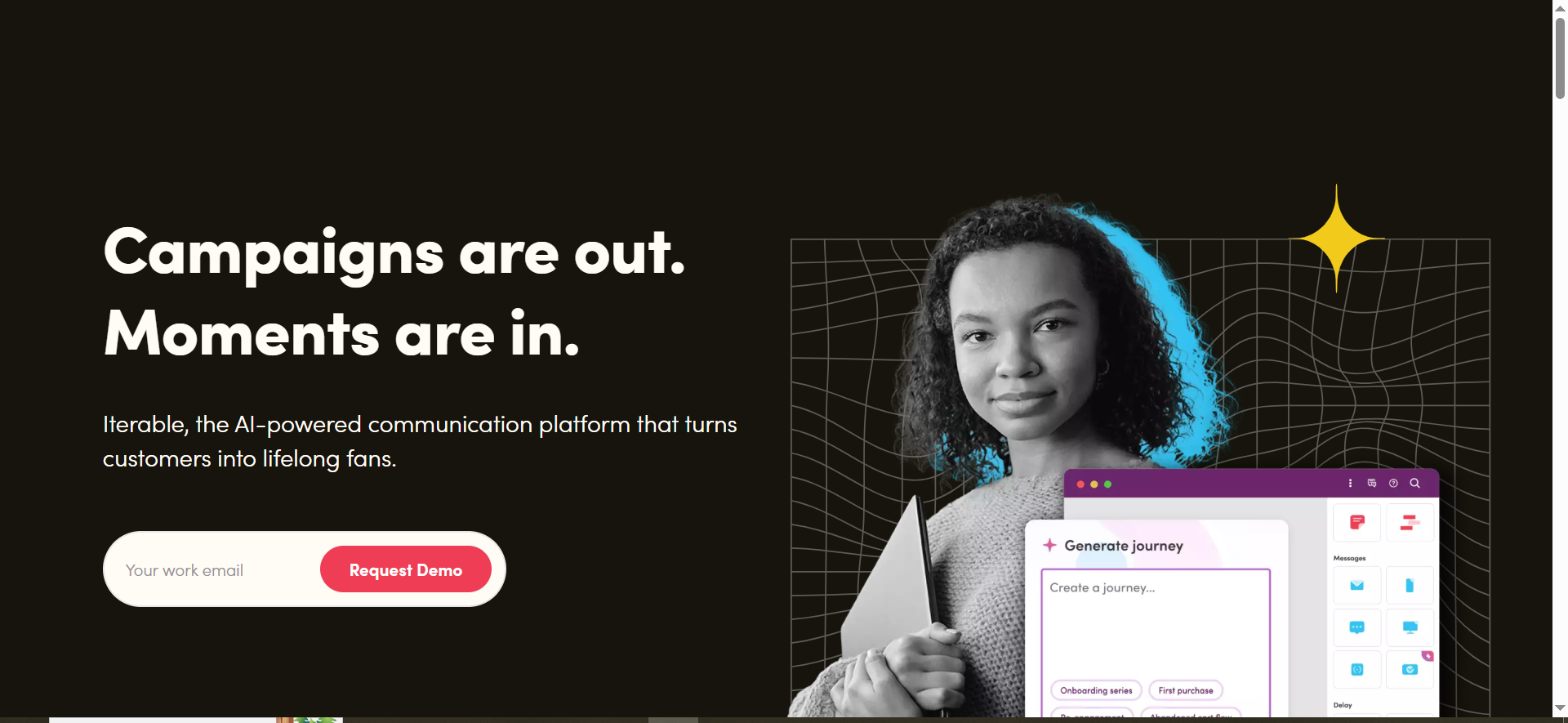
Iterable is an AI-powered cross-channel communication platform that helps brands orchestrate personalized messaging across email, push, SMS, in-app, and web channels. For email data analysis, it provides cross-channel attribution, journey analytics, and real-time performance metrics that show how email interacts with other channels throughout the customer lifecycle. The platform's Brand Affinity AI automatically classifies users based on engagement patterns, giving teams a behavioral scoring layer without manual configuration.
Why Teams Use It
Growth-stage and enterprise SaaS teams choose Iterable because they need to understand email performance in the context of the entire customer journey, not in isolation. When a user receives an email, a push notification, and an in-app message as part of the same campaign, Iterable shows how each channel contributes to the outcome. This cross-channel view is essential for teams running sophisticated lifecycle marketing programs where email is one piece of a larger orchestration.
What It's Good For
Iterable's strongest capability for email data analysis is its journey analytics engine. It tracks users through multi-step workflows and highlights exactly where drop-offs happen, which paths lead to conversion, and how email performance varies based on what happened before and after the email was sent. Brand Affinity scoring automatically labels users as Loyal, Positive, Neutral, Negative, or Unscored based on cross-channel engagement, giving teams a ready-made segmentation layer for targeting and reporting.
When It's a Good Fit
Iterable works best for growth-stage SaaS companies with 10,000 or more monthly active users that run coordinated campaigns across multiple channels. If your team already sends email, push, and SMS and needs a platform that reports on how those channels work together, Iterable provides that unified view. It is also a good match for teams that want AI-driven segmentation without building their own scoring models, since Brand Affinity and send-time optimization are built in.
When It's Not a Good Fit
Iterable is not the right choice for early-stage teams with small contact lists or limited budgets since pricing is custom and typically starts in the mid-five-figure range annually. If your email strategy is primarily single-channel (email only) and you do not use push, SMS, or in-app messaging, the cross-channel features add complexity without clear value. Teams that need deep CRM integration for pipeline reporting will find Iterable's native CRM capabilities limited compared to HubSpot.
How to Use It
Integrate Iterable with your product backend via API or SDK to stream user events and profile data. Build multi-step journeys using the visual workflow builder, incorporating email alongside push, SMS, and in-app messages. Use Brand Affinity scoring to segment users by engagement level and tailor messaging accordingly. Monitor journey analytics to identify drop-off points and optimize the sequence. Run experiments using the built-in A/B testing and holdout group features to measure incremental lift from email.
Key Capabilities
Iterable's analytics capabilities for email data analysis include cross-channel attribution across email, push, SMS, and in-app, journey analytics with drop-off and conversion path visualization, Brand Affinity AI that scores users on engagement patterns, real-time performance dashboards with open, click, and conversion metrics, A/B testing and holdout groups for measuring incremental impact, send-time optimization powered by machine learning, and dynamic segmentation based on contact properties, event data, and AI scores. The platform also supports catalog-based personalization for content recommendations.
Pricing
Iterable uses a monthly active user (MAU) based pricing model with custom quotes. Pricing is tiered and negotiable, with significant variation based on volume, contract length, and feature requirements. Most mid-market teams report annual contracts starting in the $50,000 to $80,000 range, while enterprise deployments with large MAU counts and premium support can exceed $150,000 per year. Multi-year commitments and volume negotiations commonly unlock better per-MAU rates and onboarding fee waivers.
Free Tier?
No. Iterable does not offer a free plan or a self-serve trial. Prospective customers go through a sales-led evaluation process with demos and custom quotes. This makes it inaccessible for early-stage teams that want to test before committing.
Downsides / Limitations
Pricing is opaque and requires a sales conversation, which slows down evaluation. The platform's feature depth creates a learning curve, and teams without dedicated marketing operations resources may struggle to use it effectively. Native CRM integration is limited, so teams that need deal pipeline data in their reports will need to connect an external CRM. Reporting customization, while improving, is not as flexible as HubSpot's custom report builder for some use cases.
5. Braze
What It Does
Braze is an enterprise-grade customer engagement platform that provides real-time data streaming, predictive analytics, and cross-channel messaging orchestration. For email data analysis, Braze stands out with its Currents feature, which streams engagement data (email opens, clicks, conversions, bounces, and custom events) directly to your data warehouse or BI platform in real time. This lets data teams build custom analytics on top of raw engagement data rather than relying solely on the platform's built-in reporting.
Why Teams Use It
Enterprise and growth-stage SaaS teams choose Braze when they need their email engagement data flowing into a central data warehouse (Snowflake, BigQuery, Redshift) for custom analysis alongside product, sales, and support data. While most email platforms provide dashboard-level reporting, Braze's approach treats engagement data as a first-class data stream that your analytics team can query, model, and join with other datasets. This is particularly valuable for teams with data engineering resources and mature analytics stacks.
What It's Good For
Braze's core strength for email data analysis is Braze Currents, the real-time data streaming tool that pushes engagement events to your warehouse as they happen. The Intelligence Suite adds predictive capabilities including send-time optimization, intelligent channel selection, and predictive churn modeling. Canvas Flow provides a visual journey builder with granular analytics at each step, showing exactly how users move through multi-step email sequences and where they convert or drop off.
When It's a Good Fit
Braze is the right choice for enterprise SaaS teams with a data warehouse and analytics team that want raw email engagement data alongside their product and revenue data. If your organization has outgrown dashboard-level reporting and needs to build custom attribution models, cohort analyses, or ML features on top of email data, Braze's data streaming architecture makes that possible without manual exports or API polling. It also fits teams running large-scale cross-channel campaigns where real-time personalization and predictive send optimization matter.
When It's Not a Good Fit
Braze is not appropriate for small or mid-sized teams without a data warehouse or dedicated data engineering resources. The platform's value proposition depends on having the infrastructure and people to use the streamed data. If your team relies primarily on in-platform dashboards for reporting, HubSpot or Klaviyo provide more accessible analytics at a fraction of the cost. The $60,000+ annual price tag and lack of a free tier make Braze inaccessible for teams with limited budgets.
How to Use It
Integrate Braze with your product backend via SDK or API to stream user events and attributes. Set up Currents to export engagement data to your data warehouse in real time. Build multi-step Canvas flows for email sequences and monitor step-level analytics. Use the Intelligence Suite for send-time optimization and predictive churn scoring. Create segments based on real-time behavior and predicted outcomes. Run A/B and multivariate tests within Canvas flows to optimize each step of the journey.
Key Capabilities
Braze's analytics capabilities include Braze Currents for real-time engagement data streaming to warehouses, Intelligence Suite with predictive churn, send-time optimization, and channel selection, Canvas Flow with step-level journey analytics, cross-channel engagement tracking across email, push, SMS, in-app, and web, customizable dashboards and campaign-level reporting, multivariate testing with automated winner selection, and real-time segmentation based on behavioral and predictive attributes. The platform also supports Liquid templating for dynamic personalization and connected content for real-time data pulls into email content.
Pricing
Braze uses a value-based pricing model rather than simple per-contact or per-message pricing. The platform charges based on active customer relationships and feature tier. Braze Core provides entry-level access with email, push, in-app messaging, and basic segmentation. Braze Pro adds Canvas Flow, Intelligence Suite, SMS, and enhanced segmentation. Braze Enterprise includes Currents, multiple workspaces, dedicated customer success, and premium support. Most teams report paying between $60,000 and $100,000 per year, with enterprise deployments exceeding $200,000 annually depending on scale and feature requirements.
Free Tier?
No. Braze does not offer a free plan, free trial, or self-serve signup. All engagements go through a sales-led process with demos and custom quotes. This makes it the least accessible option on this list for teams that want to evaluate before committing budget.
Downsides / Limitations
The minimum $60,000+ annual investment makes Braze the most expensive option on this list by a wide margin. Without a data warehouse and analytics team, much of Braze's value goes unused because the platform's strength is data streaming, not in-platform reporting. The in-platform dashboards, while functional, are not as intuitive or customizable as HubSpot's or Klaviyo's built-in analytics. Onboarding and implementation require significant time and technical resources, with most teams needing 4 to 8 weeks for a full deployment.
How Do Customer Insights Tools Help With Email Data Analysis?
Customer insights tools go beyond basic email metrics by connecting email engagement data to the broader customer journey. While a standard email service provider tells you that 22% of recipients opened your email, a customer insights tool tells you what those openers did next: whether they activated a product feature, moved through a sales pipeline stage, or churned within 30 days. This connection between email behavior and business outcomes is what separates analytics from insights.
These tools accomplish this by unifying data from multiple sources. HubSpot pulls in CRM deal data. Klaviyo connects purchase history. Customer.io ingests product events via API. Iterable tracks cross-channel interactions. Braze streams everything to your warehouse. The common thread is that email opens and clicks become part of a larger behavioral picture that informs decisions about segmentation, content strategy, send timing, and budget allocation.
For marketing and operations teams at growth-stage SaaS companies, this means spending less time exporting CSV files and building pivot tables, and more time acting on insights that directly affect retention, expansion, and pipeline velocity.
What Metrics Should You Track in Email Analytics?
The metrics that matter depend on what your team is optimizing for, but the most valuable email analytics go beyond opens and clicks. Conversion rate measures whether the email drove the intended action (signup, purchase, feature adoption, meeting booked). Revenue attribution ties specific emails and workflows to actual dollar outcomes. Engagement scoring uses a combination of open frequency, click depth, and recency to rank contacts by activity level.
Deliverability metrics are equally important but often overlooked. Bounce rate, spam complaint rate, and inbox placement rate affect whether your emails reach the inbox at all. Tools like HubSpot and Braze include deliverability monitoring in their analytics dashboards, while Klaviyo provides domain reputation tracking.
For B2B SaaS teams running lifecycle email programs, the most actionable metrics are usually funnel conversion rates by segment, time-to-conversion by workflow, churn-risk indicators derived from engagement decay, and revenue influenced by email touches across the buyer journey. Predictive metrics like CLV prediction (Klaviyo) and Brand Affinity scoring (Iterable) add a forward-looking dimension that helps teams prioritize high-value contacts before they churn or convert.
How to Choose the Right Email Analytics Tool for Your Team
Choosing the right tool starts with three questions: what data sources does your team need to connect, how technical is your marketing team, and what does your budget allow?
If your team uses a CRM as its system of record and needs email analytics tied to pipeline data, HubSpot is the most natural fit. If revenue per email and predictive purchase behavior are your primary metrics, Klaviyo delivers those out of the box. If your email strategy is product-led and triggered by backend events, Customer.io's event-driven architecture will feel most natural. If you run multi-channel campaigns and need cross-channel attribution, Iterable provides that unified view. If you have a data warehouse and want raw engagement data for custom modeling, Braze's streaming architecture is purpose-built for that.
Budget is a real constraint. Klaviyo and HubSpot Starter are accessible at $15 to $20 per month for small teams. Customer.io starts at $100. Iterable and Braze require five-figure annual commitments. The right tool is the one that answers your most important questions at a price your team can sustain for at least 12 months while you build the reporting muscle to extract value from it.
Can You Use a CDP Instead of an Email Analytics Tool?
A Customer Data Platform collects, unifies, and activates data across channels, but it does not replace an email analytics tool. CDPs like Segment, mParticle, and Tealium are designed to create unified customer profiles and route data to downstream tools, including email platforms. They are data infrastructure, not messaging or reporting platforms.
That said, some of the tools on this list blur the line. Customer.io's Data Pipelines feature acts as a lightweight CDP for teams that do not need the full complexity of Segment. Braze's Currents streams data to warehouses in a way that overlaps with CDP data export functionality. Klaviyo collects and unifies purchase data from ecommerce platforms in a way that resembles CDP-like behavior for its specific domain.
The practical answer is that most growth-stage SaaS teams do not need both a CDP and an email analytics tool. If your primary goal is understanding email performance and acting on insights, start with one of the five tools on this list. If you later need to unify data across email, product analytics, support tickets, and billing for enterprise-scale reporting, that is when a standalone CDP adds value.
What Is the Difference Between Email Analytics and Marketing Automation?
Email analytics measures what happened. Marketing automation makes things happen. They are complementary but serve different functions. Analytics tools track opens, clicks, conversions, revenue, and engagement patterns to help you understand performance. Automation tools trigger emails, apply segmentation rules, score leads, and execute workflows based on user behavior or predefined conditions.
Every tool on this list includes both capabilities, but the emphasis varies. HubSpot and Klaviyo offer strong built-in automation alongside analytics. Customer.io is arguably automation-first with analytics layered on top. Iterable and Braze position themselves as engagement orchestration platforms where automation is the core product and analytics informs optimization.
For teams evaluating tools, the key question is whether you need better insights about what is already happening (analytics-first) or better execution of what should happen next (automation-first). Most growth-stage teams need both, which is why all five platforms bundle them together, but knowing which matters more to your team right now helps you pick the platform where your priority is strongest.
How Do AI-Powered Customer Insights Tools Improve Email Performance?
AI features in email analytics tools fall into three categories: predictive scoring, send optimization, and content personalization. Predictive scoring uses historical behavior to forecast future actions. Klaviyo predicts next purchase dates and customer lifetime value. Iterable's Brand Affinity scores users on engagement patterns. Braze's Intelligence Suite models churn risk. These predictions let teams target high-value contacts proactively rather than reactively.
Send optimization uses machine learning to determine the best time to deliver each email to each contact. HubSpot, Iterable, and Braze all offer send-time optimization that adjusts delivery based on individual engagement history. This consistently improves open rates by 5 to 15 percent compared to batch sending at a fixed time.
Content personalization driven by AI ranges from dynamic product recommendations (Klaviyo, Iterable) to intelligent channel selection where the platform decides whether to send an email, push notification, or SMS based on which channel each user engages with most. These features matter most at scale. A team sending 10,000 emails per month sees modest gains. A team sending 500,000 sees meaningful improvements in engagement, conversion, and revenue per send.
What Integrations Matter Most for Email Data Analysis Tools?
The integrations that matter most depend on your data stack, but four categories are consistently important. CRM integrations (Salesforce, HubSpot CRM, Pipedrive) connect email engagement to sales pipeline data, enabling revenue attribution. HubSpot has the strongest native CRM connection since it is its own CRM.
Ecommerce and product integrations (Shopify, Stripe, Segment) feed purchase and usage data into the email platform for behavioral segmentation and revenue tracking. Klaviyo has the deepest Shopify integration, while Customer.io and Iterable connect well to custom product backends via API.
Data warehouse integrations (Snowflake, BigQuery, Redshift) let teams export engagement data for custom analysis. Braze Currents leads in this category with real-time streaming. Iterable and Customer.io also support warehouse exports, though with less real-time capability.
Analytics integrations (Google Analytics, Mixpanel, Amplitude) provide a cross-platform view of how email traffic behaves after the click. UTM parameter support is standard across all five tools, but deeper integrations that pass user-level data vary. For most growth-stage SaaS teams, the CRM and product backend integrations are the highest priority since they determine whether your email analytics can answer questions about pipeline and product adoption.
Do You Need a Dedicated Email Analytics Tool If You Already Have a CRM?
If your CRM is HubSpot, you likely do not need a separate email analytics tool unless your use case demands features HubSpot does not cover well (deep ecommerce revenue attribution, real-time data streaming, or event-driven product messaging). HubSpot's email analytics are tightly integrated with its CRM, and for most B2B SaaS teams, the built-in reporting is sufficient.
If your CRM is Salesforce, Pipedrive, or another platform that does not include email marketing, you will need a dedicated tool. The question then is whether to choose a tool that integrates with your CRM (HubSpot Marketing Hub can connect to Salesforce, Klaviyo integrates with several CRMs) or one that operates independently and pushes data back to the CRM via API or integration.
The general rule is that a CRM tells you about deal pipeline, and an email analytics tool tells you about engagement and behavioral patterns. The best setup is one where data flows between both so that sales knows which contacts are actively engaging and marketing knows which campaigns influence deals. If your CRM's native email tools only provide basic send-and-track functionality without segmentation, attribution, or predictive analytics, a dedicated tool fills that gap.
How Much Do Customer Insights Tools for Email Analysis Cost?
Pricing for the five tools covered in this guide spans from $0 (Klaviyo free tier) to over $200,000 per year (Braze Enterprise). The range is wide because these tools serve different team sizes, data volumes, and use cases.
For early-stage and small teams (under 5,000 contacts), Klaviyo ($20/month) and HubSpot Starter ($15/seat/month annual) are the most accessible entry points. Both offer meaningful analytics at their starting tiers, though HubSpot's advanced attribution requires the $890/month Professional tier.
For mid-market teams (5,000 to 50,000 contacts), Customer.io ($100 to $1,000+/month) and Klaviyo ($100 to $720/month) offer the best value in terms of analytics depth per dollar. HubSpot Professional at $890/month competes here but includes CRM, making it harder to compare apples to apples.
For enterprise teams (50,000+ contacts or complex cross-channel needs), Iterable ($50,000 to $150,000+/year) and Braze ($60,000 to $200,000+/year) are the primary options. These are sold through sales teams with custom quotes, so published pricing is indicative rather than fixed. The total cost of ownership should include implementation, training, and ongoing data engineering resources needed to extract full value.


