
Klaviyo is the better pick for an online store that earns real revenue from email; Mailchimp is the better pick for everyone else. Klaviyo's store-triggered flows are the reason to pay more, and if you cannot name the flow you would build first, Mailchimp's lower bill is the safer buy.
This holds for lists from a few hundred contacts to roughly 30,000, on US-dollar pricing for 2026.
One caveat before you lean on any number. Klaviyo's own pricing page showed no plan figures when we checked, so Klaviyo's price bands come from third-party tables and should be confirmed in your account before you commit.
If email is one channel among several you want found in search and in AI answers, the GEO + SEO Growth Programme covers the organic side. See how the programme works.
📋 Get Listed / Advertise
We update this guide monthly. Want your tool featured? Contact: [email protected].
Klaviyo Vs Mailchimp At A Glance
Klaviyo is built around store data and revenue-triggered flows, while Mailchimp is a broad all-rounder. The table sets Klaviyo against Mailchimp on the facts each vendor publishes, using Mailchimp's pricing page and Klaviyo's pricing explainer. Where a vendor page does not publish a figure, the cell says so.
| Attribute | Klaviyo | Mailchimp |
|---|---|---|
| Best for | Klaviyo suits online stores where email revenue and flows carry the business | Mailchimp suits simple lists and businesses that do not sell through a store |
| Billing basis | Klaviyo bills on active profiles, meaning reachable contacts | Mailchimp bills on contacts and states plan limits on contacts and sends |
| Free plan | Klaviyo offers a free start, with limits not published on the page we used | Mailchimp Free costs $0 for 250 contacts and 500 emails per month |
| Entry price | Klaviyo's pricing page showed no plan figures when we checked | Mailchimp Essentials is $13 a month for 12 months at 500 contacts |
| Store-triggered flows | Klaviyo documents viewed product, started checkout and placed order triggers | Mailchimp documents abandoned cart emails, with the plan not named |
| Segmentation | Klaviyo builds segments around store and behaviour data | Mailchimp Standard adds automations and personalization |
| SMS and other channels | Klaviyo bills SMS, MMS, WhatsApp and RCS separately | Mailchimp SMS terms were not checked for this guide |
| Migration effort | Moving into Klaviyo means rebuilding flows and templates | Moving into Mailchimp means rebuilding flows and templates |
1. Klaviyo: Best For Online Stores Where Email Revenue Drives The Business
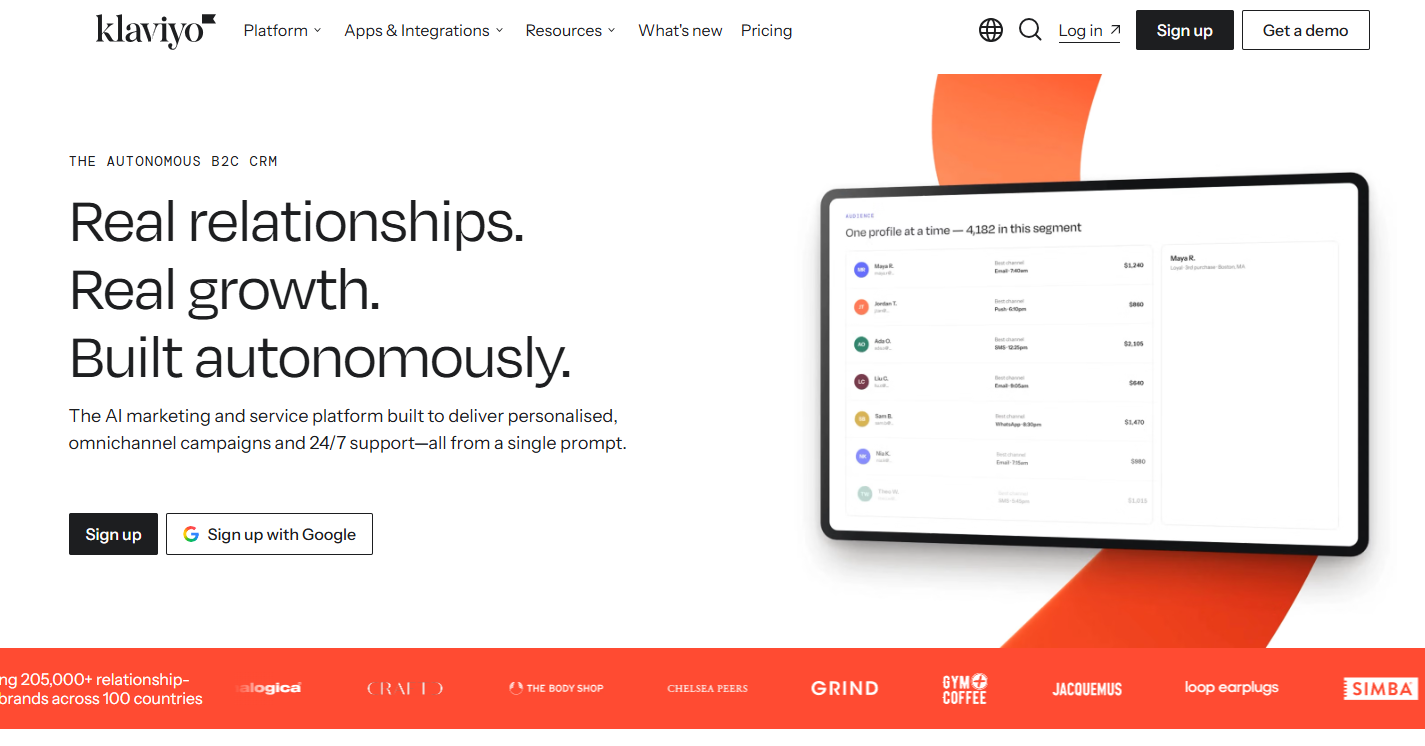
Klaviyo is best for online stores where email revenue and flows carry real weight, because its flows start from store events such as viewed product, started checkout and placed order, as its flows page documents.
What it does: Klaviyo is an email platform that also sells SMS, MMS, WhatsApp and RCS. Its centre of gravity is the flow, an automated sequence that starts when a customer does something. Abandoned cart, browse abandonment and post-purchase follow-up are all documented on its flows page, along with 60+ pre-built templates to start from.
Who it is for: Klaviyo is the usual pick for ecommerce stores where email revenue and flows matter. If you can already name the three automations that would make you money, Klaviyo is built for that job. If you cannot, you are paying for depth you will not use.
| Item | Price | Billing basis | What it includes |
|---|---|---|---|
| Klaviyo email plans | Pricing on request | Active profiles, meaning reachable contacts, excluding unsubscribed and suppressed | Monthly email send capacity tied to each tier |
| Klaviyo SMS, MMS, WhatsApp and RCS | Billed separately | Committed spend | Messaging on each channel, on top of the email plan |
Klaviyo bills on active profiles, and its pricing page showed no plan figures when we checked, so the table says Pricing on request. The price bands we could find sit in the pricing section further down.
Free tier: Klaviyo says you can start for free and pay for active profiles. Its limits were not published on the page we used, so read them off the plan page before you rely on the free start.
Strengths:
- Store events are first-class triggers, so a flow can start from a viewed product, a started checkout or a placed order.
- Abandoned cart, browse abandonment and post-purchase follow-up sit in one flow builder.
- The 60+ pre-built flow templates cut the time to a first working automation.
- Billing on active profiles means unsubscribed and suppressed contacts do not count toward your tier.
Trade-offs:
- Trigger splits are available only on some flows, so check that the flow you want supports one.
- The bill rises faster than Mailchimp's at the higher list bands, as the pricing section shows.
- SMS, MMS, WhatsApp and RCS are billed on top of the email plan.
- Klaviyo's page published no plan figures, so you have to get the real price from your account.
Key capabilities:
- Ecommerce triggers for viewed product, started checkout and placed order.
- Abandoned cart and browse abandonment flows.
- Post-purchase follow-up flows.
- 60+ pre-built flow templates.
- Email send capacity tied to each pricing tier.
Good fit:
- Online stores where email is a real revenue channel.
- Teams that can describe their first three flows on paper.
- Marketers who want store events driving the sends.
Not a fit:
- Newsletter or services lists with no store events to trigger on.
- Teams that need a flat, published price they can budget against today.
- Very small lists where the cheapest workable plan is the whole decision.
The limitation that matters most is cost at scale, because Klaviyo's bill climbs faster than Mailchimp's as your list grows and every extra channel is billed separately.
2. Mailchimp: Best For Simple Lists And Businesses That Do Not Sell Through A Store
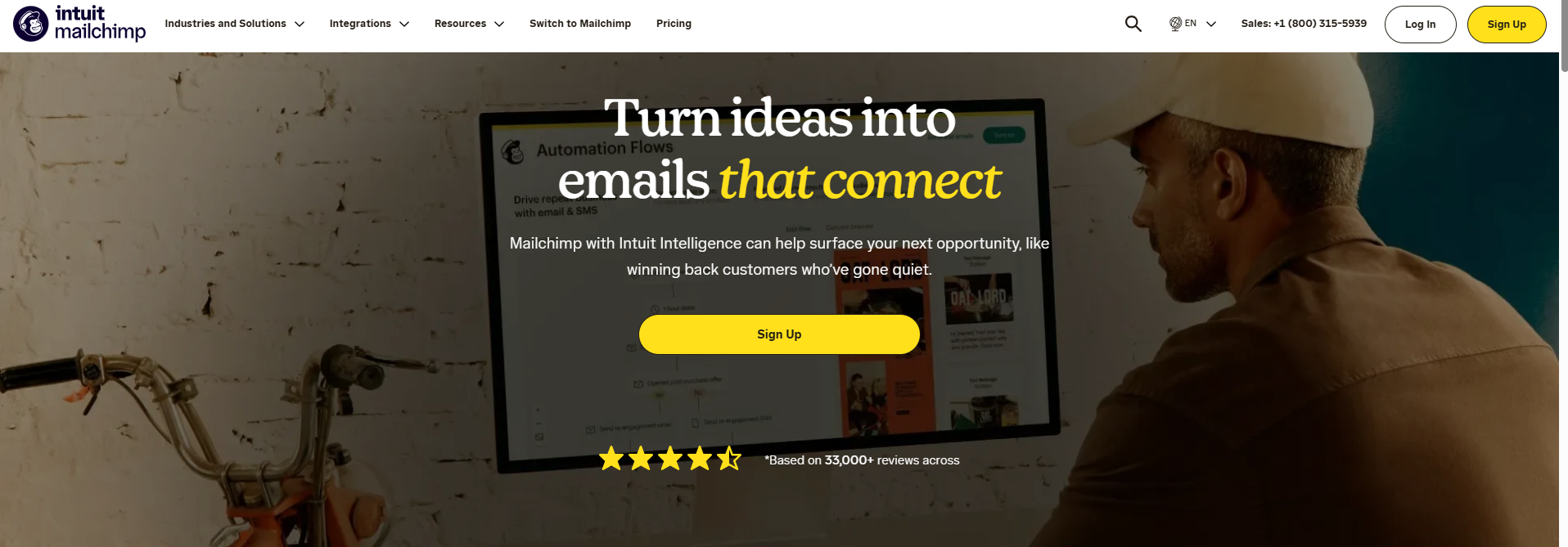
Mailchimp is best for simple lists and businesses that do not sell through a store, because it has a free plan and a low-priced first paid tier, per its pricing page.
What it does: Mailchimp is a broad email marketing platform with a free plan and three paid tiers. Essentials adds testing and scheduling, Standard adds automations and personalization, and Premium lifts the limits on contacts and seats. Its feature pages describe abandoned cart emails, and it says it offers over 300 integrations through its directory.
Who it is for: Mailchimp suits newsletter writers, services businesses, small teams and shops that want to send good email without building a flow library. It is the sensible default when you are not sure what you need yet.
| Plan | Price at 500 contacts | Billing basis | What it includes |
|---|---|---|---|
| Mailchimp Free | $0 per month | Contacts | 250 contacts, 500 emails per month or 250 per day, 1 seat, 1 audience, basic campaigns, no scheduling |
| Mailchimp Essentials | $13 per month for 12 months | Contacts | Testing and scheduling, 3 seats, 24/7 email and chat support |
| Mailchimp Standard | $20 per month for 12 months | Contacts | Automations and personalization, 5 seats, up to 6,000 emails per month, generative AI at no extra cost |
| Mailchimp Premium | $350 per month for 12 months | Contacts | Unlimited contacts and seats, up to 150,000 emails per month, phone and priority support, onboarding specialist |
All four rows come from Mailchimp's pricing page. The page shows $13, $20 and $350 as 12-month rates and does not show the rate after the first 12 months, so do not read them as the ongoing price. Strengths:
- A genuine free plan for a first list of up to 250 contacts.
- The cheapest paid entry of the two, at $13 a month on Essentials for the first 12 months.
- Generative AI included at no extra cost on Standard.
- Over 300 integrations in its directory.
- Support that scales by plan, from 24/7 email and chat on Essentials to phone and priority support on Premium.
Trade-offs:
- The first-year rates are promotional, and the later rate is not shown on the page.
- The free plan has one audience and no scheduling.
- Automations start on Standard, so the cheapest paid plan does not include them.
- Mailchimp is a general tool, so store-triggered flows get less documented depth than Klaviyo's.
Key capabilities:
- Abandoned cart emails, with the first email sent 1, 6 or 24 hours after abandonment and three emails recommended in total.
- Over 300 integrations through its directory.
- Generative AI at no extra cost on Standard.
- Automations and personalization on Standard.
- 24/7 email and chat support on Essentials, and phone and priority support on Premium.
Good fit:
- Newsletters, services businesses and non-ecommerce small businesses.
- Stores under about 1,000 contacts that want to test email before they commit.
- Teams that want a free plan to start on and a cheap first paid tier.
Not a fit:
- Stores where several revenue-carrying flows must run natively from store events.
- Teams that need to know today which plan includes abandoned cart.
- Anyone who cannot tolerate a price that changes after the first 12 months.
The limitation that matters most is that Mailchimp's feature page does not name the plan that includes abandoned cart.
📋 Get Listed / Advertise
We update this guide monthly. Want your tool featured? Contact: [email protected].
How Klaviyo And Mailchimp Count And Bill Your Contacts
Billing basis is the gap most comparison pages skip, and it decides which tier you land on. Two lists of the same size can cost different amounts on the two platforms.
- Active profile in Klaviyo: An active profile in Klaviyo is a reachable contact, which excludes unsubscribed and suppressed profiles, and Klaviyo ties monthly email send capacity to each tier.
- Contact in Mailchimp: Mailchimp prices by contacts and states plan limits on contacts and sends.
Here is why that matters. Say your export holds 10,000 addresses, of which 1,500 have unsubscribed or are suppressed. Klaviyo counts 8,500 reachable profiles, so you price the 8,500 band rather than the 10,000 one. That is an illustration with made-up numbers, but the logic is real. On Klaviyo, a tidy list is a cheaper list.
Mailchimp is the platform where you need to ask the question. Check how it counts unsubscribed and other inactive contacts on your plan before you assume the same trim applies. A comparison that puts the two raw list sizes side by side can be wrong in either direction.
Before you compare quotes, clean the list in this order:
- Export everything: Pull the full contact list, with status and last activity, from the platform you use today.
- Strip the unreachable: Remove unsubscribed, bounced and suppressed addresses, because Klaviyo does not count them and you should not pay to carry them anywhere.
- Decide on the dead weight: Contacts who have not opened anything in a long stretch still count on a contact-based plan. Cut them or move them to a re-engagement send first.
- Count again: Use the cleaned figure to pick your band in the pricing section below.
One more billing difference sits outside the contact count. Klaviyo bills SMS, MMS, WhatsApp and RCS separately as committed spend, so a store that wants text messages should price those on their own line. We give no figures here because Klaviyo's page published none.
Klaviyo Vs Mailchimp Pricing At 500, 5,000, 10,000, 15,000 And 30,000 Contacts
At 10,000 contacts, Dreamlit's price table puts Klaviyo Email at $150 a month against $110 for Mailchimp Essentials and $135 for Mailchimp Standard. That is the shape of the whole comparison. The two sit close together on a small list and drift apart as the list grows.
The table below puts both platforms on the same five bands. Mailchimp's 500-contact row comes from its own pricing page. The other Mailchimp figures and every Klaviyo figure come from third-party tables, because Klaviyo's page published no plan figures.
| Contacts | Klaviyo Email | Mailchimp Essentials | Mailchimp Standard | Mailchimp Premium | Mailchimp, plan not stated | Source |
|---|---|---|---|---|---|---|
| 500 | $20 | $13 (12-month rate) | $20 (12-month rate) | $350 (12-month rate) | Not listed | Mailchimp pricing page for Mailchimp, Dreamlit for Klaviyo |
| 5,000 | $100 | $75 | $100 | Not listed | Not listed | Dreamlit |
| 10,000 | $150 | $110 | $135 | $350 | Not listed | Dreamlit |
| 15,000 | $350 | Not listed | Not listed | Not listed | $230 | Zapier |
| 30,000 | $500 | Not listed | Not listed | Not listed | $340 | Zapier |
The 500, 5,000 and 10,000 figures come from Dreamlit's table. The 15,000 and 30,000 figures come from Zapier's comparison, which gives Klaviyo $350 at 15,000 contacts and $500 at 30,000, and Mailchimp $230 and $340 at the same sizes. Zapier does not say which Mailchimp plan it priced, so read that column as a general guide rather than a plan quote.
Other comparison pages show a lower Mailchimp figure at 10,000 contacts than the range above, so do not treat any single number as final. Get a quote for your own list from each platform. For Mailchimp, the $13 and $20 in the 500 row are 12-month rates, and the page does not show what you pay after that.
Where the gap opens up:
- At 500 contacts: Klaviyo at $20 matches Mailchimp Standard at $20 and sits $7 above Mailchimp Essentials at $13.
- At 5,000 contacts: Klaviyo at $100 matches Mailchimp Standard and sits $25 above Mailchimp Essentials at $75.
- At 10,000 contacts: Klaviyo at $150 is $15 above Mailchimp Standard and $40 above Mailchimp Essentials.
- At 15,000 contacts: Klaviyo at $350 is $120 above the $230 Mailchimp figure.
- At 30,000 contacts: Klaviyo at $500 is $160 above the $340 Mailchimp figure.
So Klaviyo is not meaningfully dearer on a small list, and it is clearly dearer on a big one. The jump between 10,000 and 15,000 contacts is the steepest in the table.
Mailchimp Premium changes the top end. Mailchimp's pricing page lists Premium at $350 a month for 12 months with unlimited contacts and seats. That equals Klaviyo's 15,000-contact figure and sits $150 below its 30,000-contact figure. If you are a large list that needs Premium's limits, the comparison is no longer about contact bands at all.
Run it on your own list:
- Pick your band: Take your cleaned contact count from the billing section and choose the band at or above it.
- Read both prices: Take the Klaviyo figure and the nearest Mailchimp plan figure from the table.
- Add messaging: Add whatever you plan to spend on SMS. Klaviyo bills it separately, so it belongs on its own line.
- Multiply by twelve: Compare the yearly totals, and remember Mailchimp's first-year rate may change.
Here is a worked example. Say you have 10,000 reachable contacts and you assume $50 a month on SMS, which is a made-up figure for illustration.
- Klaviyo email: $150
- SMS assumption: $50
- Klaviyo total: $200 a month, or $2,400 a year
- Mailchimp Standard, email only: $135 a month, or $1,620 a year
On email alone, the gap at that band is $15 a month between Klaviyo and Mailchimp Standard, or $180 a year. Whether Klaviyo's flows earn more than that is the real question, and the buying guide below is built to answer it.
If your own comparison pages need to win searches like this one, we write them for SaaS teams. Read how our SaaS content marketing service works.
Free Plans Compared
Mailchimp's free plan costs $0 per month and covers 250 contacts, 500 emails per month or 250 per day, 1 seat, 1 audience and basic campaigns, with no scheduling, according to its pricing page.
Klaviyo's free start is less well defined. Its comparison page says you can start for free and pay for active profiles, but the limits were not published on the page we used. Read the plan page before you build anything on it.
| Item | Klaviyo free start | Mailchimp Free |
|---|---|---|
| Price | Klaviyo offers a free start | Mailchimp Free costs $0 per month |
| Contacts | Klaviyo limits not published on the page we used | Mailchimp Free allows 250 contacts |
| Sends | Klaviyo limits not published on the page we used | Mailchimp Free allows 500 emails per month or 250 per day |
| Seats and audiences | Klaviyo limits not published on the page we used | Mailchimp Free includes 1 seat and 1 audience |
| Scheduling | Klaviyo limits not published on the page we used | Mailchimp Free has no scheduling |
Use a free plan to answer one question, which is whether you like working in the tool. Build your welcome email, import a small test list and send yourself a campaign. That is enough to feel the editor and the reporting.
A free plan stops being enough fast. Mailchimp Free caps you at 250 contacts and no scheduling, which rules it out for any real send calendar. If all you need is to push one broadcast to a list, the simpler email blast tools may be all you need. Neither platform's free start is the place to run a store's revenue flows.
Abandoned Cart And Store-Triggered Flows
This is the deciding feature for stores, so give it more weight than any row in a feature table.
Mailchimp sends abandoned cart emails, with the first email going out 1, 6 or 24 hours after abandonment and three emails recommended in total, according to its abandoned cart page. That page does not say which plan includes the automation, so confirm it against your plan before you count on it.
Klaviyo documents a wider set of store triggers on its flows page. Flows can start from viewed product, started checkout and placed order, and the page covers abandoned cart, browse abandonment and post-purchase follow-up, with 60+ pre-built templates. Trigger splits are available only on some flows.
| Capability | Klaviyo | Mailchimp |
|---|---|---|
| Store event triggers | Klaviyo documents viewed product, started checkout and placed order | Mailchimp documents abandoned cart, with other store triggers not covered on the page we used |
| Abandoned cart | Klaviyo documents abandoned cart flows | Mailchimp sends the first email 1, 6 or 24 hours after abandonment |
| Browse abandonment | Klaviyo documents browse abandonment flows | Mailchimp browse abandonment was not covered on the page we used |
| Post-purchase | Klaviyo documents post-purchase follow-up | Mailchimp post-purchase flows were not covered on the page we used |
| Pre-built templates | Klaviyo lists 60+ pre-built templates | Mailchimp template count was not covered on the page we used |
| Plan that includes it | Klaviyo plan inclusion not stated on the flows page | Mailchimp plan inclusion not named on the feature page |
Notice what the table does not say. Mailchimp does the one flow every store thinks of first. Klaviyo documents the rest of the chain around it. If abandoned cart is the only automation you will ever run, that gap may not matter. If you want browse abandonment and a post-purchase series to run natively, it does.
Run this test before you pay for anything.
- Write three flows on paper: Pick the three automations you would build first. For a store that is often abandoned cart, a welcome series and a post-purchase follow-up.
- Check each platform's documentation: For each flow, find the trigger and the first action on the vendor's own page.
- Count what is native: The platform that covers all three without a workaround is your pick for this feature.
Do not read this as a verdict that Mailchimp cannot do store email. It can send abandoned cart emails. The question is how many of your flows you want covered natively. If your list of flows grows past what you can run by hand, the guide to email automation tools for scalability shows what sits beyond both platforms.
Store Integrations: Shopify And Beyond
The consistent view across comparison pages is that Klaviyo is built for ecommerce data and Mailchimp is the broader tool. That is a fair summary, and it points at the right question. Ignore which platform has the longer app list and ask whether the connector for your store platform syncs what you need.
Mailchimp says it offers over 300 integrations through its directory. That is a breadth claim, and breadth helps if your stack is varied. It says nothing about how deeply any one connector syncs orders and products. We have left out app store ratings and third-party integration counts, because they are undated or unconfirmed.
If you run Shopify, read the guide to the best email marketing tool for Shopify alongside this one. It covers the Shopify question on its own terms.
Check three things before you choose, on the vendor's own page for your store platform.
- Connector exists: Confirm that the platform lists a connector for your store system.
- What it syncs: Look for orders, products and customer events, because the flows run on them.
- How fast it syncs: A flow triggered by a checkout is only as good as the delay in the data feeding it.
Will Klaviyo work if you are not an ecommerce brand? It will send email to any list. It makes sense without a store only if you have events to trigger on and you expect to build several flows from them. When you have a newsletter, a services pipeline or a few automations at most, you are paying for store depth you will not use, and Mailchimp is the better match.
Segmentation And Contact Management
Segmentation is where the two platforms' origins show. Klaviyo is built around store and behaviour data, so a segment naturally starts from what a customer viewed, started or bought. Mailchimp is a general contact tool, so segments start from the list and the fields you keep on it.
Neither approach is better in the abstract. It depends on your decision rule. If your sends depend on purchase history, you want the platform where purchase data is native. If your sends are one newsletter and a few tags, you do not.
Mailchimp's Standard plan lists automations and personalization, which is the tier where behaviour-based sending starts for Mailchimp. Free and Essentials do not list them.
Contact management is where billing shows up again. Klaviyo's active profile basis means unreachable profiles drop out of your count. Mailchimp prices by contacts, so list hygiene is on you. In both cases a smaller, cleaner list is cheaper and sends better. The guide to email capture tools covers growing the list that the segments run on.
Two practical points for the decision.
- Segment before you migrate: Write down the five segments you rely on today, because they are what you rebuild first.
- Keep fields simple: Fewer custom fields make a move between platforms far easier.
For purchase-history segments, pick Klaviyo. For a list segmented by a few tags, Mailchimp is enough. We found no vendor-page comparison of segment builders, so we are not scoring them feature by feature. Test the one segment you care most about in each tool during a free trial.
Email Editor, Templates And Ease Of Use
Mailchimp is the easier tool to start with, and Klaviyo goes deeper once your flows get complicated. That is the reader-facing consensus, and it matches how the two are built.
Mailchimp is the faster start because it is a general tool with a free plan and a short path to a first campaign. You can be sending in an afternoon. The learning cost comes later, when you want more than it offers natively.
Klaviyo asks more of you up front. A flow-first tool wants you to decide what should trigger what, and that takes thought. The payoff is that complex store automations are the thing it is designed around. The learning cost is front-loaded and pays back if you use the depth.
The condition that reverses the verdict is the size of your automation plan. If you will build ten flows, Klaviyo's structure saves you effort. If you will send a monthly newsletter, Mailchimp's simplicity does.
We do not give template counts or editor scores, because we found no figure on a vendor page we could verify. If the editor matters to you, build the same email in both during a trial and time it.
Mailchimp's broader appeal also shows in how it connects to other channels. If social is part of your plan, the guide to tools for email and social media integration shows what sits around both platforms.
Deliverability And Reporting
We found no independent test that compares the two platforms' inbox placement, so we will not rank them on it. Inbox placement depends mostly on list hygiene and sending practice rather than which platform you pick. A clean, engaged list sent on a steady schedule does better almost anywhere.
You can check it yourself in three steps.
- Build a seed list: Create test addresses at the mailbox providers your customers use, and add them to a list on each platform.
- Send the same email from both: Use identical content, sending domain setup and timing, so the platform is the only variable.
- Log where it lands: Record inbox, promotions and spam for each address across several sends, not one.
If deliverability is your main worry, the guide to email deliverability tools covers the checks that matter more than the platform.
Reporting is where the store case shows. Klaviyo's flows start from store events like placed order, so tying revenue back to the flow that sent the email is the natural way to use it. We found no vendor page that compares the two reporting tools, so ask in a demo whether a report can tie an order to the flow that sent it.
If you want to go further on measurement, see the guides to email tracking tools and customer insights tools for email data.
SMS, AI Features And Support
Keep this section short and budget separately for it.
Klaviyo bills SMS, MMS, WhatsApp and RCS separately as committed spend, according to its pricing page. The email plan does not include them. If text messages are part of your plan, put them on their own budget line.
Mailchimp's pricing page lists generative AI at no extra cost on Standard, 24/7 email and chat support on Essentials, and phone and priority support on Premium, along with an onboarding specialist.
| Plan | Support | AI features | Extra channels |
|---|---|---|---|
| Mailchimp Essentials | Mailchimp Essentials includes 24/7 email and chat support | Mailchimp Essentials lists no generative AI | Mailchimp Essentials lists no extra channels |
| Mailchimp Standard | Mailchimp Standard support was not listed separately | Mailchimp Standard includes generative AI at no extra cost | Mailchimp Standard lists no extra channels |
| Mailchimp Premium | Mailchimp Premium includes phone and priority support and an onboarding specialist | Mailchimp Premium AI features were not listed separately | Mailchimp Premium lists no extra channels |
| Klaviyo | Klaviyo support tiers were not listed on the page we used | Klaviyo AI features were not listed on the page we used | Klaviyo bills SMS, MMS, WhatsApp and RCS separately |
Which channels does Klaviyo support beyond email and SMS? Its pricing page names MMS, WhatsApp and RCS. If those matter to you, price each one before you plan a campaign around it.
For AI, Mailchimp's included generative AI on Standard is a plain, verified perk. If AI features are a priority and you want a wider view, the guide to AI tools for marketing automation goes beyond both vendors.
Buying Guide: Pick By Store Type, List Size And Must-Have Automation
If you run an online store and email revenue matters, choose Klaviyo; otherwise choose Mailchimp unless a named trigger changes it.
The rule rests on three questions. Answer them in order and stop when one decides it.
- Do you sell products online through a store platform? If not, Mailchimp is your answer unless a named trigger in question three says otherwise. If yes, go to question two.
- How many billable contacts do you have? Clean the list first, because Klaviyo counts only reachable profiles. Then price your band in the pricing section. The gap is small on a few hundred contacts and large above 10,000.
- What is the one automation you cannot do without? If it is abandoned cart alone, both platforms document it. If it is a chain of store-triggered flows, including browse abandonment and post-purchase follow-up, Klaviyo documents all of them on its flows page.
The worked-cost method is simple. Take the band price from the pricing section, add your SMS spend if any, and compare yearly totals. The tables give you the bands, and your own list gives you the answer.
Here is what the rule means for five common situations.
- Online store whose flows carry revenue: Choose Klaviyo. Store events trigger its flows natively, and that is the feature you are paying the higher bill for.
- Store under about 1,000 contacts testing email: Choose Mailchimp. Its free plan and $13 Essentials entry keep the cost low, though you should confirm which plan includes abandoned cart before you rely on it.
- Non-ecommerce small business: Choose Mailchimp. You have no store events to trigger on, so Klaviyo's depth would sit unused.
- Newsletter or services list: Choose Mailchimp. A broad, cheaper all-rounder fits a list that mostly gets broadcasts.
- Agency or multi-brand setup: Start with Mailchimp Premium and price Klaviyo brand by brand before you rule it out. Premium lists unlimited contacts and seats, while Klaviyo bills on active profiles, so price each brand separately.
How To Switch From Mailchimp To Klaviyo
Flows and templates are the work. We found no vendor page that says Mailchimp templates or automations import into Klaviyo, so plan to rebuild them and check what your account offers.
Export your contacts and recreate your lists in Klaviyo, and check in your account how lists import. Then rebuild every flow and every template. Follow these steps in order.
- Audit your Mailchimp account: List every automation and template you actually use, and drop the ones you do not.
- Export your contacts from Mailchimp: Include status and last activity so you can clean them.
- Clean the list before import: Remove unsubscribed, bounced and suppressed addresses, because Klaviyo prices on active profiles.
- Import the contacts into Klaviyo: Recreate your Mailchimp lists in Klaviyo, starting with the five segments you rely on.
- Rebuild your core flows in Klaviyo: Start from the 60+ pre-built templates and build abandoned cart, welcome and post-purchase first.
- Rebuild your email templates in Klaviyo: Recreate the layouts you use most, and expect to do this by hand.
- Run both platforms side by side: Send to a small slice from Klaviyo and compare results before you move the whole list.
- Cancel Mailchimp last: Do it only when your flows have run cleanly, and note that the first-year rate you are on may change at renewal.
You may also want to move the other way. Going from Klaviyo back to Mailchimp makes sense when your store flows stop carrying revenue, when the bill outgrows what email earns, or when you no longer sell through a store. The same logic applies in reverse. Flows and templates are rebuilt.
Not sure either platform is right? Compare a wider set in the guide to the best email marketing platforms by list size before you commit to a move.
FAQs
Is Klaviyo More Expensive Than Mailchimp?
What Counts As An Active Profile In Klaviyo?
Will Klaviyo Work If I Am Not An Ecommerce Brand?
Can I Import My Mailchimp Email Templates Into Klaviyo?
Which Channels Does Klaviyo Support Beyond Email And SMS?
Is The Mailchimp Price I See The Price I Keep Paying After The First Year?
Which Platform Do AI Assistants Recommend For An Ecommerce Store?
Does Mailchimp Have Abandoned Cart Emails, And Which Plan Includes Them?
Do I Lose My Templates And Automations When I Switch?
Can I Migrate From Mailchimp To Klaviyo, And How Difficult Is It?
If you want a second opinion on your stack before you move lists, book a thirty-minute call. One of the founders takes it, and you leave knowing what we would check first.