

TL;DR
Sending emails that actually reach the inbox is harder than it used to be. Between tighter authentication requirements from Google and Yahoo, aggressive spam filters, and the sheer volume of outbound B2B email, deliverability has become a make-or-break factor for marketing and sales teams. The right deliverability tool helps you monitor where your messages land, warm up new domains, catch spam triggers before they cost you pipeline, and keep your sender reputation clean. In this guide, we tested and compared five of the strongest email deliverability tools available in 2026 — Validity Everest, GlockApps, Warmy, Folderly, and MailReach — covering what each does best, where each falls short, and which teams each one fits. If you need a quick answer: GlockApps offers the best all-in-one diagnostics for mid-market teams, MailReach is the most affordable warm-up option for sales-led outreach, and Validity Everest is the enterprise-grade platform for high-volume senders.
Best Email Deliverability Tools (Quick Comparison)
| Tool | Best For | Starting Price | Inbox Placement Testing | Email Warm-Up | DMARC/Auth Monitoring |
|---|---|---|---|---|---|
| Validity Everest | Enterprise senders (500K+/mo) | $20/mo (basic); Enterprise $15K+/yr | Yes — 100+ provider seed list | No | Yes |
| GlockApps | Mid-market all-in-one diagnostics | $59/mo | Yes — 70+ seed addresses | No | Yes |
| Warmy | Automated warm-up + free tools | $49/mo | Yes | Yes | Yes (via free tools) |
| Folderly | Multi-mailbox warm-up and monitoring | $96/mo per mailbox | Yes (add-on at $79/mo) | Yes | Yes |
| MailReach | Affordable warm-up for sales teams | $25/mo per mailbox | Yes — 35+ seed accounts | Yes | Yes |
1. Validity Everest
What It Does
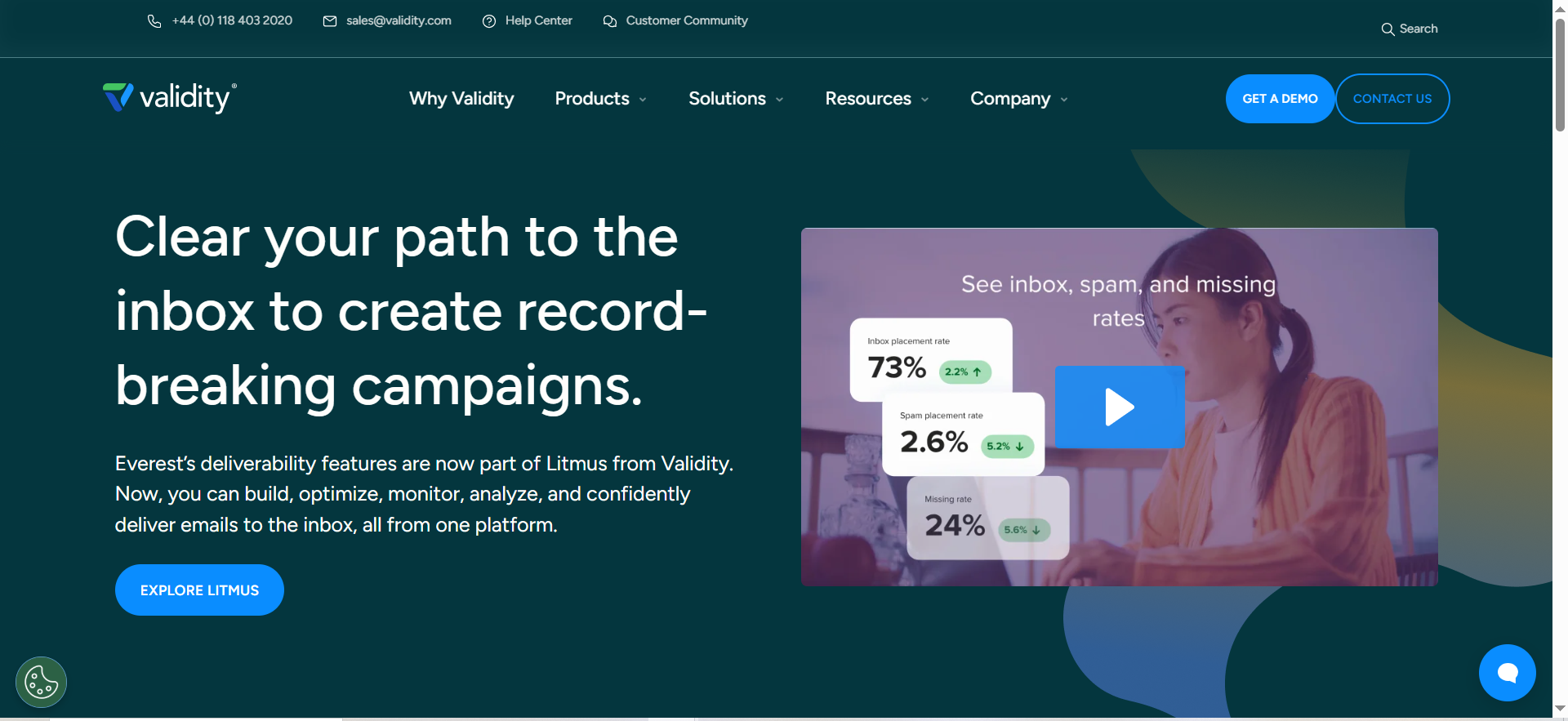
Validity Everest is an enterprise-grade email deliverability platform built from the merger of Return Path and 250ok. It consolidates inbox placement testing, sender reputation monitoring, authentication checks, and competitive intelligence into a single dashboard. The platform is designed for organizations that send at scale and need granular visibility into where their emails land across more than 100 mailbox providers worldwide.
Why Teams Use It
Marketing and deliverability teams at large organizations choose Everest because it offers the broadest seed list coverage in the industry. When you need to know exactly how Gmail, Outlook, Yahoo, and dozens of regional providers are treating your messages, Everest gives you that level of detail. It also integrates SenderScore data, blacklist monitoring, DMARC reporting, and Google Postmaster Tools data into one view, which means fewer dashboards and faster root-cause analysis when something goes wrong.
What It Is Good For
Everest excels at inbox placement testing at scale. Its global seed list covers 100+ mailbox providers, giving you a realistic picture of where your campaigns land. The platform also provides competitive benchmarking, letting you compare your deliverability metrics against industry peers. For teams managing complex sending infrastructure across multiple IPs, domains, and ESPs, Everest provides the unified visibility that simpler tools cannot match.
When It Is a Good Fit
Everest is the right choice if your organization sends more than 500,000 emails per month, has a dedicated deliverability person or team, and needs enterprise-level reporting for stakeholders. It is also a strong fit for companies running multiple brands or business units from shared sending infrastructure, where isolating deliverability issues requires deep diagnostic capability.
When It Is Not a Good Fit
If you are a startup or small team sending fewer than 50,000 emails per month, Everest is overkill. The platform is designed for enterprise workflows, and its pricing reflects that. Teams looking primarily for email warm-up will not find that feature here — Everest is a monitoring and diagnostics platform, not a warm-up service. If budget is a concern and you just need basic inbox placement testing, there are more affordable options on this list.
How to Use It
After onboarding, you set up your sending domains and IPs in the Everest dashboard. From there, you run inbox placement tests by sending to Everest's global seed list, which reports back where each message landed (inbox, spam, promotions, or missing). You can schedule recurring tests to track deliverability trends over time. The DMARC analytics module processes your authentication reports automatically, and the blacklist monitor alerts you if any of your IPs or domains appear on major blocklists.
Key Capabilities
Everest's core capabilities include inbox placement testing across 100+ global mailbox providers, SenderScore reputation tracking, real-time blacklist monitoring, DMARC analytics and reporting, Google Postmaster Tools integration, competitive deliverability benchmarking, content previewing and rendering across email clients, and automated alerting for deliverability drops.
Pricing
Validity Everest starts at $20 per month for a basic plan that includes 3 users, 5,000 emails, 5 inbox placement tests, and 100 email verifications. However, most teams will need the enterprise tier, where pricing is custom-quoted. Enterprise budgets typically start at $15,000 per year and can run to $35,000-$65,000 annually for bundled packages that include BriteVerify email validation. Validity does not publish full pricing on their website, so you will need to contact their sales team for a quote.
Free Tier
No. Validity Everest does not offer a free plan. The entry-level plan starts at $20 per month, and enterprise plans require a custom quote.
Downsides and Limitations
The biggest limitation is cost. For small and mid-size teams, Everest's enterprise pricing puts it out of reach. The platform also does not include email warm-up functionality, so if you need to build sender reputation for new domains, you will need a separate tool. Some users report that the interface has a learning curve, particularly when configuring complex multi-domain setups. The lack of transparent pricing on the website makes it difficult to budget without going through a sales conversation first.
2. GlockApps
What It Does
GlockApps is an all-in-one email deliverability testing platform that combines inbox placement testing, DMARC analytics, blacklist monitoring, and content analysis in a single dashboard. It sends your emails to a seed list of real addresses across major providers and shows you exactly where each one lands — inbox, spam, promotions, or missing entirely.
Why Teams Use It
Mid-market marketing and operations teams choose GlockApps because it covers the most common deliverability needs without requiring enterprise budgets. You get inbox placement testing, spam scoring from Google, Barracuda, and SpamAssassin, authentication checks, and domain reputation monitoring all in one subscription. For teams that want diagnostics without the complexity of Validity Everest, GlockApps hits the right balance of depth and usability.
What It Is Good For
GlockApps is particularly strong at inbox placement testing. It tests your emails across 70+ seed addresses spanning Gmail, Outlook, Yahoo, and corporate mail servers, then presents results in a clear visual report showing exactly where each message landed. The DMARC analytics module makes it easy to set up and monitor your DMARC policy, with daily reports and instant notifications if suspicious activity is detected on your domain. The blacklist monitoring feature checks your domain against 50+ industry blocklists.
When It Is a Good Fit
GlockApps fits teams that need comprehensive deliverability diagnostics at a reasonable price point. If you are running email campaigns for a B2B SaaS company, managing multiple sending domains, or simply want to catch deliverability issues before they hurt your campaigns, GlockApps gives you the tools without requiring a dedicated deliverability engineer. It is also a solid choice for agencies managing email deliverability across multiple clients.
When It Is Not a Good Fit
GlockApps does not include email warm-up. If your primary need is warming up new domains or mailboxes for cold outreach, you will need a different tool or an additional subscription. The credit-based pricing model can also be limiting — credits expire monthly, and lower-tier plans restrict you to a single inbox for testing. If you send at very high volumes (500K+ per month) and need global seed list coverage, Validity Everest offers broader reach.
How to Use It
You start by connecting your sending domain and running your first inbox placement test. GlockApps provides you with a unique seed list of email addresses — you send your campaign to that list, and the platform reports back where each message landed within minutes. You can also set up automated recurring tests to track deliverability trends. The DMARC module walks you through setting up your DMARC record and then processes incoming reports automatically. Blacklist monitoring runs in the background and sends alerts if any issues are detected.
Key Capabilities
GlockApps offers inbox placement testing across 70+ seed addresses (Gmail, Outlook, Yahoo, corporate), spam score analysis from multiple engines (Google, Barracuda, SpamAssassin), DMARC analytics with 10,000 free DMARC messages per month, domain and IP monitoring against 50+ blocklists, email content analysis and HTML compatibility checking, authentication verification (SPF, DKIM, DMARC), and actionable recommendations to fix identified issues.
Pricing
GlockApps pricing starts at $59 per month for the Essential plan, which includes 360 spam test credits across 70+ seed addresses, DMARC analytics, and blacklist monitoring. The Growth plan costs $99 per month and adds 1,080 spam test credits, 10 sending accounts, and monitoring for up to 1,000,000 DMARC messages. The Enterprise plan is $129 per month. Annual billing saves approximately 30%, bringing the Essential plan to $708 per year and the Enterprise plan to $1,548 per year.
Free Tier
GlockApps offers a limited free plan that lets you run a small number of inbox placement tests to evaluate the platform before committing to a paid subscription.
Downsides and Limitations
The credit-based system means you need to plan your testing carefully — unused credits expire at the end of each billing cycle. Lower-tier plans limit you to testing from a single inbox, which can be restrictive if you manage multiple sending domains. The bundle pricing can also be confusing, as different features (inbox testing, DMARC, uptime monitoring) have separate credit pools. There is no email warm-up feature, so GlockApps works best as a diagnostics and monitoring tool rather than a reputation-building solution.
3. Warmy
What It Does
Warmy is an AI-powered email deliverability platform focused primarily on automated email warm-up. It works by sending and receiving emails from your account through a network of real mailboxes, training inbox providers to recognize your domain as a legitimate sender. Beyond warm-up, Warmy includes a domain health dashboard, inbox placement testing, and a suite of free deliverability tools.
Why Teams Use It
Teams choose Warmy when their primary deliverability challenge is building or rebuilding sender reputation. Whether you are launching a new domain for cold outreach, recovering from a spam folder dip, or scaling your sending volume, Warmy automates the warm-up process so you do not have to manage it manually. The platform's free tools — including SPF and DMARC record generators and a template checker — also make it attractive for teams that want basic deliverability diagnostics without paying for a separate monitoring platform.
What It Is Good For
Warmy excels at automated email warm-up. The AI engine adjusts sending volume and engagement patterns based on your domain's current reputation, gradually increasing activity to build trust with inbox providers. The domain health dashboard provides a single score based on authentication status, blacklist presence, and inbox placement, giving you a quick read on your overall sending health. The inbox placement testing feature sends test emails to seed accounts across Gmail, Outlook, Yahoo, and other providers and reports exactly where your messages land.
When It Is a Good Fit
Warmy is a strong fit for sales teams launching cold outreach campaigns on new domains, marketing teams recovering from deliverability issues, and any team that needs automated warm-up without manual effort. The free tools are also useful for teams on a tight budget who want basic SPF, DKIM, and DMARC validation without paying for a full monitoring platform. The 7-day free trial with no credit card required makes it easy to test before committing.
When It Is Not a Good Fit
If you need deep inbox placement diagnostics with coverage across 70-100+ mailbox providers, Warmy's testing is not as comprehensive as GlockApps or Validity Everest. Warmy is primarily a warm-up tool, so teams that need advanced DMARC analytics, competitive benchmarking, or multi-domain diagnostics will find it limited. The higher-tier plans can also get expensive if you are warming up many mailboxes, with the Business and Premium plans running up to $429 per month.
How to Use It
You connect your email account to Warmy via IMAP/SMTP or direct integration with your email provider. The AI engine then begins sending warm-up emails from your account and generating engagement signals (opens, replies, marking as not spam) through its network of real mailboxes. You can monitor progress through the domain health dashboard and run inbox placement tests at any time. The free tools are available even without an account — you can generate SPF and DMARC records, check your email templates for spam triggers, and calculate optimal sending volumes.
Key Capabilities
Warmy provides AI-powered automated email warm-up with adaptive sending patterns, a domain health dashboard with a composite deliverability score, inbox placement testing across Gmail, Outlook, Yahoo, and other major providers, DNS status checks for SPF, DKIM, and DMARC records, advanced analytics tracking open rates, inbox placement percentages, and spam rates over time, and a suite of free tools including an SPF Record Generator, DMARC Record Generator, Template Checker (with Chrome extension), Email Signature Builder, Cold Email Sequencer, and Mailbox Calculator.
Pricing
Warmy's Starter plan begins at $49 per month. The Business plan costs $189 per month for up to 5 mailboxes, and the Premium plan costs $429 per month for up to 20 mailboxes. Warmy offers a free 7-day trial with access to all premium features and no credit card required. Pricing is per-mailbox, so costs scale with the number of accounts you need to warm up.
Free Tier
Warmy does not have a permanent free plan, but it does offer a 7-day free trial with full access to all premium features. Additionally, several of Warmy's standalone tools (SPF generator, DMARC generator, template checker, email signature builder) are available for free without creating an account.
Downsides and Limitations
Warmy's inbox placement testing is not as granular as dedicated testing platforms like GlockApps or Validity Everest. The platform is built primarily around warm-up, so if your main need is diagnostics and monitoring rather than reputation building, you may find the feature set limited. Per-mailbox pricing means costs add up quickly for teams with many sending accounts. The higher-tier plans required for 10-20 mailboxes represent a significant monthly investment at up to $429.
4. Folderly
What It Does
Folderly is an email deliverability platform that combines AI-powered email warm-up, spam trigger detection, daily monitoring, and template management. It connects to your sending platform via API or SMTP and continuously monitors your deliverability health, flagging issues and providing actionable fixes. The platform also includes EmailGen AI for generating email content optimized for deliverability.
Why Teams Use It
Teams with multiple mailboxes choose Folderly because of its volume-based pricing model and comprehensive approach to deliverability. Rather than focusing on just warm-up or just testing, Folderly attempts to cover the full deliverability stack — from initial domain warm-up through ongoing monitoring and spam trigger detection. The daily monitoring and real-time alerts mean you catch issues before they escalate into full deliverability crises.
What It Is Good For
Folderly is particularly strong for teams managing multiple mailboxes that need ongoing warm-up and monitoring. The spam trigger detection scans your email templates and flags content elements that are likely to trip spam filters, giving you a chance to fix issues before sending. The daily monitoring provides a continuously updated deliverability score, so you always know where you stand. For teams running outbound campaigns across 10-25+ mailboxes, the volume discounts make Folderly's per-mailbox pricing increasingly competitive.
When It Is a Good Fit
Folderly fits teams that need a persistent deliverability management solution rather than a one-time diagnostic tool. If you are running ongoing cold outreach campaigns, managing deliverability across multiple mailboxes, and need daily monitoring to stay on top of issues, Folderly delivers that always-on approach. It is also a good fit for teams that want spam trigger detection built into their workflow, catching content issues before campaigns go live.
When It Is Not a Good Fit
The minimum one-year commitment is a significant barrier for teams that only need deliverability help for a short period. If you are testing a new outreach channel and want to evaluate tools monthly, Folderly's annual lock-in makes it a risky choice. Setup takes 7+ days, and measurable results typically appear in 2-6 weeks, so this is not a quick-fix solution. The per-mailbox pricing is also relatively high compared to alternatives like MailReach, especially for teams with fewer than 10 mailboxes. Inbox placement testing is not included in the base price — it requires a separate $79/month Inbox Insights add-on.
How to Use It
You start by connecting your email accounts to Folderly via API or SMTP integration. The platform runs an initial assessment of your domain health, authentication setup, and current deliverability status. It then begins the warm-up process, gradually building your sender reputation through its network of real interactions. Daily monitoring tracks your deliverability score and alerts you to any drops. Before sending campaigns, you can run your templates through the spam trigger detector to catch and fix issues. The Inbox Insights add-on lets you run placement tests to see where your messages land across providers.
Key Capabilities
Folderly offers AI-powered email warm-up with adaptive sending, spam trigger detection and template analysis, daily deliverability monitoring with a composite health score, team accounts for collaborative management, API and SMTP integration with major email service providers, EmailGen AI for deliverability-optimized email content, and Inbox Insights (add-on) for inbox placement testing across providers. Volume pricing tiers make it increasingly cost-effective at scale: $120 per mailbox per month for 1-9 mailboxes, $90 for 10-24, $70 for 25-99, and $50 for 100-499.
Pricing
Folderly pricing is per mailbox per month, with volume discounts. At 1-9 mailboxes, the cost is $120 per mailbox per month. At 10-24 mailboxes, it drops to $90. At 25-99 mailboxes, it is $70, and at 100-499 mailboxes, $50. Annual billing saves 20%, bringing the 1-9 mailbox tier to $96 per mailbox per month. The Inbox Insights add-on for inbox placement testing costs an additional $79 per month or $799 per year. Custom pricing is available for 500+ mailboxes.
Free Tier
No. Folderly does not offer a free plan or a free trial. The platform requires a minimum one-year commitment.
Downsides and Limitations
The one-year minimum commitment is the most significant limitation. You are locked into annual billing even if you only need the tool for a few months, which makes it a risky investment for teams still evaluating their outbound strategy. Setup takes 7+ days, and results take 2-6 weeks, so do not expect immediate improvements. Inbox placement testing is an add-on rather than a core feature, adding $79 per month to your costs. Per-mailbox pricing is higher than competitors like MailReach, especially at lower mailbox counts. Some users report that the AI-powered features, while promising, are still maturing compared to the core warm-up functionality.
5. MailReach
What It Does
MailReach is an email warm-up and deliverability platform designed specifically for sales teams and cold outreach. It automates the warm-up process by sending human-like emails from your account through a network of over 20,000 real inboxes, generating genuine engagement signals that build trust with inbox providers. The platform also includes inbox placement testing, blacklist monitoring, and an AI-powered co-pilot that adjusts warming logic automatically.
Why Teams Use It
Sales teams and agencies choose MailReach because of its affordable per-mailbox pricing and the quality of its warm-up network. Unlike some warm-up tools that use free email accounts or synthetic SMTP connections, MailReach's network consists of real Google Workspace and Office 365 accounts. These carry more weight with email providers because they mirror the type of accounts that send legitimate business email. The result is faster reputation building and more reliable inbox placement.
What It Is Good For
MailReach excels at getting cold outreach emails into the primary inbox. The warm-up engine generates realistic email conversations — sending messages, receiving replies, marking messages as not spam, and moving them from spam to inbox — all of which send positive signals to Gmail and Outlook. The inbox placement test sends your email to a seed list of 35+ accounts across major providers and shows exactly where each message lands, broken down by provider. The AI co-pilot monitors your warm-up progress and adjusts sending patterns automatically based on your domain's current health.
When It Is a Good Fit
MailReach is the best fit for sales teams running cold outreach campaigns who need reliable warm-up at an affordable price. If you are using tools like Instantly, Lemlist, Smartlead, or any cold email platform, MailReach integrates with your existing stack and keeps your mailboxes warm in the background. It is also a strong choice for agencies managing deliverability across many client mailboxes, thanks to the volume discounts that kick in at 6+ inboxes. Most users report noticeable improvements in inbox placement within 7-14 days.
When It Is Not a Good Fit
MailReach is built for warm-up and basic testing, not enterprise-level diagnostics. If you need deep DMARC analytics, competitive benchmarking, or inbox placement testing across 70-100+ providers, GlockApps or Validity Everest are better choices. MailReach also does not offer spam content analysis or template optimization — it focuses on reputation building through warm-up rather than content-level diagnostics. For high-volume marketing senders, the per-mailbox pricing model does not align well with ESP-based sending workflows.
How to Use It
You connect your email account to MailReach (the platform supports Gmail, Outlook, SendGrid, and virtually any other inbox provider). The warm-up engine starts working immediately, sending and receiving emails through its 20,000+ inbox network. You can monitor progress through the dashboard, which shows your inbox placement rate, warm-up volume, and overall account health. Run inbox placement tests at any time to verify where your emails are landing across Gmail, Outlook, and other providers. The AI co-pilot adjusts your warm-up intensity based on real-time signals, scaling up or down as needed.
Key Capabilities
MailReach provides automated email warm-up through a network of 20,000+ real Google Workspace and Office 365 inboxes, inbox placement testing across 35+ seed accounts with provider-level breakdowns, AI-powered co-pilot that adjusts warming logic automatically, blacklist monitoring and domain health alerts, compatibility with any inbox provider (Gmail, Outlook, SendGrid, and more), and volume-based pricing with discounts starting at 6 inboxes.
Pricing
MailReach starts at $25 per month per mailbox, or $20 per mailbox with annual billing. Volume discounts are available: at 6-20 inboxes, the cost drops to $19.50 per inbox per month. Additional discounts apply above 20 inboxes. A separate plan is available for spam testing, and custom plans can be arranged for larger teams. This makes MailReach one of the most affordable email warm-up tools on the market, especially for teams with multiple mailboxes.
Free Tier
No. MailReach does not offer a free plan or free trial. However, the $25 per month entry point is the lowest on this list for a warm-up tool with real-inbox engagement.
Downsides and Limitations
MailReach's inbox placement testing covers 35+ seed accounts, which is narrower than GlockApps (70+) or Validity Everest (100+). The platform does not include DMARC analytics, content-level spam analysis, or competitive benchmarking — it is focused specifically on warm-up and basic placement testing. If you need comprehensive deliverability diagnostics, you will need to pair MailReach with a monitoring tool like GlockApps. The platform also lacks spam trigger detection or template optimization features, so you will need to audit your email content separately.
What Is Email Deliverability and Why Does It Matter
Email deliverability refers to whether your emails actually reach the recipient's inbox rather than being filtered into spam, promotions, or blocked entirely. It is different from email delivery, which simply measures whether the receiving server accepted your message. An email can be delivered (accepted by the server) but still end up in the spam folder, where it will never be seen.
For B2B SaaS teams, deliverability directly impacts revenue. If your cold outreach emails are landing in spam, your sales pipeline dries up. If your marketing campaigns are being filtered into promotions tabs, your open rates drop and your content investments underperform. Research shows that fully authenticated domains deliver 2.7 times better to the inbox than unauthenticated senders, and simply removing invalid email addresses from your list can improve deliverability by as much as 35 percent.
In 2026, deliverability has become even more critical. Google and Yahoo tightened their bulk sender requirements starting in 2024, making proper domain authentication (SPF, DKIM, DMARC) a hard requirement rather than a best practice. AI-powered spam filters are getting smarter, and inbox providers are increasingly weighing engagement signals — opens, replies, and spam complaints — when deciding where to place your messages.
How Do Email Deliverability Tools Work
Email deliverability tools generally fall into three categories, and most platforms combine elements from more than one.
Inbox placement testing tools send your email to a network of seed addresses (test inboxes) across major providers like Gmail, Outlook, and Yahoo. They then report back where each message landed — primary inbox, promotions tab, spam folder, or missing. This gives you a realistic preview of what your recipients will experience. Tools like GlockApps and Validity Everest specialize in this approach.
Email warm-up tools automate the process of building sender reputation for new or underperforming domains. They send and receive emails from your account through a network of real mailboxes, generating positive engagement signals (opens, replies, spam rescues) that train inbox providers to trust your domain. MailReach, Warmy, and Folderly all offer warm-up functionality.
Monitoring and diagnostics tools track your ongoing deliverability health. This includes blacklist monitoring (checking if your IPs or domains appear on blocklists), authentication verification (ensuring SPF, DKIM, and DMARC are properly configured), and reputation tracking over time. Most of the tools on this list include some level of monitoring alongside their primary function.
What Causes Emails to Land in Spam
Several factors determine whether your emails reach the inbox or get filtered into spam, and most deliverability problems come from a combination of issues rather than a single cause.
Poor sender reputation is the most common culprit. Inbox providers assign a reputation score to your sending domain and IP address based on historical engagement patterns. If too many of your recipients mark your emails as spam, delete them without reading, or if you are sending to many invalid addresses, your reputation drops and more of your messages get filtered.
Missing or misconfigured authentication is another major factor. SPF, DKIM, and DMARC records tell receiving servers that your emails are genuinely coming from your domain. Without these records in place, inbox providers have no way to verify your identity, and many will default to placing your messages in spam. Since Google and Yahoo updated their sender requirements, proper authentication is no longer optional for any serious email program.
Content-level triggers also play a role. Certain words, phrases, formatting patterns, and HTML structures can trip spam filters. Excessive use of images without text, broken HTML, misleading subject lines, and spammy language all increase the likelihood of spam folder placement. Tools like Folderly and GlockApps include content analysis features to catch these issues before you send.
Low engagement rates create a negative feedback loop. If recipients consistently do not open or interact with your emails, inbox providers interpret this as a signal that your messages are unwanted. Over time, this pushes more of your messages to spam, which further reduces engagement, creating a downward spiral that is difficult to reverse without intervention.
How to Set Up SPF, DKIM, and DMARC for Better Deliverability
SPF (Sender Policy Framework) tells receiving mail servers which IP addresses are authorized to send email on behalf of your domain. You set this up by adding a TXT record to your domain's DNS settings that lists your authorized sending sources. For example, if you send email through Google Workspace and a marketing automation platform like HubSpot, your SPF record needs to include both.
DKIM (DomainKeys Identified Mail) adds a digital signature to your outgoing emails that the receiving server can verify. Your email provider generates a pair of cryptographic keys — a private key used to sign outgoing messages and a public key published in your DNS records. When a receiving server gets your email, it checks the signature against your public key to confirm the message was not altered in transit.
DMARC (Domain-based Message Authentication, Reporting, and Conformance) ties SPF and DKIM together and tells receiving servers what to do with emails that fail authentication. You publish a DMARC record in your DNS that specifies your policy (none, quarantine, or reject) and a reporting address where you receive authentication failure reports. Starting with a none policy lets you monitor failures without blocking legitimate email, and you can tighten the policy to quarantine or reject once you have confirmed your authentication is working correctly.
Several of the tools in this guide make this process easier. Warmy offers free SPF and DMARC record generators. GlockApps includes DMARC analytics with 10,000 free messages per month. Validity Everest provides enterprise-grade DMARC reporting as part of its platform.
Email Warm-Up vs Inbox Placement Testing: What Is the Difference
Email warm-up and inbox placement testing solve different problems, and understanding the distinction helps you choose the right tool for your situation.
Email warm-up is a reputation-building process. It gradually increases your sending volume while generating positive engagement signals (opens, replies, spam folder rescues) to train inbox providers to treat your domain as trustworthy. You need warm-up when you are launching a new domain, recovering from a reputation hit, or scaling your outreach volume. Tools like MailReach, Warmy, and Folderly specialize in warm-up. The process typically takes 2-4 weeks to show results.
Inbox placement testing is a diagnostic process. It sends your email to a set of seed addresses across major providers and reports where each message landed. Testing tells you the current state of your deliverability — it does not fix problems, but it shows you exactly what the problems are. Tools like GlockApps and Validity Everest specialize in placement testing. Results are available within minutes of running a test.
Most teams need both. Warm-up builds the reputation you need to reach the inbox. Placement testing verifies that your warm-up is working and catches issues that warm-up alone cannot fix (like content-level spam triggers or authentication problems). Some tools, like Warmy and Folderly, combine both functions. Others require you to pair a warm-up tool (MailReach) with a testing tool (GlockApps) for full coverage.
How Long Does It Take to Improve Email Deliverability
The timeline depends on the severity of your current deliverability issues and the approach you take.
For new domains that have never sent email before, a proper warm-up period of 45-60 days is recommended before scaling to full sending volume. During this period, you start conservatively with 20-50 emails per day per sender address and gradually increase as your reputation builds. Most warm-up tools like MailReach report noticeable improvements within 7-14 days, but full reputation establishment takes longer.
For domains recovering from spam folder placement, the timeline varies based on how damaged your reputation is. Minor issues (a temporary dip caused by a bad campaign) can often be resolved in 2-4 weeks with consistent warm-up and improved sending practices. More severe reputation damage (persistent spam complaints, blacklisting) can take 4-8 weeks or longer, and may require setting up new sending domains entirely.
Technical fixes like setting up SPF, DKIM, and DMARC can show results almost immediately — once the records propagate (usually 24-48 hours), receiving servers can verify your authentication. However, authentication alone does not fix a poor sender reputation. It is a necessary foundation, not a complete solution.
Ongoing monitoring is permanent. Deliverability is not a one-time fix. Sender reputation fluctuates based on your sending behavior, list quality, and engagement rates. Tools like GlockApps and Folderly provide continuous monitoring to catch issues before they escalate.
Do You Need an Email Deliverability Tool for Cold Outreach
If you are running cold email campaigns as part of your B2B sales strategy, a deliverability tool is not optional — it is essential.
Cold outreach is inherently higher-risk from a deliverability perspective. You are emailing people who have not opted in to hear from you, which means spam complaint rates are higher, engagement rates are lower, and inbox providers are more likely to filter your messages. Without active reputation management, cold email domains can deteriorate quickly, sometimes within weeks of launching.
At minimum, you need an email warm-up tool to build and maintain sender reputation for your cold outreach domains. MailReach and Warmy are the most popular choices for this use case. You should also periodically test your inbox placement using a tool like GlockApps to verify that your messages are actually reaching the primary inbox rather than being filtered.
Beyond tooling, cold outreach deliverability depends on infrastructure setup. This includes using dedicated sending domains (separate from your main business domain), proper authentication, controlled sending volumes, and regular list cleaning to remove invalid addresses. A good deliverability tool handles the warm-up and monitoring pieces, but it cannot compensate for poor list quality or sending practices.
How to Choose the Right Email Deliverability Tool for Your Team
The right tool depends on your team's primary deliverability challenge, your sending volume, and your budget.
If your main need is diagnosing why emails are landing in spam, you want an inbox placement testing tool. GlockApps offers the best value for mid-market teams with testing across 70+ seed addresses starting at $59 per month. Validity Everest provides the deepest diagnostics for enterprise senders with 100+ provider coverage, but at enterprise pricing.
If your main need is building sender reputation for cold outreach, you want a warm-up tool. MailReach offers the most affordable per-mailbox warm-up starting at $25 per month, with a high-quality network of 20,000+ real inboxes. Warmy provides warm-up plus free deliverability tools starting at $49 per month, which is useful if you also want basic diagnostics without paying for a separate testing platform.
If you need ongoing monitoring and management across many mailboxes, Folderly provides daily monitoring and warm-up in a single platform with volume discounts for larger deployments. The trade-off is a one-year minimum commitment and higher per-mailbox costs at lower volumes.
For most B2B SaaS teams running cold outreach, the best combination is MailReach for warm-up ($25 per mailbox per month) paired with GlockApps for testing and monitoring ($59 per month). This gives you full coverage — reputation building plus diagnostics — at a total cost that is competitive with any single all-in-one platform.
What Is a Good Email Deliverability Rate
A healthy email deliverability rate for B2B senders is 95 percent or higher inbox placement. This means that at least 95 out of every 100 emails you send should reach the recipient's primary inbox (not spam, not promotions).
Here are the key benchmarks to track. Your bounce rate should be below 2 percent — if it is above 5 percent, your list quality needs immediate attention, and above 12 percent indicates your data is your biggest bottleneck. Your spam complaint rate should stay below 0.1 percent (1 complaint per 1,000 emails). Google specifically flags senders who exceed this threshold. Your open rate for warm, opted-in lists should be 20-30 percent for marketing email and can vary significantly for cold outreach depending on your targeting and subject lines.
Keep in mind that these metrics interact with each other. High bounce rates damage your sender reputation, which increases spam filtering, which lowers engagement rates, which further damages your reputation. Deliverability tools help you break this cycle by identifying which specific factor is causing the problem.
How to Monitor Email Deliverability Over Time
Effective deliverability monitoring is an ongoing process, not a one-time check. Here is a practical monitoring framework.
Run inbox placement tests before and after every major campaign change. Whenever you change your email template, subject line approach, sending domain, or ESP, test your placement to make sure the change did not hurt your inbox rates. GlockApps and Validity Everest both support scheduled recurring tests for this purpose.
Monitor your domain health daily. Tools like Folderly and Warmy provide daily health scores that aggregate authentication status, blacklist presence, and inbox placement into a single metric. Set up alerts for any score drops so you can investigate immediately.
Check blacklists weekly. Even if you are doing everything right, your IP or domain can end up on a blocklist due to shared infrastructure issues or false positives. GlockApps monitors 50+ blocklists automatically, and most deliverability platforms include some form of blacklist alerting.
Track engagement metrics in your ESP. While deliverability tools focus on where your emails land, your ESP or cold email platform tracks what happens after delivery. Watch for declining open rates, increasing unsubscribe rates, or rising spam complaints — these are leading indicators that your deliverability is about to drop.
Review DMARC reports monthly. DMARC reports show you authentication pass and fail rates across all sources sending email from your domain. This helps you catch unauthorized senders, misconfigured third-party tools, and spoofing attempts. GlockApps includes DMARC analytics, and Validity Everest provides enterprise-grade DMARC reporting.



