

TL;DR
BEC attacks cost businesses over $2.7 billion in adjusted losses in 2024 alone, and the numbers keep climbing. In Q1 2026, approximately 10.7 million BEC attacks were recorded, with a 26% surge in March alone. If your organization runs on email (and whose doesn't), choosing the right BEC protection tool is no longer optional.
This guide breaks down the five strongest BEC protection tools available in 2026: Proofpoint, Mimecast, Abnormal Security, Darktrace, and Microsoft Defender for Office 365. Each one is evaluated on detection quality, false-positive rates, pricing, deployment complexity, and real-world usability. Whether you need a standalone AI-native layer, a full-stack secure email gateway, or something that plugs into your existing Microsoft 365 setup, the right pick depends on your team size, budget, and existing infrastructure.
Read on for the full comparison, or jump straight to the quick-comparison table below.
Best Business Email Compromise Protection Tools (Quick Comparison)
Here is a side-by-side snapshot of the five BEC protection tools covered in this guide. Use this table to quickly compare pricing, deployment model, and detection approach before diving into the full write-ups below.
| Tool | Best For | Detection & Deployment | Starting Price |
|---|---|---|---|
| Proofpoint | Enterprise orgs needing deep threat intelligence | ML + NLP + threat graph (3T+ emails/year); SEG (MX record change) | ~$2–$15/user/mo (Essentials); enterprise plans custom |
| Mimecast | Mid-to-large orgs wanting all-in-one email security | 40+ inspection layers, NLP, sandboxing; SEG or API (M365) | ~$5–$15/user/mo; median contract ~$32K/year |
| Abnormal Security | Teams wanting API-native behavioral AI with fast deploy | Behavioral AI, relationship graph, anomaly detection; API (no MX change) | ~$3/user/mo; volume discounts available |
| Darktrace | Orgs needing self-learning AI across email + network | Self-Learning AI, behavioral baselines; API or hybrid | Custom quotes only; contact sales |
| Microsoft Defender for Office 365 | M365-native shops looking for built-in protection | LLM-based intent analysis + XDR signals; native M365 integration | $2–$5/user/mo; included in M365 E3 from July 2026 |
1. Proofpoint
What It Does
Proofpoint is a secure email gateway (SEG) platform that sits in front of your mail flow and inspects every inbound, outbound, and internal message before it reaches the inbox. It combines machine learning, natural language processing, computer vision, and one of the largest threat intelligence networks in the industry (scanning over 3 trillion emails per year) to detect and block BEC, phishing, ransomware, account takeovers, and impersonation attacks.
Why Teams Use It
Security and IT teams choose Proofpoint because of the depth and accuracy of its detection engine. The platform does not just flag known bad senders; it analyzes message headers, sender IP addresses, writing style, and behavioral patterns to catch sophisticated impersonation attempts that slip past basic filters. Its threat intelligence is widely regarded as among the most comprehensive in the email security space, giving teams confidence that even novel attack patterns will be caught early.
What It Is Good For
Proofpoint excels at catching advanced, targeted BEC attacks, especially those involving executive impersonation, invoice fraud, and supply chain compromise. Its BEC defense feature lets administrators analyze multiple attributes simultaneously, including header anomalies, sender reputation, and language intent. The platform is also strong on compliance, offering email encryption, data loss prevention (DLP), and archiving capabilities alongside its threat protection modules.
When It Is a Good Fit
Proofpoint is a strong fit for enterprise organizations with large user bases, complex email environments, and dedicated security teams who need granular control over policies and threat investigation. If your organization processes high volumes of sensitive financial communications, operates in a regulated industry, or has been targeted by sophisticated BEC campaigns before, Proofpoint offers the depth of protection and forensic visibility that matches those requirements.
When It Is Not a Good Fit
Smaller teams without dedicated security staff may find Proofpoint's console complex and its modular pricing difficult to navigate. The platform requires an MX record change for deployment, which adds setup time and may not be ideal for organizations looking for a lightweight, API-only overlay. If your primary need is a simple plug-and-play BEC filter on top of Microsoft 365, a more focused tool may be a better starting point.
How to Use It
Deployment involves pointing your MX records to Proofpoint's gateway so that all email traffic routes through the platform before reaching your mail server. From the admin console, security teams configure policies for BEC detection, URL defense, attachment sandboxing, and encryption. Proofpoint also integrates with SIEM tools and provides detailed reporting dashboards for ongoing threat monitoring.
Key Capabilities
Proofpoint's core capabilities include advanced BEC detection powered by Nexus language models and relationship graphs, URL defense with real-time link rewriting and click-time analysis, attachment sandboxing to detonate suspicious files in a safe environment, email encryption and DLP for outbound data protection, and continuity features that keep email flowing during outages. The platform also offers Targeted Attack Protection (TAP) for organizations that need deeper threat investigation and campaign-level visibility.
Pricing
Proofpoint uses a modular, per-user pricing model. Essentials plans start at approximately $2 to $15 per user per month, with three tiers: Essentials Business (~$3.03/user/month), Essentials Business+ (~$3.36/user/month), and Essentials Professional (~$5.86/user/month). Enterprise-grade Targeted Attack Protection (TAP) typically runs $20 to $35 per user per year. Full enterprise deployments including Threat Protection, DLP, Insider Threat Management, and Compliance modules commonly exceed $100,000 per year. The median verified contract sits around $87,000/year.
Free Tier?
No. Proofpoint does not offer a free tier. A trial or proof-of-concept engagement may be available through their sales team.
Downsides and Limitations
The admin interface has a steep learning curve, particularly for teams without prior SEG experience. Modular pricing can make it hard to predict total cost without a custom quote. MX record changes are required for deployment, which adds friction compared to API-based solutions. Some users report that fine-tuning detection policies takes significant time to get false-positive rates to an acceptable level.
2. Mimecast
What It Does
Mimecast is an email security platform that protects against phishing, BEC, malware, and data leaks through a combination of gateway-based and API-based deployment options. It layers over 40 inspection checks on every email, including URL analysis, attachment sandboxing, behavioral modeling, and natural language processing across more than 20 languages. In March 2026, Mimecast expanded its API-based deployment for Microsoft 365, allowing organizations to connect and start catching threats in minutes without changing MX records.
Why Teams Use It
Teams choose Mimecast because it bundles email security, archiving, continuity, and awareness training into a single platform — an all-in-one approach familiar to anyone who has consolidated their marketing automation stack. Instead of stitching together separate tools for threat protection, compliance, and disaster recovery, Mimecast consolidates those functions. Its detection engine catches roughly three times more BEC and credential phishing attacks than traditional gateway-only approaches, according to Mimecast's own detection data.
What It Is Good For
Mimecast is particularly strong at detecting BEC attacks that use natural language manipulation, such as impersonation emails requesting wire transfers or changes to payment details. Its Advanced BEC Protection module uses sophisticated NLP algorithms to analyze email communications and flag anomalies. The platform also handles URL protection (rewriting links and scanning at click time), attachment sandboxing, internal email scanning, and DMARC authentication.
When It Is a Good Fit
Mimecast is a good fit for mid-to-large organizations that want a single vendor to handle email security, archiving, and continuity. If your team needs to meet compliance requirements for email retention and e-discovery alongside threat protection, Mimecast's integrated approach reduces vendor sprawl. It also suits organizations running Microsoft 365 who want both gateway-level and API-level protection options.
When It Is Not a Good Fit
Organizations that only need BEC-specific protection without the archiving and continuity modules may find Mimecast's bundled approach more than they need, and the cost reflects those extras. Very small teams (under 50 users) may find the pricing structure and feature complexity disproportionate to their requirements. If you are already satisfied with your archiving and continuity setup and only want to add a behavioral AI layer for BEC, a more specialized tool may be leaner.
How to Use It
Mimecast supports two deployment models: traditional SEG deployment (MX record change) and API-based integration with Microsoft 365. The API deployment connects in minutes and begins scanning email without disrupting existing mail flow. Administrators manage policies through Mimecast's cloud console, where they can configure BEC detection rules, URL scanning policies, attachment handling, and reporting. The platform integrates with SIEM tools and supports role-based access for security teams.
Key Capabilities
Key capabilities include Advanced BEC Protection with multi-language NLP, URL protection with real-time link rewriting, attachment sandboxing and malware scanning, email archiving with e-discovery search, business continuity (email access during outages), DMARC management, internal email protection for lateral threats, and security awareness training modules. Mimecast also offers impersonation detection and domain similarity checks.
Pricing
Mimecast uses a per-user annual subscription model with three tiers: Critical, Advanced, and Premium. Organizations with 100 to 500 users commonly see per-user annual costs in the $40 to $80 range for base security bundles, while comprehensive enterprise packages with archiving, DLP, and training modules can reach $100 to $150 or more per user annually. Monthly cost estimates range from $5 to $15 per user depending on the tier and deployment scale. The median verified contract is approximately $31,907 per year.
Free Tier?
No. Mimecast does not offer a free tier. Contact sales for trial access or a proof-of-concept.
Downsides and Limitations
The bundled model means you may pay for archiving and continuity features you do not need if BEC protection is your primary concern. Pricing is not publicly transparent, requiring a custom quote for most deployments. Some administrators report that the management console, while comprehensive, takes time to learn. Migration from another SEG can be complex depending on existing mail flow configurations.
3. Abnormal Security
What It Does
Abnormal Security is an AI-native email security platform built specifically to detect and prevent BEC, account takeover, vendor fraud, and supply chain attacks. Unlike gateway-based solutions, it deploys via API and integrates directly with Microsoft 365 and Google Workspace. The platform ingests tens of thousands of behavioral signals unique to each customer, including communication patterns, transaction history, and vendor relationships, and uses those baselines to detect anomalies in real time.
Why Teams Use It
Teams choose Abnormal Security because it focuses on the threats that traditional gateways miss. By building behavioral profiles for every employee and vendor, the platform catches BEC attacks that rely on social engineering rather than malicious payloads. There are no signatures to update, no rules to configure manually, and no MX records to change. The system learns what normal looks like for your organization and flags anything that deviates.
What It Is Good For
Abnormal Security is best at catching socially engineered BEC attacks, including executive impersonation, invoice fraud, payroll redirect scams, and vendor email compromise (VEC). It also handles account takeover detection by monitoring for suspicious login behavior, inbox rule changes, and lateral movement within compromised accounts. The platform is purpose-built for the kind of text-based, payload-free attacks that slip through traditional gateways.
When It Is a Good Fit
Abnormal Security is a strong fit for organizations that already have a basic email gateway (whether Microsoft's built-in protections or a third-party SEG) and want to add a dedicated behavioral AI layer specifically for BEC and account takeover. It suits security teams that prefer a low-maintenance, API-first deployment with minimal ongoing policy tuning. Organizations experiencing vendor fraud or supply chain email attacks will find its VEC detection module particularly relevant.
When It Is Not a Good Fit
If your organization needs a full-stack email security solution that also handles archiving, continuity, encryption, and DLP, Abnormal Security is not that. It is a focused BEC and account takeover detection layer, not a replacement for a secure email gateway. Teams that need deep control over email routing, quarantine policies, or outbound scanning will still need a complementary gateway solution.
How to Use It
Deployment is API-based and takes minutes. You connect Abnormal Security to your Microsoft 365 or Google Workspace tenant, and the platform begins analyzing email traffic immediately. There is no MX record change, no mail flow disruption, and no complex policy configuration. The system builds behavioral baselines over the first few days and starts detecting anomalies. Administrators manage the platform through a cloud dashboard that shows threat summaries, investigation details, and remediation actions.
Key Capabilities
Core capabilities include behavioral AI detection for BEC, phishing, and account takeover; automated email quarantine and remediation; VIP and executive protection modules; vendor and supply chain fraud detection; inbox rule monitoring for compromised accounts; integration with Microsoft 365 and Google Workspace; and a cloud-based investigation dashboard. Add-on modules for supply chain fraud and advanced threat intelligence are available.
Pricing
Abnormal Security's pricing starts at approximately $3 per user per month, based on the number of protected mailboxes. Volume discounts are available for larger organizations, and multi-year commitments commonly unlock 20 to 30 percent below list pricing. Add-on modules (VIP protection, supply chain fraud detection, advanced threat intelligence) may carry incremental fees.
Free Tier?
No free tier. Abnormal Security offers a risk assessment and proof-of-value engagement where they analyze your email environment and show what threats the platform catches before you commit.
Downsides and Limitations
Abnormal Security is not a full SEG replacement, so you still need a gateway for basic spam filtering, malware scanning, and outbound protection. The platform's effectiveness depends on the volume of email data available to build accurate behavioral baselines, which means very small organizations may see less differentiation. Pricing details are not fully transparent, requiring engagement with sales.
4. Darktrace
What It Does
Darktrace EMAIL (part of the broader Darktrace AI platform) is an email security solution powered by Self-Learning AI. It protects against phishing, BEC, account takeover, and insider threats by learning what normal communication behavior looks like for every user and vendor in your environment, then flagging deviations in real time. The platform extends beyond email to cover Microsoft Teams, user identities, and collaboration tools, providing a unified view of threats across communication channels.
Why Teams Use It
Teams choose Darktrace because its Self-Learning AI adapts to each organization's unique communication patterns rather than relying on static rules or threat signatures. This means it can detect novel, zero-day BEC attacks that have never been seen before. The platform is recognized as a Leader in the Gartner Magic Quadrant for Email Security and received the 2025 Gartner Peer Insights Customers' Choice award, signaling strong real-world satisfaction.
What It Is Good For
Darktrace is particularly effective at catching subtle, early-stage BEC attacks that mimic normal business communication. Because it builds a behavioral model for every user and external contact, it can spot small deviations in tone, timing, sender behavior, or request patterns that signature-based tools miss entirely. The platform also handles data loss prevention (DLP) and DMARC monitoring, making it useful for organizations concerned about both inbound threats and outbound data leakage.
When It Is a Good Fit
Darktrace is a strong fit for organizations that want AI-driven email security as part of a broader security ecosystem. If you are already using (or plan to use) Darktrace for network detection, cloud security, or endpoint protection, adding the email module gives you a unified threat detection platform with correlated insights across all surfaces. It also suits organizations that need protection across email and collaboration tools like Microsoft Teams.
When It Is Not a Good Fit
Organizations on a tight budget or those looking for transparent, published pricing may find Darktrace's custom-quote model frustrating. Smaller organizations that only need email-specific BEC protection, without the broader network and cloud detection capabilities, may find the platform more extensive (and expensive) than necessary. Teams that prefer simple, out-of-the-box email security with minimal configuration may find the learning curve steeper than API-native alternatives.
How to Use It
Darktrace EMAIL can be deployed via API integration with Microsoft 365 and Google Workspace, or as a hybrid deployment alongside existing gateways. The Self-Learning AI begins modeling normal behavior from day one and typically reaches full detection accuracy within one to two weeks. Administrators manage policies and review threats through the Darktrace Threat Visualizer, which provides an interactive view of email threats, user risk scores, and recommended actions. In March 2026, Darktrace also launched a managed email security offering for MSSPs.
Key Capabilities
Key capabilities include Self-Learning AI for behavioral threat detection, BEC and phishing detection based on communication anomalies, account takeover detection and response, data loss prevention (DLP) for outbound email, DMARC monitoring and domain impersonation protection, Microsoft Teams and collaboration tool protection, automated response actions (quarantine, link neutralization, attachment removal), integration with the broader Darktrace ecosystem for network and cloud detection, and a managed email security service for MSSPs.
Pricing
Darktrace does not publish standard list pricing. Costs are based on the number of protected mailboxes, modules deployed, contract length, and deployment model. Organizations must request a custom quote through Darktrace sales. Multi-year commitments and competitive evaluations commonly yield discounts. Expect pricing to be at the higher end of the email security market, reflecting the platform's AI depth and multi-surface coverage.
Free Tier?
No free tier. Darktrace offers a proof-of-value trial where the platform is deployed in your environment to demonstrate detection capabilities before purchase.
Downsides and Limitations
The lack of published pricing makes budgeting difficult without engaging sales. The platform's full value is realized when used alongside other Darktrace modules (network, cloud, endpoint), which increases total cost. Organizations that only need email security may not get proportional value from the broader AI platform. The initial learning period (one to two weeks) means detection is not at full accuracy from day one.
5. Microsoft Defender for Office 365
What It Does
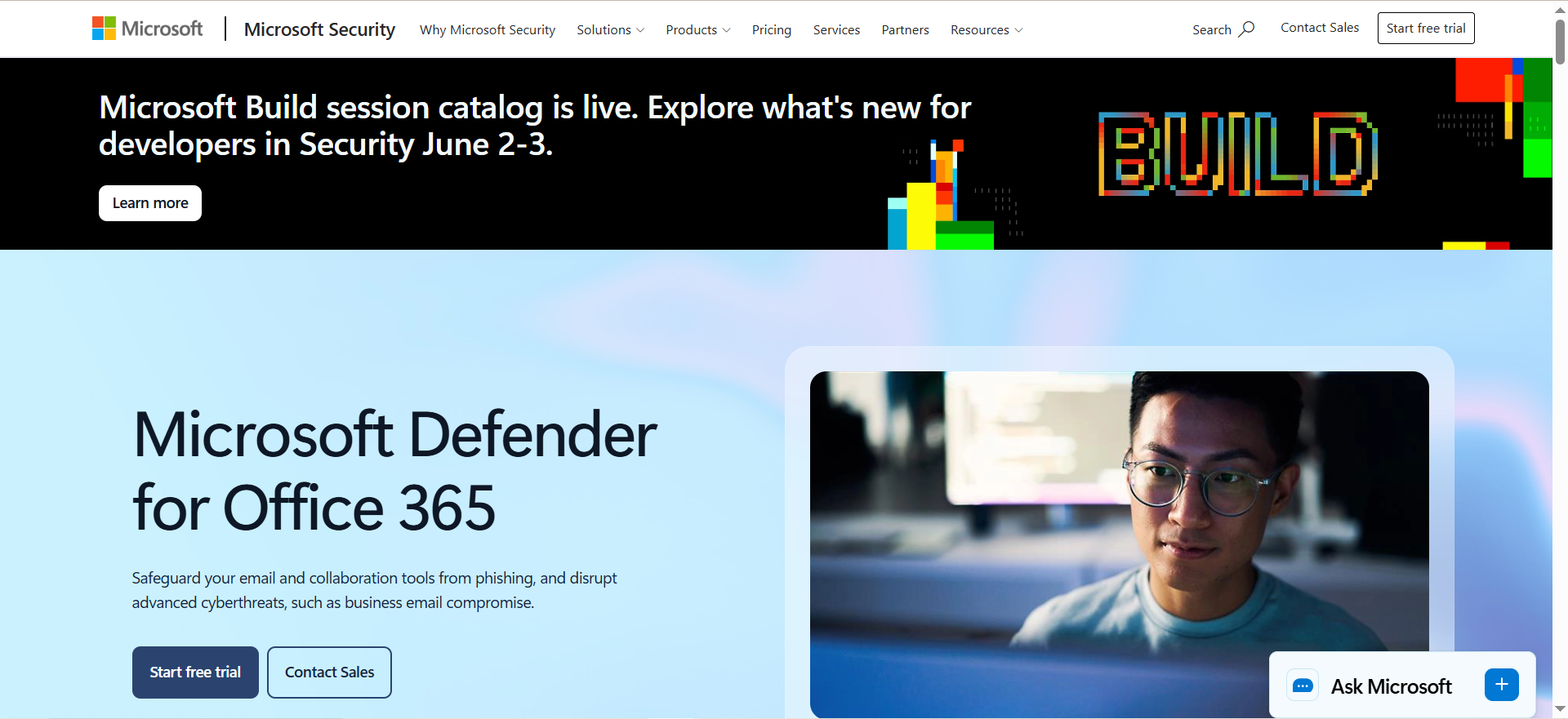
Microsoft Defender for Office 365 is Microsoft's native email security solution built directly into the Microsoft 365 ecosystem. It protects against phishing, BEC, malware, and account compromise using a combination of large language model (LLM)-based intent analysis, behavioral signals, and cross-product threat intelligence from the broader Microsoft Defender XDR platform. Available in two plans, it ranges from core anti-phishing and safe attachments (Plan 1) to full attack simulation, investigation, and automated response capabilities (Plan 2).
Why Teams Use It
Teams choose Microsoft Defender for Office 365 because it is natively integrated with the tools they already use. There is no separate vendor to manage, no API to connect, and no MX record to change. This streamlined approach mirrors what teams expect from their demand generation tooling: tight integration with minimal friction. Threat signals from email are correlated with signals from endpoints, identities, and cloud apps through Microsoft Defender XDR, giving security teams a unified view of attacks that span multiple surfaces. For organizations already invested in the Microsoft ecosystem, it is the path of least resistance to meaningful BEC protection.
What It Is Good For
Defender for Office 365 is effective at detecting BEC attacks that use executive impersonation, invoice tampering, and OAuth consent phishing. Its LLM-based filters analyze email language to infer intent, going beyond simple keyword matching to understand whether a message is genuinely requesting a wire transfer or attempting social engineering. The platform also excels at safe link and safe attachment protection, with real-time detonation of suspicious URLs and files.
When It Is a Good Fit
Microsoft Defender for Office 365 is the natural choice for organizations that are fully committed to the Microsoft 365 ecosystem. If your team uses Exchange Online, Teams, SharePoint, and OneDrive, Defender integrates seamlessly and shares threat signals across all of those surfaces. Starting July 2026, Plan 1 will be included in Microsoft 365 Business Standard and E3 at no additional cost, making it effectively free for a large portion of Microsoft customers.
When It Is Not a Good Fit
Organizations using Google Workspace or hybrid email environments will not benefit from Defender for Office 365, as it only protects Microsoft 365 mailboxes. Teams that need best-of-breed, AI-native behavioral detection specifically for BEC may find that Defender's protection, while solid, does not match the depth of purpose-built solutions like Abnormal Security or Darktrace for catching the most sophisticated social engineering attacks. If your threat model requires advanced vendor fraud detection or supply chain email monitoring, a dedicated tool may fill that gap better.
How to Use It
Defender for Office 365 is enabled directly from the Microsoft 365 admin center or Microsoft Defender portal. There is no separate installation, API connection, or MX record change. Administrators configure anti-phishing policies, safe links, safe attachments, and BEC detection rules through the security portal. Plan 2 adds attack simulation training, automated investigation and response (AIR), and threat hunting capabilities in the Microsoft Defender XDR console.
Key Capabilities
Key capabilities include LLM-based BEC detection with intent analysis, anti-phishing policies with impersonation protection, safe links (URL rewriting and click-time scanning), safe attachments (file detonation in a sandbox), automated investigation and response (Plan 2), attack simulation training for end users (Plan 2), integration with Microsoft Defender XDR for cross-surface threat correlation, OAuth consent phishing detection, and real-time reporting and threat analytics.
Pricing
Microsoft Defender for Office 365 Plan 1 costs $2 to $4 per user per month depending on the licensing path. Plan 2 costs approximately $5 per user per month. Starting July 2026, Plan 1 will be included in Microsoft 365 E3 and Business Standard at no additional cost. This packaging change makes Defender for Office 365 Plan 1 effectively free for organizations already on those license tiers. Plan 2 remains a paid add-on.
Free Tier?
No standalone free tier, but Plan 1 is being bundled into Microsoft 365 Business Standard and E3 starting July 2026 at no extra cost. Organizations on those plans will receive BEC protection as part of their existing subscription.
Downsides and Limitations
Defender for Office 365 only protects Microsoft 365 environments. There is no support for Google Workspace or on-premises Exchange (beyond hybrid configurations). While its BEC detection has improved significantly with LLM-based analysis, purpose-built behavioral AI platforms may still catch more nuanced social engineering attacks. The admin interface in the Microsoft Defender portal can be overwhelming for teams without dedicated security staff. Plan 1 covers protection only; investigation, hunting, and simulation training require Plan 2.
How Does Business Email Compromise Work?
Business email compromise works by exploiting trust within an organization's email communications. Attackers typically research their target through publicly available information, such as LinkedIn profiles, company websites, press releases, and social media, to identify executives, finance team members, and vendor relationships. Armed with this knowledge, they craft emails that impersonate a trusted party and request an action that appears legitimate, such as a wire transfer, a change in payment details, or the sharing of sensitive data.
The attack often begins with account compromise (using stolen credentials or phishing) or domain spoofing (using a lookalike domain). Once the attacker controls a legitimate email account or convincingly impersonates one, they insert themselves into ongoing conversations or initiate new ones that align with normal business processes. The most effective BEC attacks avoid malicious links or attachments entirely, making them invisible to traditional email security tools that rely on payload-based detection.
What Is the Difference Between Phishing and BEC?
Phishing is a broad category of email-based social engineering where attackers send messages designed to trick recipients into clicking malicious links, downloading malware, or entering credentials on fake websites. Phishing campaigns are typically sent at scale to large numbers of recipients and rely on generic lures like fake shipping notifications, password reset requests, or account alerts.
BEC is a specific, targeted subset of social engineering that focuses on impersonating a trusted business contact (an executive, a vendor, a finance team member) to manipulate the recipient into taking a specific financial or data-related action. BEC attacks are low-volume, highly personalized, and almost never contain malicious payloads. The key difference is that phishing attacks try to compromise credentials or deliver malware, while BEC attacks try to manipulate human behavior through trust and authority. This is why BEC requires behavioral AI detection rather than traditional signature-based scanning.
How to Detect BEC Attacks in Real Time
Detecting BEC attacks in real time requires tools that analyze behavioral signals rather than scanning for known threats. Effective real-time BEC detection typically involves building communication baselines for every user and external contact, then flagging anomalies in sender behavior, message timing, language patterns, and request types. AI-powered platforms like Abnormal Security and Darktrace build these baselines automatically by ingesting historical email data and learning what normal looks like.
Key signals that indicate a possible BEC attempt include unexpected requests for wire transfers or payment changes from known contacts, subtle changes in email addresses or domain names, messages sent outside normal business hours or from unusual locations, deviations in writing style or tone compared to previous communications, and newly created inbox rules that forward or delete messages. Platforms that combine behavioral AI with relationship graph analysis (mapping who communicates with whom and how often) provide the strongest real-time detection.
BEC Protection for Microsoft 365 Environments
Microsoft 365 environments have multiple layers of BEC protection available. The built-in Exchange Online Protection (EOP) provides basic anti-spam and anti-phishing filtering. Adding Microsoft Defender for Office 365 Plan 1 brings anti-impersonation policies, safe links, safe attachments, and LLM-based BEC detection. Plan 2 adds investigation, hunting, and attack simulation.
For organizations that want defense-in-depth, API-based solutions like Abnormal Security and Darktrace EMAIL can be layered on top of Microsoft's native protections without changing MX records or disrupting mail flow. This combination gives you Microsoft's built-in filtering as the first line plus behavioral AI as a second layer that catches the socially engineered attacks that signature-based detection misses. Many enterprise security teams run both a native Microsoft protection layer and a third-party behavioral AI tool simultaneously.
AI-Based Email Security vs Traditional Gateways
Traditional secure email gateways (SEGs) like Proofpoint and Mimecast sit in front of your mail server and inspect every message using known threat signatures, reputation databases, URL analysis, and attachment sandboxing. They are highly effective at stopping malware, spam, and known phishing campaigns. However, they struggle with text-only BEC attacks that contain no malicious payload because there is nothing for signature-based detection to flag.
AI-based email security platforms like Abnormal Security and Darktrace take a fundamentally different approach. Instead of looking for known bad indicators, they build behavioral models of normal communication and detect deviations. This makes them far more effective at catching novel BEC attacks, account takeovers, and vendor fraud. The tradeoff is that AI-based platforms typically do not replace SEGs entirely, as you still need a gateway for spam filtering, malware scanning, and outbound protection. The strongest security posture combines both: a traditional gateway for payload-based threats and a behavioral AI layer for socially engineered attacks.
How to Evaluate BEC Protection Tools
When evaluating BEC protection tools, prioritize these factors in order of importance: detection accuracy for text-only BEC attacks (the hardest threat to catch), false-positive rate (too many false positives erode trust and slow down operations), deployment complexity (API-based deploys in minutes; SEGs require MX changes), integration with your existing email platform (Microsoft 365, Google Workspace, or hybrid), investigation and forensic capabilities (can your team understand why a message was flagged?), pricing model and total cost of ownership (per-user pricing, modular add-ons, and contract terms), and vendor track record and third-party validation (Gartner, G2, independent testing).
Request a proof-of-value from your top two or three candidates. Let them analyze your actual email traffic for two to four weeks and compare detection rates, false-positive rates, and ease of use side by side. This real-world evaluation is far more valuable than feature-list comparisons.
BEC Attack Statistics and Trends in 2026
BEC continues to be one of the costliest categories of cybercrime. The FBI's IC3 reported over $2.7 billion in adjusted losses from BEC in 2024, and the trend has accelerated into 2025 and 2026. SpiderLabs observed a 15% increase in BEC attacks in 2025, and Q1 2026 saw approximately 10.7 million BEC attacks globally, with a 26% surge in March alone.
Several trends define the current landscape. For a broader view of how AI is reshaping business operations, see our roundup of AI marketing statistics. AI-generated BEC emails are now widespread, with an estimated 40% of BEC phishing emails being AI-generated by mid-2024, making them harder to distinguish from legitimate messages. Vendor email compromise (VEC) has overtaken internal impersonation as the dominant BEC tactic, accounting for 61% of all BEC attacks. Multi-mailbox compromise is increasing, with 50% of BEC incidents involving more than one compromised mailbox. The average BEC wire transfer request sits around $24,586. These trends reinforce the need for behavioral AI detection that can adapt to evolving attack techniques rather than relying on static rules.
How to Train Employees on BEC Awareness
Employee training is a critical layer of BEC defense because even the best technical tools cannot catch every attack. Effective BEC awareness training should focus on recognizing the warning signs of impersonation emails: unexpected requests for wire transfers or payment changes, pressure to act quickly, slight variations in email addresses or domain names, and requests to bypass normal approval processes.
The most impactful training programs use simulated BEC attacks to test employee responses in realistic scenarios, provide immediate feedback when an employee clicks or responds to a simulation, use micro-learning modules that reinforce key concepts over time rather than relying on annual training sessions, and track metrics like click-through rates and report rates to measure improvement. Microsoft Defender for Office 365 Plan 2 includes built-in attack simulation training, and several third-party platforms offer BEC-specific simulation capabilities.
What Is Vendor Email Compromise (VEC)?
Vendor email compromise is a sophisticated variant of BEC where attackers compromise or impersonate a trusted external vendor or supplier rather than an internal executive. Because the fraudulent email comes from a legitimate vendor account (or a convincing lookalike), it bypasses many traditional detection methods that focus on internal impersonation.
VEC attacks typically target accounts payable teams with fraudulent invoices, requests to update banking details, or instructions to redirect payments to a new account. According to recent data, VEC now accounts for 61% of all BEC attacks, making it the dominant form of business email compromise. Defending against VEC requires tools that map vendor relationships, monitor for changes in vendor communication patterns, and verify payment-related requests through out-of-band confirmation. Abnormal Security and Darktrace both offer specific vendor fraud detection modules designed for this threat.
Best Practices for Preventing Wire Fraud via Email
Preventing wire fraud requires a combination of technical controls and business process safeguards. On the technical side, enforce multi-factor authentication (MFA) on all email accounts, implement DMARC, DKIM, and SPF to prevent domain spoofing, deploy behavioral AI email security to detect impersonation attempts, and disable automatic email forwarding rules to external domains.
On the process side, require dual-approval for all wire transfers above a defined threshold, mandate out-of-band verification (phone call to a known number) for any change in payment details or new wire instructions, maintain a verified list of vendor banking details and require written confirmation before updating any records, and train accounts payable and finance teams to recognize common BEC red flags. The combination of technical detection and human verification is the most reliable way to prevent wire fraud, because no single tool catches every attack and no process alone stops a convincing impersonation. Teams that also invest in AI-powered customer support can add another layer of verification for sensitive requests.



