

TL;DR
Most sales teams waste budget on lead generation tools that look right on a features page but fall apart in daily prospecting workflows. The real difference between tools shows up in data accuracy, credit economics, CRM sync reliability, and whether the tool actually fits how your reps work — not in how long the feature list is.
If you need verified contact data fast, UpLead and LeadIQ are the strongest picks for email-first prospecting. Wiza wins when your team lives inside LinkedIn Sales Navigator. RocketReach covers the widest database for occasional lookups at a lower price point. And Leadfeeder (Dealfront) takes a completely different angle — identifying which companies visit your website so your reps can prioritize accounts already showing buying intent.
This guide breaks down each tool by what it actually does well, where it falls short, pricing, and who it fits best. Every section is structured the same way so you can compare quickly and build a shortlist that matches your team size, budget, and sales motion.
Best Sales Lead Generation Tools in 2026 (Quick Comparison)
| Tool | Best For | Starting Price | Key Strength |
|---|---|---|---|
| UpLead | Email-first prospecting with verified data | $74/mo (annual) | 95% email accuracy guarantee with real-time verification |
| LeadIQ | LinkedIn-heavy SDR teams | $200/mo (200 credits) | One-click LinkedIn capture + job change alerts |
| Wiza | LinkedIn Sales Navigator power users | $49/mo | Fastest LinkedIn-to-verified-list workflow |
| RocketReach | Low-volume lookups and recruiting | $33/user/mo (annual) | Wide database coverage at competitive pricing |
| Leadfeeder (Dealfront) | Inbound-first teams tracking website visitors | €99/mo (annual) | Website visitor identification with intent signals |
1. UpLead
What It Does
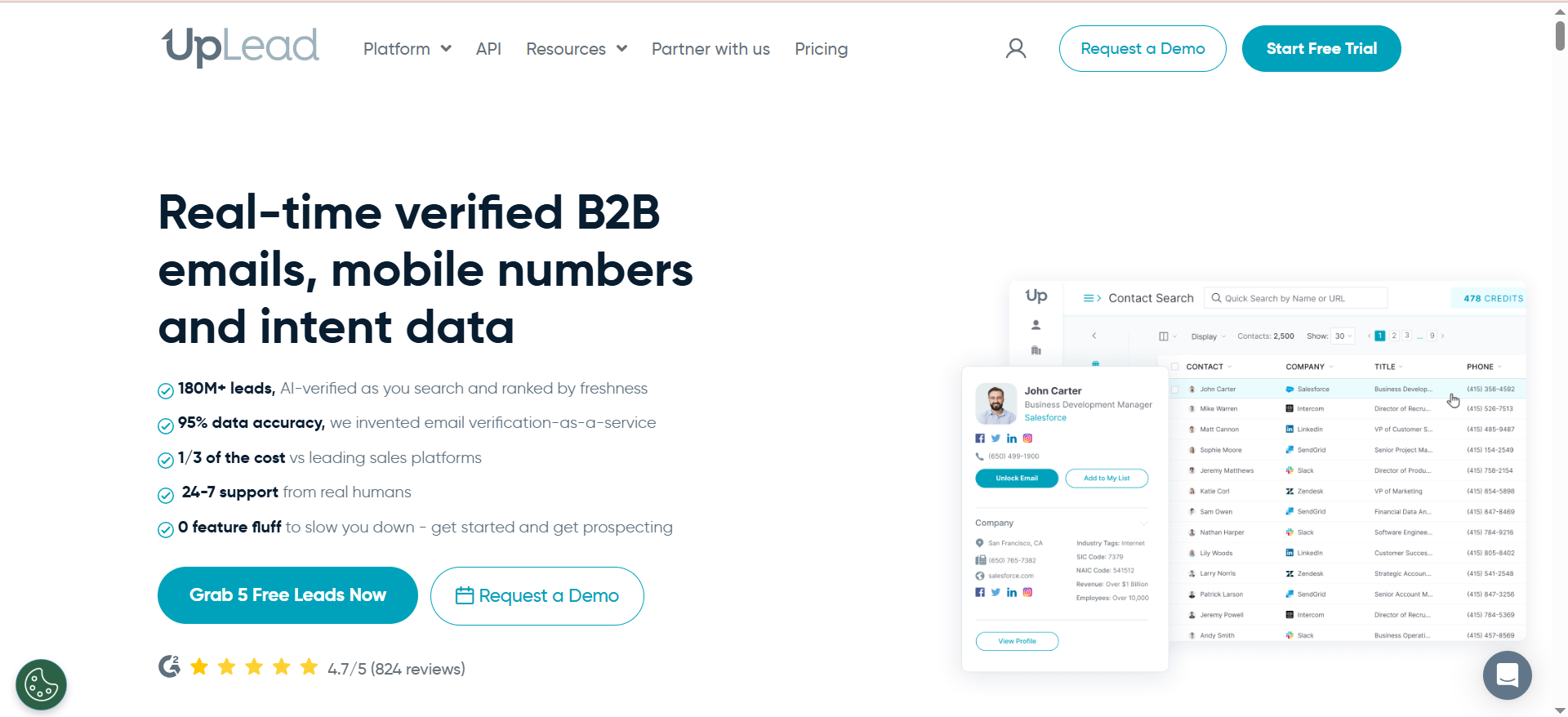
UpLead is a B2B contact data platform that lets sales teams search a database of over 155 million contacts using filters like industry, job title, company size, location, and technology stack. Every email is verified in real time before you download it, and if a contact bounces, UpLead returns the credit. The platform also includes buyer intent data, competitor intelligence, and technographic filters to help teams target accounts that are actively researching relevant solutions.
Why Teams Use It
Sales teams choose UpLead because the data accuracy guarantee removes the guesswork from prospecting. Instead of downloading a list and running it through a separate verification tool, UpLead handles verification at the point of export. This saves time, reduces bounce rates, and means reps spend more time selling and less time cleaning data. The 95% accuracy claim is backed by a credit-back policy — a level of accountability most competitors avoid.
What It Is Good For
UpLead works well for teams that prioritize email outreach and need clean, verified contact data without the overhead of enterprise pricing. The technographic filters are useful for selling to companies that use specific tools or platforms. Buyer intent data helps reps focus on accounts that are already researching solutions in their category, which shortens the path from cold outreach to a conversation.
When It Is a Good Fit
UpLead fits best when your team runs email-heavy outbound campaigns, needs a self-serve platform without long sales cycles, and wants transparent, published pricing. It is a strong choice for small to mid-size sales teams (1–20 reps) that need reliable contact data at a predictable cost. If your ICP is primarily North American, UpLead's coverage is strongest there.
When It Is Not a Good Fit
UpLead is not the right choice if your team prospects heavily outside North America — coverage in Europe and APAC is thinner. Teams that rely on phone-first outreach will find the mobile number coverage lacking, especially for niche industries. If you need a full outreach platform with built-in sequencing and dialing, UpLead only provides the data — you will need separate tools for execution.
How to Use It
Sign up for a free trial to test data quality against your ICP. Use the advanced search filters to build targeted lists by industry, title, company size, and technology. Export contacts directly to your CRM (Salesforce, HubSpot, Pipedrive, Zoho, or Microsoft Dynamics 365) or push them into your outreach sequencer (Outreach, SalesLoft, Reply.io, Lemlist, or Mailshake). Monitor credit usage to stay within your plan limits.
Key Capabilities
- Real-time email verification with credit-back guarantee
- 95% data accuracy claim on verified emails
- Technographic filtering (search by technology stack)
- Buyer intent data to identify in-market accounts
- Competitor intelligence for account-based prospecting
- 16+ CRM and sales tool integrations
- Chrome extension for on-page prospecting
- Bulk list building and CSV export
- Mobile direct dial numbers (limited availability)
- Company news and alerts
Pricing
- Free Trial: 7 days, 5 credits
- Essentials: $74/month billed annually ($99/month on monthly billing) — 170 credits/month
- Plus: $149/month billed annually ($199/month on monthly billing) — 400 credits/month
- Professional: Custom pricing (contact sales)
Each credit equals one contact export. Credits do not roll over between months.
Free Tier?
No permanent free plan. UpLead offers a 7-day free trial with 5 credits to test data quality and platform features. After the trial ends, you must choose a paid plan to continue.
Downsides and Limitations
- Mobile phone number coverage is thin, particularly for niche markets and titles outside C-suite
- Regional coverage is heavily weighted toward North America — European and APAC data is less reliable
- Credits do not roll over, so unused credits at month-end are lost
- Auto-renewal charges without advance notification have been flagged by multiple users
- No built-in email sequencing or outreach automation — it is a data-only platform
- Some users report outdated company records and contacts that no longer match the filters applied
2. LeadIQ
What It Does
LeadIQ is a prospecting workflow tool that captures verified B2B contact data directly from LinkedIn and LinkedIn Sales Navigator. Using a Chrome extension, reps can pull email addresses and phone numbers from LinkedIn profiles with a single click, then sync that data directly to their CRM and outreach sequencer. LeadIQ also tracks job changes among saved contacts and includes an AI writing assistant called Scribe for drafting personalized outreach messages.
Why Teams Use It
Sales teams use LeadIQ because it eliminates the manual data entry that slows down LinkedIn prospecting. Instead of copying contact details from one tab to another, reps capture and push data to Salesforce or HubSpot in one click. The job change tracking is a standout — when a champion or decision maker moves to a new company, LeadIQ alerts the rep automatically, creating a warm outreach opportunity that many teams credit directly for closed deals.
What It Is Good For
LeadIQ is built for the workflow between LinkedIn and your CRM. It works best when your reps spend significant time on LinkedIn or Sales Navigator and need a fast way to get verified emails into their sequences. The Scribe AI assistant helps draft personalized first lines, though most teams report needing to edit the output before sending. The job change alerts turn past relationships into new pipeline without extra research.
When It Is a Good Fit
LeadIQ fits best for mid-market SDR and BDR teams (5–50 reps) that prospect primarily through LinkedIn, already use Salesforce or HubSpot as their CRM, and have Outreach or SalesLoft in their stack for sequencing. It is a strong fit when your sales motion depends on personalized outreach at scale and your reps need to move quickly from finding a contact to starting a sequence.
When It Is Not a Good Fit
LeadIQ is not ideal for teams that rely heavily on cold calling — phone number quality is inconsistent and often outdated. If you need company-level firmographic or technographic data, LeadIQ is weak in that area and you will need to supplement with another tool. Teams outside the LinkedIn-heavy prospecting workflow will find limited value, and the universal credit model means phone-heavy teams consume credits quickly (10 credits per phone number vs. 1 per email).
How to Use It
Install the Chrome extension and connect your CRM (Salesforce, HubSpot) and sequencer (Outreach, SalesLoft). Browse LinkedIn or Sales Navigator, and click the LeadIQ icon on any profile to capture and sync contact data. Use the job change tracking dashboard to monitor when saved contacts move companies. Use Scribe to generate first-line drafts for outreach, then edit before sending.
Key Capabilities
- One-click contact capture from LinkedIn and Sales Navigator
- Real-time email verification across multiple data sources
- Job change alerts for tracked contacts
- Scribe AI writing assistant for personalized outreach drafts
- Native CRM integrations (Salesforce, HubSpot)
- Sequencer integrations (Outreach, SalesLoft)
- Team analytics and prospecting activity tracking
- List building and contact management
- Data enrichment for existing CRM records
- Chrome extension with inline data overlay
Pricing
LeadIQ uses a Universal Credits system where 1 email = 1 credit, 1 phone number = 10 credits, and 1 account enrichment = 3 credits.
- Free: $0 — 1 user, 50 credits/month
- Pro: Starting at $200/month — 200 credits (scales up to 6,750 credits via a slider), up to 5 users. Annual billing saves 25%.
- Enterprise: Custom pricing — larger credit volumes, Lando AI agent, SSO, governance controls, dedicated support
Credits do not roll over.
Free Tier?
Yes. The free plan includes 1 user and 50 universal credits per month (enough for 50 emails or 5 phone numbers). It is enough to test the Chrome extension workflow but not sufficient for active prospecting.
Downsides and Limitations
- Phone number data is frequently outdated or incorrect — a significant gap for cold-calling teams
- Credits do not roll over, and scaling beyond the Pro plan requires an Enterprise contract
- No built-in outreach execution — LeadIQ captures data but does not send emails or make calls
- Company-level data (firmographics, tech stack) is often missing, requiring supplemental research
- Scribe AI writing assistant produces generic output that needs heavy editing
- Salesforce integration has been reported as buggy by multiple users
- Limited value for teams that do not prospect heavily through LinkedIn
3. Wiza
What It Does
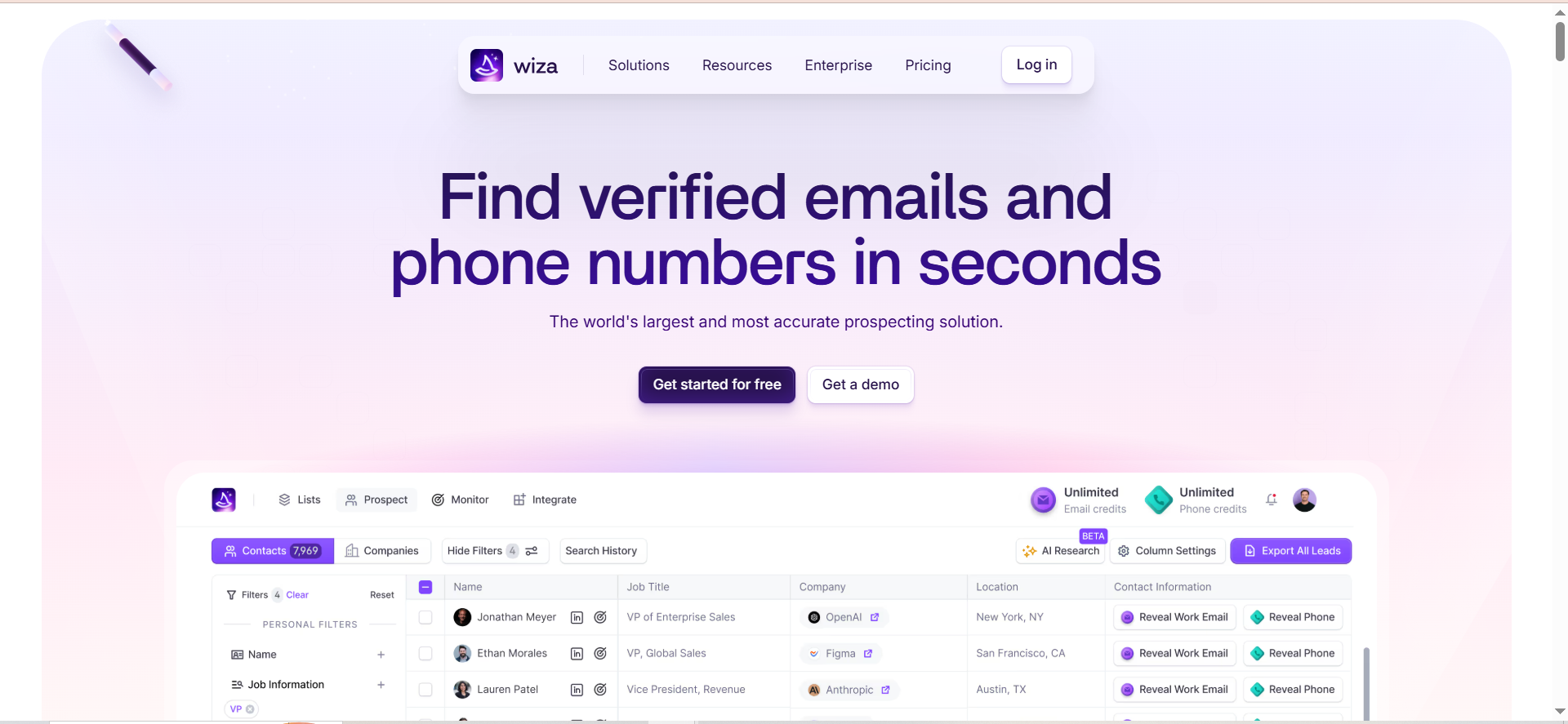
Wiza is a LinkedIn-native contact extraction tool that pulls verified email addresses and phone numbers from LinkedIn and LinkedIn Sales Navigator profiles. It operates as a Chrome extension that lets reps extract contacts individually or in bulk from Sales Navigator search results, verify the data in real time, and export it to their CRM or as a CSV. Wiza also offers a prospect database of 850+ million profiles and a monitoring feature that alerts reps when tracked decision makers change jobs.
Why Teams Use It
Teams choose Wiza because it is the fastest path from a LinkedIn Sales Navigator search to a clean, verified contact list. Where other tools require you to search within their own database, Wiza works directly inside Sales Navigator — the platform most reps already use to build target lists. The bulk extraction capability means a rep can process hundreds of profiles at once instead of capturing contacts one at a time.
What It Is Good For
Wiza excels when your prospecting workflow starts and ends in LinkedIn Sales Navigator. The bulk extraction is its strongest advantage — you can take a filtered Sales Navigator search of 500 prospects and have a verified contact list exported in minutes. The usage-based pricing on lower tiers means you only pay for contacts you actually export, which is cost-efficient for teams with variable prospecting volumes. The Wiza Monitor feature adds value by flagging job changes among tracked contacts.
When It Is a Good Fit
Wiza fits best for individual reps and small teams (1–10 users) who prospect heavily through LinkedIn Sales Navigator and need a fast, lightweight tool to extract and verify contacts. It is a strong choice when your team already pays for Sales Navigator and wants to maximize the value of that investment. Teams with variable prospecting volumes benefit from the credit-based model where you pay per contact rather than a flat monthly fee.
When It Is Not a Good Fit
Wiza is not ideal for teams that do not use LinkedIn Sales Navigator — the tool's core value depends on that subscription, which adds $80–100/month to your effective cost. Teams that need company-level firmographic data, intent signals, or built-in outreach automation will need to add other tools. Contact data accuracy for mid-market and smaller companies is inconsistent. High-volume teams on lower plans may find credit limits restrictive, and unused credits expire monthly.
How to Use It
Install the Wiza Chrome extension and log into LinkedIn Sales Navigator. Run a filtered search for your target prospects, then use Wiza to extract contacts in bulk or individually. Verify the data through Wiza's real-time verification, export the list to your CRM (Salesforce, HubSpot) or download as CSV. Set up Wiza Monitor to track job changes among key contacts.
Key Capabilities
- Bulk contact extraction from LinkedIn Sales Navigator searches
- Real-time email and phone number verification
- 850M+ contact profile database with 40+ data points per record
- Chrome extension for one-click and bulk prospecting
- Wiza Monitor for job change alerts
- CRM integrations (Salesforce, HubSpot)
- CSV import and export
- Advanced filtering and targeting
- Usage-based pricing on lower tiers
- API access on Team plans
Pricing
- Free: 20 email credits + 5 phone credits/month
- Starter: $49/month — 100 email + 100 phone credits
- Email: $83/month (annual) / $99/month (monthly) — email credits only
- Email + Phone: $166/month (annual) / $199/month (monthly) — email and phone credits
- Team: $449/month (annual) for 3+ users — unlimited emails and phones, API access, dedicated success manager
Credits do not roll over. LinkedIn Sales Navigator subscription is required separately.
Free Tier?
Yes. The free plan includes 20 email credits and 5 phone credits per month. It is enough to test the extraction workflow but not for regular prospecting.
Downsides and Limitations
- Requires a LinkedIn Sales Navigator subscription ($80–100/month), which doubles the effective cost
- Contact data accuracy is inconsistent for mid-market and smaller companies
- Unused credits expire at the end of each month
- No built-in outreach or email sending capabilities — data extraction only
- Bulk extraction from LinkedIn technically risks LinkedIn account restrictions
- Phone number accuracy is lower than email accuracy
- Limited company-level firmographic data compared to full intelligence platforms
4. RocketReach
What It Does
RocketReach is a contact lookup platform with a database of over 700 million professional profiles. It lets sales teams, recruiters, and marketers search for email addresses, phone numbers, and social media profiles using name, company, title, location, and industry filters. The platform includes a Chrome extension for in-browser lookups, bulk search capabilities, and API access for teams that want to build contact discovery into their own workflows.
Why Teams Use It
Teams choose RocketReach for its breadth of coverage and competitive pricing relative to enterprise alternatives like ZoomInfo. The platform covers a wide range of industries and geographies, making it useful for teams that prospect across diverse verticals. The lookup-based model means you search for specific contacts as needed rather than paying for bulk list access, which works well for teams with lower or variable prospecting volumes.
What It Is Good For
RocketReach works well for occasional, targeted contact lookups — finding the email of a specific VP at a target account, for example. The wide database coverage makes it useful when you need to reach contacts in industries or regions that smaller, more specialized tools miss. It also serves as a useful secondary tool for cross-referencing contact data from other sources. The API access on higher plans supports custom integrations for engineering-supported sales operations.
When It Is a Good Fit
RocketReach fits best for teams with moderate prospecting volume (under 500 lookups/month) that need a reliable fallback for contact discovery across diverse industries. It is a strong choice for recruiting teams that need to find candidate contact information, and for sales teams that use it alongside a primary prospecting tool to fill data gaps. The lower price point makes it accessible for startups and small teams.
When It Is Not a Good Fit
RocketReach is not the right tool for high-volume outbound teams that need consistently accurate data at scale. The reported email accuracy of 70–80% and bounce rates of 20–30% mean you will need to verify data through a separate tool before using it for outreach. Phone number accuracy is weaker (60–70%), which rules it out for cold-calling workflows. Teams targeting European contacts will find data coverage thinner than US coverage.
How to Use It
Search for contacts by name, company, title, or industry through the web platform or Chrome extension. Use bulk search for larger lists. Export contacts to your CRM or download as CSV. For teams with engineering support, the API allows programmatic lookups integrated into existing workflows. Verify exported data through a separate email verification service before using it for outreach campaigns.
Key Capabilities
- 700M+ professional profiles across multiple industries
- Email, phone, and social media profile lookup
- Chrome extension for LinkedIn and web-based lookups
- Bulk search and list building
- Advanced filters (title, industry, company, location, revenue)
- API access for custom integrations (Ultimate plan and above)
- Salesforce integration (Ultimate plan)
- Organizational charts (Ultimate plan)
- CSV and direct CRM export
- Browser extension for real-time prospecting
Pricing
- Free: 5 lookups/month (email only)
- Essentials: $33/user/month billed annually ($399/year) — 1,200 lookups/year
- Pro: ~$75/month billed annually ($899/year) — 3,600 lookups/year, phone numbers included
- Ultimate: ~$175/month billed annually ($2,099/year) — 10,000 lookups/year, API access, Salesforce integration
- Team/Enterprise: Custom pricing starting at $6,000/year
Overages cost $0.30–$0.45 per additional lookup. Export limits apply even on higher-tier plans.
Free Tier?
Yes. The free plan provides 5 lookups per month with email-only access. It is suitable for testing the platform but not for any regular prospecting workflow.
Downsides and Limitations
- Email accuracy averages 70–80% with reported bounce rates of 20–30%, lower than competitors
- Phone number accuracy is weaker at 60–70%
- European and APAC data coverage is less reliable than US data
- Cancellation process has been flagged as difficult by multiple users
- Lookup overages add $0.30–$0.45 per contact, which can escalate costs quickly
- Key features (API, Salesforce integration, org charts) are locked to the most expensive plans
- No built-in outreach or sequencing capabilities
5. Leadfeeder (Dealfront)
What It Does
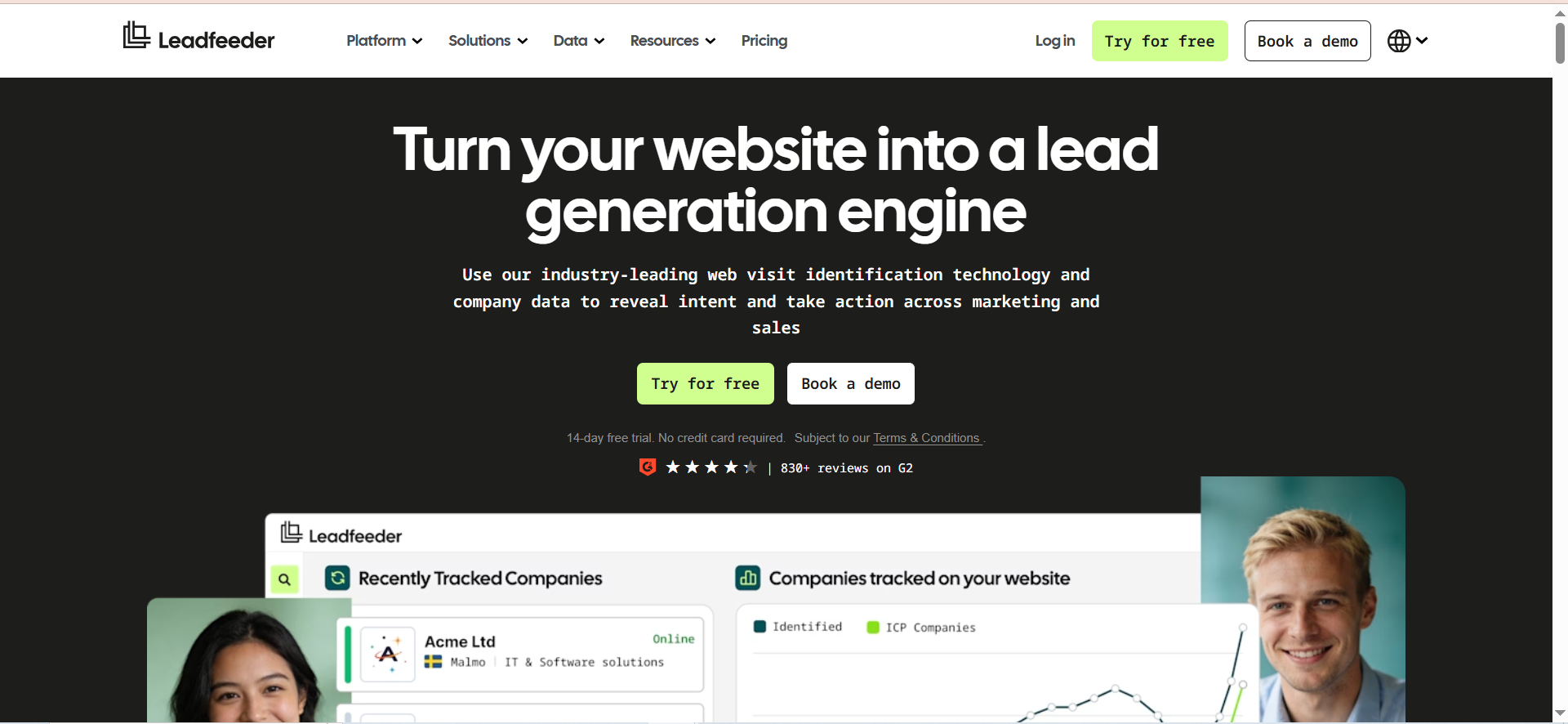
Leadfeeder, now part of the Dealfront platform, is a website visitor identification tool that uses reverse IP lookup to show which companies are visiting your website. It reveals the company name, firmographic data, browsing behavior (pages visited, time on site, visit frequency), and the Google Ads keywords that brought them there. Unlike contact-level tools, Leadfeeder operates at the account level — it tells you which companies are showing interest, not which individuals.
Why Teams Use It
Teams use Leadfeeder because it surfaces buying intent signals that contact databases cannot — specifically, it shows which accounts are already researching your product or category by visiting your website. This flips the prospecting model from cold outreach to warm, informed follow-up. Sales reps can prioritize accounts that are actively evaluating solutions rather than spraying outreach across a static list. The CRM integrations automatically create or update records when a target account visits, keeping pipeline data current.
What It Is Good For
Leadfeeder is strongest for inbound-first sales teams that want to identify and act on website traffic signals. It works well alongside content marketing and paid advertising strategies where you are already driving traffic to your site. The visitor journey data (which pages they viewed, how long they stayed, how many times they returned) gives reps context for more relevant outreach. EU data residency and GDPR compliance make it particularly valuable for European teams.
When It Is a Good Fit
Leadfeeder fits best for B2B companies with meaningful website traffic (1,000+ monthly visits) that want to convert anonymous visitors into actionable leads. It is a strong choice for teams running account-based marketing (ABM) programs where knowing which target accounts are engaging with your content changes how you prioritize outreach. Companies selling to European markets benefit from Dealfront's GDPR compliance and EU data residency. Marketing and sales alignment teams use it to connect ad spend to pipeline.
When It Is Not a Good Fit
Leadfeeder is not the right tool for teams that need individual contact data — it identifies companies, not people. You will still need a separate tool (like UpLead, LeadIQ, or Wiza) to find the right person at an identified company. The reverse IP method has a significant blind spot with remote workers — employees browsing from home or over consumer ISPs will not be identified, which limits accuracy for companies with distributed workforces. Teams with low website traffic will see minimal value. Small or mid-market companies often show up with incomplete firmographic data.
How to Use It
Install the Leadfeeder tracking script on your website (similar to Google Analytics setup). Connect your CRM (Salesforce, HubSpot, Pipedrive, Zoho, or Microsoft Dynamics 365). Set up custom feeds to filter visitors by criteria like company size, industry, or specific pages visited. When a target account visits, Leadfeeder creates or updates the CRM record automatically. Reps review the visitor feed daily to identify warm outreach opportunities.
Key Capabilities
- Reverse IP-based website visitor identification
- Company-level firmographic data (industry, size, revenue, location)
- Visitor journey tracking (pages viewed, time on site, visit frequency)
- Google Ads keyword attribution
- Custom feed filters for account prioritization
- CRM integrations (Salesforce, HubSpot, Pipedrive, Zoho, Microsoft Dynamics 365)
- Marketing platform integrations for channel performance analysis
- EU data residency and GDPR compliance
- Unlimited users on all plans
- 14-day free trial of paid features
Pricing
- Free: Up to 100 identified companies/month, 7-day data retention, unlimited users
- Paid: Starting at €99/month billed annually for up to 50 identified companies, scaling up to €1,199/month for 20,001–40,000 companies
- Monthly billing adds approximately 40% to annual pricing (e.g., €165/month for 50 companies)
- Annual plans are charged upfront for the full 12 months
Pricing scales based on the number of unique companies identified per month, not users.
Free Tier?
Yes. The free plan identifies up to 100 companies per month with 7-day data retention and unlimited users. It is enough to validate the concept but the limited data retention window makes it impractical for ongoing use.
Downsides and Limitations
- Identifies companies, not individual contacts — requires a separate tool for contact-level data
- Remote workers on consumer ISPs are invisible to reverse IP lookup, a growing blind spot in 2026
- Data quality for smaller companies and SMEs is often incomplete (missing industry, employee count, or decision-maker info)
- Annual plans auto-renew aggressively with no advance notification
- Legacy Leadfeeder customers have reported price increases after the Dealfront migration
- Pricing scales with identified companies, which can make costs unpredictable as traffic grows
- 80%+ of reveals may return incomplete or partial data per user reports
What Is a Sales Lead Generation Tool?
A sales lead generation tool is software that helps sales teams find, verify, and organize potential buyer contact information so reps can start conversations with the right people. These tools pull data from public sources, proprietary databases, LinkedIn, website traffic signals, and third-party data partnerships to surface email addresses, phone numbers, job titles, and company details.
The category has expanded beyond simple contact databases. Modern lead generation tools combine data discovery with filtering (by industry, company size, title, or technology stack), verification (confirming that an email is deliverable before you export it), and workflow integration (pushing contacts directly into your CRM or outreach sequencer). Some tools add intent signals — behavioral data that shows which accounts are actively researching solutions — to help reps prioritize the warmest opportunities.
The common thread across all these tools is reducing the time reps spend on research and data entry so more of their day goes toward actual selling.
How Do Sales Lead Generation Tools Work?
Most lead generation tools work by aggregating contact and company data from multiple sources, then letting you search, filter, and export the records that match your ideal customer profile. The mechanics vary by tool type.
Contact data platforms like UpLead and RocketReach maintain large databases of professional profiles built from public records, web scraping, data partnerships, and user-contributed data. When you search for a VP of Marketing at a mid-size SaaS company in the US, the platform queries its database and returns matching contacts with verified emails and phone numbers.
LinkedIn-native tools like LeadIQ and Wiza work differently. They operate as browser extensions that extract contact information from LinkedIn profiles in real time. When a rep views a profile on LinkedIn Sales Navigator, the extension pulls the associated email and phone number from external data sources and verifies it before saving.
Website visitor identification tools like Leadfeeder use reverse IP lookup. When someone visits your website, the tool matches their IP address to a known company and surfaces that company's firmographic data. This gives your team a list of accounts that are already showing interest in your product, even if they never filled out a form.
All three approaches feed into the same workflow: find the right accounts, get verified contact data for decision makers, and push that data into the systems where reps take action.
What Features Should You Look for in a Lead Generation Tool?
The features that matter most depend on your sales motion, but five criteria apply to every team evaluating these tools.
Data accuracy and verification is the most important factor. A large database means nothing if 30% of the emails bounce. Look for tools that verify contacts at the point of export (like UpLead's real-time verification) or that query multiple data sources per lookup (like LeadIQ). Ask for deliverability rates and test against contacts you already have verified.
CRM and sequencer integration determines whether the tool saves time or adds steps. Direct sync with Salesforce, HubSpot, or your CRM of choice eliminates manual data entry. Integration with your outreach platform (Outreach, SalesLoft, Lemlist) means contacts move from discovery to sequence without leaving the workflow.
Filtering and targeting capabilities affect how precisely you can build lists. Basic filters include industry, title, company size, and location. More advanced tools add technographic filters (what software the company uses), intent data (whether the account is actively researching), and firmographic details (revenue, funding stage, employee growth).
Credit economics and pricing transparency matter more than most buyers realize upfront. Understand how credits work — whether they roll over, what happens when you hit your limit, and whether overages are charged automatically. Compare the effective cost per contact across tools at your expected monthly volume.
Coverage depth for your ICP is more important than total database size. A tool with 700 million profiles is useless if it has thin coverage in your target market. Test each tool against 20–30 accounts in your pipeline to check whether it can find accurate contacts for the companies and titles you actually sell to.
Lead Generation Tools vs Sales Intelligence Platforms
The boundary between these categories is blurring, but the core distinction still matters for buying decisions.
Lead generation tools focus on finding and exporting contact data for outbound prospecting. They answer the question: "Who should I reach out to, and how do I contact them?" Tools like UpLead, LeadIQ, Wiza, and RocketReach fall squarely in this category. They give you emails, phone numbers, and basic company details.
Sales intelligence platforms go deeper. They combine contact data with firmographic and technographic analysis, buyer intent signals, org chart mapping, and predictive analytics. Platforms like ZoomInfo, 6sense, and Demandbase answer a broader question: "Which accounts should I prioritize, who are the decision makers, and when are they most likely to buy?"
In practice, most sales teams use tools from both categories. A team might use Leadfeeder to identify which accounts are visiting their website (intent), then use LeadIQ to find the right contacts at those accounts (data), then push everything into their CRM and sequencer for execution. The key is understanding what each tool does and does not do so you avoid paying for overlapping capabilities or leaving gaps in your workflow.
What Is Buyer Intent Data and Why Does It Matter for Lead Generation?
Buyer intent data is behavioral information that signals when a company or individual is actively researching products or solutions in your category. It captures activities like keyword searches, content downloads, review site visits, competitor comparisons, and pricing page views across the web.
Intent data matters because it shifts prospecting from cold to warm. Instead of reaching out to a static list of companies that match your ICP, you can prioritize the subset that is actively evaluating solutions right now. A VP of Sales at a company that visited three competitor pricing pages this week is a fundamentally different prospect than one who has shown no research activity.
Among the tools covered in this guide, UpLead includes buyer intent data as a built-in feature, letting you filter contacts by in-market signals. Leadfeeder provides first-party intent by showing which accounts visit your website and which pages they view. LeadIQ, Wiza, and RocketReach do not include intent data natively — teams using those tools typically layer in a dedicated intent data provider like Bombora, 6sense, or G2 to prioritize their outreach lists.
The practical takeaway: intent data does not replace contact data tools, it makes them more effective by telling you where to point them first.
How to Choose the Right Lead Generation Tool for Your Team
Start with three constraints: your primary prospecting motion, your team size, and your existing tech stack.
If your team prospects primarily through LinkedIn, tools like LeadIQ and Wiza that operate as browser extensions inside LinkedIn and Sales Navigator will save the most time. LeadIQ is better for teams that also need job change tracking and CRM enrichment. Wiza is better for bulk extraction from Sales Navigator searches.
If your team runs email-first outbound, UpLead's verified contact data with a credit-back guarantee gives the most confidence in deliverability. The technographic and intent filters help you build targeted lists without relying on LinkedIn.
If your team needs wide database coverage at a lower budget, RocketReach offers the broadest reach at the most competitive price point, though you should plan to verify data through a separate tool before sending campaigns.
If your team is inbound-first and wants to identify which accounts are already showing interest, Leadfeeder fills a gap that contact data tools cannot — it tells you which companies are visiting your website so you can focus outreach on accounts with demonstrated intent.
For team size, solo reps and teams under 5 should start with free plans or individual subscriptions to avoid overcommitting. Teams of 5–20 benefit from the mid-tier plans (LeadIQ Pro starting at $200/month, UpLead Plus at $149/month) that offer enough credits for consistent prospecting. Teams above 20 should negotiate Enterprise contracts for volume pricing, API access, and dedicated support.
For tech stack compatibility, verify CRM integration before committing. A tool that does not sync directly with your CRM creates manual work that erodes the time savings you are paying for.
How Accurate Are Lead Generation Tool Databases?
Accuracy varies significantly across tools and across data types (email vs. phone vs. company data).
Among the tools in this guide, UpLead claims 95% email accuracy and backs it with a credit-back guarantee on bounced contacts. LeadIQ achieves strong email accuracy by querying multiple data sources per lookup, though phone number accuracy is considerably lower. Wiza's email accuracy is generally solid for LinkedIn-sourced contacts but drops for mid-market and smaller companies. RocketReach reports the lowest accuracy in real-world testing — 70–80% for emails and 60–70% for phone numbers, with bounce rates of 20–30%.
Several factors affect accuracy regardless of tool. Data ages quickly — people change jobs, get new email addresses, and companies restructure. Tools that verify in real time (UpLead, Wiza) tend to outperform those that rely on periodically refreshed databases. Geographic coverage matters too — most tools have stronger US data than European or APAC data.
The practical advice: never send a campaign using raw exported data without verification. Even with tools that claim high accuracy, run your lists through a dedicated email verification service (like NeverBounce, ZeroBounce, or Millionverifier) before launching outreach. A 5% bounce rate is acceptable; above 10% risks your sender reputation.
Can Lead Generation Tools Replace Manual Prospecting?
No, but they can eliminate most of the manual research and data entry that makes prospecting slow. The actual selling — crafting relevant outreach, following up, reading signals, and building relationships — still requires human judgment.
What lead generation tools automate well: finding contact information, verifying email deliverability, enriching CRM records with company data, tracking job changes, and identifying which accounts are showing buying intent. What they cannot automate: deciding whether an account is truly a good fit, writing outreach that resonates with a specific person's context, handling objections in a call, or navigating complex buying committees.
The most effective teams use these tools to compress the research phase (which used to consume 30–40% of a rep's day) so reps spend more time in conversations. A rep using LeadIQ can capture and sync 50 verified contacts in the time it would take to manually research and enter 5. That time savings compounds into more pipeline, but only if the rep uses the freed-up hours for actual selling.
How Do Website Visitor Identification Tools Generate Leads?
Website visitor identification tools like Leadfeeder use a technique called reverse IP lookup. When someone visits your website, their browser sends a request from an IP address. The tool matches that IP address to a known company using a database of corporate IP ranges, then surfaces the company's name, industry, size, location, and other firmographic data.
This works well for visitors browsing from a corporate network or VPN that resolves to a company IP. The tool can tell you that someone at Salesforce visited your pricing page three times this week, viewed a case study, and spent 12 minutes on your features page. What it cannot tell you is which specific person at Salesforce was browsing — the identification is at the account level, not the individual level.
This creates a natural workflow pairing: Leadfeeder identifies the accounts showing intent, and a contact data tool (UpLead, LeadIQ, Wiza) finds the right person to contact at that account. The combination gives you both the "who is interested" signal and the "how to reach them" data.
The main limitation is remote work. Employees browsing from home, a coffee shop, or over a consumer ISP will not be matched to their company. In a workforce that is increasingly distributed, this means a meaningful share of real buyer traffic goes unidentified.
How to Measure ROI From Lead Generation Tools
Measuring ROI from lead generation tools requires tracking metrics that connect tool usage to pipeline and revenue outcomes, not just activity metrics like contacts exported.
Cost per qualified lead is the most direct metric. Take your monthly tool cost (subscription plus any overage charges), divide by the number of leads that converted to qualified opportunities. Compare this to your cost per lead from other channels (inbound, events, paid ads) to understand relative efficiency.
Data accuracy rate affects ROI indirectly but significantly. If 20% of your exported contacts bounce, you are paying for unusable data and risking your sender reputation. Track bounce rates per tool and per campaign to identify which tools deliver clean data.
Time savings per rep quantifies the productivity gain. Measure how long it takes a rep to find and verify 50 contacts manually versus using the tool. If the tool saves 5 hours per week per rep, multiply by your rep's hourly cost to get the dollar value of time recovered.
Pipeline influenced ties tool usage to revenue. Tag leads sourced from each tool in your CRM and track how many progress through your pipeline stages. The tool that generates the most pipeline per dollar spent is your highest-ROI investment.
Payback period tells you how quickly the tool pays for itself. If a $149/month UpLead subscription generates one closed deal worth $5,000 in the first quarter, the payback period is under one month. Track this quarterly to validate ongoing spend.



