
TL;DR
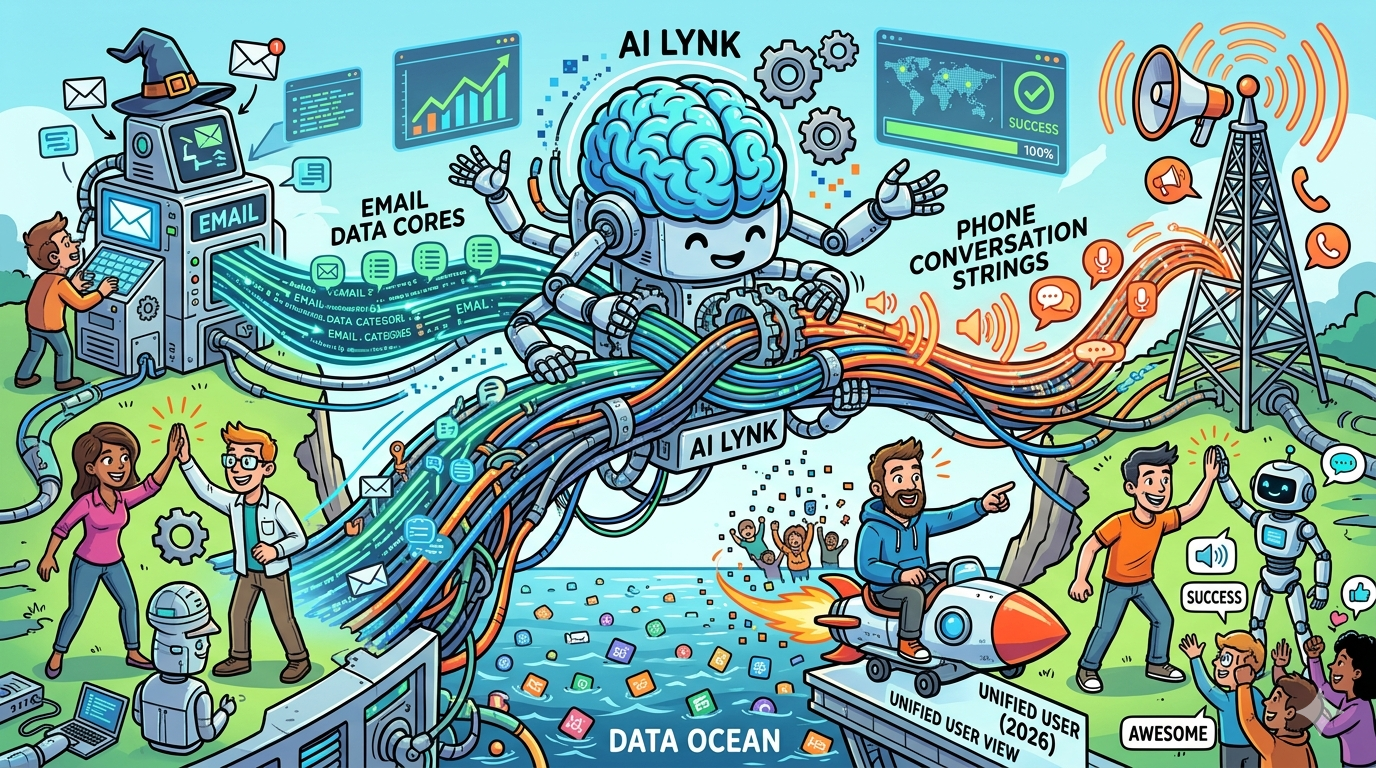
Most marketing teams run email and phone (SMS, calls, push) on separate platforms with separate data. That disconnect means customers get duplicate messages, conflicting offers, and a fragmented experience that tanks engagement. The fix is a platform that links email and phone touchpoints under a single customer profile so every message builds on the last, regardless of channel.
This guide compares the five strongest tools for that job in 2026: Braze, Iterable, Klaviyo, HubSpot, and Twilio. You will find a quick comparison table, detailed breakdowns of each platform's strengths and trade-offs, pricing specifics, and answers to the most common questions about cross-channel touchpoint linking. Whether you are a growth-stage SaaS company or an enterprise scaling engagement, at least one of these will fit.
Best AI Tools for Linking Email and Phone Touchpoints (Quick Comparison)
| Tool | Best For | Key Cross-Channel Features | Starting Price |
|---|---|---|---|
| Braze | Enterprise cross-channel orchestration | Native email, SMS, push, WhatsApp in one journey; Intelligent Timing, AI Decisioning Studio | ~$60,000/yr (Core) |
| Iterable | Growth-to-enterprise cross-channel campaigns | Email, SMS, push, in-app, WhatsApp in unified workflows; Send Time Optimization, Brand Affinity | ~$500-$1,500/mo (Startup) |
| Klaviyo | E-commerce and PLG SaaS email+SMS | Unified profiles across email, SMS, RCS, push, WhatsApp; Predictive analytics, K:AI agent | $35/mo (Email + SMS) |
| HubSpot | B2B teams wanting CRM-native engagement | Email + VoIP calling + SMS (via integrations) tied to CRM; AI-powered CRM, lead scoring | $20/seat/mo (Starter) |
| Twilio | Developer teams building custom cross-channel stacks | SMS, voice, email (SendGrid), WhatsApp APIs + Segment CDP; Event-Triggered Journeys | Pay-as-you-go ($0.0083/SMS) |
1. Braze
What It Does
Braze is an enterprise customer engagement platform that orchestrates messaging across email, SMS, push notifications, in-app messages, WhatsApp, and web channels through a unified customer profile. Every interaction feeds the same real-time profile, so a customer who opens an email and later calls support is recognized as one person with one journey.
Why Teams Use It
Marketing and engagement teams at companies like Burger King, HBO Max, and Etsy use Braze because it treats cross-channel orchestration as a core function rather than an add-on. The platform's Canvas visual journey builder lets teams design multi-step campaigns that branch across email, SMS, and push based on real-time user behavior. When a user ignores an email, Braze can automatically try SMS. When they engage with a push notification, the next email adjusts its content accordingly.
What It Is Good For
Braze excels at high-volume, real-time cross-channel campaigns where speed and personalization matter. The platform processes behavioral data in real time, which means a user who abandons a cart on your app can receive a push notification within seconds, followed by an email an hour later, and an SMS the next morning — all coordinated through a single Canvas flow. Braze's data infrastructure handles billions of data points daily, making it the choice for companies with large consumer bases.
When It Is a Good Fit
Braze fits teams that need enterprise-grade cross-channel orchestration with real-time data processing. If your company has 50,000+ monthly active users, runs campaigns across three or more channels simultaneously, and needs AI-driven send-time and channel optimization, Braze is built for that scale. Consumer apps, media companies, and high-growth SaaS companies with PLG motions benefit most.
When It Is Not a Good Fit
Braze is not built for small teams or companies with fewer than 10,000 MAUs. The pricing starts at roughly $60,000 per year for the Core tier, which puts it out of reach for seed-stage startups and small businesses. Teams that only need email marketing or basic SMS campaigns will find the platform over-engineered for their needs. The learning curve is steep, and without a dedicated marketing operations person, most of the platform's power goes unused.
How to Use It
Implementation starts with integrating your data sources — CRM, product analytics, e-commerce platform — into Braze via its SDK or REST API. Once data flows in, you build customer segments based on behavior, demographics, and engagement history. Campaigns are built in Canvas, where you map out the journey: trigger events, set delays, add channel decision points, and configure fallback paths. Braze's Intelligent Channel feature automatically selects the best channel for each user based on past engagement patterns.
Key Capabilities
Braze's standout capabilities include Canvas for visual multi-step journey orchestration, Intelligent Timing that optimizes send times per individual user, Intelligent Channel that selects the highest-engagement channel per recipient, BrazeAI Decisioning Studio for AI-driven campaign decisions, real-time data streaming and event processing, Currents for data export to analytics platforms, Content Cards for persistent in-app messaging, and Liquid-based dynamic content personalization across all channels.
Pricing
Braze uses custom, usage-based pricing tied to monthly active users (MAUs) and messaging volume. The Core tier typically starts around $60,000 to $100,000 annually for 50,000 to 250,000 MAUs and includes email, push, and in-app messaging. Pro and Enterprise tiers add SMS, WhatsApp, advanced analytics, and dedicated support, with costs ranging from $100,000 to $250,000+ per year depending on scale.
Free Tier?
No. Braze does not offer a free plan. The platform is designed for mid-market and enterprise buyers with established customer engagement needs.
Downsides and Limitations
The biggest barrier is cost — Braze is one of the most expensive platforms in this category, and the usage-based model means costs can spike unexpectedly as your audience or messaging volume grows. The initial setup requires engineering resources for SDK integration and data pipeline configuration. Some users report that the reporting and analytics capabilities, while functional, are not as deep as dedicated analytics platforms. SMS and WhatsApp are only available on higher tiers, which means Core-tier buyers cannot access the full cross-channel experience without upgrading.
2. Iterable
What It Does
Iterable is a cross-channel marketing platform that enables growth and enterprise teams to orchestrate personalized campaigns across email, SMS, push notifications, in-app messaging, WhatsApp, and web push from a single workflow builder. The platform uses AI-powered optimization to determine the best time, channel, and content for each individual customer.
Why Teams Use It
Companies like Priceline, DoorDash, Calm, and Box use Iterable because it balances enterprise-grade cross-channel capabilities with a marketer-friendly interface. The drag-and-drop workflow builder lets non-technical marketers create complex, branching journeys that span email and SMS without writing code. At the same time, the platform's API-first architecture gives engineering teams the flexibility to build custom integrations and data pipelines.
What It Is Good For
Iterable is strong at lifecycle marketing where email and SMS need to work together as part of a coordinated customer journey. The platform's workflow builder supports if/then branching, time delays, channel preference checks, A/B splits, and webhook triggers, which means you can build a journey where a welcome email triggers on Day 0, a push notification fires on Day 2 if the email was not opened, and an SMS goes out on Day 4 if neither channel got engagement. Brand Affinity scoring adds another layer by classifying users as loyal, positive, neutral, or negative toward your brand and adjusting messaging accordingly.
When It Is a Good Fit
Iterable fits mid-market and growth-stage companies with 10,000+ MAUs that need to run sophisticated, multi-channel lifecycle campaigns. Teams that have outgrown basic email platforms like Mailchimp but are not ready for or do not need the enterprise complexity of Braze will find Iterable in the sweet spot. It is especially strong for product-led growth companies that need to trigger messages based on in-product events.
When It Is Not a Good Fit
Iterable is not ideal for very small teams with fewer than 5,000 contacts or tight budgets. While pricing is more accessible than Braze, the Growth tier still typically runs $3,000 to $6,000 per month for 10,000 to 50,000 MAUs. Companies that only need simple email newsletters or basic drip campaigns will find the platform's workflow complexity unnecessary. Teams that need deep CRM functionality (pipeline management, deal tracking) will not find it here — Iterable is a marketing engagement platform, not a CRM.
How to Use It
Setup involves connecting your data sources via Iterable's API or pre-built integrations (Segment, Snowflake, mParticle). Once user data is flowing, you build segments based on user attributes and behavioral events. Workflows are created in the visual builder, where you map out multi-channel journeys with branching logic. Iterable's Send Time Optimization analyzes each user's engagement history and delivers messages when that individual is most likely to open and interact.
Key Capabilities
Iterable's core capabilities include a drag-and-drop workflow builder with cross-channel branching, Send Time Optimization for per-user delivery timing, Brand Affinity scoring for engagement-based audience classification, Engagement Optimization for automatic channel selection, catalog-based personalization for product recommendations, A/B and multivariate testing across channels, real-time event tracking and behavioral segmentation, and native integrations with CDPs and data warehouses.
Pricing
Iterable uses custom pricing based on MAU volume with annual contracts. Estimated pricing tiers: Startups with 1,000 to 10,000 MAUs pay roughly $500 to $1,500 per month. Growth-stage companies with 10,000 to 50,000 MAUs pay approximately $3,000 to $6,000 per month. Enterprise deployments can run $5,000 to $15,000+ per month. SMS is available as an add-on with per-message pricing. Implementation costs range from $5,000 to $20,000 depending on complexity.
Free Tier?
No. Iterable does not offer a free plan. They do offer demos and pilot programs for qualified companies.
Downsides and Limitations
SMS pricing is separate from the base subscription, which can make total costs harder to predict. The platform's reporting dashboards, while capable, sometimes lag behind real-time campaign data. Some users have noted that the template editor for emails could be more intuitive — complex email designs sometimes require HTML knowledge. The onboarding process can take several weeks for larger implementations, and the learning curve for the workflow builder is moderate for teams new to journey orchestration.
3. Klaviyo
What It Does
Klaviyo is a B2C CRM and marketing automation platform that unifies email, SMS, RCS, mobile push, and WhatsApp into a single customer profile. Originally built for e-commerce, the platform has expanded into a comprehensive cross-channel tool that connects every touchpoint under one identity-resolved profile. When a customer opens an email, clicks an SMS link, and browses your website, Klaviyo ties all of that activity to a single record.
Why Teams Use It
Over 167,000 brands use Klaviyo because it makes connecting email and SMS straightforward without enterprise-level complexity or pricing. The platform's unified customer profiles mean the same segmentation rules apply across both email and SMS — you do not need separate lists, separate audiences, or separate data tools. A customer who abandons a cart can receive an email at the 30-minute mark and an SMS at the 2-hour mark, all managed within the same flow.
What It Is Good For
Klaviyo is excellent at e-commerce lifecycle marketing where email and SMS need to fire in coordinated sequences based on shopping behavior. The platform's identity resolution merges customer data from multiple devices, channels, and identifiers into a single profile. In 2026, Klaviyo added support for up to five email addresses per profile, which means customers who use different email addresses for work and personal accounts are still recognized as one person. RCS business messaging is now generally available, adding rich media, carousels, and suggested replies to the SMS channel without requiring a separate app.
When It Is a Good Fit
Klaviyo fits e-commerce brands and PLG SaaS companies with 500 to 100,000+ active profiles that need email and SMS working together out of the box. If your primary use case is lifecycle marketing — welcome series, abandoned cart, post-purchase, win-back — and you want to add SMS to those flows without stitching together two separate platforms, Klaviyo handles that natively. The pricing model (based on active profiles rather than features) means you get the full feature set at every tier.
When It Is Not a Good Fit
Klaviyo is not designed for enterprise B2B marketing with complex account-based workflows. Companies that need advanced journey orchestration across five or more channels (email, SMS, push, in-app, web, WhatsApp) with AI-driven channel selection will find Braze or Iterable more capable. The platform's calling features are minimal — there is no native VoIP or phone call integration, so teams that need to link actual phone calls (not just SMS) to email touchpoints will need additional tools.
How to Use It
Getting started involves connecting your e-commerce platform (Shopify, WooCommerce, BigCommerce, or others) or data source via Klaviyo's pre-built integrations or API. Customer data, purchase history, and browsing behavior start flowing automatically. You build flows (automated sequences) using the visual flow builder, setting triggers like "abandoned cart," "placed order," or custom events. Each flow can include both email and SMS steps, with branching logic based on whether the customer engaged with the previous touchpoint.
Key Capabilities
Klaviyo's standout capabilities include unified customer profiles with identity resolution across devices and channels, combined email + SMS flow builder with shared segmentation, predictive analytics (next purchase date, churn probability, lifetime value), K:AI marketing agent for AI-generated campaigns, RCS business messaging with rich media and interactive elements, product recommendation engine that populates email content dynamically, up to five email addresses per profile for better identity matching, and 350+ pre-built integrations with e-commerce and SaaS tools.
Pricing
Klaviyo offers three plans. The Free plan supports up to 250 active profiles with 500 email sends and 150 SMS credits per month. The Email plan starts at $20 per month for 500 contacts, scaling to $130 per month at 10,000 contacts. The Email + SMS plan starts at $35 per month for 251 to 500 active profiles and includes 1,250 SMS/MMS credits plus mobile push notifications. SMS usage is credit-based and resets monthly — unused credits do not roll over.
Free Tier?
Yes. Klaviyo offers a free plan for up to 250 active profiles with 500 email sends and 150 SMS/MMS credits per month. The free tier includes the full feature set (automation, segmentation, analytics, forms, and integrations) with the only limitation being the contact and send caps.
Downsides and Limitations
SMS credits do not roll over month to month, which means you lose unused credits at the end of each billing cycle. International SMS and MMS messages consume more credits per send, which can make costs unpredictable for global audiences. The platform is heavily optimized for e-commerce, so B2B SaaS companies may find some features (like product recommendations and catalog integrations) less relevant. There is no native phone call tracking or VoIP — the "phone" channel is limited to SMS, MMS, and RCS. Advanced journey orchestration with five or more branching paths across multiple channels is more limited compared to Braze or Iterable.
4. HubSpot
What It Does
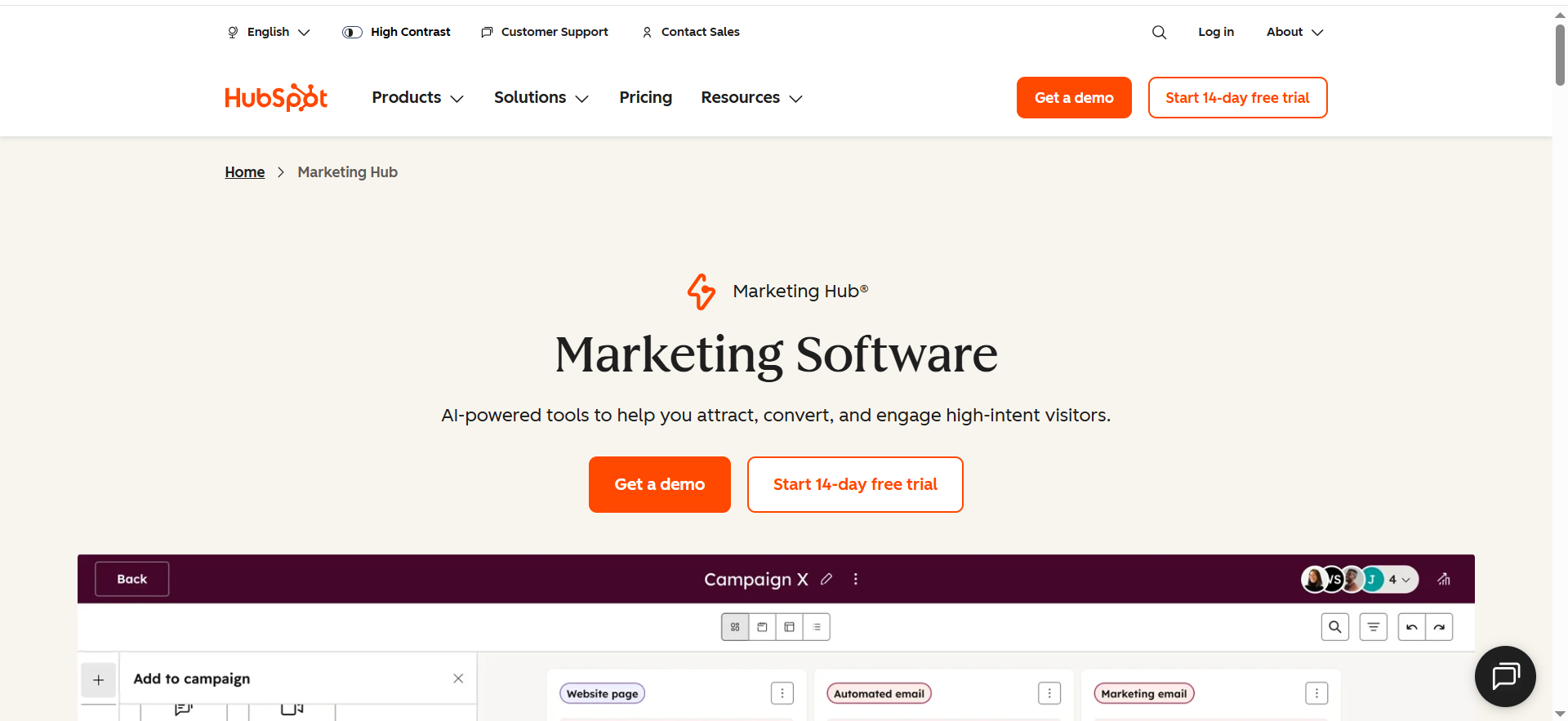
HubSpot Marketing Hub connects email marketing, VoIP calling, and CRM data into a single platform where every customer touchpoint — emails sent, calls made, forms submitted, pages visited — is logged on one contact record. Unlike the other tools in this list that focus primarily on marketing automation, HubSpot links email and phone touchpoints through its CRM backbone, which means sales calls and marketing emails both feed the same customer timeline.
Why Teams Use It
B2B marketing and sales teams use HubSpot because it eliminates the gap between marketing emails and sales phone calls. When a sales rep calls a prospect, the call is logged on the same contact record that shows which marketing emails that prospect opened, which landing pages they visited, and which forms they filled out. This CRM-native approach means marketing can see how their email campaigns influence phone conversations, and sales can see how email engagement signals buying intent before they pick up the phone.
What It Is Good For
HubSpot is strong at B2B lifecycle marketing where the customer journey naturally crosses between email nurture campaigns and phone-based sales outreach. The platform's workflow automation can trigger actions based on email engagement (opened, clicked, replied) and route high-intent leads to sales reps for phone follow-up. Lead scoring assigns points based on both email behavior and phone interactions, so the marketing-to-sales handoff is data-driven rather than gut-feel.
When It Is a Good Fit
HubSpot fits B2B teams with 1,000 to 50,000 marketing contacts that need email marketing, calling, and CRM in one platform. If your sales process involves nurturing leads with email content and then converting them through phone calls, HubSpot's integrated approach means you do not need to stitch together separate email, calling, and CRM tools. Mid-market SaaS companies with both marketing and sales teams benefit most from the cross-functional visibility.
When It Is Not a Good Fit
HubSpot is not a dedicated cross-channel engagement platform. Its SMS capabilities are limited compared to Braze, Iterable, or Klaviyo — native SMS marketing is not a core feature and requires third-party integrations. Teams that need to orchestrate real-time, behavior-triggered SMS campaigns alongside email will find HubSpot's marketing automation less sophisticated for that use case. The per-contact pricing model also means costs escalate quickly as your database grows, especially on Professional and Enterprise tiers.
How to Use It
Setup starts with importing your contacts into HubSpot CRM and connecting your email domain for marketing sends. You build email campaigns using the drag-and-drop editor, create automated workflows triggered by form submissions, email opens, page visits, or list membership. VoIP calling is set up through HubSpot's built-in calling tool or by integrating a third-party calling provider via the Calling Extensions SDK. Calls are automatically logged to the contact record with recording and transcription.
Key Capabilities
HubSpot's key capabilities for linking email and phone touchpoints include CRM-native email marketing with personalization based on contact properties, built-in VoIP calling with automatic call logging, recording, and transcription, workflow automation that triggers email and phone actions based on engagement, lead scoring that combines email behavior and call outcomes, multi-campaign email association for flexible reporting, smart content that adapts email content based on CRM data, attribution reporting that tracks how email and phone touchpoints contribute to deals, and 1,700+ integrations in the HubSpot App Marketplace.
Pricing
HubSpot Marketing Hub has four tiers. Free ($0) includes basic email marketing, forms, and CRM. Starter costs $20 per seat per month (annual billing) with 1,000 marketing contacts and 2,000 email sends per month. Professional costs $890 per month (annual) with 2,000 marketing contacts, 3 seats, and adds workflow automation, A/B testing, and advanced reporting — plus a mandatory $3,000 onboarding fee. Enterprise costs $3,600 per month (annual) with 10,000 marketing contacts, 5 seats, and includes custom objects, calculated properties, and advanced permissions — plus a $7,000 onboarding fee.
Free Tier?
Yes. HubSpot offers a free CRM with basic email marketing (branded emails), forms, live chat, and contact management. The free tier is genuinely useful for small teams getting started but is limited in marketing automation capabilities — workflows, A/B testing, and advanced segmentation are gated behind the Professional tier at $890 per month.
Downsides and Limitations
The biggest limitation for cross-channel engagement is the lack of native SMS marketing. Linking email and SMS requires third-party integrations, which adds cost and complexity. Professional and Enterprise tiers come with mandatory onboarding fees ($3,000 and $7,000 respectively) that are charged regardless of whether you use the onboarding services. The per-contact pricing model means adding marketing contacts beyond your tier's base gets expensive fast — a 5,000-contact list on Professional costs roughly $150 per month in overages on top of the base price. The most powerful marketing automation features (workflows, A/B testing, custom reporting) are locked behind the $890/month Professional tier, creating a steep jump from Starter.
5. Twilio
What It Does
Twilio is a communications API platform that provides the building blocks for linking email, SMS, voice, WhatsApp, and RCS into custom cross-channel experiences. Unlike the other tools in this list, Twilio is not a point-and-click marketing platform — it is an API-first infrastructure layer that gives developer teams full control over how communication channels connect, when messages fire, and how customer data flows between touchpoints. Twilio acquired SendGrid for email and built Twilio Segment as its customer data platform (CDP), creating a full stack for cross-channel engagement.
Why Teams Use It
Engineering-led companies like Airbnb, Uber, Stripe, and Shopify use Twilio because it provides complete flexibility over cross-channel communication logic. Instead of being constrained by a marketing platform's pre-built workflows, developer teams can write custom code that links email opens to SMS follow-ups, routes voice calls based on email engagement data, and triggers WhatsApp messages from product events — all through APIs they fully control.
What It Is Good For
Twilio is strongest when you need to build a custom cross-channel communication system that does not fit into any pre-built marketing platform's workflow model. The combination of Twilio Messaging (SMS, WhatsApp, RCS), Twilio SendGrid (email), Twilio Voice (phone calls), and Twilio Segment (CDP) gives teams a complete toolkit for linking every email and phone touchpoint through a unified customer data layer. Segment's Event-Triggered Journeys enable real-time responses to customer behavior — a cart abandonment event in your product can trigger an email through SendGrid and a follow-up SMS through Twilio Messaging, all orchestrated through Segment audiences.
When It Is a Good Fit
Twilio fits engineering-led companies that have development resources to build and maintain custom communication infrastructure. If your cross-channel engagement needs are unique — non-standard branching logic, custom data pipelines, integration with proprietary systems — and no off-the-shelf marketing platform supports your workflow, Twilio gives you the APIs to build exactly what you need. Companies with 50,000+ users that are already using Twilio for transactional messaging (verification codes, order confirmations) can extend that infrastructure into marketing with Segment and SendGrid.
When It Is Not a Good Fit
Twilio is not for marketing teams that want a drag-and-drop campaign builder. If your team does not have dedicated developers to build, maintain, and iterate on communication workflows, you will spend more time writing code than sending campaigns. The platform has no visual journey builder for marketers — everything is configured through APIs, SDKs, and code. Small teams without engineering resources should look at Klaviyo, HubSpot, or Iterable instead.
How to Use It
Implementation starts with setting up Twilio Segment to collect customer data from your website, app, and backend systems. Segment unifies this data into customer profiles using identity resolution. You then connect Segment to Twilio Messaging (for SMS) and SendGrid (for email) as destinations. Campaign logic is built through Segment's Journeys feature or through custom code using Twilio's APIs. For voice, you configure Twilio Voice to make and receive calls, with call data fed back into Segment profiles for a complete cross-channel view.
Key Capabilities
Twilio's cross-channel capabilities include programmable SMS, MMS, and RCS messaging APIs, SendGrid email API with deliverability tools, Twilio Voice for programmable voice calls, Twilio Segment CDP with identity resolution and 700+ pre-built connectors, Event-Triggered Journeys for real-time cross-channel orchestration, Twilio Engage for connecting Segment audiences to messaging channels, Conversations API for managing multi-channel threads (SMS, WhatsApp, chat, MMS), WhatsApp Business API, and real-time personalization powered by Segment data.
Pricing
Twilio uses pay-as-you-go pricing across its products. SMS costs $0.0083 per message sent or received (US). MMS costs approximately $0.0220 per sent message (US). Phone numbers cost $1.15 per month (local) or $2.15 per month (toll-free). SendGrid email API starts at $19.95 per month. Conversations API starts at $0.05 per active user per month. WhatsApp messages start at $0.005 per message. Twilio Segment pricing is custom and based on tracked users. Volume discounts apply automatically after 150,000 messages per month.
Free Tier?
Partially. Twilio offers trial credits for new accounts to test SMS, voice, and email APIs. SendGrid offers a 60-day free trial with up to 3,000 emails per month. Twilio Segment has a free tier for up to 1,000 visitors per month. However, there is no unified free tier that covers all products together.
Downsides and Limitations
The biggest barrier is the engineering requirement. Every cross-channel workflow must be built and maintained through code, which means ongoing developer time for campaign changes that would take minutes in a platform like Klaviyo or Braze. Costs can be unpredictable at scale because you are paying per message, per call, per active user across multiple products. There is no single dashboard for marketing teams to manage all channels — marketers need to work through developers for campaign execution. Twilio Segment is priced separately from the messaging APIs, which means the total cost of building a complete cross-channel stack can escalate significantly.
What Is Cross-Channel Touchpoint Linking?
Cross-channel touchpoint linking is the process of connecting customer interactions across different communication channels — email, SMS, phone calls, push notifications, in-app messages, and web — into a single, unified customer record. Instead of treating each channel as an isolated silo, linked touchpoints create a continuous narrative of how each customer interacts with your brand.
The technical foundation for touchpoint linking is identity resolution. When a customer opens a marketing email on their laptop, clicks an SMS link on their phone, and later calls your support line, identity resolution matches all three interactions to the same person using identifiers like email addresses, phone numbers, device IDs, and account IDs. Without identity resolution, that same customer appears as three separate people in your data, which leads to duplicate messages, conflicting offers, and wasted ad spend.
Modern platforms handle touchpoint linking through customer data platforms (CDPs) or built-in profile unification. The customer profile updates in real time as new interactions happen, so a behavior like opening an email or responding to an SMS immediately informs the next message the customer receives on any channel.
How Do Email and Phone Touchpoints Work Together in Marketing?
Email and phone touchpoints (SMS, calls, push) serve different roles in the customer journey, and their combined strength comes from coordination, not duplication. Email works best for content-rich communications — detailed product information, comparison guides, nurture sequences, and educational content. Phone touchpoints (SMS and calls) excel at time-sensitive, high-urgency messages — flash sales, appointment reminders, delivery updates, and one-on-one conversations.
The most effective cross-channel strategies use email as the primary nurture channel and SMS or phone calls as escalation channels. For example, a B2B SaaS company might send a lead nurture email on Monday. If the prospect opens the email but does not click the CTA, an SMS fires on Wednesday with a shorter, more direct message. If the prospect clicks the SMS link and visits the pricing page, the lead is scored high enough to trigger a sales call. Each touchpoint builds on the previous one because the data is shared across channels.
Research consistently shows that coordinated cross-channel messaging outperforms single-channel efforts. Omnichannel campaigns that leverage unified data produce engagement rates around 18.96%, compared to 5.4% for single-channel campaigns. The key is sequencing — not sending the same message on every channel simultaneously, but using each channel at the moment it is most likely to drive action.
What Features Should You Look for in a Cross-Channel Engagement Platform?
The feature set that matters most depends on your team's technical capabilities, budget, and channel mix. However, several core features separate effective cross-channel platforms from tools that simply support multiple channels without connecting them.
Unified customer profiles are non-negotiable. The platform must merge data from every channel into a single record that updates in real time. If your email tool and SMS tool maintain separate contact databases, you are not doing cross-channel marketing — you are doing multichannel marketing with extra steps.
Journey orchestration should support branching logic based on cross-channel behavior. You need to be able to say: "If the customer opens the email, send SMS A. If they do not, send SMS B. If they click SMS B, trigger a sales call." Platforms that only support linear sequences (email 1 → email 2 → email 3) cannot deliver true cross-channel coordination.
AI-powered optimization should include at minimum send-time optimization (delivering messages when each individual is most likely to engage) and channel optimization (automatically selecting the channel with the highest engagement probability for each customer). Platforms like Braze and Iterable offer both.
Real-time event processing is essential for behavior-triggered campaigns. The platform should fire messages within seconds or minutes of a triggering event (cart abandonment, feature activation, page visit), not hours later in a batch process.
How Does Identity Resolution Connect Email and Phone Data?
Identity resolution is the technical process of recognizing that two or more data points — an email address, a phone number, a device ID, a cookie — belong to the same person. In the context of linking email and phone touchpoints, identity resolution ensures that a customer who emails support from their work address and receives SMS campaigns on their personal phone is treated as one individual in your system.
The process works through deterministic and probabilistic matching. Deterministic matching uses known identifiers: when a customer logs in with their email and has a phone number on file, those two data points are hard-linked to the same profile. Probabilistic matching uses statistical models to infer connections based on behavioral patterns — for example, if the same IP address is associated with both an email open and an SMS click within minutes, the system infers those belong to the same user.
Klaviyo's identity resolution handles up to five email addresses per profile as of 2026, which addresses the common scenario where customers use different email addresses across personal and work contexts. Twilio Segment supports a wide range of identifiers and uses real-time merging to build unified profiles as data arrives from different sources. Braze maintains real-time profiles that update as soon as any channel interaction occurs.
The practical impact is significant: without identity resolution, a customer might receive three emails and two SMS messages because they appear as separate contacts in different channel tools. With identity resolution, the same customer receives one coordinated sequence across email and SMS.
Can Small Businesses Afford Cross-Channel Marketing Tools?
Yes, but the options narrow significantly at smaller budgets. Of the five tools in this guide, Klaviyo and HubSpot offer the most accessible entry points for small businesses.
Klaviyo's free plan supports up to 250 active profiles with 500 email sends and 150 SMS credits per month — that is enough for a small e-commerce store to run basic abandoned cart flows across email and SMS at zero cost. The paid Email + SMS plan starts at just $35 per month, which is realistic for businesses generating consistent revenue.
HubSpot's free CRM provides basic email marketing and contact management at no cost. The Starter tier at $20 per seat per month adds branded email sends, but meaningful marketing automation (workflows, A/B testing) requires the Professional tier at $890 per month, which is a significant jump.
Twilio's pay-as-you-go model can work for small businesses with developer resources, since you only pay for what you send. A company sending 1,000 SMS messages and 5,000 emails per month would pay roughly $20 to $25 total.
Braze and Iterable are generally out of reach for small businesses. Braze's Core tier starts around $60,000 per year, and Iterable's Growth tier runs $3,000 to $6,000 per month. Both platforms are designed for companies with established marketing operations and larger user bases.
What Is the Difference Between Multichannel and Omnichannel Marketing?
The terms are often used interchangeably, but they describe fundamentally different approaches to cross-channel communication.
Multichannel marketing means being present on multiple channels — email, SMS, phone, social, web — and running campaigns on each one. The key characteristic of multichannel is that each channel operates independently. Your email team manages emails, your SMS team manages texts, and there is little or no coordination between them. Customer data may exist in separate systems, and the experience on one channel does not inform the experience on another.
Omnichannel marketing means those same channels are connected through shared customer data, so the experience on one channel seamlessly informs the experience on every other channel. When a customer opens an email and then visits your website, the website recognizes them and shows content related to the email they just read. When they abandon a cart on the website, the follow-up SMS references the specific products they were browsing. The customer feels like they are having one continuous conversation with your brand, regardless of which channel they are using.
The technical difference comes down to data architecture. Multichannel tools maintain separate data stores per channel. Omnichannel tools maintain a unified customer profile that all channels read from and write to in real time. Every tool in this guide — Braze, Iterable, Klaviyo, HubSpot, and Twilio (with Segment) — supports omnichannel approaches through unified profiles, though the depth and sophistication of that unification varies.
How to Measure ROI From Linked Email and Phone Campaigns
Measuring ROI from cross-channel campaigns requires attribution models that account for the interplay between email and phone touchpoints, not just last-click metrics that credit whatever channel the customer touched last before converting.
Start with cross-channel attribution reporting. Platforms like HubSpot and Braze offer multi-touch attribution models that distribute conversion credit across every touchpoint in the customer journey. If a customer received a nurture email, clicked an SMS link, and then converted after a sales call, the revenue is attributed proportionally across all three interactions rather than giving 100% credit to the phone call.
Track channel-specific engagement rates alongside cross-channel lift. Measure email open rates, SMS response rates, and call connection rates individually, but also measure how cross-channel sequences perform compared to single-channel sequences. The delta between a single-channel email sequence and an email + SMS sequence targeting the same audience reveals the incremental value of adding the phone channel.
Revenue per message is a useful normalizing metric. Calculate the total revenue attributed to a campaign and divide by the total number of messages sent across all channels. This gives you a blended efficiency metric that accounts for the cost of each touchpoint.
Customer lifetime value (CLV) segmented by channel engagement is the most strategic metric. Compare the CLV of customers who engage on email only versus customers who engage on both email and SMS. This reveals whether cross-channel engagement produces structurally more valuable customers, not just higher short-term conversion rates.
What Role Does AI Play in Cross-Channel Customer Engagement?
AI in cross-channel marketing handles three core functions: timing optimization, channel selection, and content personalization.
Timing optimization uses machine learning to analyze individual user engagement patterns and determine when each person is most likely to open an email, read an SMS, or answer a phone call. Braze's Intelligent Timing and Iterable's Send Time Optimization both do this at the individual user level rather than using broad time-zone-based sends.
Channel selection algorithms determine which communication channel will produce the best response from each customer. Braze's Intelligent Channel feature analyzes a user's historical engagement across email, SMS, push, and other channels, then automatically routes the message through the channel with the highest predicted engagement rate. This means a customer who consistently opens push notifications but ignores emails will receive the campaign via push.
Content personalization uses AI to dynamically adjust the content of each message based on user behavior, purchase history, and predicted preferences. Klaviyo's K:AI marketing agent can generate entire campaigns from product catalogs and brand guidelines. Iterable's catalog-based personalization inserts product recommendations specific to each user's browsing and purchase history. Braze's Liquid-based personalization engine adjusts email and SMS content dynamically.
Predictive analytics adds a forward-looking layer. Klaviyo's predictive models forecast next purchase date, churn probability, and lifetime value, which allows teams to trigger intervention campaigns before a customer churns rather than after. Iterable's Brand Affinity scoring classifies users by their engagement trajectory, enabling proactive re-engagement for customers trending negative.
How to Unify Customer Profiles Across Email and Phone Channels
Unifying customer profiles requires three steps: data collection, identity resolution, and real-time synchronization.
Data collection starts with capturing identifiers from every touchpoint. When a customer submits a form with their email address, that email becomes a profile key. When they opt in to SMS, their phone number is added. When they log into your app, their user ID is linked. The goal is to capture every identifier the customer uses across your digital properties. Klaviyo does this automatically through its e-commerce integrations — when a customer makes a purchase, the email, phone, shipping address, and order history are all linked to one profile.
Identity resolution merges disparate identifiers into a single profile. This happens through deterministic matching (linking a known email to a known phone number based on a shared account ID) and probabilistic matching (inferring connections based on behavioral signals). Twilio Segment supports identity resolution through its Unify product, which reconciles identifiers across 700+ data sources into canonical user profiles.
Real-time synchronization ensures that every channel reads from and writes to the same profile simultaneously. When a customer opens an email, that engagement event must be visible to the SMS tool within seconds, not hours. Braze handles this through real-time data streaming — profile updates propagate across all channels instantly. Iterable's event tracking processes behavioral data in near-real-time, ensuring workflows react to the latest customer actions.
The practical implementation depends on your tool. Klaviyo and HubSpot handle profile unification natively within their platforms. Braze and Iterable require data pipeline integration (usually through Segment, mParticle, or direct API connections). Twilio Segment is itself the unification layer that other tools plug into.
Best Practices for Integrating Email and SMS Marketing Workflows
Start with consent management. Email and SMS have different opt-in requirements — email consent (even with CAN-SPAM's opt-out model) is different from SMS consent, which requires explicit prior opt-in under TCPA regulations in the US. Your platform must manage consent status per channel independently. Klaviyo and HubSpot handle multi-channel consent natively. Twilio provides compliance tools but requires configuration.
Design channel-appropriate content. Email supports long-form content, images, tables, and multiple CTAs. SMS is constrained to 160 characters (or 1,600 for MMS with media) and should deliver a single, clear action. Do not send the same copy on both channels — adapt the message to each channel's strengths. Use email for detail, SMS for urgency.
Sequence channels by engagement. The most effective pattern is: lead with email (lower cost, higher content capacity), escalate to SMS (higher open rates, higher urgency), and reserve phone calls for high-value conversions. Build workflows that check whether the customer engaged with the previous channel before escalating to the next one.
Respect frequency caps. Cross-channel campaigns multiply the number of messages a customer receives. A workflow that sends 3 emails and 2 SMS messages per week is sending 5 touchpoints, which can feel overwhelming. Set global frequency caps that limit total messages across all channels, not per-channel caps that ignore the cumulative effect.
Test cross-channel sequences against single-channel sequences. Run A/B tests where the control group receives only email and the test group receives email + SMS. Measure incremental lift in conversion, revenue, and engagement to justify the additional cost of SMS. Not every campaign benefits from adding SMS — test to find out which ones do.
Monitor deliverability across channels independently. Email deliverability depends on sender reputation, authentication (SPF, DKIM, DMARC), and list hygiene. SMS deliverability depends on carrier filtering, registration (10DLC, short code, toll-free verification), and compliance. Problems on one channel do not always affect the other, but both need regular monitoring.


