

TL;DR
If you run a small business and want to know what people are saying about your brand online, you do not need an enterprise-grade listening suite that costs thousands per month — you need a tool that catches the mentions that matter, tells you whether the sentiment is positive or negative, and stays within a budget that makes sense for a lean team.
After researching the current landscape, the five tools that consistently surface for small businesses in 2026 are Brand24, Mention, Awario, Google Alerts, and Sprout Social. Brand24 is the strongest all-around pick for most small teams because it balances coverage, usability, and price. Awario is the best option if budget is the top constraint. Google Alerts is the obvious starting point if you want something free and are willing to accept significant coverage gaps.
This guide breaks down each tool by what it does, who it is built for, what it costs, and where it falls short so you can make a decision without sitting through a dozen sales demos.
Best Brand Monitoring Tools for Small Businesses (Quick Comparison)
| Tool | Best For | Starting Price | Key Strength |
|---|---|---|---|
| Brand24 | All-around brand monitoring for growing teams | $149/mo annual (14-day trial) | AI-powered sentiment analysis + AI chatbot mention tracking |
| Mention | Competitive intelligence alongside monitoring | Custom pricing (Company plan) | Boolean search precision + competitive benchmarking |
| Awario | Budget-conscious small teams needing wide coverage | $24/mo annual (14-day trial) | Lowest entry price with Boolean search on all plans |
| Google Alerts | Founders who want basic, zero-cost monitoring | Free | Zero setup, zero cost, email-based alerts |
| Sprout Social | Teams already managing social media who want monitoring added | $199/mo annual (30-day trial) | Full social management suite with monitoring built in |
1. Brand24
What It Does
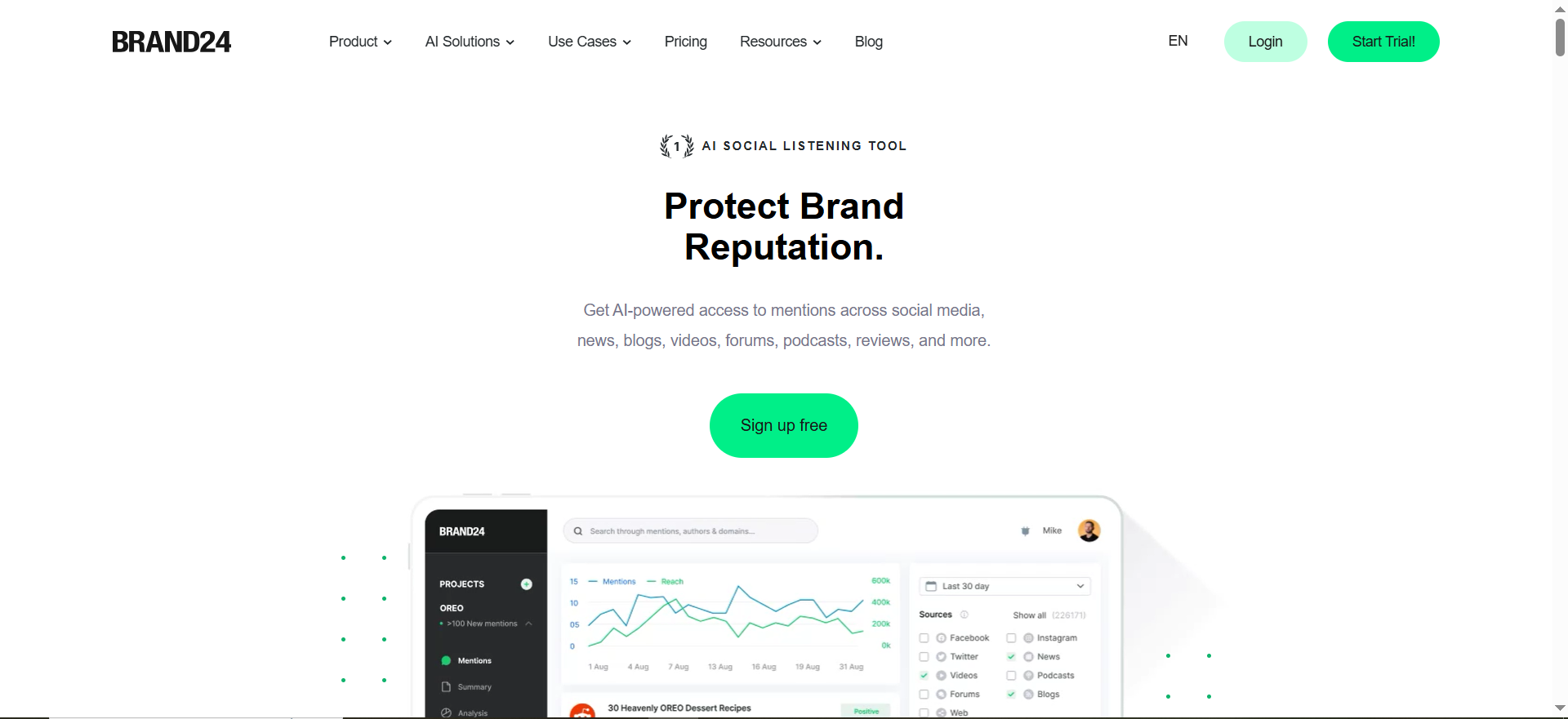
Brand24 is a social listening and media monitoring platform that tracks online mentions of your brand, competitors, or any keyword across more than 25 million sources. It covers social media platforms, news outlets, blogs, forums, review sites, podcasts, and video content. The platform supports monitoring in 108 languages and now includes tracking of AI chatbot mentions, showing you how tools like ChatGPT, Claude, Gemini, Perplexity, and Grok reference your brand.
Why Teams Use It
Small business teams choose Brand24 because it makes brand monitoring accessible without requiring a background in data analytics. The dashboard presents mentions in a real-time feed that you can filter by source, sentiment, influence score, and date range. Reports are easy to generate and share with stakeholders, which matters when you need to show your founder or marketing lead what the online conversation looks like around your brand.
What It's Good For
Brand24 works well for tracking brand sentiment over time, identifying spikes in conversation volume, discovering who your most influential brand advocates and critics are, and keeping tabs on competitor mentions. The AI chatbot tracking feature is particularly useful for teams who want to understand how AI search tools are referencing their brand compared to competitors.
When It's a Good Fit
Brand24 fits best when you have a growing small business that is starting to generate enough online mentions to justify a monitoring tool. If you are a B2B SaaS company at the seed or growth stage, a marketing team of one to five people, or a founder who handles marketing alongside other responsibilities, Brand24 gives you enough power without overwhelming complexity. It is especially strong if you want one tool that covers both traditional web mentions and the newer AI chatbot landscape.
When It's Not a Good Fit
Brand24 is not the right tool if you need deep social media management features like scheduling, publishing, and community management alongside monitoring. It is a monitoring-first platform, not a full social media suite. If your business generates very few online mentions, the cost may not justify the value yet. And if you need highly granular Boolean query building to filter noise in a crowded industry, other tools may offer more advanced query construction.
How to Use It
Sign up for the 14-day free trial without needing a credit card. Set up your first project by entering the keywords you want to track, typically your brand name, product names, and one or two competitor names. Brand24 starts collecting mentions immediately. Use the mention feed to review incoming mentions, check the sentiment analysis panel for an overview of how people feel about your brand, and set up email or Slack alerts for mentions that meet your criteria.
Key Capabilities
Brand24 covers mention tracking across social media, news, blogs, forums, reviews, podcasts, and video. It includes AI-powered sentiment analysis that tags mentions as positive, negative, or neutral. The influence score helps you identify which mentions come from high-reach accounts. The AI chatbot monitoring feature tracks brand mentions across major AI assistants. Reporting tools let you export PDF and Excel reports or share interactive dashboards. The platform also includes hashtag tracking, discussion volume charts, and automated email alerts.
Pricing
Brand24 offers three main plans. The Individual plan costs $199 per month or $149 per month when billed annually. It includes 3 keywords, 2,000 mentions per month, 1 user seat, and updates every 12 hours. The Team plan costs $299 per month or $249 per month annually, with 7 keywords, 10,000 mentions per month, unlimited users, and hourly updates. The Pro plan costs $399 per month or $299 per month annually with 14 keywords and additional features. All plans come with a 14-day free trial that does not require a credit card.
Free Tier?
No permanent free tier. Brand24 offers a 14-day free trial with full access to the platform. After the trial, you need to subscribe to a paid plan.
Downsides / Limitations
Sentiment analysis can struggle with sarcasm, slang, and highly niche industry terminology, though accuracy has improved with recent AI updates. The Individual plan's 12-hour update interval means you will not catch mentions in real time on the lowest tier. The starting price of $149 per month on an annual plan is a meaningful investment for a very early-stage business. Mention volume limits on lower plans could be restrictive if your brand generates significant online conversation.
2. Mention
What It Does
Mention is a real-time media monitoring tool that tracks brand mentions across the web, social media, and emerging AI channels. The platform focuses on giving marketing teams precise control over what they monitor through advanced Boolean search functionality, along with competitive intelligence features that let you track and benchmark against competitors side by side.
Why Teams Use It
Teams choose Mention when they need more than basic keyword tracking. The Boolean search capability lets you build sophisticated monitoring queries using AND, OR, and NOT operators to capture exactly the conversations that matter while filtering out noise. This level of precision is valuable in industries where common words overlap with brand names or product terms.
What It's Good For
Mention excels at competitive benchmarking, letting you track up to three competitors simultaneously with side-by-side performance comparisons. It is also strong in multi-language monitoring, covering 42 languages with automated translation. The team collaboration features let you assign mentions to specific team members, add internal notes, and track resolution status, making it useful for teams where multiple people need to respond to brand mentions.
When It's a Good Fit
Mention is a good fit if your small business operates in a competitive market where understanding competitor positioning is critical. It works well for marketing managers who need competitive intelligence alongside brand monitoring, teams that operate across multiple languages or markets, and businesses that need to assign and track mention responses across team members. If you have specific, nuanced monitoring needs that require Boolean query precision, Mention offers more control than simpler tools.
When It's Not a Good Fit
Mention removed its Publish and Respond features in January 2026, so it no longer functions as a social media management tool. If you need scheduling and publishing alongside monitoring, look elsewhere. The platform has also moved away from self-serve pricing plans, consolidating to a Company plan with custom pricing. If you are a solo founder or a very small team looking for affordable, transparent pricing, the current model may not work for you.
How to Use It
Contact Mention's sales team to set up a Company plan. Once onboarded, create your first monitoring project by entering the keywords and Boolean queries you want to track. Use the real-time feed to review mentions as they come in, and set up alerts for high-priority mentions. The competitive benchmarking dashboard lets you compare your brand's share of voice against competitors.
Key Capabilities
Mention offers Boolean search queries for precise monitoring control, competitive benchmarking against up to three competitors, API access for pulling monitoring data into other systems, team collaboration with mention assignment and internal notes, multi-language support across 42 languages, and real-time alerts delivered within minutes of a mention appearing.
Pricing
Mention has consolidated its pricing to a Company plan with custom pricing based on data volume and feature requirements. Legacy self-serve plans (Solo at $41/month, Pro, Pro Plus, and Company Lite) are no longer available to new customers. Current pricing typically starts around $600 or more per month depending on your requirements. Annual billing saves approximately two months of cost.
Free Tier?
No free tier is currently available. Mention does not publicly list a free trial on its current pricing model, though you may be able to negotiate a trial period through the sales process.
Downsides / Limitations
The shift to custom Company-only pricing makes Mention less accessible for very small businesses or solo operators. The removal of publishing and responding features in January 2026 limits its utility as an all-in-one social tool. Pricing transparency is low compared to competitors like Brand24 and Awario, which display their plans publicly. For small businesses that just need basic monitoring, Mention's advanced features may be more than what is needed, and you pay for that complexity.
3. Awario
What It Does
Awario is a social media and web monitoring tool that tracks brand mentions across the web by crawling over 13 billion web pages daily, in addition to pulling data through social media APIs. It covers platforms including X (formerly Twitter), Facebook, Instagram, YouTube, Reddit, Vimeo, news sites, blogs, and web forums. The tool is built with budget-conscious teams in mind, offering generous mention quotas and Boolean search even on its starter plans.
Why Teams Use It
Small teams pick Awario because it delivers solid brand monitoring fundamentals at a price point significantly lower than most competitors. Despite its affordability, it includes features that some more expensive tools lock behind higher tiers, such as Boolean search and unlimited keyword setup on all plans.
What It's Good For
Awario works well for tracking brand and competitor mentions across social media and the web, running sentiment analysis on mentions to gauge public perception, and using the Awario Leads feature to find sales opportunities. The Leads feature is a standout: it collects posts where users ask for product recommendations in your category and surfaces posts where users complain about competitors, giving you a direct path to potential customers.
When It's a Good Fit
Awario is the right choice if budget is your primary constraint and you still want meaningful monitoring capabilities. It fits well for startups at the seed stage, freelancers, small agencies, and lean marketing teams that need to monitor brand mentions without spending hundreds per month. If you want Boolean search precision on a starter budget, Awario is one of the few tools that makes this available at its lowest tier.
When It's Not a Good Fit
Awario is not ideal if you need highly accurate sentiment analysis, as users have noted that its sentiment tagging can miss the mark, particularly with nuanced or context-heavy mentions. If you need enterprise-grade data accuracy or coverage that matches what Brand24 or Sprout Social offer, Awario's data collection has known limitations. The platform also does not offer the depth of reporting or the AI chatbot tracking that Brand24 provides.
How to Use It
Start with the 14-day free trial. Create a monitoring project by entering your brand name, product terms, and competitor names as keywords. Awario begins crawling immediately and populates your feed with mentions. Use the dashboard to filter by sentiment, source, language, and date. Set up the Awario Leads feature to start capturing sales opportunities from social conversations.
Key Capabilities
Awario provides real-time mention monitoring across social media and the web, Boolean search on all plans for precise query building, sentiment analysis for positive, negative, and neutral categorization, the Awario Leads feature for finding sales opportunities and competitor complaints, influencer identification by social network, Slack integration for real-time alerts, and multi-language support.
Pricing
Awario offers three plans. The Starter plan costs $39 per month or $24 per month when billed annually. The Pro plan costs approximately $74 per month when billed annually. The Enterprise plan costs $399 per month or $249 per month on annual billing. Annual subscriptions save roughly two months of cost. All plans include a 14-day free trial.
Free Tier?
No permanent free tier. A 14-day free trial is available on all plans.
Downsides / Limitations
Sentiment analysis accuracy is inconsistent, especially with sarcasm, slang, or highly contextual mentions. Data collection coverage is narrower than what more expensive tools like Brand24 or Sprout Social provide. The user interface, while functional, is less polished than competitors in the same space. Reporting features are more basic compared to Brand24, and there is no AI chatbot mention tracking.
4. Google Alerts
What It Does
Google Alerts is a free monitoring tool from Google that sends email notifications when new content matching your keywords appears in Google's search index. It covers web pages, news articles, blog posts, and other content that Google indexes. You set up an alert by entering a search term, choosing how often you want to be notified, and providing your email address.
Why Teams Use It
The reason is simple: it is free and takes less than a minute to set up. For founders, solo operators, and very early-stage businesses that do not yet have the budget or the mention volume to justify a paid tool, Google Alerts provides a baseline level of awareness about what is being said about your brand on the indexed web.
What It's Good For
Google Alerts is useful for basic web mention tracking, monitoring competitor brand names and industry keywords, staying informed about news coverage related to your business, and tracking specific phrases or product names. It works as a starting layer that you can pair with a paid tool later as your monitoring needs grow.
When It's a Good Fit
Google Alerts fits when you are at the very beginning of building your business, you have no marketing budget to allocate to monitoring, and you just want a basic safety net that tells you when your brand name shows up on the web. It is also useful as a supplementary tool alongside a paid monitoring platform, catching certain web-indexed mentions that other tools might miss.
When It's Not a Good Fit
Google Alerts fails to meet the needs of any team that requires real-time monitoring, social media coverage, sentiment analysis, competitive benchmarking, or any form of analytics. It does not monitor social media platforms at all. It does not detect changes to existing web pages, only new URLs. It has no API, no webhook delivery, and no programmatic control. Alerts can arrive hours or days after a mention appears, and a significant percentage of results are irrelevant to your actual monitoring intent.
How to Use It
Go to google.com/alerts. Enter the keyword or phrase you want to monitor. Choose your settings: how often you want alerts (as it happens, once a day, or once a week), the types of sources to include, your language and region preferences, and how many results to show. Enter your email and click Create Alert. Google will send you email digests based on your chosen frequency.
Key Capabilities
Google Alerts provides keyword-based monitoring of Google's search index, email notifications at customizable intervals, support for multiple alerts covering different terms, filtering by source type, language, and region, and delivery via email or RSS feed.
Pricing
Completely free. There is no paid tier or premium option.
Free Tier?
Yes. Google Alerts is entirely free with no paid upgrade path. What you see is what you get.
Downsides / Limitations
Google Alerts does not monitor social media platforms including LinkedIn, X, Instagram, or TikTok. Alerts can be significantly delayed, sometimes arriving hours or days after a mention is indexed. It does not detect changes to existing web pages. There is no sentiment analysis, no analytics dashboard, no competitive benchmarking, and no team collaboration features. It cannot track AI chatbot mentions. A significant portion of results may be irrelevant, and important mentions are frequently missed entirely. There is no API or webhook support, making it impossible to integrate into automated workflows.
5. Sprout Social
What It Does
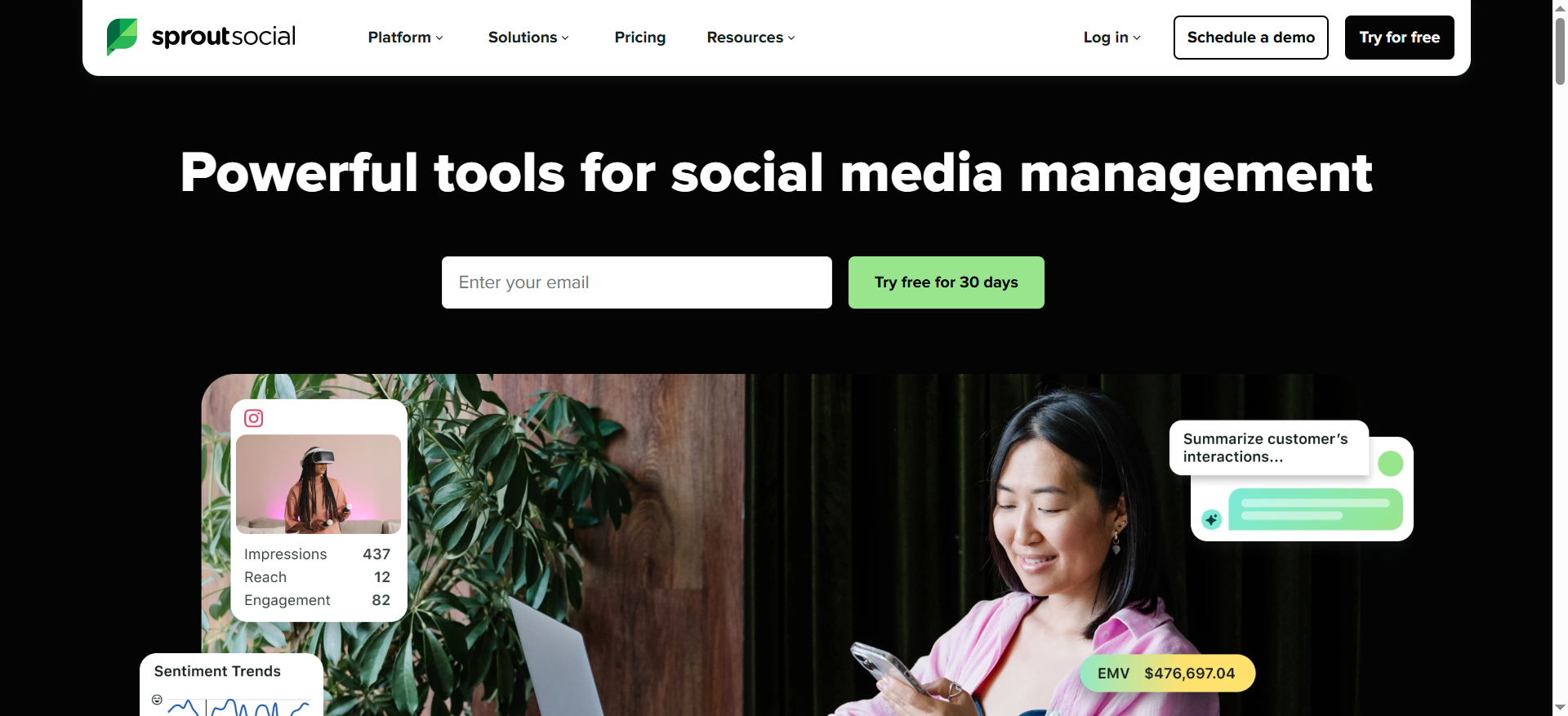
Sprout Social is a comprehensive social media management platform that includes brand monitoring and social listening as part of its feature set. Unlike the other tools on this list that focus primarily on monitoring, Sprout Social is a full social media suite that covers scheduling, publishing, engagement, analytics, and monitoring in one platform. Its Social Listening feature monitors brand mentions, sentiment, and trends across social and web sources.
Why Teams Use It
Teams choose Sprout Social when they want to consolidate their social media stack into a single platform rather than using separate tools for scheduling, publishing, and monitoring. The appeal is operational simplicity: one login, one dashboard, one reporting system that covers everything from posting content to tracking what people say about your brand.
What It's Good For
Sprout Social is strong at combining social media management with monitoring. The sentiment analysis feature analyzes the tone of social interactions to help you understand public perception. Competitor benchmarking compares your key performance metrics against competitors. The Smart Inbox consolidates messages from all connected social profiles into one stream, and keyword monitoring catches brand mentions across connected channels.
When It's a Good Fit
Sprout Social makes sense if your small business already needs a social media management tool and you want monitoring capabilities built into the same platform. If you are actively publishing content, engaging with followers, and responding to messages across multiple social profiles, adding monitoring to that workflow through Sprout Social is more efficient than maintaining a separate monitoring tool. It works well for growing teams that need collaboration features like message approval workflows and team reporting.
When It's Not a Good Fit
Sprout Social is not the right choice if you only need brand monitoring. The platform's pricing reflects its full social media management capabilities, and you will be paying for features you do not use if all you want is mention tracking and sentiment analysis. At $199 per month for the Standard plan and $299 per month for Professional, it is one of the more expensive options on this list. The social listening features that provide deeper monitoring insights are also available as a premium add-on on some plans, adding to the total cost.
How to Use It
Start with the 30-day free trial. Connect your social media profiles to Sprout Social. Set up keyword monitoring by entering the brand names, product terms, and competitor names you want to track. Use the Smart Inbox to see all incoming mentions and messages in one place. Access the Listening feature to get sentiment analysis and trend data. Use the reporting tools to generate performance and mention reports for your team.
Key Capabilities
Sprout Social includes a Smart Inbox for unified message management, keyword monitoring across connected social profiles, sentiment analysis for understanding public perception, competitor benchmarking and competitive reports, social media scheduling and publishing, team collaboration with message approval workflows, AI Assist for content drafting, review management for Google and Facebook reviews, and customizable reporting and analytics. The Professional plan unlocks unlimited social profiles and paid social insights.
Pricing
The Standard plan costs $199 per month on annual billing or $249 per month on monthly billing. It includes 5 social profiles, unlimited scheduling, the Smart Inbox, keyword monitoring, review management, and basic reporting. The Professional plan costs $299 per user per month on annual billing, adding unlimited social profiles, message tagging, competitive reports, paid social insights, and AI Assist. The Advanced plan costs $399 per user per month annually, adding inbox sentiment analysis, AI-powered tone editing, automated chatbots, and customizable reporting. Pricing is per user, which can scale up quickly for teams.
Free Tier?
No permanent free tier. Sprout Social offers a 30-day free trial for new users.
Downsides / Limitations
The pricing is among the highest on this list, especially for small businesses that only need monitoring. Per-user pricing means costs multiply quickly as your team grows. Social listening and deeper monitoring features may require higher-tier plans or premium add-ons. The platform can feel overpowered for teams that do not need the full social management suite. Setup and onboarding take more time compared to focused monitoring tools like Brand24 or Awario because of the broader feature set.
What Is Brand Monitoring and Why Do Small Businesses Need It?
Brand monitoring is the practice of tracking mentions of your business name, product names, key personnel, and related terms across the web, social media, news, forums, and increasingly, AI search tools. For small businesses, it serves as an early warning system and an opportunity engine.
When someone posts a negative review, complains about your service on social media, or asks a question about your product in a forum, brand monitoring catches it so you can respond before the conversation shapes public perception without your input. On the positive side, monitoring surfaces brand advocates, potential partnership opportunities, and user-generated content that you can amplify.
Small businesses often assume that brand monitoring is only relevant for large companies with significant online presence. The reality is the opposite. Large companies have PR teams and customer service departments that catch many of these conversations organically. Small businesses typically do not, which makes automated monitoring more important, not less. A single unanswered complaint or a missed recommendation thread can have a proportionally larger impact when your customer base is small.
How to Choose the Right Brand Monitoring Tool on a Small Budget
Start by defining what you actually need to monitor. If your brand only exists on a couple of social platforms and your own website, a simple tool like Google Alerts paired with native social media notifications might be sufficient. If you are active across multiple channels and your brand is generating regular conversation, you need a dedicated monitoring tool.
Consider these factors in order of priority for small businesses. First, coverage: does the tool monitor the channels where your customers actually talk about you? Second, pricing: can you sustain the cost month over month without it straining your budget? Third, usability: can you get value from the tool without spending hours learning it? Fourth, alerting: does the tool notify you quickly enough to respond in a timely manner? Fifth, sentiment analysis: is the tool's ability to categorize mentions as positive, negative, or neutral accurate enough to be useful?
Avoid paying for enterprise features you do not need. Boolean search, for example, is powerful but only matters if your brand name is generic enough to produce noisy results. AI chatbot tracking is valuable if your customers use AI search tools, but irrelevant if your audience does not. Match the tool to your current needs, not aspirational ones.
Brand Monitoring vs Social Listening: What Is the Difference?
Brand monitoring and social listening are related but distinct activities. Brand monitoring is narrower: it tracks specific mentions of your brand, products, and competitors. The goal is awareness. You want to know when someone talks about you so you can respond, learn, or act.
Social listening is broader. It involves analyzing the overall conversation around your industry, category, and the themes your customers care about. Social listening helps you understand trends, identify emerging topics, gauge market sentiment at a category level, and inform product or content strategy.
In practice, many tools blur the line between the two. Brand24, for example, is primarily a brand monitoring tool but includes features like discussion volume tracking and topic analysis that overlap with social listening. Sprout Social offers both through its monitoring features and its dedicated Listening add-on.
For most small businesses, brand monitoring is the starting point. You want to know what people are saying about you specifically. Social listening becomes valuable as you grow and need to understand the broader market context around your brand.
How Much Does Brand Monitoring Cost for Small Businesses?
Brand monitoring costs range from free to several hundred dollars per month, depending on the tool and the depth of features you need.
At the free end, Google Alerts provides basic web monitoring at no cost, though with significant limitations in coverage and timeliness. At the budget-friendly tier, Awario starts at $24 per month on annual billing, making it the most affordable paid option for small businesses. Brand24's entry point is $149 per month annually, which provides a more comprehensive feature set including AI chatbot tracking. Mention's Company plan starts in the $600-plus range with custom pricing. Sprout Social begins at $199 per month but is priced as a full social management suite, not just a monitoring tool.
For most small businesses, a budget of $25 to $150 per month covers the range of viable monitoring tools. The right spend depends on your mention volume, the number of channels you need to cover, and whether you need features like sentiment analysis and competitive benchmarking or can get by with simpler tracking.
Can You Do Brand Monitoring for Free?
Yes, but with significant trade-offs. Google Alerts is the most established free option. It monitors Google's search index and sends email notifications when new content matching your keywords appears. It is useful as a baseline, but it does not cover social media, does not provide sentiment analysis, and often delivers results with delays.
Beyond Google Alerts, you can manually monitor brand mentions by searching for your brand name on individual social media platforms and setting up native notifications. This approach is time-intensive and becomes unsustainable as your presence grows.
Several paid tools offer free trials that let you test full-featured monitoring before committing. Brand24 offers a 14-day trial, Awario offers a 14-day trial, and Sprout Social offers a 30-day trial. These trials can be useful for evaluating whether paid monitoring is worth the investment for your business.
The practical answer is that free monitoring works as a starting layer or as a supplement to a paid tool, but it will not give you the coverage, speed, or analytical depth that even an entry-level paid tool provides.
What Channels Should Small Businesses Monitor for Brand Mentions?
The channels you monitor should match where your customers and audience are active. For most small businesses, the essential channels include major social media platforms (X, Facebook, Instagram, LinkedIn), review sites (Google Business Profile, G2, Capterra, Trustpilot, or industry-specific review platforms), news and blog coverage, forums and community sites (Reddit, Quora, industry-specific forums), and increasingly, AI search tools (ChatGPT, Perplexity, Gemini, Claude).
Not every channel carries equal weight for every business. A B2B SaaS company should prioritize LinkedIn, G2, and industry forums. A local service business should focus on Google Business Profile, Facebook, and Yelp. Start by identifying the two or three channels where your customers are most likely to mention you, and make sure your monitoring tool covers those well before expanding.
The AI search channel is newer but growing in relevance. Brand24 is currently one of the few affordable tools that tracks how AI chatbots mention and recommend your brand, which is worth considering if your customers use AI tools for product research.
How to Set Up Brand Monitoring for the First Time
Setting up brand monitoring follows a straightforward process regardless of which tool you choose. Start by listing the keywords you want to track. At minimum, include your brand name (and common misspellings), your product or service names, your founder or key team member names if they have public presence, your primary competitor brand names, and two or three industry terms that your customers associate with your category.
Next, choose your tool based on your budget and needs. Sign up for a free trial to test it before committing. Configure your alerts: decide whether you want real-time notifications, daily digests, or weekly summaries. For most small businesses, daily digests strike a good balance between staying informed and avoiding notification fatigue.
Set up your filters. Most tools let you filter by sentiment, source, language, and influence score. Start with broad filters and narrow them down as you learn which types of mentions matter most to your business. Finally, establish a response workflow. Decide who on your team is responsible for reviewing mentions, which types of mentions require a response, and what your target response time is for different mention categories.
What Metrics Matter Most in Brand Monitoring for Small Businesses?
Focus on a small set of metrics that directly connect to your business goals rather than tracking everything a monitoring tool can measure. The most actionable metrics for small businesses are mention volume over time (is conversation about your brand growing, shrinking, or stable?), sentiment ratio (what percentage of mentions are positive versus negative, and how is this trending?), share of voice compared to competitors (how much of the category conversation includes your brand versus competitors?), response time to negative mentions (how quickly is your team addressing problems?), and source distribution (which channels generate the most mentions, and are there channels you should be investing more in?).
Avoid getting lost in vanity metrics like total reach or impressions, which can look impressive but rarely translate to actionable decisions for a small business. A single negative mention from an influential reviewer matters more than a thousand low-reach positive mentions. Focus your monitoring energy on the metrics that help you protect your reputation and find opportunities.
Do Small Businesses Need AI-Powered Brand Monitoring?
AI-powered features in brand monitoring tools serve two purposes: they automate analysis that would take hours to do manually, and they surface insights you might miss entirely. For small businesses, the most valuable AI features are sentiment analysis (automatically categorizing mentions as positive, negative, or neutral) and AI chatbot mention tracking (understanding how AI search tools reference your brand).
Whether you need these features depends on your mention volume and your competitive context. If your brand generates fewer than 50 mentions per month, you can probably read and categorize them manually. If you are generating hundreds or thousands, AI-powered sentiment analysis saves significant time. AI chatbot tracking matters if your customers use tools like ChatGPT, Perplexity, or Gemini to research products in your category, which is increasingly common in B2B SaaS.
For most small businesses at the seed or early growth stage, basic AI sentiment analysis is worth having. AI chatbot tracking is a forward-looking investment that will become more important as AI search adoption grows, but it is not yet essential for every small business.
How Often Should You Check Brand Mentions as a Small Business?
The right cadence depends on your mention volume and the nature of your business. For most small businesses, checking mentions once daily is sufficient. Set up a daily digest from your monitoring tool and review it as part of your morning routine or end-of-day wrap-up.
There are exceptions. If you are running a product launch, a marketing campaign, or responding to a PR situation, switch to real-time monitoring so you can respond quickly. If your business operates in a space where negative mentions can escalate fast, such as a customer-facing service business, real-time or hourly alerts for negative sentiment mentions are worth configuring.
Avoid the trap of checking mentions constantly throughout the day. Unless you are in crisis mode, frequent checking creates distraction without proportional value. Set your monitoring tool to alert you automatically for high-priority mentions (negative sentiment, high-influence sources) and batch-review everything else on a daily schedule.



